Pomegranate Apps LLC
Solve - Graphing Calculator Customer Service

- Solve - Graphing Calculator Customer Service
- Solve - Graphing Calculator App Comments & Reviews (2026)
- Solve - Graphing Calculator iPhone Images
- Solve - Graphing Calculator iPad Images
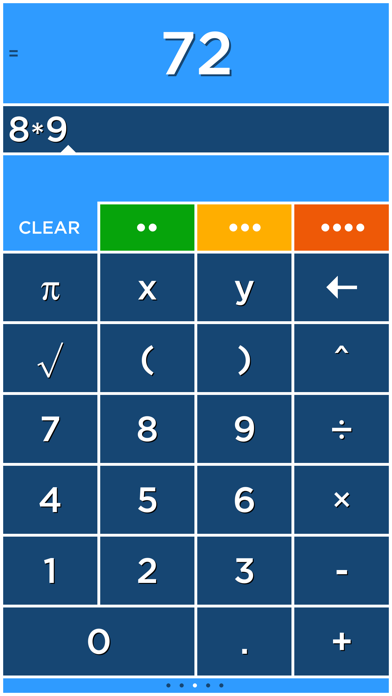
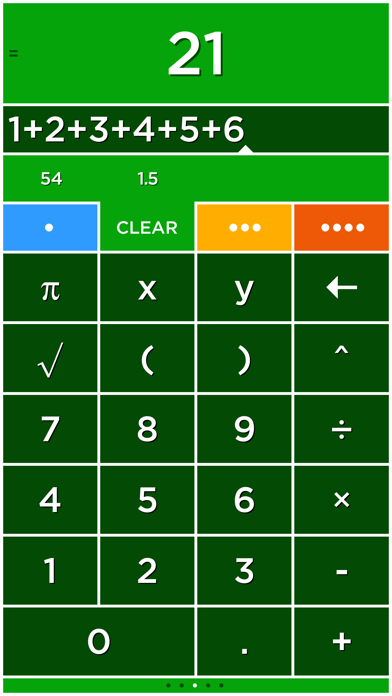
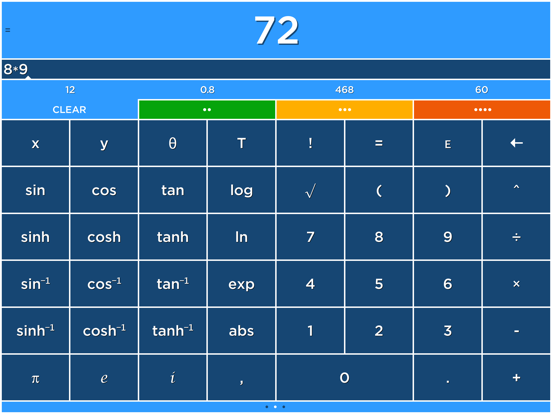
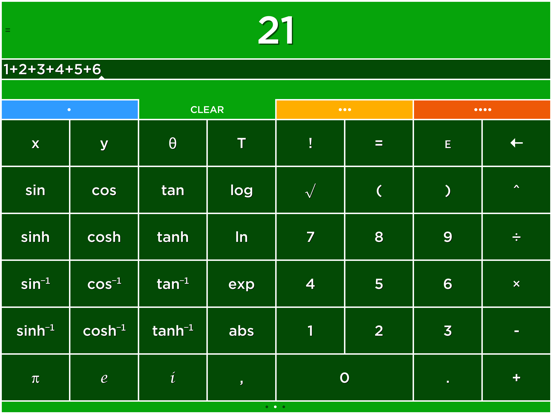
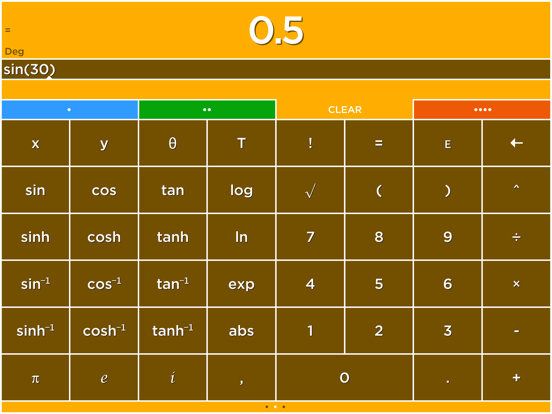
Solve is a calculator like no other! Solve solves expressions as you type and features an innovative memory system to store and recall answers. Simply touch the answer to store it and touch the stored answer to use it in an expression.
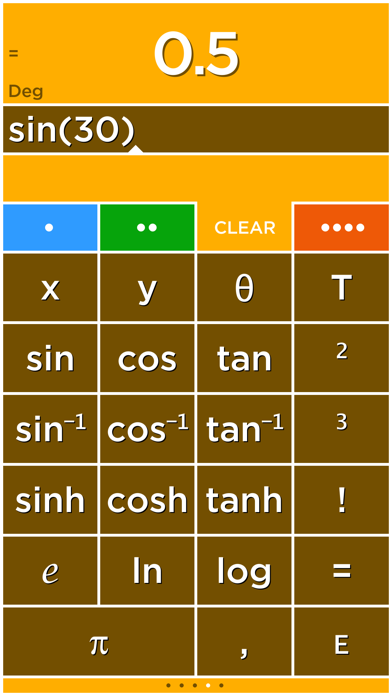
Solve has four tabs that select four different calculators each with its own color. Multiply numbers, calculate a tip and find a square root all without clearing your results!
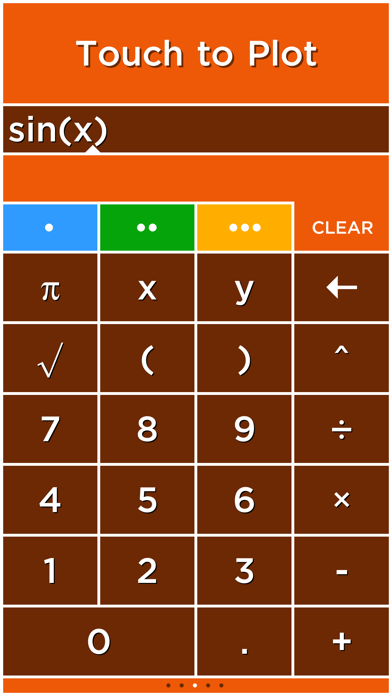
Plot graphs with a single touch! Solve plots 2D and 3D functions using the x, y and θ variables. When you use the x, y and θ variables in an equation the answer will say Touch to Plot. Touch this label to graph the equation.
GRAPHING
Plot functions using the x variable. For example, "y=sin(x)" is just entered as "sin(x)".
• cos(x)
• abs(x)
• x^2+2x+6
POLAR GRAPHING
Plot polar equations using the θ variable. For example, "r=2θ" is just entered as "2θ".
• 2θ
• sin(2θ)
3D GRAPHING
Plot 3D functions by using the x and y variables. For example, "z=x+y" is just entered as "x+y".
• cos(x)+sin(y)
• x^2+y^2
PLOT MULTIPLE GRAPHS
Graph multiple functions by separating each equation with a comma.
• sin(x),cos(x)
• x,x^2,x^3
TIME GRAPHING
The T variable is used to create animated or time plots.
• cos(x+T)
• sin(x+T)*x
• cos(x+T)+sin(y+T)
USER REVIEWS
Really nice calculator by NeedHim
"Having multiple calculators that you can use your calculations in is really a cool function. Prevents you from having to have a pad and paper to figure out multiple calculations. Also the colors are just incredible."
Simply amazing. by oddgoingson
"I was blown away by this app. When I first tried it and the tutorial came up, my first instinct was to skip past it. Then I started... Blown away. This calculator has everything and more. It is so logical for those who always wondered why calculators are sometimes so archaic. Forget copy and paste. Then I got to the graphing.... A must have period!"
Perfect! by Michael
"I've always hated how calculators didn't save answers. It made working out equations very hard and time consuming. But this app does that, and it does it well! Finally, a calculator app that actually works."
Outstanding calculator -- full featured! by ofloveandhate
"I have been using Solve for a few years now. Prompt updates, excellent controls, and a ton of features make it the best calculator I have used. I love having four separate units which I can use in each other and the plotting is easy as pi."
Great app by biosci
"It does everything I need in a 'fun' way that's intuitive to how I think and operate. I'll take it!"
Great Calculator by Carl E. M.
"This is a great calculator, aesthetically and functionally. Having the answer appear as you enter numbers will be the future of all calculators."
I love this calculator by Alan63134
"I work on a shipping dock and it saves me a lot of time and headache. I can have 4 different calculator in one place. I can see the different weights or counts and know where I am if I have to do a lot of weighing or counting on different pallets. I use it every day. I also use it while shopping and can add the price of my shopping list and calculate what things cost. I love this calculator."
Awesome! by smart-music-fan
"This app is great. It easily graphs functions on the xy plane, and adding T as a variable to make the graph move is so fun. Its 3D graphing capability is great - quick, easy (it sets nice bounds on the z axis so you can see things clearly), and helpful for visualizing my Multivariable Calculus homework."
Fantastic by xTricksterz
"This app is beautiful, I use on my iPad and I'm first to answer most of the problems in class. This app shreds TI's calculator OS."
Awesome!!! by llikeadodachacha
"Does just about everything my TI-84 Plus but quicker and much easier to manipulate the graphs. It loads instantly and the 3D function is awesome for higher level math classes (I'm in Calc 3 now and it's already come in hand!)
Solve - Graphing Calculator App Comments & Reviews
Solve - Graphing Calculator Positive Reviews
Best calculator app. Had it for years.My only complaint is on the newer iPhones, the interface needs an update. When swiping up to close the app or switch to the previous app, it always changes the calculator ‘page.’ it gets rather annoying when you’re referencing numbers in another app, switch back to enter them and have to swipe back to the number pad. It’s a minor complaint and the app is best in class..Version: 5.3.2
ExcellentExcellent app. I've had it for over a year. It's like having four calculators at once. It shows your work like a printing calculator does and is easy to backspace. I probably have some kind of complaint but I can't think of it, so I doubt it's important..Version: 5.1.2
Needs an updateThis has always been my favorite calculator on iOS, but it’s buggy and needs an update. Swiping up from the bottom of the screen to exit the app or switch between apps doesn’t always work, it just scrolls between calculator pages. This makes the calculator unusable when I need to do some calculations and then switch back to another app..Version: 5.3.2
Best calculator app, but needs modernizedOn newer phones with swop gesturing the app has become very clumsy to use. Hasn’t been updated in two years. Otherwise this is the best conceived basic calculator app available. I would’ve given five stars if the developer were a little more responsible..Version: 5.3.2
Really nice calculatorHaving multiple calculators that you can use your calculations in is really a cool function. Prevents you from having to have a pad and paper to figure out multiple calculations. Also the colors are just incredible..Version: 5.1.2
Best Calculator There IsEasy to use, simple to learn more complex features with really nice tutorials. Even does time graphing which most other calculators with graphing don't do..Version: 5.1.2
Please fixI like the app a lot but can we fix the swipe up problem where it doesn’t change the screen page? This has been a problem for a long time. Loosing my patience- Trying to look for a new calculator app!.Version: 5.3.2
Small mistakeYou guys don't have a percent button, although it is a graphing calculator, I want it to be my only calculator and otherwise it's great, but when I'm working with percents I have to use a different calculator..Version: 5.1.2
Super intuitiveI love the way this app works. Clicking on numbers to move them around feels really natural. This is the only calculator I’ll ever use..Version: 5.2.1
Nice CalculatorThis calculator works very well for typical calculations. It is very easy to use and has capabilities that range from basic calculations to using it as a graphing calculator..Version: 5.1.2
Well worth itWorks great for graphing time varying 2D plots and visualizing 3D curves. With the power in these smartphones, I'm surprised calculators haven't become obsolete..Version: 5.1.2
Great App!!!I love this app it does all my work when trout pressing the equals it just does it for you fast! 👍👍👍👍👍.Version: 5.1.2
Most frequently used app I ownI love this calculator. I use it more than Sage and MATLAB..Version: 5.1.2
What if that thing I said.Better than native app..Version: 5.1.2
Simple, easy to useNice app. Meet daily needs..Version: 5.2.1
👌🏻Great appThis app is amazing its helps with my math problems and its just great!😀.Version: 5.1.2
Very goodEasy to use and fully featured.Version: 5.1.2
Great!Easy to use, great app!.Version: 5.1.2
Easy to useVery EZ to use. I only accept the uncomplicated apps..Version: 5.1.2
AwesomeLove it.Version: 5.1.2
Nice graphics, usability problems fixed!My initial review pointed out difficulty editing equations without the standard iPhone keyboard, and the challenge of animating without more control over the variable T. These complaints were addressed with amazing speed, by the recent update, and I can say that the equation editing works smoothly, with a nice compromise between their custom keypad for quick entry, and the iPhone keyboard for more elaborate editing. The options for controlling the range and end behavior of the animation are complete but easy. I'm glad I bought this app even with several other graphing calculators already on my iPhone..Version: 0
Good; Could be betterThis app is a good purchase, but there are some features that would make it a must- have. For starters, it has a great graphing function that shows zeros, points of intersection, and can even graph time and 3D functions. However, something that would be nice would be the ability to calculate things like integrally and derivatives (at least display the slope at user-chosen points). Another nice function would be an improved radical sign. At this point, it is difficult to integrate into functions, and there's no way to perform any root but the square without using fractional exponents. One last thing- the horizontal view tries to squish too many buttons into one screen; it's bothersome to use. Other things that I like are being able to change the way the numbers are displayed (scientific notation, etcetera). The colors are nice, too. A solid purchase..Version: 4.3
Almost PerfectThis is a great calculator for algebra and trigonometry level math. I give it four stars because the main trigonometric functions are displayed twice (to the left and right of the basic calculator). I think that space would be better used by some of the calculus functions. I know the Math Studio app has those, but I believe they could have included at least some of the basic ones in this app as well. I tried contacting Pomegranate apps regarding this suggestion but the email address given on their website doesn't exist..Version: 5.0.1
I am in aweOh how great! If only I would have had this when hen I was in school 20 years ago... it would have made calculus so much easier with all the visualisations. This app is the best, and I've actually pushed the Apple calculator app off the last visual screen and set this one to the first screen as a replacement - because you can also calculate with numbers, unfortunately the buttons are too small - if they make bigger buttons, this app deserves SIX stars! + I figured out how to store numbers into the 4 memory slots, but there seems to be no way to store formulas... right?.Version: 0
Clean interface with useful featuresAfter trying many different calculator apps, this is the first one that has actually replaced the default iPhone calculator for me. It is perhaps a bit more colorful than needed, but the extra colors pop out and make it a more pleasant app to use. The memory features in the app are amazing for people who do repeat calculations using the same numbers..Version: 4.5.2
A DisappointmentThere is nothing Solve does that its previous incarnation, MyCalculator, did not do better, except to give you access to multiple keyboards and four different calculators with a swipe. The beautiful graphing power of MyCalculator has been reduced to an appendage. It appears that the developers thought that something simpler would appeal to a wider audience. Perhaps so, but I am not a member of that audience. Did they think that my needs would be met by the very high-powered but cluttered and cumbersome Math Studio? If so, again, they misread their audience. I am sorry if MyCalculator did not earn its keep. It was near perfection for my purposes..Version: 4.0
Still missing some key features!I don't see a significant improvement in this latest version of Solve. It has the same poor (compared to previous "MyCalculator" versions) user interface, but most importantly, it is still missing key functions and features.
I cannot raise the rating from my previous review, until you start implementing the following important changes :
--- Include missing functions that were on the previous calculator, such as
I love this calculatorI work on a shipping dock and it saves me a lot of time and headache. I can have 4 different calculator in one place. I can see the different weights or counts and know where I am if I have to do a lot of weighing or counting on different pallets. I use it every day. I also use it while shopping and can add the price of my shopping list and calculate what things cost. I love this calculator..Version: 4.5.2
Simply amazing.I was blown away by this app. When I first tried it and the tutorial came up, my first instinct was to skip past it. Then I started... Blown away. This calculator has everything and more. It is so logical for those who always wondered why calculators are sometimes so archaic. Forget copy and paste. Then I got to the graphing.... A must have period!.Version: 5.1
Does what others do only betterAnd looks as great as it functions. Visuals count even in math. But get beyond the pretty face for functions that I never thought would be needed and you'll find them, and even functions some may never have thought of applying to a calculator. This thing almost operates in 3D..Version: 5.1
Absolute best calculator for everyday useI've loaded a lot of calculators since getting my first iPhone six years ago. This one is the absolute best for everyday use (vs specialized apps for things like stats or engineering calcs). The developer did a brilliant job of reconceptualizing the calculator interface for simplicity and efficiency. Great app..Version: 5.1.1
Awesome!This app is great. I miss some of MyCalculator's pretty pictures, but otherwise it is perfect. It easily graphs functions on the xy plane, and adding t as a variable to make the graph move is so fun. Its 3D graphing capability is great - quick, easy (it sets nice bounds on the z axis so you can see things clearly), and helpful for visualizing my Multivariable Calculus homework..Version: 4.3
Almost thereBeautiful graphs, and very quick, too. I love the way results update as I type. Likely the best non-symbolic calculator in the app store (if you want symbolic capability, get pocketCAS or symbolic calc instead). Three things remain that keep it from perfection: 1 ability to store results. C'mon, give us a few memory slots. 2 no snap to zeros or intersections in trace mode. This would allow me to use it to solve equations. 3 the provided skin is very ugly. Why not giving us a choice of skins, with larger buttons, white on dark, etc?.Version: 0
InterfaceThe user interface is not as nice as the last version. We can no longer use our own pictures as background; we can no longer change color of graphs; we can no longer change the type of lines and surfaces. But polar graphing is added..Version: 4.1
Leave well enough aloneThe last version was perfect. This one has (IMO) a bad interface and no useful advantages. Unfortunately Apple does not let you get rid of the number in the app store icon unless you update. This is the second time that I would have preferred to leave the old version of an app alone but don't want the hassle of not downloading all..Version: 4.0
Blown away!Before using this app, I was used to pretty poor quality calculator apps. You can imagine my surprise when I found this app which was actually good compared to the others I found..Version: 5.1
Awesome!!!Does just about everything my TI-84 Plus but quicker and much easier to manipulate the graphs. It loads instantly and the 3D function is awesome for higher level math classes (I'm in Calc 3 now and it's already come in hand!).Version: 0
Perfect!I've always hated how calculators didn't save answers. It made working out equations very hard and time consuming. But this app does that, and it does it well! Finally, a calculator app that actually works..Version: 5.1
Innovative and funI love the implementation of this graphing scientific calculator. This app definitely delights while also getting the job done in an effective manner. This app packs a whole lot of functionality in an accessible way..Version: 5.0.1
GreatDude, there are memory slots. 1,2,3,and 4 at the top of the buttons. You use it be teping an equation, then save. you can go back be pressing 1,2,3 or 4, which ever one it saved in..Version: 0
Great calculator appDefinitely the best calculator app I've found. This is exactly what I've been looking for in a calculator app. However, I think visually, it would go a long way to remove the drop shadow from the text in both the icon and the app itself..Version: 4.6
Beautiful app, but could use a tweak for iPadsBecause the iPad screen isn't square, graphs are always skewed with ticks of unequal width when moving from one axis to the next. Any easy way to adjust for that?.Version: 3.2
Top Notch, did it rightBest calculator I've ever used. Really flexible and allows you to have multiple virtual calculators. Plenty f features that would cost 10x more if found on a physical calculator ...Version: 4.6
Great interface, good functionalityIt'd be nice to be able to interact with the graphs more (some kind of trace feature, perhaps) and some further options for viewing windows would be nice too. Great app overall..Version: 4.3
Gets the job done.I think it could be a little more user-friendly by making access to each screen quicker. But it does work well..Version: 4.3
PerfectThis is my go to calculator. I love that it has four screens so I can do different things without losing my place. It's also as much scientific calculator as I need..Version: 4.3
Amazing appThe best calculator app, very easy to use and very powerful. Only downside is that it limits how many characters you can input (limit is very high, but with very long equations, can sometimes be an annoyance).Version: 5.1.2
X, Y axis cannot be scaled independentlyVisually attractive and kind of fun to use. However, the graphing feature does not support independent scaling of the X and Y axis, so usefulness is limited. Update (3 years later): to add to the irritation, there are fields to configure the axis scales, but the Y-axis scale is, of course, ignored..Version: 5.1.2
Great!Intuitive, innovative, and useful. Great app!.Version: 4.0
ExcellentThis is my favourite "go-to" calculated..Version: 5.0
Great appOne of the best graphing calculators for iPhone.Version: 4.3
Where is the pi button and how do you graph a helixWhere is the pi button and how do you graph a helix with only x and y values and no z value?.Version: 0
Free International Money Transfer 💸Enjoy high maximum transfers into more than 20 currencies while saving up to 90% over local banks! The cheap, fast way to send money abroad. Free transfer up to 500 USD!Version: 5.4
What do you think Solve - Graphing Calculator ios app? Can you share your thoughts and app experiences with other peoples?
Please wait! Facebook comments loading...