
Om Aerofly FS 4 Flight Simulator (IPACS)-appen
FEATURES
• 20 unique aircraft with realistic flight dynamics and fully interactive 3D cockpits
- Over 15 more aircraft available as in-app purchases, like Airbus A350, Airbus A380, Boeing B777, Boeing B787, F/A-18 Hornet, Concorde, UH-60 Black Hawk helicopter, CRJ-900 and many more
• Fly at over 100 airports in California
• World wide flying with over 7000 airport ( requires internet connection )
• Intuitive user interface with location map and graphical route editor
• Start the flight instantly in a cruise, takeoff or landing configuration; or on the ground ready for taxi or cold and dark
• Time-Skip feature to jump ahead in the flight
• Instant replay
• Optional simulated copilot that can fly the aircraft autonomously
• Optional flight assistance features like automatic nav-tuning, automatic lights and caution/warning muting
• Flight logs, statistics and achievements
• Flight mission presets and custom missions
• Global Air Traffic based on 10,000+ real world flights
• Scenery cultivation: 3D buildings, powerlines, wind-turbines, trees, etc.
• World wide elevation, aerial images and navigation data coverage
• Sloped and curved runways
• Adjustable time of day, visibility, wind, clouds, thermal activity and turbulence
• Real time ground illuminating from aircraft lights and apron flood lights
• Most common joysticks assigned out of the box and ready for your first flight
• Support for multiple joysticks, throttle units, rudder pedals and more
AIRCRAFT FEATURES
• Fully interactive 3D cockpits
• Highly realistic flight dynamics with full multibody simulation
• Realistic ground physics with full landing gear compression
• Cold and Dark startups
• Adjustable cockpit lighting and display brightness
• Authentic EFIS displays including electronic checklists in the most modern airliners
• High level of system depth and thousands of custom coded aircraft systems
• Caution and warning systems
• GPWS callouts
• Autopilot that operate just like the real thing, with full LNAV/VNAV or managed/selected features, auto-land and mode reversions
• Custom fly-by-wire systems with realistic handling qualities and protections
• FMS programming using MCDU and CDU devices, including IFR procedures like departures, arrivals and approaches (SIDs, STARs, APPRs)
AIRCRAFT LIST
• A320-200
• B737-500 (classic)
• B777-300ER
• King Air C90Gtx
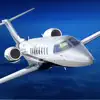
• Learjet 45
• Bombardier Dash8-Q400
• Eurocopter EC135 helicopter
• Robinson R22 helicopter
• Cessna 172
• Baron 58
• F-15E
• MB339
• Bücker Jungmeister
• P38 Lightning
• F4U Corsair
• Sopwith Camel
• Pitts S-2B
• ASG-29 glider
• Swift S1 glider
• Messerschmitt Bf 109
MINIMUM SYSTEM REQUIREMENTS
• RAM: 8GB ( 16GB recommended )
• macOS: 13
• Free Space: 32GB
• Graphics: Apple Silicon GPU with 8 GB ( 16GB recommended ) or Intel based computers a NVIDIA/AMD graphics card with at least 8 GB. We do not recommend to use Aerofly with Intel based integrated graphics cards.
• Recommended input device: Dedicated USB/Bluetooth gamepad or USB joystick
IMPORTANT NOTES
• World wide flying requires an internet connection
• It's strongly recommended to use either a gamepad or joystick for flying
PRIVACY POLICY: https://www.aerofly.com/privacy
End User License Agreements (EULA): https://www.apple.com/legal/internet-services/itunes/dev/stdeula/

Nyheter i siste versjon av Aerofly FS 4 Flight Simulator (v4.8.2)
- Many new landmarks like skyscrapers, bridges and other iconic buildings world wide
- Many updated airports
- Improved renderer for Apple Silicon based computers
Aerofly FS 4 Flight Simulator Kontaktinformasjon
For å nå kundeservice og teknisk støtte for Aerofly FS 4 Flight Simulator kan du bruke de offisielle kanalene under. For raskest svar bør du velge utviklerens offisielle nettsted.

Aerofly FS 4 Flight Simulator Abonnement, Sletting av App og iOS-støtte
Hvordan sier jeg opp abonnementet på Aerofly FS 4 Flight Simulator?
Åpne Innstillinger på iPhone eller iPad, trykk på Apple-ID-en din (navnet ditt) øverst, gå til Abonnementer, velg Aerofly FS 4 Flight Simulator i listen og trykk Avslutt abonnement. Oppsigelsen trer i kraft ved slutten av inneværende faktureringsperiode; du kan bruke appen ut perioden. Se Apples offisielle side for abonnementshåndtering for detaljer.
Hvordan sletter jeg Aerofly FS 4 Flight Simulator-appen?
Hold fingeren på Aerofly FS 4 Flight Simulator-ikonet på Hjem-skjermen, velg Fjern app og deretter Slett app. Viktig: har du et aktivt abonnement, blir det ikke automatisk avsluttet når du sletter appen - du må først si opp abonnementet med trinnene over.
Kjøp, refusjon og faktureringsproblemer for Aerofly FS 4 Flight Simulator
Fakturerings- eller refusjonssaker for Aerofly FS 4 Flight Simulator melder du via Apples Rapporter et problem (reportaproblem.apple.com). For appens egen tekniske støtte og kontakt kan du bruke utviklerens offisielle nettsted eller Aerofly FS 4 Flight Simulator App Store-siden.
Aerofly FS 4 Flight Simulator Positive Anmeldelser og Vurderinger
Wise overfører penger til utlandet med den ekte markedskursen og lave, gjennomsiktige gebyrer; ingen skjulte påslag. Du kan ha over 40 valutaer på én konto og bruke Wise-kortet i utlandet uten ekstra vekslingsgebyr. Prøv Wise gratis →
Det finnes ingen positive anmeldelser for Aerofly FS 4 Flight Simulator ennå.
Aerofly FS 4 Flight Simulator Negative Anmeldelser og Vurderinger
Det finnes ingen negative anmeldelser for Aerofly FS 4 Flight Simulator ennå.
Aerofly FS 4 Flight Simulator Skjermbilder

 Block Out! - Color Sort Puzzle KundeserviceGrand Games A.Ş.
 HITSTER KundeserviceKoninklijke Jumbo B.v
 Referee Simulator 2026 KundeserviceJ Labs Teknoloji Anonim Sirketi
 Meowdoku! KundeserviceOakever Games
 Soccer Superstar - Football KundeserviceReal Free Soccer
 Pokémon GO KundeserviceNiantic, Inc.
 Vita Mahjong KundeserviceVita Studio
 Block Blast! KundeserviceHungry Studio
 Gossip Harbor®: Merge & Story KundeserviceMicrofun Limited
 Colony Flow! KundeserviceAbi Global Ltd.