Pomegranate Apps LLC
MathStudio Customer Service

- MathStudio Customer Service
- MathStudio App Comments & Reviews (2026)
- MathStudio iPhone Images
- MathStudio iPad Images
MathStudio brings unprecedented computational power to your iPhone, iPad and Apple Watch. From building simple algorithms to creating interactive plots and animations, MathStudio bridges the gap between technology and your imagination.
"It is a programming tour-de-force, and really does provide a substantial subset of the functionality of desktop powerhouses like Mathematica and Maple."
▸ Simply the best calc app by ilachina
Develop your ideas to their fullest extent with MathStudio's expressive scripting language that features new syntax to do amazing things with just a few lines of code. Research and development in the scientific, engineering, mathematical and computing fields almost always involves the need for a scripting language to take your results one step further. Sync your documents with iCloud and have access from any device including your Mac.
"Perfect app for quick, powerful computation and visualization. I keep using it instead of Mathematica on my home computer because it's just so convenient. I can't believe how well it renders the evolution of such complex systems. I am blown away."
▸ Mini Mathematica by Professor Dave
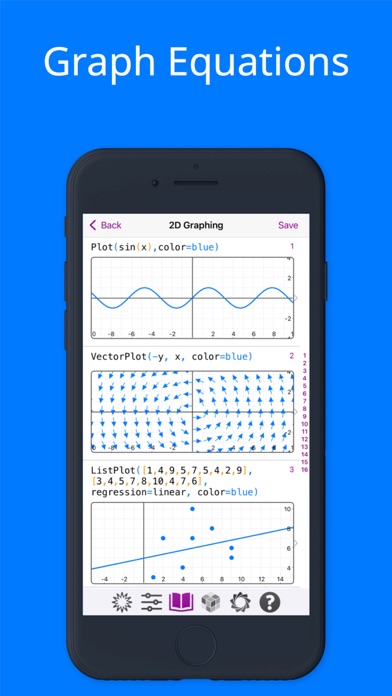
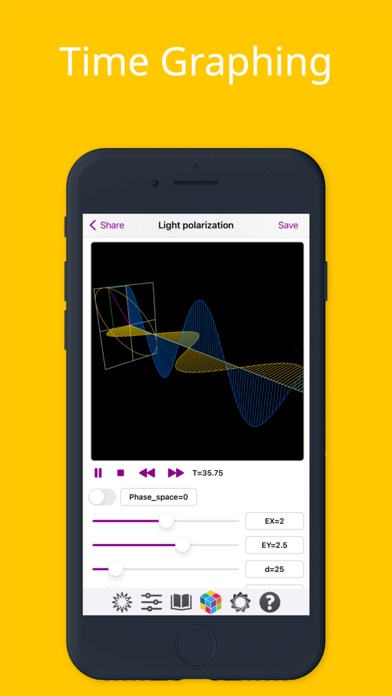
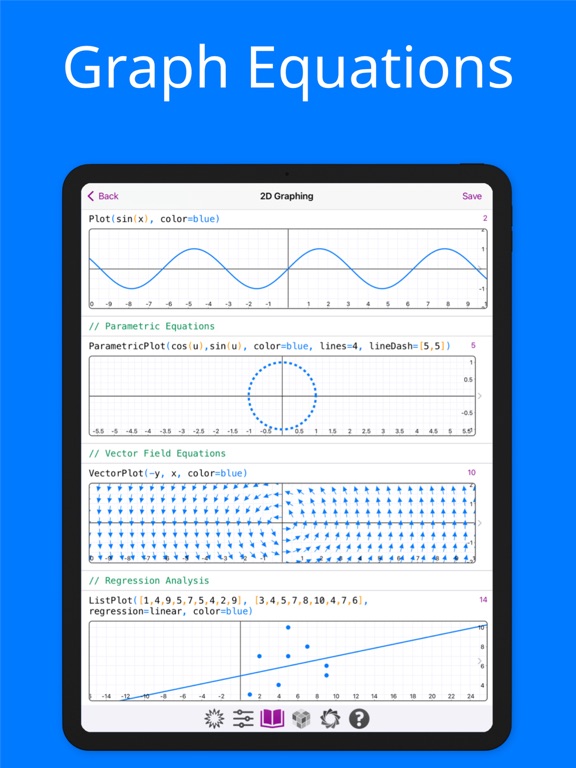
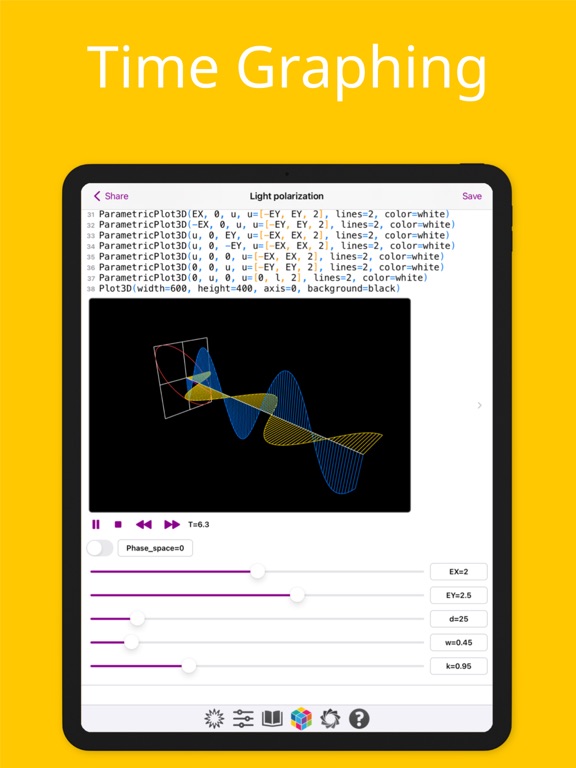
MathStudio goes beyond a traditional graphing calculator by combining the power of the fastest proprietary computer algebra system available on iOS that can create cartesian, parametric, polar, implicit, vector fields, cylindrical, spherical, regression and image plots. Plot time graphs using the T variable to create animated plots that graph in space and time!
"This app really goes beyond your typical graphing calculator as well. How? By allowing you to interact with the graphs that you generate by touching them! I could go on and on about this app, but If you're still reading this review, let's just say that you're probably not going to find a better graphing calculator than this in the App Store."
▸ Replace your old graphing calculator! by AppShouter
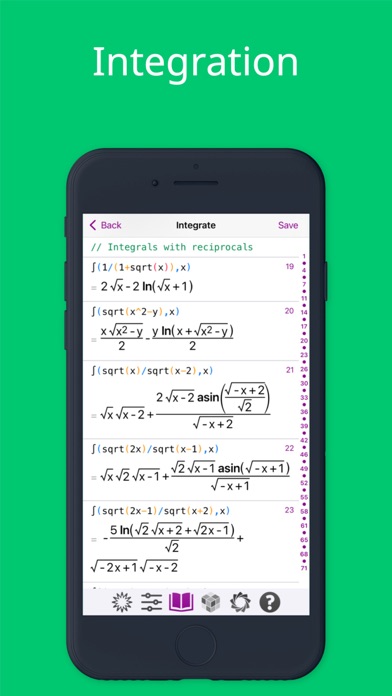
From basic calculations to college calculus, MathStudio is a full featured scientific calculator and is an indispensable tool for students, teachers and engineers. It provides features that go beyond what you will find in traditional TI calculators with a modern and intuitive interface with hundreds of mathematical functions that cover Basic Math, Pre-Algebra, Algebra, Trigonometry, Precalculus, Calculus, Statistics, Finite Math and Linear Algebra.
"This app is way more than a graphing calculator. Capabilities like solving differential equations, preforming matrix factorizations and many more place it in a league of its own for hand held computation. The interface is simple and the extensive catalog makes it easy to quickly learn how to execute any operation. As an undergraduate math and physics student, this app has completely replaced my TI and drastically reduced the time I spend on MATLAB and Mathematica. I would recommend MathStudio to anyone!"
▸ Amazing Capabilities by Mac-Lover
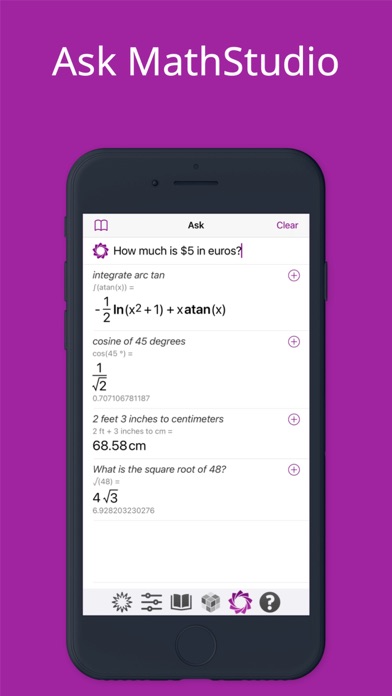
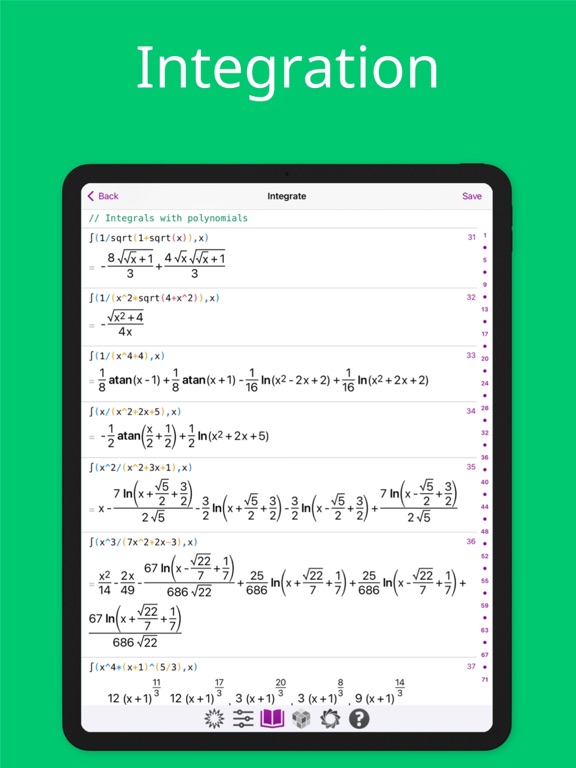
From unit conversions to compound unit arithmetic, MathStudio includes complete support for units with intuitive syntax. Plot lists of data with powerful regression analysis functions, invert and multiply matrices, calculate determinants, solve derivatives, integrals, limits, differential equations and more with the most powerful computing app available on iOS.
"This app offers so much, and everyone can learn from it. Amazing 3D graphics, intuitively designed with the end user in mind. It is apps such as MathStudio, that show us why the App Store for iPhone/iPod Touch/iPad is by far the best for mobile devices."
▸ Creatively genius by howwaya
Are you a user from Mathematica or MATLAB? MathStudio offers much of the same functionality! For more help getting starting using MathStudio visit our discussion forums.
http://discuss.mathstud.io
MathStudio App Comments & Reviews
MathStudio Positive Reviews
AwesomeI will say that if you are looking for a basic calculator, look elsewhere. If you are looking for a math tool then this is the app for you. This app has a small learning curve that can be achieved by going thorough the What’s New example file. Once you understand the syntax this will be your go to app!.Version: 7.4
Good. But frustratingly broken in some crucial areasI enjoy the ease of use and ui. I also like the purple colour scheme. My main complaints are things that I think people looking for a powerful mobile math program are likely to be frustrated by: 3D graphing of vectors: only one quadrant is displayed, the coordinate system is unable to be changed, and the zero vector coordinate is not actually in a consistent position. Their 3Dvector plot function does not even work on the website version, so it is not a question of my misuse. Roots of odd numbered powers: the graphing of these roots seems to fail to display the negative outputs values, thus annoyingly not presenting the full graph. Stability is also not terrific. All in all, I like the software for simpler things like algebraic expansion and the solving of polynomials, but would be able to love the app if I were able and I effectively graph 3D vectors in a way that doesnt have an abysmal coordinate system..Version: 8.0.2
This is a calculator??Sorry, this is silly, but it doesnt even have a proper scientific calculator number pad with variables and operations such has power operator in one place. There is a number pad but you have to switch to it, and you have to scroll through the extended keyboard to get to the power operator. It says it is a calculator, but its keyboard is more like a notepad you use to write memos. Are you kidding me??? Yes, it seems great. But is it really a calculator that makes it easy for you to input equations??? Not on the iphone anyway..Version: 7.3.1
Needs ImprovementFor $20, I would expect much more from the app. While the concept is there, the delivery is subpar with regard to documentation being clunky and the UI being sparse. Example: try to search derivative in the manual... it won’t show up. But if you search Calculus, you can find derivatives. For a math app, the UI being sparse is good for many reasons, but where it becomes a glaring problem is the math input. There needs to be a “pretty math” input similar to the the TI NSpire where you can easily see your complex equation in standard form rather than just a complex line of parenthesis and carrot symbols. When dealing with multiple polynomial fractions in a single calculation, this will get ugly very quickly. Also, when I try to do a define via := logic, the entire app crashes and closes..Version: 8.0.2
Quite usefulI’ve been using this app since it was SpaceTime. It is very flexible and fast. I have encountered the occasional minor issue that I have been able to resolve via the discussion group. ** it appears that the discussion group is no longer accessible via Safari..Version: 7.4
Great!This is a fantastic app! As someone who is versed in Mathematica and MatLab I find your interface and syntax to be just about perfect. I do have a few feature requests though: - One thing I need though which seems to be missing is the ability to shade below a graph to the x-axis but only between two given x-values. - I would like to have the ability to print all results in decimal only. - I would be great if “shift”+”enter” would creat a new line for a multi-line command..Version: 8.3
Phenomenal App!I use this app for some of my R&D work. I also use it for recreational learning when traveling or with down time. Very complete and easy to use!.Version: 7.3.1
Fantastic app!A fantastic app that gives MatLab a run for its money. Loved the equation solvers and the quality graphics. Plots3D uses the right orientation of axis by default..Version: 7.4
Why ?I would love to give this 5 stars but for the love of all that is good why did they choose to index lists, arrays, matrices etc. starting from 1 instead of zero??.Version: 8.3
Improvement adviceWe need to improve this app and will be a excellent work tool, the keyboard entry need a upgrade (as the old basic MathStudio) and a solid stable engine without crashes, there isn’t many app in the market like this, let’s do it please!.Version: 7.4
Awesome!Tired of Wolfram Alpha? Can't be asked to learn the J programming language? Get this. It has many of J's matrix features... maybe one day all of them... but without J's cryptic syntax..Version: 7.3.1
Comprehensive, affordable, programmableMuch more comprehensive than a hand-held programmable calculator. Comprehensive programmable app for science and math students, as well as field workers..Version: 7.4
MathStudio rocks on...First, if you are looking for a fully functional programmable calculator and can't find anything suitable for your iPad, then you are looking for MathStudio. If you are looking to do mathematical modeling, MathStudio is also for you. Second, there are only a handful of applications I feel make the iPad worth purchasing. MathStudio is on the A list along with GoodReader, ProCreate, Noteshelf, and Apple's productivity applications (Pages, Numbers, and Keynote). All these applications are well designed and do what they do reliably and very well. Third, MathStudio gets better with every release. Watch out Mathematica! We're on your tail. I highly recommend MathStudio..Version: 7.3
App Crashes When Trying To Save Image Of PlotGreat app, but can you please fix issue with app crashing when trying to save image of plot.Version: 7.4
Please fix contour plot for 2D and add contourplot 3D featureI wish.. only wish they would fix contourplot for 2d!.Version: 8.3
Flaws so farI give this four stars because it is well designed, responsive and probably the best calc on the app store so far. The tutorials and manual are lacking. It's taken me two days to draw a line segment because almost every definition in the manual uses sin or cos. There is not support for using indent styles, or any form of object orientated programming. This makes it hard to split up complex functions. I dream that this app will have OOP, and if I'm greedy visual mapping of scripts and functions, However if they make the learning curve less of a hurdle and build a library of community contributed functions I will give it the fifth star..Version: 7.3
Worth The UpgradeI have been using the previous app, and now here is a new one, allowing ios keyboard, unicode variables, file export and import, and so many improvement. I use this app with Unicode Pro, in which I can create a custom keyboard with 3*3 number pad and other symbols like a real calculator..Version: 7.3
Great ProgramWhen I first reviewed this program, I simply hadn't read the instructions. This program is really fabulous. I went to engineering school in the days of slide rules. Certain calculations took pages to evaluate. I dream of how much easier life would have been with a program like this. Incidentally, I downloaded the ti nspire app. It's a great program too, but MathStudio does many of the same things in a much more straightforward way..Version: 7.2
Show equations on graphsThis is a wonderful app. The only complaint i have is that the equation doesn't show on the graph. Maybe I'm unaware of a setting that can change this..Version: 7.3
Fabulous appNot quite as nice as the old (Mathsoft era) Mathcad but much easier to use than Mathematica or Matlab. Very full featured. Needs some work but my complaints would be more in the way of suggestions e.g. Tex and Mathml support..Version: 7.2
Good app for MathMathStudio is far more capable than the other math apps for iOS or macOS. I have been looking for a good math app. It took me a while to find MathStudio. I have it on my Mac and IPhone..Version: 7.3
Great mathematical app!It has the same tremendous power, as previous version, and much easier to use. Interface is intuitive and logical, not cryptic. But acot(0) is π/2, not NaN. Such things should be tested before public release..Version: 6.2
Kudos to Pomegranate for their PersistenceMathStudio has been a decent math tool for years and rather than coast, Pomegranate has kept MathStudio fresh and stable..Version: 7.3
EpicI would pay 100 bucks for this app, Cz that's what I paid for Ti89, but the app is way better than Ti89!.Version: 7.1
Just great!A must have if you are a mathematics lover! Well worth the money!.Version: 6.3
The best cal.Very good interface and useful for math student n eng. I really love this app.Version: 7.1
FantasticThanks for a great app. It would greatly benefit customers/users if this app was equipped with a keypad similar to the Wolfram Alpha app..Version: 6.5.1
It's great, of course.A tool for serious users..Version: 6.4
Spacetime->MathStudio->Solve->MathStudio6The same app re released for $20. Compensation for low sales? Fair enough but, removing features like GUI themes, π button, etc. No good..Version: 6.2
MathStudio reviewExcellent math and calculation program. Rivals mathcad..Version: 6.5
老是崩溃呀IPhone6p打开help里的example崩溃.Version: 7.3
Finally a powerful, useful app for engineers and scientists.Simply unparalleled in my view. Nothing comes close to this on an iPhone / iPad platform..Version: 7.4
Absolutely the math beastWorth every penny.Version: 7.3.1
AmazingSeems stupid to spend 27.99... for a few-MB-for-size app😂 But, it is worth..Version: 7.3
So here we are...The perfect app, if you absolutely need to be sure that you are plotting on a square grid..Version: 7.3
Free International Money Transfer 💸Enjoy high maximum transfers into more than 20 currencies while saving up to 90% over local banks! The cheap, fast way to send money abroad. Free transfer up to 500 USD!Version: 8.3
What do you think MathStudio ios app? Can you share your thoughts and app experiences with other peoples?
Please wait! Facebook comments loading...