Di Venisco UG (haftungsbeschrankt)
Taculator 84 Graphing Calc Customer Service

- Taculator 84 Graphing Calc Customer Service
- Taculator 84 Graphing Calc App Comments & Reviews (2026)
- Taculator 84 Graphing Calc iPhone Images
- Taculator 84 Graphing Calc iPad Images
Intended for use with TI-84 Plus.
TACULATOR 84 GRAPHING CALCULATOR
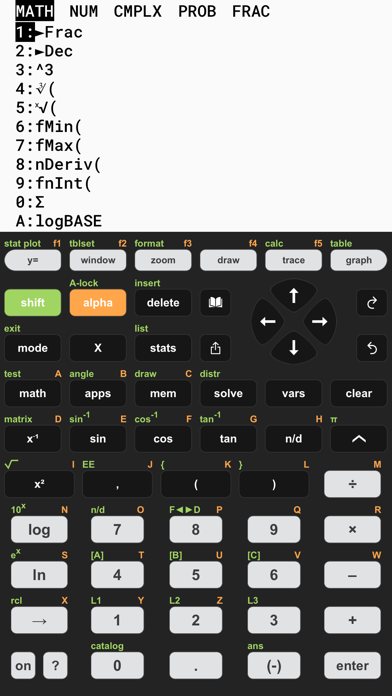
• Your graphing calculator for high school and college students.
• Includes all the commands and functions for advanced math, list, statistics, distribution, stat plots, etc.
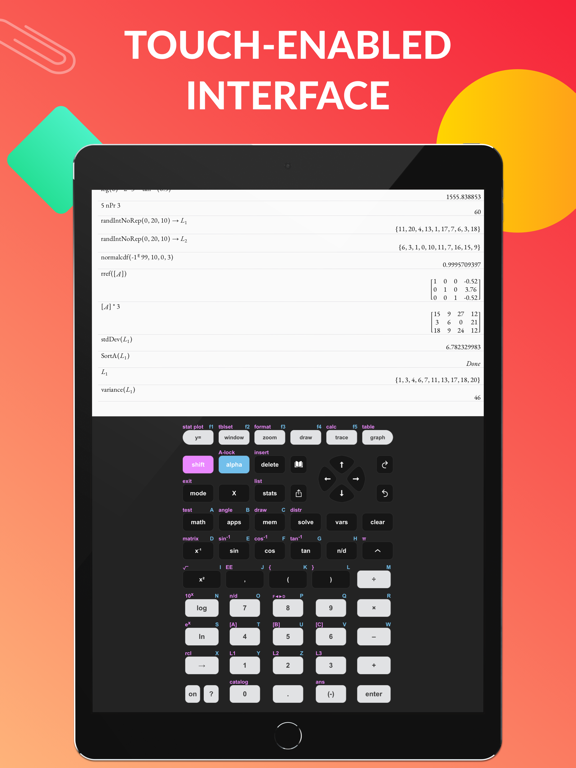
• Use the arrow keys or your fingers to navigate inside the app.
• Covers everything you need: Pre-Algebra, Algebra 1 & 2, Pre-Calculus, Calculus, Statistics...
IT'S EVEN BETTER THAN AN ACTUAL CALCULATOR
• Taculator is 100X faster as it uses the huge calculation power of your iPhone/iPad, while handheld calculators are often slow.
• High-resolution graphing window: Make sharp and beautiful graphs.
• Your new calculator weighs nothing and is always ready on your phone.
• Share your calculations with friends as a text message or email.
◉ Math Functions
• Scientific calculator with all basic arithmetic and advanced functions.
• Ability to scroll through history and copy previous calculations.
• Complex numbers support
• Probability functions like nPr, nCr, factorial, random numbers.
• Enter fractions easily.
• Convert angles and use DMS format.
◉ Graphing Functions
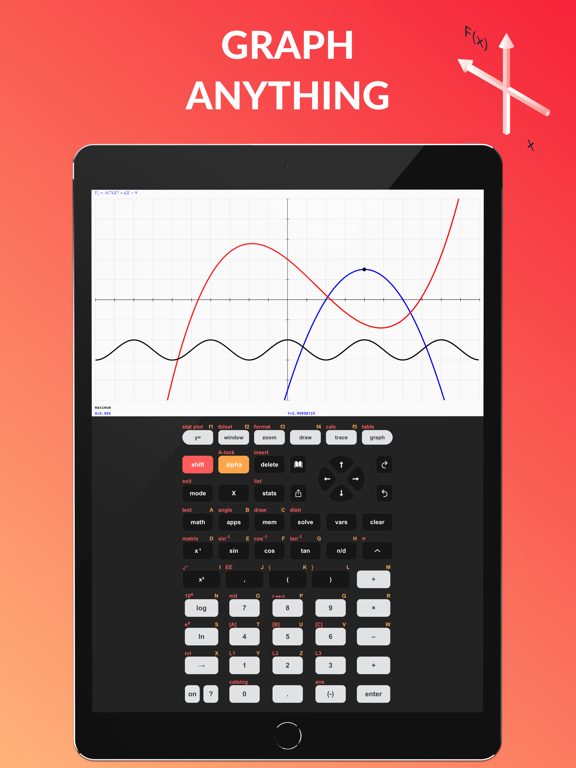
• Graph every function you want and trace for X- and Y-values
• Calculate intersection, zero, minimum, maximum, integral, and derivative.
• Switch between full-screen graphs and normal mode.
• Zoom in and out with your fingers and adjust the window settings.
• Graph statistical plots like histogram, box plot, scatter plot, xy-line plot
• Draw vertical, horizontal, tangent, circle.
◉ Matrix Calculator
• Store matrices and reuse them using shortcuts like [A], [B], [C],...
• Do matrix arithmetic operations: Scalar multiplication, addition & subtraction, multiplication, power of a matrix.
• Calculate transpose, determinant, dimension, inverse matrix, row echelon form, reduced row echelon form, identity matrix, cumulated sum.
◉ List, Statistics, and Distribution
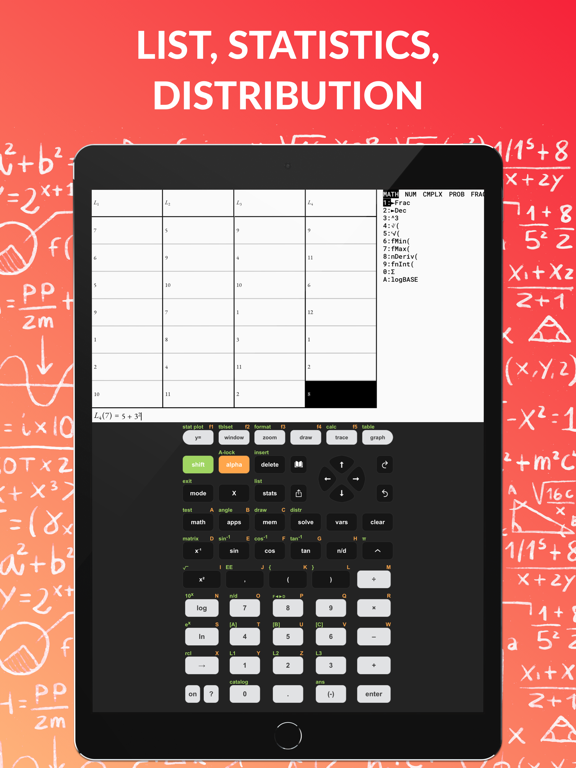
• Use the stat list editor to enter your list values.
• Perform 1- and 2-Variable statistics.
• Use lists to calculate min, max, mean, median, sum, product, standard deviation, variance.
• Find best-fit regressions: LinReg (ax+b), LinReg (a+bx), QuadReg, CubicReg, QuartReg, LnReg, ExpReg, PwrReg, Logistic, SinReg.
• Perform statistical tests: Z-Test, T-Test, 2-SampleZTest, 2-SampleTTest, 1-PropZTest, 2-PropZTest, ZInterval, TInterval, 2-SampleZInterval, 2-SampleTInterval, 1PropZInterval.
• Calculate various distributions: Normalpdf/cdf, invT, Tpdf/cdf, χ2pdf/cdf, Fpdf/cdf, Poissonpdf/cdf, Binompdf/cdf, Geometpdf/cdf.
◉ Command Catalog & Syntax Help
• Get help with all commands with our integrated Catalog & Help section.
• It provides you with syntax help, examples, and possible error messages.
• Enter a command and the app will show you the right syntax next to the cursor.
SUPPORT
Contact us at [email protected]
---
For extended features such as more advanced calculations and functions, get the Taculator Pro membership.
Auto-Renewable Subscription Terms:
You can choose from three subscription options:
• A monthly subscription;
• A yearly subscription;
• A lifetime subscription which is paid for by a one-off upfront payment.
• Payment will be charged to iTunes Account at confirmation of purchase;
• Subscription automatically renews unless auto-renew is turned off at least 24-hours before the end of the current period;
• Account will be charged for renewal within 24-hours prior to the end of the current period, and identify the cost of the renewal;
• Subscriptions may be managed by the user and auto-renewal may be turned off by going to the user's Account Settings after purchase;
Terms of Service:
https://www.taculator.com/terms-of-service.html
Privacy Policy:
https://www.taculator.com/privacy-policy.html
Taculator 84 Graphing Calc App Comments & Reviews
Taculator 84 Graphing Calc Positive Reviews
I downloaded it for a reasonThis app has a very clean and professinal look to it, very pleasing to the eye, and the pop up window is a nice size. The color customination at the beginning seens a little unessecary, but its cool too. All of these things are great and it would be the perfect app for me to use on my school work. Execpt.... The graphing function does not work. I'm really disipointed, I hate having to switch between tabs on my browser and the awkwardness of having to click on each of the seperate boxes on online Graphing calculators. If you want just a regular scientific calculator app that looks nice, this is the perfect appfor you. As for me, Ill just use my physical calculator for that. Really, I only downloaded it for the graphing function. I might have given this app three stars in spite of this, but the logo clearly has a misleading graph on it, and there is nothing in the decription saying that you woud need to pay to be able to GRAPH on a GRAPHING calculator. I mean I get it, calculator app developers need to make a living too, but at least inforn your consumers. Anyway main point is: THE GRAPHING DOES NOT WORK BUT ITS STILL AN ATHSETIC REGULAR CALCULATOR.Version: 1.0
MehI paid 29 dollars to have this forever. And compared to playing 100$ for a real one that’s a pretty good deal. bUt, I’ve run into some issues with the calculator. Specifically when solving lengthy equations, it never carries the negative through the problem. For example, if I were to put in -3•4 I would get -12, but then I multiply my answer by 8, (-12•8) and it would give me positive 96, rather than -96. This has caused a few issues on some assignments for me but once I figured out what was happening it was pretty easy to continue. I also have a hard time looking at graphs when I graph them. I’ll put my equations into the Y= and it will graph fine, but I can never see the full graph, and because of that I can’t find the intersections and all that. Other than that it works pretty good, I just try to use it for the more basic stuff that my phone’s calculator can’t do..Version: 1.1.10
I wish the description listed which functions were for the PRO versionPretty similar to TI-84 CE, but needs to enumerate clearly what features are PRO exclusive and which ones aren’t. For the price of $0 compared to its 150 dollar counterpart, I’d say it’s pretty good. Sadly, haven’t been able to do much statistics on here (regression, test values). It can graph, but it can’t do calculus or find max. It’s also missing an equation solver (but has a quadratic equation solver). Actually now that I think about it it can pretty much only graph and do the same things the built in calculator can. But still a decent value compared to the 150$. Plus since you already carry your phone around, it’s not bad..Version: 1.0.5
Great features, but not very easy to useIt's got all the functions I want in a calculator, but I wish it mapped to my keyboard better. For example, there's a 'shift' key on the calculator, but you have to click on it, instead of just hitting the shift key on your keyboard. Same goes for the 'enter' button when you run into things like a syntax error. You actually have to click the enter button instead of using the enter key on your keyboard. Not a huge deal, but this can be frustrating when you're in the middle of a long calculation. Maybe this is a bug?.Version: 1.0.3
Great, but...This app does exactly what it says it does and it does it very well. There are some features hidden behind a pro version, but that’s fine because there are no ads. My only problem is the fact that every time I open it, I am greeted with a full page ad to subscribe to premium and the only way to dismiss it is to hit the x in the corner. It is obtrusive and has no reason to be so persistent. Otherwise, great app..Version: 1.1.3
AMAZING APPThis app is the most amazing thing ever. Other than the fact that it puts you through an ad when you open the app, this is easily the best graphing calculator that’s mostly free. You can’t graph certain things but most everything is free. This is such a great app, and I have so much fun creating my own calcular and deciding all the fun colors. It also has other feature that standard graphic calculators DONT have! Overall, it’s an amazing app- I am a student and it’s such a great student calculator!.Version: 1.2.8
AmazingMy homework requires me to use a graphing calculator. This one is perfect. It’s just like the one I use in algebra. I’m not confused about the alpha function button because every part is a different color. It’s also helping me learn about the buttons on a graphing calculator, since it’s very hard in class. It’s also not one of those apps that makes everything pro (in my opinion) very helpful.Version: 1.1.8
Good but annoyingDoes what it should, but you constantly get bombarded with “buy premium” or “rate us” every 5-10 minutes, I honestly can’t really complain though, seeing that this thing is free, and it’s not hard to just X out the pop up. No ads is a huge bonus as well, so again I can’t really complain..Version: 1.2.2
Best applicationThis calculator can very quickly solve everything I threw at it. the design is very beautiful with an easy menu. This is the best calculator it’s the same one that I use in school it’s great bc you can put numbers as exponents and most calculators that I used don’t have that feature, also you can find a numbers square root and this caulator has saved me a lot of work..Version: 1.2.6
Looks promisingThis app is a very good implementation of the TI-84 interface, however, with any developing product, there are some downsides. The interface does not always scale properly, which may cause problems with graphing, there are some features that aren't implemented yet, and there are some minor design bugs. These may be weird at first, but I'm excited to see where this app will go!.Version: 0.9.1
OkSo you now that fixed the graphing and crashing and now that I see you have a lifetime purchase for only 30$ compared to 150$+ I’m very happy to say that I like the app better BUT… People are now reporting that it crashes on cellular WiFi and it just crashes when they open it. And with my experience so far with the new version of the app when you hit table it only shows -199 through -185 I’m one for the people so... Could you fix that please?.Version: 1.1.5
Best app and now with 1000 separatorsI have never added a review for an app; but I’ve been using this app for over 2 years now. You have no idea how excited I was to find you added 1000 separators. Thank you so much.Version: 1.2.16
Best calculator EVERThis is the best calculator it’s the same one that I use in school it’s great bc you can put numbers as exponents and most calculators that I used don’t have that feature, also you can find a numbers square root and this caulator has saved me a lot of work..Version: 1.1.2
The BestThis app is life saving. It has everything you need and you can even design the buttons and everything. It works just like a T-i.Version: 1.3.1
I like it, but…I like this app for the most part. It’s an extremely useful tool to have when you don’t have a tangible graphing calculator, but when typing certain math problems, or even just certain buttons on the calculator, the app will crash. PLEASE fix this!.Version: 1.2.14
Best Calculator App!I love this app it has helped me with my homework when my graphing calculator is out of battery.....it is also a lot cheaper and easy to use and understand!.Version: 1.2.14
Pay to complete homeworkReally great interface. Loves how smooth it is and works really well. The only reason why I’m reviewing it this way is the simple fact that I have to pay for pro to use some of the functions I need for my school work. I just want a decently made calculator that is ACTUALLY free. None of this Pro crap..Version: 1.1.8
Always tells me to buy premiumI got this app for school for a calculator. It has everything I need but always insist I buy the premium. But everything I need comes free already. It’s a calculator why do I need a premium calculator. What’s it going to do scratch my back while i figure out the equation..Version: 1.2.14
Great AppThis app has been very helpful for both my middle school and high school experience. I don’t pike the fact that the app makes you pay for certain features but after you do it works juts as well as any other calculator..Version: 1.2.13
Great graphing calculatorThe only issue I had was that the keyboard on my MacBook didn’t seem to work with the calculator at times (yes I made sure the calculator window was in the forefront)..Version: 1.2.14
Great app, just like Ti-84This calculator has been able to solve everything I've thrown at it. There's no learning curve if you've already used Ti-84 calculator before. The button placements are very identical..Version: 0.9.1
Nice app but won’t replace traditional calculatorsI like this app. It got me through most of my Stats class without paying $100 for a calculator. Unfortunately it lacks a few standard functions needed to solve certain equations in later chapters which was very disappointing..Version: 1.2.3
GraphingOnce I updated, the crashing stopped; however, the “graphing” calculator doesn’t allow me to graph. Even before I paid the $30 for the better version, the graphing function worked, so either fix it or I need a refund..Version: 1.1.6
Better than demosI’m a junior in Highschool, learning throughout the years I’ve used many calculators. Nothing really beats this calculator.Version: 1.2.14
MehWhile the calculator is a great rendition of a physical calculator, users are extremely limited with what calculations they can do. The extent of it is first semester Algebra 2. You can’t use logbase without paying along with most things in the math menu..Version: 1.2.17
Saved meThis is perfect for any student who doesn’t have a calculator and needs to do their homework after being absent..Version: 1.1.3
Really good calculatorIt’s a really good calculator overall and works almost the same as the real ti 84 but it could use the program button which normally would use python.Version: 1.1.4
Amazing just one tiny problemI love this app you can customize it And it barely has ads However every time I open this app it say if I want to subscribe I always press the (x) since I don’t want to use money But i would like it if it didn’t always say that I understand once in a while but not always Other than That it’s perfection.Version: 1.1.9
Some troublesIt was working great until last update. Now every time I go into y= it crashes. I can’t type in the equation so I can’t graph it. Any idea how to fix this? I need it to work for my homework, and we already payed for this..Version: 1.1.0
Clear all listA great calculator but I can not figure out how to clear all lists every time I attempt it says error. It makes it really hard to enter in data when you can’t put in any other points!.Version: 1.0.6
Good Calculator HoweverI like this calculator a lot. However, they didn't state that the downoad is only for a 7 day free trial. Please update the description of your app with this information to aviod wasting time..Version: 1.0.3
Hit and missNeeded this for calc homework but the integral and derivative functions only work sometimes usually on less complicated problems. It keeps saying there is a syntax error, there is not I’ve showed my calc teacher and he agrees..Version: 1.2.1
AppsNeeds to have the apps feature created. Programs are very useful for my classes. Otherwise great calculator app and use it often..Version: 1.2.8
Best Calculator AppThis calculator has helped me so much not only that it is optional to pay and you can design the calculator how ever you feel😄.Version: 1.2.13
ExponentsThis app has been very handy up until today. Due to Covid I'm stuck doing online schooling, and I thought buying taculator for about $48 would be far cheaper than a $200 one. My problem is, I can't get exponent 0 on it. I know that anything exponent 0 = 1, but that's only because I TEXTED my teacher (which you aren't supposed to do) so pretty please I'm asking you guys make this like a normal graphing calculator. There are a few other things I very much struggled to find and when trying to Google how to find it, all it brings up is stupid things to download the damn app, WHICH I ALREADY HAVE. I wasted an entire hour messing around with it..Version: 1.2.13
Excellent Calculator with Proper UI/UXExcellent implementation and great features such as well integrated haptics, a familiar layout based on trusted designs by Casio and Texas Instruments, great job!.Version: 1.3.1
MehIt works good except for the fact I gotta pay to do certain equations which bothers me but all in all it’s not bad.Version: 1.2.14
Very helpfulThis app has been very helpful once I understood how to use it. I would however like if you could finish the developments in the apps button. Thank you.Version: 1.2.12
Log and ln fonctionsWould that be possible to fix log and ln fonctions. Unable to draw it in y=. Thank you.Version: 1.2.10
Better previouslyBefore the latest update this app was great - nearly perfectly replicating a Ti-84. Now it’s useless to me. I used the app so that I maintained familiarity with my calculator such that I’m situations where I needed to use it (midterms, exams) rather than my phone, I knew how to use it because I’d practically been using an emulator. Now that has changed, and I will be switching apps..Version: 1.1.0
Free International Money Transfer 💸Enjoy high maximum transfers into more than 20 currencies while saving up to 90% over local banks! The cheap, fast way to send money abroad. Free transfer up to 500 USD!Version: 1.4.5
What do you think Taculator 84 Graphing Calc ios app? Can you share your thoughts and app experiences with other peoples?
Please wait! Facebook comments loading...