Di Venisco UG (haftungsbeschrankt)
Graphing Calculator Pro² Customer Service

- Graphing Calculator Pro² Customer Service
- Graphing Calculator Pro² App Comments & Reviews (2026)
- Graphing Calculator Pro² iPhone Images
- Graphing Calculator Pro² iPad Images
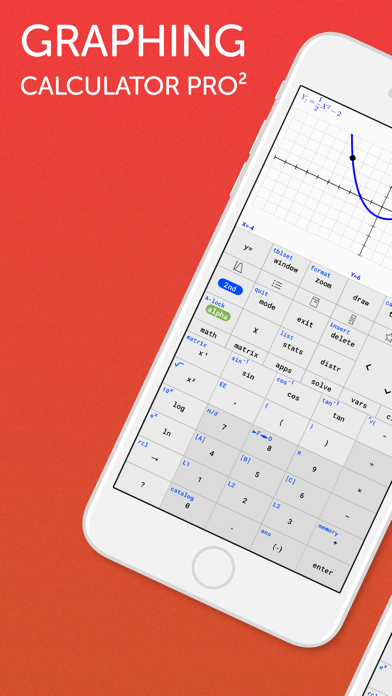
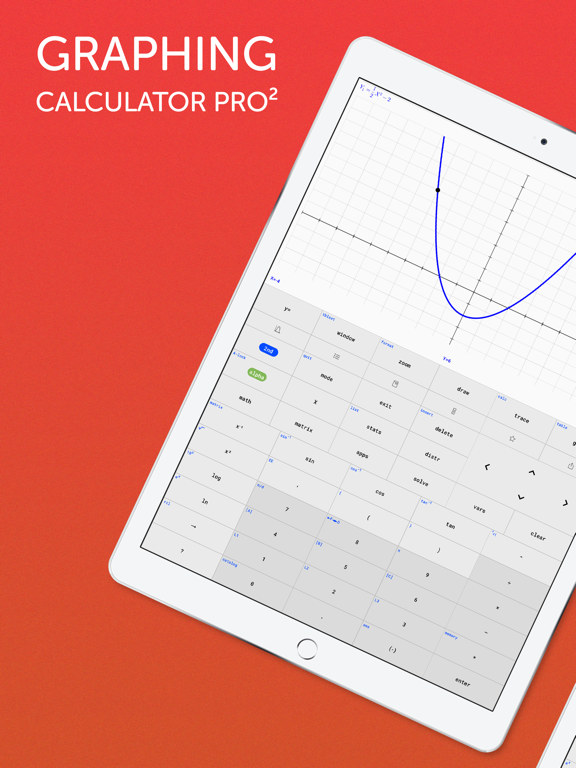
A full-featured graphing calculator: Graph and investigate functions, solve equations, work with statistics, distributions, matrices and much more.
FIVE REASONS WHY YOU NEED THIS APP
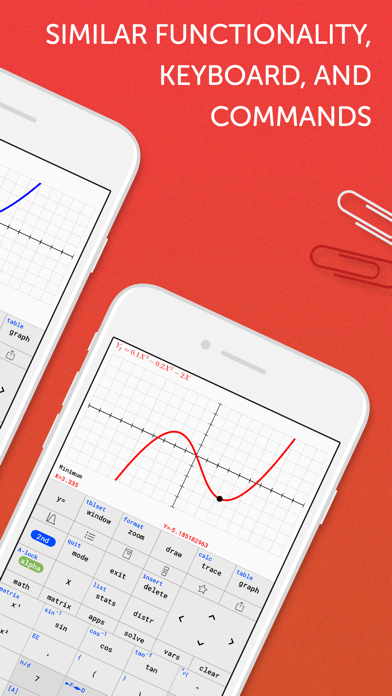
1. Keyboard and command syntax similar to physical graphing calculators -> No need to learn a new calculator.
2. Powerful emulator like Wabbitemu Calculator -> No more waiting to graph functions compared to slow physical handhelds.
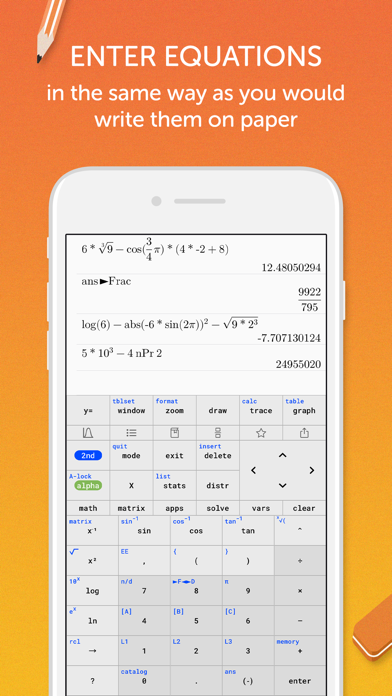
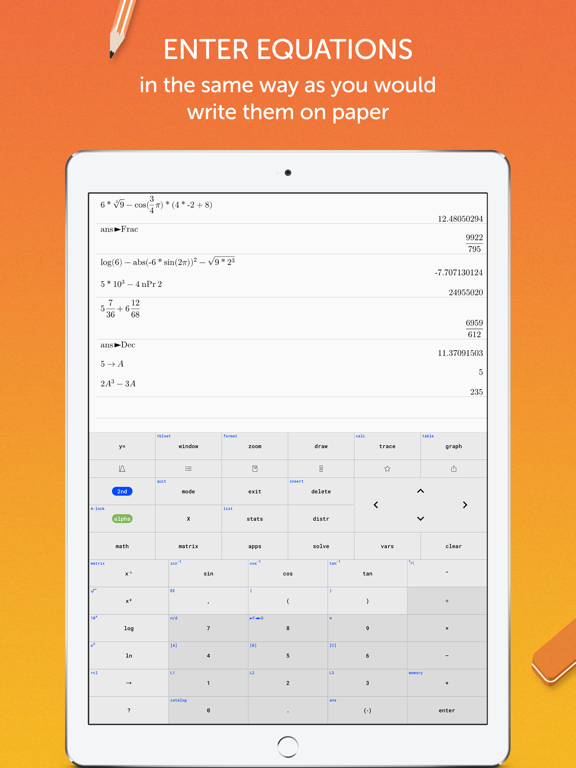
3. Enter fractions, equations or functions in the same way as you would write them on paper.
4. Never forget your calculator at home! It's always ready on your iPhone & iPad, and it weighs nothing.
5. High-resolution graphs
FULL GRAPHING CALCULATOR
• Graph more than ten functions at once, each with a different color
• Add Lines, Horizontals, Verticals, and Tangents to the graph
• Use your finger or the arrow keys to trace the coordinates of your functions
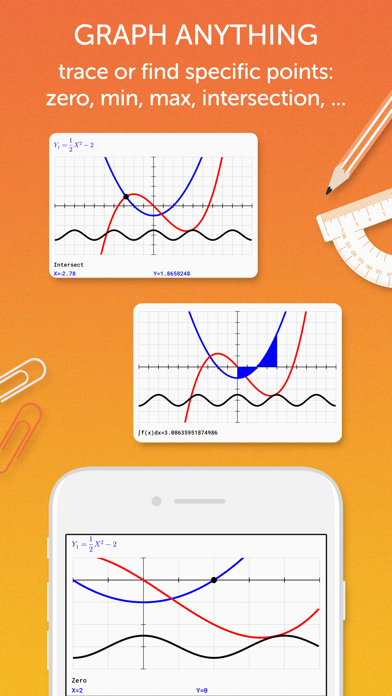
• Calculate the Zero, Minimum, Maximum, Intersection, and Derivative
• Find integrals and color the area under the function
• Set the X and Y coordinates of the graphing window; zoom in and out with your fingers
ADVANCED SCIENTIFIC CALCULATOR
• Enter calculations in natural textbook format
• Includes all basic arithmetic (+, -, x, ÷, ^, ², √, π, …)
• Use advanced functions like sin, cos, tan, e, ln, Σ, ...
• Scroll your calculation history and modify existing calculations with one tab
• Store and recall variables
• Quadratic Equation Solver
MATRIX CALCULATOR
• Work with matrices the easy way -> store them or enter them directly on the calculator interface
• Do basic matrix arithmetic operations like addition, subtraction, multiplication or power of a Matrix
• Put the matrix into Reduced Row-Echelon Form and solve linear equation systems
• Calculate the determinant, inversion or transpose the matrix
STATISTICS AND LISTS
• Use lists for all basic and trigonometric operations
• Enter lists using the Statistics List Editor or use curly brackets on the main screen
• Perform 1- and 2- Variable Stats
• Investigate your lists: min, max, mean, median, sum, product, standard deviation, and variance.
• Do regressions with best-fit lines: LinReg, QuadReg, CubicReg, QuartReg, ExpReg
• Work with distributions: Normal, Poisson and Binomial
TUTORIAL AND CATALOG
• Easy to understand tutorial to get started
• Full Catalog of all commands with syntax, example, and possible error messages
• Tab on highlighted math terms to read on point definitions
PERFECT FOR HIGH SCHOOL & COLLEGE STUDENTS
• Recommended by teachers to use in math classes
• Pre-Algebra, Algebra 1 & 2
• Pre-Calculus, Calculus
• Statistics
• Permitted on SAT/ ACT/ AP (your phone might not be permitted, but you can use the app for homework and borrow an actual calculator from your school for the test)
Graphing Calculator Pro² App Comments & Reviews
Graphing Calculator Pro² Positive Reviews
Under developmentThe app works very well. However, there are some features that are still under development, but once these features are added the app will be fantastic..Version: 1.0.91
Almost greatWhen I first downloaded this app it was just like my TI-84 which I liked because I was already used to the button layout, but now things have changed with the recent updates. For example, when I want to enter a fraction, I used to be able to click math, right,up, then enter (D:n/d) but in the app it’s different which is annoying because I already have that muscle memorized. Also, one of the huge downsides is the lack of iPad integration. Especially since the page on the App Store only shows the app being used on an iPad, which makes one believe that this is tailored for the iPad. Sadly, that isn’t the case. I would really like to see landscape viewing as well as multitasking features (side by side viewing). Last thing, can I change the x values when pressing 2nd graph. I know on the TI-84 you can change this by pressing the + sign..Version: 1.2.4
Same as TI-84CE plusI bought this app for my calculus class. I didn't want to spend $100+ for a couple classes. The app works great. I'm my opinion it works better than the actual calculator. It graphs a lot faster than the actual calculator, in all fairness my IPhone is a lot more powerful than a calculator. I also had an issue with the calculator(on my part), and support got back to me within the hour and fixed it. I used this app for Calculus I and II with no problems. One of the best apps I ever bought..Version: 1.4
It’s a good calculator but without all the calculator partsI was using this calculator because the price of a ti 84 plus calculator would have been 100$ so this was a cheaper alternative. One of the reasons I bought this was for finding the roots and max. And min. Of functions, it does this exactly like a TI-84 would. The only problem is that it cannot graph a scatter plot or find an equation for that scatter plot. While it says that it will be out in in a new update, the reason I bought it was specifically for scatter plots and quadratic function graphing. All In all it is the closest calculator to the TI-84 and a cheaper alternative to the calculator minus the scatter plot..Version: 1.0.9
Not a TI-84I am giving this app a 3 because it does have potential with the promised updates. I purchased this app because I wanted to write some TI Basic programs. No programming capability. The second thing that I tried was to enter a complex number and multiply that number by its complex conjugate. I could not find the "i". The mode button only sets the number of decimal places and degrees or radians. The graphing functions that I have tried worked. The font used to label the key needs to be larger and bold. A nice feature is that the alpha key clears the keys and only shows the alpha label for the keys..Version: 1.1.3
Great TI-84 calculatorI’ve downloaded this app because I needed a ti 84 calculator. The app is even better than the original calculator. The graphs are looking better and are way more precise. Also it had all the other functions I was looking for. I highly recommend this app if you need a ti 84 calculator. Update: Now the developers added the support of lists. I didn’t need lists so far but it is good to know that they still work on the app and add features. 👍.Version: 1.2.0
Excellent app!!!One idea I have for this app is if when you click the 2nd key, it changes all the buttons to be that option turn into the full key, instead of still being in the same spot in the corner! Other than that I’m excited for the statistics functions update to come out!!.Version: 1.0.5
User friendly.I’m using this application from long time. It’s easy and very much cost-effective as compare to other apps. Full user friendly features with all useful description..Version: 1.0.91
With the new updates this now does everything the real one doesWith the new updates this now does everything the real one does.Version: 1.2.5
Well rounded appCompared to similar apps on the App Store, this is by far the best one. It is extremely user-friend, I would personally recommend this if you are needing a decent graphing calculator for your phone..Version: 1.0.1
Very well builtBarring the lack of statistics functions, this is a very well done calculator. One suggestion for the developers: enable split screen for iPad! This would really take the app to the next level for college students looking to use iPads. Great work!.Version: 1.0.1
QuestionHello to the good people who are making this app I would like to know if there is currently a way to make your own programs or is that still in development.Version: 1.0.1
MathThis app is totally worth it. In algebra 1 we are using this so much and Instead of getting the 120 dollar one I got this app and it is exactly like the real one. You should get it..Version: 1.0.91
This application is better than other software emulatorsI was searching for wabbitemu emulator which I found in this graphics application!.Version: 1.0.91
Useful.This is a really good thing that one can check the calculation history. I can solve some of the quadratic equation now with the help of this app and much more..Version: 1.0.1
Good for learning and teachingMy teacher recommends the ti 84 app and I found this app to be wonderful. Earlier I was having problem with determinant, inversion etc but this app vanish all problems..Version: 1.0.91
Thanks to the developers!!Thanks to the developers. The concept of the ti84 app is really great. The other good thing is that it provides much content as compare to the real calculator..Version: 1.0.5
Matrices glitchIt works fine for the first set of matrices but when you try to edit the matrix, it reverts back to the original matrix that was plugged in before. It still shows you the edited matrix but it acts like it is the old matrix. I’m not sure how to fix this?.Version: 1.0.1
Really helpful but….This is such a great app for saving money but it does glitch so it can be frustrating.Version: 1.4.3
I love this app <3I’m maths teacher and I recommend this Graphing Calculator to my students. It’s a really nice version of the TI-84 Plus CE which can help in solving problems of all different topics..Version: 1.0.5
So usefulI tutor math and could not find my graphing calculator from school. I love being able to screenshot graphs..Version: 1.4.3
Easy to use, great!App is easy to use, contains all the user-friendly features and cover all the important topics..Version: 1.0.91
Great approach!!I like TI 84 Graphing Calculator Pro application because in this you can write down the equation same as we can write on paper. Moreover, it includes all the basic arithmetic. Great approach!!.Version: 1.0.91
Why is this missing functionality?I got this hoping to be able to display to a class how to use the TI-84, only to find there is no Test menu. Can someone explain to me how to graph piece-wise defined functions without such a key??.Version: 1.0.1
This is the best app for students!!!I love the calculator, it’s accurate and is just like an $80 graphing calculator but for 5 bucks!!! Download this app it’s worth the money!!!!.Version: 1.0.1
Very SatisfiedI’m using this computational application to do my homework. Friends you should try this app once..Version: 1.0.91
No reset buttonThe calculator is very good, but unlike the actual machine. There is no reset button. Adding one of those would really make it much easier when the calculator breaks..Version: 1.1.3
It is missing some buttonsThere are some missing features that the in hand on has but the phone one doesn’t.Version: 1.0.91
Great TI Calculator appBest TI App I’ve used yet. Does everything I need it to! No need to buy an expensive calculator when I already have one here..Version: 1.0.5
A must have TI 84Works great! I was looking for a TI 84 calculator and boom here it is!! Same functions as the actual calculator. I’m very happy and it’s also way cheaper.Version: 1.2.0
Thanks!!I was seeking for Math’s application which can solve all my problems. 5 stars from my side to the graphing calculator..Version: 1.0.91
Lovely!!!This is a good thing that there is a tutorial. This helps a lot in understanding the ti84 calculator. I highly recommend this app to all Math’s lover..Version: 1.0.1
A bit lameIt only has angles in radians, not in degrees. This is definitely bad for young students just learning trigonometry. A lot of formatting functionality is missing, so it is not really emulating the TI 84..Version: 1.0.1
Free International Money Transfer 💸Enjoy high maximum transfers into more than 20 currencies while saving up to 90% over local banks! The cheap, fast way to send money abroad. Free transfer up to 500 USD!Version: 1.4.3
What do you think Graphing Calculator Pro² ios app? Can you share your thoughts and app experiences with other peoples?
Please wait! Facebook comments loading...