BizExpense Customer Service
- BizExpense Customer Service
- BizExpense App Comments & Reviews (2026)
- BizExpense iPhone Images
- BizExpense iPad Images
We will release a fix for the screen rotation issue on the iPad shortly. Please fully terminate and re-start the app in portrait mode for now. Thank you for your patience.
A lite version of BizExpense is available under the free applications category. Give it a try today!
***
BizExpense is designed to help you track and report your business expenses.
BizExpense is right for you if:
- you travel on business and get reimbursed by your employer
- you are a consultant taking up travel and get paid by your clients
- you incur project related expenses and get reimbursed by your customers
BizExpense makes it easy for you to prepare and submit your expense reports.
FEATURES
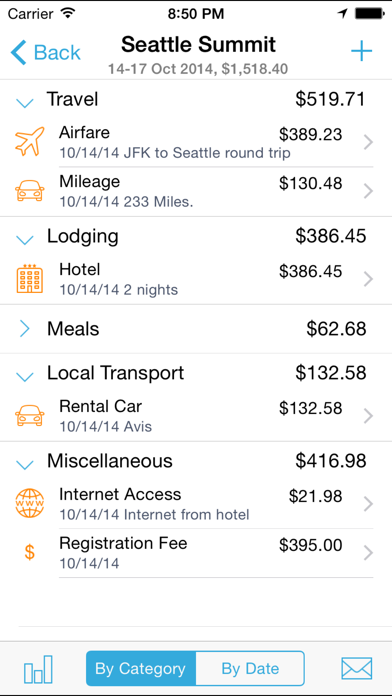
- Create/edit/delete/browse expense categories and subcategories. Though BizExpense comes with predefined set of categories/subcategories, you have complete freedom to redefine them
- Create/edit/delete/browse paying entities: Employer/Client/Customer
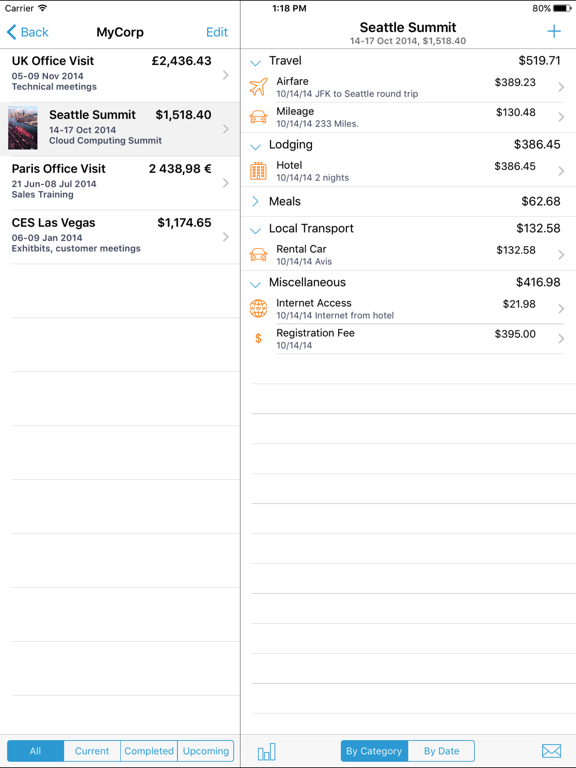
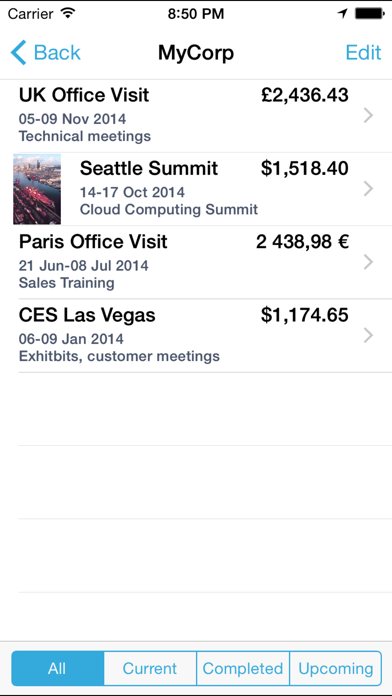
- Create/edit/delete/browse expense groupings: Trip/Project
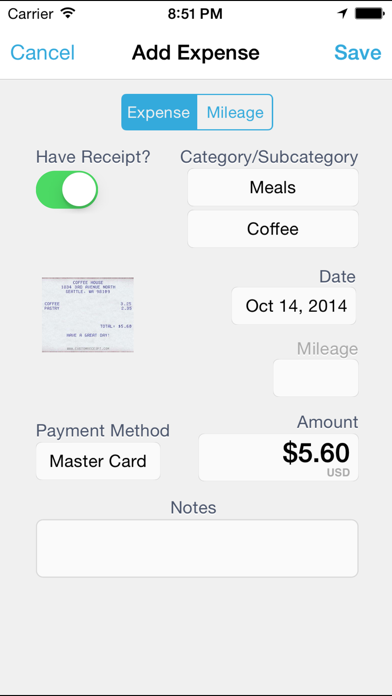
- Create/edit/delete/browse expense entries
- Attach photo images of receipts
- Submit expense reports by email, or export a HTML/CSV file via Wifi with all receipts (in a zip file)
- Mileage reporting
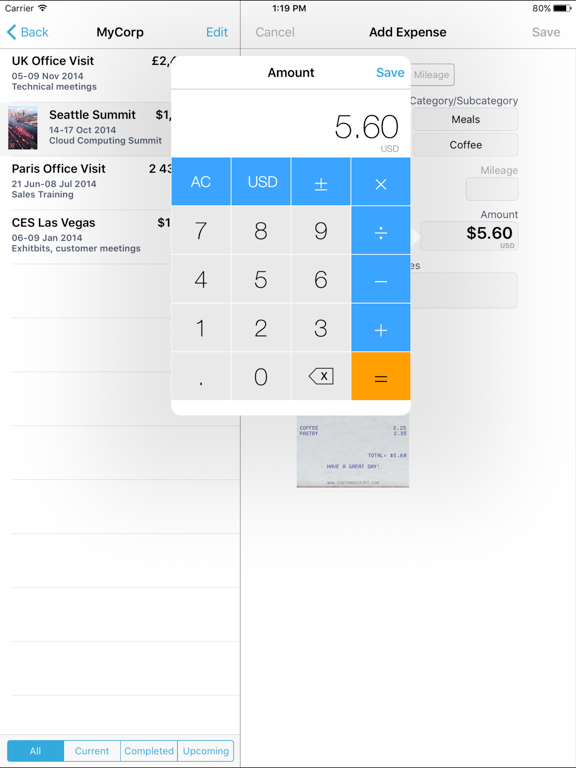
- Currency rate conversion for international travel
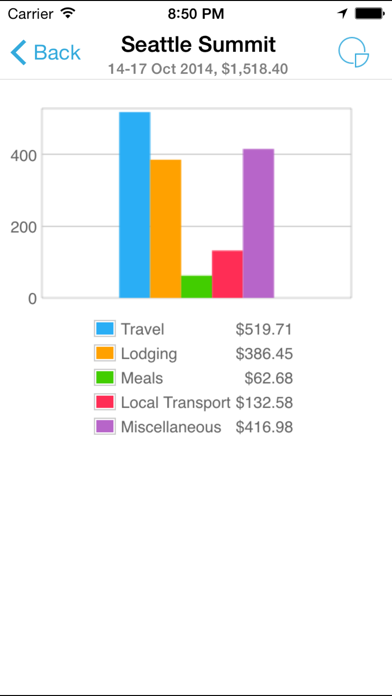
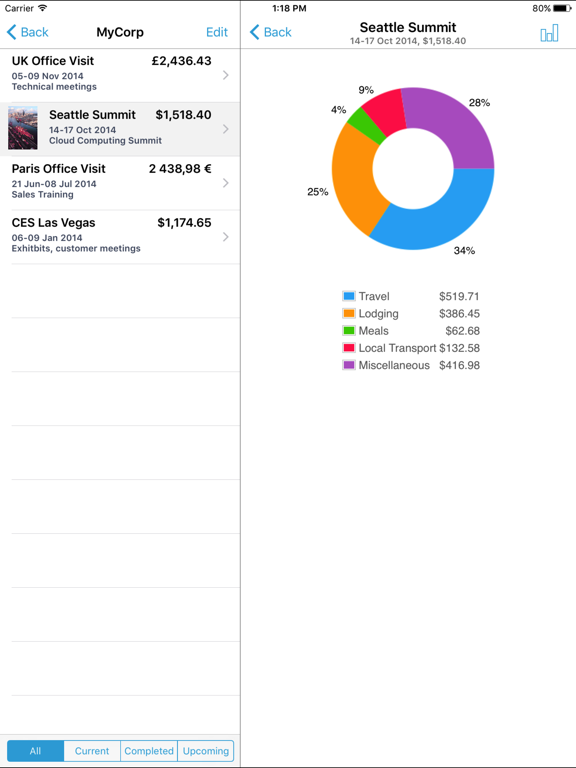
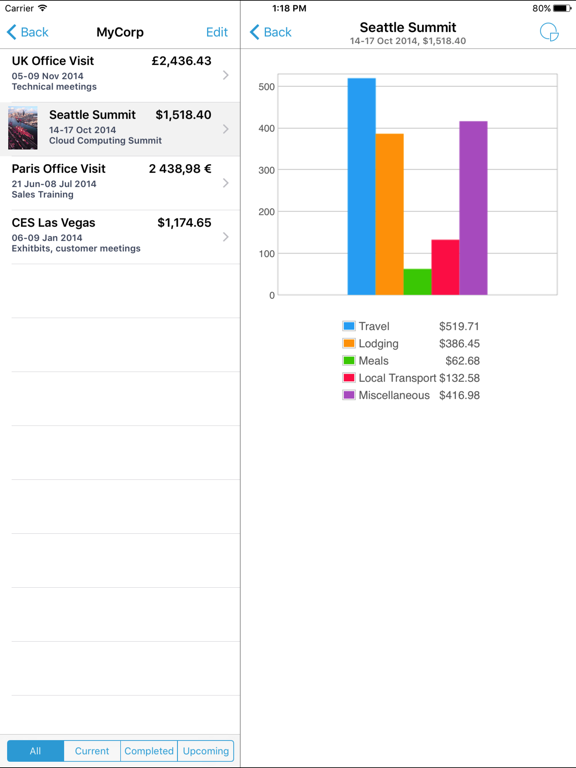
- View pie/bar chart of the expense break-down at the Trip/Project level
- Backup/Restore complete application data, including all receipts
- Password protection
- BizExpense respects the locale/region setting on your device and shows date and currency symbols appropriate for your region
- Ability to override the default currency at the application and trip level
Visit http://www.anishu.com to see more screenshots. Please contact us at [email protected] for any questions and feedback.
BizExpense App Comments & Reviews
BizExpense Positive Reviews
Five starsPerrfect app....Version: 0
Like the app so far!Easy to use. Fairly intuitive. Sometimes difficult to hit the correct area of the Employer entry fields in order to edit. (Seems to be the center/right of the blank area and not the word defining the field. Developers: Consider adding an "Attendee" field to expenses (especially meals and taxis). It would be great if we could also choose attendees from our Contacts file. I will provide an update after road testing it..Version: 0
Well done...... but I have to agree with others, the buttons are sometimes difficult to hit, just touching the fields for input like so many other apps would make it even better. Otherwise, I've found it does everything I need it to do through 2 weeks and 2 trips..Version: 0
BizExpenseNice App. Minor issue when entering employer information the center of the boxes must be used. Suggest you make it more like Apple included Apps that have you select the title of the box and not the center. Overall I enjoy the app and in particular the ability to take a photo of receipts..Version: 0
Good start but..This is the first app like this I have tried and it is functional and overall intuitive to use. It seems to be a little slow in responding to the touch screen. At times it takes multiple touches for it to work. It would be nice to be able to export info into a spreadsheet..Version: 0
Does what I need it to doI don't need to print any reports, so I can not comment on that, all I needed was an app where I could keep track of the money I spend on Air fare, hotels, cabs and restaurants, now I know how much it cost to go to the boat I work on and return home 6 weeks later..Version: 1.4
Great AppMy first pass is great. I like the GUI and layout. Very easy to use and love the option to attach recipt. So far so good. Will rate again after my first week of entry. But like what I see for now..Version: 0
Complicated appCan't figure out the app..Version: 2.0.1
Exactly what it says it is, does it pretty well...This app is just about perfect for tracking expenses while traveling on business. I suspect the users who gave this a 1-star rating expected it to be more like a budgeting app, which is most definitely not. And that's why I like it; it does what it does, and for the most part it does it pretty well. I paid $4.99 for another so-called travel expense app, and that one was simply a re-wrapped budgeting app that didn't even let me change the dates on entered expenses, so if you entered an expense the day after it was incurred the date was wrong... Pros: * you can take the free version for a test drive; it's limited to 5 entries, but it's a 1-step process to export those 5 entries to the paid version if you decide you want to buy it. IMHO, this is a perfect example of what should differentiate a free vs. a paid app. * you can easily take a picture of a receipt and associate it with an expense; the person I submit to accepts these, so I don't have to submit the actual paper receipt. I enter the receipt as I collect it, and the only reason I keep the receipt is in case I lose my phone before I get a chance to submit the report. Once I submit and it's accepted, I toss the bundle of unsorted receipts away. No more sorting receipts! * when I contacted support on a couple of issues that turned into feature requests, I got mail back within an hour. Nice touch. * expense entry widget is also a currency conversion calculator. I checked the supplied exchanges rates against xe.com, and they're pretty close, and you can enter your own exchange rate if you feel it's out by too much. * you can customize the currency list to only include relevant currencies. Cons (nothing that's a show-stopper here, just the difference between a 4-star and 5-star rating): * some of the UI elements are difficult to select; I'm guessing the target area on the display is quite small. An example if when you are viewing the expenses grouped by category or date for a trip. The red triangle icons on the left of the interface to roll-up or expand the group are difficult to hit, and I continually hit the "back" button instead of the upper-most triangle icon. You should be able to roll-up the group by tapping anywhere on the group bar * you can set a default currency for the app, and you can override the default currency for a trip, but you can't submit a report in a currency that's different from the trip's currency. So if I need to submit in USD but travel to the UK, I have to choose whether to convert to $US when I enter, or submit in GBP and ask the accountant to perform the conversion against the whole report..Version: 1.3.0
Free International Money Transfer 💸Enjoy high maximum transfers into more than 20 currencies while saving up to 90% over local banks! The cheap, fast way to send money abroad. Free transfer up to 500 USD!Version: 2.5.3
What do you think BizExpense ios app? Can you share your thoughts and app experiences with other peoples?
Please wait! Facebook comments loading...