If Then Dev, LLC
Bookshelf Scanner Customer Service

- Bookshelf Scanner Customer Service
- Bookshelf Scanner App Comments & Reviews (2026)
- Bookshelf Scanner iPhone Images
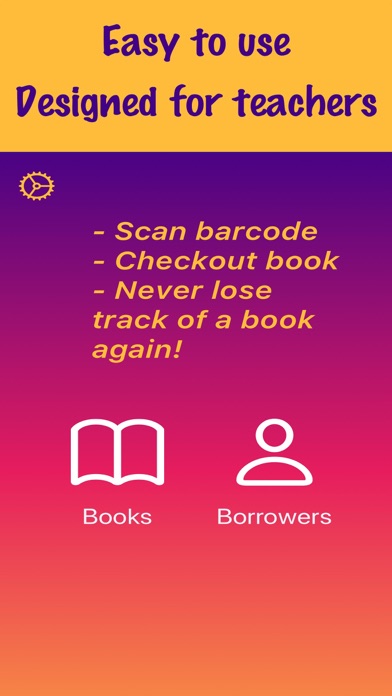
Bookshelf Scanner makes managing your classroom library effortless. Scan book barcodes with your iPhone or iPad camera, instantly fetch titles and covers, and track which students have which books -- all without needing Wi-Fi. One purchase covers iPhone, iPad, and Mac. No subscription, ever.
KEY FEATURES
- Barcode Scanning -- Point your camera at any ISBN barcode and watch the book's title, author, and cover appear automatically. Bookshelf Scanner reads both standard ISBN barcodes AND the library labels already on your books -- something other classroom apps don't do.
- Student Checkout Tracking -- Check books out to students with automatic due dates. See who has what at a glance, and view overdue books easily so you always know who has your books.
- Export to CSV and PDF -- Generate professional reports of your library with book covers, checkout status, and student details. Share via email, AirDrop, or save to Files.
- iCloud Sync -- Your library stays in sync across every device automatically. Scan books on your phone during a book fair, manage your library on your iPad in the classroom, and print reports from your Mac at home.
- Works Offline -- Every feature works without an internet connection. Scanning, cataloging, checkouts, and exports all function in airplane mode. Perfect for classrooms with unreliable Wi-Fi.
- Custom Organization -- Create locations that match your classroom setup (Reading Corner, Bin A, Ms. Smith's Room) and custom statuses (Damaged, Lost, At Home) to track books the way you actually work.
WHY TEACHERS LOVE BOOKSHELF SCANNER
- One-time purchase, not a subscription. In a market where competitors charge $36-$99 per year, you pay once and own it forever. No renewal surprises.
- True offline reliability. Your library data lives on your device first, not on someone else's server. iCloud sync is a bonus, not a requirement.
- Scans library labels (Code 128, Code 39, Codabar, Interleaved 2 of 5). That barcode already printed on your library books? Bookshelf Scanner reads it. Other apps only handle ISBN barcodes.
- One purchase, three platforms. A single unlock works on iPhone, iPad, and Mac. No separate purchases for each device.
GET STARTED FREE
Download and try Bookshelf Scanner with up to 10 books and 3 students -- no account required, no credit card needed. When you are ready for more, upgrade once to unlock unlimited books and students forever.
Your library data is backed up automatically via iCloud and can be exported anytime. Your books, your data, your control.
Bookshelf Scanner App Comments & Reviews
Bookshelf Scanner Positive Reviews
Good, but has some issuesIt’s fine when it actually scans your books the way it’s supposed to. But I’ve been having issues with the app not scanning the barcodes on my books correctly. Sometimes when I scan the barcode, it will come up as a completely different book. But then when I manually type in the ISBN, the correct book will come up. Another issue is that the app will not recognize ISBNs with letters in them at all. Some of my books have Xs at the end of the number, and the app does not recognize the book. And there’s no option to manually type those in because the keypad that you have to use doesn’t give you the option of using letters, only numbers. So then you basically have to create the book from scratch and put in all the information yourself. Half of my books have had to be input manually one way or another. The purpose of the app is to make it easier to digitally scan and keep track of your books, but this is not easier when I have to do so much of it manually..Version: 1.2
Free International Money Transfer 💸Enjoy high maximum transfers into more than 20 currencies while saving up to 90% over local banks! The cheap, fast way to send money abroad. Free transfer up to 500 USD!Version: 2.1