志鹏 潘
志鹏 潘SSH Terminal+ Customer Service

- SSH Terminal+ Customer Service
- SSH Terminal+ App Comments & Reviews (2026)
- SSH Terminal+ iPhone Images
- SSH Terminal+ iPad Images
SSH Terminal+: Terminal & Stats is a comprehensive SSH dashboard and terminal tool designed for developers and system administrators. Experience seamless server management with powerful insights into server performance and a full-featured terminal interface—all in one app!
Key Features:
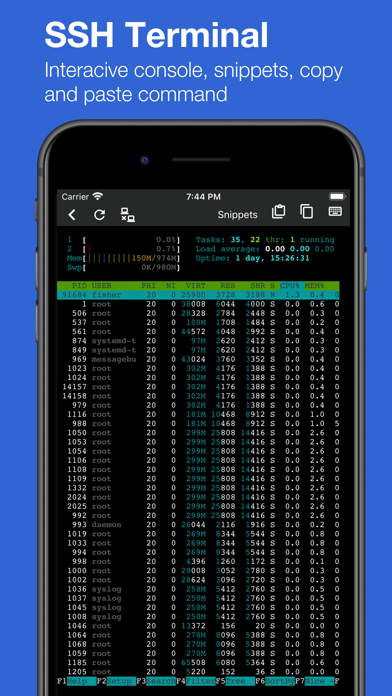
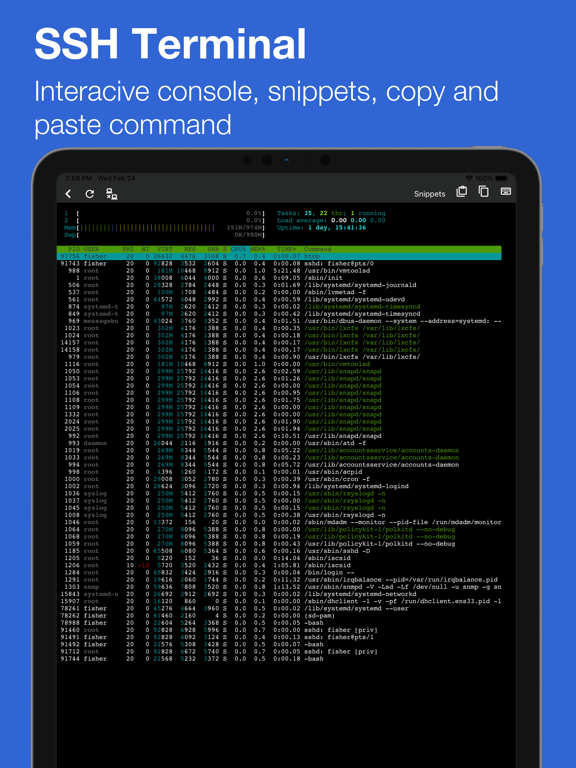
* Dynamic SSH Terminal: Enjoy a robust terminal experience with features like multi-session management, command history, and customizable keyboard shortcuts for efficient navigation. Execute commands with ease, and interact with your servers directly from your mobile device.
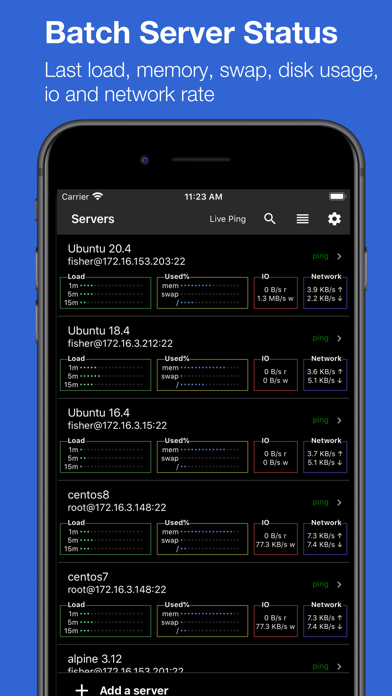
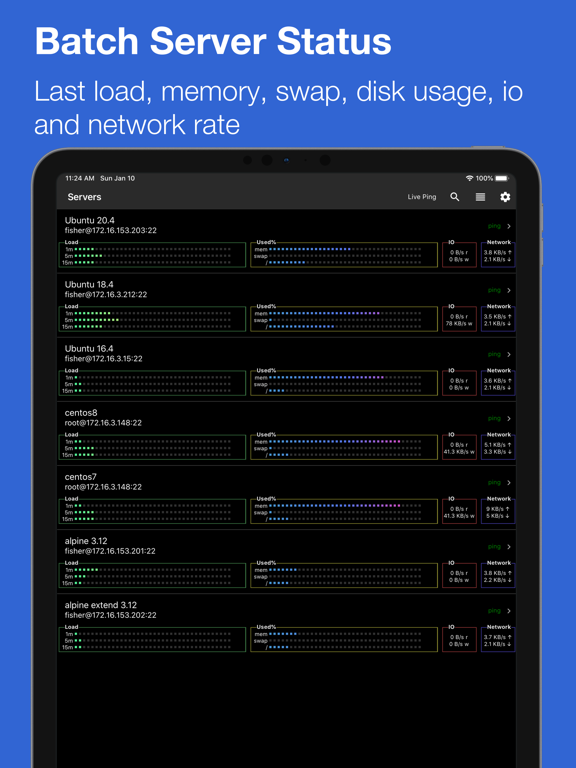
* Server List Overview: Quickly monitor all your servers at a glance, displaying key metrics like load, memory usage, swap space, disk usage, I/O rates, and network activity.
* Secure SSH Bastion & Proxy: Connect to your servers securely through SSH bastion or proxy, providing an additional layer of protection while accessing your infrastructure.
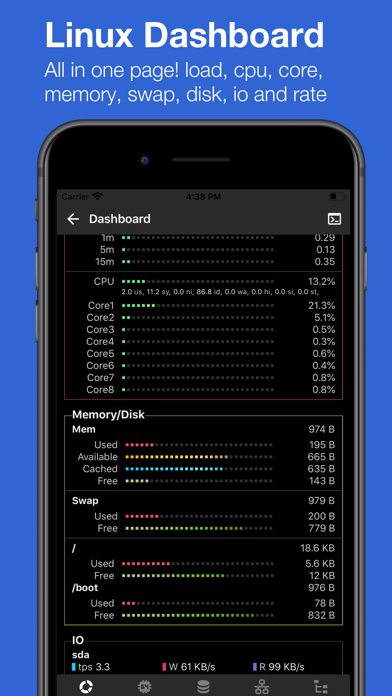
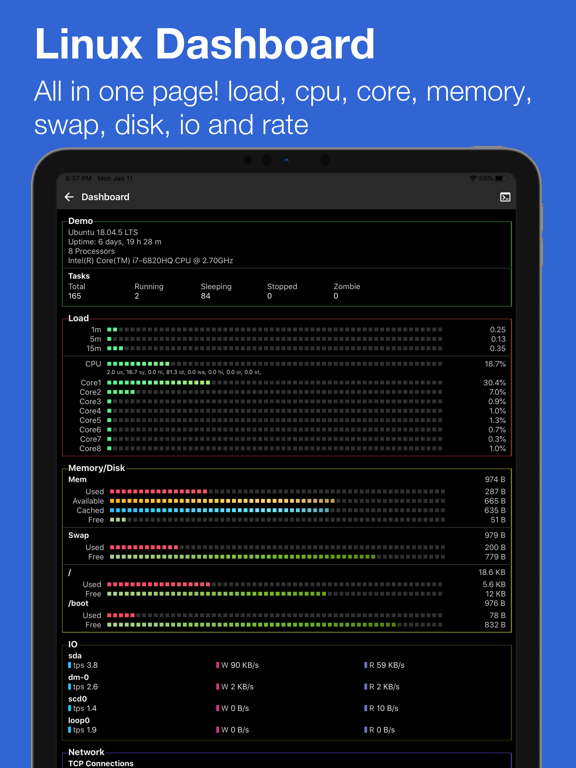
* Comprehensive System View: Dive deep into server stats, including server name, processor details, process status, and live charts for load, CPU usage, disk space, and network rates. Gain insights into performance trends over time.
* Load Monitoring: Visualize real-time performance with live charts that track CPU overall usage and detailed core statistics, along with memory consumption metrics.
* I/O Performance: Monitor I/O transactions per second (TPS) and read/write speeds with intuitive charts, helping you assess the efficiency of your server's storage.
* Network Insights: Keep an eye on network performance with TX/RX rate charts and TCP connection statuses to ensure smooth operations.
* Process Management: Access a list of running processes along with their CPU and memory usage to identify resource-hogging applications.
* Ping Status: Instantly check server responsiveness with ping times displayed in milliseconds (ms) and Time to Live (TTL).
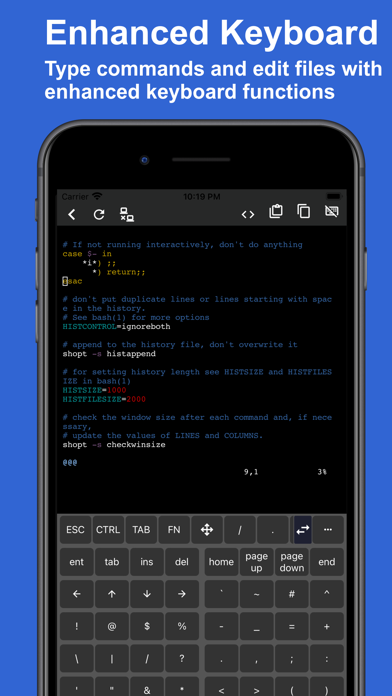
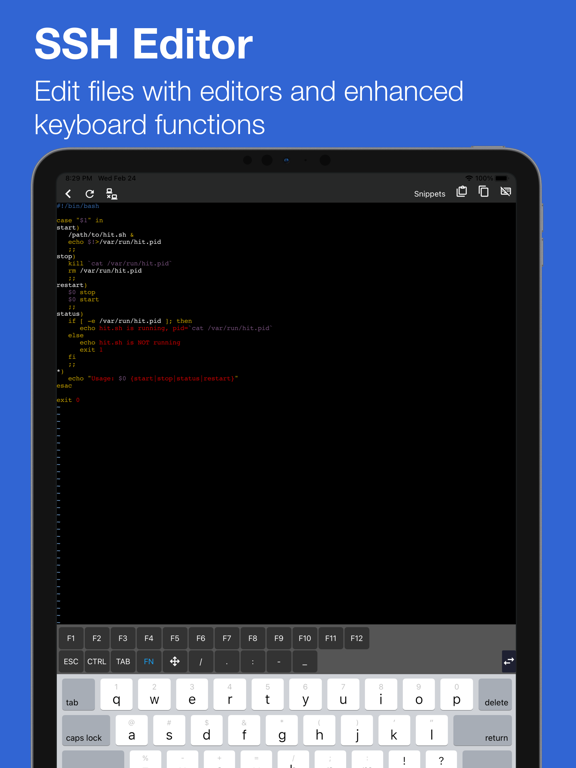
* SSH File Editor: Edit files directly on the server using terminal-based editors. The app features a mobile-optimized keyboard designed for seamless coding and command input.
* Command Snippets: Save frequently used commands as snippets for quick access and execution across multiple servers.
* SFTP File Explorer: Navigate and manage your server files effortlessly. Download, upload, and edit files with a user-friendly file manager interface.
How It Works:
SSH Terminal+ loads performance data from standard /proc files to generate insightful reports and charts—no root access required. The app ensures secure, read-only access to your server data, maintaining system integrity.
Data Security:
All configurations and data are stored locally on your iPhone or iPad, with an optional iCloud backup feature for added peace of mind.
Compatibility:
Tested on popular distributions like Ubuntu, CentOS, Alpine, Gentoo, openSUSE, and Debian. SSH Terminal+ supports all major Linux distributions.
Payment will be charged to your iTunes Account at confirmation of purchase. The subscription will renew automatically. Cancellation of a future subscription may be done up to 24 hours before the end of an ongoing period. The actual subscription may not be manually canceled before its termination date. Subscriptions may be managed, including disabling of auto-renew, in the Account Settings after purchase.
Privacy policy and terms of use https://srmapp.com/docs/terms.html
SSH Terminal+ App Comments & Reviews
SSH Terminal+ Positive Reviews
Excellent app for tracking server statusI use this to view server status for my raspberry pi but basically can be used for anything. I hope developer adds support for proxy jump command. It will be then useful for tracking remote cloud servers..Version: 1.6.2
Essentially a slightly less capable version of ServerCatServerDog or ServerCat? There’s room enough on my iPad for both!! ServerDog is a capable app that works well, only problem is there’s an alternative that is a bit more polished, a bit more stable, and also boasts natively supports containers…. also doesn’t limit you to adding only 1 server until unlocking premium. The file management feature is unique to the ServerDog however, and really is the standout feature here!.Version: 2.0.1
Good InterfaceI like this app, it has a simple but good interface. It doesn’t try to be an everything app. Sometimes doing 1 thing is the best. I fully recommend this app..Version: 2.2
Great appLooks great make sure theme settings are set properly in ssh terminal if you can’t see text..Version: 1.9
Wonderful, but would be nice to have the followingWonderful. The app itself is pretty straightforward. However, it feels a bit buggy but that’s alright. Would like to see the following added: —widget on home screen option —graphics card temperatures (nvidia-smi) —less buggy (but still usable as of now) interface —smaller sized app.Version: 1.6.2
Perfect but …It’s a very handy app for servers but can you add widgets it will more perfect.Version: 1.6.2
Below is the fix for the server status she'll commandFix the error message for the server status command: and get 5 stars. Get server status failed. fish: Expected a variable name after this $. The fix is single quoting and adding missing matching quoting and fixing the df greps by getting df -k twice. grep "PRETTY_NAME=" /etc/os-release; echo '==='; cat /proc/loadavg; echo '==='; grep -c ^processor /proc/cpuinfo;echo '===';df -k | grep -e Mounted;df -k|grep -w /;echo '===';cat /proc/meminfo;echo '===';grep -v loop /proc/diskstats | grep -v nbd | grep -v ram | grep -v lofi; echo '===';awk '/:/ { print($1, $2, $3, $10, $11) }' < /proc/net/dev.Version: 2.1
一般一般.Version: 2.0.3
Free International Money Transfer 💸Enjoy high maximum transfers into more than 20 currencies while saving up to 90% over local banks! The cheap, fast way to send money abroad. Free transfer up to 500 USD!Version: 2.3
What do you think SSH Terminal+ ios app? Can you share your thoughts and app experiences with other peoples?
Please wait! Facebook comments loading...