Bishinew Incorporated
EZ Expense Manager Customer Service

- EZ Expense Manager Customer Service
- EZ Expense Manager App Comments & Reviews (2026)
- EZ Expense Manager iPhone Images
- EZ Expense Manager iPad Images
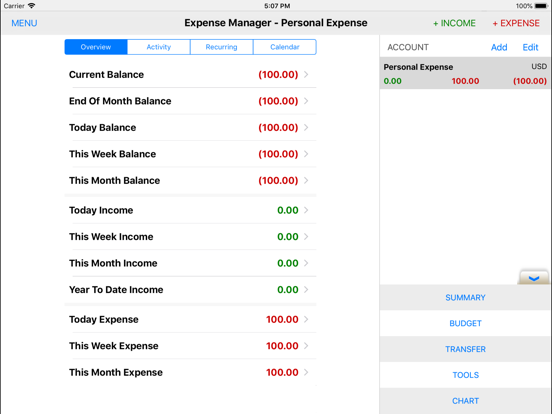
The widely popular, easy to use and feature rich Expense Manager app comes to iOS:
• Tracking expenses and incomes by week, month and year as well as by categories
• Multiple accounts in multiple currencies
• Schedule the payments and recurring payments
• Take a picture of receipt
• Payment alerts
• Budget by day, week, month and year
• Search and reports
• Import and export account activities in CSV for desktop software
• User chooses to auto backup/sync with Dropbox or iCloud
• Customize expense categories, payer/payer, payment methods, date format, button style etc
• Account transfer
• Auto fill
• Convenient tools such calculator, currency converter, tip calculator, sales and tax calculator and credit card calculator
• Charts
• Free and no In-App purchase needed
• Developer support
All data is saved on your phone or your Dropbox account or your iCloud account. Nobody but you can access your account.
EZ Expense Manager App Comments & Reviews
EZ Expense Manager Positive Reviews
Free International Money Transfer 💸Enjoy high maximum transfers into more than 20 currencies while saving up to 90% over local banks! The cheap, fast way to send money abroad. Free transfer up to 500 USD!Version: 4.1.2