Scott Dodson
Thunderstorm For LIFX Customer Service

- Thunderstorm for LIFX Customer Service
- Thunderstorm for LIFX App Comments & Reviews (2026)
- Thunderstorm for LIFX iPhone Images
- Thunderstorm for LIFX iPad Images
Summon a thunderstorm light show using your LIFX lights. Watch your lights pulse and flash to the sounds of a storm.*
*Internet connection and LIFX Cloud account required
THUNDERSTORMS
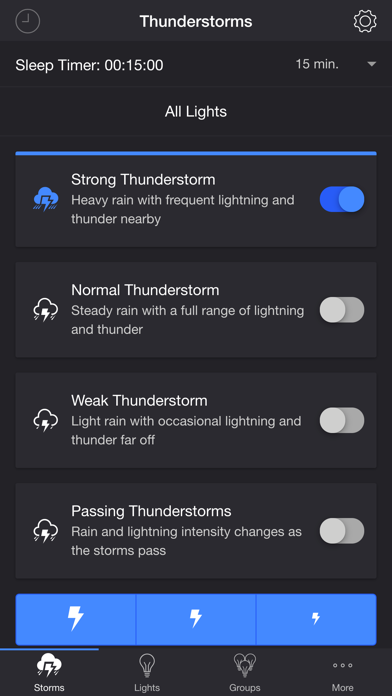
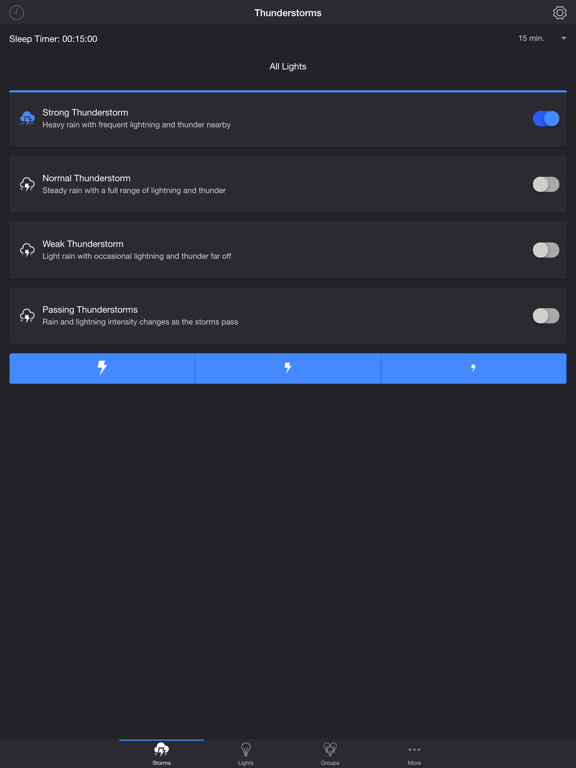
• Strong Thunderstorm — Heavy rain with frequent lightning and thunder nearby
Lights pulse quickly to the sound of heavy rain. Booming sounds of thunder accompany bright flashes of light.
• Normal Thunderstorm — Steady rain with a full range of lightning and thunder
Lights pulse to the sound of rain. The sound of thunder can be heard from various distances. The closer the lightning, the louder the sound, and the brighter the flashes of light!
• Weak Thunderstorm — Light rain with occasional lightning and thunder far off
Lights pulse slowly to the sound of light rain. Dim flashes of light are followed by soft sounds of thunder.
• Passing Thunderstorms — Rain and lightning intensity changes as the storms pass
Lights pulse and flash at different rates to correspond with the current strength of the storm.
SETTINGS
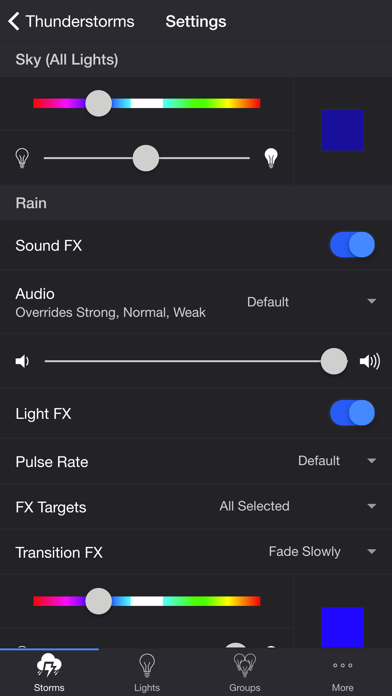
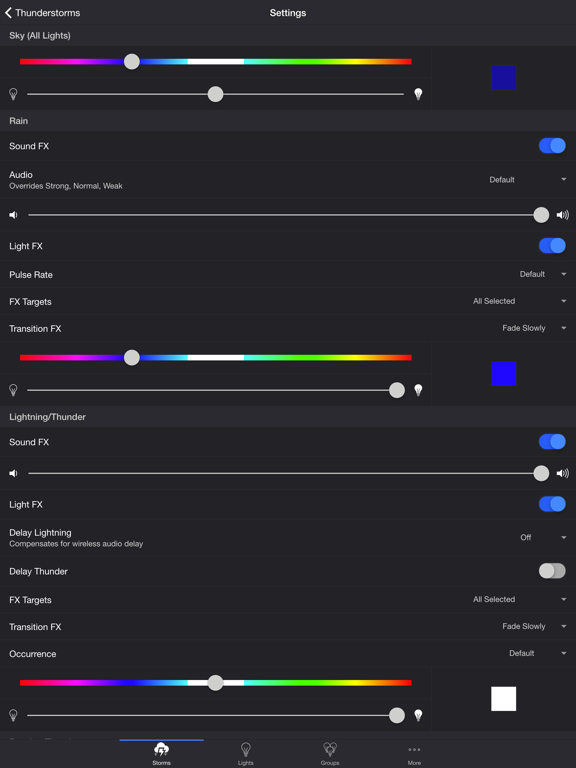
Sky
• Change the color and brightness of your lights
Rain
• Toggle rain sound effects
• Change rain audio: Default, Heavy, Steady, Light, On Tin Roof
• Change rain volume
• Toggle rain light effects
• Toggle zone control
• Change rain pulse rate: Default, Slow, Medium, Fast
• Target lights for rain light effects
• Change rain transition effects: Pulse, Fade Quickly, Fade Slowly
• Change the color and brightness of the rain light effects
Lightning/Thunder
• Toggle thunder sound effects
• Change thunder volume
• Change delay lightning (Wireless audio delay offset)
• Toggle delay thunder
• Toggle lightning light effects
• Target lights for lightning light effects
• Change lightning transition effects: Random, Pulse, Fade Quickly, Fade Slowly, Flicker
• Change lightning/thunder occurrence: Default, Never, Occasional, Normal, Frequent, Unreal
• Change color and max brightness of the lightning light effects
Passing Thunderstorms
• Change starting storm for Passing Thunderstorms: Weak, Normal, Strong
• Change cycle time for Passing Thunderstorms: 15m, 30m, 60m
Background Sounds
• Toggle background sounds: Birds, Cicadas, Crickets, Frogs
• Change background sounds volume
General
• Change default end state: On, Off, Revert
• Change sleep end state: On, Off, Revert
• Select mode to automatically start when app opens
• Choose time to automatically stop selected mode
• Choose time to automatically restart selected mode when sleep timer ends, enabling recurring cycle
LIGHTS / GROUPS
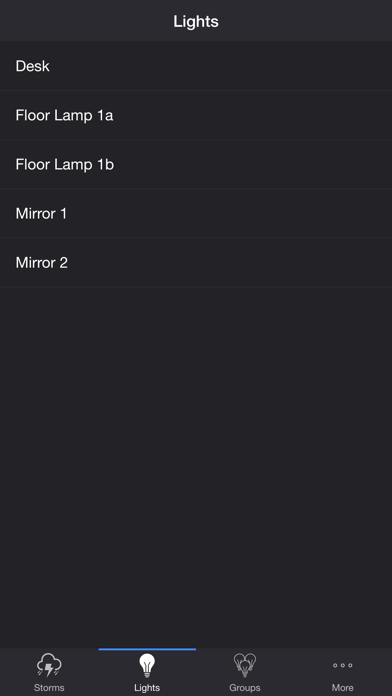
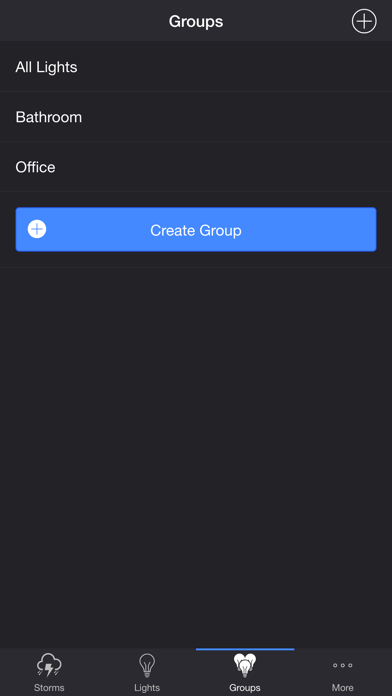
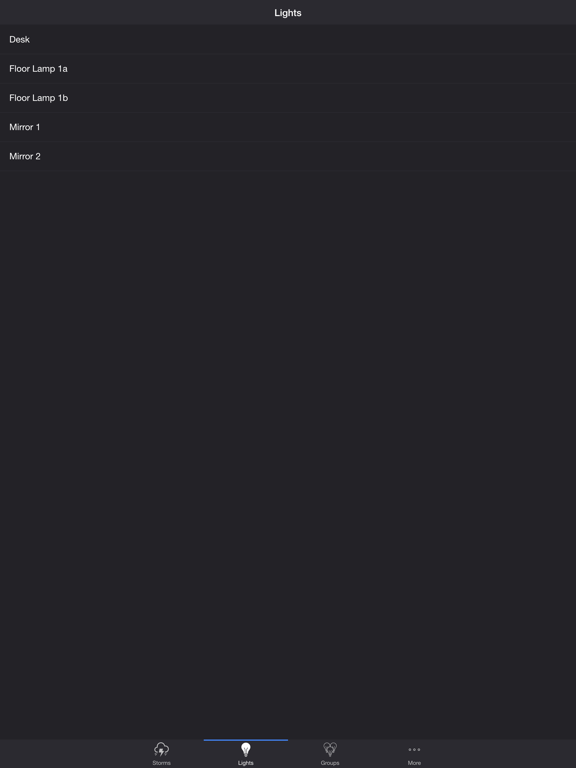
Select one or more lights for your thunderstorm light show on the Lights/Groups tab. Choose a group that you set up using your LIFX app, or create a new group in the Thunderstorm for LIFX app. To edit an in-app group in the list, swipe the item to the left and tap the pencil icon. When you add, remove, or change lights, pull down the list to refresh.
ADDITIONAL FEATURES
• Lightning on Demand — Start a storm and utilize the lightning buttons at the bottom of the screen for manual control.
• Sleep Timer — Set a timer complemented with an audio fade-out feature. Choose the state of your lights after the timer ends with the Sleep End State setting.
• Bluetooth and AirPlay Support — Connect to Bluetooth speakers directly, or connect to speakers with AirPlay using the Control Center. Adjust the Delay Light FX setting to offset any wireless audio delay.
Please contact me at [email protected] if you experience any issues. I'd love to hear your thoughts and appreciate you taking the time to rate and review the app. I want to continue to improve Thunderstorm for LIFX and create a great experience for you and future users. Thank you! —Scott
Thunderstorm for LIFX App Comments & Reviews
Thunderstorm for LIFX Positive Reviews
Excellent AppHaving used LIFX for the past three years, I’ve seen a lot of issues come and go. From lights not syncing to firmware problems, etc. I know it’s far from perfect but the developers of LIFX have strived to make it better. With that said, this app is phenomenal. It does exactly what it says it does and it does it WELL. I understand some folks may have had issues with it, but before you blame this app I’d take a look and see if your LIFX bulbs are really working the way they should. With my current setup (30+ bulbs) this app makes the whole house feel like a thunderstorm. Paired with a solid audio system and it’s the next best thing to having a real storm. Kudos to the developer for such a nice piece of software. Give it a try!.Version: 4.0.0
Take all of my money.I will buy your light apps again and again and again. Thunderstorms is CHOICE. the firestorm app still needs a certain Juno se quoi BUT. Just lovely all around. Bravo Sir. Ps. Thank you for allowing me to darken the sky and keep the flashes bright. 🤍🤍🤍.Version: 4.1.1
Good but not perfectWould be great if you could set the max brightness of the lights. Occassionally buggy but that's standard from LiFX.Version: 4.3.2
Free International Money Transfer 💸Enjoy high maximum transfers into more than 20 currencies while saving up to 90% over local banks! The cheap, fast way to send money abroad. Free transfer up to 500 USD!Version: 4.6.0