The Iconfactory
Waterscope Weather Customer Service

- Waterscope Weather Customer Service
- Waterscope Weather App Comments & Reviews (2026)
- Waterscope Weather iPhone Images
- Waterscope Weather iPad Images
Waterscope is a weather app for people who love being around water. Whether you're surfing, fishing, boating, or just taking the dog for a walk on the beach, Waterscope will keep you informed about your local conditions.
The data presented comes from the National Oceanic and Atmospheric Administration (NOAA) and National Weather Service (NWS). This app would not be possible without the scientific contributions from the people at these valuable public institutions.
The app uses a series of screens to present this information:
HOME
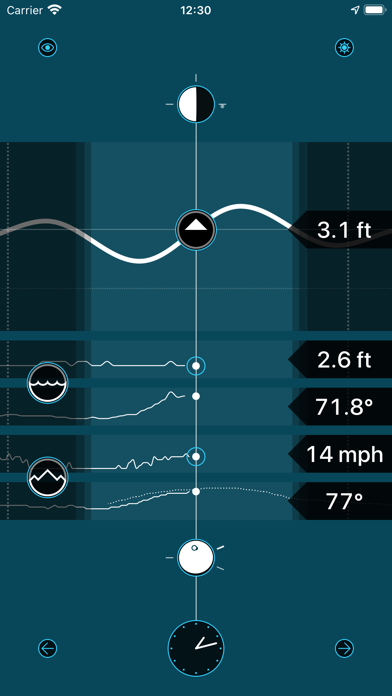
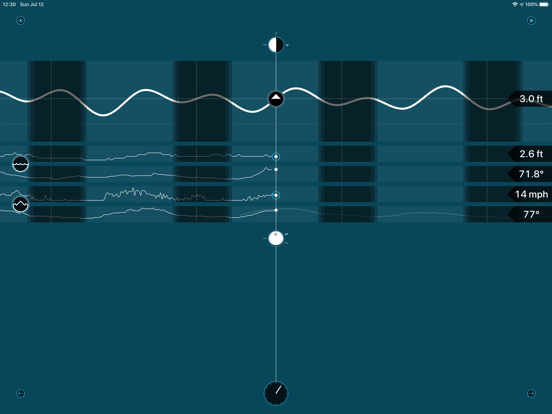
When you launch Waterscope, you'll be presented with a screen that shows a graph of high and low tides for the nearest measuring station. Below that are wave heights and water temperatures for the closest NOAA buoy. These are followed by wind speed and air temperature measurements for a nearby NWS weather station. Above the graphs, you'll see the current phase of the Moon and its position on the horizon. Below you'll see the sun's position relative to your location on Earth.
The clock at the bottom shows the current time, or the time for past data samples and future forecasts. Tap on the clock to scroll back to the current time.
Tap on any large blue ring to show more information. Smaller blue rings make adjustments to what you're currently viewing. Tapping on the icon in the upper-left corner will show an overlay that explains the symbols and markers.
EARTH
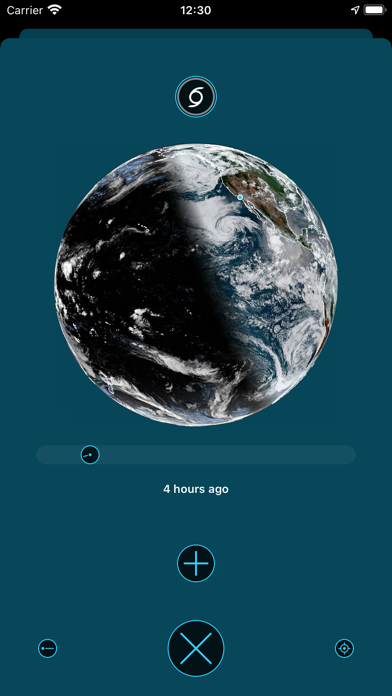
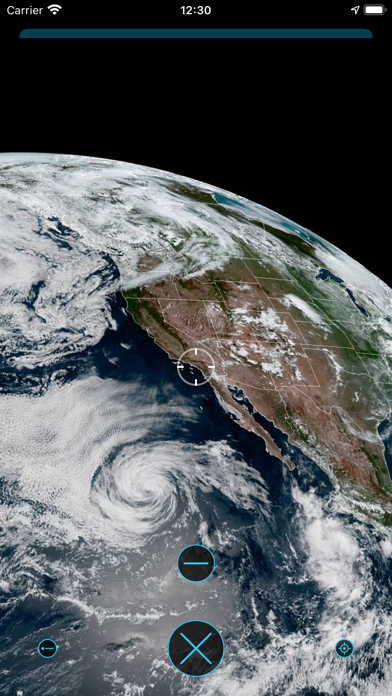
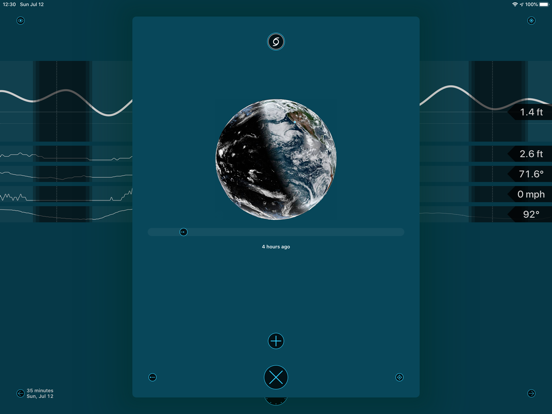
The Earth view shows the last 24 hours of satellite imagery near your current location (the small blue dot is you!) Tap the + button to see a larger version of the latest image. The hurricane symbol at the top of the view will show the latest forecasts from the National Hurricane Center.
MOON
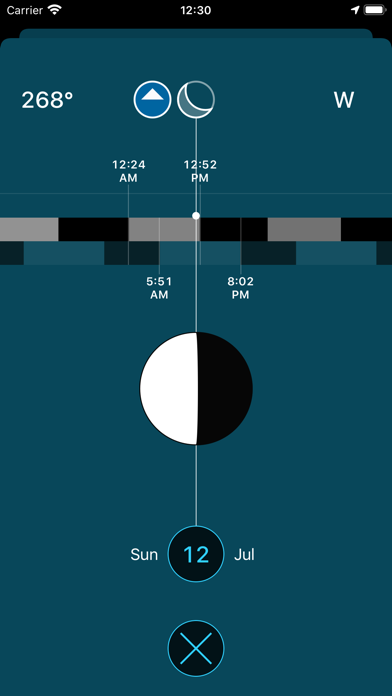
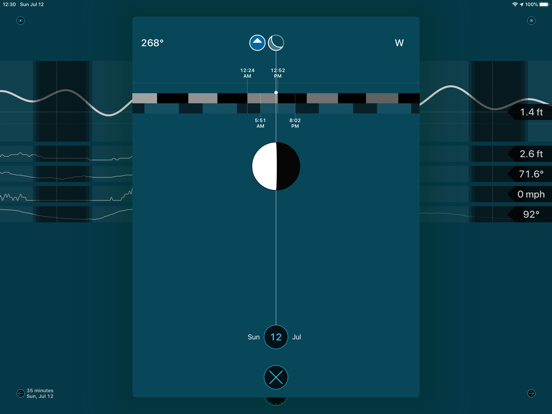
The Moon view shows the phase and location of the Moon for the next year. The white dot shows the height above the horizon, and when you align the blue arrow with the centerline and look up you'll see Earth's biggest satellite :-)
SEA
This view of the sea shows markers for observations collected by the National Data Buoy Center. The arrow points in the directions waves are heading: tap it to show water temperature, wave height, and an average period between waves. To make any buoy's data show up on the home screen, tap the heart icon.
LAND
Like the view of the sea, but with onshore observations collected by the National Weather Service. The arrow shows wind direction and tapping the marker shows the air temperature, wind speed with gusts, and barometric pressure. Tap the heart to add it to home.
TIDE
This view shows nearby tide stations: tap on any marker to get the current prediction at that location. Like the other map views, the tide station can be added to the main screen using the heart icon.
FORECAST
If you move forward in time, you'll see a forecast for air temperature and conditions. Tap on the conditions to get an expanded view that includes wind speed and direction.
Waterscope Weather App Comments & Reviews
Waterscope Weather Positive Reviews
Beautiful! Wish I could set the location.Incredibly well-done app. The location seems to be set to your actual location, but wish I could get it to show the data for somewhere else (like when I’m dreaming of being at the beach).Version: 1.0.2
Really rather splendidBeautiful visualisations. Great for getting a quick grasp of things. I only wish there were more WebCams. Note: I would’ve paid money for this. At least charge $1.99. Nice work!.Version: 1.0.1
TidesLiving on an island, accurate tides and general weather are of value. Waterscope is easy on the eyes and presents pertinent info. Time will tell how accurate it is..Version: 1.0.5
From TokyoI know the app is not for me, but I wanted to take look. Unfortunately, it just crashes on launch..Version: 1.0
Units???App doesn’t support metric system!?.Version: 1.0.2
★★★★ Beautiful, unique weather/tides/moon/sun appWonderfully done. About the only thing I would add would be user-provided locations, such as Hello Weather and numerous astronomy apps have. We want to know about places other than where we are at the moment! I highly recommend reading about the developer’s inspiration at the furbo organization. Here’s an excerpt: “I’m releasing Waterscope today because there are certainly other folks who will benefit from my personal weather app. There may even be some educational value in seeing how I approached a data-rich user interface (hint: Edward Tufte’s books taught me). Information can be dynamic and beautiful. “At the same time, if you’re outside the U.S., it’s unlikely to be a satisfying experience: most of the data sources and their presentation are oriented towards North America. An example: in the southern hemisphere your view of the sun and moon’s orbit is in a counterclockwise direction as you look north. Waterscope displays a clockwise orbit. “But the good news is that Waterscope, like the data it uses, is FREE to download and use. Enjoy!”.Version: 1.0.2
Free International Money Transfer 💸Enjoy high maximum transfers into more than 20 currencies while saving up to 90% over local banks! The cheap, fast way to send money abroad. Free transfer up to 500 USD!Version: 1.0.7
What do you think Waterscope Weather ios app? Can you share your thoughts and app experiences with other peoples?
Please wait! Facebook comments loading...