Looom Customer ServiceIORAMA AB

Looom Customer Service

  1. Looom Customer Service
  2. Looom App Comments & Reviews (2026)
  3. Looom iPhone Images
  4. Looom iPad Images

A new way to create hand-drawn animation. So playful you’ll think it’s a toy, but it's secretly a robust app with a reimagined UI for animators and creators.

Taking inspiration from music creation tools, using Looom feels more like playing an instrument than operating software - exploring lines, shapes and colors through loopable time and rhythm. Looom is all about looping animation with a smile. It was designed for professionals and beginners of any age and is already being used by some influential indie animators.

A delightful environment to learn, experiment, practice and create drawn animation.
Wonderfully musical, Next-gen dynamic non-destructive workflow.

FLUID TIME
No first frame or last. Looom’s threads are independent in length and speed, always tweak-able.

INFINITE CANVAS
Lets you go as deep or as far as you want thanks to a completely resolution-independent vector engine.

OPEN-ENDED
Looom uses SVG as it’s native file format. Your work can be viewed in browsers and opened in desktop animation software.

Looom App Comments & Reviews

Looom Positive Reviews

Different is goodThis thing is so cool. If you are looking to shock and amaze your friends with minimal effort, look no further - Looom is freaky and wonderful. Definitely the kind of program that will push you in weird directions. I really enjoy the interface, and I want to use this in a project so bad, but... I need better FPS control. Specifically, right now I need 7 and 14 FPS as options (I’m a musician matching a BPM). I would love to have all the integers up to a point, and maybe even 32 frames per layer, so I can do 32nd notes. Guys, seriously, this app already feels like a sequencer for my synths. Just a little more flexibility would go such a long way. I want to give it five stars so bad. Maybe even just an “advanced” mode that you can turn on and off in settings could be used to implement a few more options while avoiding extra clutter for those who just want a toy. Anyway, I think this app is doing something interesting, and it might even be super useful to you, depending on the context. Keep your fingers crossed for me.(come on, guys... ;).Version: 1.2

Really fun to play withThis is an amazing app and you can do a lot of amazing things with it. I love that you can squiggle in real time or so frame by frame animation. It’s just missing a few features that keep it from being fully functional for my needs: 1. Select color by hex value (or import external color palettes some how) 2. Color picker tool. 3. Image import. It would be amazing if I could import an image to use as reference. If I could sketch an idea in Procreate, then bring that idea in Looom and retrace it as a key frame, that would be amazing. 4. Export video as a seamless gif or movie. You can export video, but it’s a little tricky to create a perfect loop from that video..Version: 1.2

Great animation playground!It’s a really nice and easy animation tool! Very intuitive and fun!! Anyone can be very creative with this app. It’s a nice playground but you can also create great professional animations quickly. Thanks to the developer for releasing this as a premium app without subscriptions. I’d like to see more improvements though: [Update: Eraser has been added! Yay!] 1. The current export flow is broken. I have to connect iPad to Mac, open Finder, go to Files tab, expand Looom, wait for seconds to be loaded, open another Finder window, and have to copy the entire Weaves folder to my drive. There should be an export feature within the app. So that I can easily share an animation to another app, save to iCloud drive or Airdrop to my Mac. 2. Simpler video export. The manual screen recording can be versatile, but automatically exporting a video with a few full-loops under current view point would be awesome. 3. More editing tools! With tools like duplicating a frame / move or zoom a layer or a frame / cut or copy & paste, our creative flow can be much more quicker and easier. (Imagine having those tools to create some works like the Lucky example and Paterson’s example on the web). I know you will find a nice way to add more tools without messing up the simplicity of the app :) 4. It drains the battery! I’d love to spend more time with Looom. Would you improve the performance please? Thanks!.Version: 1.1

Thank You So MuchI had already enjoyed, Looom, a whole bunch on my iPad. Even if it is a little tough to get acclimated to in my opinion. But, I have to say that there is such a dearth of quality and competent animation applications available for the iPhone. Well, I just cannot tell you how grateful and happy I am that you made this program Universal. Thank you so much. While I use both my iPad and iPhone a whole bunch. I find that I’m on my iPhone a lot more and it’s a lot easier, size-wise, to handle when working on something as intensive as creating animations. So, I look forward to trying to learn this great animation application a lot better now that it is on my iPhone as well. I’m so excited! I was having a very cruddy day thus far and seeing that, Looom, is now Universal has really made my day so much better. Again, I want to extend my sincere gratitude for not only making this wonderful program on the iPhone as well now. But also just for all of the hard work, time and passion that you no doubt put into building and maintaining this superb app. Thanks for all of the above and God bless. P.S. If you’re wanting a powerful and fun animation application I would say that, Looom, is very much worth the asking price and I highly recommend it to animation newcomers and pros alike 👍🏻..Version: 1.7

Left-handed mode needed!Update: developer responded and it turns out the left-handed mode was there, i just know how to enable it 😅😅😅 thank you! updated to five stars. Hello! this app seems really cool, and even as someone with almost no artistic skill, i’m excited to see what i can do with this! however, i currently cannot use it based i’m the existing controls. i’m left-handed and use the apple pencil with my left hand, which does not seem compatible with the controls also being on the left and needing to be held down with a finger. Four stars for the idea though, five once i can use it!.Version: 1.2

Almost perfect...This app is amazing, it has almost everything i need... but, there are many things i am looking for in further updates to improve this app. 1. i wish there was an eraser that erases what you want, not the whole line. 2. i am hoping for a copy and paste feature 3. if you zoom the drawing in, if you accidentally zoom to far in and can’t go back to where it was, i wish the undo button would move it back, instead of only undoing the drawing. 4. expand the amount of fps 5. just in general make the finger version more smooth and easier to work with. Needs some minor bug fixes. These concerns are for the finger version. I haven’t tried the Apple Pencil version yet, so this is my review for the finger side. I enjoyed the simplicity of this app, although it’s also quite confusing. Overall, this is a good app for anyone in the animation community..Version: 1.2

Really fun, intuitive, but limited, appI have the OP-1 and this app really reminds of it with its interface and limited functionality. I love the limitations and how it forces you to use the tools you have and think creatively. One issue though. Using two fingers to zoom and reposition ALWAYS brings up the time slider instead. And PLEASE work on a better file transfer system. Procreate does it really well, just as a reference (I know their team must be a lot bigger). I can’t wait to see how the app, and community, grow and evolve..Version: 1.2

Core idea is awesome, needs a few extrasThe core animation tool is amazing, better than any other animation tool I've used. Things I felt were missing: 1. Two-finger / three-finger tap to undo/redo, total muscle memory from Procreate 2. Export some way other than screen recording, let me airdrop the native SVG format please. Also screen recording editing doesn't work on iPad Pro, the controls are not grabbable. 3. An ability to erase, the UI is quite sensitive, you can easily get some stray marks on a frame and not notice them until much later on in the piece (meaning undo is not helpful at that point). 4. A way to duplicate one frame to another would be nice (or "pin" an onion skin). 5. A way to move a layer on the canvas itself. 6. More than five layers would be great..Version: 1.0

Lovely ideaIt’s a great start, I would love to see this being developed further into a refined animation tool. At the moment it feels rather like a toy for kids to get interested in animation which is cool too an it is a bit too expensive for what it offers. Personally I’d love to see it getting some feature updates like the following in the future: increased maximum frame count (longer animations), optimized performance, duplicate frame button, frame counter, timeline, import reference images in background, pressure sensitivity, more descriptive ui (overlay describing the buttons). A mixture between Mischief, Procreate and Looom would be great!.Version: 1.2

So much potentialThis app is awesome. I purchased it with excitement, ready to dig in, mess around, export and see how to integrate my work on desktop as promised in the app description. I was disappointed. First off, the UI IS great, fluid and intuitive. Just jump into the tutorial project and mess around. It’s very quick to figure out. Keep digging and little touches of simplicity will surprise you. BUT...and it’s a big BUT, the only way to export as of right now is in app screen recording. No svg access as advertised, no export options. As far as I can tell, exporting in a format with alpha channels is a dream, and working files are on another planet altogether. There are a lot of options I could hope or ask for, but I’m not docking two stars off of this for not exceeding my expectations. I’m giving it three stars for being a really fun, paid diversion that doesn’t deliver what it promised. *waiting for an update...*.Version: 1.0

Really cool!So i use flipaclip for animating, and i have my own channel and someone told me about looom, i was interested so looked into it, its a really fun app! It was hard to understand at first but I love the app, although i have one suggestion can you add more layers? I am satisfied with 5 but it would be really cool if you could make up to like…. 10? Love the app! I recommend this app for you if your into animating, and don't give up!.Version: 1.5

A fun animation playgroundThis is interesting, different and fairly intuitive. even if you aren’t serious about animation its worth the price just to play around with. Still could use some more professional features down the line but at least you can easily make a rain effect in seconds. Its a very welcome new take on animation programs, which are usually cluttered and over-complicated. Excited for the future of this app.Version: 1.2

Still loooove this tool!I love all the feature updates that have been added like images and auto frames. The only thing I would love to see is a frame photo export, so you can export the individual frames as images! This would speed up my workflow a lot vs having to screenshot each frame. Thanks for making such an innovative and intuitive tool!.Version: 1.6.1

💵The first time we were there I thought we would be able to get a little bit of of that stuff out of the house and we were just trying out some things to get it to be ready to use for our own place so that we could have it for the house and I think we would need to do some thing that was PREDICTED TEXT P.S. Great app.Version: 1.7.2

PromisingIt’s a shiny but very limited toy for those who want to get a feel for creating short animations. I wish they had said that in the description. They have a maximum length of 24 frames. And only 1 brush option. It’s very minimalist but not as intuitive as it thinks it is. No tutorials on the app. Check the developer’s website for instructions. Export options are bad. You can press play, screen record and trim into a compressed video that is un-loopable. You’ll need a separate, high quality conversion app. Or you can fish out an .svg file if you can connect to a PC and have appropriate software. Nevertheless, it’s a simple and beautiful app that is sweet and well made. I’m really looking forward to future updates. Longer animations and better export options would make this 5 stars..Version: 1.2

Wish I could use thisThis is a really nice interface for making animations. I had trouble figuring out how to navigate frames since it is gesture only (and the tutorial is...not so helpful), but once I did i found it much more fluid than procreate. Drawing as it plays is vital. Unfortunately I can’t use it for real work without better export options, the SVG access is too time consuming and even once you get them out they’re difficult to work with. Exporting the layers as separate PNGs would be most useful to me since I’m doing sprite animation, but PSD layers would be fine too. Also undo/redo gesture support would be lovely... At the moment i can only recommend as a toy, but would love to use it in my workflow. 🤞.Version: 1.1

Excellent but needs more featuresThis app. is impressive!! I usually don’t write reviews but I have to appreciate the efforts put in this app.. But it still needs some features or I really hope developers can add these features: 1. A shape tool which can help users to draw shapes like squares, ellipses and circles. 2. Capability to name different threads. When I use this app., usually I don’t remember which thread is for what with multiple threads. 3. Capability to hide threads. It would be great to let users hide certain threads to focus on only one thread. 4. Please match the functionality of Apple Pencil to switch between pen and eraser. I must require too much, but I really hope these will be achieved. Thanks..Version: 1.2

Lacking one key featureThe app is really easy and fun to use which is both strengthened and damaged by its simplicity. Looom is extremely easy to pick up after a a short time playing around. What hurts it the most is the hoops you have to jump through to export your animation. There is no real easy way to export your animations or share them directly. Fun to use but you can’t easily share or see what others are creating..Version: 1.3.2

Fun to be creativeAs a motion designer. I had purchase the other animation and design apps and this is the app made me truly enjoy the process of making animation. Surely it lack some professional functions but the intuitive and simplify interface make it up in the other way. I am so productive ever since I purchased this app. Thank you, dear developer!.Version: 1.2

Looking for new features2 More drawing option for each frame. I can just change color for all the frame in one layer. Also looking forward to more brushes 3 copy and edit frame so that users don’t need to draw same thing again and again 4 two fingers tap to undo.Version: 1.2

Cumbersome but has awesome potential!Why must we hold a thread down to access menus? And why not double tap the pencil to toggle the eraser? [The eraser does not work on my ipad]. And why only 5 threads? So many questions. This is such a clever app. Whoever thought of it is clearly brilliant. Hope it is still being developed.Version: 1.5

It’s a little confusingI love the concept and effects but it is a little hard to control and Not worth 10$ at least on a very experienced artists point of view but like I said I do like the effects..Version: 1.5.1

Feature request: set photo as backgroundIt would be nice to use Looom to make animations on top of some of my photographs. A way to set an image from the camera roll as the background would be great!.Version: 1.5.1

Awesome but needs some improvementWhen I make closed objects in Looom like circles I wish I don’t have to color it in and you just click on a button which fills up the object with your choice of color. 😍😍🥰🥰🥰😍😍😍😍😍😍😍😍😍😍😍😍😍😍😍😍😍😍😍😍😍😍😎.Version: 1.4

FunAre you going to create your next masterpiece in this app? No. It lacks quite a bit … but what evokes is joy. It’s fun to animate in this and that means the world to me! Solid! Wish it had an easier way to export..Version: 1.6.1

Really ideal for the type of work i want to makeHowever, I wish there was a way to get precise hex colors into it, if I am working on a video project with really strict color guidelines, it seems there’s no way to exactly match my colors with my video project..Version: 1.2

Thank youI love this app. When i am introducing animation to my students I use this app because it cuts out a lot of the nonsense that makes traditional animation so tedious. Really happy about update 1.6.Version: 1.6

It’s fun, severely limited, huge potentialIt’s a real shame this app is currently limited to 5 working layers.. The limits are just enough to make some fun things, but makes it very difficult to create anything with colorful detail. I wish I could: -have as many layers as my system memory will sustainably allow. - set the dimensions of the work space. - set background image - Have brush options like watercolor. It’s a cool app though. Thanks for making.Version: 1.2

Not bad but needs a little moreI wanna give it 5 stars too but I need to control the timing of the sequence and to be able to change the color of my pen. Or clear directions on how to do so. I’ll keep it but I’m hoping you guys update it so I can use it later.Version: 1.4

Good, but I wish it could downloadLove the way it animates but I want to download it and upload it but there’s no feature that does that..Version: 1.6.1

Off to a great startVery clever reimagining of a basic frame-by-frame animation U.I. — bravo to the team. Things that are needed: 1. Export options 2. Gestures for undo/redo 3. Easier access to the eraser.Version: 1.1

Cannot recordThis app is pretty cool and I see some pretty creative potentials. That said I cannot figure out how to record and export my creation. I think there is suppose to be a record button by the play button but I don’t see one....Version: 1.2

Very fun. Look forward to updates.It’s not clear how to export a creation. And there’s no erase tool? Still very fun and promising app. Will be showing it off to everyone..Version: 1.0

SUGGESTIONS,Looom creators please read!Hi! Thank you who ever you are for reading this, I love Looom but I have a phew suggestions. More than five layers(Threads) Longer/ Editable opacity. More than 24 frames Bigger brushes/ smaller and different sizes on the same thread Smother lines, And the last one is adding sound, Please add these! The ones I need most are for frames and for threads! Thank you for listening :)🦋.Version: 1.2

Great app!I find this to be an amazing app. Could you add export to camera roll with support for alpha channel (transparent background). So you users can layer their animations in other projects..Version: 1.3.2

YOU NEED THE APPLE PENCILSeriously my fault for not seeing this part in the description. I’m looking for to an update that can accommodate 3rd party pens or just my finger. Until then, I’ll just have to wait it out..Version: 1.1

Amazing and funThanks for such a simple and fun tool. For me it can be a serious thing if it’s import video layers - to make funny animation overlays..Version: 1.2

So much funWell worth the asking price. The interface is so fun to use, and it’s really easy to create cool stuff..Version: 1.1

Worth it.Looom is worth the buy. It’s just fun and easy to use. Although, if the developers are reading this, adding more layers will be really appreciated. Edit: New update just came out and I love it even more. Unlimited frames is just what I need. Thank you!.Version: 1.6

One handI don’t have two hands. Not me but many people. Should put a disclaimer. Able bodied only..Version: 1.4

Great fun… exporting your anim is pretty clumsyThis app is a fun novelty that could be so much more if it had some export options that weren’t so tedious. Any old timers who remember animating in dpaint on the Amiga will enjoy :).Version: 1.4

Great app, huge potentialThis animation app is very unique and fun. Thank you for the latest update 1.3. Please keep the updates coming. I’d love to see this app grow into something amazing. Please make exports easier, add more layers and color tweening. Great job!.Version: 1.3.2

Lots of PotentialThis app has a great light and playful feel that I think really fits the platform and is real fun to play around with. It does feel like there are some gaps though so I was thinking maybe about some suggestions Like different colour tints for past and future onion skins Only erase parts of lines instead of the full line (I know they’re vector so I’m not sure how difficult that’d be) Being able to erase while not in TE (double taping pencil to toggle between eraser and brush would be cool too) toggle TE mode with one tap (whenever I enter TE I have to change my grip and hold the timeline reel down, its a little uncomfortable and kind of breaks my flow) Two finger tap to undo, three to redo And some proper export options/menu would be great (especially gifs) I’m not totally sure all the these suggestions would work in practice but yeah just some thoughts I had! But yeah I guess to boil it down the things that stop me from fully enjoying this app is going into TE mode feels clunky and the lack of export options.Version: 1.2

Free International Money Transfer 💸Enjoy high maximum transfers into more than 20 currencies while saving up to 90% over local banks! The cheap, fast way to send money abroad. Free transfer up to 500 USD!AdvertorialVersion: 1.7.2


What do you think Looom ios app? Can you share your thoughts and app experiences with other peoples?

Please wait! Facebook comments loading...

Looom iPhone Images
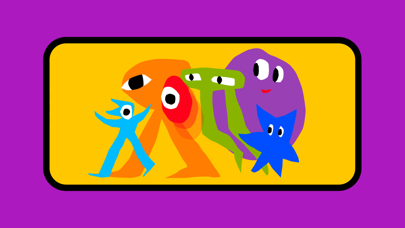
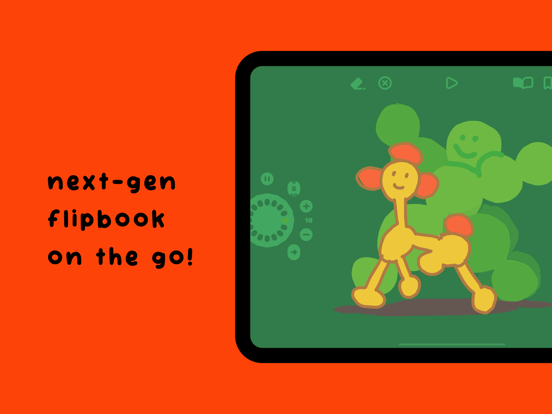
  • Looom iPhone image 1
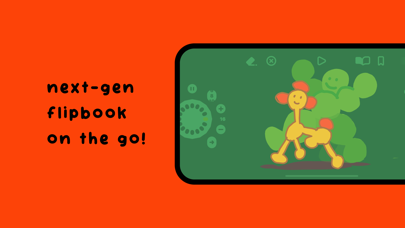
  • Looom iPhone image 2
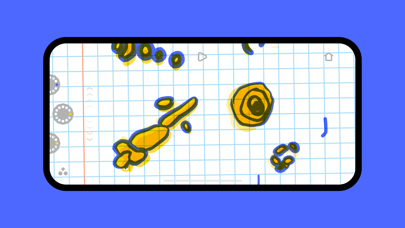
  • Looom iPhone image 3
  • Looom iPhone image 4
Looom iPad Images
  • Looom iPad image 1
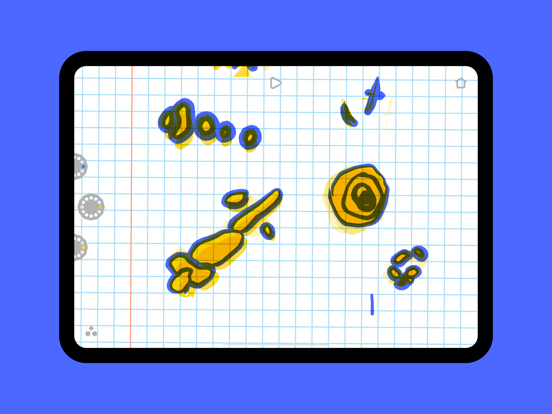
  • Looom iPad image 2
  • Looom iPad image 3
  • Looom iPad image 4