Fitness Labs
Image Converter: JPEG PDF HEIC Customer Service

- Image Converter: JPEG PDF HEIC Customer Service
- Image Converter: JPEG PDF HEIC App Comments & Reviews (2026)
- Image Converter: JPEG PDF HEIC iPhone Images
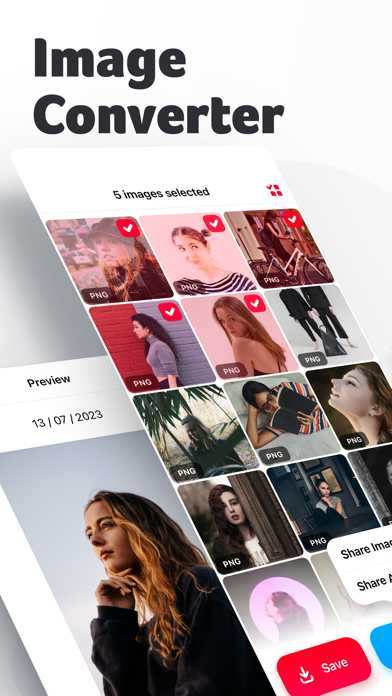
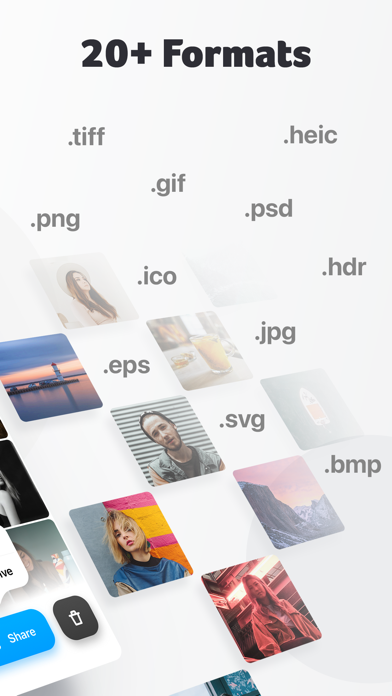
Image Converter lets you convert your images to over 20 different output formats, including TIFF, GIF, JPG, PSD, PNG, PDF, SVG, BMP, EPS, HDR, ICO, TGA, WBMP, and WebP. Whether you need to convert your photos for professional use or simply want to share them with friends and family, Image Converter makes it easy for you.
Image Converter's user-friendly interface makes it easy to manage your media collection efficiently.
Download it today and start organizing your media collection like a pro!
----
We currently offer one auto-renewing subscription option: $9.99/year
By subscribing you get unlimited file conversions.Payment will be charged to iTunes Account at confirmation of purchase. Your subscription will automatically renews unless auto-renew is turned off at least 24-hours before the end of the current period. Your account will be charged for renewal within 24-hours prior to the end of the current period. Subscriptions may be managed and auto-renewal may be turned off by going to the Account Settings after purchase. No cancellation of the current subscription is allowed during active subscription period.
Any unused portion of a free trial period, if offered, will be forfeited when the user purchases a subscription to that publication, where applicable
For the Terms of service and privacy policy, please check:
http://braincake.net/conv_privacy.html
http://braincake.net/conv_terms.html
Image Converter: JPEG PDF HEIC App Comments & Reviews
Image Converter: JPEG PDF HEIC Positive Reviews
Didn’t know that I really needed this appI’m starting an Etsy shop and most of my photos were taken in the HEIC format which is not compatible with Etsy. I love that this app is free to convert to JPEG in bulk. It saved me from major headache. Thank you for helping me save time and money. I appreciate your hard work because it’s hard to find an app without a subscription..Version: 1.1.5
Will not be free for much longer.Upon downloading this app and opening it up I was welcomed with a message stating that this app will become a subscription-based app in the near future. No specific date was given, just the explanation that due to rising costs this free app will need to charge its users a subscription fee soon. For now I’m enjoying this quick and easy app to convert my HEIC photos to JPEGs. Whether or not I continue to use this app depends on how much they decide to charge for monthly use..Version: 1.1.5
Does what it says, but….They complain about the cost of running servers when you first open the app, and how they will be forced to offer a subscription model going forward. Apple hosts the app on its servers, so why would this app company need servers? Sounds like they’re doing the file conversions they advertise by sending stuff over the internet. Sounds like they couldn’t program an app to do the file conversions locally on the phone; which with the power of today’s phone hardware is inexcusable..Version: 1.1.5
Simple and EffectiveThis app is really free: no watermarks, no gimmicks, and works without internet connection. my only problem is that, when selecting files from iphone's Files app, they have an unsorted "browse" option with all of your images in alphabetical order. but if you want to look through a folder system, you need icloud access which i don't use for privacy reasons. this isn't much of a problem, just a slight inconvenience because i have a lot of files. i also really appreciate direct access to the Files app instead of only photos like some converters do. iphone's Photos ap auto-converts low resolution PNGs with transparent backgrounds as JPEGs and this affects imports to apps. i really hate that but they haven't changed it in years..Version: 1.0.9
Awesome First impressionJust found the first free converter app that looked like it would do the job, and it worked great. It’s more than just a photo format converter, it finds duplicates in your gallery, and sorts out your videos/photos/screenshots… it also has a nice video compressor, which I think is a great feature to put in an app like this. Well done #Creators!.Version: 1.1.5
UpdateI don’t mind the idea of paying for this app in the future but I do not like the new update it seems more complicated. I don’t need to see all my different types of files on the main screen. Also when I went to save a new file that had been converted all me pre-existing files are now missing the whole folder is gone. Don’t fix something that isn’t broken..Version: 1.1.3
Don’t waste your time with any other Image Converter.Best and easiest image converter available. I searched and tried and tried multiple different ones before I found this one. I wish I had discovered this. It would’ve saved me so much wasted time and effort in the long run. Keep up the great work..Version: 1.1.5
Awesome appI use this app for work and I have never worked with a better converter than this one. Assuming you have decent connection to the internet, this app will convert photos perfectly to any needed format and gives you the ability to upload with ease. I highly recommend using this app.Version: 1.1
Great app for converting photos to different formatsI downloaded this app because Mercari needed me to use jpeg because they don’t support apple’s DNG/HEIC format. So I searched for a solution on the AppStore and this app popped up. I downloaded it and so far it’s been great. It has other features too so I’ll be keeping this app for when I’ll need it again..Version: 1.1.5
Excellent Image Converter ToolI used this app in the past to help covert jpeg images to an svg format to use with my Cricut die cutting machine. A need came up again this year and I was so happy to see the app was available on my new device. It worked like a charm, saving me time and money!.Version: 1.1.5
Does what I need!Since I use Affinity Designer instead of Photoshop now, they don’t have an option to create vector files with Designer. So I needed to find something simple to convert files to SVG for me. This app does what I need and it’s free! I couldn’t ask for anything more. Good job and thank you for this app, much appreciated..Version: 1.0.4
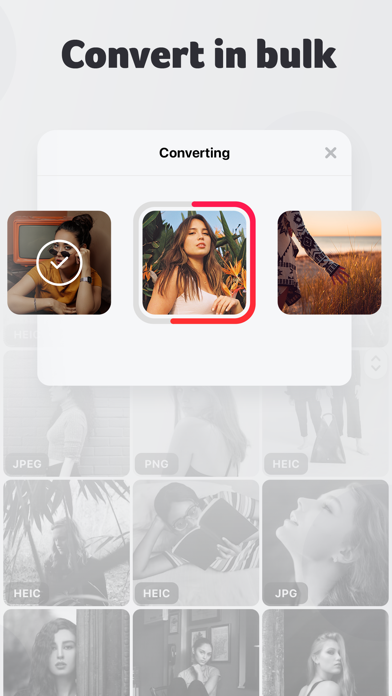
Very useful appWorks great and has some extra bonus functionality. Just being able to select multiple images at once makes this league above other converter apps..Version: 1.1.4
Nice appGot a notice that they are going subscription. I understand need to make money so why not a one time fee? I convert a few photos a month, I’m not going to pay a subscription for a few photos a month. Best of luck to you..Version: 1.1.5
Works like a charm!I have been looking all through the App Store for an app to change a PDF to JPEG. I came across this one, and I’m really really excited that it works for free. I hope they will continue to do it as free, because it’s worth it!.Version: 1.1.5
Easy and works great!Incredibly easy to use and works great! Even images that are purchased from ETSY that may show as SVG don’t always work and need to be converted. I use this app frequently on images for Cricut projects..Version: 1.1.3
A crafter’s little helper!I found this gem as I was trying to step up my crating game. Definitely get its worth and much more through all the uses it has provided in making my own SVGs for my cutting machine!! Highly recommend!!.Version: 1.1.5
So easy to use & fast!I love this app! It has made converting my files on my iPhone so easy & fast! Only thing they would make it better is if I could convert multiple different files at once such as jpeg to svg & png..Version: 1.1.3
ConverterSimple and easy to use. Downloaded, select photos and ask it to change into a variety of options. It works in a snap! Highly recommended..Version: 1.0.8
Image converterI’m sooooo in love with this app!! I though something happened to it and I was freaking out but I got it back but I’m telling you my heart just drop!! Thank you for who come up with this...Version: 1.0.9
Sounds promisingDescription sounds good. BUT 1. I’m asked to leave a review before I had a chance to even use it. 2. I’m required to allow access to ALL my pictures to start the app. No way to alter that. For that reason unfortunately I have to delete it without being able to use it..Version: 1.1.5
Really helpful for Apple + PC usersSince my iPad's own Photo program won't do it, this app is a life saver for getting those .heic photos into .jpeg. Thank you so much. An easier interface for getting from iPhotos into your system would be helpful..Version: 1.1.1
Simple and easy to use, but…While it does everything it claims, it strips away the EXIF data (location, date, etc) from the photo. That’s a bit of deal breaker for me. This app would be golden if it could somehow retain the EXIF data while converting.Version: 1.0.9
Amazing app and creatorAfter several apps that were all hidden behind a paywall after downloading this was the only one that was truly free and I greatly respect the creator for that!.Version: 1.1.5
Easy, fast, file conversion.Been using for a couple of years now. Really helpful in converting my iPhone photos to more common file types..Version: 1.1.3
Works good, messes up pic orderIf you shoot with an iPhone in HEIC format, this app is great for converting them to jpgs. The annoying drawback is that the conversion process changes the file names to a annoyingly long name and screws up your picture order. Could this be addressed in future updates?.Version: 1.2.3
Great applicationVery user friendly. Simple steps to convert your images into multiple different formats. One of the best applications I have used to convert images..Version: 1.1.4
AmazingMakes designing to easy and much clearer than other programs I’ve used in the past and continue trying.Version: 1.1.1
AwesomeI never knew what I was missing until I found this app! This makes it a joy to use my cutting machine. If you need to convert to a PNG or SVG this is the only app I would use. Thank you!!!.Version: 1.0.9
Design SpaceThis app is so easy to use. I love it! The question I have is how do you upload the photos to Cricut design space after you convert them?.Version: 1.0.6
Easy, quick does great jobI just started using it to convert eps files into formats that I can use and it is very easy and quick and does a great job..Version: 1.0.8
Always converts stuff easilyI enjoy using this app because it makes everything so easy for me.Version: 1.1.5
Works great!I love this app! It’s a simple image converter that does a wonderful job. Other apps charge a subscription to convert to svg. I would have paid a one time cost for this app..Version: 1.0.9
Must HaveThis app should be used regularly. It is great when you have children and grandchildren and want to keep safe..Version: 1.1.5
LcpThis app makes converting images for projects so much easier and my projects look fabulous and my family loves them.Version: 1.1
Image ConverterI’ve only used it a couple times. But seems to work as advertised. If it becomes pay for use. I hope they take how much you use into consideration..Version: 1.1.1
Simple, easy and love that it’s freeI use this app often for crafting and various things. It’s incredibly simple, quality is always good and it’s FREE! Thank you!.Version: 1.1.4
Thank youI gotta say for the time and effort they put into this app it’s a wonder it’s still free and it does more then most I have seen.Version: 1.1.5
Works perfectlyFast, easy to use, and does everything it says..Version: 1.1.4
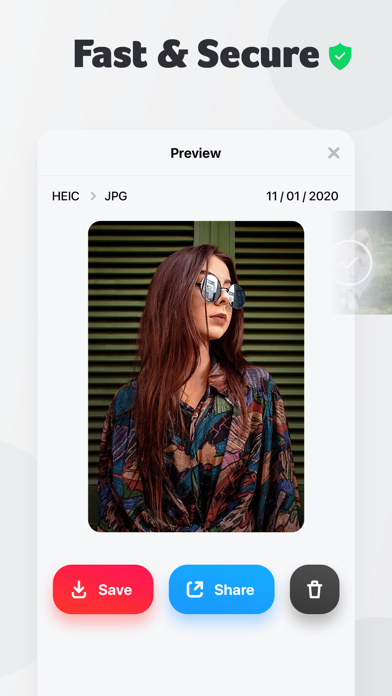
Awesome appIf you have HEIC files as the default on you phone, this is the perfect solution for convert them to JPEG which is required for the many uses that do not support HEIC file uploads..Version: 1.0.9
Easy to use!This is the best app I have found for converting images. It is very easy and stores all your photos..Version: 1.1.4
BEST APP EVERI love this app! Too bad apple is increasing prices on then to force a subscription on us.I have no complaints. I was looking for an app to convert my images and this does it all! EVERY FILE YOU NEED! THIS APP IS YOUR LAST STOP SHOP.Version: 1.1.2
Keep it freeI love this app and it’s awesome that it’s free because most of them aren’t and if it becomes unfree I hope I can still get to all the files I have!.Version: 1.1.2
ExcellentThis app is amazing. Simple and easy to use, plus it’s fast real fast. Like almost instant. Professionally and simply done and light weight. Thank you for this app. All the best Daniel.Version: 1.0.9
Best image converter!I’ve been using this image converter for 2 years now and I’ve deleted all the others. It’s the simplest to uses with the best outcomes..Version: 1.1.5
Amazing appAmazing app.Version: 1.1.5
OkGood.Version: 1.1.5
Love this app!Have been relying on this app for a long time, and I would highly recommend!.Version: 1.1.5
Great!Greatest thing since sliced bread!!.Version: 1.1.5
SizerI haven’t been able to use yet and it went right to review.Version: 1.1.5
SlayLuv it sm.Version: 1.1.5
So usefulI really enjoy using this app. Works so easily.Version: 1.1.5
The greatestThis app has helped me so much!!! You guys are fantastic.Version: 1.1.4
ExcellentSuper easy to use.. thank you :).Version: 1.1.4
Amazing app!Love this app!.Version: 1.1.4
Amazing appLove your app easy to use and being un-wealthy its great that it’s free to use !! Two thumbs up 👍👍.Version: 1.1.3
Fast and EasyThis app worked great for what i needed it for, it was fast and easy to use..Version: 1.0.9
Excellent converterI have used this for quite some time and find it reliable and easy to use..Version: 1.1
Awesome!Easy and fast.Version: 1.0.7
Super easy to use and no ads!Love everything about this app. It’s free, there’s no ads, and really easy to use. It takes little to no time to convert images; really convenient..Version: 1.0.6
Free International Money Transfer 💸Enjoy high maximum transfers into more than 20 currencies while saving up to 90% over local banks! The cheap, fast way to send money abroad. Free transfer up to 500 USD!Version: 1.2.5