Fapps World Et Cie S.E.C.S.
Handwritten Email Customer Service

- Handwritten email Customer Service
- Handwritten email App Comments & Reviews (2026)
- Handwritten email iPhone Images
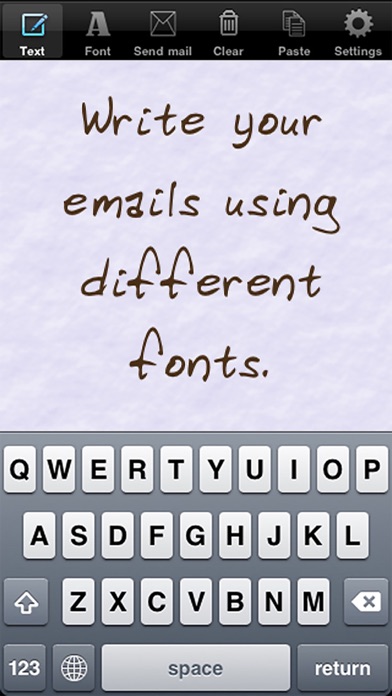
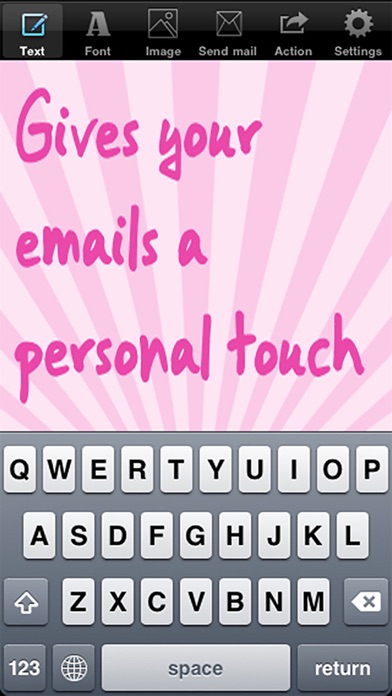
Send your email and MMS texting with handwritten text. This will give your emails a nice personal touch.
Type on a conventional onscreen keyboard and the app will convert the text into handwritten text.
What users say:
- This is a lovely little app that is a pleasure to use and receive according to my fellow iPhone friends. 5 stars from me.
- It is a must have. All my friends are like "How did you do that?"
- Such a wonderful compliment to an email. The reviews I've received back are tremendous.
- Love fancy fonts and pretty colors!
- So cool, fun and neat
Features:
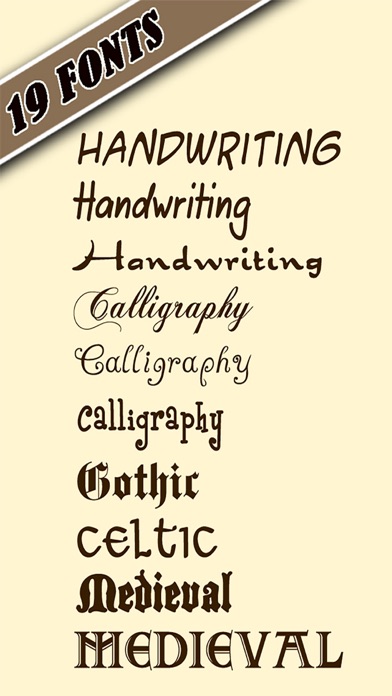
- Choose between several handwritten and calligraphy styles and other cool styles, like gothic, medieval, celtic, ...
- Change the color and size of the text.
- Choose between 20 background patterns and pictures.
- Change background color.
- Copy the handwritten text and paste it into an MMS or into other apps. (available through the action button)
- Switch between preview mode and editing mode (offers cursor positioning for easier text editing, select, copy, cut and paste).
- Change text alignment.
- Copy and paste (activate editing mode in the settings screen).
- Get additional style packs containing additional text fonts and background images (accessible in the settings screen)
Follow us on twitter @PlanetBlueArt
Handwritten email App Comments & Reviews
Handwritten email Positive Reviews
Font appNot a bad app, but need to see my cursor. Is there a way to do this? The way it is now I cannot drop my cursor in mid sentence to correct typos. And cannot see where I left off typing. Steve C..Version: 1.9
Write-onNeat program. Turns boring sans serif messages into medieval masterpieces.Version: 1.9
Those Cows 1 or # 2 Update crack me up!!!Gift this to those near & dear. It's akin with giving a fish away or of course instead giving a fishing rod. Hours of fun to be had!.Version: 1.8.1
Impress Your RecipientsWell written words deserve beautiful handwriting. This is it! Many ways to compose and customize. Great for quick notes and lengthy compositions..Version: 1.8.1
Few ChoicesI like the app however there are too few choices for fonts. Considering it is a paid app. More colors and more fonts and it would be great.Version: 1.8.1
CaligrafiaThis app is good once you navigate it's ways. I'd like to see it simplified so you don't spend more time figuring how to use it than actual message writing. You should try it..Version: 1.8.1
MUCH BETTER!! And FUN!Updated review- They listened!!!!! Thank you!!! Upgrades to allow editing REALLY make this app SUPER! Very easy to use :) Love it!!! One of my favorite apps. This would be pretty good IF one could edit within app and/or within email. Fun fonts and some good options (color, size), but lack of edit options REALLY limit use of app. You get what u pay for though, so for it's limits, & with careful typing, it's okay. And, its the only thing I've seen with any cute email typing capabilities (smiley faces notwithstanding)..Version: 0
AwesomeLove it!.Version: 1.9
Font woesThe first thing I noticed was that the names of the fonts were all in a standard font. It would have been nice to have each name listed in the font they represent. That would make a quick survey of options possible. As it is, It is time consuming to try one font at a time. The second problem I encountered was that the MMS of my test text to my husband's iPhone appeared great on the preview as I typed it. When I looked at what he got on his iPhone sent by me using a fancy font, I saw tiny text, too small to read. So, I resent it in a bigger font. This time the text went off the edges of it's little box. Too few fonts and hard to read messages make me wish I had selected another app..Version: 1.6
App 5 but new iPod recharging for paid pkgs.This app is a 5 on my old iPod but when I got a new iPod and took it off cloud i noticed all my purchased packages for every image had to be rebought. I wrote a very polite letter asking where to reset as other apps have to give info back that was purchased .. After a few days I got a rude sentence that was: a font pkg doesn't have to be rebought. Period Really I asked about the pkgs I bought of all my images I want them back and I'm not rebuying them . The app when all together is a 5 star, you need to teach yourself what means what but then when know use it and it is great .. When I had my pkgs...Version: 1.7
Good app but....Nice app for short emails. Discovered the best way to input text is using the Dragon dictation app with this app. First open Dragon, dictate your message. Here you can make any changes such as spelling errors. Punctuatins are imputed by saying the word. At the end of a sentence say the word "period" and it will put it in. Or say "comma" presto it will put it in. Next select copy to clipboard. Open up the handwritting app. On a blank page select paste. There you go. The text you dictated in Dragon appears in the handwritting app. Of course you could just send your email using Dragon but without the fancy handwritting. It would be neat if you could send SMS messages using this app. Maybe in an update then..Version: 0
Just What I was lookin for!!K so I was looking for an app that could help me make my emails more interesting. Because one of the things I missed from changing my email online wad customizing the font and color and stuff!!!!! This was PERFECT!!!!! I LOVE it!!!!! Even though I most likely have no idea who you are, I'm telling you to get it!! -Amanda Berkinstien (ugh! Why does my itouch say my last name is wrong? I know how to spell my name! And the computer never did that!).Version: 1.6
Sure ! Why not add some personality to your emailI just got this app and I think it is cool. I like the positive woosh sound verifying that the email is sent. I also like having your message stay on the draft board so you can send the same message to someone else without having to re-type it, or you can simply change a color for the next one. Adds personality to you emails..Version: 0
Read directions/FAQs!To the people complaining about the editing on this app- check out the settings. Duh. Before you rush to give a bad review, make sure what you're saying is accurate. You just have to change the setting to "editing mode" and it's just like typing on any other app on your iPhone/iPod, with deleting, auto-caps, the whole nine yards. It's really a neat app and does just what it claims. I'm glad I bought it :).Version: 0
Handwritten EmailAt first glance, based on the title of the app, I thought end-users would have to trace out each letter and word but thankfully, that is not the case. Handwritten Email allows users to choose from a multitude of script styles and colors and send them out as emails or texts. If you prefer email that is more personalized and better reflects your personality and mood, then this is your app!.Version: 0
Awesome!I love this app it us amazing! The only thing I would abosolutely LOVE to see in an update, is being able to reply to other emails with the app. What I mean by that, is when being on your email, there should b a button or something on ur regular email so ur able to go right to the app to reply. That the only thing I wud like to see. Other than that, it's one of my fav apps!!.Version: 0
Wonderful!Makes sending email from my iPod Touch a delightful adventure. I use "edit" mode when composing and it works really well! Yes, I would like a cursor, too! This adds a bit of class to emails! Works great with every email provider I've sent through. Receiver sees your message in a font and color that expresses your personality! Love it!.Version: 0
ALL THAT AND MOREI am sure that this is everything you all say that is. Even I managed to send my son a birthday greeting on his iPhone. It could be easier but if I can do it anyone can. As it is I can imagine craft applications just beginning with printing messages in home crafted cards . Wonderful and cheap !!! P S needs a green green and a purplier purple. Thank you.Version: 1.6
A noveltyThis is not an email substitute, but a novely for sending text, rendered with graphic art fonts, (potentially any font), as a jpeg attachment, the size of your iPhone authoring window. Within that limitation, it could be useful for personal messages. It currently only allows typing from the end position, with no cursor that allows changes to existing input. If it could leverage the system email's edit and spelling tools, it would be potentially useful..Version: 1.6
Needs more optionsThis is a great app buy there should be more fonts and colors. There should also be an option to let different words be different font (where u could highlight the word then make that word a different font than the rest of the text) there should also be spell check..Version: 0
I love it and use it.I am all over the country in a truck. I don't always get to pick up a card for B-days and things. With this app I can let them know I am thinking of them, and in a "Classy" way. Thanks, Russ I guess. it is my age. Reading the The complaints makes me laugh. It is so much easier than carving in stone. And prettier too.Version: 0
Text MMSI like this app. I've read reviews some good some bad the bad ones were upset that on this app you state that you can send via MMS, of course you can't unless you send to your personal email making sure you use the one that is pushed to your iPhone open mail save message to your photos/ camera roll then you can send via MMS. May take a few steps longer but well worth the try.Version: 0
LOVE IT!I love this little app because it gives a personal looking touch to a birthday note, etc. that can be sent immediately. Would love to see it expanded to even more choices for backgrounds, colors, and writing styles. Thanks for making it possible for all of us! It'll be a 5 star, for sure, when there are more choices!.Version: 1.6
A Great AppI love being able to write something that seems more like a personal note than "just another e-mail". I love the fonts, and the choices of colors. In today's world it's about as close as you can get electronically to recieving a hand written note in your mailbox. I agree, a cursor would be a very convenient and helpful add. Then I'd give it five stars..Version: 0
Fun but Cumbersome to UseThis app can be enjoyable to use however it takes too long to use it and is more complicated than it has to be. Suggestions: - Should be easier to delete specific words or a letter vs all text - Should include spell check Should include spell check and.Version: 1.7
RatingI rate this app 5 Stars! I LOVE THIS APP! It is WONDERFULLY SUPER! This is genius to create such an app for the iPhone 3GS!!! I really enjoy using this app. Thank you all! Paula F. Although I have a new iPhone 4 and I do not see the cursor for writing the text. But over all I would recommend this app very highly!!! Thank you whoever worked on the programming for this app ; ) Hats off to you..Version: 1.7
Fun!Awright, awright, so it isn't a full-functioning word processor. Were you really going to write your Master's thesis on your Iphone? It's kicky and fun and sometimes a handy little way to add ... body language! ... to your message. Think of writing "I'm sorry." "Get well soon." "You were wonderful last night!". Hmmm?.Version: 0
Set the Mood!I love this app! You can lighten a mood, add color, create nostalgia, or just let someone know how you are feeling nonverbally with an artistic flair! Did you know you can copy and paste into a text message? This app is better than a greeting card to the average techie!.Version: 1.7
Could be a 5 star app if...This would be a 5 star app if it had more colors to choose from and if backgrounds were added as well. Other than that it is a good app and i am pleased for the price. I hope they take adding backgrounds and more color options into consideration so it could be more fun..Version: 0
Needs improvement but does what it saysImportant really needs a cursor bar that let's you see where you are typing or to go back to edit a part of the paragraph...... make the fonts bold??? Background color selector???Or more selection on fonts??? Very basic but useful thanks....Version: 0
Is there a app out there that installs on keyboard?Instead of having to go to your home screen, swiping the app icon, waiting for it to download, then finally being able to write the email, then letting God knows who read it before they forward it? Is there a app that installs itself on your keyboard, like all those emotion apps?.Version: 1.7
BeautifulIf you want to make someone feel feel special, if you want to enjoy the writing of an email or a text, then having a special background and that perfect font will be meaningful for you and you loved ones..Version: 1.7
Hopeful!I agree I love the different fonts! It would be nice to have the spell check feature, the ability to implement it in other applications AND being able turn the keyboard and type. Maybe the next update?????? Smile..Version: 0
Fonts and color for emailDoes a good job of providing an alternative to standard type in email. Would like easier use with email and Facebook but provides a fresh look to my emails..Version: 0
Awesome appThis makes writing an email a pure joy! Many different types of handwriting styles to pick from, as well as backgrounds to customize your email. Would be nice to be able to apply this app to text messages....Version: 0
Very goodThis app is really good. Everyone asks me how do you do that??? I recommend this app to anyone. It has many options that your email may not have. Although it is good and all, there should be maybe a little more images. All in all, a very good app..Version: 1.6
Beautiful "handwriting"I have only used once so far. I really like it. I agree there could be a few tweeks. I know they'll get sorted soon. Meawhile, so much easier than trying to set font styles the old way: kudos for the roller settings bar! 🌸🌸🌸👍👍👍.Version: 1.7
Write on!I like using this app when I write special notes for birthdays, thank you notes, or congratulatory messages. I would like it more if the app allowed you to insert images or pictures. In any case, it is a cool app..Version: 1.6
AWESOME!!I got this just now and is already obsessed! All of my friends are wanting to know what's it's called! AWESOME APP! I also like how there's a background pictures to choose from! I would except this app to you! ENJOY!;).Version: 1.6
Cute appThis app is ok. I would like it if you could incorporate texting as well. Even if you could copy and paste directly to text that would be nice, Instead of copy and paste and all they see is an internet link to go to, but on my page it is shown as is! Kinda weird..Version: 0
Handwriting appI really love this app,I can change My email up,personalize it,the way I like.I would highly recommend This app,you need to get this app. I would give it five stars..Version: 1.6
Needs improvementShould have same functionality as IPhone; auto cap after period. Double tap space bar to get period. Ability to put cursor where you need to make correction or insertion. Otherwise it is fine, just annoying..Version: 0
Free International Money Transfer 💸Enjoy high maximum transfers into more than 20 currencies while saving up to 90% over local banks! The cheap, fast way to send money abroad. Free transfer up to 500 USD!Version: 1.9