 Instructure Inc.
Canvas By Instructure Customer Service

- Canvas by Instructure Customer Service
- Canvas by Instructure App Comments & Reviews (2026)
- Canvas by Instructure iPhone Images
- Canvas by Instructure iPad Images
Your learning, anywhere.
Stay connected to your courses with the official Canvas app for learners. Whether you’re in class, commuting, or offline, Canvas helps you stay organized and engaged.
Note for instructors: For teaching and grading features, use the Canvas Teacher app.
What you can do
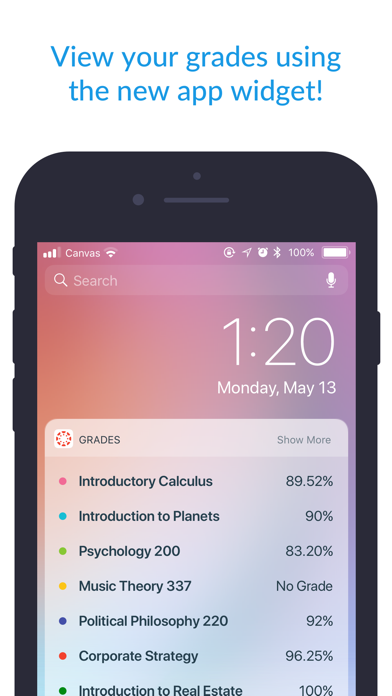
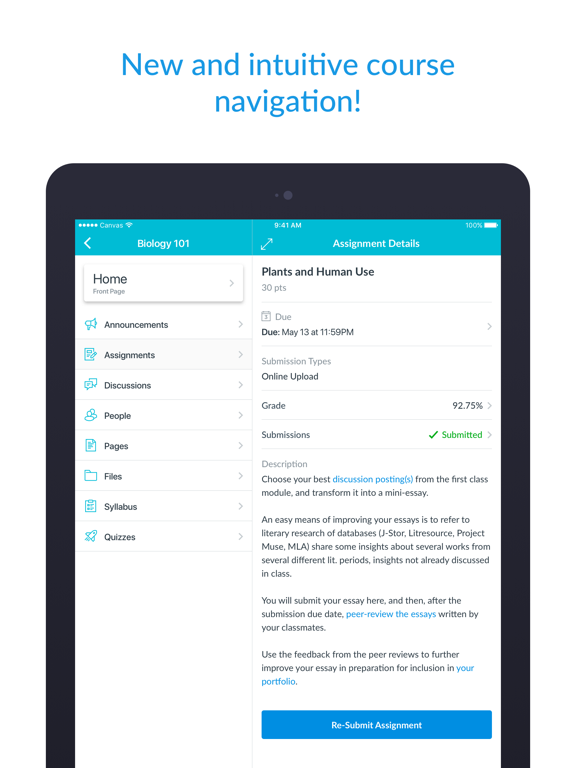
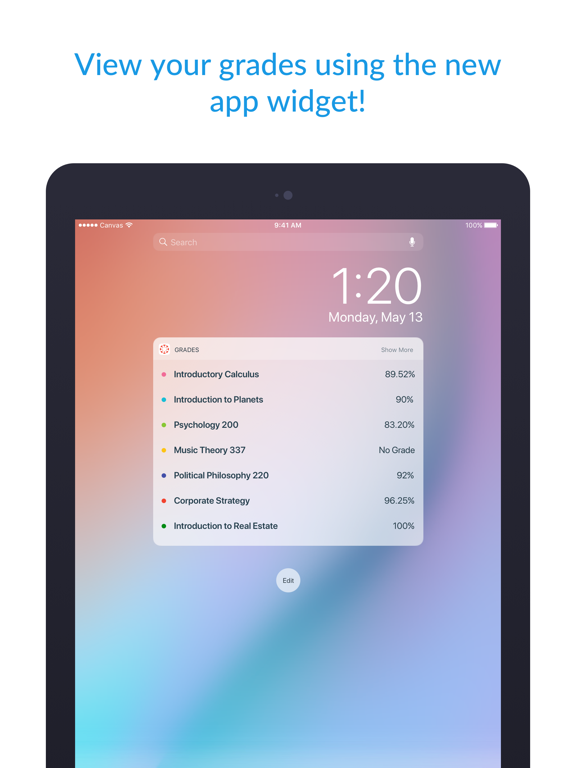
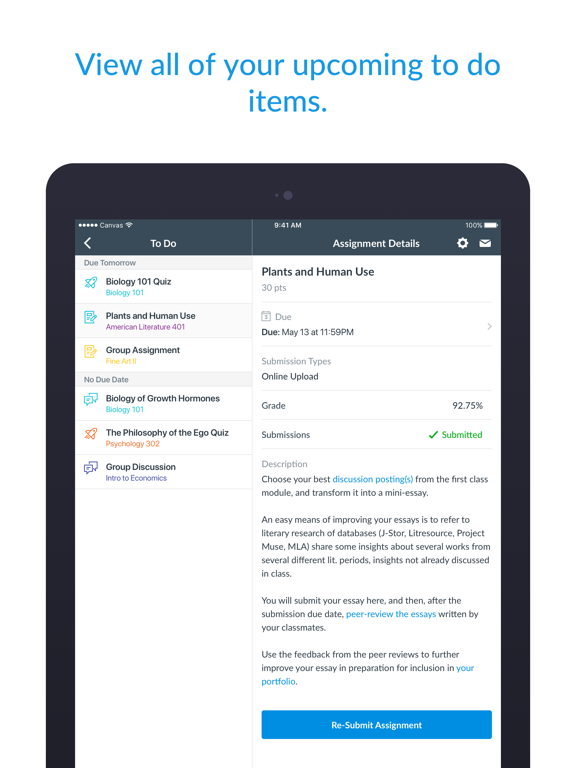
• Organize: View grades, track assignments, homework, and schoolwork; get reminders, push notifications and add customizable widgets for quick access
• Engage: Send messages, join class discussions and collaborate with classmates in real time
• Learn: Submit assignments, PDFs, docs, and media files for teachers to annotate in SpeedGrader, take quizzes, and watch videos on the go
• Offline: Download full courses and keep studying even without internet
• Integration & inclusivity: Use integrated classroom tools (LTIs), enjoy dark mode, and rely on built-in accessibility for everyone (VPAT 2.2 compliant)
• Lifelong learning: Support for continuous learning, career-focused skill based learning programs, and AI-powered learning experience via Career experience
Trusted by over 40 million learners worldwide.
Canvas by Instructure App Comments & Reviews
Canvas by Instructure Positive Reviews
Excellent app but…This app is excellent. I had never used the Canvas app before yesterday and I’ve found the app to be excellent overall (in fact, I had never used the Canvas website for school before this semester). The app is easy to navigate. It has ALMOST all the things you would need. The only thing I’ve found so far that could be improved is that I can’t find the notification INSIDE the app that showed up on my phone’s Lock Screen. My professor assigned me an anonymous “grading” of one of my classmate’s submission (I’m sure every student got assigned to grade some other student’s submission) and it showed up on my phone’s Lock Screen the first thing this morning when I woke up (keep in mind that I just downloaded this app about 15 hours ago) and I almost didn’t click on the notification. When I clicked on it, I was taken to Canvas’s website on my phone’s web browser where my fellow student’s submission showed up and I proceeded to read the student’s work before I could give my feedback but I had to stop in the middle because I started doing something else. However, later when I went back into the app to compete this feedback, I could NOT find this assignment anywhere in the app. Then, after a few minutes, I remembered it was in the browser and not in the app that I was working on it so I opened my browser and found the assignment still there so I completed it. But what if I had not clicked on the notification on my phone’s Lock Screen? It would have gone away. How would I have found it then? Hopefully, this was a “user error” on my part but I doubt it because I clicked on every single tab in the app under my course (quizzes, assignments, notifications, etc.), but it’s nowhere to be found. Any helpful suggestions would be appreciated..Version: 6.19.1
The many benefitsI love the app, helps me find assignments quick has a tab for me to check my grades and to check if the teacher put any announcements if their is a substitute. This app has helped me better my education and when I graduate hopefully help me through college. The app has many benefits and not gonna lie almost a better platform than Google Classroom, it was great to keep in touch with my classmates but not to keep organized. Google Classroom just listed assignments by date not category, with Canvas it has modules when the teacher say what unit subject we are on it help my whole class find the assignment in less than a second. I approve this app and suggest that all schools use it, and for those who has a kid with a personal computer for their homework I suggest you sign your kid up you will see a great improvement in their grades if they struggle and helps with the syllabus if the parent has the app so they can check their child’s grades and they can help the child through the course and help study. I am rating this app as a freshman in high school and I promise it makes such a great learning experience and makes school a lot easier. I rate this app a million out of ten..Version: 6.18.1
Pretty great, but would love some improvements!Edit: Would it be possible to only receive notifications for replies to my own discussion post and not all discussion posts? I like the app in general. It sure is handy. I don’t like that the To Do tab only shows a limited amount of tasks and that you can add or view To Do tasks that were added by oneself. You can view the To Dos you added using the desktop website in the Calendar tab in iPad and iPhone, but you cannot add, edit or delete them. I really wish the To Do tab was more useful in the iPad and iPhone apps. Another thing I noticed is that when a particular course imports quizzes from an external application like Cengage Mindtap, it does not mark the assignment as completed in the To Do list. It has to be checked off manually. I wish the To Do list (or List View in the Dashboard tab on desktop) were enhanced as having a comprehensive and editable list of To Do’s is very useful for students to track their assignments. I also noticed that the Inbox feature in the mobile app versions lack a couple capabilities that at least exist in the desktop version. For example, members of a group message can view who is in the message thread while on desktop. But in the mobile apps, you would only see the addressees by clicking reply all..Version: 6.9.8
Great, could be greaterI like how smoothly I can access the different features I normally use on my desktop. I can get to my inbox, discussions, assignment pages, and grades easily and the text, pictures, and videos are all there and clear. I do wish the designers would add a few things, though. On the desktop, I can access an edit and delete button in the discussion threads. Those aren’t on the mobile app, unfortunately, so I have to log in on my laptop or desktop if I want to edit anything I’ve already submitted. I wish the edit and delete buttons were on the mobile app. I also can copy and paste on the desktop without the font formatting changing. If I do that on the app, I notice colors and sizes change and spaces can disappear between paragraphs. I do wish there was a way to copy and paste without that formatting changing. I also wish there was a way to delete submissions from my files page. That’s not on the mobile app or the desktop version. Aside from that, I really like this app. Homework would be delayed without it. With this, I can access my school stuff anywhere I have a wifi signal..Version: 6.16.0
Great App!I have been using Canvas for about a year now and it's been very helpful! Although the initial switch from Google Classroom to Canvas in my school district was hard, I have now gotten used to the apps interface and how it works. I like how organized everything is in the app, I can see all my classes laid out when I open it. If I click on one of my classes, I can easily open modules to find my assignments. I can also keep track of my assignments with the todos tab and inbox which shows messages from my teachers. Turning items in is also an easy process (depending on which format). You can turn in with audio, website URL, media recording, file upload, or text submission (depending on what the teacher chooses as submission process). Another great aspect is that all of your assignments are sorted by unit in the modules making it very easy to find your needed assignments. Overall Canvas is a good app, I only gave it 4 stars because on several occasions my teachers have made the app more difficult by allowing only a certain type of submission/ locking material by mistake, etc. I do have one recommendation, and that is when you film an in app video submission, there should be a pause button, I have experienced times when I was not able to pause and I wanted to..Version: 6.8.0
Love it, love it , love itI love this program, the app as well. It's treated me well the past few years that I have been in college. If there's schools that use other programs, they should change to this one ! The ONLY issues I have are this : One. I wish that with new upcoming semesters I would be able to look up all my classes like I can do on a computer and add them to my main page , as long as they are published and ready to be added. This isn't a big problem since I can always use the computer laptop to do this, but it would be nice to do on my phone. Two. When I get notifications for files added and announcements, and I click in to it on my iPhone, it only brings me to the first page that you always are greeted with that just has all your classes and stuff. It would be really cool if from the phone we could click into that notification and be brought directly to that announcement, assignment, or whatever else. Again, minor stuff that would be cool if changed, but LOVE CANVAS!.Version: 3.18.5
Good App just some tips…As a student, I really think this app is not as bad as students say it is. Sometimes you can hate the app just because you forgot to do the work, or you can’t complete the assignment because of sports. The app is not at fault. The app works as it should. Canvas does a great job at three areas in particular reliable, accurate, and smooth. The system rarely ever glitches even on low end devices (Such as a Chromebook Lenovo) or Dells lower end devices. Canvas uploads the work directly to your administrators which usually revise the work quickly. The app is also reliable. PARENT BENEFITS: Canvas has a feature to allow parent login directly to your account. This allows the parents to credit you incase your device fails to recognize your submissions. Lastly, the app runs smoothly on most systems, loading is never an issue. The software is greatly designed. Allowing the software to be used across hundreds of schools across the country. There are a few easter eggs. Overall I rate this app a 4/5 from a student view and from a teacher's view as well. PS: not every device works well with this software, but most software works well with inefficient technology. Tips, I would say that the app needs to have a more efficient “To Do system”. Most of the time it stops working and says “Failed to load To Do list” a lot of the time. It also isn’t very accurate. Sometimes it completely missed assignments on the To do list. *Especially on mobile*. Loading your grades also loads pretty slowly. This makes it a pain to load your grades every night. (Usually takes 10 minutes in total) to go through each class. This app is still worthy of a 4/5 it’s just generally annoying for students and some of the other reviews are what we might feel late at night. Sometimes it might not load or work. Sometimes it’s fine but a-lot of the time it’s just a pain..Version: 6.20.0
Great in most ways, except one MAJOR flawThe Canvas student app is really responsive and high functioning, almost easier to use sometimes than the actual desktop site. It makes doing school work while on the go a total breeze. HOWEVER, I knocked a star off because there is just one MAJOR issue that I hope they can fix in a future update. I’ve noticed that whenever I navigate away from the app and then return (for example, checking a module for an assignment due date, navigating away to my calendar app, then navigating back to canvas to read further) the app backs out from where I was and returns to the main screen. This is really ANNOYING and I wish it would be fixed. I don’t close the app, I simply switch to a different one, but when I return I have to navigate all the way back to where I was, often needing to click through multiple menu bars to get back to my place. It’s really aggravating when trying to multitask (as all students usually are), especially when phones these days are trying to make multitasking more intuitive and easier to manage. Hopefully that can be fixed because otherwise this is a really successful app..Version: 6.6.4
It's improving! Getting closer!I'm getting much happier with the new updates that have rolled out recently. Most of the functionality is intact, which makes it really good for getting a forum post or two done during down time somewhere. Some things that are still a bit difficult are picking up discussion conversations that you have posted in. There is no way to quickly find or jump to posts that you have already made, which makes it difficult in larger classes with protracted discussions. Perhaps tagging people in a Facebook name type format and then being able to jump to that particular point in the discussions would help this? The only other major problem that I've found (and this may just be an IOS problem) is that if I switch to another app to copy and paste some material or even just the web page url itself, the app closes itself and I lost my entire post. Like I said, this may just be an IOS thing with memory management but it is still a major pain in the rear to lose a long post that was typed on a mobile keyboard. Overall it works well for me and I'm pretty happy with it! Keep up the improvements, it's about there!.Version: 6.6.4
Please make Canvas more efficientAs a student, I way prefer Google Classroom for one main reason: it’s easy. Canvas is honestly way too complicated and each class is navigated in a different way. On the computer, which is a school Chrome book, it is ridiculously slow compared to google classroom, which is fast and efficient. I shouldn’t need to press a million buttons just to get to an assignment, nor should I have to wait for a page to load for me to be able to start an assignment. I, along with many other students, have complained about Canvas being very inefficient. The modules and assignments tab shouldn’t even exist if it were up to me. I would just have a main feed for the whole class and that would be filled with announcements and assignments like google classroom. Simplicity will make online learning 1000x easier because using Canvas was such a pain. I will give the app designers some credit for making the iPhone app smooth and more friendly, but it’s still full of so many links that aren’t necessary that it’s easy to miss an assignment if you don’t check everywhere possible, which by the way, isn’t a problem with Google Classroom..Version: 6.14.2
The App eliminated log in time which is good but inside look complicatedThe app can just click without log in and enter password which is fast and good. I used to use ilearn; this is my first time using canvas. I found out iLearn is easier to see the course material because each assignment is divided into sections, and easier to distinguish different weeks and take a look at the layout of all course material. For each week ‘s homework, there is a check mark followed by it on ilearn, so that students can see which task is already done or checked and which is not so that they don’t have a clear idea of what should be looking at or rechecking next. Students have a lot of work to do, so they need a clear mind on the coursework and a more straightforward appearance to look at and check their homework. If everything looks the same, it is tough. canvas makes it much harder to see and arrange assignments. I use my phone to do my homework, I relay on my phone, and I think ilearn can help me get done and submit word documents, text, or pictures easier, I found out that using canvas made a big problem for me now, and I am having difficulties right now..Version: 6.20.0
Pretty good app, except the calendar freezes itAll the functions on this app work fine except for the Calendar tab. Whenever I tap the calendar tab, the app freezes and becomes unresponsive, and I have to restart the app if I want to use it at all. Restarting the app doesn’t fix the calendar tab issue. Sometimes the app has no problem opening the calendar tab, but other times this happens. I’ve seen other people report this issue multiple times this year on the website support forum, but it just keeps getting marked as Solved without any actual solutions being posted. The issue is so prevalent I have to open up my computer to use the website or run the website in desktop mode on my browser in private browsing mode just to use the calendar function, which is an important function for many of my classes. I wish that the devs would just figure out what’s going wrong here instead of just ignoring the issue for months on end, but that doesn’t seem to be what’s happening. If it weren’t for this issue, I’d say overall I enjoy using the app and find it pretty useful, but this ruins the user experience..Version: 6.13.2
Missing Online Features for SubmissionIn general, this app is good. I can easily submit files of many types when I need to and for any class, and I can track grades, upcoming events, discussions, and more. I love the ability to watch videos in-app and track what I still need to do. There have been some issues with my To-Do list in the past and it’s been hard to find some of my assignments, but after investigating I realized that this was due to faulty organization and uploads by my instructors, not because of the app itself. The only problem I have with this app right now is that it is missing some of the features available online. In my online Canvas account, which I use on a PC, I can submit Google Drive or OneDrive files directly to Canvas. On my iPad, which is what I use with the app, I only have the ability to make a text entry or upload a file from my iPad itself, which means I have to go through the trouble of moving Microsoft files from OneDrive to my iPad’s regular storage. If you could add support for this on both the online version and app, then I’d be grateful. I’d also appreciate full-screen support for videos..Version: 6.8.6
Great but could use a little fixI’ve used canvas for school for as long as I can remember, and it’s a great app to have on my phone for notifications and checking grades/feedback after i submit my assignment. But as much as it is good, there is this problem that has happened everytime, and that is when I get the push notification about assignment graded/created/submission comment and i click the push notification to open the app and take me straight to the assignment i got the notification about, it never opens it in the sense of it opens canvas and “takes” me to the assignment but it never loads and is always stuck on the rotating circle screen so i have to manually look for the assignment to even check what the push notification was about and it gets really annoying as it happens everytime and it is not an internet issue because it happens everywhere with different internet connection or my cellular data. That is my only concern with the app and i hope it gets fixed soon because it’s been happening to me since forever.Version: 8.8.0
Good, but…From the beginning, the app was fine. I enjoyed using it and it was a good way of keeping up with my grades (assuming my professors uploaded them in the first place), but this recent update, as of April 16, is annoying to say the least. If your class are heavily discussion based, good luck. You now have to scroll though everyone’s posts and comments to finally reach your own. It gets hard to tell which one is a post and which one is a comment because there’s no real indicator except for a very thin gray line. If you want to edit a previous comment or past that you made? Tough luck, you’ll just have to replay again and add to the madness that is already this discussion board. Not only that but the scrolling never loads everything and often gets stuck when it reaches the bottom and has to load more also causing the app to crash. It was so much more efficient when all of the comments were in folders under the original post. Not only that but the notifications are still broken in the sense of, when you get a notification and you click on it, it still doesn’t take you to the right page..Version: 6.2
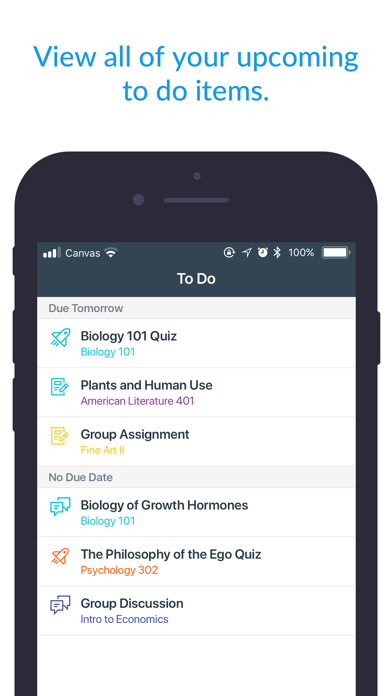
Pretty Good!This app is fantastic, it’s much easier than having to pull out my computer every time I want to check grades, messages, etc and helps me keep on track. The “to-do” feature is especially helpful, as it’s basically a planner built into my phone without me having to do any work! It’s a great way to check my assignments easily without having to click on every class to see them. The reason I gave this 4 stars and not 5, though, is because of the amount of duplicate messages and emails I get, as well as the structure of them. Every notification of a new grade, assignment date change, etc is delivered to my phone twice- which isn’t awful, it just gets really irritating after a while. The other reason is the emails I get tend to be pretty unhelpful- such as, “your assignment in x class was graded,” but it doesn’t tell me the grade in the email, so what’s the point of sending it? Overall, though, there are definitely more pros than cons to this app, so I’m not going to complain about it too much :).Version: 6.15.1
Urgent App SupportCanvas is a top tier school learning system and I’m glad it has been the choice in my college experience. However, recent updates have caused the mobile app to have a lot of optimization or stability issues as well as some UI changes that haven’t gone down well for me and majority of students on this app. For starters, why fix the To Do screen if it isn’t broken- I am getting the part of customization to filter upcoming tasks but I think it wasn’t executed properly. This is true because most colleges have quizzes and homework deadlines due on a Sunday. The filter could be set to using days of the week instead of calendar days. For example, “Show Task From Sunday Feb 1 until Sunday Feb 8” instead of From Feb 1 to To This Week (which ends on a Saturday) or next week, in 2 weeks all ending on random days in the week. Students need this visibility to better plan ahead. Lastly, the app keeps crashing when literally anywhere in the app whether in the grades section, course section. This is unfortunate!.Version: 8.7.0
The “to-do” tabI’ve been using Canvas for 3-4 years as a student, and it’s worked wonderful. However there has been an update recently that makes my life unnecessarily stressful. The “to-do” tab has changed from helpful, to a maze of assignments that could have been due weeks ago to something due tonight! It is unnecessarily confusing and it doesn’t make anyone’s life easier. I can’t remove any finished assignments, see which ones were due last week versus this week, see if there are any assignments from the home page, or sort them by any means. It used to be a convenient list of assignments that were due soon, with a date, weekday, and time. If an assignment wasn’t needed, I could just delete it. Now it’s painful to maneuver, and I want the old setting back. Please Canvas, for the lives of us students, change the “to-do” list back to a helpful page, instead of a hassle that makes our lives harder. THANK YOU CANVAS!!!.Version: 8.1.1
More accessible and easy to use than the computerI enjoy using this instead of having to log on every time on a web browser and having to boot up my computer, it’s also wherever I am. I do have a couple of occasional issues though, sometimes the app doesn’t load, it just keeps showing the canvas logo rotating forever (I think it may have something to do with having do not disturb on, I don’t know if it’s exclusive to my 2017 model iPad Pro 10.5 or if it could be a generic issue). Also, when writing a long reply on a discussion, the letters sometimes can start to fall behind, even to the point of a full second delay and then it will start back spacing if you made a mistake and won’t stop for a minute. This problem may have been fixed just this week with a canvas update (not the app, just canvas in general). The only thing I would like added is the option to edit a post/reply in discussions, I really wish I could do this without having to log on online and just use the app. But overall all, this is a great app to use..Version: 6.6.8
Great for faculty only, calendar is uselessNothing auto uploads to the calendar. If I have to personally check 10 sources to make sure Im on schedule, this is basically a very complicated syllabus with a forum attached to it. The format allows and inadvertently causes faculty to make busy work for the student by uploading more and more materials with more deadlines to keep track of, but since it does little to organize or enhance workflow, it has essentially made it more work for the student as you are looking through 50 pages of materials to make sure you’ve covered all the bases. I’d rather have a paper syllabus and take home handouts as needed, then have to keep track of hundreds of files, notifications, emails, forms and dates throughout the term. Its idea of a solution inadvertently creates a bigger problem. You’d think everyone having remote access to something would make the workflow more efficient. Instead it just opens floodgates to 40 people at a time thinking “Oh, I’ll just say or add this one more thing...” At least add a global search tool..Version: 6.6.3
New DesignThis app made the studying process so much easier. They did a great job on how everything functioning but I removed one star because of their recent design changes. The app icon appears to be red with white logo on it, which made it very hard to see new notifications (since they also appear red in apple devices). I don’t usually write reviews but this really became uncomfortable for me personally. For example, I don’t get notifications on my locked screen, and my banners are also turned off when I get a notifications. When I unlock my phone I could still see that little red circle in the upper right corner of the app icon (that would tell me that I have a message or something). However, now the app is red, and I don’t notice a new notifications because two same colors blend together... I hope this review is helpful. I like the app in general. To all their team, thank you for your hard work..Version: 6.7.1
Not very ADA friendlyHello, It looks like it has been literal years that people have been asking for this, but I’m going to ask again anyway. When accessing a file on canvas or even just highlighting text from my professors’ modules on the app, the “Speak Selected Text” function does not work. I double checked and my iPad/iPhone speak text functions properly on other applications, it’s just canvas that doesn’t allow me to do this. It’s very disappointing that when I checked app support the forums regarding this issue came up with posts asking this to be fixed all the way back in 2016. That was 7 years ago. The technology has improved, so many universities use Canvas, it’s kind of ridiculous that this hasn’t been addressed and you’re just leaving out students who want to use this app but are disabled. If i had issues with mobility of my hands, or was visually impaired, how would I be able to use this app without the speak text function working? It’s just sad and weird that Canvas has ignored this for so many years..Version: 6.22.1
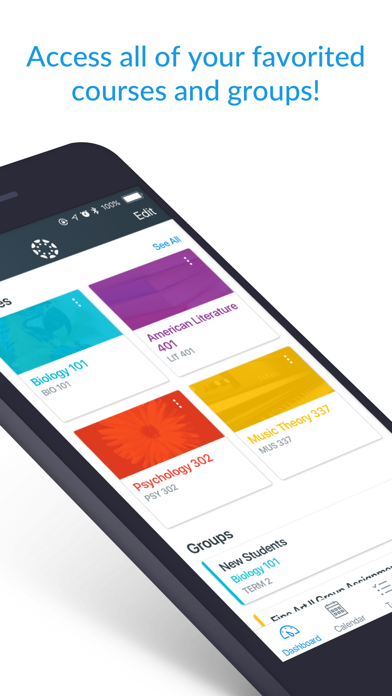
Newest updateOverall I dislike the new update. It is unpractical and more difficult to use. I’ve used canvas for years and I love the app. I usually don’t have any issues with any updates but this messed up my organization. I feel that it would be better if there was an option to switch the ways classes are on the dashboard. Whether to have the new layout or the old layout of classes. With the compact layout it is easier to see all my classes together instead of having to scroll through and find the one I need. I also hope that you will add a feature to switch around classes when the are on the dashboard. Instead of just having the in alphabetical order users would be able to switch classes around so that the courses are in the order that have it. Also, you could add a dark mode so it doesn’t put so much of a strain on the eyes for some students. I feel that there is a lot more things you could add to canvas to make it still be easy to use, but also more customizable..Version: 6.14.2
Back to school later in life-I just thought I would take one class at MiraCosta, but I ended up signing up for a few more than that, and I’m so glad I did. My son just graduated from high school, so I finally had the time to pursue my interest in marketing and business. I started off just taking one class and waitlisted a few others, but as they opened up, I decided, “Why not?” I’m loving my classes and my instructors! Even though I’m not tech savvy, it’s pretty easy to figure out and there’s lots of support here if you’re struggling. If I can figure it out...anyone can! And it’s been 20 plus years since I’ve been to college, but my instructors have been super supportive and helpful at every turn. I can’t believe it took me so long to get back to school, but now that I am, I’m loving it! I think MiraCosta is an excellent choice for someone who wants to go to college or back to college, no matter what the circumstances..Version: 6.8.9
Great app with some issues here and thereLove the app overall! I would love to see an updated UI in the future to kind of bring everything together a little better. I have found issues with the mobile app not being able to load certain files at times (ie. PPT, Word, and other extensions). Perhaps the most problematic is the failure to load grades in the correct module. I can usually get around it by going to assignments though. Something else that I will note it the somewhat cumbersome viewing of comments on papers. Each time a specific comment is viewed it takes you out of the paper completely, or you have to swipe down again. It just feels rather clunky and I think it can be better implemented. I love Canvas and look forward to seeing where it goes. Oh, and I’m not sure if it is already available but I would love to see this tied into a degree plan completion module somehow to know which courses have fulfilled certain requirements. This may already be available I’m not sure..Version: 6.9.6
SurveyMaterial is clear and understandable, in an orderly manner, and very easy to be able to submit assignments and retrieve information. The online system has never, ever given me problems. And for a person that was used to the traditional format of in-person classes as well as a person who is not technical savvy and gets very frustrated with difficult online systems, I can say that the online class system has been a pleasant, stress free, and productive experience. I am very thankful that the staff has worked toward making a system that is understandable for people like me. I haven’t been in school for almost ten years. So I am very pleased that the system didn’t confuse and stress me. I look forward to continuing taking my classes and finishing the program. I really like the class, my instructor, and enjoy doing the assignments very much. Because of this class, I am very motivated to continuing and finishing..Version: 6.16.0
One bug, but overall greatI’ve been using Canvas for school for the past 3 years and I’ve gotta say that it is a very reliable platform to use. Everything is organized, assignments/courses are easy to navigate, and the whole app in general is pretty user-friendly. However, one problem I have been having recently is it sometimes the app freezes whenever I open it and click on one of the menus at the bottom of the screen. Once this happens, I can’t click on anything or do anything in the app, and the only way to fix it is to delete the app and redownload it. This has been very frustrating for me, as the only other way to access Canvas is to use a search engine and go to the website version, which is a hastle in itself. So I just needed to share this issue I am having with the app. Nonetheless, Canvas is a great platform to use, especially for educational purposes..Version: 6.13.1
Best Tool for Tracking SchoolI’m a senior in college and have been using Canvas since my freshman year of high school. It has vastly improved over the years, allowing me to keep track of everything involving school, which is super helpful for someone like myself that has ADHD. The dashboard displaying my grades ensures I’m always up to date on my performance and the to-do list is my life line in ensuring each assignment is done on time. The only improvement I can think of for the app specifically is carrying over the browser feature that allows you to add your own item to the to-do list and even attribute the item to a course. There are certain professors I’ve had that aren’t well versed in technology, so they only assign homework verbally. Being able to add the assignments to the list through the app would be much more convenient than having to navigate to the browser version..Version: 8.6.0
Good app, storage issuesThe canvas app is a good partner to using canvas online on a pc or laptop. It is not as powerful as the online version, but I especially find that pairing it with the genius scan scanner app on my phone is really awesome for uploading assignments that are written out by hand. There are no bugs (at least that I have encountered) and the app runs smoothly and does everything I need it to do. However, I have ~1.5 Gbs of space that are being wasted. All submissions that are made are stored locally in addition to on the cloud. Submissions cannot be deleted. This means that submissions for classes that I took a year ago are still being stored on my phone and I cannot delete them without deleting the entire app. There is no way to choose whether or not files are stored locally or only on the cloud. Having an option to not download files and only store them on the cloud would fix this issue and would lead me to give it 5 stars..Version: 6.21.0
Great dating app!Canvas is the most effective dating platform I have ever used. Met my girlfriend on here four years ago! Also very convenient that you can also submit homework and stuff on here too. Cool feature, but I’m not really sure why it’s necessary for that sort of integration..Version: 7.8.0
Application Name is WrongThe application shows up as ‘Student’ rather than ‘Canvas’ on my iPhone. Can you please update the application to fix this?.Version: 6.10.2
App FreezingGreat app until recently. The app freezes when I try to open the calendar or any of the options along the bottom of the screen..Version: 6.13.1
Difficult to navigateQuercus is very difficulty to navigate, recordings and files are in hard to find places, messages are also difficult to find..Version: 6.8.0
OkIt’s good except it’s kind of annoying how if you’re looking at a professor’s slides and you switch out of the app for a second that the app restarts and you have to search for them all over again.Version: 6.4.1
Multitasking issue needs to be fixedEvery time the app is minimized and brought up again, it kicks you to the dashboard, very annoying..Version: 6.4.1
OKUseful reminders and calendar system, but lots of quality of life issues e.g. being unable to read discussion posts on the app (redirects you to browser).Version: 8.7.1
Not able to watch ed lessonsWon’t load any ed lessons on ipad. Please fix it.Version: 7.13.0
Log out problemI’m facing this problem for 3 months at least. Couldn’t get any instant notifications for this problem. How to fix it?.Version: 7.16.0
Too many glitchesFrom the older reviews I can tell the app has improved a lot. However, this app has so much more room to improve. The app freezes often and has too many glitches. It is difficult to focus on studying using this app while having to wrestle with technical issues..Version: 7.15.0
App force quittingAfter the latest update I cannot open the app at all.Version: 7.10.0
Specifications of the linkIt is very practical and helpful.Version: 6.20.0
Love the new update but…Love the new update but it seems like 1 week before and custom are not working for the new notification for assignments. It says that those are after the due date if you go to set them.Version: 7.2.0
Annoying Notifications!This app will not allow me to see any comments in the discussion tab after I have posted a comment. It notifies me that further comments have been posted, but it will not allow me to read them. The navigation of this app is not straightforward and it is incredibly difficult to read in-submission comments on the app..Version: 7.0.0
Modules aren’t saving my dataI am having trouble with having my modules show that I have completed them. Despite finishing the module no check mark will appear next to the title, and the next assignment won’t unlock until I get credit for finishing the previous :/.Version: 7.0.0
Notifications not workingNotifications aren’t working even though they are turned on in settings on my phone.Version: 7.0.0
Great appOverall a great app and I like having canvas on my phone. However it would be nice if the What-If grades and other aspects from the website were integrated into the app..Version: 6.21.0
Links are now a huge inconvenienceIf you want to open PDFs and links in other apps it no longer works. It opens a pop over window now in which you can’t download the files or open zoom links in the app..Version: 6.20.0
NoNo.Version: 6.19.1
Push notifications pleaseNeed App push notifications for emails, class announcements and notifications. Please this is desperately needed..Version: 6.20.0
Been greatCanvas has enabled me to learn in the pandemic.Version: 6.19.0
Free International Money Transfer 💸Enjoy high maximum transfers into more than 20 currencies while saving up to 90% over local banks! The cheap, fast way to send money abroad. Free transfer up to 500 USD!Version: 8.9.0