Enjoy total creative freedom over your next DIY project with Cricut Design Space™. Design, cut, or draw by connecting to Cricut Explore™ or Cricut Maker™ machines.
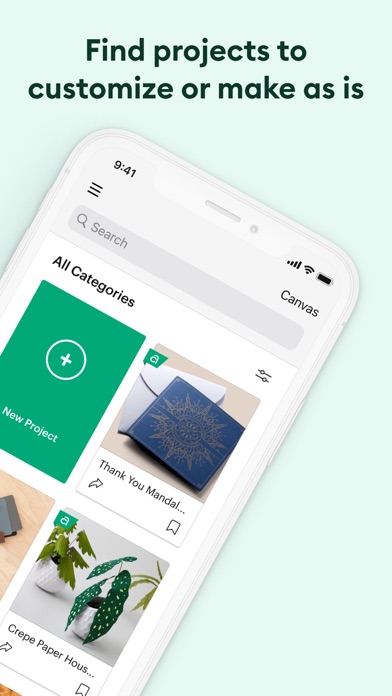
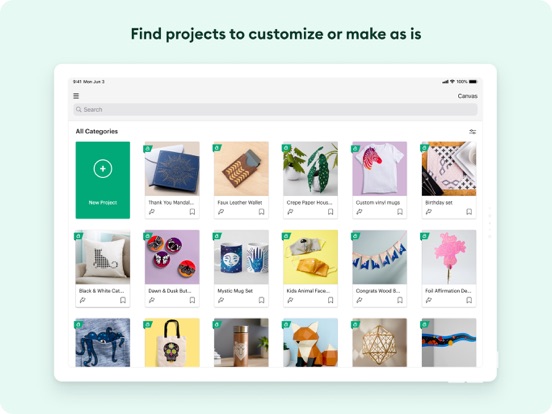
Start your project from scratch or browse thousands of images, ready-to-make projects, and unique fonts in the Cricut Image Library.
Create from anywhere, any time inspiration sparks with cloud-based syncing across devices.
Make the most of every last scrap with the SnapMat™ feature.
Connect to your compatible Cricut cutting machine with a Bluetooth® connection.
Experience brand-new features like kerning, spell check, right-to-left text & more by upgrading your device to iOS 14 or above.
New to Cricut? Welcome! To use this companion Design Space app, first activate your new machine at cricut.com/setup
Existing members with Cricut Joy™ machines? For fun or functional projects in 15 minutes or less, use the companion Cricut Joy™ app.
Features:
• Over 50,000 FREE images, fonts & projects
• Upload & edit your own compatible image files (jpg, .bmp, .png, .gif, .svg, and .dxf)
• Browse Cricut fonts or use your own system fonts
• Cut predesigned Make It Now projects quickly & easily
• Make cards, invitations, 3D models & more
• Design home & party decor, jewelry, and fashion accessories
• Get perfect cut settings for your material type
• Visualize & position artwork on scrap material with SnapMat™ feature
• Access images & projects and make purchases on cricut.com or Design Space with Cricut ID.
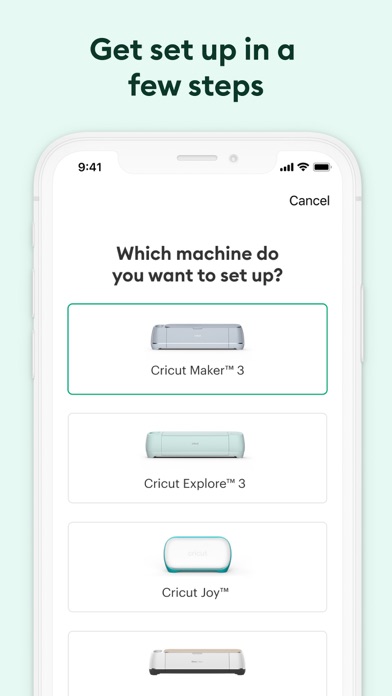
• Setup & activate machine right from app
• Bluetooth® capability (Bluetooth adapter may be required, sold separately)
• Easily position, resize & rotate text
• Kerning for fonts
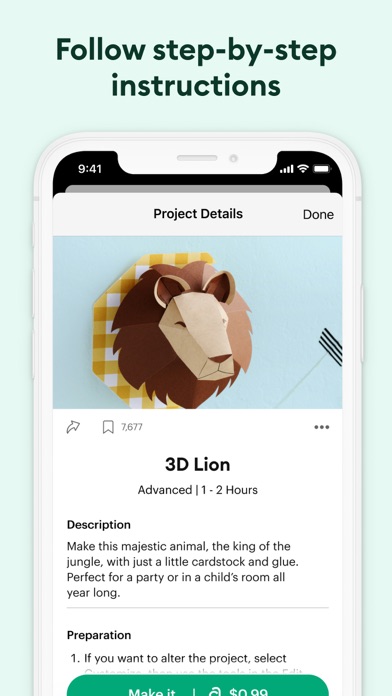
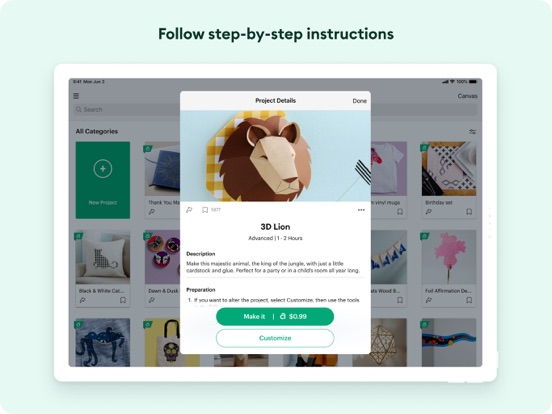
• Follow step-by-step project instructions
• Ready-to-make mug designs
• Auto-save projects
Cricut Access:
https://cricut.com/legal#terms-of-use
Cricut Design Space Positive Reviews
To all of those who are overwhelmed! You got this!It is so common to see users leave negative reviews, or frowny Facebook statuses in my Cricut groups, on how they purchased this expensive machine, and have just left it in their closets FOR MONTHS to collect dust because they are too intimidated. I’m sorry, but I honestly wish I had the money to just throw at a hobby I have never done research on, and just let it sit there. Then to complain that Cricut isn’t there to hold their hand in the process. I do my research before I make a purchase and at least watch or read a few tutorials so I know what is going on. Even though my Cricut purchase was done fairly quickly, with only a couple days to study what it was, I had enough knowledge to get it going same day, right after I got home with it. I am so glad I did because it is probably one of my favorite hobbies that I have. There are so many tutorials on the Internet, and even Cricut has their own guides if you take the time to do the research online. Sure the machine only comes with a basic blade and some sample vinyl, but what else did you expect? I don’t ever expect my other hobbies (3D printing or Laser Engraving) to come with a “Let me hold your hand guide” with steps on how to do EVERYTHING it can handle. It’s up to you to succeed and learn the product that you have invested hundreds of dollars into! If I can make multi-layer projects 2 hours after opening the box, so can you! The information is out there!.MixedMedia88Version: 5.56.0
Better not switch between apps……or you risk losing ALL progress on whatever you’re working on. Repeatedly, this app would sign me out when I had to switch over to the iMessage app. I would switch back and find the Machine Setup or Sign In options as my only way forward. Once back in, an image I’d spent HOURS on removing background and tidying up lines, was just about to hit upload on, had disappeared and all of my HOURS *poof* gone. This happened 3 times. Granted, I should’ve known better than to switch apps a 2nd or 3rd time, but I had important calls and messages incoming, and believe it or not, this app actually is WORSE on the iPad. When working on a project on the canvas, I lost the design a few times from this app signing me out (even though it was never closed out, merely running in the background). The user interface is ridiculously over-complicated for tasks that are so basic and remedial. You can’t do any sort of editing to an image once it’s been uploaded, and if you notice something overlooked previously, you must upload the image once again and start preparing it to be compatible with the Cricut. Hopefully you remember everything you need to do to it before hitting Upload. It’s just a disaster of an app, and it makes me very sad, because I’m loving the projects I’m making that come out good (I.e. one or two colors of vinyl, with one phrase, maybe one image and that’s it. Nothing more complicated ever works out). Bleh, rant over, time to go back in and upload the same image for a 5th time..LindsLeighMcDVersion: 5.26.0
Seeing someone else’s images, multiple unresolved issuesI’m on a timeline to finish projects, but lately, I have missed deadlines on many projects because with each new update, the app leaves out images and even entire image sets and many free fonts I’ve purchased and uploaded. I’ve tried to get help with the issues of missing image sets, but the wait time on the phone for help is hours long and getting help via email takes days or longer!!! I have been trying to resolve this issue since the beginning of September 2020. It is now November 13, 2020!! That’s ridiculous!! I am extremely unsatisfied and disappointed!!! Update: NEW ISSUES (in addition to the issues above that still have not been resolved)- On October 26, 2020, I opened my Design Space App and instead of seeing my images (uploads, downloads, image sets, etc.), I could see someone else’s images, including personal photos they had uploaded. I got off the app, got right back on it and could then see my images. This makes me extremely nervous! I don’t know if it was just a weird glitch or if my account had been hacked. I tried to change my password, but there was no way to change it through the Design Space App. On Nov 13, 2020, I updated my Design Space App, as prompted. I wish I wouldn’t have updated because now, I am unable to use images uploaded from the internet. I receive a pop up that says, “This image is not compatible with your machine. “ Again, I am extremely disappointed and unsatisfied Instead of issues being fixed, they are multiplying! If I didn’t already have so much money invested in this company, I would get rid of it and move on to a different company!!!.SVA'S GMAVersion: 5.33.0
I love my machine and app.A couple months ago my mother found a Cricut expression at a yard sale. She bought it for $30 and it came with 12 cartridges and no power cord or blade. She knew that this would be something right up my alley. We didn’t do our research and didn’t realize that the machine was basically obsolete as far as buying blades and equipment. We made due with what we could get and I was having a blast. I had so many ideas which I quickly realized were going to be hard for me to execute with what I had. We managed to pull together the money for an explore air 2. I have already made quite a few projects and I’m working on a more intricate one for my husband.
I love using the cricut design space on my iPad. So far I prefer to work from my iPad than the computer. I have only come across two issues. One- when I am uploaded an image from my photos and pre editing it, my image will go completely white. The first 5-6 times it happened I got really angry closed out and started over. Then I realized my undo button was still there and it fixed it. Two- This one is more human error than anything. I have lost two projects because I was a dummy and did not save my projects at frequent enough (or at all) intervals, then my app would glitch I would have to restart the app and come back to my project selections and it was gone.
Either way I am so happy to have bought this machine and can’t wait to see what my crafting future holds. 😀😀😀.51210girlsVersion: 4.0.1
My Cricut is my oxytocin go to.I got my first Cricut for Christmas 2020 from my husband. I had mentioned I wanted one a couple times after seeing some crafty YouTubers use them. But OH THE JOY I felt when I ripped the wrapping paper off and saw the pretty Cricut box shining back at me. I had a shiny new mint explore air 2. That intimidation was there for a week or so - but once I opened her up and followed the VERY simple start up instructions- in which they basically do hold your hand as best they can- I was hooked! I’ve never owned anything I love as much besides my cameras… ok and my chihuahuas. LOL.
I now own a Maker 3, Joy, and all the sizes of heat presses. I am a design space subscriber. I love it too. Yes, it has its glitches. I wish they could go in cahoots with Apple on their software because then Cricut would be freaking awesome! Until then I’ll just keep using design space. I love every new update. I’m usually in beta. I do also utilize Canva, a design bundles membership, and photoshop. I’m a Cricut snob. I plan on buying the Joy extra even tho I know I don’t need it. I just think they’re adorable, and they bring me much Joy. If you’re an empty nester like me, this is something I recommend to help. My kidults love all the tee shirts & sweatshirts they get. So if you’re on the fence or your poor Cricut is still in her box - go for it friend. You won’t be sorry you did..CindyLou2614Version: 5.67.0
Update 5.0 nice but notUpgraded to the newest version and I’m not a huge fan of it. In fact, if I could reverse to the previous version I would. So much was changed. But the biggest thing that I feel like needs to be reversed is the Vertical and Horizontal movements. When adjusting those with the buttons, they used to flow smoothly now they jump and I can’t get the text to line up right when manually kerning. They added the kerning feature into this update but honestly I’d rather keep adjusting the text myself. And then while looking through pictures, after selecting a few and adding them to my project, it used to save where I was on the image page, now it puts me right back to the top. That’s gonna get annoying when there’s over 1000 images and I’m halfway down the list and it puts me back to the top. The icon sizes are smaller. Along with the text preview size. While that’s not a huge issue, I’ve noticed it causes a slight headache because of eye strain. They also changed how many images show up on a single row. Less images per row. Bigger box that the image is in, but the image is small.
While some things will hopefully be changed back, they did manage to streamline all the icons and make them cleaner and nicer. Would like the option of increasing the icon size just a little. They added a dark mode, not sure I’ll use that even if I’m working on a project in the dark. I just lower my brightness for that. They moved the save button to the right side which will take a little while to get used to but not a big deal. Just little frustrations with the new update..SpeedQueen01Version: 5.0.0
Cricut reviewI’m very upset that my machine costed me close to $400 it’s been sitting in the box for 6 months because it came with nothing at all that tells you how to use the machine. I’ve paid for membership for 6 months and still haven’t used I for anything other than collecting dust. I’m very upset! You should include a book with step by step instructions on a product that cost so much money it’s not right I feel I’ve been taking advantage of! I wish I had of taken it back now I’m stuck with it and having to try and watch videos on how to figure out how to use it! I just wonder how many others are to scared to give a true review like myself. I’ve bought several things off of the internet that was just a waste of my money as well. I can’t believe you have gotten by with taking advantage of so many people. I’m on a very low income and thought I could make extra money from buying your machine and so far the only thing it has done is cost me money! Your company should be ashamed of yourselves! A product that cost so much money should come with complete instructions on how to use it from s decal, an iron on, labels, or whatever everything I’ve tried to do with my cricut maker had costed me more money on top of the money I’ve already spent on your machine. I even build a she shed to have a place to craft at!.Wxyz1245Version: 4.16.1
Love love love working with this appMy mom and I purchased our first cutter (The Maker) in Sept 2019 and began making trip shirts for our Jan 2020 family Disney trip. It was a huge undertaking for 12 family members and an 10 day trip. We had matching shirts for each day in the park and for traveling and even for dinners. We utilized the design space and a laptop to create the shirts and other accessories. Our very first shirt was amazing, honestly we knew it was great but the comments we received said it all.
Since our trip I’ve seen so many amazing ideas and projects from others via FB groups and other social media threads that I follow. It’s inspired me to stretch my creativity beyond my own comfort zone and I have met some defeats but many many successes.
Recently I purchased an iPad and downloaded the design space app. I’m having to learn where all the tools are, just like I did on the laptop version, this one seems less glitchy. I hope I don’t jinks myself. I also purchased the Procreate app to use with my Maker, I haven’t used it as of yet. But I’m creating a birthday project for my niece as I type this where I plan to.
I’m just sorry that I didn’t learn about Cricut years ago. My Mom and I have thoroughly enjoyed every single moment creating things with this machine, and we look forward to many many more..ACdesigns99Version: 4.7.0
I’m extremely disappointed.I have had my cricut explore air 2 for maybe 3 years, and used it religiously. Well, since updating the app, like it forced me, it now tells me it isn’t compatible with my iPhone 12. This is ridiculous considering my phone isn’t old, and I have to go pay on a “newer” version of my phone just to use my machine? Or have the machine for no reason? What is this some sort of marketing with the phone company?? It’s ludicrous. I just think, as a constant customer and member of the cricut community, to be experiencing this is just off putting to say the least. Not to mention, I have 2 computers but your “design space” is only compatible with certain programs or models, maybe start including this on your label so people don’t invest hundreds of dollars into a machine they can’t access. Please fix this soon, make an alternative, something or let us know you won’t, so we can switch to a brand that will. I know I’m not the only one experiencing this, and it’s time to give us answers as to why or what your doing to accommodate all of us, not just the “brand new everything owners” … it’s absurd and needs to be corrected because I’m not buying new things for an app. Thank you for not replying the first time, so I thought I’d write again :).AlexannefippsVersion: 5.24.0
Design space problems for monthsI am very disappointed with design space. I called several months ago my problem was not resolved and they said Cricut was aware and is working on it. It has since got worse. I originally called because I was unable to move images on a mat before cutting them. I would have to back out of a project and start again. Now after my cut is complete it does not advance to the next layer, it stays on the mat that I e already cut. I have to back out of project, remove that image from my mat and cut the next layer, back out remove image and start again. When will this problem be corrected? Maureen Dolloff There are so many glitches, making it very time consuming. The app freezes in the middle of a project and doesn’t recognize there are any mats to be loaded, I cannot move the image on the paper to save paper. I often have to back out of app altogether and start again. I’m very frustrated. Last I was told Cricut is working on the issues, it has been months and the Robles are not resolved. Maureen
Design space has not been working properly for months now. It takes a very long time to do a project, because it keeps feeeIng doesn’t advance to next Matt, and you are unable to move images on Matt to save paper. Very frustrating!.Cooper dollVersion: 4.16.1
AmazingI love this app so as I’m a newcomer it’s hard to get a good app that actually connects to your design and machine, but it’s crazy how many designs you can do and make your own there’s tutorials that’s really fun and easy and really makes sense and I’ve made it at least about 20 designs now With customized stuff. I made a shirt for my friend. It’s amazing. You can make stuff for mugs stickers, and iron on shirts and pants. I love it. It’s so fun. There’s a wide range of cool stuff. You’re feeling creative and it actually connects to your machine so if I typed Blake Cunningham, it would literally pronounce. I could do a iron design. It’s amazing. Let me help you if you use the iron on the vinyl. Make sure to flip it over so it doesn’t have a shiny side on front because it’s gonna mirror and it’s gonna make it go upside down and you want the shiny part to not be upside down that’s the one you’re doing to iron on you want the other part after you put a machine with the blue grid mask you press these two arrows and then after you peel the rest of the thing and then you’ll see a clear thing that has your design and then use your easy press if you have one or your iron to iron it on thank you for letting me teach you stuff.I know stuff Blake CunninghamVersion: 6.38.0
Cant live without it!From the time that I got my cricut, I have probably used the app 98% of the time. I am so happy with the addition of the ability to upload images directly from my iPad. However, there still a couple of features missing. We need the ability to be able to upload our SVG images from Dropbox or Google Drive, etc. I can upload photos from my iPad, which I still love because I can upload my mock-up images easily but not my cuttable files that I reallyyyyy need access to. I’m still having to purchase, download and then upload from PC which is pretty inconvenient. If I’m on location somewhere and need to purchase and upload a file, I can’t do that. And I think the MOST important is ability to save designs outside of Design Space to your own computer or device. I.also use a printer for some of my more detailed images but the transfers available for print/cut are not good quality. If I could use this platform to design and then save to PC, I could print on my other device without issues and still cut the things I need in vinyl (glitter accents, etc) with no conflicts or redesign needed. I think they could DOMINATE the marketplace with these minor changes. The app itself is soooooo much easier to use than the other major brand which is the biggest reason I stick with this brand over them. I prefer their ability to save but the software is much more complex. These are minor capabilities for a company of this size to implement. I think it would change the face of your brand and help mine as well! Stop hesitating and make it happen! ❤️ Thank you for making it so easy for me to run my business from ALMOST anywhere!.CnhgdrVersion: 3.4.2
The Latest Update Caused Me MAJOR Business ProblemsI’ve been using Design Space for several months without major issue, which is why I gave a still three star review for the moment - although, the new update has created issues too major to NOT new brought to light. I updated the app today, and when I went to cut a project I had already created, I found it missing…along with three other projects I had worked on and saved last night. Since the one I needed to cut today was urgent, I went in and made the adjustments I needed to make so I could get it done, and when I went to cut it, the margins for my cutting mat were no longer integrated into the final cut, so I ended up cutting half of that into my brand new mat instead of the vinyl - or at least the whole part of the vinyl - so not only did it screw up my mat, it wasted several inches of vinyl, which is a ot when you area a small business on a budget. I had to relocate the image to cut it correctly, which ended up wasting more vinyl, but at least I got it done so I could finish my customer’s order. Please PLEASE fix this issue with the margins so that I don’t have to guess adjustments every time I cut an order. I can recreate the projects that disappeared, although I’m not exactly happy about that development - it happens from time to time. Vinyl isn’t horribly expensive unless you have to waste a ton of it to get a good cut, but the mats ARE rather costly to consistently replace, and they wont withstand the guessing game of inconsistent margin errors if this issue goes without correction. I will very willingly revise my review when and if this issue gets fixed..Keepeer of the KeepVersion: 5.1.0
Terrible for iPad ProJust to begin- I did updated my Maker and an App to latest version. Anyway, this new update made it even worse then it was. 1- sometimes when I work on complex project,- the app would just quit for no reason. So I have to make sure to save my progress every step of the way.
2- why I cannot search for my OWN created projects that located on iCloud??? I can search anything, that’s made by Cricut (ready to go projects) or others that shared it. Some of my projects I like to keep to myself and don’t want to share, so is about over a 100 projects... and guess what- no way for you to find it by putting a name of your project. So frustrating! Every time I have to be very careful and look for my one project out of 100+ of them.
3- why didn’t you take away a possibility to go from one layer to another when you are doing your cut? So I’m ready to go and make it, I click on it, it takes me to all my layers (I change quantity’s or position), then my machine ready to cut and... what if want to do first ‘pink’ layer? Or ‘blue’? It won’t let me go there, only how it was originally set. Really don’t like it.
I hope future updates will be more accurate and developers listen to the costumers complaints with program and Apple products..KiwiKkiVersion: 4.2.0
Experience with cricket machine, texts, or agentsSo I bought my first cricket machine from Michael’s bring it home. Did not use it for a good six months then after then I decided oh yeah, I should use that when I open my cricket machine it was terrible every time I have to connect to Bluetooth if I have to do anything on my project and then it stopped working so I called cricket machine agents, so they did the best and I was getting very very very frustrated because technology is not my thing and if I knew it, it was all about Bluetooth and connection. I would never buy it. I love this cricket machine but with the Wi-Fi if you don’t have a good Wi-Fi please do not buy this machine so long story short so the cricket machine I have is my third cricket machine got replaced after replaced after replaced. The customer service was not great. I have to screenshot 10 times to send them a picture what’s going on and they will call you back unknown number or somehow phone doesn’t ring and they will just leave the voicemail. I mean I went I went through a lot and I’m still suffering but if anyone knows if I can get some free designer how I can get that please let me know. Thank you..S Shelly sVersion: 5.37.0
Free Hand Tool Needed PleeeeeaseI have owned an Explore Air 2 for a few years now and I absolutely love it. The Canvas software is also pretty great. I have used it to design projects for school, things to sell, gifts, home decorating… honestly the possibilities are endless. I only have a few issues with design space…. The biggest being that there is no freehand tool. Most people use other software to design and then import their design to design space. I have access to other software and I do the same. The problem comes when I want to use an image already in design space.
For example… I like to make stickers. But when using the print then cut feature…. depending on the image… parts of the image may or may not be attached to the design. There’s 2 ways to fix this…the simplest being add a shape behind the design, such as a circle or square, and then your sticker will be that shape. But if I don’t want a plain circle or square, then I have to piece shapes together and then it gets tedious and usually doesn’t turn out very nicely. You can use the offset feature of course… but a lot of the times to get the fully attached… the offset will be large and took really bad. :(
Please add a feature where we can add just simple lines to outline our canvas designs for print and cut!!
Other than that… the only other issue I have is that you have to be connected to cricut machine (via direct connect or Bluetooth) in order to print a design for print then cut. A lot of the times when I’m trying to print, I’m at the library and my device is no where within range. Of course I understand the necessity of being connected when you go to cut… but in order to print to the printer, it just seems odd.
Hoping you guys read this. And thanks so much :).SambonitaaaVersion: 5.40.1
Cricut madnessWhich I have to say is my honest opinion. It’s madness like when you were a kid and ran down the stairs on Christmas morning to see what Santa brought. I could give you many more examples but it all boils down to one fact, you get such pleasure from the the results of your work. I’m making so many things now that I used to have to pay big bucks for. It was a trial at first because it took me a bit before I figured out how to work this “seemingly complicated” machine but once I realized there were so very many tools out there to help me learn, everything fell into place. Now I have people wanting to pay me the big bucks for items they would have to find and buy in the stores and a lot of times the quality of my work was even better than they could find. Im not trying to brag, at least for myself. It’s this wonderful little printer called Cricut Explore Air 2 that I’m bragging about. It precision cuts vinyl to produce extraordinary items. It’s definitely the hero of the creative life I’ve discovered and I am continuing to discover almost daily, new items I can make. Needless to say, and yet I am saying it, I love my Cricut!.SadieHarley123Version: 5.10.0
Cricut Explore Air 2Even the sky is no limit with the things you can create in Design Space and the Cricut Explore Air 2! I hope to upgrade to the Maker, but that will only happen when my beloved Explore Air 2 device dies. This is a GREAT machine and so much can be done with it using Design Space. I love this combo; but buyers beware - you NEED to be willing to take time to learn about the features of the machine and how to use Design Space in conjunction with the machine by watching hours of utube videos. For me this has never been a problem devoting time to utube videos. I watched a lot of videos and read many reviews before committing to the purchase of this machine. I read so many reviews from folks afraid to take the machine out of the box when it arrived and I believe that is because not enough research was made on the product prior to its purchase. If you bought it don’t be afraid of it! Inbox it immediately and start watching a video on a project you want to try. I have had many failures and failures are learning techniques; think of it that way. There is a whole world of crafting waiting for you!!!.Vigil, BJVersion: 4.2.0
Improve a few things and I will amend my review to 5 Stars🌟The design space is an absolute dream to have. However, I do wish that we were able to only bring up items compatible with the machine choice. While I do understand that most things can be done with any of the Cricut machines, I feel that as a consumer & beginning crafter; those of us who are knew to this type of crafting need ALL the help we can get.
I am also grateful for adding the new Cricut Joy app. With the CJ app, the only suggestion I would like to see happen is to add more projects and maybe a free utensils, Matt’s, materials (vinyl, labels, transfer tap) and/or with the purchase of the Joy - include mini press. Each of the larger machines, include the larger heat transfer machine (either w/purchase or 75% off) all of these would be IDEAL for this time in our country. While I do understand the bottom line & still maintaining profits for your company; more and more adults are still working from home, laid off or simply unemployed & more parents are home with their children and trying to find ways to stimulate their brains without video games etc., you have a sale like this & you won’t be able to keep them in stock.
On a final note, I would also suggest a “FRCP” (First Responders Craft Propgram”. Basically customers sign up to create any and all things to help 1st Responders; whether it be face masks or whatever else. I believe you could add essential workers to the FRCP project as well or do a “EWCP” Essential Workers Craft Project. The customers who sign up to be in any or all clubs would be further enticed by having a 10-20% discount on all supplies, just for being a FRCP or EWCP member. Just some random thoughts..AnnRios72019Version: 4.7.0
In Love ❤️❤️❤️My only regret is that I did not buy the Cricut sooner! I recently bought the Air 2 and it’s a DREAM. Although I can use my laptop I have exclusively used the machine with my iPad using the Cricut app. Everything can be saved to your iCloud Drive (but have option to save to iPad). The great news is I can then access my iCloud Drive via my laptop if needed which has honestly been rare. My background is in advertising and marketing so I have a great appreciation for the ease of creating in my home as opposed to paying a professional printer. It reminded me of reading a negative review from someone trying to create intricate wedding invitations who was frustrated with the machine/app. Don’t let that deter a decision to buy or not buy the machine. The higher prices from printing companies are due to the misprints and mistakes. You can’t expect a machine intended for home use to mass produce large quantities with such detail on the first try and achieve perfection. Just like you shouldn’t expect absolute perfection as you are learning the machine and how to create your designs (if you’re a newbie like me) without a learning curve..WLMSx4Version: 3.10.1
Somebody in IT listening?I love my Cricut. I hate these updates. They are too frequent and take an excessive time to load for features that aren’t obvious. The iOS version lacks the ease of using the same features on the desktop. And I dread trying to use my desktop for a quick project because inevitably there will be a download that takes more time than cutting the project. You guys haven’t realized that many of your customers are rural and lack high speed internet. The “movie” and rapidly changing pics on the Home Screen are a waste of internet out here in the boonies. You don’t have to sell it to me or get me excited, I’ve already bought it and I enjoy it. I’ve urged friends to buy them. Throw a “what’s new and exciting” button or tab on the homepage with horns and music and flashing lights away from the main page so I don’t have to bog my internet down watching it before I’m ready. Also on the iOS, sorting projects isn’t effective. I’d like to see the most recent first or use keyword search that doesn’t pull so many unrelated projects of mine up. Please don’t respond and send me to a help link….I don’t want help, I’d just like to get timely scheduled updates at a less frequent rate. Thank you..Momma RigsbyVersion: 5.53.0
Not liking the “new” design spaceOut of no where I logged on to design space and the things I liked about it changed. The new way to look and actually find images or basically anything on my phone is horrible. Then there’s the fact that all of the words/names or whatever I spent time getting just right to weld them together to actually create a cursive look or actually like it was hand written (because the whole spaces in between letters in a word is ridiculous not to mention that they seem to be getting bigger & bigger) like you would actually want are now ruined. And if you try to do it now it’s the same thing, instead of the width and size you had what you created now they turn into like chicken scratch lines so thin it looks horrible. Not to mention my other saved projects that design space keeps ruining, I go back into them & instead of looking like how I designed it and put it on my items(most my memorial ones at that) they are all a hundred times too big and each set is completely on top of themselves so I have to slowly move them apart and keep downsizing until I get it right again..Holdensmom16Version: 4.10.2
Great app but some flawsI am a big fan of Design Space and really enjoyed using it, that is until recently. In one of the update Cricut decided that it would be better for the app to automatically log out after inactivity. I cannot stress how much I HATE this change. In the past 2ish years that I have been using the app I try to fit my creativity between parenting and being a substitute teacher. This means that in quite moments I work on my projects and even set up my “Make it” mats to cut later. With the automatic logout I’m losing project changes, not to mention projects themselves that I have been working on but had to stop abruptly. I don’t always remember to hit save when my kids call or the puppy throws up. By the time I have a chance to get back to Design Space I have already been logged out and lost all that work. Absolutely frustrating!
Another thing I wish there was a better way to edit somethings. I hate having to create a box to cut a tiny corner I hadn’t noticed when I uploaded my image. I wish there was an erase tool. It would make some editing so much easier. I’ve gotten much better with slicing and merging but sometimes I wish there was an easier way..SweetRemarksVersion: 4.16.1
Sometimes great, sometimes notAs we all know in order to create from this app it stays open and in use for long periods. It has always worked very well and I’ve made some fun, beautiful and interesting art. BUT...my problems consistently begin if I am creating my own designs. I will spend a lot of time, sometimes over an hour on this app designing, moving, reworking and perfecting what I want my Cricut explore air 2 to make. Suddenly I’m looking at a screen that has the work I’ve done on it but all of the other buttons for editing, creating and saving are gone. Basically it’s showing me my design on the graph with absolutely nothing that I can do about it because everything else is gone. 3 times in the 24 hours since I’ve unboxed my new “toy” I’ve lost all of the design work (and possible money from lost sales) and there is no way to retrieve it or make an exact replica of my design. I have started over and come close but nothing is ever quite as good as the first one (maybe just upset to have lost it). It has also happened while expanding on a design space project. I can’t find information about fixing this. It makes me nervous to start a project..RoniPoVersion: 3.18.1
Great for beginnersOverall, the app works great. I have had issues with the app crashing maybe two or three times over the last 7 months. You just close the app let it sit for a minute, and restart the app. All should be good. It usually happened right before an update dropped.
My biggest problem is the communication errors between the machine and the tablet. I had one instance with it prior to trying to work on a laptop instead of the tablet. It was an easy fix and no big deal. However, Ever since trying to use laptop after using tablet, nothing but problems. It’s like it can’t handle the multiple communication methods on one machine. The machine literally crashes and you have to turn it off, turn it on, turn off tablet, turn it on, delete the app, and reinstall it. This is very very frustrating when you are in the middle of a project. Aside from these though, I’ve had no other issues. My husband thinks it is user error, but there would not be sooooo many links available online for how to fix the issue if it was something I was doing, right?! Yea, that’s what I thought to..SEChadVersion: 3.11.0
Love!Love everything about this app!.Kittyk8Maloney89Version: 3.12.0
Can’t open the app on my iPadWhat’s going on? Every time I try to use the app on my iPad there are issues! Now it won’t even open! I’m getting tired of all the updates every time I turn on my computer! I also don’t like the screen set up on my iPad versus my computer. It’s so much harder to use on my iPad.EarthangeldancerVersion: 4.16.1
A Newbie to CricutAt first I could not figure out this app or how to use the features for the life of me. But with a little practice I’m slowly starting to get the hang of it and find myself eager to create something new. I used this app to create and customize most of my 2017 Christmas gifts and everyone seems amazed with my creations..SKateGVersion: 3.4.2
Really great app but please bring foiling to itReally good app but it doesn’t have the foil feature and that’s super annoying and kinda defeats the entire “portability” purpose because the foil tool is only available on desktop.Wow just wo2Version: 5.64.0
UpdateMy I pad can’t do the update so now I have NO CRICUT DESIGN SPACE how come I can’t use the older version?.Scootera2Version: 5.2.4
Great appGreat love it! Works fine for me !.Tuba4455Version: 4.5.0
Crashed!!I I was so excited to get the cricut yesterday, and that app worked perfectly fine. but today keeps on telling me error crashed with a purple button that has give feedback so I press it and it doesn’t send me to anything you just like keeps me like out of the app like I keep on pressing it and it doesn’t work. What should I do?!?!?!?!☹️.Mj$$22Version: 6.59.0
Not user friendly at allI have wasted more time trying to figure out why it won’t cut my designs, and I still don’t know! Argh! Come on! These an expensive undertaking. Make it easy!!! I shouldn’t need damn degree in Cricut.JoansnydVersion: 6.47.0
Available FunctionsAs a cricut user that does not own a personal laptop, I’d love to see more of the functions available on the app. Example, foiling. Not everyone has a laptop or a desktop to use the full version of Design Space. I really dislike having to use my work laptop for my Cricut designs..FrustratedMom1Version: 6.38.0
Free International Money Transfer 💸Enjoy high maximum transfers into more than 20 currencies while saving up to 90% over local banks! The cheap, fast way to send money abroad. Free transfer up to 500 USD!AdvertorialVersion: 6.62.0
Cricut Design Space Negative Reviews
Terrible!!I’m so angry right now. Every single time you update this app something else doesn’t work! I haven’t been able to access the “my projects” tab on the mobile app for weeks! Meaning ALL of the projects I’ve created over the years can’t be accessed from the mobile app at all (which is what I use 95% of the time)... and I see that there are TONS of complaints on these reviews with the same issue. Yet nothing has been done to fix it. You force these updates and don’t give an option to bypass and not update. A few months ago this app was fine- but since then it’s been basically unusable and trying to go back to a previous version seems impossible. How can you release these updates without making sure the app works first and then on top of it you let weeks pass before fixing it!?!? Inexcusable. This affects people’s businesses. I should’ve never gotten a Cricut- now I’m understanding why so many people prefer Silhouette or Cameo. Also, every response you post to these negative reviews (who all have the same complaint) you comment and tell them that they should call or get in contact with customer service... why!?!? Why should we all have to take the time to get on the phone to complain about what is already addressed here in the reviews!? Why not just fix it and make the “my projects” tab accessible again?! There’s no reason for hundreds of phone calls to be placed first.... you guys are responding to these reviews- so you are obviously aware! This is the epitome of not caring about your customers....NYNikki1220Version: 5.6.1
Nothing FreeProprietorial software that means you pay for it with the purchase of the machine. They then want want you to subscribe to Cricut access in order to do anything but the simplest child like of projects. They are now limiting the functionality of the machines by also making that a part of Access subscription. They say they are improving the software in reality they are just finding more ways to charge a monthly fee to be able to use a machine that has already been paid for. I have over a $1000 out in my cutters and it is getting less and less that I am able to do with them. Even with Procreate and Affinity it is getting difficult to design and cut my own projects because of the limitation of design space. The next step and final one for me is going to be charging for uploads. You know it’s coming so they will be able to limit creativity and use fullness even more then they already have.
Update well they did figure out a way to limit it even more. Now it is either flattened or big black square. You can no longer erase or anything but those 2 options. I can no longer connect using blue tooth from my iPad on my Maker 3. They say it has nothing to do with the update. But it a little weird that it worked before the update and now it doesn’t. It never worked right from the start. Cricut had to know there was issues with this version and yet they reasoned it and then wouldn’t take care of the problems..Lynnann1963Version: 5.63.0
Edited AGAIN - Jan 2024Downgrading back to 1 star. The app, on ipad pro, no longer allows me to edit Material Settings. The home screen, sidebar “settings” option will only allow “reset” to get me in to the settings to change and save. However, they don’t SAVE. It just defaults back to the default settings. If you just click on one of the default settings, it takes me to an “Edit” screen that is just all white and only stays open for about 1 second, then force closes. When I’m actually trying to print, it defaults to default settings, no matter what I do. I can open the settings (before hitting “go”) and “reset” and change them to what I want - the leather settings I’ve used for YEARS - and hit “save”…. but once I exit this screen and try to print, it has reverted to it’s default settings, with FAR too light a cut, and only 2 repetitions, instead of the 3 I want. I’ve been futzing with this @$@#% thing for HOURS today (thanks for the utterly unnecessarily wasted, unproductive Sunday afternoon) and gotten nothing done except wasting a bunch of expensive leather, ‘HOPING it will actually work this time’. All troubleshooting is done, everything long updated. Also the Cricut website chat bot (there are 8 BILLION people on the planet but CRICUT can’t hire humans for support?) seems to only be able to answer 5 set questions, and only if you’re on a desktop/laptop. Zero support for mobile devices.
*prior issue was app defaulting to opening in portrait mode on ipad, but then it was resolved, sorta..DraAIVersion: 5.47.1
Stick with the update version that works on your device.This has to be one of the most buggy apps I’ve come across. Their updates with “bug fixes and performance enhancements” frequently cause more problems than fixes. I’ve been using Design Space for a couple years and I’m growing increasingly frustrated by a number of things: their endless in-app prompts to purchase subscriptions to unlock additional features, the auto selected buttons choose their paid promotion options first, and I find myself locked out of even using the “free” options more often than not because the app won’t work. Every now and again, I’ll perchance upon an update version that will actually let me use the app (upload my own images, cut/erase layers, connect to my machine and create designs), but more often than not, an update means I’ll be locked out of the app until, by some luck, an update works as intended. I’d wager this app is usable <20% of the time. Why would anyone pay for additional features when the foundation of the program doesn’t work? The machines themselves aren’t cheap, and encouraging customers to purchase an additional subscription service to use the machine has to be one of the most crooked, hook-nosed merchant tactics around. My advice? When you come across an update version that allows you use the app, stick with it and don’t update the app again..T. Lothrop StoddardVersion: 5.109.0
App barely functions & subscription is disappointingI did lots of research on this product and the reviews were overwhelmingly positive on both the app and the product. However, this is not what I expected at all. The app is incredibly glitchy regularly crashing, lagging, glitching, or just refusing to load. My phone is not old, there is plenty of storage, and my WiFi is fine however these problems persist. For the price of these machines the subscription is already disappointing but it gets worse. The subscription is 7$ a month and while most of the features are completely useless some of them are borderline necessary to make anything worth while meaning you cannot casually use the app as needed, you have to be making things a lot to justify the subscription. While some of the things feel vital to using the app the features feel underwhelming only really giving you access to their library. This brand makes it necessary to buy their exact products in anything they can and they overcharge on every little thing. If you are doing this for a hobby or to sell I don’t recommend it, most of the money goes towards buying tons and tons of their very expensive supplies and micro transactions to the point that it would be way cheaper to just buy whatever you are making. For a product of this price I would expect a better app and I would expect a free section of the catalog at very least..ElaineNussVersion: 5.67.0
Can’t get any help with this software, that does not work!I have been round and round for the last month with this software and app and trying to get it to work. Multiple fonts (cartridges) that I’ve had linked to my account for YEARS are no longer working and trying to charge me again to use. Images don’t filter/sort…it shows EVERY image as purchased, and when I try to use them, it tries to charge me. I’ve reported these issues and have talked and emailed with no less than 5 different people since I reported it a month ago. I have tickets open…nothing suggested is working…and I’ve tried these thing MULTIPLE TIMES IN THE LAST MONTH. I’ve logged out, unplugged machine, cleared Cricut AND browser cache, deleted both the app and uninstalled the software from laptop, emptied laptop trash, reinstalled software, reinstalled app, checked firmware for update, forced restart of program, rebooted laptop, rebooted phone…what am I missing?? I CANNOT look through tens of thousands of images every time I'm trying to use my machine and I should not have to pay for fonts that I already paid for and own. Customer service keeps passing me from person to person each week, and has only offered a promise to fix it (which they haven’t) and an apology (which doesn’t fix anything). Can SOMEONE please help me before I throw this useless machine in the trash? I don’t know what else to try. I just want this software to work..Madison92Version: 5.37.0
Glitch glitch glitchity glitch glitch glitch glitchity glitchThe app and software in general is extremely glitchy- won’t allow you upload svg’s with text unless you figure out how to format. After 2 days of combing cricuts help site, YT and google for answers to this problem (including help from a YouTuber that is an expert in cricut/SVG), I finally figured out how to do it… sort of by accident. Then I finally get the file into the stupid app and one of my borders was removed, my text shadows were gone, and the size had been altered 🙄. I went in to add the text that was missing with a basic times new Roman font, and noticed the S was dropping below the text line by a good 25% and the other letters were crooked and not quite right…. Cricut says this is a glitch they’re working on…still not fixed 2 weeks later. Thankfully I was still in my return period for the cricut… WHEW!
So in the awful 2 weeks I owned a cricut (before returning it for a Silhouette), it seems it can’t do basic SVG functions or standard fonts. After you get past all the glitches (IF You even can) you have to complete multiple tedious steps in order to format the cut file so that cricut will actually cut it. I can’t even tell you how much better Silhouette Studio is. Now downside is their app is just for cutting (not creating) but seriously, using my laptop is a small price to pay to never have to use Design space app every again..Blynn4catanVersion: 5.39.0
Had this app 3 years and over multiple devices now, and its never fully workedAs the title says, I’ve used this app for 3 years now. I’ve had this app on two phones and two tablets, and the bugs are on every device I’ve tried, so it’s definitely an issue in the app. While the app is feature rich and a lot of fun, it’s never been without its big flaws. One ongoing flaw that never seems to get fixed is that the app freezes up when you use it for too long, or do too many changes to your project. I have to close the app completely and reopen it to resume my work once this happens. Same thing happens when you make too many edits when uploading an image, such as cropping and fine erasing. The app will pop up with something like “there’s been an error uploading your image”. I’m currently dealing with another issue where it won’t let me log in. I enter my credentials and click login, and it resets back to the login screen only to repeat this over and over again. If this app worked well, i would happily give it 5 stars. But with so many bugs, it’s hard to ever fully enjoy it.
Update in response to the reply from cricut (recommending I try closing all background apps on my device). As I said in my initial review, this has been persistent with for about 3 years and across at least 4 devices in my household now. So it’s pretty safe to say the issue isn’t about background apps or a lack of available ram on my devices. Not to mention I never keep any of my apps open in the background anyway. I’m no stranger to tech, I’ve tried many many ways to resolve this over the years but to no avail. This issue has persisted across iPhone 13pro, 16pro, and two iPads..TakeMyNicknameAlreadyVersion: 6.0.0
Machine Communication ErrorAfter using my Cricut Explore Air 2 I can no longer make projects with Design Space via my iPad. I don’t have another device to use so connecting via Bluetooth to my iPad is the only way I can use my machine. Every time I get ready to make a project I’m given a “machine communication error”. I used my iPad with this machine for almost two years no problem, but after updating Design Space it no longer works for me. I called Cricut Help and went through their steps….and they basically told me to call Apple and that it was an Apple problem. Called Apple and they said it was a problem with Cricut and their app. I even did a CLEAN SWIPE of my iPad and reset everything to factory settings…no luck there. I’ve deleted and offload the app. I reset and forget settings on Bluetooth. I’ve tried doing a firmware update via Bluetooth. I’ve clearly cache. I’ve tried reconnecting the machine to the app. Nothing works. I called Cricut again and basically did the same thing I did with the first call to Cricut. Over four hours of call time and no solution. Last solution from Cricut was told just to “wait it out”.
With these problem I’m really considering not investing in Cricut again. As a teacher, I don’t have the time or money to deal with this when I’m trying to create things for my classroom with an expensive machine that doesn’t work with iOS as stated to be..StephRCDVersion: 5.36.0
Does not promote your creativityHopefully you don’t plan on creating your own designs outside of the Cricut app. If you don’t pay the monthly subscription, design space purposely will mess up little details of your designs. How dare I use a font that isnt theirs for $5.99. Will not keep straight lines straight or spaces spaced. I don’t know if it’s meant to protect work from being ripped off or frustrate you into fully buying their services, but when it comes down to it, I paid almost $300 for my machine. Let me make my designs please. Yes I know how files work. I know how to transport them, I know how to keep pixels and letters nice from the transition of the programs I use to the Cricut app. I understand their “updates” are supposed to fix bugs. The problem lies within the app itself. It cannot even keep a simple, most basic, clean cut svg straight. None of the other editing programs I use have this issue.. The app wants you to make your stuff in design space, however most people would like to expand beyond this, and not pay $10+ every month to use a machine they already overpaid for!
Update: almost a year or two later. Still major bugs with each update. This recent update makes it almost impossible to edit and make my designs.. so glitchy no matter what device I use. Just in time for Christmas.. perfect..Cocobird9529Version: 6.37.0
Beginning to wonder why I bought this CricutI know this is long but please read.
Is anybody else having this problem with an iPad or an iPhone. 8/18I am beginning to wonder why I bought this cricut explore air 2 - 3 weeks ago. I downloaded the app like the instructions said and everything was fine; I used it one time through the app on my iPhone 8+ and everything was fine. Then 4 days later I went to use my Cricut and none of the pictures will load on the app all I get is just a swirl. And after about 4 minutes of the swirl it just loads a blank screen with the square on it. The square says new design that’s not what I want because I don’t know how to use my cricut.
I called support and they had me uninstall cricut design made sure I didn’t have cricut basic installed as well because apparently those two apps fight each other if you have both of them installed together and then re-install this app. And of course the same thing happened. They even tried at tech-support to log onto my account and try it there the same thing happened for them as well they told me to wait a few days and see if it continued.
Tech-support said that other people that had iPhones and iPads were having the same problem as me so just wait. And the problem will resolve itself.
Well as you guessed it it’s still continuing this is so frustrating all I want is to use this $350 machine that I have purchased..Countrybum814Version: 3.10.1
Where to beginI have had my machine just under 2 months and have already been on the phone with help desk 3 times concerning issues with either the machine or design space. Each time they have had me delete app and download again. This app cost $100 a yr, thats too much to pay to have soooo many issues. They keep updating the app to fix the issues, but the issues are still there. Its so annoying to try to work on a project and not be able to because the screen wont do anything just continuously tries to load. Not only that, it wont save projects, so I have to screenshot them to make sure I can go back and re-create projects. Now on to the machine, it has gone crazy on 3 different pieces of vinyl and made zigzags on my project instead of cutting out what it should. Vinyl is too expensive to waste because machine is malfunctioning. I sent pics and a video of the mess-ups-their solution-They want me to sit and record the machine printing and see for themselves that its messing up during a project(as if I fabricated the mess-ups even though I sent proof). They say only then can they recalibrate the machine or send a new one. The problem is, it doesn’t do it every time. I feel like this machine/membership should be half the price with all of these issues. Buyer beware!!!! I should have listened to the reviews but I didnt, I wish I would have..TamaraCJGVersion: 4.14.7
Worst update I’ve ever used to dateI just went for a 5th gen i pad to a 9th gen when i down loaded the app and logged in every thing was changed. The remove feature went from a drag bar that adjust the pixels it will remove now you have to put in a number and have to dial it in every time you want to change it but the eraser settings have not changed. It wont give you a preview of what graphic you working on when you are editing it to upload it witch I’ve worked on images that taken me hours to edit just for the image to look terrible because i missed some pixels or couldn’t see what it would look like when finished I’ve had to delete a few image that took me hours and start all over again it makes me want to get rid of my circut and find a new option i loved using it until now. And now for what ever reason my machine and my iPad wont pair so i have to finish and save a project then use my Samsung note just to cut it out it’s ridiculous! If any one on that staff at cricut is reading the reviews I’m hoping this can be fixed I’m not one to complain about changes in a app but this has been so frustrating and disappointing and seeing that I can’t print from my iPad witch has been my main way to to run the program I don’t know what to do pleas help.Gone crazy44Version: 5.16.0
How many bugs-I have had my cricket now for three years and in design has been ridiculous! Something is always not right. Each time I use it I feel like I don’t know if it’s going to work for me or not. I’m trying to run a business with this machine and I have wasted so many things because it cuts incorrectly from what I print off. The alignment is always off. I have tried so many things to get it straight and it just doesn’t work well. The program itself has been very prostrating. Sometimes it will upload images that I have created and sometimes it doesn’t. It’s really a hit or miss thing. I really want to like it. And I do like it when it does work but that is very few and far between. But with that said I gave it two stars because being a graphic designer I would not recommend this to anyone. Not until they get the clunkiness out of it. I hardly ever review products and I don’t ever give low reviews, And has given me so many headaches due to not working properly and I have wasted so many materials in doing so as well. I am also first to recognize that me, the operator could be using it wrong, so I have sought out help from people who use this daily and it still hasn’t worked well. I just hope that they are program developers can figure it all out!.Kbeaner11Version: 5.2.1
Design Space FailureThis is extremely disappointing. I don’t know what design space’s problem since the last update is, but I’ve had nothing but problem after problem after problem. EVERY TIME I try to use print then cut which is what I do 98% of the time. It is the very REASON I bought the machine in the first place. Every customer service rep I’ve spoke to all of the conversations boil down to “wow that’s a real head scratcher there!”. My issue is I have a print then cut project that after printing then loading my mat and selecting my material the light never blinks for the machine to cut. I’ve tried every pushing the button even if it doesn’t flash and still nothing. I’ve tried every unhelpful tip they could offer but the print then cut option does not work at all. All of the reps I spoke to swear it’s not the machine it’s design space and if the project was compatible it should never taken me to the cut screen in the first place (when it does!). I am EXTREMELY disappointed in whatever is going on with design space because I haven’t been able to complete a print then cut in ages. So basically the point of this design space is that it is ok to waste all of my paper and ink and my EXPENSIVE machine can just SIT HERE and gather dust. Before all of these money hungry updates I recommended this company to anyone. I even talked some people into buying their own machine! Now I wouldn’t recommend this to anyone at all!!! Maybe I should just sell this stupid machine for whatever I can get unless cricut decides to cleanup their act and fix design space and have their reps to actually help and accomplish something.._Kate_2456Version: 5.22.1
Do Not RecommendThe machine itself is nice (Maker), the Design Space app is the biggest mess I’ve ever experienced in my life. 3/5 times it doesn’t work at all, 1/5 times it works but is unbelievably slow and crashes a few times and then on the rare occasions you can actually create a project and have it cut out correctly, it’s nice but doesn’t take away from the other 4/5 times. And it doesn’t matter if I use my phone, older iPad that now doesn’t work with their app or the brand new one I bought to see if that would help, it just doesn’t work. For something that costs sooooo much money to get set up with it’s unacceptable to have an app they know doesn’t work for some people. “Remake the project” or “offload the app and restart you tablet and download again” doesn’t help! I honestly wish I’d never bought it and would have gone with something else because of how frustrating the app is and how unhelpful customer service is. After 6 months it’s still the same issues so .5/5 stars would be my review.
Developer, I have contacted support, multiple times since January/February, hours of waiting and troubleshooting with them and it was elevated to someone above them, still the same issues with them acknowledging that they know this happens with some users and they’re working on it… for 6 months?!.Elle0127Version: 5.37.0
$400 BricksI purchased a Maker (and a subscription) late 2020 and absolutely LOVED it. I didn’t have any of the issues w/Design Space that many others seemed to be plagued with. I purchased the Maker 3 just days after it’s release and was super excited to start making bigger projects. Lo and behold, I can not. I updated Design Space to version 4.15.0 and nothing! The app crashes whenever it’s preparing to cut. EVERY. SINGLE. TIME. I thought, perhaps, it’s simply a problem w/the new machine, but…nope! The Maker no longer works as well. Now I’m sitting on two nonfunctional machines. I reached out to Cricut’s support team, as they like to tell everyone to do in response to the myriad of problems Design Space has, and I spoke to a very lovely woman who went through all the rigamarole. After having me email a video for their engineers to view and, supposedly, respond to within a few days or so, I received an email from her the very next day saying she’d closed my ticket…as if the issue was resolved😐. Mind you, it is not. Once Cricut has your big bucks there is little to no support, unfortunately. I was a huge fan but Cricut has lost me; potentially, for good. If the issue is not resolved soon I will be selling the Maker and returning the Maker 3 before the return policy lapses. To whomever may be reading this: perhaps, consider a Silhouette..VergWillVersion: 4.15.0
DisappointedI’ve used your machines and app for years. My explorer air 2 only lasted about a year, then stopped working. I then purchased a maker machine, it’s been great, until last night when I went into Design space, tried bringing in an image, used the little wand that says “select” to remove the background, and the entire image now turns black, and a little pop up that says color tolerance 16…. I’ve tried changing that, nothing I do will fix it… that’s on my iPhone. Works fine on my tablet… what the heck?! Besides this issue, I love the app. But I can’t use it like this… I’ve seen plenty of the same complaints, so instead of redirecting us back to cricut customer service, who just gives us a generic “sorry you’re having issues with our app” crap, and who’s clearly not fixing the problem, FIX THE PROBLEM!!! UPDATE: While I’m more than disappointed in the updated app, I do appreciate your response. However the problem has been going on for a few days now, and it’s cutting into people’s businesses and livelihoods. Some people rely on this app for income… ANOTHER UPDATE: STILL WAITING! Maybe your job is secure, however other people rely on your app for their income! Seriously thinking about finding another company with better customer SUPPORT as well as customer SERVICE! This is ridiculous!.SkyDancer98569Version: 5.28.0
Can’t believe this is rated so highlyJust got off the phone with Cricut Customer service. Apparently when you buy images on your iPad through the Apple App Store, you may not receive your images for several days or weeks. They just don’t know when you’ll get them. So why doesn’t cricut have a disclaimer on the app that warns you not to buy the image on a apple mobile device?
Customer service told me I should only buy images on a PC. That is all fine and good, as long as I know that’s what I need to do before I sit down with the iPad and try to buy images and get charged for them by Apple. So I’ve been charged by Apple for images, they have not yet arrived in my account and it’s been two days and Cricut has no idea when I will have access to the images, and Cricut customer service also tells me they cannot credit me the money that I have been charged, that I need to call Apple. Right, I’m going to call Apple and ask them to refund the money I have spent on a couple of Cricut images.
Cricut, this is a terrible way to build customer loyalty. Every time I try to use design space and purchase images there is always some sort of issue getting the images into my account, whether I am on PC or mobile. I end up getting frustrated, wasting time calling customer service, and vowing not to use my machine again..L.j.32876Version: 4.0.0
Too good to be true! This is an IDEA of a program with poor execution!!For years, I used to mostly enjoy the Cricut designing software. They've always had glitches and terrible design restrictions, but I was able to make a lot of cool stuff so I powered through trying to remain optimistic. But as of the last year or two, the app as well as the desktop version of the software are absolutely awful! They are both highly undependable, constantly glitching, and malfunctioning past the point of even being able to grit my teeth and work through all of the bugs and glitches for yet another year. As an example, today, I tried to simply upload some pictures that I had already uploaded into the Design Space. Just like I had done 1000 times before. They are nowhere to be seen, and I even clicked on the layers to see if maybe they were hidden somewhere, and they're just showing up as blank images on blank layers. I tried opening up a previously saved design with pictures on them, same thing. Blank canvas. Nowhere to be seen, just like any semblance of a quality in this program. Truly, if I sat down and listed every issue I've had in just the last six months alone, I could write a book. I don't understand how people tolerate this. How is a company going to make a machine that costs hundreds of dollars, then making consumers need to buy hundreds of dollars more worth of products to go with it, only to have an unusable program to actually execute projects half the time? I'm beyond bummed. I've held back writing this review for years, because every year I keep hoping it'll finally get better, and I'll finally be able to enjoy something that I am dying to have fun with. But at this point, it's nothing but an idea they're selling..LiloJennVersion: 5.40.1
Requesting Design Space to provide a variety of more free cards and projectsHello Design Space Team,
I am so looking forward to the day I can afford to subscribe to Cricut Access. It was an extravagant treat to receive my Maker as a Christmas gift. I enjoy volunteering my time to make cards for hospital patients, etc, and after numerous discussions with my husband, we agreed the maker would speed up the process, while enhancing my abilities to be more creative.
Since receiving my Maker in 2019, in the beginning I seemed to find many opportunities to complete projects that were among the items without a subscription fee. Unfortunately, I haven’t used my maker as much as I’d like, but when I do, I am finding it very time consuming to locate desirable items or having to settle for something other than what I hoped to find within the free design space application. Please consider your audience who unfortunately still have to rely on your free design space application. I realize there are 100,000+ items supposedly advertised as available to your consumers, however, I would ask for more variety all around regarding die cuts, images and projects. Also please consider periodic rotation of desirable projects that are as cute and as appealing to make as those through Cricut Access subscriptions. I’ve seem to have noticed fewer desirable projects that are free in design space that I haven’t already seen even within the free weekly images in the last year and a half. In particular I would appreciate seeing more free cards for all common events ie Birthday, Thank you, Christmas, Thinking of you and Get Well Soon etc just to mention a few. Thank you for your time and consideration and I look forward to viewing all upcoming design space freebies..More DS freebies please. llVersion: 5.2.1
Missing the mark!Cricut is a large company that claims to care about their customers. Yet, they don’t seem to pay attention to what matters to their customers. This app is not new and being able to use Bluetooth to connect to our machines means that more people are using mobile devices to design with. Design Space is already falling behind other design programs on the market for the Mac and Windows users, but on the app it is even worse. There are many things I am unable to do with the app. There are no templates, I can’t curve text, I can’t use my foiling tool, and with the new updates coming, I won’t be able to use the offset tool or put my projects into categories. If you are going to add features, make them available in all of your platforms. Another problem design Space has is with kerning of letters. Design Space is the only program I have heard of or used that can not seem to space letters properly. I do understand that they want to give the designer the ability to move letters around, but we shouldn’t have to kern in order for a word to look right . Cricut needs to get with the program and fix the issues they have before trying to add new features (features I might add, other programs have offered for years)..Smath77CVersion: 4.14.1
Good machine but the app gives me headachesI recently purchased a cricut explore 4 to cut out labels for my business. I was able to get everything set up and working quickly but over this past week updates to this app have caused me to be unable to cut anything. Using the same machine I’ve been using and all projects were designed for, the app now tells me that the project is not compatible with my machine. It gives me the option to select a different machine or customize the project and when I select my machine from the list of compatible machines I get the same message again. When I try to customize the project, a different project is opened. I can’t cut my projects just fine if I use the desktop app, however the set up for that is horrendous. Cricut and windows do not seem to communicate well and it took me over an hour just to get them connected. Even following the guide from cricut did not help because the settings (for Bluetooth on windows) they said I needed to change in order to make it work did not exist. The USB connection simply did not work because my computer could not identify the machine no matter what I did and I could not find any guide to fix that issue..Eli-328Version: 6.4.0
2 months of not being able to use my circuit because of design space flawsUpdated: It has now been 3 months of not being able to use my Cricut maker 3 at all with my IOS devices. I was able to borrow a windows laptop and confirm that it is not my Cricut machine that is the problem the machine works correctly with a windows laptop. I called customer service again and they said it was probably my iPad Pro that was the issue. I completely reinstall my OS to see if there was a corruption in an apple upgrade to make sure but am still encountering the very same issue. There is something wrong with the Bluetooth connection feature within the design space software. I am seriously considering getting rid of my Cricut maker3 and moving to another cutting machine.
I have talked to customer support at least 5 times now about an issue with design space’s Bluetooth connection issues on the IOS app. Every time the support person has told me that my issue was a design space issue and i would have to wait for an update. Here I am two months later with a $300 machine serving as a paperweight. I love cricut and I pay for the access subscription because i use my cricut a lot but I am extremely disappointed that this issue has not been fixed..RcerhsVersion: 5.63.0
Don’t waste your moneyI’ve had a Cricut machine since the beginning and only hay machine for about 10 years. I invested in the cartridges and assumed incorrectly that if they were linked to your Cricut account you would have access since it was content that you purchased. Because I had the basic cutting machine for so long I neglected to research how the upgrading would go (that you don’t get that content, it’s not great with mobile devices, etc) and chose to upgrade to a Maker machine last year. This machine is largely marketed for mobile device use however, there are features within design space that are only available on the PC and not the mobile versions.
Since having the machine for a year I have completed a limited number of projects due to the inconvenience of the mobile app. We don’t have a PC and do not intend to get one as nearly every other app or site we use is fully functional on the mobile devices we have BUT this app is terrible.
I had to update my iOS and was then prompted to update my Cricut app which now just crashes any time I try to insert an image. This is frustrating because I was planning to make gifts which cannot be completed at this time and will now need to find alternative gifts for them..FauxfreudVersion: 5.2.1
The worst software everCompletely flawed, never works, garbage, and now they want to charge you to use it..~1TT1~Version: 4.14.1
Confus et basicPourquoi avoir des fonctionnalites differentes en fonction de son ordinateur/tablette/tel? Les fonctions de l’ordi devraient etre disponible sur tablette. par contre, je ne comprend pas les gens qui utilisent DS sur telephone (beaucoup trop petit).PrampelbVersion: 5.0.0
Soon to be uselessMost Cricut users are making their own designs. With the new Cricut Design Space changes, you are limited to printing 20 of your own designs a month unless you pay a subscription fee. I will be returning my Cricut Maker..Agent_AKVersion: 4.14.0
Latest update horribleThere is no search function in th3 images anymore with this latest update......will this be fixed?.2010sharky2010Version: 4.6.1
So annoying and not user friendlyAbsolutely nothing but headaches I tried to print a design and it finally printed OK but now it refuses to print the exact same sign at the exact same machine and everything I changed nothing and now it says that the design is incompatible. It’s so frustrating this barely works half the time. Honestly, I think at the end of the day it would probably be less frustrating for me to actually hand cut all of these designs..Skalicky1991Version: 5.60.0
Forcing clients into subscribing to accessI use an iPhone to run design space. The recent upgrade has now made it so that when attempting to upload an image, a screen recommending an upgrade to Cricut access pops up and the ‘x’ out function does not work so I am no longer able to upload images. There is no alternative program that can run my Cricut so I will be forced to sign up for access in order to continue running my small business using the Cricut..FibrocolourqueenVersion: 5.11.0
The app doesn’t open after the last update!!!Nothing happens, white screen with “Cricut” in the middle, just sits there and nothing! Yes I rebooted my iPad and closed other apps!.EllllllKozzzzzzVersion: 5.0.2
FreezesOften the app freezes or simply won’t launch. Really sucks when you have a big order due in a few days.Stacey sladeVersion: 4.16.1
I do not recommend this app or the associated Cricut productsYou have to spend hundreds of dollars to invest in the cutter machine. After you invest all that money, the you must use this app to send your design to the cricut machine. They have just announced that if you do not purchase a $15-20/Cad monthly subscription, then you are capped at 20 image uploads a month. There is no other option. Your machine becomes a brick unless you pay for a subscription service that I, for one, BBC wasn’t interested in having..Bohemian NerdVersion: 4.14.1
Horrible!Trying to use the app on my phone or iPad hasn’t worked very well for awhile! Always crashes, doesn’t save projects, Says I can’t perform many tasks and to contact customer service, or that my project is too big often when it’s a smaller basic project! And NOW Cricut wants to have customers be forced to pay for their monthly subscription for their own personal images to be uploaded!! A free service for the many years I’ve own Cricut! Save yourself the hassle! Go with Silhouette!! If this app doesn’t get much better I will be next time!.Babygirl69693333Version: 4.14.1
Cricut AppNever had a problem until like 2 weeks ago, went to open a saved project on my iPad. It’s there but won’t open. What is the issue?.17TyeVersion: 4.14.0
Works terribleCricut design space works terribly. It can rarely ever save a project you’re working on after spending hours designing something. Lucky if it works a quarter of the time when you’re trying to use it. The phone app and the computer software both need major work. Very disappointing considering the price I paid for my cricut..TaybrazVersion: 4.13.0
Bait and switch.Cool until they start charging money for design space that was free and advertised as free.MissiooioipiVersion: 4.14.1
Glitching so oftenFirst time having these issues. Reported and awaiting a resolution
Yo.Lourdes, Ontario CAVersion: 6.62.0
UpdatesWhy is it always so drama to use this app on my iPad? They app won’t open? I hate this so frustrating.PhatpinkyzVersion: 4.16.1
Need to stop updating and making needless changes.Can no longer use the app what so ever, can’t use zoom features, offset or sticker functions no longer work properly and don’t separate layers, having these issues after constant updates with needless changes.
Stop moving stuff for no reason, stop implementing changes no one asked for, and please stop shoving out more stuff that doesn’t work… I essentially have a $400 paper weight sitting on my desk simple because I can no longer use the app. No customer service, constant harassment via email and cell phone #. Would give 0/10
UPDATE TO DEVELOPER - no, uninstalling and reinstalling your app will not fix how bad it is. Actually switching as you guys are definitely not willing to help..THeMeeseareComingVersion: 6.58.0
Hope you like to crash out when the app crashes!!!I spend more time fighting with this app and having it lag, and constantly crash on me than I do spend successfully making things.
Paid subscription just to be conned by something that might work for you….BaekyStarzVersion: 6.57.0
Horrible programEvery time I use there is an issue. Cannot open on Antymis device at the moment. Constantly struggles with connecting too machine. Do not recommend buying any cricut product.A…b..mVersion: 6.56.0
It makes me want to tear my hair outI have never been so frustrated by an app like this one. I wish I could give negative stars. It is sooooo painfully slow. Legitimately it takes 2+ minutes to move or resize or duplicate a simple shape. Never mind the fact that most design elements are paid and very few are free, unless you want to pay for a subscription. I really wanted to love Cricut and this app but I truly despise it. I think I will sell my Cricut because it’s not worth the frustration..Chartreuse PoppyVersion: 6.56.0
Every update makes it worseI’ve been a Cricut user for years, and while the app has always been finicky, within the last year it honestly seems like every time I open the app to create something I’m spending most of my time troubleshooting before I can actually make any progress. It gets more and more unreliable with every update and now after the most recent one I can’t even log into my account, I just go in and endless loop of signing in and back to sign in page. Very frustrating for those of us that rely on Cricut for business purposes. For the response to other reviews being that it’s a known issue on mobile - in today’s day and age everything is mobile. If it’s a known issue then fix it as I can guarantee a wide percentage of users are mobile based..LschnedsVersion: 6.56.0
Constantly crashesAnytime I try to print or make any of my projects, it crashes. Completely useless, I always have to use my laptop because the phone app never works..BillllNyeVersion: 6.54.0
Do not subscribe to cricut accessThere are so many better services out there that don’t charge nearly enough. They also don’t warn you before they bill you your annual subscription. I had previously thought I canceled my subscription and apparently hadn’t done it successfully so when I got the email that was charged again for the upcoming year I asked for a refund. I was told that the subscription is non refundable. Why would it be non refundable? I haven’t even used the service yet this year? They’re scamming to make money instead of offering a subscription that’s actually worth paying for..JlinihanVersion: 6.53.0
There is major freezes in the appFor a company that gets you to spend so much money I’m buying all these equipment and products to make your own things. They’re making millions of dollars yet. They cannot get their app to work efficiently. This is highly concerning and they need to be putting more money into having their app work efficiently it shouldn’t take me two hours to make due to the system freezing and not working correctly come on cricket. I love you guys, but you guys need to do better with your app..4thepeople2Version: 6.51.0
(Lol dev reply’s with AI responses) This app really holds back the cricket from being a useful toolI wish the company would focus more on making a better product instead of how can we force users into a subscription. Even with the subscription, it’s some part because nobody wants to join in on your terrible ecosystem..CantfunctionVersion: 6.51.0
New UpdateEvery time you update this app you don’t update the help options. I’ve wasted so much time trying to relearn how to use this app each time it updates. Customer service doesn’t even know.RAD123333Version: 6.50.0
Never worksThis app gets useless anytime there’s an update. You select a size and it cut a completely different- can’t connect my machine - one small project always takes over an hour..SaxkonnyVersion: 6.50.0
TERRIBLEThe app does nothing but glitch and Cricut themselves do not care about their customers. I purchased multiple rolls of their Vinyl (we all know they are not cheap) and they were GARBAGE! it would pull the white backing off with it making it unusable. Every roll was defective like this and Cricut WONT DO ANYTHING because the product was used! HOW ARE WE TO KNOW A PRODUCT IS BAD TILL WE USE IT?! big disappointment and I’m done after being out over $100 and they basically told me ‘oh well’. Customer service is a joke and I would avoid Cricut because you can’t trust them to actually care about their customers..ScrewAI!!Version: 6.44.0
Not working on iPadI used to use my ipad all the time to use Design Space as it really is amazing software. I have paid the yearly membership and now I cannot even get the software to open. What is going on!!!!.Kelder2644Version: 6.39.0
Glitchy at best. Wish it workedPaid for subscription. Active currently. Desktop app won’t work and refers me to mobile. Mobile refuses to load. I don’t have a lot of extra to spend per month, and to waste money on a membership I can’t use really sucks. The software is great when it works, but it’s had serious issues for months now. I loved my Cricut before this (I bought the OG maker when it came out). Hope they can sort this out or I’ll be buying a different plotter soon.VerySadInCanadaVersion: 6.39.0
App used to work fine.App used to work fine. Not sure what’s going on with it now. Just trying to see if a design is available without having to load up my laptop to see if it even exists..Coralea06Version: 6.38.0
Crashes and not able to keep updatedIt would be great if it did not crash all the time on my iPhone. Dies as soon as I open it. Hope this bug is fixed soon. They do not make it compatible for (not that old) devices. Expensive to always have to but a newer phone or tablet to use the app..Flyingfree7777Version: 6.38.0
Confused??I haven’t logged in for a while and I decided to today but when I opened the app it said “machine families could not be found. Please you ensure you have updated to the most recent version of the app” so I updated the app and it’s still not working?!?.Pickle & beansVersion: 6.38.0
Fix this !Worst app ever. Can’t even use my Maker..River sleepVersion: 6.38.0
New Update doesn’t work PLEASE FIXI updated the app because when I opened it the app said I needed to set up my a machine. I tried to set up my Cricut Maker 3 because it wouldn’t let me skip this step by way of the endless thought circle never ending while trying to load my projects. It said “Machine families could not be found. Please ensure you have updated to the most recent version of the app.” So I updated and it still said this even with a hard close of the app and shutting down the iPad. I cannot access the app at all. NO PART OF IT IS USABLE and I pay monthly to use it!! I am trying to make tshirts with my BF for his family. Someone else had the same problem and you gave them a ridiculously long list of things to do. We don’t get paid to fix your issues so please have your paid IT team fix this not your paying customers..Double O LauVersion: 6.38.0
Never works and overpricedCan’t even use the app most of the time, and considering how much you charge for access (which you have to have or you can’t really do anything in the app) it’s unacceptable. How can you sell products for close to a thousand dollars and put out such garbage software?.🥰🧚🏻♀️💃🏻Version: 6.38.0
WowSo sick of this app never finding my machine. Try every trouble shooting thing and nope..WontworkanywaysVersion: 6.38.0
Always glitchingDoesn’t work.PlantyfunVersion: 6.38.0
HorribleThe app dont look to work....do anything and cant find my cricut......OgkatzVersion: 6.38.0
Never works properlyEach time I try to open this app for a project it is so buggy and frustrating that I give up. I hope you have a fix soon..MeagmcdVersion: 6.37.0
Horrible appYou think after spending so much money on cricut supplies they would put a little work into the app. It’s horrible. Freezes every second. Almost unusable. Just terrible. Do better.Gracies_drawing_coVersion: 6.37.0
Horrible App Gives Buyers RemorseThis app is so impressively bad it’s made me regret buying the machine at all. I spent $300+ to have an app that barely functions and doesn’t do anything that you tell it to do. Even when you give it very specific instructions, it just completely throws those out the window and does whatever the hell it wants.
The app is, at best, clunky and unintuitive. At worst, it actively devalues your machine being so incompetently made. Thank god there are open source alternatives.Malum CaedoVersion: 6.37.0
Payoneer 💰Payoneer is an online payment platform that lets you transfer money from any corner of the world! A best and must have payment service for every blogger, traveler, freelancer, affiliate marketer, consultant, virtual assistant, business person, online sellers, and receivers. Earn $25 for free by joining Payoneer. Sign Up Now!AdvertorialVersion: 6.62.0
 Cricut, Inc.