Wrist for GroupMe Positive Reviews
Finally works*** Updated review: after many emails back and forth with developer, and updates to app, this is up and functioning. Hoping it stays that way but I'm wary. If you buy this and it doesn't work, reach out to the developer. Review Changed from one star to four because as of now it's doing what I want. Not a five star bc it was a hassle to begin with..RbcrnaVersion: 1.0.7
Works great!Just downloaded this and it works great! It shows the chat with in-line photos. My only suggestions are 1) I can reply to the thread but don’t see a way to “like” an individual post, 2) it would be great to see a bigger version of the photo by tapping on it, 3) for those without flicktype, it would be nice to turn that off as an option when replying. But this is still a great app for the Apple Watch!
Update: sorry, I had to take a star off the review because the “post/reply” function wasn’t working for me. Still let’s me see the messages and photos though!.Alvic77Version: 2.2
Great for a watch appYou need your phone to do some features like join a group, but once installed on the watch and joined to your groups, the Apple Watch becomes stand alone. Not sure why the comments say this app doesn’t work. Def worth the $2. I keep my son’s phone but give him his watch while he’s at school and sports and he’s able to text his teammates on GroupMe with this app..I am only hayden murhyVersion: 4.0
Apple watch 4 notifications do the same thingSadly it only lets you read the notifications and through the conversations but it doesn’t allow you to respond so basically what the watch already does the only difference between this and the watches stock notification system is that with this app you can go back into the GroupMe messages and read through them versus Just reading it in the notification area..1Serg206!Version: 2.2
Works(for the most part)It does have a little bit of a problem at first trying to connect, but after clicking retry, it did pull up my GroupMe messages. Be warned, it takes a while to pull up the actual group to reply or look through the feed. However, it does work and is worth the few dollars, just needs to be more streamlined and fluid..Qu1nn13Version: 2.3.1
Meh 😑Shouldn’t the app alert you to messages? Doesn’t seem to have a way to do that..DouglaswilsonVersion: 2.8
Fun!I’m not tech savy, so any tech adventure becomes just that, an adventure. This was relatively easy to set up. I’m on and will find it very useful. Thank You!.BusyRetailGalVersion: 2.8
Free International Money Transfer 💸Enjoy high maximum transfers into more than 20 currencies while saving up to 90% over local banks! The cheap, fast way to send money abroad. Free transfer up to 500 USD!AdvertorialVersion: 4.0
Wrist for GroupMe Negative Reviews
So far not impressed.I don’t get notifications on my watch when someone posts something new- it’s not even showing up in my notifications list of apps on either my phone or within the apple watch app. I’ve written two different support addresses and still haven’t received a response. Also, when I open the complication on the watch, it ALWAYS shows the last response from the day I downloaded the app, regardless of the fact we’ve been chatting for days since. So it takes a while to download and “catch up” to the present. I don’t understand what even happened... I used to get my Groupme texts just fine on my watch without this added app. What happened?? If things don’t change, I’ll be deleting it. Wish I could get my $2 back..LcucyugVersion: 2.8
Won’t even load onto watchMy workplace uses GroupMe for communication so I was excited to see that I could get it on my watch. Ended up wasting $2 because the app won’t even show up in my watch settings! Everything has been updated, but still, nothing. I go to “My Watch” and the app isn’t there. I reset both phone and watch. Still nothing.
I know the developer is like, one guy, and making an app is challenging. But charging for an app that doesn’t work correctly or doesn’t even work at all is real scummy. I hope this problem either gets fixed, or I get my money back. $2 isn’t a lot, but it’s the principle of the thing. I paid for services that I did not receive..BallPythonMamaVersion: 4.0
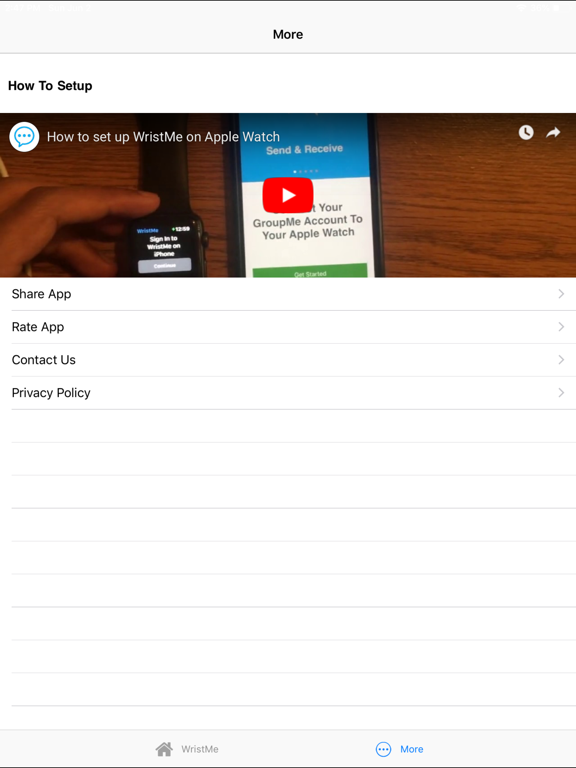
PointlessI only got this stupid app because I noticed when I got my new Apple Watch I was no longer getting GroupMe notifications on my watch and I looked into and it said I needed to get this app. So I installed it on my watch and then had to install it on my phone and sign in through my phone. When I tried to sign in though I couldn’t because they said there was already an account with my email…the account that I was trying to sign in to, to get the apps synced up with each other to get the notifications on my watch. Don’t spend the $1.99 for this. It’s terrible and pointless if I can’t even get it to work..AshokataniVersion: 2.8
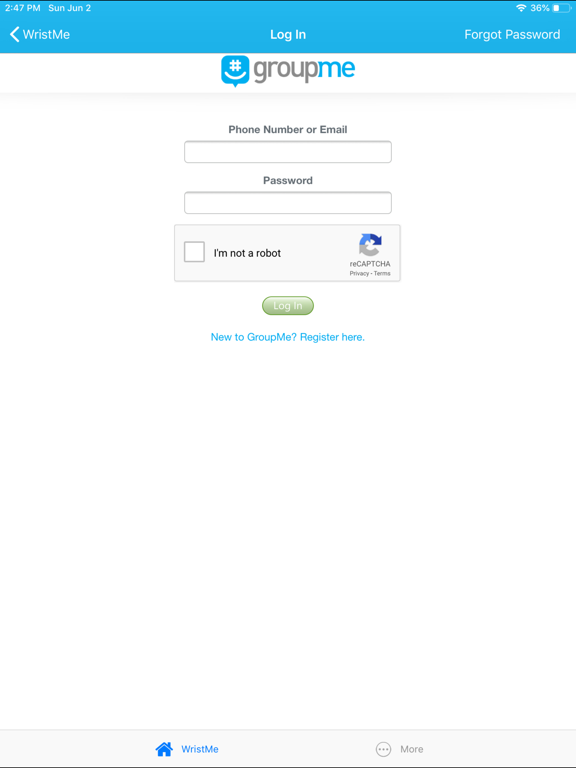
This is FRAUDI downloaded the app to my phone but it won’t log in to my group me account. I go through the set up and type in the pin and nothing happens. I have to start over again and again. I’ve been trying for week. I got the pin to work once and when it got to the step that allows me to download messages, nothing happens. I click allow and nothing happens. It’s only $2 but it’s more of an inconvenience that there is an app that doesn’t work and provides no assistance. I’ve never wrote a review on anything I’ve have a bad experience with but this is FRAUD..Rip. Off.Version: 4.0
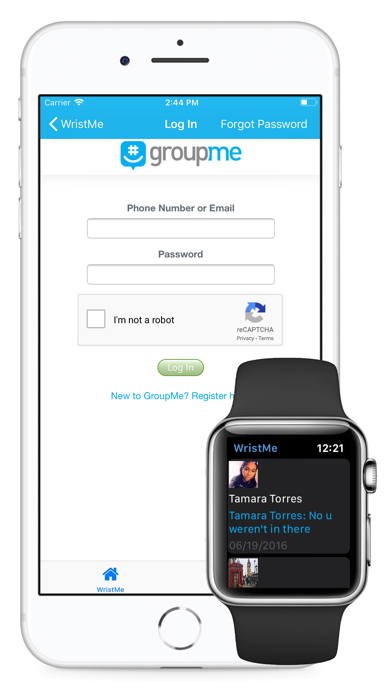
Doesn’t work. They stole $2 from me!This is the biggest App Store theft I’ve ever seen. I went against my better judgement and bought the app even though the reviews were god awful. Reviews were right. Doesn’t work. After going through the login process that took 10 minutes of going through about 30 captcha screens, I got logged in only to find that it freezes once you try to open a GroupMe conversation. It just says “Loading” and has so for 10 minutes. Tried multiple times with same result. FAIL. Biggest waste of money on an App ever. Developer needs to refund. This is theft..A*StewVersion: 1.0.2
Do not buyI figured that I would give this app a try due to the reviews being divided. I will say that I am very tech savvy and that this app does not work for me. As soon as I enter my login information, it doesn't do anything. It doesn't allow me to continue the setup process, as many have complained about. This leads me to believe that the developer knows that something is wrong and refuses to fix it. I attempted to contact support via the email address in the app and it has been a week and I haven't heard anything from them. F- for this app..Customer review (serious)Version: 4.0
Do NOT buy. App does not work!App does not work and has not worked in some time. I purchased this app in June 2019 and it has maybe worked for 2 months since then. The app refuses to load my conversations and just shows “loading” on my watch. I have tried it on my old Series 1 and my new Series 6, it doesn’t work on either. I have deleted and reinstalled the app countless times but still have not had any luck. I also reached out to the developer but of course have not heard back and probably won’t. Very disappointed!.LesterRBVersion: 2.8
Destroyed battery life on Apple Watch 4This app is a great idea, and very useful as I use GroupMe in my line of work multiple times a day. I was excited to download and begin using. At first it wouldn’t load quickly, took a couple of times of deleting and restarting to get it to work. Then once I got it to work, it drained my power on my watch in only a 1/3 of my days regular use. I reset it tried it another day with same result. So I have removed it from my apps. Great idea, just wasn’t worth rendering my watch useless..Jb-ollbackVersion: 2.7
Not working and no supportI downloaded this to get notifications on my Apple watch for GrouoMe. It doesn’t work, even though I followed the instructions and it says setup complete. I’ve tried contacting the develops and zero response. The app isn’t showing up in my downloaded apps list on my iPhone and I don’t know why. I’ve restarted the phone, deleted and reinstalled the app, nothing works and zero customer support to help solve the issue..NasdssVersion: 2.8
Rip off!!!If I could rate this a zero I would! I really wanted a GroupMe app for my watch so I gave this a chance. I should have heeded the previous review. This app is a big rip off. $1.99 for nothing. I want my money back!! I spend 5 minutes verifying that I wasn’t a robot only to get taken to a page for the creator. I couldn’t even get logged in. Apple take this app off your sight. It’s stealing money from your loyal customers..Go12376Version: 1.0.1
Can’t even log inI purchased this app a while ago and was able to get it set up on my watch but whenever I tried to actually use the app, it always said loading... but nothing ever happened. I deleted the app and reinstalled it thinking that might help but now I’m not even able to get past the login screen on my phone- it just stalls out..HdufjwaVersion: 2.8
SCAM DO NOT BUYThis app doesn’t work, it shows up on the watch but you can’t respond in it and it doesn’t notify you on your watch. The whole purpose of my purchase of this app was so my watch would notify me of messages when I didn’t have my phone out of my pocket. I also sent a message to the app developer and no response. So lame don’t waste your money.ShayRae111Version: 2.8
Continues to crashGood idea and concept... however, the app continues to crash. Seems to need some fixing. Please fix the problem for those who use their hard earned $2 to purchase your product. Our use value must be greater than the cash value we put out for your product but in this case it’s the opposite..GetmunydVersion: 2.8
ScamJust like everyone else says. It’s paid for, downloaded and doesn’t get past the first page when it sends you a pin.
I fully expect my GroupMe account to be hacked soon now that it has all my info. Don’t purchase- the ratings are clearly fake.Missy9is5an1emtVersion: 4.0
Doesn’t workIs this app a trick? I’ve tried to log-in about a dozen times and it doesn’t work. The verification process alone takes five minutes of squinting at grainy pics to find random things like crosswalks. I use GroupMe all the time. My password is up to date. I just want to use this app on my watch..J.Turner27Version: 1.0.1
Only works half the timeI rely heavily on GroupMe for work. It’s the whole reason I got an appleWatch.
Unfortunately this app doesn’t work most of the time and I end up needing to check my phone anyway.
I get the loading screen and it just continues to load and never opens the messages.
I wouldn’t care if the app had been free, but it was $2. Which seems like a bit of a rip off considering.
I’ll change my review once this app starts functioning a bit better, if it ever does..Breanne012492Version: 2.2
Requires iPhoneI tried to download this app directly on my sons iwatch se as a family watch, and it was grayed out. Says ‘requires iPhone’
Even when I install the app on the iPhone, I still can’t install this app via watch app..Iliketoread123Version: 4.0
DisappointedWanted to add this to my daughter’s watch, so she can keep in contact with her friends, and it won’t download on her watch. Group me is set up with her phone number, but it won’t download on her watch. Now I wasted my money on a worthless app.MommaAmb842Version: 2.8
SadApparently this app has been abandoned. Try to log in and the verify button doesn’t work. Lots of people having this issue and there doesn’t seem to be any progress towards a fix..Uncle_DukVersion: 4.0
Doesn’t WorkApp hasn’t been updated in over ten months. Developer doesn’t maintain it. I can’t even sign in to my account, the buttons in the app to log in don’t even do anything. Don’t waste your money..Beezer TwelveVersion: 4.0
No notificationsYou do not receive notifications when someone adds a comment. Seems buggy. A new update is definitely needed..Nikkii DeeVersion: 2.8
I WANT MY MONEY BACKI have literally reset my password and have tried to login at least 10 times already. The system is telling me “Sorry Verification failure, please try again”. I have done the unnecessarily long “I am not a robot” verification and the system is still reflecting me. I WANT MY MONEY BACK!!!!!.LeeBone45668Version: 1.0.1
Don’t get itI paid for this app because I primarily use GroupMe for work and wanted to be able to access it from my watch and I can’t even use it. It was a waste of money..Jazzkinsey28Version: 4.0
Doesn’t sync with phoneInstalled app and works on my Iwatch ultra 2, but after installing I stopped getting update/ messages on the groupme app on my iPhone..HoptimizerVersion: 4.0
No longer worksThis worked well for a while, but stopped uploading to my Apple Watch..Uganda malicuttyVersion: 2.8
Never UpdatesI see notifications on my watch but when I try to go to the app to see the conversation it is just in a perpetual state of “loading”.RF611Version: 2.8
NotificationsAllow wristme to enable notifications on the apple watch..KkospoVersion: 4.0
TerribleApp worked for literally not even an hour then crashed and hasn’t worked since. Smh. I removed the app from my watch and re-downloaded the app and it legit worked for 5 minutes! I want a refund!.BitesizebeautyyVersion: 2.8
Doesn’t workEarlier response from developer claiming set up issue is resolved seems like a fib to me. Went through installation completely then hangs up and does not show up on watch. 2 bucks for nothing..NotyrmomVersion: 1.0.2
Won’t syncThe app will not sync with the watch! It either says loading or no messages yet. There is no way to refresh the information on the watch and the actual app is useless!.DcswartzVersion: 2.1.2
Waste, what a waste!I want my money back, ridiculous.
After going through 10 steps to prove I am not a robot it send me to some guys resume and won’t allow me to full sign in.
Maybe the Harvard Grad should work more on his app than his resume..Mancusi65Version: 1.0.1
DON’T DOWNLOADI just wasted $1.99 on this. I thought I would have group me available on the watch, so I can see all threads and groups, not just someone that tags me. I don’t recommend this. If I can leave no starts, I would. I want a refund.Tamali AliVersion: 2.4
Don’t BotherWaste of time and money. Won’t let you log in. Just freezes when it asks you for the pin. Needs an update..Bobbyplus2Version: 4.0
Doesn’t workApp does not work. I am not getting any notifications on my watch. I can only open app and view messages and send them. Email
Sent to developer with no reply..P_ChanelVersion: 2.5
Total Scam/Does NothingThis app literally does nothing. Complete waste of money and wish I could get a refund. Also wish I could give less than 1 star since this is a total scam. Please do not purchase!.StrawberrieblondieVersion: 1.0.1
Application Does not workI purchased this application over a month ago. Has not worked a single time since purchasing. Emailed support and got ghosted. Don’t waste your time with this app..Rich123richVersion: 2.7
Constantly CrashesApp constantly crashes and closes when trying to send a message to a group. Really frustrating. Not worth the $1.99.How can they charge for thisVersion: 2.6
Doesn’t work!Bought the app, had nice setup and it doesn’t work. 3 bucks down the drain! I’m hoping to find 3 bucks in change when I clean my car to break even..Dvdlaser2Version: 2.1.2
Messages won’t loadJust downloaded the app and have been trying to get messages to load for 10 minutes..KennedygroffVersion: 1.0.2
Apple Watch Series 3Still having issues with the chats loading. Can’t properly sync to group me on phone and displays older messages as opposed to most recent ones..LilMisfit14Version: 1.0.2
Not workingI bought this app now on 2 different devices. Neither will pair with the watch app. Pointless.
Says iOS still not reachable.TalizessiVersion: 4.0
Not consistentThe app does not consistently load all messages. I have a thread that will not show up on my apple watch, but has been on my iphone for half the day..ButttttterflyVersion: 2.4
Doesn’t WorkAfter logging in, it takes me to this Afraz bio page. You can’t move forward from this page to get to the actual app..Meganlee615Version: 1.0.1
Apps no good.Apps no good..Rorang2020Version: 2.8
Payoneer 💰Payoneer is an online payment platform that lets you transfer money from any corner of the world! A best and must have payment service for every blogger, traveler, freelancer, affiliate marketer, consultant, virtual assistant, business person, online sellers, and receivers. Earn $25 for free by joining Payoneer. Sign Up Now!AdvertorialVersion: 4.0
 Sana Siddiqui