Good.iWare, Inc.
GoodReader Pro PDF Editor Customer Service

- GoodReader Pro PDF Editor Customer Service
- GoodReader Pro PDF Editor App Comments & Reviews (2026)
- GoodReader Pro PDF Editor iPhone Images
- GoodReader Pro PDF Editor iPad Images
GoodReader® Pro and our famous classic GoodReader app are essentially the same app, but this one comes with Pro Pack® pre-activated, no subscription or in-app purchase needed.
First released in 2009, GoodReader is truly a veteran of the App Store.
In the modern app business, it's not easy to stay relevant that long. We're proud to say that after 12 years and counting, we've been delivering wonderful updates with extraordinary new features. And we're going to keep doing that!
GoodReader is a perfect combination of document-reading and file-managing capabilities. It's your one-stop shop for all your document needs when you're on the go with your iOS device.
Use the app once, and you'll be hooked. Soon you'll be wondering how you ever managed to work without it.
-= File Reading =-
PDF, TXT, MS Office, iWork, HTML, pictures, music & audio-books, videos. This is what you can view in GoodReader, plus you can also annotate PDF files and edit TXT files.
-= PDF Reading and Annotating =-
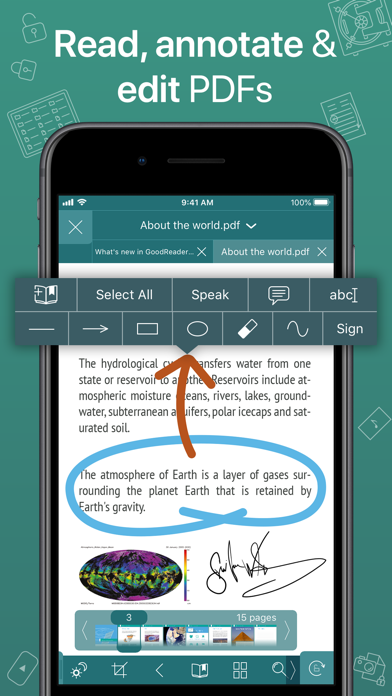
PDF files is where GoodReader truly shines. Reading experience is so superior, it's hard to describe. To rephrase one of our customers' review, "try it, and you'll see." While you're at it, give our PDF Reflow feature a try. You'll be surprised how much better PDF reading goes when you don't have to scroll left/right all the time, for every single line of text.
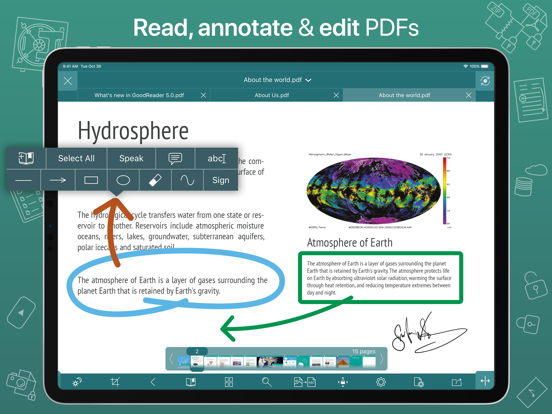
Annotating PDFs is another star feature of our app. Adding notes and drawings, highlighting text, and then sharing your annotated files or annotation summaries will be your main productivity and collaboration asset.
-= File Management =-
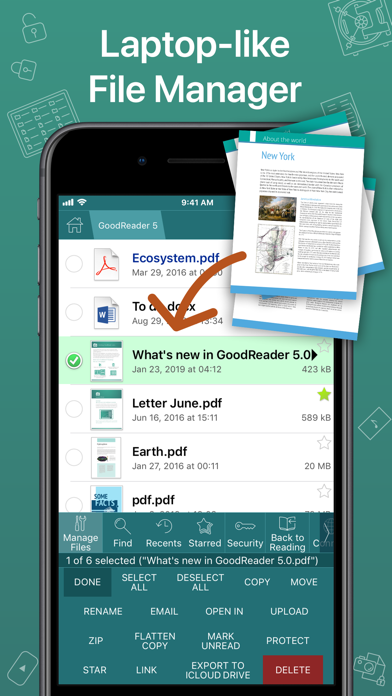
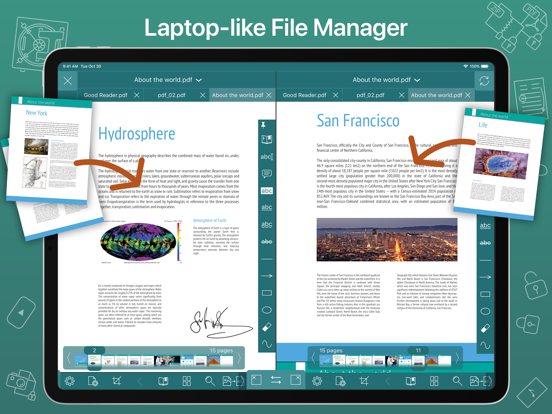
While reading files is a big part of GoodReader, it's not all it can do. It can also serve as a central hub for all your files, even those that can't be opened by GoodReader itself. It's like bringing your personal computer experience to your mobile device — easily managing huge collections of files and folders will make you forget you don't have your laptop around.
-= Connecting =-
Dropbox, OneDrive, Google Drive, Box.com, WebDAV, SMB, AFP, FTP, SFTP — these are all accessible from inside GoodReader. Download, upload, and sync individual files or huge folder collections.
-= Security =-
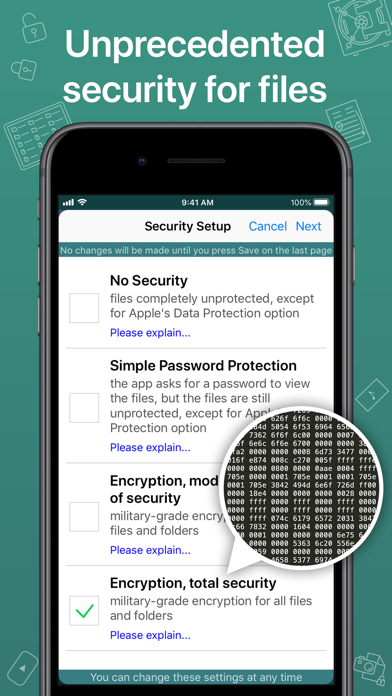
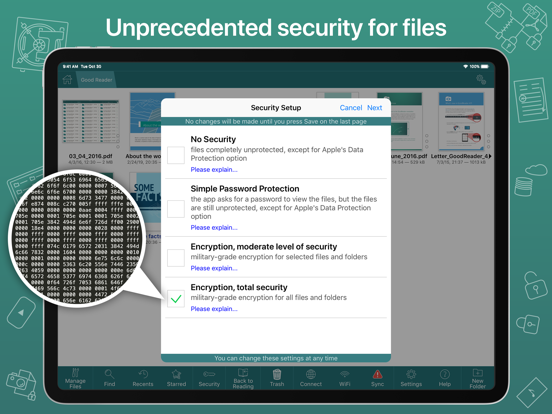
With GoodReader, your data security steps up to the level previously only dreamt of. With GoodReader Pro, you'll get AES-256, a military-grade encryption, for all your data. And it's completely independent from the built-in Apple's Data Protection, so even if a hacker steals and unlocks your device, your data will still be protected by another strong layer of security, our own.
-= Split-Screen =-
This wonderful feature allows you to split an iPad screen in half, to read two files side-by-side. And even two different parts of the same file!
GoodReader Pro PDF Editor App Comments & Reviews
GoodReader Pro PDF Editor Positive Reviews
I use it almost every dayI am able to download into the app by printing recipes, then use fingers to expand, it goes into a pdf and opens in GoodReader. Thank you soooo much for the excellent app. I have both the Pro version and the older version. I use both and have many folders in each. I download and keep a copy of different manuals of my appliances and such. Then when I need one I can search in GoodReader and fine it easily..Version: 5.14.1185
GoodReader ProWell it is a great app. I paid for the pro version as a good gesture of support. It was tedious moving data from old Godreader to the pro version. There was not a lot of room left on the iPad. This was very disappointing, as I thought GoodReader would simply upgrade to the new version without having to transfer data. I also see very little difference between the regular and pro version. I thank the developer for adding a one time pay option as I do not subscribe to software, but I am glad to support developers with a one time fee. However, as far as features are concerned, it feels like throwing away money. Again, it really is a five star app. I use it daily. I gave it four stars only because, I don’t see much of any advanced features..Version: 5.19.1221
Fantastic for academic workI use GoodReader constantly - every day, near enough. Reading journal articles is a big part of my life, and this app lets me organise them logically, highlight and annotate, view my annotations easily, copy-paste text, and flip from one article to another really easily. It's also possible to do a split-screen, with GoodReader on one side and a notebook app on the other, which is the most efficient and intuitive way I've ever found to take notes while reading. Setting up sync (with Google Drive, in my case) can be a bit trial-and-error at times, but it was well worth it - I know I won't lose my annotations and my archive of articles I've read, whatever happens. GoodReader is one of the few apps I genuinely would be distraught to lose!.Version: 5.1.5
Reliable and really straightforward for pdfsReally enjoy the service as it has many additional features which are great but my personal favorite thing regarding this application is that it is really great for its purpose of viewing pdfs, searching albeit the annotation tools could be better but still it is unparalleled for its purpose..Version: 5.19.1212
Very convenientThe features on this app make referencing materials easy, especially being able to cast two documents at the same time. Moving documents around, and making folders is very easy. I only wish that you could edit text, and that searching within documents started with the page you are currently on, instead of continuing with the next word in order..Version: 5.8.1136
The Best PDF readerI use this app literally every day. It’s quick, organized, and has good features. I love the fact that I can mark up a document on one of my iDevices and the annotations will automatically show up in a different iDevice. I just wish they had a PC version of the app, which I’d happily pay for!.Version: 5.19.1212
Outstanding AppGoodreader is my most used app for storing PDF and other file types. I’d be digitally lost without it. I forget how many years ago I bought the app; however, I do know that I was one of the early users. My advice: study and get to know and use the app’s features. You’ll come to rely on it as I have..Version: 5.19.1205
Pro is AccurateBeen using the reader version for years. Just purchased the Pro version and couldn't be happier. Had several questions that tech support answered promptly and satisfactorily. Had to copy over 3200 rather large .pdf files from reader edition to Pro edition. Easy and fast!.Version: 5.14.1185
One of my most used appsI’ve been using GoodReader for over 10 years now almost daily. It’s one of my most used apps I own. It’s utilities allow me the flexibility to locate bookmarks for reference, organize several manuals I utilize often and safely keep both personal and professional sensitive documents at my fingertips..Version: 5.6.1119
A Real Workhorse!This was the first true productivity app I purchased for iOS. I still consider it the best after years of use. It is a rare combination of strengths, not just a one trick pony. I really recommend it to anyone with an iOS device that is not just used to play games..Version: 5.8.1136
Best PDF reader app out thereGoodReader is hands down the best PDF reader app I’ve ever used on phone or tablet. Been using it for more than 5 years now. Thank you for developing and maintaining such a great app!.Version: 5.11.1154
IPad version will not allow web server optionThis used to work so I could set GoodReader as a web server. Now all it does is gives the message WiFi is Off. My wife is in. I tried removing and reinstalling the app. Same issue. It works ok on my iPhone. Just the iPad it doesn’t. Please fix..Version: 5.10.1151
Great supportI use this app nearly every day for saving, viewing and editing PDF documents. Support is great and they reply quickly to my support requests..Version: 5.19.1221
Worth for moneyHave been using for many years. Excellent tool for all your files.Version: 5.19.1203
Top FiveGoodReader is one of the most useful apps on my phone. I don’t know what I’d do without it!.Version: 5.13.1178
Icloud issuesI have issues downloading files from external folder from icloud..Version: 5.14.1185
FunctionIt is recommended to add a text editing function.Version: 5.1.6
Loads fastLoads fast! Note taking and thumbnails can be better.Version: 5.8.1136
1 of bestSeriously one of the best if not the best of the best of its kind. Good support and solidly stable. So many abilities and capabilities. Very stable..Version: 5.8.1140
My go to app for my pdf referencesI use this for all my ipad pdf filevstorage. i would like this on macos.Version: 5.11.1163
Very usefulI use this to sign and/or annotate documents. No need to use printer unless signed and filled in documents are needed..Version: 5.14.1185
The BestGoodReader is my go to app for storing organizing reading and marking up all of my pdf files..Version: 5.8.1136
Easy to useI like the is very useful..Version: 5.13.1178
GoodReader very good appGoodReader app is very good, I use it most for playing my music and file..Version: 5.8.1136
GoodReaderIt is an extraordinary filing cabinet and very accessible for retrieving documents.Version: 5.19.1221
GoodReader ProAwesome product.Version: 5.12.1169
طلال ناصرVery good.Version: 5.7.1127
Please support ChinesePlease support Chinese please support Chinese please support Chinese.Version: 5.1.6
The best, butThe best pdf viewer. Amazing that it allows me to edit a pdf on google drive and sync that and continue where I left off on my pc using that same pdf synced there. Just wish I could actually EDIT the pdf. Not just annotate. Edit the actual text..Version: 5.19.1203
Must have AppI love this app and use it constantly. I didn’t hesitate to upgrade. It would have been nice for the data to have automatically transferred but I’m grateful that I can still use it on all of my devices regardless of OS version. My only issue is the relatively complicated way it allows syncing (thus 4 stars), but at least it does allow for syncing..Version: 5.14.1185
Free International Money Transfer 💸Enjoy high maximum transfers into more than 20 currencies while saving up to 90% over local banks! The cheap, fast way to send money abroad. Free transfer up to 500 USD!Version: 5.19.1221