Sindre Sorhus
One Thing Customer Service

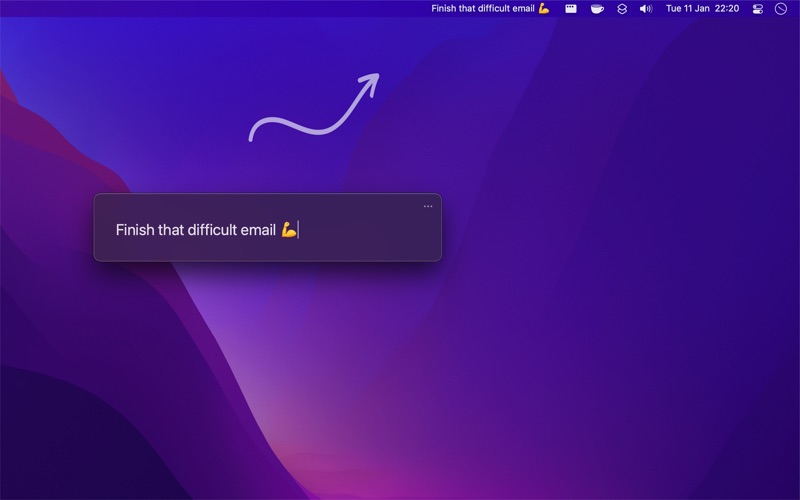
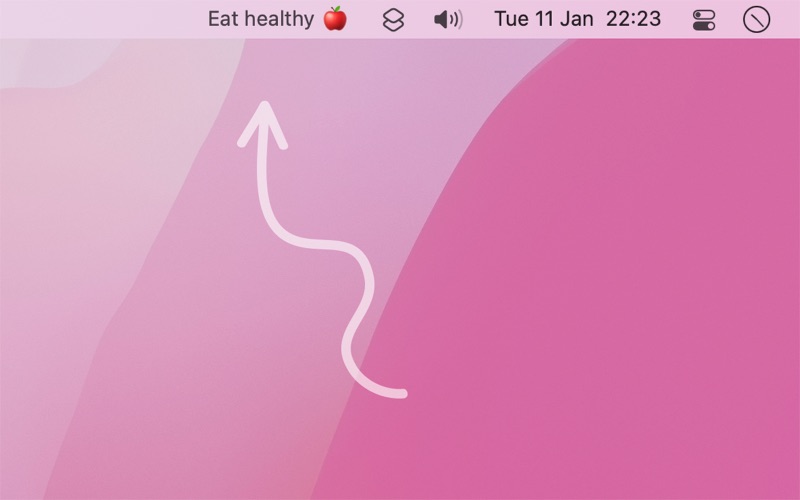
Put your most important task or goal in the menu bar. Its presence there will help remind you without being annoying.
« You can achieve almost anything if you focus on one thing at a time »
— Someone on the internet
Use the app for anything you want. Maybe you just want to put your dog's (or cat's) name in the menu bar. That's ok too.
You can use Markdown to style the text with bold, italic, and strikethrough. And you can even add links.
The app also comes with support for Shortcuts, share extension, system service, and scripting.
Optionally enable history tracking to keep a dated log of your previous entries.
Tip: You can drag & drop text directly onto the menu bar item. For example, from your todo app.
See the website on how to integrate One Thing with apps like Reminders, Things, etc.
NOTE: macOS hides menu bar items that do not fit. This is especially a problem for Mac's with a notch. You are recommended to set a maximum width of the menu bar item in the app settings. Also try dragging the menu bar item towards the right side while holding the Command key.
You can contact me through the feedback button in the app.
One Thing App Comments & Reviews
Free International Money Transfer 💸Enjoy high maximum transfers into more than 20 currencies while saving up to 90% over local banks! The cheap, fast way to send money abroad. Free transfer up to 500 USD!Version: 2.0.0
Payoneer 💰Payoneer is an online payment platform that lets you transfer money from any corner of the world! A best and must have payment service for every blogger, traveler, freelancer, affiliate marketer, consultant, virtual assistant, business person, online sellers, and receivers. Earn $25 for free by joining Payoneer. Sign Up Now!Version: 2.0.0