C.B. Liu
Feeddler RSS News Reader Customer Service

- Feeddler RSS News Reader Customer Service
- Feeddler RSS News Reader App Comments & Reviews (2026)
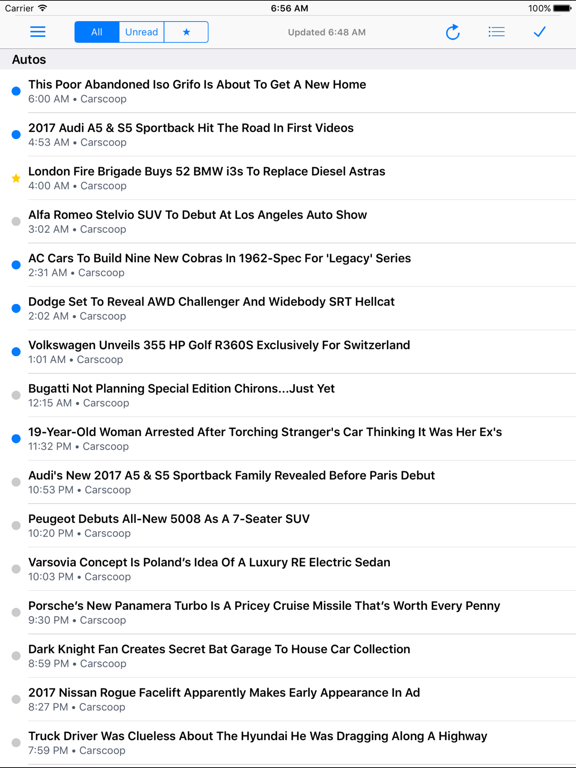
- Feeddler RSS News Reader iPhone Images
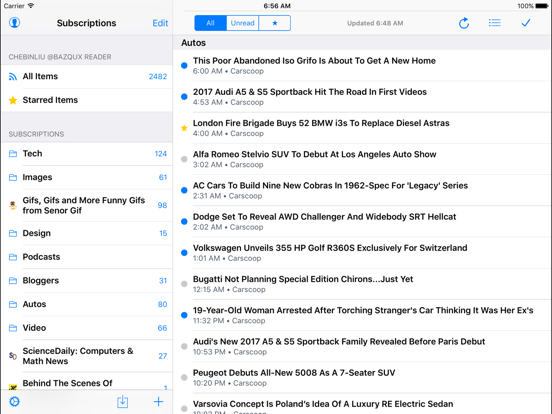
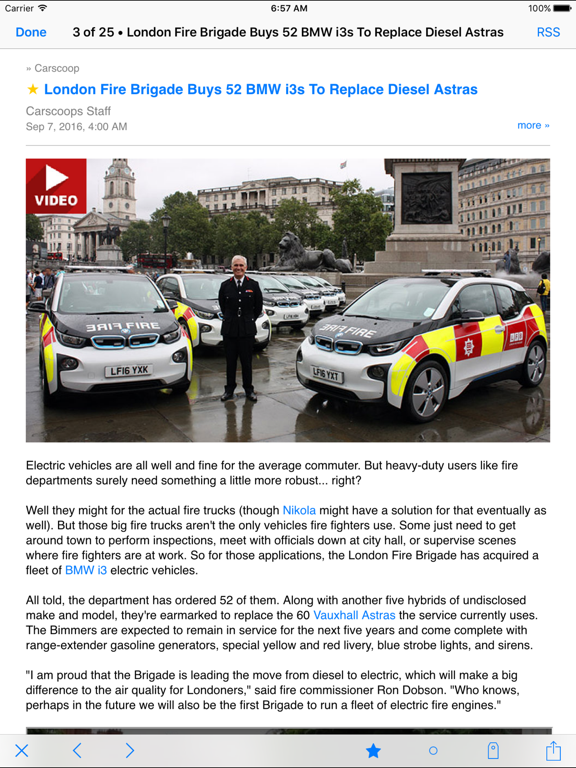
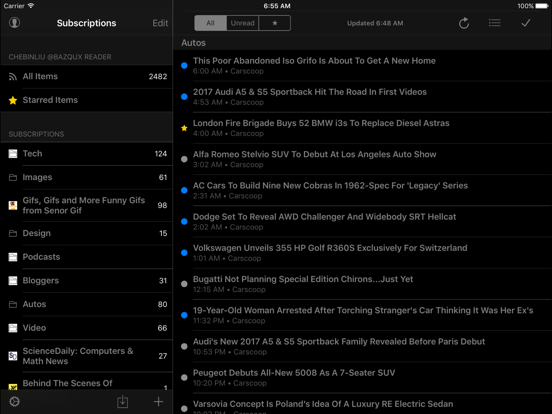
- Feeddler RSS News Reader iPad Images
Feeddler was first released in 2010, a few days before the first-generation iPad release. Feeddler has been one of the most popular RSS readers for iPhone and iPad and has been picked as a top news app by numerous media over the years.
* "New and Noteworthy" and "What's Hot" - featured by Apple
* "Cleanest and most user-friendly interface" - iPhone Life Magazine
* "Essential iPad Apps" - Gizmodo
* "10 Must Have iPad Apps" - Cool Tricks N Tips
* ... and many more
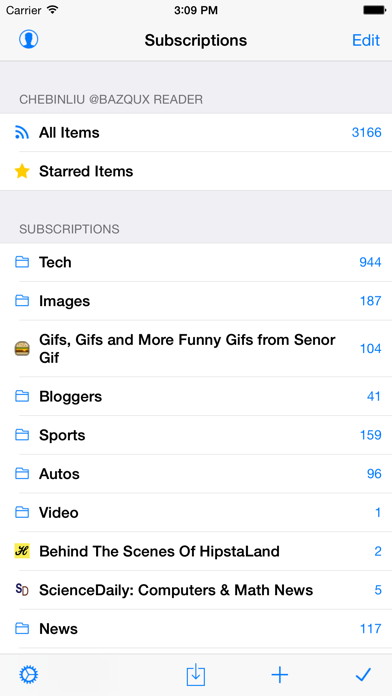
Feeddler is a fast and highly customizable RSS Reader client that stays perfect sync with RSS services and presents RSS stories in an easy-to-read interface. Feeddler is a universal app that supports iPhones, iPod touches, and iPads.
Features:
* Syncs with Bazqux Reader (optional account, 30-day free trial).
* Syncs with FeedHQ (optional account, , 30-day free trial).
* Syncs with Feedly (optional account, free).
* Syncs with InoReader (optional account, free).
* Syncs with The Old Reader (optional account, free).
* Supports multiple accounts.
* Supports feed management - add/delete/rename/sort subscriptions and folders.
* Caches RSS articles and images for offline reading
* Able to set up each subscription to open articles directly in RSS, full text mode, or web (online only).
* Able to mark all items as read for any RSS subscription or mark only loaded items as read.
* Able to mark items as read based on date or automatically mark items as read while user scrolling headlines.
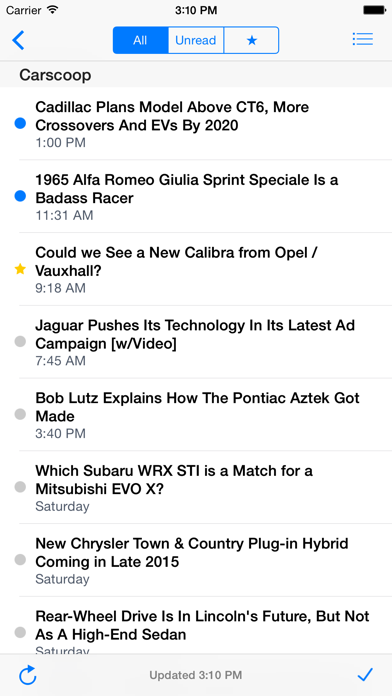
* Able to show only feeds/folders with unread items.
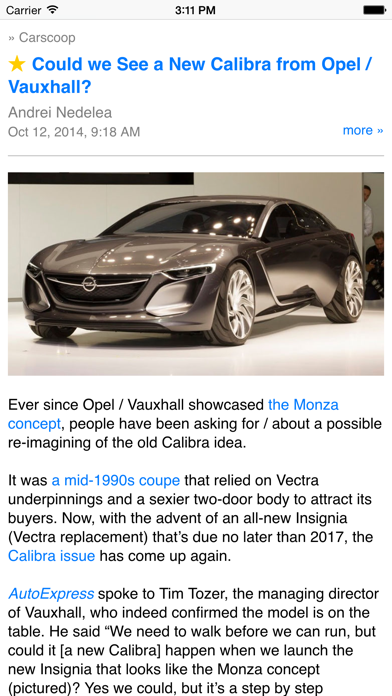
* Swipe RSS articles for navigation, and pinch articles to change font size.
* Save/Share articles by tapping-and-holding any articles shown on the preview list.
* E-mail sharing with optional default recipients.
* Copy-and-paste titles, links, or full articles.
* Lots of UI customization options including summary preview and the comfortable night mode.
More features in the Pro version:
+ Supports landscape mode on iPhone.
+ Supports keyword search to find and add feeds.
+ Sync all subscriptions, or sync subscriptions in a folder for offline reading.
+ Sync options: sync all feeds or unread items only, sync from last sync, days or weeks. For faster syncing, use "Unread only" + "FromLastSync."
+ No ads
If you like Feeddler, please consider writing positive reviews on the App Store. We keep adding features, fixing bugs, and improving app performance. Please send us feedback at [email protected]. Thanks for your support.
Feeddler RSS News Reader App Comments & Reviews
Feeddler RSS News Reader Positive Reviews
Good replacement for FeedlyI tried this RSS reader because Feedly had just gotten too greedy. You couldn’t even save to Pocket anymore without paying their ridiculously high monthly fee. So I tried Feedler and was impressed. The layout is very good, there are a lot of options, and it’s a one-time purchase to get rid of the ads instead of a stupid monthly fee. All in all it works very well. I deducted one star Because webpages are displayed with their own internal browser, which isn’t very good, especially for ad heavy sites. And there’s no option to make safari the default browser. At least you can use the option to open webpages in Safari instead. But that’s an annoying extra tap..Version: 4.3
Needs customizable font optionsWould be nice to be able to access default fonts in iOS. The sans font is tiresome..Version: 4.1
First app I open in the morningIt has been the first app that I open every morning on my iPad. Literally, for years. RSS is so useful that I can’t believe it ever tailed off in popularity. Feedler is clean and consise, easy to customize, and lightweight. I’ve tried bunches of others and deleted them each in less that a day. Feedler doesn’t go out of its way to be a show boat. It just delivers the news that I want from the sites that I like (that offer RSS). Come on web developers, add rss to your site. Increase your traffic in just a few strokes..Version: 5.2.1
Best RSS news readerI’ve used this RSS reader since it came out and the previous version. This is the RSS news reader you want. The layout is simple and easy to organize. It works with many services and allows you to use more than one. I highly recommend this app..Version: 4.3
My go-to RSS readerExcept for a few difficulties with settings... it just works..Version: 5.2.1
Bug in last releaseLook like in infinite loop... perhaps interrupt of interrupt ..Version: 4.2
Great app!Always works for me. Thanks for going back to the classic orange colored app icon!.Version: 5.2.1
ExcellentMy go to feed reader.Version: 4.3
Intuitive and feature-ful, with just one annoyanceThis is a nice, well-maintained little feed reader. I started using it to keep up with my Google Reader account, and I liked it immediately. When Google Reader was nearing the end of its life, I found that Feeddler was already prepared to let me use a number of compatible alternatives (I settled on BazQux). Kudos to the author for keeping it up. I consider it one star short of perfection due to the lack of a landscape orientation when browsing headlines. Landscape mode can still be used while reading, but then I have to keep rocking my iPhone back and forth when switching between articles and headlines; it's almost worse than having no landscape mode at all. I still like the app well enough that I may buy into the paid version..Version: 2.0.1
Best RSS reader I've triedI've tried a few RSS readers before and this one is by far the best one. It syncs perfectly with Google Reader so I can go from my computer to my iPad or iPhone without any problems. It looks great on the iPad's big screen and it makes great use of the iPhone's smaller one. The part that I love the most is the fact that it shows the unread count over 20 for each feed. I've used some other apps and they only show the latest 20 or so unread posts, so if you don't check it for a while, you'll definitely miss some. I went on vacation for a week and when I came back I had a lot more than 20 unread posts on each feed and Feeddler gave me a true count. I don't find the ads intrusive, even on the iPhone where there is less room for the actual content. It's a small price to pay in order to keep this app free. The only problem I have with this app, however, is that if you use it for a while it gets a little buggy and some strange animations start popping up. If you just close the app in the multitasking pane at the bottom and then open it back up again, it's fine. Even with that, I would still recommend this app, especially to people who follow a lot of news sites or blogs, like I do..Version: 1.10
Easiest RSS reader to use, sync with Google ReaderSome people claim "RSS is dying", but that's only true if the internet is dying. RSS simply collects the news sources you want to read and compiles them an a universal, easy-to-browse format. And no app that I've found conveys that format in a more direct fashion than Feeddler. It's similar enough to Google Reader on your PC that you can pick it up and know how to use it. More importantly, it doesn't clutter up the screen with useless garbage, loads fast, and has other options such as allowing you to cache articles for offline reading (huge for WiFi users). Flipbook and a lot of the "prettier" news collectors get more attention, but those are different things, in my opinion. An app like Flipbook is basically grabbing a bunch of relevant material and throwing it out there. The content is displayed randomly and not in any predictable order. If you're serious about finding out the most recent news in your topic, you can manage your Google Reader account and have all of the content sorted for you in neat fashion with Feeddler. And the adds on the free version haven't even been annoying enough for me to bother with an upgrade (yet)!.Version: 1.11
4.9 Star rating, but giving 5 starsFeeddler seems to offer virtually everything I want from an RSS feed application. Displaying the real count of unread feeds is a plus, though not as relevant as I previously thought. The feature I feel is missing: the ability to select multiple entries, then convert them to "having been read" without reading them. I consistently have over 2,000 unread feeds. I'd like to reduce that to a useable #, so it would be more apparent that I have new information to check/read. At this point the only way to mark entries as having been read, is to click on them and then go back one screen. Would be a HUGE help if, as I recognize 10 posts that I'm not interested in reading I could simply select all 10 and label as "having been read". That's the only recommendation I am aware of at this point. We're that feature introduced, this would be a no-brainer 5 stars. But given I am an app developer myself, and I understand the importance of a 5 star rating, I have "rounded up" my rating out of empathy. Many thanks..Version: 1.11
Very Straightforward RSS Reader.I am currently using this app on my iPhone 4s and it's the only suitable RSS reader for the iPhone in my opinion. I am currently using the free version but I will upgrade to pro as soon as I receive my new iPad. I love that this app is universal. I love that there's no fluff, there's just news. Another plus is that this app is very customizable. I do not like that there's only two themes to choose from: day or night. The day is extremely bright and white and plain. The black is too dark; I can't read any of the headlines, let alone to actual text. I would like to see the developer add at least one other theme that is much easier on the eyes and is more relaxing than in-your-face bright or dark. That is the only correction I would make at this point and time to the app. It is my default RSS reader and it will stay my default RSS reader, especially if the developer adds a different theme(s)..Version: 1.12.5
Okay, but with a Persistent BugMain Complaint: The last few versions (including the current version) eventually stop working. When switching from one feed to another, or after having viewed a few articles and going back to the list, the list doesn't update. An animation occurs to tell you that something should have changed, but the listing is the same. Sometimes you can click on the name of an article you already read, but get a different article (because the program did update, it just did not update the visuals.) Sometimes it gets to the point that tapping an entry gets you nowhere. The worst part? This glitch happens about once per week. I have to restore my iPad to get rid of it. Normally I would not keep using any app that required me to restore on a weekly basis. Main Complement: Despite that major problem (above) I still find this app so useful that I continue to use it. I find the weekly restore to be frustrating, but I guess the benefits outweigh the costs. Minor Complaint: Some RSS feeds (because of the way they are formatted) are better viewed as a "Full article on the web" than as just the RSS Summary; for others the RSS Summary is preferable. Feeddler wisely included the option to toggle between seeing the full website or just the RSS summary (a great addition in my opinion.) Still, it is frustrating to go into settings and switch back and forth. My ideal solution: Allow us to designate a particular feed as being read as a "Full article on the web" so that it always opens that way. A less ideal solution: Make a button or switch in the user-interface that allows us to switch quickly between different "Open Articles As" options..Version: 1.11
The best Google reader app.I bought MobileRss, Newsrack but Feeddler is the one I use everyday. What I really like about Feeddler (and only available with Feeddler): 1. A simple/sleek interface just like the Google Reader. Well, maybe it's not for everyone. Some people may prefer "fancier" interfaces. But I just like to be able to use the Google Reader interface that I'm familiar with. Nice and clean. 2. Full screen mode! Both landscape and portrait. I don't understand why the other apps won't let me read FULL-SCREEN with landscape mode. Like some other reviewer said, Feeddler seems to be the only one app that "really gets it". 3. Easy/intuitive way to navigate to the next item. You can press the arrow buttons at the bottom. Or simply do the swiping. Sounds easy huh? Strangely enough none of the other apps really does this simple task as half as good. The only feature I would want is the ability to note. Otherwise I really have no complaints. Especially considering this is free. I will buy the pro version now to show support for the developers (and the instapaper integration). But the free version is really great enough. Thanks a lot for this..Version: 0
Great feed reader!I tried BlogLovin and Feedly, but I just didn't like the lack of organization in them. I much prefer to be able to read the blog I want with ease; some days I only have time to read a few posts, and am looking for the info usually given from a particular blog. I don't want to waste time digging through every single post that has been made from every single blog I subscribe to at those times! With this app, I can put my blogs into categories that easily let me read about "allergy cooking" or "money" without digging through "arts and crafts" or "parenting" blogs. Later, when I have time, I can go back and read everything...but I LOVE the option to not be forced to every time I open the reader! Great app!.Version: 2.1
Great app, couple of issuesA fast RSS reader app! Works great with Google reader - even lets me star, mark unread, etc., same as on a PC. You can read a folder's worth of feeds, or just a single feed. Can also view all, or just unread. Some issues: no back/forward button when viewing original item - if you've followed a couple of links you can't get back a screen or two without going back to the original feed article. Also, no option to display pictures in the article list. Makes it difficult to read my lolcats feed! One bug: when you follow a link to an app store web page, and swipe to view the app screens, the page switches to the next feed article. Very annoying..Version: 0
For Offline Reading of Full RSS Articles, Look ElsewhereI bought this app based upon the many good reviews it was receiving and recommendations on some "must-have apps" lists. The user interface is indeed nice, as many have mentioned, and there is a large selection of destinations where you can post RSS articles, etc. However, as an offline cached RSS article content reader, I find this app useless. I have an iPod Touch 4 and bought this app mainly to be able to grab and cache RSS feeds and their associated full articles while online at home in the morning and then actually read them offline on the bus to work. I have never been able to successfully do that with this app. I ended up having to use the RSS reader app Byline instead (which works great for offline reading, BTW). Originally I downloaded the free version of this app. When I couldn't get the full article caching to work, I bought the "Pro" version because one of the reviews I saw indicated that version was needed to fully cache articles for offline reading. But I couldn't get the "Pro" version to actually cache anything more than the RSS "summary" lines either. I tried numerous changes and combinations in settings, including various settings for Sync, but nothing worked. I even sent a message to the Feeddler support e-mail they list asking for help, but got no response. I wanted to like this app, I really did, since the interface is nice and it has many features. And it seems great for those folks who read their RSS articles while online and want many options of where they can post the articles. But for what I wanted it for--offline reading--it totally fails as far as I can see (unless somebody informs me of what I'm doing wrong). Because of that I can only give it an "OK" rating..Version: 1.11
Good reader to quickly get through lots of feedsThis is a good reader to get through lots of feeds quickly, particularly when I just want to scan through the titles. It would be a 5star review if I could display the titles only, and if it would advance to the next feed or folder when I mark all as read. I would also like t o be able to record a show by feed or by folder setting for each folder like I can on NetNewsWire on the Mac. I have some folders of Feeds that I want to review by themselves because of the volume of news items in that feed but other groups of feeds where I just want to get through the entire group; I tend to scan through titles very quickly, only actually reading a few feeds..Version: 1.12.5
Great RSS readerNice clean interface with excellent navigation options. Good Mark All Read function, but no Mark Previous Read which would be nice. I have quite a lot of feeds, and Feeedler handles them very well. The Google Reader sync is excellent and consistently solid. Great sharing options to other services. I have tried several RSS reader apps and keep coming back to Feedler because of its functionality, layout and navigation. I am giving it 4 stars because of some minor issues that I have had and because it is giving me daily pop-up notifications to rate the app, which I am now doing to hopefully make those stop. I love Feedler, but I really dislike that. In short, I highly recommend Feedler..Version: 1.11
Very Good RSS ReaderI use NetNewsWire on my Mac and iPhone but at $10 for the iPad version, they priced themselves out of a purchase from me. The free version of Feeddler is a very good alternative since it interfaces well with Google Reader and I don't really need the ability to download and read off line, the primary feature difference with the paid version. However, I knocked off one star because the app has no way to post links directly to Twitter, Delicious, Diigo, or a blog. In fact, they make it very difficult to even get a link to the original page since it's not displayed in their in-app browser. Those connections would be worth the additional star or possibly even paying for it..Version: 0
WOW!!I think I have found the killer app so I can quit carrying my laptop and tons of books to my classes. I can access my Office 2007 files through my wifi and edit them on my iPad. There are some display problems. I noticed a few tabbed sections in a Word 2007 document not displaying exactly as they showed on my desktop. I was able to build formulas and select functions in Excel 2007. When done, I was able to save the changes back to my desktop. Set up and sync is almost brainless. I will not need to import files through iTunes now. This app can only get better and I am already willing to give it 5 big stars..Version: 0
Almost perfect, BUT...I've been using this app for years, it's powerful, beautifully designed, and overall enjoyable to use. However, there is an incredibly frustrating issue that may force me to stop using it: some less reputable RSS feed's will actively bounce you over to the App Store without you tapping on anything. This is an infuriating behavior when you're just trying to read an article, and it simply should not be possible. Web browsers have long restricted pop-up windows to occur only when a click happens, I see no reason why this app should be any different. I would gladly purchase the Pro version of the app if I thought it would eliminate this behavior, but that seems unlikely..Version: 3.7
Works well with room to improveHaving come from the Droid RSS reader, this app's responsiveness is impressive. Whether I have 300 or 2,000 articles, it handles them without a second thought. At the same time, the Droid gReader downloads all the articles so there aren't any lags trying to load more articles in a larger subscription folder ( like it does in this app). I can't seem to find a setting in the free version that corrects this. Basically it means I have to have a data connection to get more than 50 articles in a single subscription. If that doesn't bother you and/or you don't have that many articles each day/week, this is definitely an app for you..Version: 1.11
Fast and simple - if only......it let me specify the "page" size. I subscribe to the Google "News" package and a few other RSS feeds. If I don't keep up, I can easily have several hundred new article headers to scroll wade through. I didn't count the number of article headers you get per page, but whatever it is, it isn't enough - I find myself constantly hitting the "See more" button :-( Other than that, it's a great app - I no longer have to visit the individual news sites. Addendum: never mind - I had not tried the "auto-load new articles" when I wrote this - with that turned on, pages are a non-issue! Now it is 5 stars for me!.Version: 1.12.5
Works Quite Well with the New VersionI've used a lot of RSS readers, and this one isn't perfect but it's very good. This performance is very good, and it's got good navigation forward and back. It also has a rather unique feature that you can make it mark posts as read when they scroll out of view. I find this makes it really easy to go through really big lists of links very quickly, because you don't have to explicitly mark each one is read when you ignore. The developer is active, and seems to be updating it regularly. All in all, quite a good reader and I'm very happy with it..Version: 0
Yeah, it works, but...No offline support: if the service is offline (like OldReader has been on and off recently) there's no recovery, just "Error". Feeds take ages to load and sometimes just fail to do so; tapping the feed again will retry with no problem the next time. But the ADS always work! Mystery Meat Navigation: there's no browser back button until you have browser history, and no forward button till you use said back button. And those buttons are easily confused with the feed back and forward buttons. Clunky Ui: the interface just isn't as elegant as the app I had before (which unfortunately became abandonware and still only used google reader). There's no immediate feedback that clicking a link is now loading the page; you just have to wait for the internet to respond, which can take forever sometimes even on good internet connections. And the Ads get annoying... Especially since they take up what feels like a third of the screen space in landscape mode. But that's ok, because it just means it motivates me to work on my replacement app for myself..Version: 2.1
Excellent iPad RSS ReaderI've been waiting for version 1.3 to be released because I want Instapaper support which will be available in the Pro version. I've been constantly checking the App Store for the update and it has finally come. I like that you have the option of viewing all articles or just unread articles. Since I've heard other apps don't give you the option and only display unread articles, and therefore those articles aren't available in the app once you've read them, I'm sticking with Feeddler. You can also sort each listing by oldest or newest articles first which I think is great. The new interface is nice and there are more options for working with the articles now. As of this writing the Pro version of 1.3 is not available but I will be purchasing it as soon as it is. This is the best RSS app available for the iPad. I recommend you help support the developer and buy the Pro version they've done a great job..Version: 0
Mark ALL As Read?I was really happy when I heard about Feeddler for the iPad, I actually think it's a really good rss reader except for one big problem, there is only one way to mark items as read, either open it or mark EVERYTHING as read. I made the mistake of clicking mark all as read and it marked everything in my backlog as read, not just the 50 or so headlines it was displaying. I strongly urge the developers to add some sort of "mark visible headlines as read" option instead of marking every single item, even ones that aren't being displayed..Version: 0
Pretty nice interfaceI like the features considering its a free version. I don't know if I would use many of the upgraded features because of time constraints. Overall, good app, worth downloading. I have definitely had problems with the app though. After a certain time the graphics get...'weird'. Words and headings start moving in different ways than normally. Sometimes it is constantly "Loading" even after the content is synched. I thought my problems were due to my phone being old and outdated, but I just got the 4Gs and it continues..Version: 1.11
Works well as a Google Reader for iPhoneI use it constantly, overall quite happy with it. One little but important problem... If the wifi / 3G signal is weak, when the app attempts to sync, it will stall and freeze. One must then reboot the phone to unfreeze it as the app won't close after this either. Fortunately this only seems to occur when I attempt to use it in a low signal area... works great everywhere else. Ad supported, so it's free. I don't know if the Pro version is ad free or not, the paid app version of description doesn't say. If it has ads also, not sure why you'd pay for it?.Version: 1.11
Almost perfectSorry, Feedler, I can't give you that fifth star. But to other readers, this is a GREAT newsreader. I've never had a sync problem and you can edit folders inside the app. The action menus are extremely customizable. All in all a fabulous program. There's just a few problems and one bug. 1. I wish it had a manual sync option. It wants to sync every time you open a folder and I like to clear my RSS out before I get new articles. 2. Readitlater, Instapaper, Delicious, etc integration. Non-Safari browser integration would be awesome as well. 3. The bug. If you switch away from the app while it's loading, when you return to it a second loading wheel pops up and it never goes away. You have to close the program, which is made more of a pain by the way iOS works. Still, well worth the download. And I just realized I have the free version! I'm giving them (and Apple) some money right now!.Version: 1.11
It's fast.Out of the many iPhone RSS readers I've tried this is definitely the fastest most responsive. One feature I would like to see though is the ability to view all feeds in a folder at the same time, instead of having to select the feeds individually in each folder. Although I will most likely still be using this as my primary rss reader, just because it's so much faster and without hang ups than anything else. All this on an iPhone 3G, can't wait to see how it does on the new iPhone..Version: 0
Need some clarification on future directionI absolutely LOVE this google reader client and of the half dozen or more clients I have tried this has risen to the top. After about 1.5 years of using this I can't imagine reading RSS feeds without it. I am very concerned though about the lack of updates (none in 2013 so far) and silence about the impending shutdown of google reader services which this is dependent upon. My fear is this will cease to work on July 1 and I will have to use another client (feedly *shudder*). Can we PLEASE get some clarification and better yet an update, that will use feedly or digg back-end for storing feeds and read status so we can keep using this client?.Version: 1.12.5
Great app, use everydayA great, free app for a great service Google Reader is a great service, when you are using a conventional computer but it has been a pain on the iPhone since every so often that you go off to look up the webpage directly it tags the article as read and it is no longer there. Feedler gets it right by allowing you to have a cache, so that you don't have problems when you come back to the RSS feed. I use this every day along with Podcaster and NPR News..Version: 0
One of the BEST Programs on my iPad!I read a lot of articles and have always been a fan of google reader for this task. Now that I was able to sync all my articles to this program, I NEVER have gone back to the web. This program is fast, and then some. The layout is clean and it intuitively supports all the functions you would expect is a fantastic RSS aggregator. I love this program! I felt the need to amend this review to say to the developers, good job! Every update makes this program better and better! Thanks guys!.Version: 1.12.4
Love that you stay in app when following linksI Really like this app. But there was a learning curve to get used to it. When you follow a link while in the app you actually stay in the app which makes it really easy to navigate. Up in the right-hand corner while you're in the app you will see you back arrow or several back arrows and then RSS button. The back arrow takes you back one step the RSS takes you right back to the feed. I haven't had any trouble with the app and I'm really glad I got it.Version: 1.12.3
Good reader, couple of odditiesI use it multiple times a day, and it really is better than most apps that perform the same function. Mostly a solid, simple, straightforward interface. Two things that confuse me though: why no landscape position in the reader, but landscape is allowed in browser (that is after I follow a link) orientation? If I could only view in portrait, fine, I can accept that. But the fact that I often view news pages in landscape and the when I return to the feed it forces me back to portrait is frustrating. Second, when does the app force a refresh of the feed? After exit and return? After a time limit? When mars aligns with Pluto? I am unable to find a pattern. I can force am update and any time, however the app can do do on its own, for seemingly no rhyme or reason. Still, very good RSS feed reader. Worth trying out, it might just be the one you keep..Version: 1.12.3
Does the job!This app has really increased my work productivity! I use google alerts to track hundreds of issues and DC policy actions for my clients which just takes lots and lots of time scanning through stuff...this app brings the full power of google reader to my iPhone and allows me to fill the small moments (elevator ride, metro, boiling water, slow conference calls) with a few moments of productivity and manage the overwhelming flow of information. I just star or push the good stuff out through email. Amazingness!.Version: 1.11
Best one so far, with room for improvementI like a lot about this (switched from online use of Google Reader and use of NetNewsWire on the iPhone) but it's got some room to improve. The sync reliability has been spotty, as NetNewsWire on the Mac and Google Reader online often show different unread counts and indicators than does Feeddler. I'd also like to see an indication of read/unread counts while looking at articles in a subscription feed, and a "next unread" option would be great. That said, this tromps the current version of NetNewsWire on the iPhone into the ground, and I'm generally quite pleased..Version: 0
Good but needs workI really like this app over the normal Google reader I use however I have some issues that are preventing me from upgrading to the pro version: first, how do I star an article? It looks like it's just marking as read or unread. Second, when I mark all articles as read, it doesn't refresh the article list. Even after re-syncing, and with it set to only show me unread/new articles, the articles I just marked as read still show. Fix those, and I'll pay to upgrade..Version: 0
This is my To Go AppIt keeps getting better. With the latest update to allow selecting notebooks when sending to Evernote, I can't think of anything else that I want with this app. One of my jobs is a part time medical librarian. It allows me to gets feeds no matter where I am and forward to the people who are interested as well as save the posts to locations were others have access to them. It's fast, easy, compressive and it more than gets the job done..Version: 1.12.5
Very decent appNot bad. You still get a lot of features with it. I did not like The fact that you had to pay for the pro app separately instead of just upgrading it. But other than that it’s a decent app.Version: 4.3
Best reader stopped workingWith the newest version 5.2, it is working again! Thanks!.Version: 5.2
Pretty goodWorks well, I would like a way to mark individual articles as read without having to open them. Otherwise quite good. Recommend!.Version: 2.0
Best RSS readerBest RSS reader IMHO!.Version: 4.3
Great appI started using feedler at version 1.4 on my iPad, and it's a great google feed reader. It has everything I want, very solid. I read some of the other negative reviews and most of those problems have been fixed. You can mark all items as read, you can view only unread items and feeds. The full screen web browser is great too. Can't wait for the next version..Version: 0
Excellent UIMy favourite RSS app and I've tried quite a few of them..Version: 3.3
ExcellentWell organized feeds in a very logical and concise format. You can quickly scan a List and pick up those feeds you want to read. I particularly like the way graphic images can be minimized and therefore not using up valuable Cellular data..Version: 3.2
Great app all around!Great rss reader that supports half a dozen (or so) rss services and syncs well with those services. Supports send to pocket, facebook, email etc... When you add rss feeds don't try to search for a feed unless you upgrade to the pro version. But otherwise great app that supports all the services, and works great without any crashes or bugs!.Version: 2.4
Excellent feed readerWorks really well. I use it with inoreader..Version: 2.3
FlawlessThis application is simply flawless. Operation and button placement is very streamlined. I especially like how one can change the article font size by pinching. Just imported my Reader feeds to AOL through their website - no problem. Thanks, dev team, for this gem of an app!!.Version: 2.3
Good and usefulRSS reader as-is, just does its job..Version: 2.1
GoodMuch slower than Feedly but we can adjust the font size. I am torn between the two..Version: 2.1
J adoreTres bonne app. Je la recommande ....Version: 2.1
Excellent for straight forward, solid RSSRSS is not dead Google! This app is proof! Solid, reliable app and the developer is quick to respond and provide updates to keep up with the current changes in RSS providers! Looking forward to seeing more support for other RSS providers now that google is gone! InoReader is a great start!! A+.Version: 2.1
Requires an AccountMaybe this is a good app, maybe it isn't. I will never know as the first time you load it up, it demands credentials for services I have never heard of. Why on earth do you need to login to an RSS reader? I don't understand this at all. If I know the URLs to the feeds that I want to follow, why can't I just enter those into the app directly? Well, I hope someone is happy with this app. I will have to give it a pass..Version: 2.0.1
Must log inWhy can't they make an app anymore where you don't have to log in..Version: 1.12.5
Great appI was looking for an RSS app, this one was first in the search results and it's perfect. I quickly registered with The Old Reader and now my feeds are up and running. :) They've made it really easy to report bugs or send feedback, and I received a prompt and helpful response when I emailed about a bug. That's worth a 5-star rating..Version: 2.0
I love it!Very helpful to me.Version: 2.0
Useful appThis is a useful to track your RSS feeds..Version: 2.0
Fantastic!Really the best..Version: 2.0
Great AppBest thing since sliced bread. Goodbye google reader..Version: 1.12.5
AWESOME APP!!!Not a lot can be said about an app that is intuitive, fast and a pleasure to use. It just works flawlessly, period. Thanks.Version: 1.12.5
Great feed readerFast and easy to use.Version: 1.12.5
Great appTried a couple feed readers, but came back to this one. My favourite !.Version: 1.12.5
SuperGreat app to pull all your RRS feeds to one easy spot for reading. Love it!.Version: 1.12.5
Very awesome app for RSS update !!I've tried Feedly app on IOS, but unfortunately they don't' have the settings for sorting the RSS "Drag and drop" So i chose this app, (which is awesome!) By the way, I think i would be even better if the this app can enable Notification on the IOS devices so I don't need to open the app every time to check the update of RSS. Great app and keep up the awesome work~.Version: 1.12.5
Robust and user friendlyThis application is by far the best rss feeds reader available on apple store! While it's hard to find an app that's reliable, user friendly, robust and at the same time free, Feeddler got it all. I recommend it over all rss readers as I really tried, if not all, most of them..Version: 1.12.5
Best Reader Out ThereI've tried a bunch of readers but this is the best one I have found. It quickly (like blazing fast) syncs my google reader feeds and shows which feeds have updates within seconds. Video based channels show in the embedded window and you can play right in the app. Otherwise, it's one click to load the full page in the embedded browser. You can't go wrong with this app..Version: 1.12.5
RecommendA very good everyday reader.Version: 1.12.5
Fantastic AppI use it every day. It gives a great overview and organizes the feeds very well..Version: 1.12.5
Very good!!!!!!I like it! I like it! I like it!.Version: 1.12.5
King of Google Reader clientsTruly, king of Google Reader clients and lord of all RSS.Version: 1.12.5
Great AppAwesome app. Updates feeds well and very easy to navigate..Version: 1.12.5
Good AppNice clean look makes reading easy. The App is simple and includes some nice features to organize your feeds if you want make things a little more complex. No complaints here.Version: 1.12.5
Great reader!Nothing to complain about works really well!.Version: 1.12.5
SuperGreat app. Use it everyday..Version: 1.12.5
Like itEasy to use.Version: 1.12.5
Perfect appPerfect.Version: 1.12.5
Free International Money Transfer 💸Enjoy high maximum transfers into more than 20 currencies while saving up to 90% over local banks! The cheap, fast way to send money abroad. Free transfer up to 500 USD!Version: 5.2.1