Acrobits
Groundwire: VoIP SIP Softphone Customer Service

- Groundwire: VoIP SIP Softphone Customer Service
- Groundwire: VoIP SIP Softphone App Comments & Reviews (2026)
- Groundwire: VoIP SIP Softphone iPhone Images
Acrobits Groundwire: Elevate Your Communication
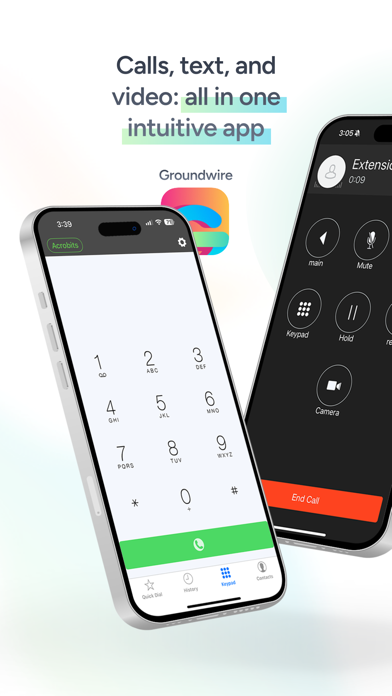
Acrobits, a leader in UCaaS and communication solutions for over 20 years, proudly introduces the Acrobits Groundwire softphone. This top-tier SIP softphone client offers unmatched voice and video call clarity. A softphone designed for both personal and professional use, it seamlessly integrates quality communication with an intuitive interface.
IMPORTANT, PLEASE READ
Groundwire is a SIP Client, not a VoIP service. You must have service with a VoIP provider or PBX that supports use on a standard SIP client to use it.
Choosing the Best Softphone App
Experience robust communication with a leading SIP softphone application. Preconfigured for major VoIP providers, this softphone app guarantees high-quality, secure, and intuitive calling. Perfect for maintaining connections with friends, family, and colleagues, maximizing all aspects of your VoIP experience.
Key Features of the SIP Softphone
- Exceptional Audio Quality: Enjoy crystal clear audio with support for multiple formats including Opus and G.729.
- HD Video Calls: Conduct up to 720p HD video calls, supported by H.264 and VP8.
- Robust Security: Our SIP softphone app ensures private conversations with military-grade encryption.
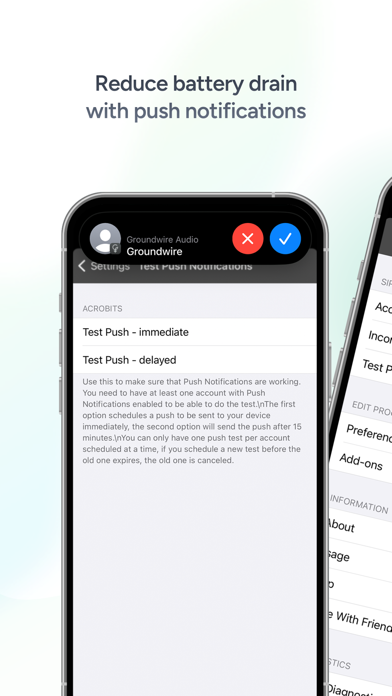
- Battery Efficiency: Thanks to our efficient push notifications, you can stay connected with minimal battery drain.
- Seamless Call Transition: Our VoIP dialer smoothly switches between WiFi and data plans during calls.
- Softphone Customization: Tailor your SIP settings, UI, and ringtones.
- 5G and Multi-Device Support: Ready for the future, compatible with most mobile operating systems.
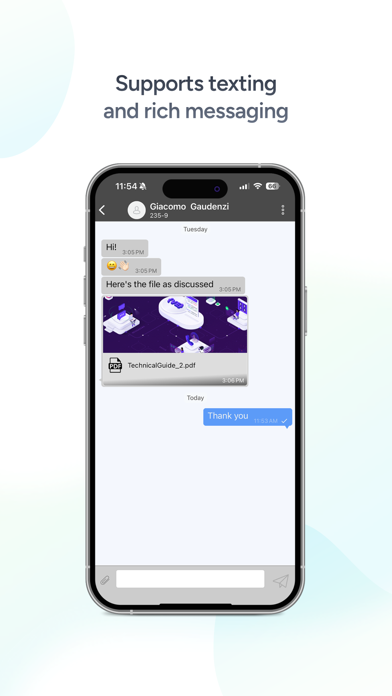
Other features included on this robust app include: instant messaging, attended and unattended transfers, group calls, voicemail, and extensive customization for each SIP account.
More Than Just a VoIP Softphone Dialer
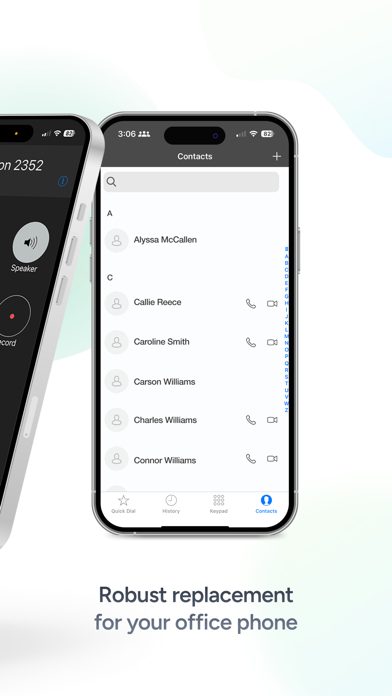
Groundwire softphone offers more than the standard VoIP dialer experience. It’s a comprehensive tool for crystal clear Wi-Fi calling, equipped with robust business VoIP dialer features. It offers a secure and reliable softphone choice with no hidden fees and a one-time cost. Leverage SIP technology for improved call quality. Make this softphone your first choice for dependable, and easy SIP communication.
Download a feature-rich and modern SIP softphone now and be part of a community enjoying the best in voice and SIP calling. Transform your daily communication with our exceptional VoIP softphone app.
Groundwire: VoIP SIP Softphone App Comments & Reviews
Groundwire: VoIP SIP Softphone Positive Reviews
No more transfer?Great product, but since the latest updated the transfer button and attended transfer buttons are no longer available. Is this feature still available?.Version: 5.12.16
Superb SIP softphone; provisioning could use improvementIn a world where software design and development prowess normally does not accompany SIP softphones, this app stands out as a nicely polished utility with great functionality and customizability. Dialing / call interfaces look great; the app pulls well from your contact list; allows you to switch between SIP connections efficiently, etc. All of that said, I had some trouble figuring out provisioning, because certain parts of an XML account node would not do anything; I figured out that when I delete an account entirely and re-provisioned, it would work, but when I had already manually configured some things, provisioning would silently fail to overwrite some things (like title or SIP credentials), but not others (like voicemail number), etc. That was a bit of a struggle, because I shouldn’t have to worry about the state of an account when I try to provision..Version: 5.12.35
Excellent app with a killer featureThis is a great app for family or enterprise use. Great voice quality, flexible options, nice integration with iPhone (and iPad), lovely user interface. And: After some plowing through Acrobits’ wiki and scratching my head a little, I found it supports external provisioning. That’s wonderful: you can set up simple .xml provisioning profiles on a web server (or even in Dropbox’s public web folder) and give your users a click-link that, when clicked on their iDevice, will automatically set this application up. I’ve encouraged Acrobits to improve the description of how to do this, but if I figured it out you probably can too. Really great app, and well worth the small amount of money it costs… especially considering the massive savings VoIP brings! UPDATE: after several years I remain delighted with this app. Call quality, ease of use, iPhone-worthy design... first class stuff..Version: 3.5.7
Definitely one of the better SIP apps for iOSOr actually the best one I’ve tried so far. I’m using this with a VOIP/SIP service that doesn’t have great audio quality, but this app seems to be able to make the sound quality passable for a change. Lots of customizability and options for nerdy customization. One minor complaint: please redesign the app icon to the new Liquid Glass design. It also seems to be larger than other icons in the dock for some reason..Version: 25.2.59
Super reliable free softphoneMigrated to Groundwire when Bria became unnecessarily/unworthingly subscription based, and I am super pleasantly surprised - it offers all of the features that I was using really solidly. What stands out with me is that SIP registration is super stable of all the apps I’ve tried constantly swapping between wifi and mobile connections - critical for an app implementation of SIP like this. Really highly recommend this softphone!.Version: 25.2.67
Best SIP Smartphone AppThis is an updated review. This softphone is one of the best available bar none. Support for IPv6 only registration of SIP servers makes this the best app for casual use and on the go where most cellular networks are IPv6 only with IPv4 as a service. Push notifications can also be set to register on IPv6-only servers through the push notifications settings. With the recent update enabling Groundwire to be used as the default phone app it has quickly become the only phone app I use. Huge appreciation to the developers for continuing to make this one of the best sip softphone apps available on the App Store..Version: 5.12.35
One issueI have been using Groundwire for quite a while and do like it very much. One issue I have is that when calling my Voicemail (*98) the system hangs up. I also use Bria with same config and don’t have the issue. Just could not find any documentation on the issue or possibility of setting changes..Version: 3.8.23
The best Softphone Sips app out thereI was looking for a softphone app to use with my new voip provider, and this was recommended to me. Well what an app it is! There are lots of features including call recording, and what i love is I can have more than one line / provider configured with it! Now I did have some questions / issues and reach out to the developer using there help desk ticket systems and they answer right away and the reply’s were great! Giving me the information I needed to get it sorted! Thanks again guys and keep the great work up! Quality of sound is amazing!.Version: 3.8.11
Works great with a home labI’m using this with an asterisk system at home and it works great. The local push option saves on battery over the other sip phones I’ve used. Highly recommend..Version: 25.3.76
Much better now that call history mass deletion is restoredHandles calls well, Dev is responsive to bug reports and requests..Version: 3.8.6
Long time user impressed with the improvementsThere have been a lot of cosmetic as well as under the hood improvements lately, and I have to say I’m impressed.Version: 5.12.10
Last update bugThe icon shows a number of missed calls or voicemails, doesn’t go away after viewing calls or even deleting all messages and voicemails..Version: 5.12.23
ReliableDoes the job well and I find it quite reliable for several years now.Version: 3.8.2
Fantastic Softphone ClientGroundwire offers more customization than any other mobile soft phone client while delivering and exceptional experience. Works great with our Netsapiens PBX..Version: 3.8.19
New bugHi It is very good app but recently (maybe after upgrade to iOS 12 or updating my app) I have 2 big problem 1) sudden disconnect while talking (without any network problem) 2) transfer not working at most time!.Version: 3.8.6
Problem with vpnThanks for good app.I have problem with vpn(happ) .the sound is one way please fix it.Version: 25.2.60
Best App for Voip/SipGreat number of features that many other SIP/Voip apps don’t have. Very customizable. And their customer service was terrific..Version: 25.2.19
Good AppIt’s a good app, calls are clear and the push feature is excellent but it can be a great app if the few seconds delay of a call connecting can be eliminated, it’s not instant and can be frustrating at times.Version: 3.8.11
Does it allGreat connectivity way better than zoiper.Version: 25.2.19
Contact Search is brokenIn the latest update contact search doesn’t works..Version: 25.2.2
Best VoIP App I've FoundI tried a bunch of VoIP apps to use with our Avaya IP Office phone system. None of the others worked well except for this one. It's reliable and easy to use. The setup takes some time to get used to since it's not the most clear-cut user interface, sometimes having to change settings in multiple spots. My only wish (hence the four star instead of five) is being able to push on a button and re-attempt the connection to the server. For instance, if I launch before I start my VPN to get onto my network, I have to exit out, then re-launch to get it to try to re-connect again. A quick "refresh" of the connection type of button would solve this issue. Still, even with this quirk, it's a solid buy and the best app of its kind in the app store..Version: 2.5.1
This needs an iPad Ui added…Been using this App for years, like more or less since day one. But mostly on an iPad! And after all these years, there‘s still no iPad UI! This software on an (old) iPad makes a great desk phone, particularly in combination with a BT handset or headset. So pretty please, make this a universal app, how hard can it be?🙏🏻.Version: 5.12.18
No textThe app is ok but gets rated down as there is no text feature.Version: 3.8.22
Everything I NeedWow. This app does everything I need. It is nearly perfect. I had the old version, and I was a little nervous about buying it 'cause of the $10 pricetag, but I pulled the trigger, and I was glad I did even then. I was using it with Gvmobile plus to make calls, and it worked pretty well, but sometimes I would have trouble initiating calls. Now, it's perfect for Google Voice. It took me about 5 minutes to set up the Google Voice part. It's a hair counterintuitive, but if you just read and follow the dang instructions, you'll be fine. Now I have zero problems dialing out. I also have no battery issues. I'm using push with a FreeDID account (not Gizmo, which seems pretty buggy to me), and I don't seem to miss calls at all. I'm currently at a location where there is no cell phone service, and this seems to work well over just wifi. The one thing I haven't gotten to work right yet is number rewriting, and I haven't put really any time into it yet, so it'd hardly be fair to complain about that. I'm confident I can get it to work if I fiddle with it a little. The only features I'd like added are Google Voice SMS and GV voicemail, but I'm fine using GVmobile plus for those, as this is mainly a SIP client (a dang good one too), and I see the GV integration as a bonus. Overall, I'm super happy with it. Happy enough to write a decent review on this tiny little keyboard. Oh yeah, to the guy who complained about there being no keypad, and no way to record calls: really? What app are you smoking? Did you even open the app? It has a selection of nice ringtones, and the best onscreen dialpad I've seen, bar none. It has the option to use the keyboard too, if you want to directly dial a SIP address that isn't in your favorites or contacts. Recording calls is pretty dang simple, too. It's the BIG RED BUTTON on the main call screen that is labeled "RECORD". I played with it a bit just for fun, and it works great. Honestly, I have no idea where some of these reviews came from. Give it a shot. It's got to be one of the best ten bucks I've ever spent..Version: 0
Elegant performance, strong supportApple’s built-in Phone app should take a leaf from this elegant software! With “raise-to-speak,” a call is on speaker as long as you hold the phone in front of you, and switches to normal private earpiece when you raise it to your ear, and vice-versa. Finger-sized buttons with preferred contacts’ pictures make calling a breeze. Yes, with great power comes some complexity, with settings scattered all over the place, but there are presets for many providers world-wide (hundreds?), including my American and Italian VoIP providers. If you don’t have a preset, be sure you have ONLY the provider’s supported codecs active, and in their preferred order. Support is spectacularly on-target. Send in a log, and they’ll diagnose the problem and suggest a setting change to get you talking again. Most important, though is performance, where Groundwire shines. Anticipating a trip to Ecuador, I bit the bullet and bought the in-app G.729 codec—costs as much as Groundwire itself, but it provided landline-quality connections throughout the trip. On cellular data, you have to answer incoming calls quickly, though, because by the time the push locates and gets to the iPhone, launches Groundwire, and activates the ringer, the call might have reached enough rings to go to voicemail; often in weak signal areas I have to call back, so I’ve increased the time/rings before VM..Version: 2.5.5
Groundwire vs Bria - ReviewI have extensive background on voip system using asterisk. I have been searching for the best sip application for months and I had basically reduce my choices to Groundwire and Bria. I have been using both clients for more than 3 months and I tested groundwire extensively. I have to say that this client does everything it says (I have no complains); you basically can even tweak any configuration parameter related to your voip connection. Bria on the other hand has a quite basic user interface but also does performs nicely (Although I think this is a good thing for most users). My main concerns on a sip client were: Battery and voice quality.. I have my own asterisk server (asterisk 1.8), so I changed the configuration to support SIP over TCP in order to support background incoming calls with a minimum battery consumption (I don't like the push server option for security reasons). Both clients performed extremely good when using TCP, the expire setting were working properly, although I guess Groundwire performed a little bit better (although the difference is not that big to be noticeable). So, my choice was decided by Voice quality... The first couple of months I only used g711 codecs on both clients, so I did buy the g729 codec to complete my comparison. My test were performed on 3G and Wifi. I have to admit that Bria has *much* better voice quality using the g729 codec (you can actually hear the big different on both ends of your call) although it doesn't means that Groundwire was bad using this codec. Groundwire is a good voip client. Voice quality is "acceptable"; I presume if you are always on a WiFi network you will prefer to choose any of the high-bandwidth codecs. NOTE: Bria is now my main voip client although I also have groundwire installed..Version: 1.6
Great App!!! The Best!!!I wrote a review earlier, giving this a low rating and push and call transfer was not good, but since I deleted the app and reinstall, everything is great. Should hve played with the app a bit more b4 reviewing. Hve not tried over 3G yet, but will update. Great looking app as well. Update: App just got better with integrating Google Voice, now I can call directly from the app. Still haven't done testing over 3G, but I will update when I do. Will give it 5 stars if 3G works well. Update again: 3G is pretty good, still have a delay at times, but no one seem to fix that delay problem. Make a G.2000 codec to fix delays, lol, but I gave it 5 stars now.Version: 0
Truly ExcellentGroundwire has effectively replaced both my work and home office Polycom phones. Background operation using TCP is fast and flawless, sound quality is completely excellent, and the experience in general is as good as, when it's not better than, any hardphone I've used. I was originally peeved at having to buy new software after having spent $18 on the original Softphone, but this is the real deal. I've already sold a fellow iPhone user in the office on it's merits, and in two days it's replaced his Polycom IP650HD for everyday use. Excellent app..Version: 0
SuperbAfter trying many other iSip and iPico and other sip client, this software without any doubt is the best, it has great High resolution UI, reliable and friendly interface, advance settings, all codecs support, tls sips and udp support!!! Real background working and extremely usable and robus with my company secure and insecure sip servers!!! It's really deserves every cent I paid for and for the codec and I highly recommend it! Don't waist your time with other client this one is way better!.Version: 0
Works well, but needs rebrandingThis app works fine with VoIP.ms service (although I had to turn secure calling on over TLS and fiddle with the CallerID settings for it to work with outgoing calls), but it looks dated with the old colour treatment and logo. Is a rebrand coming? Also, a responsive design for iPad would be much appreciated. Other softphone app publishers are already embracing the iPad. And can you explain the need for data collection when other SIP softphones apps don’t need it to operate?.Version: 3.8.30
Works great with VOIP.msI’ve been using this for about a year and I’m satisfied. I really do think the UI should get a refresh though..Version: 3.8.37
Great for multiple lines and texting!I have a couple phone line setup with VoIP.ms, which also supports texting. The Groundwire app is great as it allows me to switch between lines easily, and also send and receive texts from those lines too! Only slight challenge I’ve had is related to speaker phone kicking off when the screen goes to sleep while on a call. It’s minor, and I’ve reported it. Great app! If you have a voip line, don’t cheap out, use this full featured app!.Version: 3.8.19
Best SIP client by farI have tried many Sip clients I and the quality, features, and convenience of Groundwire is by far ahead of anything else. Have been using it daily for more than 2 years now and the only complaint is that they don’t make a desktop version of the same app (for Mac)..Version: 3.6
Awesome Soft Phone, Awesome SupportI like everything about the GroundWire softphone app, I’m a true power user and use just about every feature, auto provision, web push, fetch, media upload of messages, etc. everything works great! Finally I’m not annoyed :).Version: 25.3.89
Best VOIP app. Ugliest icon ever.No qualms with the app - it's great. What's the deal with that icon, though? Please provide the ability to revert back to the original icon. Pastel ain't for everyone....Version: 25.2.2
Text messages are terrible voice is fineI always big message cut into multiple pieces, that would be fine id they weren’t in order. I need to try to piece together a puzzle everytime I try to read big messages. My provider is voip.ms.Version: 5.13.38
I use Groundwire + VOIP.MS and both work fantastically togetherHave been using for years and it’s great.Version: 5.13.37
Great app incredible supportI’ve been very happy with the app. The support is top notch..Version: 5.12.35
Dark modeWorks very good. Just wishing it could support dark mode or at least have a dark theme or dark image to choose from..Version: 5.12.33
Has more features than most VOIP appsAfter trying Bria Solo and then Bria Mobile, I still was not getting any incoming calls despite a port change as recommended by VoIP.ms. I downloaded Groundwire and it worked within a few minute’s setup. That alone made it worth the cost as I spent hours trying to get Bria to work. One thing I’ve noted is that even though I’ve set a ring tone that’s different than the default, incoming calls still use the default setting. Have restarted the app and the phone but despite Groundwire showing I’ve chosen a different tone, it’s still using the annoying default (loud old telephone) tone. Hopefully the developers have a solution. Great app otherwise. Follow-up: Once I submitted a support ticket, Devs were quick to respond. I didn’t change anything on my settings for the ringtone but after a few days, it is now remembering the one I selected. Thanks!.Version: 5.10.15
Since update having troublesI’ve used this for a year and other than conflict with my vpn( which I shut off when sending message/calls). It ran very well. I even used it in another country. Since the recent update I’ve had nothing but troubles. Tech service seems to want blame my vpn but I always shut off to send a msg ( incoming works fine). Not happy with the support on this app.Version: 5.10.15
WorksWorks better than anything else I’ve tried. Keep the code nice and small, fast and clean. That’s what I paid for. If you want to add some big fancy features do it with plugins. The price is a tiny bit steep but I know it works, so I don’t mind buying an app that works. I don’t like buying plugins on top of that, feels kinda lame and cheap, but meh. Just work on keeping the app as lean and clean and fast as possible. Optimization..Version: 5.9.68
RicoOk first this app just works. It connects when you turn the phone on and doesn’t drop service or calls don’t come in. My experience with it - it’s SUPER reliable. If your a business owner and want a mobile trunk for when you leave the office. This is bang on and literally I could just use this and not have a dedicated office phone it’s that good. Yeah the interface is dated but my first and primary requirement is that I get my lead calls and make calls without it dropping or having horrible quality. Honestly I can’t shut up about it. The recording is super important to prove customers said something they are denying later or problematic customers. It just has everything you would expect in a sip desktop phone. I use a iPhone and my voip provider is voicemeup and it is absolutely a rock solid reliable setup..Version: 3.8.48
Update the version to work with iOS 16.6It still works on my old iPhone with iOS 15.7.6 but doesn’t work on iOS 16.6 Will appreciate you patch the app..Version: 3.8.48
Fantastic !!Been using SiP phone at home since 2 years… transfered it to cell phone and so far so good !!Many thanks for this reliable application !!! Works perfectly !!!.Version: 3.8.37
Bluetooth issues resolvedThe app works fine on an iphone. I would not use any other app than this one as it has a great intregration with callkit Some issues with bluetooth. Could be apple or them. That’s why 4 stars..Version: 3.8.22
Best VoIP app I’ve usedYes, you have to pay for this one but it is worth it. I use it with VOIP.ms and it works very well. Reliable, doesn’t chew a lot of battery in the background.Version: 3.8.34
Good outgoing, unreliable incomingThis used to be one of the best apps that I have found for the iPhone. Some of its options are arcane but help is quick and useful. However, recent versions have become unreliable with incoming calls..Version: 3.8.30
ReviewApp stable functionality is great. Push notification is works well. Wish list: add support for car play..Version: 3.8.27
QuickdialOne of the latest updates just erased my quickdial list. can someone look at this to prevent it to happen in next updates?.Version: 3.8.26
The Callkit works pretty good on old iPhones but not iPhone 12 ProI bought both softphone and Groundwire. Both of them announced that they support Apple Callkit. But actually this function only works on old iPhones. I upgraded my iPhone to 12pro recently and the Callkit doesn’t work anymore. It’s still the coolest app in class though. Hopefully the developers will add Callkit support for 12pro soon..Version: 3.8.24
Flawless, tried numerous other apps, this is the best! Worth the cost!Thank you for creating an amazing VOIP app on iOS. Have tried many others, this is by far the best. Works flawlessly, maintaining connections through cellular, wifi and low signal environments. Push notifications always work in real time and callkit support has no noticeable change in battery life. Love the ability to force different codecs for wifi and mobile. SMS functionality works well, albeit with a short (<15 second) delay that may be due to my provider. Support responded quickly and on point to any requests. Highly recommend, worth the cost..Version: 3.8.24
Good app but lacks featuresI like this app, convenient and well organized but I wish there was an Apple Watch companion app in order to receive the notification of the incoming calls live, instead of a post-call missed call notification.Version: 3.8.23
Great, only one quirkMy only issue is that sometimes you will not receive notifications for SIP/SIMPLE messages if the app is alive on your phone. You have to swipe the app off the App Switcher (completely close the app) or you won’t get the push notifications. Everything else works well..Version: 3.8.16
Best SIP app out thereI tried a bunch, and no other one is a seamless as this one. Great App. Well done!.Version: 3.8.19
Voip.ms works fantasticI’ve tried any SIP apps. This is the most reliable. Use it often to make and receive calls. Most apps can make call but few can reliably receive call. Ground wire works great. Another review says it does not work on Voip,ms. It definitely does..Version: 3.8.18
Best VoIP appI use this with voip.ms and ditched my voice plan 3 years ago. It's super customizable. Acrobits, PLEASE add basic iPad support. On my landscape iPad, forced portrait mode (typical of iPhone-only apps) is brutal. I'd love to use Groundwire in split-view and slideover view. Even if full screen was a big waste space, please add this. Thank you!.Version: 3.8.11
+1 for great app with VOIP.msI also used VOIP.ms with this app and it works flawlessly and reliably. I’ve tried a few alternatives but this app is golden. I love the fact that it is so customizable and supports all types of secure calling. VOIP.ms recently enabled SRTP encryption via TLS and within a few taps I got this app to work with it. No hassle. This app makes VOIP calling and saving money possible! Keep it up Acrobits!.Version: 3.8.13
OMGIt is the best! Totally worth it! You won’t regret it! 👍🤩.Version: 3.8.13
3/5So three major things wrong. 1) My phone doesn't vibrate when it's on silent and a call comes through via SIP account. Not helpful when I get a notification that I missed a call because my phone didn't ring. 2) DND should be per account, not universal! 3) This app has the most awful ringtones I've ever heard!! Seriously, fix this garbage in the next release!.Version: 3.5.3
My company loves itGreat app, works like a charm.Version: 3.8.11
Best iOS SIP appThis is easily the best SIP app on iOS that supports push..Version: 3.8.2
Très bonne application pour la téléphonie voipTrès bonne application. Permet d'utiliser facilement la téléphonie voip comme si c'était l'application native. Seule critique. L'icône est vraiment "pas rapport". Un téléphone serait plus représentative. Bravo!.Version: 3.5
Just worksI use this with VOIP.ms, it works great. Not sure how SMS is supposed to work, but still a well built application that doesn't waste you time..Version: 3.2.1
Free International Money Transfer 💸Enjoy high maximum transfers into more than 20 currencies while saving up to 90% over local banks! The cheap, fast way to send money abroad. Free transfer up to 500 USD!Version: 25.3.89