System Activity Monitors Customer ServiceTekton Technologies (P) Ltd.

System Activity Monitors Customer Service

  1. System Activity Monitors Customer Service
  2. System Activity Monitors App Comments & Reviews (2026)
  3. System Activity Monitors iPhone Images
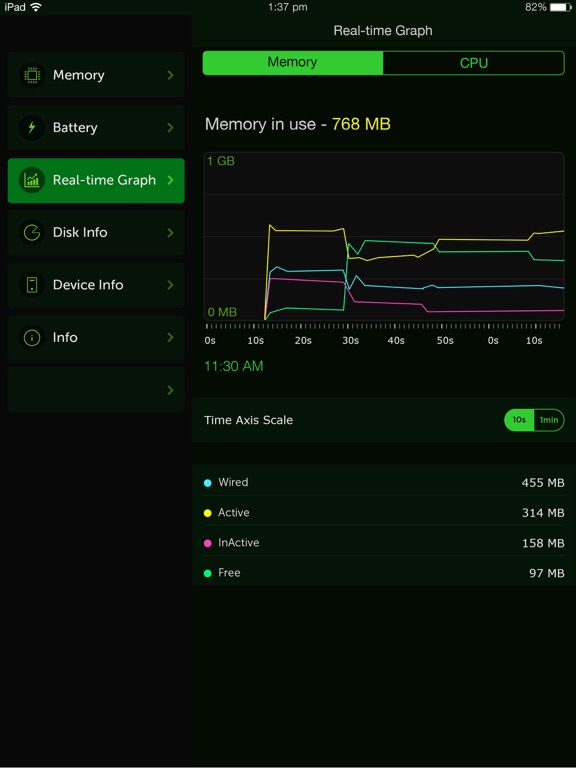
  4. System Activity Monitors iPad Images

The System Activity Monitor stands out as the most inclusive health check application available on the App Store. It diligently tracks memory usage, battery performance, device details such as IP address and hardware address, provides battery tips, furnishes comprehensive system information, and indicates used space on your iOS device.

Now, it comes with enhanced camera information, offering detailed insights into your iPhone camera system, covering telephoto, wide, and ultra-wide lenses.

This app serves as a precise tool to monitor battery life, delivering timely tips that maximize your battery usage for an optimal and prolonged battery life.


KEY FEATURES:

1. Battery tips are shown to help save battery life while using the iPhone.

2. Tap battery to see the battery capacity for your favorite apps.

3. Shows the used and free space on your iPhone/iPod.

4. Shows the IP address acquired, and hardware address of your device.

5. Displays a long list of device information, like physical specs, hardware info, and many more.


These are the different views on the App.

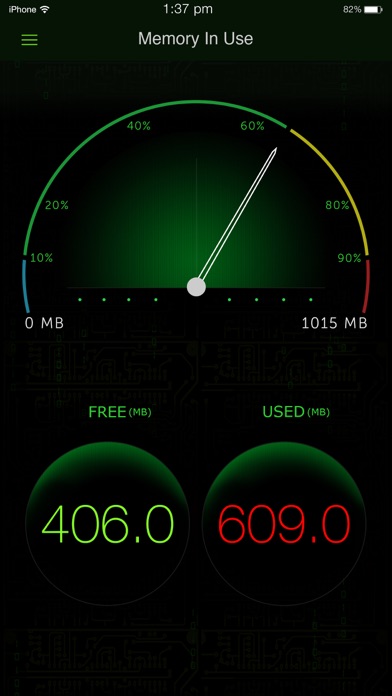
Memory view:

Shows the used and free iPhone memory available as used by other apps. This is shown in an excellent speedometer animation view. Close out the other apps, and see the memory being reclaimed in this app, when the speedometer shows the free memory available increase.

This has an LED indicator with blue, green, yellow and red colors indicating the amount of memory being used.

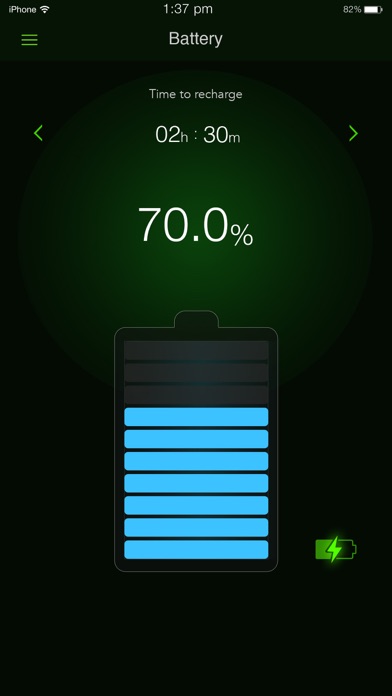
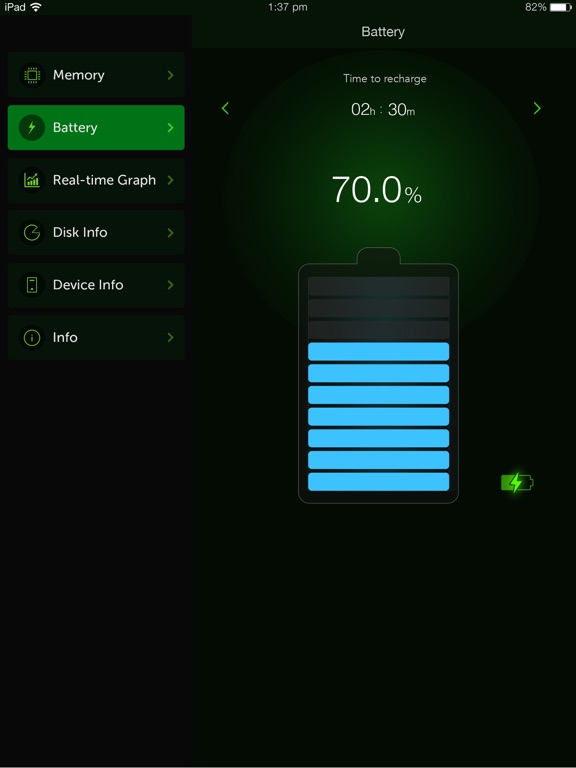
Battery view:

This view shows the battery available for discharge, how much time to recharge to make it full, and when it is charged to FULL, displays an indication, as "FULLY CHARGED", as opposed to quick charge. It has glow panels on the top to let you know, how much battery is available.

Tap the battery on the fill, to show the detailed break up of battery availability for 3G talk time, browsing, videos, games etc.

Animated battery charging with current flashes inside the battery.


Space used view:

This is shown as a pie-chart that presents the used and free space available on your iOS device.


Info view:

Now it shows a lot more device information, like system information, camera information, display, hardware and physical characteristics. It shows whether you device is connected to Wi-Fi or cellular and its IP address.

## Few of our user TESTIMONIALS ##
$ Way cool
This is a terrific system tracker.
- Macquest

$ Definitely get this App.!
Love the cool dashboard. Tells you what's going on in the Apple brain in your iPad or iPhone. This App rules.
- Battyguy

$ Simple App !
Great tool! Helps to keep your standby time ridiculously long and device running smoothly.
- Spader1969.

$ I have tried many products like this one and so far I keep coming back to this one.
- Markeith3000

Subscription Info

Sysmon, our paid subscription product, is paid per year for annual subscriptions, per month for monthly subscriptions, and per week for weekly subscriptions.

Payment will be charged to iTunes Account at confirmation of purchase.

Subscription automatically renews unless auto-renew is turned off at least 24 hours before the end of the current period.

Account will be charged for renewal within 24 hours prior to the end of the current period an annual subscription, monthly subscription, and weekly subscription, as the case may be.

Subscriptions may be managed by the user and auto-renewal may be turned off by going to the user's Account Settings after purchase

Any unused portion of a free trial period, if offered, will be forfeited when the user purchases a subscription, where applicable.”

Privacy policy and terms of use

https://tektontek.com/termsofuse.php

STAY UPDATED -

Website - https://sysmon.tektontek.com
Twitter - @AppLifeStyle
Facebook - facebook.com/tektontek

System Activity Monitors App Comments & Reviews

System Activity Monitors Positive Reviews

Does what it saysOf course that isn’t everything you may want in an app that is made so your devices battery doesn’t get fried when your just trying to recharge it as needed, more memory monitors and tips that give you the best way to store data, when to turn off your Bluetooth or Wi-Fi to save battery. These recharging apps need to monitor everything that affects the battery life and charging too….Version: 3.13

A MUST FOR ALLFinally, an app I downloaded that was definitely more than worth the effort taken to download. This provides a wealth of useful information for those that need to, or would like to know, more information about their phones, & the inner workings. I can’t think of anything that wasn’t thought of, or included in this app. It just might be the most useful app I have. If not number one, it is easily in my top five out of the sixty-odd apps I currently have! Bill~.Version: 3.7.1

Excellent App for Non-TechieSo not everyone uses apps are techie. This app does a great job showing many information about the system in one place. I asked my other friends to download as well. I wanted to give it 4.5 start as I think no one is perfect..Version: 3.7

Problem in last updateThere is a problem in the last update. I can’t restore or buy to unlock app. It just hangs I was using it with no problems until the last update Hope this helps, John.Version: 3.11

Only if you're concernedThis reminds me of information that was available for technicians while working on PC's. It's great, easy to use and has a lot of information that will help you arrange and become aware of everything about your iPhone/iPad. It's fantastic!.Version: 3.5.4

Fine appThis is a nice app, doing everything what is promised and doing it well. Bad reviews are obviously from people who don't understand how the phone or ios works. F.ex. the phone/ios is supposed to use up almost all the available RAM. Thus it runs smoothly..Version: 3.8

Great For Troubleshooting!I have been to the Apple Store and to outside vendors. No one could explain why my battery life was so bad. But this little tool gave me exactly the kind of feedback that I needed to keep everything humming along as it should. Thank you!.Version: 3.5.4

ChefBest app for iPhone users. I could monitor my battery and when it’s time to recharge. It also give you some tips on how to save battery and and get rid of useless app and pictures to save memory space..Version: 3.6

Self-explanitoryTells you your system details in a super simple but still good-looking app. Really easy to use and has some good tips. It's like a downloadable wikipedia page on your phone model but more personal..Version: 3.5.4

Excellent appI was looking for a good utilities app to work with my iPhone 12 Pro Max this gives me all the information I need about my iPhone and how everything is functioning I’m very happy with it keep up the good work.Version: 3.9

Great AppBeautifully designed app. Works great on my new iPhone 11 Pro Max. Please add a feature that will allow customer to change background color from black to other colors like white or blue or yellow and so on..Version: 3.7.2

Very accurate!OK, i’ve had many battery apps but change up every so often to compare. I have the pro version of this one and it is nice, all the info I need and simple to use. Appears quite accurate 👍🏽!.Version: 3.7.2

Every single timeI open this I get a pop-up to allow notifications. Other than that it works okay..Version: 3.13

Love it!Perfectly simple, easy to use AND understand. You can see quickly how to increase memory, speed with basic adjustments..Version: 3.6

SweetNice getting all the info in the same place about the phone, without going to 10 different places to obtain it..Version: 3.5.4

Not badI’m not geek enough to understand most of the potential of this application, so what I’ve got gets me answers to the newbie questions I have..Version: 3.10

SYSTEM CHECKInformative app. learn about your device. money well spent. Also, I enjoy the real time graphics ( .99 $ ).Version: 3.5.4

ReviewA simple program that provides me a easy check about the status of my phone. Nice coding....Version: 3.7.1

Nice app to monitor resourcesI’m on an iPhone 6 so this is very handy to see your smart phone details. Also nice to monitor memory usage for gaming. ; ).Version: 3.7.1

Pleasantly surprised by this appIt looks and works smoother than I expected, and provides decent insight into phone functions..Version: 3.6

Cool but what is Kindle Reader in battery usage?I don’t have Kindle Reader, is it referring to something more general?.Version: 3.7.2

Thank you creator for respecting privacy and not being stalker like most appsAwesome works great.Version: 3.15

Simple appWell designed interface.Version: 3.7.1

Works wellProvides unique 3-D graphics..Version: 3.12

Nice and informativeVery nice design and informative app. Random tips are also useful. Thank you !.Version: 3.5.4

Excellent Interface - Excellent UtilityWonderful design! I wish they would add a "widget" function..Version: 3.7.1

UsefulVery nice app and provides lots of useful information..Version: 3.7.1

CoolIt doesn’t show my ip information please update.Version: 3.6

Top of the XlassIn the realm of free apps, System Max can't be outdone for it's performance as a function monitor.Version: 3.5.4

Fair appThe App is great for showing the stats of your system but doesn't show you what apps are slowing your system down..Version: 3.5.4

CoolBy the way thing look I'm keeping it.Version: 3.5.4

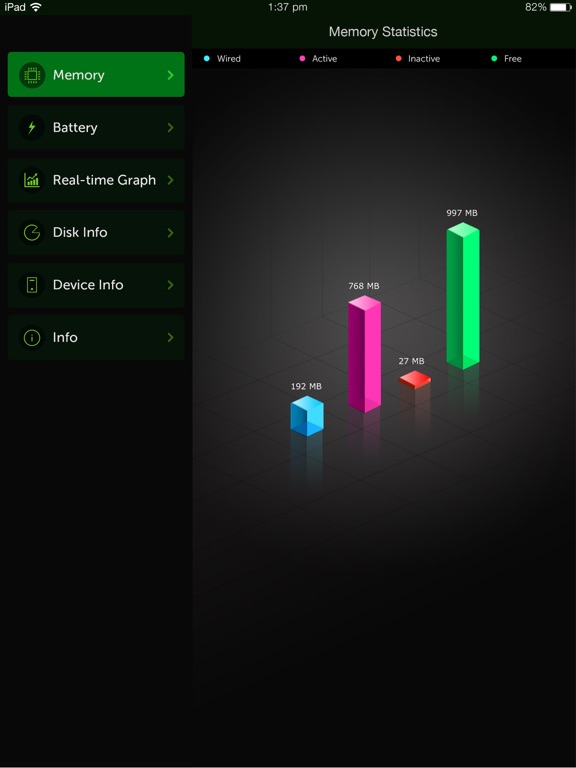
Add tech detailsIt would be great to have technical details as to what is being shown and what it means right in the app so one doesn’t need to google. Is less or more of something better or worse? Example would be what is wired memory - the others are self explanatory. Apple Pencil battery info would be nice. Maybe there isn’t much more to offer over what Apple already does but having one good performance utility would be nice. So many apps needed when there should be one good app..Version: 3.6

Could be a bit betterI see there’s no check my cloud drives ; or even last check done amount , needs be added an get those five stars .. GEO Thanks bye ...Version: 3.8

System maxTrès bonne application.Version: 3.7.1

ReviewGreat app , has all you need in one app , Up to the moment real time results . L.T. Foy.Version: 3.7

Surprenant utilitaireFourni bcp d'infos, pas toujours pertinentes.Version: 3.5.4

System Activity Monitor.Informative assistive and good. And most helpful..Version: 3.6

Great AppValid and up to date information.Version: 3.5.2

Awesome AppEverything you need to know about background power consumption and great battery saving tips to add great value. Thanks Developers!!!.Version: 3.5.4

Very handyLike it.Version: 2.2

Awesome! Really helpful!I love it!.Version: 3.4

Great appVery accurate as well as graphics stunning great app overall will recommend to anyone.Version: 3.2

Great AppDoes a great job of presenting the system details. Best of all it is free and ad free (which is very much appreciated)..Version: 3.1

Works GreatNice simple interface and all functions are useful.Version: 3.0

Really good!This app provides you with the information you need to free up ram and get rid of apps you don't use and take up memory and energy..Version: 2.4

Very cool UIIt's quite the informative app. giving lots of information & detail. Very helpful and handy for my 4S..Version: 2.2

Must haveMakes my 16G work more efficient.Version: 2.2

InsightfulI quite like having in depth data for tech gadgets and this app delivers..Version: 2.2

AppGreat app, does what I want..Version: 2.2

Pretty coolNice app.Version: 2.2

Excellent App!Does what it claims to do..Version: 2.2

AwsomeLike the app alot.Version: 2.2

FantasticOne of the best apps I ever downloaded. Everything you need to know about your phone with one touch..Version: 2.2

ServicesThis services is wonderful ti use ! Plan to tell all my friend's .Check it out Have a happy day".Version: 2.2

GuaymicTrès utile !!.Version: 2.0

GreatLove this app let's me know when my phone was too many app running and has no memory left this keeps everything renaming in the green thanks for the app good job..Version: 2.2

Simple, effective and freeUnfortunately, despite iOS's promise of multitasking that just works, my 3GS frequently runs low on memory causing the current application to crash. This app allows me to quickly free up my phone's memory, preventing annoying crashes and giving new life to my aging phone. Thanks..Version: 2.2

What's the fussIt's identical to all the other similar apps, just with more special effects. Only advantage it has is the price..Version: 2.2

AwsomeIt rocks.Version: 2.2

Best app so far for looking inside your iOS deviceVery nice so far, hope they continue to enhance.Version: 2.0

Very usefulEspecially the ram meter.Version: 2.0

Mr Ma TThe indication of free memory is not of that much use because OS takes of low mem when more memory is needed.Version: 2.0

WickedSupercool.Version: 2.0

GreatVery useful.Version: 2.0

Good Solid AppI would like to see the facility to kill processes, not just look at them..Version: 1.9

Handy App!Enjoy this easy to use simple App. Gives you straight forward info about your device's capacity, battery etc..Version: 1.8

System MaxVery handy app. User friendly with lots of relevant info. J.J..Version: 1.9

Nice appIt's just a nice handy little app.Version: 1.8

System maxLove it!!.Version: 1.8

Great App!Nice to be able to check the last 'login' time..Version: 1.8

Great AppVery useful. I love it.Version: 1.8

TRES UTILE MERCIEnfin je sais tout de mon iPod d'un coup d'oeil..Version: 1.8

WOWI just love this app.Version: 1.8

Free International Money Transfer 💸Enjoy high maximum transfers into more than 20 currencies while saving up to 90% over local banks! The cheap, fast way to send money abroad. Free transfer up to 500 USD!AdvertorialVersion: 4.0.9


What do you think System Activity Monitors ios app? Can you share your thoughts and app experiences with other peoples?

Please wait! Facebook comments loading...

System Activity Monitors iPhone Images
  • System Activity Monitors iPhone image 1
  • System Activity Monitors iPhone image 2
  • System Activity Monitors iPhone image 3
  • System Activity Monitors iPhone image 4
System Activity Monitors iPad Images
  • System Activity Monitors iPad image 1
  • System Activity Monitors iPad image 2
  • System Activity Monitors iPad image 3
  • System Activity Monitors iPad image 4