Savage Interactive Pty Ltd
Procreate Customer Service

Loved by creative professionals and aspiring artists alike, Procreate is the leading creative application made for iPad.
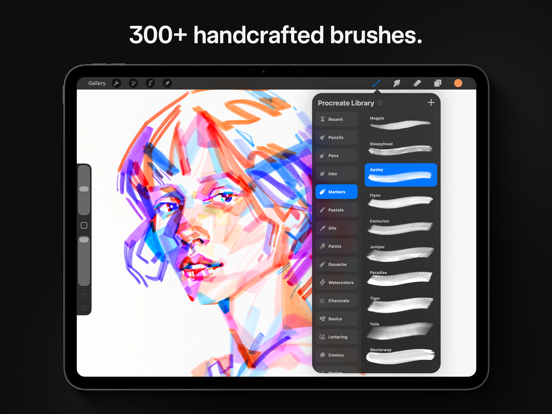
Procreate has everything you need to create expressive sketches, rich paintings, gorgeous illustrations, and beautiful animations. Offering 100s of handmade brushes, a suite of industry-leading artistic tools, an advanced layer system, and the powerful Valkyrie graphics engine.
It’s a complete art studio you can take anywhere.
Highlights:
- High resolution canvases — up to 16k by 8k on compatible iPad Pros
- Beautifully intuitive interface made for iPad and Apple Pencil
- Revolutionary QuickShape feature for perfect shapes
- Smooth and responsive smudge sampling
- 3D Painting with Lighting Studio, exportable as models, images, or animations
- Powered by Valkyrie, the lightning-fast 64-bit painting engine
- Speed up your workflow with keyboard shortcuts
- Create art in stunning 64-bit color
- Continuous auto-save — never lose work again
Breakthrough brushes:
- Packed with hundreds of beautifully crafted brushes
- Organize your brushes into sets and libraries
- Add Metallic and Roughness for painting in 3D
- Brush Studio — with over 100 customizable settings
- Import and export custom Procreate brushes
- Import Adobe® Photoshop® brushes, and run them faster than Photoshop®
Full-featured layering system:
- Layer your art for precise control over details and composition
- Create Layer Masks and Clipping Masks for non-destructive editing
- Stay organized by combining layers into Groups
- Select multiple layers to move or Transform objects simultaneously
- Access over 25 layer blend modes for industry-grade compositing
Color without compromise:
- Fill your line work with ColorDrop and SwatchDrop
- Disc, Classic, Harmony, Value, and Palette color panels
- Import color profiles for color matching
- Assign Color Dynamics to any brush
Precision design tools:
- Add vector text to your illustrations
- Easily import all your favorite fonts
- Crop and resize your canvas for perfect composition
- Perspective, Isometric, 2D, and Symmetry visual guides
- Drawing Assist perfects your strokes in real time
- StreamLine and stabilization smooths strokes for beautiful calligraphy and expert inking
- Use Scribble to name layers, change settings, and create text
Accessibility features:
- Advanced stroke stabilization
- Dynamic Type, VoiceOver, and Feedback Sounds
- Assignable single-touch gestures
- Color naming
Animation and Page Assist
- Easy frame-by-frame animation with customizable onion skinning
- Create storyboards, GIFs, animatics, and simple animations
- Sketch page-by-page concepts or begin a comic with Page Assist
- Import, edit, and share PDFs
Dramatic finishing effects:
- Brush in image adjustments and effects with Apple Pencil
- Glitch, Chromatic Aberration, Bloom, Noise, and Halftone add new dimensions to your work
- Gaussian, Motion, and Perspective Blur filters create depth and movement
- Powerful image adjustments including Color Balance, Curves, HSB, and Gradient Map
- Bring your art to life with the fun, intuitive, and creative Warp, Symmetry, and Liquify Dynamics
Time-lapse replay
- Relive your creative journey with Procreate’s Time-lapse Replay
- Export your Time-lapse recording in 4K for high-quality video production
- Share a shorter 30-second Time-lapse on your socials
Import assets and share your creations:
- Import or export your art as Adobe® Photoshop® PSD files
- Import Adobe® ASE and ACO Color Palettes
- Import image files such as JPG, PNG, and TIFF
- Export your working files in layered .procreate or PSD file formats
- Share your art as TIFF, transparent PNG, multi-page PDF, web-ready JPEG, OBJ, USDZ, and animated GIFs, PNGs, and MP4s
Procreate App Comments & Reviews
Procreate Positive Reviews
Plz fix bugs, add a text tool and shape toolThis is the superior digital art program for iPad, but it’s missing a few fundamental features that nearly all others have to offer! I have to edit my comic pages in another app for text and speech bubbles. I would like to shortcut this step by just having a complete app. Give me proper shape tools and text tools! Selection is too much of a hassle and the auto shape function doesn’t create perfect shapes about 80 percent of the time. Though it’s a handy tool, I want a conventional shape tool as well. Secondly, the app has been acting really weird on me lately. When I open the app, it opens a completely random file as opposed to opening me up to the main selection menu. That is annoying, but doesn’t prevent me from using the app unlike this next one. When I add a new layer, the app freezes up and crashes. And I’m not using an excessive amount of layers, the resolution is small too. Sometimes when I’m switching from eraser back to pen or changing layers, my pen size suddenly gets ginormous. I have to undo the line and then do a scribble to fix it. It’s extremely annoying. Not very much of an inconvenience until it happens frequently enough for me to notice, and I just wish it would end bc I must have wasted accumulated hours just scribbling to fix the pen back to its proper size. The app didn’t always treat me this way, so I’m not sure what changed. But I want it to work as seamlessly as it did almost a year ago..Version: 5.2.8
Please make an account system! READ PLZ ‼️Listen, I absolutely love this app, it doesn't become extremely laggy at times, and it's just overall great, I could say a lot, but WHAT I REALLY WISH was in this app that would make it an amazing 10/10 is like an Account System! I've seen many artists lose their beloved art pieces because either they couldn't do backup with like iCloud or like their drawing device probably broke or whatever. Backup process could be extremely difficult to do especially when you have NO STORAGE to save anything! Listen, I would've bought more storage but I'm still a minor and obviously can't really do that. but, listen it would just really make everything so much more amazing and just relieving if there was a way to make an account so then it could save all artwork, and if you get a new device, you can log right in and receive your artwork back again without any issues. Again, I absolutely love your app, I've been using it for about three years maybe or two! But sadly I've had to delete a year worth of artwork because of this storage or backup issues, I was worrying about losing my artwork and trying to do the backup thing and only to come to a sad conclusion that I really deleted the artwork for no reason at all, I absolutely hate the 5gb iCloud does, but oh MY GODDDD I would much Appreciate it if you read this! 💗 I would greatly appreciate it too if you do actually make an account system, much appreciated! :) (please 😭).Version: 5.3.15
A pretty solid app for any skill rangeI’ve been using procreate for a few months now, and overall it’s been an amazing platform, and I tried out probably 10+ different drawing apps to see which ones worked the best for me, so this app really tops them all. I can’t say I really have too many complaints other than small nitpicks. But heres some smaller things that I would really love to see on this app- I think it would be very beneficial if there could be a slider/more customization for the paint bucket tool specifically, to change the fill rate and opacity, maybe the texture of the fill-in, and all that jazz. as for the animation, I have two suggestions, think it would be very nice if you could make the layers set up into “frames” rather than just layers, because if you add more than like 3 “frames”, even if you’ve made each frame into a group, it turns into hellfire and makes my brain hurt. another thing- and this ones my biggest complaint about the animation feature, I reeeaaallllyyy wish you could add/insert sound into the app, combined with all of this app’s other amazing features it would be awesome for animatics/animations/etc and the inability to add sound is one of that potential downfalls for that. Besides that I have been very happy with this app and it has caused me to be able to open commissions and hopefully someday make a living off of what I love, so thank you for all of the effort and care you’ve put into this app so far and I am so excited to see where it will go in the future!.Version: 5.1.8
It’s wonderful!I love Procreate so much, having a iPad Pro with a Apple Pencil works so well with this app, the price is worth buying it. Tbh I stop using my laptop for drawing since the drawing and painting feels so natural and smooth though sometimes when I try to use the short cuts it won’t work other than that it’s works like a charm. There are some things that could be worked on, color picking a color from a reference or from the color wheel isn’t the exactly what it should look like while painting with it, it’s a little bit off, though It’s not noticeable at first (it’s not a big problem at all it just something I’ve noticed while using Procreate over the years) and now the blending tool, the blending tool can be really good but sometimes the blending tool can be frustrating to work with and sometimes while blending it makes the color muddy or won’t give a nice type a texture, I know sometimes it can be what brush you use for the blending tool. It would be nice to get a better version of it, also it might be a bug or something but when I leave a painting and go back I lose some of the progress of the painting and I haft to redo what I’ve already done. Other than those small details this is the best app for everyone it’s easy to use, you can create masterpieces with it, I wouldn’t go to another drawing app, I would say THIS is a app that you should try out. Everyone from 3 to 90 years old can use this app. It’s the best app out there just get it try it out !!!!!!.Version: 4.0.10
Genuinely satisfiedI am genuinely and truly happy with procreate. I don’t announce my appreciation for things very often but I will try to more often. It has assisted me with my mobile art set up for years and I am always using it either for main projects or supplementing. I love it for sketches , storyboards, and illustrations. I deeply appreciate that it is one time purchase, so many companies who were doing just fine with one time purchase continually remove the option to nickel and dime their userbase (of whom don’t get my money! I have gladly dropped programs for LESS.) but this and the integrity, utility, and growth procreate has given us in all its years has made me, well, genuinely grateful. I love page assist and the animation feature. I’m a button girly, I don’t do gestures much so i appreciate the menus and drop downs. Do I have some issues with this program- absolutely. I wish import images kept quality when I moved them, I wish I could get the square shape right, I wish I could use more layers cus I can only make short comics with procreate alone. I wish the text feature was more like clips in that all text works in one layer. Fill is ridiculously sensitive, gif forbid I have any gals between my linework and it doesn’t reference multiple layers like other programs do. Making blocking a pain sometime. But what program is perfect? Procreate is one of the few that gets very close to perfect and next to just right. So thank you creators or procreate ,you have made me genuinely happy and i appreciate it..Version: 5.4.8
Magical App and a go-to for my Creative Director husbandThis app is the only one my husband uses as Creative Director for a very successful, exploding social platform. His art has been a big factor in the success of the company…in the words of the CEO/Founder, with whom he is good friends. He has become buddies with some very famous people through that platform; much of those online interactions have begun through his artwork. (He has also gotten to know some celebrities by arguing with them, 😂 He has gotten into online “wars” with very famous people on his social platform and others. It blows my mind! Imagine fighting with a celebrity! These battles sometimes go on and on, because it turns out they are as equally hard-headed as my husband 🤣 He sometimes wins them over, and they end up friending each other like something out of flipping Forrest Gump. He has formed creative partnerships with some people you would not believe. Procreate is part of this! Oh, btw side note: I have to say here that one celebrity, a really likable one, was a friend of my hubby’s on Twitter. My hubby Tweeted something on there from his own head that was hilarious and popular. Three days after that, this aforementioned celebrity copied it word-for-word in a Tweet. It immediately went viral and was quoted in different places in the media. While my hubby wasn’t thrilled about it, he viewed it as a compliment and was like, oh well. He is so laid back. I, however, was indignant about it. 😂.Version: 5.2.6
Usually not an Apple fan, but…I’ve used clip studio on my surface pro for around two years, and it never felt ‘intuitive’ to me. Sure, I learned all of the bells and whistles, but my workflow felt consistently stunted by having to reach for the keyboard in-between steps. It made me feel frustrated, like I couldn’t achieve what all of my favorite artists were doing since they found their mysterious rhythm while I was still ctrl-zing the same line 1000 times. I heard good things about Procreate’s creative process and the iPad’s color/power, so I splurged and bought those, plus the Apple Pencil. First Apple products I’ve touched in 6 years, mind you. I’ve had this app for less than 24 hours. Watched tutorials, optimized brushes, figured out which tools from clip were where on Procreate… and my workflow is ALREADY faster. It’s honestly mind boggling how much of a difference there is in buying a program made for a lack of express keys. I tap the side of the pencil twice— BAM, pencil to eraser. I want a smaller brush? I can literally use my free thumb to scale the brush size (and opacity) at will. The automatic line smoothing tool also makes my least favorite part of art— the dreaded lineart— a breeze. I don’t even know everything this app can do yet, and I’ve fallen in love. $10 for everything I used in clip studio and more, with a particular focus on optimizing your time spent creating? No-brainer. If you’re like me and want a fresh new perspective on what digital art can offer, this is it..Version: 5.1.8
Fill bucket + referenceI love this app and it has made digital art so easy for me, and I’m thrilled to see the addition of clipping masks and shape tools! One thing I think is an absolute necessity for the next update, however, is a reworking of how the fill bucket tool functions. Other (free) programs such as medibangpaint that I’ve used have capabilities like expanding fill bucket selection without having to use the select tool, and the fill bucket taking all marks into consideration, regardless of layers, when making its fill. The ‘reference’ setting has proved to be inconvenient at best. Also, having to drag the color swatch from the top right corner is cumbersome. Fill should be its own tool like drawing and erasing. Honestly, I just want to see the fill bucket function like it does in EVERY other art program I’ve used. Another thing to note, many programs have the very useful feature of allowing you to have reference images in a separate window on the screen, so you can see them no matter where you are on the canvas. Would love to see this integrated. And, a final request, please make blending tools stop picking up colors from outside your selected area when you blend. I use the selection tool,,,, so the brush doesn’t interact with things outside the selection,, why do blending brushes pick up things from outside the selection and drag them into your selection,, That said, thank you for making such a fantastic art program accessible at such a low cost!.Version: 4.2
Fantastic for beginners and professionals alikeOne thing I never liked about most other drawing programs, especially on desktop, was how incredibly overwhelming and complicated the user interface tends to be. Even as someone who has been doing digital art for many years, I find the many buttons and knobs and whistles of other programs to be very difficult to get used to, and the workspace feels very cluttered even when I trim down the windows to just the tools I need. Procreate is different. The developers put a lot of care into developing this program and it shows. The result is a wonderfully elegant and streamlined UI that lacks clutter while still being incredibly powerful and giving the artist many tools to work with, and it utilizes the most of the iPad and Apple Pencil's functions to make it very efficient to use and easy to master. In addition to its lovely and easily customizable layout, I commend the Savage team for sticking to their guns regarding their pricing, as Procreate has always been single-purchase with free updates, unlike other companies that have fallen to the temptation of subscription and microtransaction models. Moreover, their customer support is excellent. I have seen many instances on their forums of developers personally getting in contact with users to assist with problems they may be having. I cannot recommend Procreate enough, and I eagerly await the developments they have planned for us..Version: 5.2.9
Amazing app but a few problemsI’ve been using this app for about two weeks now and realized there are a few problems… 1. When trying to fill in a circle or perfectly closed shape, it will sometimes color the entire layer but not at 100% opacity for some reason 2. I have to screenshot my drawing when finished because the option so save as a png and etc is not possible or won’t work and will only save as a file not to my gallery and when I try to share an artwork, it will make it unavailable to open for other devices or people. 3. I just discovered this but though this is a one time problem or error, I’ve been trying to draw and when I open my layers the whole app with freeze. I’ve reopened the app multiple times and even restarted my iPad but it just won’t work. After this review I’m going to try to reinstall however I just wanted to point this out to the devs and other people who use this app Have a wonderful day and even though these problems are pretty irritating, I still have fun with making art with this app and it’s overall a really good app for artists. Oh and one more thing, I recommend adding an option to add a reference or photo on the side of the canvas not on top. So that we can look at it and look at the whole canvas itself. So far I haven’t seen an option for that besides making it a layer but if there is then I apologize. Once again have a wonderful day and have fun making artwork with this app, I really enjoy it..Version: 5.2.3
I’ve had Procreate for almost 8 years and it’s still the best. Unfortunately it’s slow to grow. :/Edited: This is why I wrote this review, There seems to be no ‘working overtime’ on Procreate. More people use the original Procreate than they use Dreams but even your automatic responses are geared towards the animation app. Seriously though, is a donate button needed? 🤦♀️ I do sometimes wish for more frequent, small updates or less frequent but larger updates and not just when a new iPad comes out. I will say, the bugs have gotten better though compared to last year and before when we’d be stuck with bugs for months to a year, so that’s been wonderful. Honestly, since Procreate Dreams came into the picture, it seems like we got the short end of the stick.😆 But I get it, that was the baby 👶🏻 and the parents had a duty to make sure it would be great and wouldn’t face plant, which ya’ll did! I like Procreate Dreams too, just not as much as the OG, the first born- Procreate, who got stuck with the nanny while mom and dad were busy with Dreams.😂 In all seriousness though, I understand now what people meant when they would mention things like ‘I’d pay a subscription for Procreate’ or ‘How can I donate’.. it was so that they could help with one-time payment limitations so that the company could continue growing bigger and continue making THIS app better and better. I still have hope that will happen, someday🤞.Version: 5.3.15
Great and getting better all of the timeBrilliant, intuitive drawing app. Procreate has always been a great app for free-form drawing and painting. Now, finally, the grids they’ve added for symmetry and perspective have been improved to the point of being quite usable. For a while I had to use other apps like Sketchbook Pro and Infinite Painter for perspective drawing. Now Procreate grid tools have surpassed the capabilities of their competitors. For example, assisted drawing isn’t enough on its own. It’s often necessary to find center points and accurate spacing and scaling for, say, a row of windows or doors that recede into the distance. To find the right dimensions you must use techniques that require the use of straight lines that aren’t locked to your vanishing points. You also need these to calculate shadows accurately. With procreate all you have to do is draw the line and hold until it straightens, then you can place the end fairly precisely, and you can do this even while assisted drawing is turned on. This saves a ton of time and gives great results. I think the Procreate team can further improve the perspective drawing facet of their app. For example, adding a snap or lock feature to vanishing points, or making the points visible off the page while drawing (even in dark mode). Even with assisted drawing it’s sometimes necessary to find an off-art board corner for accurate mapping of centers and shadows. Anyway, I’m sure they’ll keep making improvements. Bravo, Procreate team!.Version: 5.0.7
Apple Pencil BUG! PLEASE FIX- UPDATEDWTH happened Procreate? There is a massive pencil bug that happened only with Procreate. When using the Apple Pencil (2nd gen) it only shows the exact same weird brush cursor and doesn’t put down any color at all on the canvas, it only shows an outline of a certain brush no matter what different brush I select. I can no longer use the app. I’m sick because I use Procreate frequently for my work and this bug showed up with the latest update. Yes, yes, I’ve tightened the tip,of the pencil, reset the iPad Pro, etc, etc. The pencil works with EVERY single art app other than Procreate. This is definitely a bug and from what I’ve read on subreddits and other forums to try and find a fix, this is a known problem that has not been resolved. I can’t believe this is happening. I’ve tried every single trick to no avail. Please please prioritize this weird glitch with the Pencil 2 & 3 so we can use the app again. Thank you. ****** after spending an entire morning trying to figure this issue out, using my husband’s Apple Pencil instead and changing pencil tips, etc. The pencil just started randomly working with Procreate. So bizarre. The pencil worked with the other art apps I had but not Procreate. I had just replaced the pencil with a brand new tip before and it was tight and secure but my husband’s AP didn’t work either. Who knows? I do appreciate the response from Savage though and I’m very happy whatever it was that was glitching has resolved itself for the moment..Version: 5.3.10
I’ve been using this program for years!I’ve been using Procreate for years, I’m just gonna start with saying that. I got my IPad Pro as a high school graduation gift back in 2020, and it came with the Apple Pencil. After a week of getting used to just the iPad interface, I got Procreate. Since then, I have been using Procreate as my main program for creating art! Procreate is a wonderful program, and is super ease to use. I highly recommend it for anyone who wants to get more into digital art creation. That being said, I just want to mention that as of recently (summer of 2024) I’ve been experiencing Some glitches while using Procreate. the glitches have been mainly with using my Apple Pencil. It feels as though the touch sensitivity in the program is heightened, which as caused not just my Apple Pencil to draw on my screen, but to also sense the side of my hand touching the screen. The glitch also has lead to many just random lines to appear on my work to be placed to the side of my pencil. I don’t know what is causing this, but it has made using Procreate a bit of a struggle. This could get fixed soon, that would be amazing! Adding an update (spring 2025) here: I’ve been experiencing an issue with both the reference and paint bucket tool. As of lately the reference tool has just stopped working. I would draw a completely closed shape, turn on the reference tool, and then have the whole canvas filled after using the paint bucket too. I don’t know if this is a recent bug, but it has been giving me problems as of lately..Version: 5.3.15
Professional, casual and well equippedI really do enjoy procreate. Personally, I prefer it above the rest of the programs I have used. Its well balanced out and the tabs are well organized. The brush diversity has to be my favorite thing the app has to offer. As well as the blending selection; once you learn how to use it properly it becomes a very handy tool. However, there are some setbacks I have encountered, that didn't make my experience with the app bad, just made me a bit disappointed if you could say. Like, I make use of the layer option a lot, its the best way for me to manage all the different effects I give to a piece (lighting, shadows, etc) however sometimes this takes up more layers than the ones Procreate allows you to use. I truly don’t understand why theres a limit of 40 layers? Other programs, mainly in PC, allow you to create 60+ layers which gives you more liberty and space to work in. Something else Ive noticed is the streaming option, is gone? I feel like there used to be a stream option, and being someone who belongs to a Discord server I would love to be able to stream my drawings there. As well as the recording option, the quality of the video "ruins" the colors and looks different from the actual piece worked in. Nonetheless, the app is worth getting especially I feel like for an artist who is starting out. Im truly thankful to Procreate for making my artist journey more fun and "smoother", I really owe it to the amazing team who developed this amazing app..Version: 5.0.6
Accessibility questions and concernsThis is a very good app! It's probably one of the best digital art apps on the iOS market, but I have a few extremely minor complaints/suggestions for how you could improve. Can you please add a feature where you're able to change the layout of the program based on which version you prefer? I have no idea when the last time I updated Procreate was, but I had the version where there wasn't a menu for arcs, and you could just pick and choose whether you wanted a line, quadrilateral, circle, etc. without making two clicks to go into a menu. I haven't seen any other apps do this, so I think this would be a very interesting and revolutionary thing to do, and it would be really helpful because a lot of people have a hard time adjusting to updates and just want to have all the patches that come with an update without having to deal with new layouts or dramatic changes from what they're used to. I'm super into this app, and I use it all the time for art and animation, so I'm willing to adjust to the changes, but I'm just throwing this out there as a suggestion because it would really help me and a lot of other people because I've been in a lot of digital art classes, and I CONSTANTLY hear people complaining about software updates and how it changes the layout and makes it difficult for them to use 😂😂😂.Version: 5.3.7
Out of all the art programs I’ve used..I got an iPad Pro to replace my broken Cintiq Companion. While I have found that I love using the iPad Pro more for art, than I did with my cintiq, I thought I would eventually need to invest into an actual desktop PC to use my other programs like Clip Studio Paint (without a subscription fee), and just use Astropad with the iPad instead. But since I’ve tried out and used Procreate, that need and desire for having an actual PC to do art with other programs, has gone away. Out of all programs I’ve used in the past for art, from expensive ones like Photoshop to free ones like Krita, Procreate is the most enjoyable and easy to use program I’ve ever come across for making art. Though I will say that it was frustrating at first for me to learn Procreate, coming from a desktop background in art programs. So certain functions weren’t easily known for me to find and use right away, like I would expect to find and use in a desktop. So this required me to look things up and watch tutorials to learn where these functions are to access and use, like the quick use of flip canvas. But once I learned how things worked, its become my most favorite program to use for art. From rough concepts, to complete illustrations, I'm producing more art than I generally do on a regular basis than I had ever done in the past with other art programs, due to my enjoyment and ease of use with Procreate..Version: 4.2.4
Amazing!!I love this app it’s so easy to draw with I’ve been using it for about a month and I’ve compared it to other apps this is by far the best iPad art app this makes people who aren’t great at drawing amazing like I’m not that good myself at least not for detailed drawing but this made it easy I admit there are some bugs and some MAJOR bugs but the last update really helped and even with the bugs it’s the best iPad art app out there if ur a pro artist or literally anyone use this app I use it to make iPad backgrounds and they look like professional portraits (not trying to brag) a slight suggestion is when using the light brush or pen use the darkest color possible without it being black otherwise blue yellow green orange red pink purple they all come out white it’s so amazing how easy it is to use when I first found the app what really sold me was Discount_Draculas comment LOL Anyway if you don’t know how to creat a new canvas or something press the plus sign and the rest is easy enjoy creating OMG i made something and I had to delete it cause it kept saying it had a virus or somthing and the app started being weird once I deleted it it was just fine this is an edit so just a warning to all users and future users take a screenshot of you’re artwork so that if that happens you can simply go to photos and put the screenshot of you’re artwork in you’re gallery!.Version: 5.2.7
Fantastic App, Tricky for certain disabilitiesI use this app all the time for everything I need to design. I’m especially grateful that Procreate is not based on a subscription model, which is the reason I left Adobe products behind. I also teach an Intro to Digital Illustration class where we solely use Procreate to learn about concepts like layers, masks, selections, and effects. The students overall have responded positively to the ease of use in the app and its capabilities. However, I have had a few students with disabilities, both physical and technological. I teach that there are usually multiple ways to accomplish your goals in illustration and using the app. I have shown them where they can modify settings to smooth their brushstrokes, switch the Size/Opacity panel to their preferred side, etc. In that I am really grateful to Procreate for designing with accessibility. However, the gestures are what these students struggle with the most. Their hand/ eye coordination paired with already shaky hands makes it next to impossible to move a brush into a folder or a layer up or down the list. Even students without these issues struggle to understand the feel of touch and drag controls. As far as I know, these are designed from Apple’s gesture controls but there is no way to bypass them in the app. If the next development comes out with other ways to move these things around I would absolutely give it 5 stars..Version: 5.3.7
Just WOW!SO I am a amateur woodworker that likes to sketch out his plans n paper before doing a project. I was looking for a way to organize and make cleaner plans so I can always go back to them or print them. I downloaded a few programs (apps) on my iPad to try them out, and a few were good. When I looked more into other application, everyone in the woodworking community were saying to download and use a certain CAD program and it cost $300 a year. Yeah no, WAY TO MUCH for an amateur. Then a saw someone’s comment to download and try Procreate. I figured for less than $10, to East ill get. Good art program out of it, since I am also a amateur artist as well. Well with this program I can do my art work AND I can sketch up some really great woodworking plans. Since I have downloaded Procreate, I have been doing so much more art work and some really great plans for some future wood projects as well. Thank you so much for understanding the needs of true artist and for also understanding how having such a versatile program available that is AFFORDABLE. I HIGHLY RECOMMEND this app to any artist looking to get back or to even fine tune your artistic skills. FIVE STARS!! Now, ONLY thing I wish was available is maybe like a measuring tool to let me add in plans dimensions with he option to choose Feet, Inches, CM, MM, etc... or any other form of measures. I think it would really open the program up to more woodworkers and/or people who work with blueprints or plans of any kind. Fingers crossed to see that in a future update..Version: 5.0.6
ProcreateI have been experimenting with different apps in the digital art world for a few years now, and Procreate is my favorite out of all the applications I have used. I purchased Procreate about a month ago. Procreate is a digital art app that allows artists to sketch, paint, and script on iPad. I use Procreate to draw, paint and I also occasionally use it to practice my lettering skills. Procreate is an excellent tool for artists who are just getting started with digital art because of its affordable cost. It comes with several tools for drawing, sketching, and painting. You are also able to import your own brushes and fonts. Along with Procreates many features, the company added an animation tool for those who enjoy creating frame-by-frame animations. The company is excellent when responding to user feedback and resolving any difficulties customers may have with their software. Unfortunately, there are certain disadvantages to using this software. To begin with, Procreate has no built-in tutorial when you initially download the app, so there will be a learning curve for those who are new to digital art. There is also no ability to synchronize artwork between devices, so if I were working on a project on my phone, I would not be able to edit and save the changes on another device. I would recommend this software since it is the greatest of all the art applications for novices. Its low cost of ten dollars is a great deal considering the amount of material you receive. Procreate is a great app for beginner artists, and I highly recommend it..Version: 5.2.5
3D AdditionHi! I am super excited to see that y’all are starting to explore more 3D aspects! I’m a look dev artist so I was really looking forward to trying this out! One thing that I have noticed from first glance is that when I paint on the model, my brush cuts off on the edge which creates a hard seam. In Substance Painter, they made it so that when you painted on the model, the brush stroke would continue the brush stroke onto the other side of the model instead of cutting it off. I also noticed that when I would try to paint inside of the model, it would sometimes paint the outside as well. If y’all are trying to compete with other 3D software, I would also recommend including some procedural aspects to it if possible. That’s what makes the substance suite really stand out from the rest. One last thing I would definitely love to see is a way to export a specular map along with all the other texture maps. The main rendering software I use is RenderMan which requires a specular map to be plugged in. Of course, I could always go into photoshop and make my own using the maps you give me, but if I want to be efficient in my work, I would definitely choose substance over procreate at the moment because of this. But even though I say all of this, y’all have definitely built a very complex and wonderful program already! If I could create materials efficiently on my iPad by using your software I definitely would! At the rate y’all are advancing, I bet I will be soon! I’m super excited to see how y’all continue to evolve XD! I hope this review helps! Good luck!.Version: 5.2.2
Great art tool - lacking essential organization.Overall, I really love procreate as a personal and professional art tool. I’ve been using it for years, and it’s intuitive, powerful, easy to use with a ton of expansive art features, and even capabilities for custom brushes, color profiles, etc. The one thing procreate DESPERATELY needs is a better file organization system, or even the semblance of one. Adding a search bar for finding pieces. Most artists I know that use Procreate, like me, have hundreds and hundreds of pieces from their years of procreate use. Adding a search bar to find old pieces, or having a more in depth filing system would be excellent (‘Stacking’ only goes 1 layer deep, and can be tricky if not frustrating to maneuver). As well, simply adding ‘Files’ iOS app support would easily solve this issue as well. While I do appreciate Procreate’s gallery view to see all pieces, the lack of structure can be an impediment when trying to find pieces from even the past year. Filtering by name, year, tags, or even size, etc would be terrific! Again, overall, fantastic illustration tool! I’ve used it consistently for sketches and finished pieces alike over the years. The simple fix of a single search bar would easily make this a five star app. Definitely an essential for any illustrator with an iPad looking for a streamlined, comprehensive, and portable digital art tool..Version: 5.3.3
Read this review and download !!!Hello, and when you were done with this review yo love to download this app. OK I have three reasons why you should download this app and why I like this app and that there’s only one small downside to it let’s get started so number one, when you download this app you’ll see that there’s no tutorial so once you download the app you do whatever you want I can become confusing, but as you continue to use the app, it is extremely fun and the number one reason why I like it is that you can animate in this app you heard me you can animate! Number two every feature in this app is really easy to use and when you continue to use the app, it just gets easier and you become a better artist every day. Number three last but definitely not least is drumroll please procreate has all the features you need to make. Whatever you want. You could even make a calico cat juggling a motorcycle maybe a dog painting, the Mona Lisa. and finally the only downside I use an apple pen to draw on procreate and when I zoom in and zoom out with my fingers sometimes it makes me undo something and sometimes it kicks me out, so that’s the end of my review I hope you enjoy and I hope he starts drawing on procreate. BTW, I only want you to play because I am deeply excited to see what you make, see you later alligator..Version: 5.3.13
Wow! From an experienced digital artist.What an amazing app! I’ve been drawing digital art for a long time, and I’ve used a variety of hardware and software; Cintiq, Wacom Intuos, Photoshop, Medibang, Corel Draw, Illustrator, Autodesk Sketch, and more. But oh my gosh, I can never go back to anything else! Using the iPad with a proper pressure sensitive stylus and Procreate is better than any other combination of hardware and software I have ever used. I’m so used to my normal Photoshop workflow, which I’ve been settled into for years, that I was skeptical about being able to get used to another program. Boy, was I wrong. Procreate is so well designed and just works absolutely perfectly for me. My Wacom tablet has gone in the drawer and my Creative Cloud subscription is cancelled. I can’t possibly recommend this app and sing its praises enough. It’s unbelievable how powerful it is, especially for only $10. I’ve used more expensive software that was far less capable. The only tiny gripe I have is that I wish there was a way to turn off the automatic adjustment of adjacent colors when I use color dropping. I'm not sure what this feature might be called, but I can’t find a way to turn it off. Still, I don’t use color dropping to color most of the time anyways. So, 5 stars. EDIT: Figured out how to fix that one issue I had. Turns out it was my own lack of knowledge, not anything wrong with the app!.Version: 5.0.1
Love it!I’d highly recommend this app for digital artists, recently I’ve started to get into digital painting, and this app is perfect for it! I’ve tried other apps like ibis and medibang, but they aren’t as efficient, and ibis is clearly not meant for it. The transition was easy, and I love being able to utilize the fact that this is an app and not a desktop download. At first I was hesitant because of it costing money, but I love this app, and it is so cheap for how amazing it is. My complaints? I don’t have any about current features, and the things I’m saying aren’t complaints, they’re just things that would be more convenient. This app doesn’t seem like it’s made for comic making, but it would be great if there was some tools for being able to make them. I’m able to, but I have to switch between ibis (has a text tool, I haven’t seen one on here yet) and Procreate so that I don’t have to be frustrated with my handwriting. It would also be nice to have “stroke outer” and “glow outer” filters, it would be more convenient for my stylized art, and some effects look better with “glow outer” and/or “glow inner” filters applied to them. But these are definitely not necessary features, they would just make things easier and take away the step of taking the file to ibis to apply said filters. Basically, I love this app, and I would recommend it to any digital artists on iOS..Version: 4.1.2
Window behavior broken on iOS 26This app is still a great value and as good as ever for what it does (been using it for years). However a 5 star app is now 4 stars as it feels like you’ve intentionally broken how the app works in full screen. In order to move the app to the background or access the app menu, one must now swipe from a corner, resize the window, and use the RYG buttons to move the app to the background or open the dock. This should still be doable via swipe from the bottom to present the dock and choose another app, thus pushing Procreate to the background. This is a pretty bad break with Apple design guidelines and makes little sense on an iPad as there is no escape button to use to easily exit full screen on an iPad. This is the only app I’ve seen behave like this. Because the app provides no feedback mechanism from inside the app, which is strongly recommended by Apple’s developer guidelines, the only way to provide this feedback is a review. EDIT: Procreate’s dev response is appreciated however incorrect. Any other app allows for a swipe up from the bottom or top in full screen to send the app to the background or open another app. Procreate does not allow for this and IS NOT following Apple’s design guidelines. Literally the only way to open another app is to manually take Procreate out of full screen via corner swipe. That is abnormal app behavior..Version: 5.4.8
So Much Work to Be Done. Time for an M Series Pro VersionSo far, there’s still no snapping for horizon lines and vanishing points…I’m not sure how that’s even possible after all these years. It’s really frustrating to accidentally move the horizon line and not be able to straighten it back out “perfectly” unless you undo or cancel everything. Also, there’s no “Are You Sure” warning when you hit the Gallery button, taking you out of your project and possibly screwing you over because you had edits that needed to be undone before you exited the app. There’s no warning when you’re resizing your artwork outside of the cavas where if you finalize the changes, your artwork will get clipped. You might not have even realized that it happened. No Ruler like you can find in Fresco and Sketchbook. Incredibly strange layer count limits. In my opinion, there’s still a lot of work to do with some things, that to me, should have been implemented a long time ago. If ZBrush can put their app onto the iPad and handle complex layers and tens of millions of polygons and still function close to desktop performance, then there’s no excuse for Procreate to be lacking these features I mentioned in almost 2025. Even Clip Studio Paint has a desktop version of their app on the iPad. Might be time for a Pro version for M Series iPads. I’ll pay again…it’s still the best drawing and painting app on the iPad, but it’s still leagues behind where it should be..Version: 5.3.12
Update review and idea as well!I updated your app! Sadly, it isn’t my favorite, but I think the new layout looks great! Unfortunately, the majority of the new brushes do not match my mid-century aesthetic. The brushes themselves though look amazing! For your next major update, I would love for your company to have the option on adding vector tools to your drawing app! I noticed that the show I particularly love (2018 Rocky and Bullwinkle) uses this technique, and I personally think it’s beautiful, sleek, professional, and fantastic! I’m aware you are a raster based program, however adding vector support will elevate and take your app to a whole new level! Not only that the update would will help an assortment of artists, especially character developers like myself, but it also tackles the blurry drawing problem, which makes the drawing process more challenging! Most importantly, your illustration app isn’t subscription based, so adding this benefits, due to other vector software out there is subscription based! If you add vector, I can add a stunning, clean look to my female moose Cowinkle OC, other OC’s, and my favorite mid-century characters! You have to remember that there are all kinds of artists out there who have different styles, and catering to their needs is essential! Please make this happen! I would greatly appreciate it so much! Thank you! Keep up the amazing work!.Version: 5.4.1
Still iOS’s bestThere are a few others that do certain things better than Procreate or have a feature or two that Procreate doesn’t have, but they lack other things that Procreate does better than even the OG king, Photoshop. IMO, it does image/canvas size and layer/layer grouping better than photoshop. I would say it does brush creation and modification better, but that’s probably the one area I’m still largely engaged in by trial and error. I painted for many years in traditional studios and still do, which is probably why I can’t quite give in to the lack of impasto texture involved at the surface where paint interacts with canvas. The UI is so clean and effective that even if I am using a different painting app I end up using Procreate in the background for the basic dynamic structural elements like free transforming, etc., importing back into the other app because it’s faster and easier. My favorite recent upgrade is the ability to import videos. I have been making the weirdest animated gifs, which is also weird since I’ve never been inspired to do anything but static image painting and collaging, proving the inspiration factor inherent in Procreate. That being said, it just became the largest app on my iPad Pro by far since the data involved in frame by frame editing can be massive. External SSDs are great for this issue..Version: 5.3.4
The brush engine needs some work.I will start off by saying that this app is amazing for sketching and has a brilliantly simple interface, but those are unfortunately the only two compliments I can give at the moment. Many brushes, especially the round brushes, have severe banding to them which makes it difficult for a finished piece to look professional. I do not notice the banding on painterly brushes which is great for people who use this app for traditional-styled pieces, but as someone who makes more cartoony art this problem hinders my work flow quite a bit. It has gotten to the point where I only use this app for sketching; I frequently switch over to another application that offers a better brush engine once I reach the coloring stage. Next, the way many brushes act as smudge tools is lackluster at best. They do not blend (let alone smudge) the colors, they merely pick up a color and drag it around the canvas which creates some sort of glitchy look. Basically, I wish there was a more efficient way in this app to create a smooth blend of colors. Last, the final major complaint I have is that using the transform tool to rotate or move an image makes the picture super fuzzy. That is to be expected when manipulating the size of a picture, but simply moving it around significantly decreases the picture’s clearness. I do not notice this happening in other similar apps such as Clip Studio. Overall, I still have high hopes for this program and truly do believe that fixing the brush engine in particular could make it so much better..Version: 5.1.8
Needs audio, stacks working wrong, needs blurAUDIO: This is such an amazing app for illustrating and animation. So many brushes and styles to draw in. For animation I used to use Flipaclip but it doesn’t has as many brushes as Procreate does. Plus there were limits to Flipaclip. And one thing that procreate doesn’t have is audio. And that’s a pretty big thing for those who animate. Many people have been asking for audio and we need it. That would make Procreate a much better app. If this has audio I’m sure that it would gain more downloads and be a main app for animation for many more people. I really would’ve rated the 5 stars because it’s NEARLY PERFECT LITERALLY ANYONE CAN USE IT but the audio thing brings it down :( STACKS: I have some stacks that are named so I know what goes where. But for some reason when I add a new canvas in a stack it changes the name to “stack” For example one of them is called “animations”. When I add a new animation to the stack that name “animations” changes to “stack”. And not only that, it kind of glitches and makes a different canvas/illustration first. Also, I have to drag the stack to the canvas. When I drag the canvas to the stack, the canvas doesn’t go in. BLUR BRUSH: Another thing is that Procreate needs a blur brush. Not one for the whole screen but a brush similar to the smudge brush. Because sometimes we just need to blur a bit of something..Version: 5.0.7
Great, but…Often feels incomplete. The animation tool and color fill are the biggest of my grievances. There is, as far as I can tell, no erase fill whatsoever. I’ve heard about workarounds but those are significantly more frustrating than just allowing me to quickly erase a large*, monocolored area. The color fill also often bugs out on me, refusing to allow me to adjust threshold or just outright not filling. Overall, colordrop is significantly more frustrating to use than the standard bucket tool most other art apps have. I understand you guys are going for minimalism (an admiral endeavor, as most other professional art apps of this quality have very overwhelming UIs) but the addition of a proper bucket tool would make the application less overwhelming, not more. As for the animation tool, it is very difficult to create properly colored animations without toggling it on and off repeatedly, coloring my lineart, shading if so desired, merging all those layers together (making the completed image significantly harder to edit in the process) and then moving to the next frame and repeating the process. I do understand you guys are, first and foremost, a drawing software, not an animation software, but an overhaul to the animation feature allowing multiple layers per frame (perhaps each frame could be a layer group?) would easily boost my review up to 5 stars..Version: 5.3.5
The Professional App for ArtistsI started using Procreate back in 2011 on the iPad 2. Back then it was an impressive app, despite only being able to finger paint at the time. Savage kept updating it. Changing it. With each iteration it got better and closer to what it felt it was trying to be; a professional app for artists. Nowadays, professionals are using it to create amazing work on iPad Pro with Apple Pencil. It’s crazy how far the app and the iPad have come. Everything from movie posters used in theaters and on billboards (Logan), storyboards for films (It), to fine art, comics, and concept art. If you want to do professional work on iPad Pro, this is your app. It may lack a tool here and there, but everything it has is tweaked to near perfection. Blazing fast, smooth as glass, and full of power. Not many developers in the App Store so obviously put in this much work and care. Procreate is what you get when a team wants to make the best thing they possibly can. With Procreate 4 we get yet another amazing update at no additional cost. I feel like I’ve robbed Savage at this point. I paid some small amount of money back in 2011 and what I have now is worth hundreds. I hope they’re making plenty of money, because they deserve it, and I’d be crestfallen if Procreate was no longer around. Keep doing your best down under, guys and gals. We appreciate it..Version: 4.0
The best app in the worldThis is one of the many apps in the world. Do you know most of the apps in the world that have drawing included? I love most of them, but some of them are just not the best of the best. This one is one of my favorite because all the tools are so easy and so simple to use and wasting all your money on going out and getting materials. Don’t forget about the canvases and the paint brushes and the paint and spending all that money on stuff that needs to be repaired because it has so much paint on it I’ll tell you I done that before I didn’t know about this now that I know about this. It makes my life so much easier you don’t have to waste your money on anything, instead of worrying about the textures and all that stuff in real life and making a star as simple as a star there for you, it even has support is everything super easy instead of worrying about that one little star well don’t worry about it because it supports you through the progress and also it’s already there for you so many different patterns that you can choose from just click the pattern that you like or the texture and then you can go back to your paper and just go free if you don’t know if you’re gonna like the texture then just double tap it and then you can try it out. It’s one of the best apps in the whole entire world of wasting all your money just get it, it’s gonna save you a lot of money get it now I’m telling you it’s gonna save your life. Also, you literally save your life. Don’t waste money and I’m telling you please trust me. 💰 all that money in your pocket is gonna be gone because you’re wasting it on repairment or even paint supplies get the app. I’m warning you get the app now. 💰❌.Version: 5.3.10
Beginner Friendly & AffordableSo I’ve been wanting to give this app a try ever since it came out and the hype is well deserved. I was worried the simple layout and compacted design would make things hard to find but it helped me get familiar with the program and its features, its starter brushes feel nice but you can always create your own or import premade brushes by other artists. I also like the ability of being able to record timelapses of your work. I’ve mostly used Paint Tool SAI & Clip Studio Paint throughout my art but Procreate is just as effective. There are some downsides of course. I feel the fill tool can be improved as you need to make an outline if you need to fill a specific area without it filling the entire canvas or add a magic want tool to combat this, the brush size could be better expanded especially for those working on larger canvases, I’m not a fan of layers being limited based on size, the stabilization feels weird and not like typical stabilization on other programs such as SAI or Clip but you eventually get used to it & I wished it wasn’t exclusive to apple. Hiccups aside, this is a very good program for only $12 and there’s so much it offers that the price is essentially a steal. There’s also Procreate Dreams for the animators & even a compacted version if you only have an iPhone. Highly recommended.Version: 5.3.6
Missing key featuresThis app has the best combination of robust features and ease of use out of dozens of drawing apps I've tried. The brushes are easy to customize and have great variation. Transferring docs to Photoshop is a breeze. All the tools and effects are thorough and well done. The interface is sleek but poorly documented, and I only found out most solutions through forum posts after Googling them as there's no Help documentation. As there's a lot of swiping, tapping, and dragging to reveal tools, this is really, really inconvenient. Even the Fill tool is unique (and cool!), but good luck finding it without a walkthrough. The MAIN ISSUE is that there are some features missing that most other drawing and graphics apps have, that make it incredibly frustrating at times and force me to still have to rely on other apps. *There's NO clipping layer option and you CAN'T crop/resize canvases after creation.* Having to shade without clipping makes me feel like I'm 13 and using MS Paint, but even that lets you change canvas sizes. These are options on almost every drawing app I've used (even back on my iPhone 4) for years now. There's also no text tool and you can't draw shapes, which is definitely a handicap compared to other apps, but not treasonous considering its focus as a painting app. Still, I'd love to rely solely on Procreate for what are usually relatively default features. All in all, my favorite drawing app, but not complete enough to be my only one..Version: 3.2.4
I FINALLLY see what the hype was about😊👌🏿🌌🌟I’m always seeing shorts made from this app and I’m like-“don’t tell me this is all it’s good for.” BUUUUT, now I’m using it daily and it helps me make my Webtoon, it helps me make my character sheets (and shorts) and it’s actually… not actually just straight up best. A con of the app? I think the only thing that annoys me is that the canvas size determines how many layers u have. On Ibas paint, I could have up to 200 layers on a big canvas and it wouldn’t care. Sure, maybe lag every now and again, but I have a generally laggy tablet. I would like to have more than 2 layers on a character sheet, or more than 7 for my Webtoon. The app overall is still really great and the amount of brushes overloaded MY system. I’m gonna say right here I’ve never left a long review before this, but this app deserves one. It’s so perfect in a lot of ways, but like anything, it has cons. Either way, no matter what ur doing, this app helps and I say this from a comic designer, a shorts maker, and a devoted artist. I hope you like this app 😊 like, kudos to the developers 🙌👏 KUDOS 2 U- I mean, a app that you can make it look like a REAL PAINTING or like those trends you always see, I mean CMON THATS A STEAL! Sometimes I think that “huh…did I waste 13 bucks?” But I’m also saying “NAH MAN, THIS APP IS WORTH IT!”.Version: 5.3.7
Love it - would love to see music in the animation featureAs the title says, I can’t express how much I love this app. The layout is simple and intuitive, more than any other platform. Everything flows so well and the amount of brushes they have in the library is insane. I was able to start with the ground up with digital art, and easily recommend this app to anyone who asks or is considering it, you won’t be disappointed!! One of the best thing about this app is how they’re constantly making updates, and Procreate 5 rocked my world. I genuinely appreciate this team for being so on top of things and continuously making it better! The animation feature recently allowed me to try animating and although it’s simple it has all I need - except for being able to import music to animate with. I don’t have anything to bargain with, but I can guarantee I will definitely sell my soul to this app if you allow this feature. Just putting it out there, if any admin reads this and even considers this as an option just know you would be able to make all my animating dreams come true, and I’m sure countless others. Procreate is my preferred animation app, and I’ve tried way too many others, but without music, I’m limited on what projects I can use this for. Either way, I love this app and would highly recommend!.Version: 5.0.2
The App for All AgesIf I could give more than five stars, I would. The app may do some things differently than others you may have used, but its unique workflow is efficient, effective, organized, minimalistic, and sensible. Its use of gestures, swipes, and taps makes navigating feel smooth and intuitive. I know I’m not the only one here who has, more than once, tapped a piece of paper, whiteboard, a different coloring app, etc. with two fingers trying to undo. The various brushes included in the app number over a hundred, and they’re all different and adjustable. The ten dollars anyone can pay to acquire this app is a tiny, insignificant investment in what can easily, for anyone, become anything from a lifelong hobby and passion to the platform for a career in illustration or graphic design. I’ve never found it easier to bridge the gap between the ideas in my head and the ability to bring those ideas to life. I love photography as well, and Procreate opened a new world of photography for me when I realized how simple it was to import photos and combine elements from different images, manipulate them, and draw on or over them. I’ve recommended the app to countless people, and will continue to recommend it over all apps until a day when someone else makes the exact same app, but with a name I find a little easier to explain to the parents of the children I work with. 😂 But truly, every update introduces amazing we features that bring me back to my iPad with fresh new ideas. I love the community of artists that Procreate has generated, and we are all waiting with bated breath for Procreate 5. Good work, creators. Keep it up!.Version: 4.3.7
Buggy quick menu and some things need tweaking, but great app overallTrying to use the Apple Pencil too soon after selecting a quick menu option causes it to pop up an additional time at the location of the pencil, stifling drawing. For my workflow, this is a nuisance, and this bug has persisted ever since 5x (I suspect the addition of multiple quick menu presets had something to do with it). I already contacted support and they said this is a known issue, but it has persisted for 2 months now so it feels necessary to mention. In my last review where I mentioned lack of a proper stroke stabilizer, I was told to suggest it on the forums. Procreate should however already be aware that there is large demand for said feature, as one of the largest threads in suggestions (3 years old and counting) is dedicated to it, and moreover is already marked as “considered.” Streamline is inadequate and in many cases inferior to other programs’ options; please add proper stabilization options for line art. Lastly, flipping the canvas view should not be included in undo/redo history. It gets in the way constantly and really sticks out sorely when moving from other art programs. Losing subsequent steps unintentionally because you wanted to see the piece flipped when deciding to commit changes is really annoying when it just doesn’t happen in other apps..Version: 5.1.4
An app for the ages!!!Every few years, new ideas and technological innovations and advancements come along that disrupt and change the way we perceive what is possible within the world we live in as well as continue to push the boundaries and limitations of the human mind. When Procreate was first launched on iOS in March of 2011, no one could have anticipated, let alone fathomed the huge success and beast of an app that it has become. Procreate continues to evolve and elevate in ways thought “impossible” before it made its debut on the AppStore and has not only consistently and easily kept up with other big name art software, it has undoubtedly become a leading competitor and top dog in the industry. Procreate is intuitive and very accommodating for professionals as well as the everyday artist and its UI is crisp and orderly, allowing anyone of any age to comfortably create. Now, Procreate has changed the game once again with its 5.2 release and the addition of 3d features, as well as a myriad of other jam-packed tools that will surely enhance the User experience. In closing, Procreate is an art app I would highly recommend to anyone and in a world where the competition is fierce, you have to learn to adapt and like the company behind the creation of Procreate, you have to remain SAVAGE!.Version: 5.2.1
Easiest tool from concept to final product!There are so many great features in this app that make digital illustration so easy and thoroughly enjoyable. I had tried several times in the past to get into digital illustration whether with tablets or other apps and this is by far the most elegant, intuitive, and joyful tool for drawing. I feel like I’m actually a better artist because of this because I’m able to freely explore different styles of illustration and media without having to worry about extra material costs as one would if they used traditional media, which helps expand my skills and understand my own style. This works beautifully and naturally with the Apple Pencil and I don’t feel like I’m missing much from not using a physical pencil/pencil/brush. I feel like instead of struggling to convey my ideas and spending a lot of time trying to figure out how to get the effect I wear to as I would in other apps, I’m able to quickly nail it down right when I’m still inspired without any frustration or time wasted. The only thing I wish was better was custom brush creation and settings. It often doesn’t work as expected, and sometimes i want something that gives the effect of cloning/stamping instead of jittered brush pattern, if that makes any sense. I also wish this had a vectorizing tool to improve flexibility in final products. I’d also like to see art boards so that you can do multiple variations of something without going back to the home/dashboard and allow us to export the art boards individually. Overall, this app has a clean and intuitive interface that makes figuring out things on your own pretty easy to understand and retain vs having to read an instruction guide..Version: 5.1.1
I like the app but i have some complaintsFirst i would like to say that procreate is a great app and i love it BUT i do haves some complaints. So 1, the automatic selection tool, please for the love of god i just want to select 1 color and go little bit over it to fully select that area, and not selecting eight different other colors, now i understand how to use this app i been using it for a years now and i'm not at all a programmer, but please i just add a color only mode where only the hex value of that color is selected and can be expanded like how the threshold works but not to other colors just itself expanding. And please fix the auto selection/colordrop having bit of lines not fully filled from it previously color or it legit surrounding. But honestly i think the selection and colordrop tool needs a upgrade/fix as a whole. Also as a idea the selection tool and colordrop should behave on what brush you have and have the user be able to adjust both tools, but i think that should be a option. 2. layer limits and portraits size, i think it easy what i want, just overall want more out of them. procreate dreams allow you have bigger canvas and layers and so why not procreate too. 3. this is more of a idea but add more default brushes and more tools overall, like a outline brush, lasso tool, pixel brushes, screentones brushes. (i recommend stealing tools/brushes froms ibis paint because they have alot tools that i would love to use in procreate.) just brushes the user who has recently got procreate. i also think you could just do this in your procreate website for download but more brushes allow people to be more creative. and 4, fix automatic selection tool and colordrop, please im begging you..Version: 5.3.5
Absolutely amazing! <3For years I’ve used Apple for making digital art and animation, and could never find a app that could be so precise and sleek as this. I’ve opted to Concepts for 3 years and thought that was the best app I ever used for art, but this blew my expectations out the window. The graphics and insane amount of unique tools and brushes are amazing, and their effects are so beautiful. This is by far the highest quality app I’ve ever used; works so well with the Apple Pencil (which is a rare thing for drawing apps) and has great great graphics on my iPad Pro. The natural materials section of brushes was amazing- to make perfect crystals and clouds blew me away. I wish more people recommended this app, it’s quality and beauty are amazing. I’ve used almost every drawing app I’ve seen in the App Store and have never been as impressed and happy with an app as I am with this one. I love that even my niece (who is 9) could figure out how to use the app as though she had used it for years- most apps I’ve seen are either extremely simple or have a strange system of setting up brushes and palettes that take time to get used to. This has quality that surpasses all I’ve seen to an insane amount, and I’m so glad to have bought it- the price is so worth it- and I’m surprised it’s not higher, but that makes it even nicer to have a low price for the beautiful quality. It’s so nice to see all the reviews of happy artists, and I’m sure mine is no different then the others, but this is incredible and really deserves more attention than it’s getting. I hope you people keep up the amazing work of this app, thank you for surpassing all my standards. <3.Version: 4.3.3
Hands down the BEST drawing app I’ve ever used!After seeing CSP went to a subscription system and not having any luck with Adobe fresco, I saw a lot of reviews recommending Procreate. I was a bit nervous at first as some complained about it being hard to learn but that’s not the case at all. I’ve only had this for about a week or two now and I can already say I’m absolutely over the moon for Procreate! It’s incredibly easy to learn; (might be difficult for those who have never used digital drawing apps before) I didn’t have to use a single tutorial and have only used the help guide once, which by the way, is wonderfully laid out! The variety of brushes they provide are much more than what I could ever ask for and respond to pen pressure beautifully! There’s also an option to adjust the brush opacity which is incredibly helpful! My only gripe if I had to give one, is that I would like to see more options on the layer menu such as adjusting the layer opacity and having the ability to delete the layer. I’m sure those are both options but having them right there when you double tap the layer would be helpful. Other than that, it’s a great app! I would definitely recommend to anyone who needs a good on the go option..Version: 5.2.6
More affordable than Adobe IllustratorThe second that Procreate offers the app for desktop… it’s over for Adobe. Much more accessible ($10???!!! :D)The biggest difference that stands out to me from Adobe Illustrator and Procreate is that procreate objects such as images, typography, painting, etc is not vectorized, meaning procreate doesn’t allow the user to scale objects of any sort without compromising the resolution. You are still able to zoom in on objects on procreate to alter your artwork but I find it to be more time consuming because as a perfectionist I’m zooming in and out and getting nitty gritty with coloring the pixels for a defined finish. I’m very indecisive and this feature does become a bit of a troublesome area for me but besides that, I find that procreate offering 3-d capabilities, filters, effects etc very similarly to Adobe illustrator and I have to commend Procreate on this because for years I have been trying to provide Adobe comments on the price and bogus package deals. Adobe is very elitist and made for “professionals”. The funniest thing is that I struggled to pay for Adobe Creative Cloud while I was a student and am STILL struggling now. The price only gets higher and the updates are just too frequent and not really necessary. I don’t wanna pay for Adobe CC each month over $60. BUT I DIGRESS. Procreate is an excellent tool for creatives, beginners and the experienced. Incredibly cheaper, and works great. If you are someone looking to indulge in creativity and take the initiative to learn the tools, you will be very surprised at what Procreate can help you achieve. Looking forward to the new updates. Procreate offers a decent selection of brushes.Version: 5.2.5
Some things about the update.So when drawing and using the app after the recent update, I was having fun drawing, until these two things started happening. The Gaussian Blur, is my favorite tool to smooth out all the hard lines when making a gradient. but I used it, and it left the Hard Line, only adding a small opacity blur. That’s not what it always has done, and it’s really upsetting that it does that now. Did that ability move to another button? I can use the smudge tool of course but it isn’t even and doesn’t do it to all of the paint in that layer, taking a long time. The Gaussian blur did it immediately, evenly, and quickly! For the selection button, when selecting an area there is a glitch too. When undoing on only the separate line just made, you can’t keep drawing for the selection area! It makes you undo the entire selection area until you’re back to drawing mode and then you have to start over. Is this a glitch? Will you most likely be fixed it in the next update? Procreate is the best drawing app in my opinion, and this is why I still give five stars for now. These are my go to tools, and this is what makes drawing on the app easier and fun! If these stay like this it’ll make the whole experience just worse for me when drawing..Version: 4.2.1
Great app. Missing key features.This app is phenomenal to use until you want to add text to the image. I’m trying to design some labels and there is no in app way to add text outside of drawing it..Version: 4.2.5
Great App For All Level ArtistsThis is a great app, I bought it today and coming from a Wacom tablet, I prefer this. It is easy to use and has great tools for art. Here are some pros and cons Pros: Lots of tools varying from drawing, inking and sketching. Inexpensive but it does not show it in the software No lag at all You can zoom in and out to do very great detail Upload images to copy from as a reference image Lots of colours, also if you need an exact colour, put the colours number into the software and it lets you use that colour Cons: I thought long and hard but I cannot think of a con. Only thing I recommend is getting a cheap $12 stylus from a electronic store or staples which is more comfortable. Thank you pro create for this amazing app! I have been creating lots of great art work with it. Also, thank you for making it affordable!.Version: 3.2.4
PROCREATE5When will it be released? I need this app like right now. Pleaseeeee.Version: 4.3.9
Absolutely incredible killer appThis app is incredible. It literally made me buy an iPad Pro. However, make sure you have a plan or ample space to backup the app if you need to replace the iPad or in case you lose it. Otherwise, just an absolutely stunning, smooth, deep and rewarding drawing experience..Version: 4.2.5
Amazing but...Virtually no stylus support or palm rejection. I used the adonit pixel and it just sucks with procreate. I now use other programs which sucks cause I purchased this.Version: 4.0.2
Amazing!!!This app is absolutely amazing, just one thing, I would like it if it had something for making seamless images or tiles, sort of like kritas Wrap around mode, Other than that, I am seriously Impressed you managed to make an Art app as good as this for iPad. :).Version: 5.1.5
AMAZINGThis app is a amazing colouring/drawing app. 😁🖌🖊🖋🖍✏️✒️.Version: 5.1.5
The best app you could think ofI never rate apps. Actually, I probably never did. But this app is probably THE best purchase I’ve done on the App Store. It’s incredible, suitable for all levels, extremely smart and easy to learn. I LOVE IT..Version: 4.3.9
Nice but one requestHello! I enjoy your app. Although, you added an animation feature, I have began to start using it BUT there are no layers and instead I struggle animating without layers because you have used layers. Sorry if I am complaining but either than that, I enjoy drawing pictures and when I use my pen it works well with procreate..Version: 5.1.8
Bootiful just BOTIFULAWESOMEEEEEE. I use this app every. Single. Day :D.Version: 5.1.5
Tattoo Artist’s dream toolTotally love this app, use it every day for designing tattoos. It would be cool to drag files from emails right onto a canvas some day. And it often doesn’t recognize my finger gestures, like simply turning the canvas with the two finger hold and move trick which seems to work speratically. Otherwise I am more than grateful for this tool, reduces my drawing time to less than half and I save so much on paper and fancy felt pens! Thanks guys. Bravo..Version: 4.0.1
Amazing butHow do I make the fill consider all layers since I made a new one for the color so I can fill the linart and to mater where I drag no matter what I make the threshold is just paints the intire canvas and I can’t find anything in the handbook so if you could reply with an aw set that would be amazing.Version: 5.1.8
Love it!The features are great!! I love the amount of brushes you can use and it’s fun to animate on! I love using this for experiments with techniques I don’t usually use..Version: 5.1.8
Great app!This is an amazing app! I love all the brushes and texture! Also amazing features! But the one problem is a bug? (I think) it’s when I’m using the app the colors turn from like vibrant to grayish Example: red to (grayish) orange and blue to (grayish) blue! Everything is a bit sadder looking! Please help! I can’t draw like this..Version: 5.0.4
FONT ISSUESCan you PPLEEEEAASSEE make it so we can rename, delete, favorite and organize all fonts!? System and custom! Super annoying not being able to.Version: 5.4.7
One time payment creativity for allIt doesn’t matter where your skill level and confidence is at for art, this app will always have your back. I have used this app for years and I am now in university for illustration. This app has always been a good avenue to explore my ideas in. It’s useful for the beginning of projects (sketching, brainstorming, storyboarding, etc). However, it’s also a great way to create, refine, and finalize projects. This app has so many great default brushes, plus if you don’t like something about a brush, you can easily edit and save it for the future. You can also save colour pallets. You can have tons of drawings and canvases and sort them into folders. This app is so awesome and you only have to pay for it once! One last big bonus that I can think of at the moment is that because this is a popular app, there are tons of free brushes, resources, and tutorials for it online. All in all, this is a great app for exploring creativity. **This app is enjoyed even further if you have an Apple Pencil instead of just your fingers!**.Version: 5.4.1
The BESTI love this thing it is PERFECT 😊😊😊😊😎😎.Version: 5.3.15
NiceIt is so nice..Version: 5.3.14
Most used app!I have been using Procreate for years. I use it for creating digital art, uploads for social media, editing photos, creating banners, designing art projects, even signing documents and so much more… I’ve used it almost everyday for many years and look forward to seeing what they come out with next! Thanks for this truly versatile app! 👍🏻.Version: 5.3.12
Blown away by this AMAZING app!!I am truly blown away by this app!! I am a young artist and i just got the app months ago, it was quite tricky to figure everything out at first, but i managed. As said, i wanna give some pros and cons about the app: Pros: -no lag -its not SUPER overwhelming with all the controls, so its good for younger artists looking for a good app -Amazing quality! -so many Beautiful brushes for any drawing you come up with, but you can download more as well -works great with stylus, Apple Pencil and anything else compatible with iPad -it has zoom in and out for precise details -there’s many more pros but i cant name them all!! Cons: -I couldn’t think of any cons because this app is FLAW-LESS Thanks to procreate i can create BEAUTIFUL illustrations and animations, also if your looking for downloadable brushes, download the app: Brushes for Procreate. Anyways HUGE thanks to Procreate, if there was an option for 10 stars, i would definitely give it 10 stars or more!! -sincerely a loyal procreate user..Version: 5.3.10
An Amazing Drawing AppI wanted to make this review so anyone who wants to get this app now will know the current features, but before I list them, I’ll just say: I love the app, and honestly, even though I bought Procreate Dreams, I really love the regular app’s animation feature! It’s great for beginners and is easy to use, since it includes all the main tools but just with frames and fps and extra onion skin related things. Pros: Tons and tons of pre made brushes, gradient maps, and pallets Great even without any special bought or custom made brushes Tons of tools (text tool, selection tool, saturation adjustments, etc) Understandable interface and UI-buttons are the right size, stays out of the way, clean and polished looking Just generally tons of features and for a good price, because the longer you use it the more you get out of it Also a GREAT handbook. I suggest using it, since it’ll answer most questions. Cons: there are very few cons and most of them have to do with unclear functionality or text functions. Very few preset text fonts. I suggest downloading and importing others. Some unclear features, like the Colordrop feature, which can be hard to get used to since there’s no “paint bucket” button, which is a familiar UI button in art programs. Animation feature is good but not in depth. This makes sense however, because Procreate is not really made for animation. Otherwise, probably just the brush customization, it’s a bit hard to understand, until you get used to it. All in all: an amazing art program for a fair price, because remember, this is a ONE TIME purchase! So if you use it you’ll get a lot out of it, and $20 won’t seem as much as before. I personally love it, and use it for all my art..Version: 5.3.10
Width and heightI just wanna know why i cant make my width or height any bigger than 1920 x1920 . Very annoying. Any time I try to change it it only goes as big as 1920. WHY..Version: 5.3.6
Please… the triangleAmazing, amazing app. i love the procreate team sm. but i wish there were an option to use a triangle color picker. being able to see the relationship between value and chroma automatically would be unbelievably helpful. it’s frustrating that there isn’t a way to desaturate a color without changing its value. and even the HSB adjustment feature doesn’t seem to do it accurately, the values end up different to how they would appear if i set my device to grayscale without adjusting..Version: 5.3.2
Unresponsive on iOS 16.1After update to 16.1, the app becomes very unresponsive. Apple pencil can’t be used on certain part of the canvas, and it’s very random. I’m on a M2 ipad..Version: 5.2.9
It’s AwesomeI love this drawing app! I recommend it for digital artists. (Cause I’m not one lol).Version: 5.0.8
Freezing a LOTThis app is amazing but it’s painful to use sometimes. I’m experiencing near constant freezing on colour fills. Would be 5 stars without this issue..Version: 5.0.6
CrashesI love this app soooo much! I’m still learning how to use some of the features, but I think this app is amazing! Lately though the app crashes a lot for me. If I open certain drawings, it’ll crash, which gets a little annoying after a while. I’ve also noticed that my video replay of my drawings usually doesn’t work anymore. It just freezes and doesn’t show anything, which usually results in the app crashing. Again, a little annoying, but other than that I love it!!! 😄❤️.Version: 4.2.3
New animation featureI almost cried of joy at this new animation feature. Being able to create animations within this app using the layers as frames is amazing! Usually I would have to draw each frame, export, then compile the images and shorten into a video..Version: 4.3.3
A very good digital art appThe best digital art app I have used on the iPad. I have tried out several other applications, however Procreate stands out for its simple yet familiar interface to photoshop. It is loaded with unique brushes and if they don’t satisfy you there are custom brushes you can find online. This app is great for hardcore and casual digital artists and at its price point I find it pretty hard to beat..Version: 4.2.4
Procreate is AmazingI have been using procreate for a while now and I just want to say that $10 is just the best price ever for this app. And I love that there is no “pro” version that costs even more money and a monthly subscription. The layout is very simple and doesn’t get in the way of your canvas. There is even an option to hide those few buttons temporarily by tapping with four fingers! There are so many hidden and cool features which makes it so fun to try and find them. The gesture settings is an amazing tool that helps you make things the way you like them and there are so many additional features like ‘animation assist’ and ‘drawing guide’ that the app doesn’t need to have, but it does and that is what makes it amazing. The creators of this app have made so many videos that are going to help beginners with learning how the app works. I think the best additional feature the app has (that I don’t think any other drawing app has) is the fact that you can create your own brushes and even get brushes created by other users online. Overall, thank you to whoever made this app and please keep updating it!.Version: 5.0.4
So fun!Taking a course with it at Udemy.com, its great so far!.Version: 4.2.3
Great interface and brushes but bad lagProcreate is such a good app with its high quality brushes and easy interface that almost anyone could learn it in 1 day. However, it’s so laggy! I don’t understand why it’s marketed as a “lightweight” app when for some reason there’s a layer limit! Also, I have this weird bug where I can’t move the layers..Version: 5.4.10
Keeps crashingI don't know why but for some reason procreate keeps crashing when I try to open it..Version: 3.2.4
Great appGreat app but I feel like there could be fonts for the typing stuff like if you want to type and add text there should be fonts.Version: 5.4.10
Best thing in my lifeI love this but I think you should add more brushes But other then that great.Version: 5.4.10
Issue with OS 26.5 updateBeen using Procreate for years, love it. I’ve encountered a bug after getting the iPad OS 26.5 update, where I can no longer rearrange layers in procreate. Very frustrating.Version: 5.4.10
The best art app everThis is the an amazing art app that you can find because you can do so much stuff like draw. Create and paint..Version: 5.4.10
PeakGood for render,color,line-art, ect Probably the best drawing app you will ever get (Srry to all those android users 😢).Version: 5.4.10
AmazingThe best. Easy to use, endless brush options. I am so grateful for the one time purchase, I woukd honestly be devastated if they made us to a subscription.Version: 5.4.10
BrushesAmazing app, they have a lot of brushes and size features i draw on this app and it’s really awesome although I wish that the app would show you how to make a brush like how to make a pixel brush.Version: 5.4.10
Good but..WHY IS THERE A LAYER LIMIT .Seriously it annoying even ibispaint a free app has unlimited layer then why does a paid app no have it? As an artiste that likes doing very detailed painting this is just annoying.Pls remove this .The rest a good.Version: 5.4.10
Free International Money Transfer 💸Enjoy high maximum transfers into more than 20 currencies while saving up to 90% over local banks! The cheap, fast way to send money abroad. Free transfer up to 500 USD!Version: 5.4.11