Savage Interactive Pty Ltd
Procreate Dreams Customer Service

- Procreate Dreams Customer Service
- Procreate Dreams App Comments & Reviews (2026)
- Procreate Dreams iPad Images
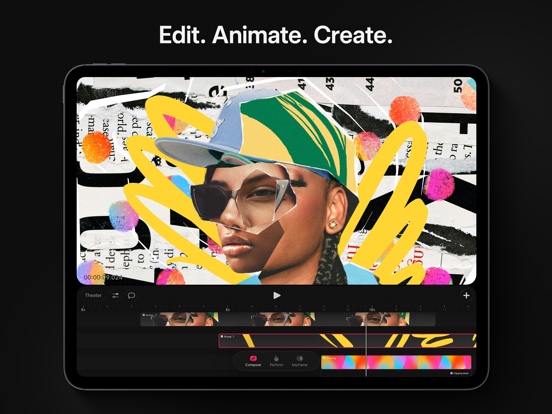
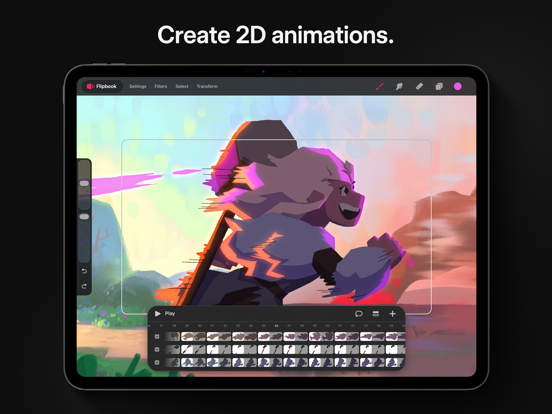
Procreate Dreams is an award-winning animation app, packed with powerful tools that anyone can use. Create rich 2D animations, expressive videos, and breathtaking stories on iPad.
With over 300 beautifully textured Procreate brushes, Procreate Dreams is perfect for creating gorgeous hand drawn, frame-by-frame animations.
Highlights:
- Powerful frame-by-frame animation tools.
- Responsive Multi-track timeline.
- Keyframes for motion and cinematic animations.
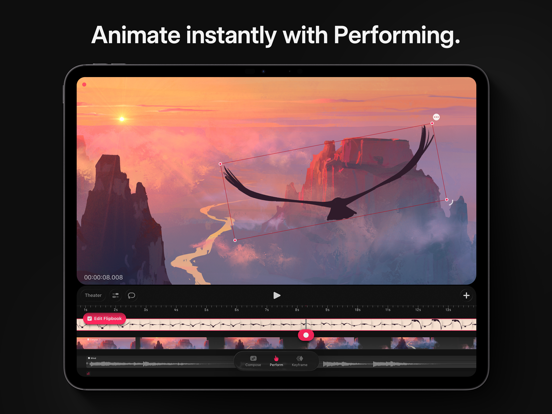
- Record motion or effects effortlessly through touch.
- Handcrafted animation brush library.
- Next generation, realtime rendering engine.
Create frame-by-frame animations:
- Explore over 300 beautifully textured brushes to bring artistic soul to your work.
- Compatible with all Procreate brushes
- Up to 16K resolution for drawings.
- Paint outside your stage.
- Customizable onion skins.
- Automatic, freehand/lasso, and shape selections.
- Permanently transform, warp and distort your drawings.
- Blend modes and clipping, luminance, and layer masking
- Apply permanent filters & adjustments.
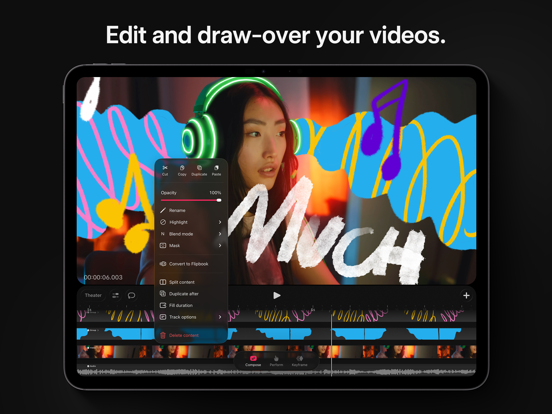
Compose video, photos, audio, and type:
- Import, edit and trim video.
- Draw-over your content.
- Add voice-overs and music.
- Craft titles, type and credits with typography styling, and design attributes.
Add animated motion and effects:
- Add keyframes to your content for precise transitions of motion and effects.
- Modify easing to refine your timing.
- Move, scale, rotate, warp & distort animations.
- HSB, opacity, gaussian blur, lens blur, noise, and sharpen effects.
- Group content to unlock the power of layered animations.
Import existing assets and content:
- Import video & photos in JPG, PNG, TGA, Procreate, MP4, GIF, and ProRes format.
- Import audio in MP3, AIFF, WAV, FLAC, AAC, CAFF, M4A, AC3, and MP2 format.
- Import custom and purchased Procreate brushes.
- Import layered Procreate files.
- Import Procreate Animation Assist as a Flipbook.
Share your work with the world:
- Export MP4s and MOVs in H264, HEVC, and ProRes codecs.
- Export transparent video.
- Export PNG sequences with transparency for professional pipelines.
- Export your current frame as a transparent image.
- Share your .drm files with your audio and video included.
Next generation technology
- Seamlessly mix drawing, frame-by-frame animation, keyframing, video editing, and compositing.
- Real-time rendering makes waiting a thing of the past.
- Never lose artwork again with continuous auto-save and undo history.
Procreate Dreams App Comments & Reviews
Procreate Dreams Positive Reviews
Good but slightly inefficient; Bucket tool, copy paste, and layers need workIt’s a great app but I wish the copy and pasting was better. Whenever I copy and paste something, it pastes it on the center of the frame instead of the same place it was, which can be annoying for when I want to be precise or when I want something to me stationary without making a new track. There’s also no movable anchor points, which I feel like is really essential for an animation app. Additionally, when I try to rotate a selected drawing, half the time the drawing simply will not rotate. I find it really neat that each track can have its own layer, but a super frustrating shortcoming of this feature is the fact that the amount of layers don’t carry on across the track. If I want to color an animation, I have to manually make a layer for every frame. This really slows the process. I also think there should be more layer options. Even just an alpha lock feature will do Speaking of coloring and layers, it’s a pain to color efficiently in this program. The bucket tool is really limited, as it doesn’t have sensitivity or an automatic gap protection filter. If I use a textured brush for lineart, the bucket tool will simply fill the entire frame. I also cannot duplicate a layer across all frames, so even if I do use a solid brush for lineart, I still can’t use the bucket tool to color. Also, the onion skin tool only shows a silhouette of the entire frame without details from other layers. This hinders my ability to animate detail work.Version: 2.0.1
Quite disappointed againMy writing skills aren't good, and English isn’t my first language so I used translation, there might be some awkward parts. It's become more complicated. Before, I could see the tracks, the screen, and the brush library all in one place, but now I have to press more buttons, which is inconvenient. I also think separating the flipbook and tracks was a very unfortunate decision. In fact, I don't understand why they even added the flipbook in the first place. The Drawing section has essentially become just a background section. Even that has become cumbersome to use for changing backgrounds. Why? Because after selecting the Drawing section and drawing, the track becomes very long. If you're creating an animation where the background remains constant from beginning to end, like in the example animations you've created, it might be fine, but if an animator wants to change the background frequently, this feature will be very inconvenient. Despite this, there are definitely some improvements. Adding the Select and Transform buttons was a great improvement. To be honest, and this is just my personal opinion, I think it would have been better if they had only added the Select and Transform features to the previous version. In summary, there are definitely more features than before, but the process of using those features is a bit complicated..Version: 2.0.1
Confusing featuresI’ve been using the original procreate app since 2018 and I’ve loved it - it’s easy to navigate (at least in my opinion, which may be biased since I’ve been using it so long), and it has all the features one could need without any “pro” features. The problem I have with dreams is that while it is similar to procreate, there’s features that I find unnecessarily difficult to manage. One example is that when I’m making an animation and I need to use the lasso tool to move something around, it’s incredibly hard to reverse that action thanks to the lasso tool hiding the undo button when being used, meaning that you can’t really undo anything. Another thing I find irritating is that in procreate original you can change the settings of whatever brush it is that you’re using, but this feature seems to have disappeared in dreams. Maybe it’s still there and I just haven’t figured out how to select it, but it’s frustrating that this app seems to lacks the ability to perform functions that its original version performed flawlessly. I still look forward to using dreams, and I hope that maybe eventually either through updates or simply better understanding, I’ll be able to use it to it’s full potential..Version: 2.0.3
New update is great, but it has problemsI love all the new features in the 2.0 update, but there are a number of features that seem to either have no purpose, are just better version of other features, or change preexisting features to be worse. For example, the addition of flipbooks make drawings useless because flipbooks can do anything that drawings can and more. The ability to scroll through frames in drawings was removed and given to flipbooks, making drawings even more redundant. In the timeline, compose mode is useless because keyframe mode does everything it can and more. Deleting items from a track shouldn’t delete the entire track because there is a separate dedicated way to delete tracks. And a number of buttons were shuffled around (split content, duplicate/duplicate after, editing drawings, etc.) and it messes with muscle memory from before the update..Version: 2.0.1
Terrific app but…I’m using this app to help me in an undergraduate animation course. It’s been working great so far but for the last couple weeks I’ve been having some stability issues. This isn’t good because I’m being judged/graded on my animations from this app. Today the app kept crashing when I tried to open my project. I panicked for a while because I thought the project got corrupted but I finally got it opened and exported the images so I could use it in opentoonz just in case. Continued working in procreate dreams and all was going well but I’m in the flip book doing drawings and the app is sticking between switching from the drawing tool to the eraser. The app is just not responding, this is very scary cause my project is due in a couple days. I’d demonstrated the app to my lecturer and he was very impressed, saying it looked like something he’d want to try but these issues I’m having are really bad for a production environment. Note: the app keeps getting stuck in flipbook editing trying to apply transforms..Version: 2.0.3
I am liking the newer version ( Dreams 2) but….Great job guys! The newer version feels more in tune with the initial vision. I do however I have one gripe so far. Why did you remove the feature in flipbook where you could scrub the flip book with one finger and drawing at the same time and no mater how much you scrub/flip you can continue drawing without pause? In dreams 2, now when you try to draw and flip at the same time you have to lift your finger off the screen and tap again because your fingers lose focus when the pen touch the screen. I loved that feature because it feels closer to how I used to animate traditionally I could have one hand flipping the paper as I draw. Now it just feels disjointed. Dreams was the only app which allowed this. Please bring it BACKK!!.Version: 2.0.1
New updateThe new update is really sexy, you have lasso tool and a lot of other quality of life things. I do wish there was a more accessible way to change the canvas size though and not being able to change the fps IN the flip book mode. Haven’t had a crash yet after update. I now prefer this as my go to animation software. There’s something else that I’m forgetting but anyway the interface does need more accessibility options (like button labels), an optional tutorial, and stuff for newer artists/non-tech savvy people. It has some stuff like only activated if you press certain things that for some non-gamers or tech people they probably wouldn’t find out it’s there Ngl. For new users my advice is to long press EVERYTHING to see if there’s a menu attached. Overall I really enjoy animating on this :3 banger app VERY GOOD price!.Version: 2.0.1
A couple fixesLove the update. Has made frames a timelines a lot more functional and user friendly. I would suggest updating the add image button. It creates a new time line that fills the entire new timeline with your drawing. Maybe adding a frame image rather than an entire new timeline would be more functional if the current timeline is empty of course. Specially when drawing over video, and each frame needs to be drawn on top off. Just as an example. It would also be helpful if when you drag a drawing, down to a timeline with a previews drawing; to not make that one erase if you drop it partially on top off it. Currently if you are drawing and don’t want the background of the flip book you need to use the drawing tool. It needs some work to work more like the flip book. Thank you..Version: 2.0.4
Love the update but buddy….I love that this update happened cuz it’s long overdue but the basic things are still unusable because why tf is the copy and paste only for one frame? And when I copy and paste a frame, I can’t erase or change anything in that copy— it doesn't’t make any sense. And when I try to lasso and copy-paste it into another frame it doesn'’t work. I’m not sure how to even make that move because it’s not intuitive. Don’t understand the “performance” tool either but that’s more of a learning curve than anything. All in all, I like procreate but you guys gotta get your shh together because this update doesn't’t work properly in my opinion and it feels rushed just because the year is about to end and you guys promised us an update. I know it’s hard to make these kinds of programs work but I’d rather you take your time to make it perfect than releasing an app that clearly isn’t ready yet..Version: 2.0.1
Needs These Tools ASAP - Overall it’s good, but could be better.Just purchased Procreate Dreams 2.0 and for the most part it’s great, but there a definitely lots of things that need to be added that would make every animators life easier. Including a LIQUIFY TOOL, being able to change loop/pong-pong/one shot within flipbook, being able to copy and paste from one track inside an alrdy existing one, being able to add text font from procreate to dreams like how you can with brushes, being able to merge tracks, as well as being able to group within flipbook, and be able to group text with other frames after using perform mode so they move as the same time, and lastly to be able to copy and paste color hex # for text as well. Please add these functions with any upcoming updates. Would’ve saved me so many tears..Version: 2.0.3
Improvement.So far, 2.0 seems like an improvement. I like the new select tools (and lasso tool, hooray!) Additionally, the fact that when you move a frame the others behind it move as well makes me extremely happy. No more meticulously moving each frame inch by inch to make room. The main problem is, however, I can’t seem to find how on earth to add another drawing on the same track. Every time I want to make a new frame, it automatically starts a new track. Before, if I remember correctly, all you had to do was simply scroll to the next moment and draw something. It won’t let me do that now. In short: how do I make a new frame on the same track??.Version: 2.0.1
I love it! One thing I really would love though:I'm obsessed with procreate dreams and how easy it is to import layers from procreate, as well as drawing in the app and doing frame-by-frame animating, however, I've noticed that using keyframes to animate is much harder than other software I've used. I am really needing some kind of graph curve for size, motion with the keyframes to better control the movement, rotation, etc. It would also be amazing to if you would be able to choose for how long and how frequently the animation would repeat without adding more keyframes/having to manually duplicate and adjust their timestamps! I really miss this feature from past animation software that I've used, and it's been my only issue, although it is a major one because I need to use this kind of movement frequently!.Version: 2.0.3
Ok, but could be betterI’ve recently purchased this app and was super excited to try it out. I figured it has the same features as the normal procreate drawing app, but to my surprise it was a big disappointment. First off, there’s no alpha lock, recolor, or reference settings for layers, so you’re forced to make a new layer to color manually and shade if you’re a line artist. Another thing is copying and pasting; instead of both being a separate option, it’s a combined option. Which is an issue because I can’t do that from one frame to another, even if I want to do loop animations. To the developers of Procreate dreams: if you’re reading please add the same features from the original Procreate drawing app to dreams so that it could be more efficient and reliable to me and all other animators. Thank you!.Version: 2.0.1
The update makes it so much better!All the bugs in the original version + not having a selection tool have all been fixed! The flipbook feature works like FlipaClip and along with that it adds a whole timeline you can use to easily edit scenes, it’s super easy to pick up on and learn and is a great iPad substitute for more advanced programs, the only thing I would like added are more easings when it comes to tweening, as well as more filter and video/audio effects so I don’t have to run it through other apps like CapCut to finish editing. Of course, it’s fine as it is and I am more than happy with Procreate Dreams! Absolutely worth it..Version: 2.0.2
The new 2.0 made the app fun to useThey added lasso tool, procreate brushes, new flipbook which is great. The only issue that I’ve found was that even i used to work on it for a while, my iPad used to get hot ( even tho it’s an M4 model ) and it crashed 2 or 3 times in an hour ( it saves everything fortunately). Hopefully they’ll fix these problems on their upcoming updates and it would be cool if they add a left and right button on the corner of the screen on flipbook mode so they users can go to the next frame easier and faster. Overall it was a huge update and i recommend it to anyone who wants to start 2D animation..Version: 2.0.1
Very lovely app!When I first got this app, I was a bit disappointed with no lasso tool, but they’ve recently added it! The separate “modes” like drawing vs flipbook is super useful, and creating groups when having multiple layers is super useful as well. My only nitpick is when it gets super laggy when you have too much, but that’s more of a device issue. But it’d be helpful to add anchor points back (I just can’t seem to find it!) on the move/scale key frames. Also wish I could make my own brushes, but I’m sure that’s either in the making, or would maybe the app more laggy? Otherwise a 10/10 app! It’s my #1!.Version: 2.0.4
Dreams 2 did not disappoint! However…I personally learned Procreate dreams before the 2nd update with good faith that the app will become a universal favorite in the future, and I just have to say that i enjoy the feel of it already! With the lasso tool, I feel more comfortable drawing in the app knowing mistakes can be fixed fast. Before drawing mode, I relied on the original procreate and would transfer my works to dreams to organize and chop it up. After this update, I rely less on, or dare I say even, FULLY stopped using the help of original procreate because the drawing mode on dreams feels consistent and almost identical to og procreate! I no longer need to constantly move assets around using two different apps, helping me spend less time finicking with tiny buttons on the iPad mini. I did transfer some assets one last time to move everything into my project now that I felt that the app was more gripped, and it was also way easier to do it now because it keeps your frames inside your groups so very great as well. NOW I HAVE SOME GRIPES. Adding Video tends to get the program acting a little wonky. When I convert flip-book frames into drawings, the background reference goes white until I back out of the project and back in again, it also mutes audio randomly when I scroll around too fast and may freeze the frames of the video for a short while. Maybe it’s bc my iPad mini can’t handle it idk. I also think the program needs a way to scroll around the timeline in flipbook mode, I’m planning on making bigger projects and scrolling back and forth with a 7 frame windowed timeline isn’t going to cut it, maybe like a mini scroll bar with a sensitivity that adjust depending on the size of the flipbook? Just a thought. Also, when converting flipbook frames with frame duration enabled, it makes those held frames each of its own drawing. I believe that it would be much more appealing if it just filled the timeline as a longer drawing. THAT IT ALL. I hope to see this program grow and I as an artist to grow with it.Version: 2.0
AMAZING BUT I GOT ONE ISSUEI did kinda just start using it so I’m learning all the controls and such, it’s very easy to figure out and it’s got so many different brushes, and I can use some of the some brushes I use in procreate!! Here is my issue part though, I imported an audio and it was working fine but than it just randomly stopped working, no sound, I restarted the app, I restarted my tablet, but nothing:( it would be really great if you could find a fix for this issue, but other than that this is an amazing app! I will keep trying to find different ways to make it work again on my tablet :’).Version: 2.0.1
Incredible TurnaroundSavage Interactive continues to prove their dedication for art and creativity with a fantastic 2.0 update to Procreate Dreams. The app originally launched in a decent state- streamlined animation with an easy to understand layout, though missing some key features. This new update brings the app up to the quality you might have expected at launch and then some. As someone who made do with the base version for quite a few animations, I’m very excited to continue animating now with the many new features and quality of life adjustments. Procreate Dreams’s got a bright future ahead of it now..Version: 2.0.1
Love the app, but missing a few featuresI’ve been using regular procreate for years and it’s hands down my favorite drawing app, so when procreate dreams was released, I was stoked. However when it first came out it was a bit too expensive and so I waited, and I’m glad I did. This app is amazing. I love all the features it has to offer, but I do miss the reference feature for layers, since not having it makes coloring a bit tricky. I’m also wondering if there will be a way to rig animations in the future. But all in all, this is a great app and I totally recommend it..Version: 2.0.1
It’s really good ✨✨✨The app is really good quality. It takes a bit to get used to the way it works it’s ,kinda complicated but if you have normal procreate it will probably make more sense. I use this for all of my animations now after FlipaClip started blocking everything and bombarding me with adds and I say it’s a big improvement. My only problem is that adding audio is realy complicated and if there is an easier way I haven’t figured it out , but in all it’s way better than other animation apps I’ve had ..Version: 2.0.4
Better than launch but still lacking the comfort of the originalLike the title says, it’s infinitely more usable than it was at launch, but it still lacks the ease of use that Procreate has. The brushes feel much different than the original app in how they function, and the setting adjustments feel different too. The app feels clunky and slow at times, which can be expected of animation software, but is still a downside that would vastly improve the app if removed. Additionally, it’s still missing a lot of the useful features of Procreate, such as drawing assist. The app is better, but still lacking compared to its competitors..Version: 2.0.4
Honest beginner’s opinionI have been using Ibis paint and Adobe fresco for a while on basic animation cycles, and this does seem to be better at a first glance, but overall your money would be better spent for a no-ads subscription for ibis paint. The interface has no tutorial and it is very “figure it out yourself” for people who don’t use procreate. It’s a good option if you are already familiar with procreate. The timeline is wonky, longer projects are hard to manage, audio is weird to import, and the lack of readily available tutorials or even a side bar of tools is very confusing. Anyways that’s my 2 cents, do what you want with your money :).Version: 2.0.4
Beautiful, Thanks so muchI really really, love this app. For a low cost it seems you get some pretty high quality options. I adore the new update, it has a much more efficient layout and some wonderful new features. I’ve submitted a review in the past, and honestly I only have one feature I would still love added, if you could develop some rigging options for 2d characters I would be through the roof with joy. Thank you so much though for the incredible update, it’s wonderful to see the app grow and progress.Version: 2.0.1
Great updateI love the app now. It was kinda clustered and clunky. Now everything is smoother and updated. I feel it has ascended by far. It still missing some minor things I wish it had from Procreate, like the snapping function and the identifier. Whatever it takes so I don’t have to keep jumping back and forth between the two. By the snapping function I mean by drawing a circle and having it become a perfect circle or a straight line becoming a “straight line”. By identifier I mean the tool that detects the color, and it mimics it..Version: 2.0.1
Kinda goodProcreate dreams is good for animation but it has a flaw… When I go to animate sometimes it crashes! Then when I try to go back into, it crashes! Then my Home Screen when I go to put in my password on my iPad changes from normal to blurry! And on top of that, my Siri responds to hey siri or Siri but when I ask a question she goes away! But it also has a good side. I personally love the perform tool! I like that when you move it it captures that movement allowing you to do fluent animation! And you can add in your own sound/music/sound effects/ etc. So all in all it’s not not bad but, not good. It’s a little in the middle. But I still enjoy it!.Version: 2.0.4
Love the update!Procreate Dreams is a great animation alternative to Procreate, and recently got a new update that added a ton of new stuff! Out of all the features they added, my favorite tool is the ability to lasso bits of your artwork! This makes animating so much easier! I wish they added QuickShape, but I still gave this app five stars because I don’t want to ask for too much…😅 Given the whole “Apple Intelligence” thing recently, (and AI generated “art” as a whole,) I think it’s really nice that an art program is getting some attention!.Version: 2.0.1
I Love it! But needs little changes.I’ve been using procreate for a while now but this is my first animation app. It’s hard for me to explain things but i hope you get it. It’s very easy to adapt to but some things that bothered me was not being able to copy and paste single parts of a drawing and adding it to another frame. Another thing is the lasso tool. By itself it’s very easy to use but the lines that move in the removed section are way too distracting and not transparent enough like in procreate. Overall it’s really good but just needs some changes..Version: 2.0.2
Great update, just a few changes to be madeI initially bought procreate dreams before version 2 and it was a mess, so I had to refund it. Now, with version 2, I can say they’ve really revamped the experience, it is much more enjoyable and I do not plan on refunding anymore… However… it really bugs me that I can’t squeeze my pencil to access the eye dropper tool, and, sometimes when I’m drawing, the “two-fingers to undo” function unintentionally triggers and I end up overwriting my progress. These are my most major concerns with the app, great update tho..Version: 2.0.4
LOVE THE UPDATE!!Even though I really liked Procreate Dreams’ maiden voyage [ much to the chagrin of all the complainers out there] Version 2.0 is an BIG improvement! 👍🏽 Compose, Perform & Keyframe are logically placed on the Timeline. The Add button on the side is a nice touch as well giving access to Drawing / Flipbook etc. The multiple layers in Flipbook perfect for Rotoscope techniques. 🤯 Coming from the Olde School of Animation during Art school days, what can be accomplished in an hour or two today would have taken up to a semester to accomplish. VERY GRATEFUL for this app. . ..Version: 2.0.1
Wonderful!When I first purchased this app, I was unhappy because it was so different from procreate. I chose procreate dreams in hopes it would be a similar layout. It has been a few months since that time, and I opened it to give it another shot. I was delightfully surprised towards the update. I don’t quite have the full hang of it, so I don’t want to list things that it needs if it’s already there. Anyway, I am so thrilled with how it is now. Thank you for working hard 🤗.Version: 2.0.1
Time to reviseOh how far you have come. I despised Procreate Dreams 1 with a burning passion of a 1000 suns. It halted me creative flow so much, (due to frustration with the app) i even started to drift away from OG Procreate. haven’t used the Procreate Dreams in almost a year and a half, I did more in ProDreams 2.0 in 2 days than I did since purchasing the app day 1. I didn’t care about the lasso tool thing, but glad it’s here with the facelift. well done, welcome back, welcome back into my heart and my creative mind also.. thank you for not giving up on us..Version: 2.0
Best Animation App!Personally I couldn’t find a Single good animation app, FlipaClip; Money Hungry, Ibis paint x; WAYY TO COMPLICATED, but this is on another level! 1. It’s not too hard to learn, and it’s pretty easy to get started with your AMAZING ANIMATIONS 2. It’s so much more advanced than any other software, being able to run it in real time and having the option for easy multiple layers without having to draw each frame is just perfection! 3. The Variety is INSANE, So many Cool, Unique Brushes that make my Animation’s feel so alive and beautiful! 4. It’s really easy to import your assets, you can either draw your characters here or draw them and then import for easy animation! Honestly this is the #1 Best Way for Frame by Frame animation, I know there’s a bunch more features I could get into but there’s too much for One Review, This Is SO GOOD!!!! Easiest 5 Stars Ever!!!.Version: 2.0.1
Simple Super Helpful Feature MissingWhen are we going to be able to use quick shape, made life 1000 times easier. Not sure why it hasn’t been added, you guys have stated multiple times you are going to implement it and it hasn’t been done, almost impossible to draw indoors/ buildings with out this feature and I’m at the point I might switch to a new program, super frustrated to say the least..Version: 2.0.4
Update: They did itThis app has come a long way from its original version. Almost all of my complaints have been answered and it really is a strong animation app. It is now my primary software I use! Wants would be more than one video track and a fix on the cut/paste action (since when you do it it moves your selection to a random place on your page instead of right where you cut it). Other than that, no complaints!.Version: 2.0.3
Amazing but really laggyLet me start with omg this app is really good! I like the brushes and I enjoy Procreate overall, this is definitely a good animating app, I recommend. The only thing is that it lags really horrifically and it’s hard to draw and animate when it continuously freezes. Idk what is causing it but if the team could fix it it would be perfect ❤️ Tysm for helping with my art journey, I’ve progressed a lot with my drawings while on Procreate. Love your app, keep it up! -MiddayWarrior.Version: 2.0.4
Exactly what I’ve been waiting forIn the beginning, I had some rather negative reviews towards Procreate Dreams. It was buggy, it wasn’t as easy to use as the original Procreate, but I’m so happy to see that they addressed everyone’s concerns. The interface is way better, the workflow is better, there’s no lag and I am enjoying it so much. Thank you Procreate for implementing these positive changes and I’m looking forward to seeing where it goes next..Version: 2.0.1
Review!I am usually a person to never write a review, but I will write it now. Buying procreate dreams is the best 20 DOLLARS I have invested ever. I managed to make my own animations, drawings, even films here with ease. Obviously this app is for PROS abut still, I think it’s quite easy to navigate the app, and everything! So would I recommend it for a beginner! No, but experts, BUY THIS if you want a proffesional software that’s pretty easy to use! Only downside, for a LONG time until now, no lasso tool..Version: 2.0.1
Amazing but has some problemsThe app is fantastic and I can animate on it. The problem is it’s really laggy, or maybe because of my iPad is old. However, Procreate Dreams doesn’t have a shape tool, so you either have to manually draw it, which can be wonky. However, once you learn all the features, the app is really great. If only it didn’t take so much space, lag my iPad, and add some features from Procreate..Version: 2.0.4
Review updateI bought dreams on day 1, but it felt unintuitive, for a beginner animation. Even worse was how strange it felt for me as a Procreate user learning this app. Well procreate dreams 2 fixed that. Everything became more clear, and felt like animating through the procreate UI. If you were hesitant before, I would give this app a chance. I’m already enjoying all the new features, and appreciate this much needed update..Version: 2.0
Finally fixedWith the 2.0 update, so many of the problems were fixed. The interface is a lot easier to use, but more importantly, I can finally use the select tool. So me things are still weird, like the color pick tool being different from normal procreate, and not having access to all of procreate’s tools. But it’s so much better now..Version: 2.0.1
Pretty good+some suggestionsPretty good. Gave me a lot more tools while I am making videos. The only things that are giving me trouble is the fact the app is a little more complicated to use. Took me a 53 minute video to sort of figure it out. Maybe you could add like a little explanation to what tools are for ? At least to explain the main tools. Also, it would be nice if you could add a reference feature like in the original procreate. And adding quickshape would be helpful too. Also, I don’t really know why my audio isn’t syncing properly since there’s a small hiccup when I play it. Other than that it’s a pretty good app and I like that the brush size doesn’t change depending on how zoomed in you are. It’s very helpful..Version: 2.0.3
Expected moreThe frame management system is absolutely inconvenient, where frames cancel each other out due to increased frame duration and you have to jump back-and-forth between the flipbook and the timeline to adjust the track. Frame scaling within the flipbook is also absent. Why complicate things so much? Look at how the pro guys do it, like TVPaint or RoughAnimator. The brush system is good. I really hope for an update and that you can hear our feedback..Version: 2.0.4
New reviewI left a review when This application finally released and I had originally marked it as a one star app due to missing basic features and having a ui that was difficult to understand. I have given this two new stars as now dreams has the lasso tool and I can say I’m quite impressed once you get used to the app. However, I find this program is still glitchy, undo and redo is delayed, and without watching a tutorial this app is still impossible to use if you don’t know what to do. I am starting to like this app however! I would like to see the reference option, canvas flipping, and the liquify tool be added along with some adjustments and being able to draw on the canvas without having to open the flip book every single time when I see I need to make changes to my animation. Features I do like is the iCloud option, the record and keyframing tools, layers and the way flip book works I think it keeps things very organized and that’s awesome. Good job procreate team, I am looking forwards to future updates..Version: 2.0.4
It’s goodHuge upgrade from the 1st, but I was hoping for more features such as canvas flip, drawing guide, reference, etc. I also wish for adjustments with the flipbook (sometimes I accidentally click on something with my palm) and consistency with cut/copy, paste and colour fill. Nonetheless, it’s easier to animate and more manageable with the layers than before. I look forward for the next update :).Version: 2.0.4
Camera Request and reviewsThis animation app is just awesome, there is tweening which is my favorite tool. But please add a built-in vcam because it would make things a lot easier. And thank you so much for making this game changing animation application. I appreciate it..Version: 2.0.3
Suggestions and questionsI love Procreate Dreams! It is such an improvement over the previous animation app that I used to use, which is FlipaClip. It has so many features that I have wished I could use but now finally have to ability to use. I have two suggestions and one question. The first suggestion is to add tutorials videos on how to use PD, I’d find it pretty useful since there are probably some features that I haven’t even discovered yet. Second suggestion is in-app sounds/music library. I feel like it would be important to be able to add/control sounds directly from the app instead of uploading pre-recorded ones, and a feature to record sounds with the microphone would be useful for those who may want to create stories with voiceover and share them with friends. And now my question, whenever I use the selection tool to copy and paste, anything on that same layer becomes inaccessible, and I cannot edit or select it. I was wondering if this is intended and I am doing something wrong, or this is a bug. Many thanks for taking the time to read this..Version: 2.0.1
GlitchThere is a glitch where there is a white squiggle in the frame. You can’t get rid of it and you can’t draw over it. Please help devs..Version: 2.0.1
An excellent and intuitive appEasy to use but results in sophisticated animations..Version: 2.0.1
Great update but some inconvenienceWhen copy and pasting a drawing, it should appear at the same place as the original, like in procreate, instead of pasting to a random place like in dreams now. Add procreate’s drag and drop of layers/layer groups too. Flipbook needs be able to add one frame to all the tracks, my layers would always shift when I add a frame and I’d have to fix it manually. We also need an option to disable lasso tool with finger..Version: 2.0.1
Awesome update but still need some workSorry if this is long, but you just won’t say Procreate Dreams it too is awesome. It finally adds so much of stuff and also I came from FlipaClip. I don’t you say much about that because flip a clip is not the best app this app is awesome but still need some worker for it to make it a beginner friendly app like for example, un opening video explaining all the stuff anyway see ya.Version: 2.0
Amazing!I purchased procreate dreams a couple years back when it first came out, and it definitely lacked features, but I was still very hopeful and excited about the potential it held. The newest update 2.0 they added is AMAZING! I’m newer to animation, and I learned quickly how to navigate the added tools. So excited to start animating more, and for what the future holds for procreate dreams!.Version: 2.0
AmazingAmazing software but complicated thank you.Version: 2.0
The BestI love procreate & now procreate dreams! The app is incredible & now with the new update, it has all the necessary tools required for hand drawn animation. Above that, procreate as a company are so genuine. Can’t believe this app is a one time payment. Easily my go to app for animation!.Version: 2.0
Best Animating AppIt’s so Good! The only problem is that with 2.0 it is now harder to create a drawing. It takes more time to add a drawing or a Flipbook. Overall a great app that I would recommend!.Version: 2.0
2.0 tsabout time!Thanks.Version: 2.0
The new interface and engine definitely makes this a tool all artists need in their arsenal!Version 1 had promise and version 2 just delivered much of that in spades! Looking forward to what the team builds in the near future to make Dreams 2 even more robust! It is already an undeniable tool to have..Version: 2.0
Almost thereIt lacks the select/transform tool in drawing mode, liquify, and the ability to extend frame exposure when there’s no gap between adjacent frames. i really appreciate the flipbook, but the controls are a bit clunky..Version: 1.0.4
Missing features and really buggyProcreate Dreams is a good app for absolute beginners, but I expected more on release. It is missing many features even for a basic animation/drawing app like selection tools, reordering layers and a brush editor. The layout is nice but the app crashes very often..Version: 1.0.4
Good app, but just one annoying thingWould be amazing but I want an undo button instead of double tapping the screen. I try to zoom in or out but I always accidentally undo something. Please fix this!.Version: 1.0.17
Great potentialLove the app, Just need the shape drawing assistance as well as snapping from procreate in it. Edit: you also can’t move the drawing layers in the same drawing.Version: 1.0.4
Missing tool.Where is the lasso tool? If I want to select my characters' arm in the sketch and move it slightly to the right, do I need to redraw the entire thing? Also, the double-tap function with the pencil and eraser that I was accustomed to using in Procreate, why isn't it working in Procreate Dream? Additionally, there's an issue with the way we move the frame, experiencing too much friction and too many steps before executing the task. Moreover, when I attempt to move the layers within each frame, it's impossible to rearrange the layers between each other. I appreciate the flipbook feature, the canvas space, and the quality of the brush, but there's too much friction between tasks, such as moving the frame and resizing the length. It’s doesn’t feel intuitive to me..Version: 1.0.4
WATCH TUTORIALS FIRST!!! GREAT APP!!! 😩😩😩This app is indeed great but still in development. As stated in the title, watch tutorials on social media platforms first rather than getting upset because you were figuring it out yourself and wasted a lot of time. As a beginner, watching tutorials helped me a TON — discovered features, tips and tricks, and a lot more. Such a fun app, keep it up! 🫡.Version: 1.0.9
Lots of potentialThe multitracking makes it a lot easier to animate complex scenes than in Procreate. Still missing some key features from Procreate, but they are on the development roadmap..Version: 1.0.5
Very fun!This app is very fun to draw with. Im only sad that you cant customise or use the clipping mask on this app. Over all, very good!.Version: 1.0.4
Thank you procreate teamThank you procreate team for your continued innovation in this field! What an incredible app with no subscription, you guys are rockstars..Version: 1.0.4
Awesome so far!I have very little animation experience but this app seems very promising to help me learn and develop my animation skills! Very excited to see where this app goes..Version: 1.0.4
It’s alrightIt’s fine, but it’s buggy, and would be much better with a lasso tool.Version: 1.0.15
Needs more featuresThe app needs some of the functions of procreate. Lasso tool, alpha lock, transparent background and some extras like vector animation would be great.Version: 1.0.15
Eager for an updateI love the design and received a teaser a while back about all the improvements and additions coming in the next update. I hope it will come soon, because I am anxiously waiting! I know some people have been critical of the current version, but I feel confident this team is creating something great. Please update on the update!.Version: 1.0.15
Please add more drawing featuresI was really looking forward to using this app to begin trying to animate and make fan edits but when there aren’t even lasso tools and other drawing features that help a lot to cut down time for drawing, tools that are already included in the other procreate app, I just feel discouraged from using this app. Please add more tools into Procreate Dreams that are already in Procreate, like the lasso tools and grid lines, to make drawing the animations easier. I really want to love this app and support it but right now it’s unnecessarily difficult to work with..Version: 1.0.15
MehNot being able to make cycles and lack of THE TOOL makes it unproductive for beginners learning the basics of animation as well as professional animators. It also looks like there is no way to import your procreate layers/projects as frames of a certain length. This makes it impossible for big projects to be animated (or even tiny, really). Anyways, I like the design and the gesture aspect. But right now this up is unusable: you can’t use it to make complex projects and you can’t make simple projects without spending half of the time fighting with the program..Version: 1.0.15
It has potentialIt’s missing many normal features such as lasso tool, some things like moving multiple frames is unintuitive switch tool to group move then switch to different mode to ungroup can get annoying tho it’s fine The app is very buggy, it glitches sometimes moves frames where there not supposed to go, when I import many photos it will place them out of order which is frustrating. In conclusion I think this has lots of potential to be something great, though it’s not there yet. Hopefully there will be updates adding new things and fixing its issues in the near future.Version: 1.0.15
Barrel rollIt’s really laggy like really like normal procreate it’s really good but this it’s really bad.Version: 1.0.15
Amazing. Use it for day-to-day animations.Procreate dreams is one of the best animation programs I’ve used so far. At first, I would animate on flip a clip, but when I switched to procreate dreams, I realize how much I was missing out on. From the interpret interpretation features to the filters to the lens flares you’re able to make this program is truly phenomenal in my opinion and have so many complicated features. That procreate dreams uses what they put it together in a way that makes it so easy. I have a YouTube channel where I post animations and I cannot tell you how many videos I’ve made on this program. And even though I am still waiting for a major update that gives me a lot more features. I still love the program and will probably never switch over. Best $27 ever ⭐️⭐️⭐️⭐️⭐️.Version: 1.0.15
Free International Money Transfer 💸Enjoy high maximum transfers into more than 20 currencies while saving up to 90% over local banks! The cheap, fast way to send money abroad. Free transfer up to 500 USD!Version: 2.0.4