The Boston Globe ePaper Customer ServiceBOSTON GLOBE MEDIA PARTNERS, LLC

The Boston Globe EPaper Customer Service

  1. The Boston Globe ePaper Customer Service
  2. The Boston Globe ePaper App Comments & Reviews (2026)
  3. The Boston Globe ePaper iPhone Images
  4. The Boston Globe ePaper iPad Images

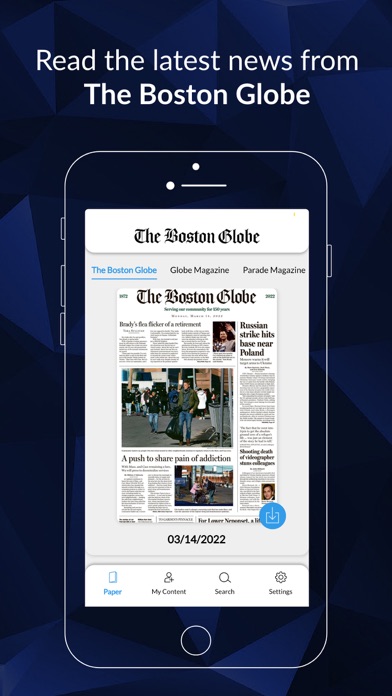
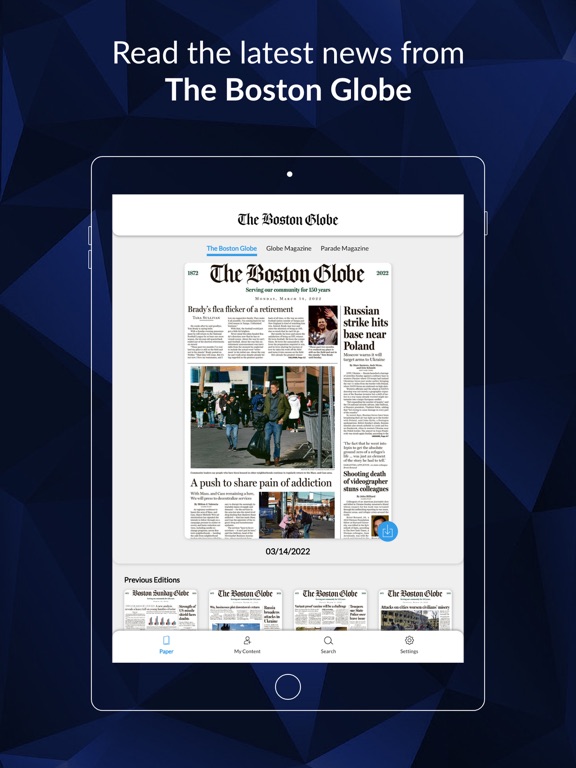
• The ePaper is a full replica edition including articles and pages as they appeared in print, including the Sunday Comics.
• The ePaper is free for Boston Globe digital subscribers and many print subscribers.
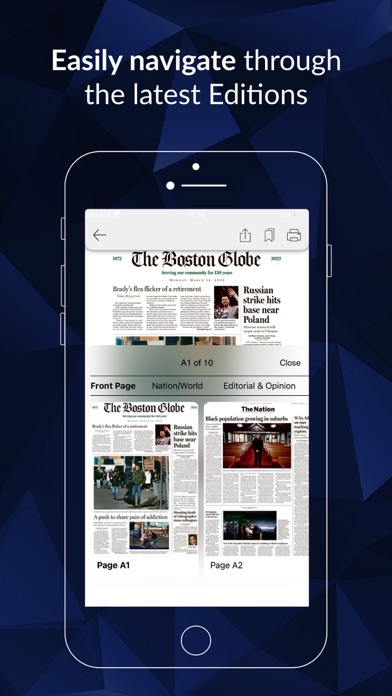
• Read stories in the Page view or Article view.
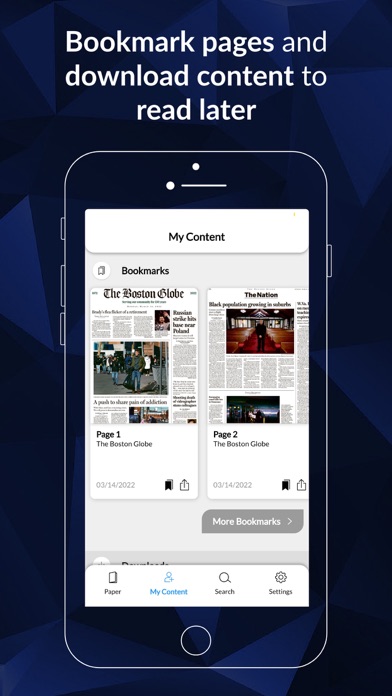
• Share articles via email and social media.
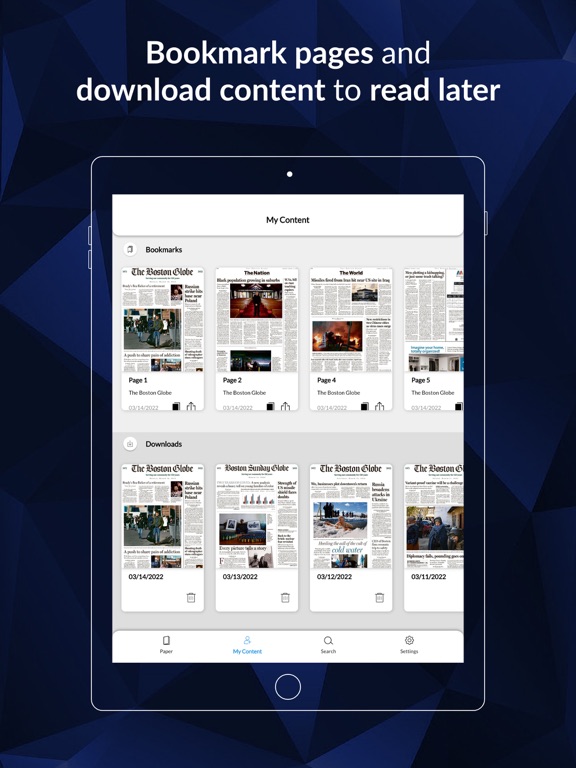
• Recent back issues are available for download from the archive by tapping or swiping "Archive".

Subscriptions:

• Payment will be charged to iTunes Account at confirmation of purchase.
• Subscription automatically renews unless auto-renew is turned off at least 24-hours before the end of the current period.
• Account will be charged for renewal within 24-hours prior to the end of the current period, and identify the cost of the renewal.
• Subscriptions may be managed by the user and auto-renewal may be turned off by going to the user's Account Settings after purchase.
• Any unused portion of a free trial period, if offered, will be forfeited when the user purchases a subscription to that publication, where applicable.

Privacy Policy: https://www.bostonglobe.com/tools/help/privacy

Terms and Conditions: https://www.bostonglobe.com/tools/help/terms-service

The Boston Globe ePaper App Comments & Reviews

The Boston Globe ePaper Positive Reviews

SatisfiedI read the Globe on my iPad Air, and I really like being able to share articles. I don’t like being unable to comment on articles..Version: 6.1.4

Improved but still needs workIt’s usable. I like the full page view, to remind myself that it’s a newspaper, though I mostly enlarge to read. However, while reading on an iPad Mini is much better than reading on a phone, it’s not great. I have discovered a workaround to get the current day’s paper, but that daily task should be easier. (BTW, I am a paid subscriber.).Version: 6.1.4

Font size stuck at largestUpdated to 6.1.4 but article text font size still stuck in largest size. I need to adjust font size in each article I read. Font size adjustment is not saved throughout the paper. The “Save” selection does not work. iPad Air Gen 3 iOS 17.6.Version: 6.1.4

An embarrassment“Words can't describe just how bad this app is. Downloads get hung up so that one can be waiting days for issues that never show up. The Globe should be embarrassed that it's name is associated with this piece of junk. Don't buy it.” I wrote the above review several years ago and have been assured by the Globe that the app will be improved. Now, two years later, nothing has changed, and it’s still a pig. More often than not, the paper’s already slow down-load never finishes, and I say the hell with it, and never get to read the paper. How the Globe allows this to happen is incomprehensible. Ok, it’s September, 2018, two years after I wrote the above reviews. The new app is out, and I find it much improved. In fact, I’m now reading the Globe again. The only downside is a somewhat inconsistent page turning when I swipe left, but that may be my technique. It took a while but the Globe May have mended its ways..Version: 6.0

Love reading the hometown paperKeeps me up to date of my hometown.Version: 6.1.4

Has its points, but a few things need tweakingI got this updated version when I got a new iPad with iOS 8, and the old version wasn't supported. It took a ridiculously long time to get it to download, couldn't give it a pw, blank screen, etc., etc. the reviews really stunk and I was beginning to think that if I wanted the Globe on an iPad I'd need to keep the old one. Somehow, though, it did work, and then the fun began. At first I had the devil's own time getting the virtual newspaper, because I believe in seeing all of it and not just lists of articles and links. You get more serendipitous finds that way. But finally, there it was. Then I had to convince the app to give me the dang paper every day. That was a bit of an adventure, too. So I have my virtual paper, can swipe thru it with ease, and enlarge the view fine. The problem is that the ability to click on the link to the jump (and back) is gone. I finally figured out that you have to pull down the top of the window, select the page where the jump is, and then reverse the process to go back. Seamless jump-finding is gone. Why they would add an extra step to an "upgrade" is baffling. But you get used to it, I guess. The click-to-email-this still works. I haven't figured out how to remove past issues from the iPad yet, so perhaps some bright guy will give us a way to get online help for questions like these. So... Three stars and pending..Version: 4.2

Pleasantly surprisedToday I updated my Globe app with much trepidation. Based on the reviews, I assumed it would be more of the same disappointing performance. While there are flaws, my Sunday paper downloaded promptly. I am able to get both the magazine and Parade. Thank you! I am able to enlarge the print on my tablet, and read an article in full. I do prefer being able to scroll through the sections above the paper, while being able to look at snapshots of the page, but I will adjust. I recently got a new iPad, so I imagine that helps. For now, I hope the epaper will be reliable and as functional as it was today. I cautiously appreciate the improvements, Boston Globe and want to make sure you do not just receive negative feedback. I'm dismayed. I love the Boston Globe but struggle with the epaper version. Now we are told we have no choice but to update to version 5.0 even though the reviews are consistently poor. I have upgraded my iPad operating system and done everything that I had been advised to do. I changed tablets. My paper still doesn't automatically download and I have difficult opening the. Sunday paper version (after it has downloaded). Still no magazine! Is this a push to subscribe to the New York Times instead?? Please let us know when we can expect better service..Version: 5.0

NYT, take noteThis is how all newspaper reading should be on an iPad, period. It's basically a Globe-specific app that uses Newspaperdirect/PressReader under the hood as far as I can tell. Perfect blend of traditional layout with modern implementation (SmartFlow). Allows you to store past complete editions right on the device, so you can go back and catch-up later or jump between daily editions (much like catching up on a stack of real papers) rather than watch all the stories from the previous day vanish before your eyes when you open the app (ahem, NYTimes). I also feel like I am getting more value for the money since I'm getting a product that actually resembles a newspaper, rather than paying for an iPad optimized newspaper which is little more than a re-hashed view of a webpage. Retina display looks superb. Since NYT owns The Globe, I can only hope that they have similar plans in the works for the parent paper in the near future. In the mean time, I'll stick with reading The Globe..Version: 3.1

Marginally better but still far from where we want it to beI can't agree that the latest version is worse than it was. It works better, but not as well as I'd hoped. There continue to be technical issues with my admittedly old iPad2 but mostly I am dissatisfied with the layout, navigation and timeliness. I also read NYT on the iPad and the experience is much smoother. I no longer care to see what the print paper looks like and wish the Globe would go to a more timely, up to date model. Many days the Globe is not ready when I want to read it in the morning and sometimes when I does show up it is old news. Saturday was a good example when the Globe was not able to report the final score to Friday's (admittedly long) game with the Yankees but the times had a story about the remarkable game at the top of the screen..Version: 4.0

Both better and worseI was initially excited by the new release. It loaded faster, and it had a better full-page appearance. But certain former features have been removed: auto delete of past issues, the ability to jump to an inside page to continue an article started elsewhere, the ability to tap to zoom in but to double tap to zoom back out. I initially thought that tapping and holding to read articles in text view - and then being able to scroll from article to article (as with USA Today) - was better than in the old version, but it appears that not every article will allow you to do that, which is a real flaw. Also, Parade is gone. Finally, and perhaps most annoying, for the past two weeks the Sunday Globe is not available until afternoon. It's a morning paper! Please fix these bugs and you will be way ahead..Version: 4.0

Great when it worksI really enjoy the Globe, we buy both the printed and the electronic editions just to support what journalism is left in the world ;). I genuinely reading the paper on the iPad -- when I can. Overall I'd say the Globe ePaper app is generally getting better over time, but each new release seems to break something. This release broke the automatic downloads, which now stick at 99% every day. The only way to read the paper is to delete the issue and download it manually, which kind of defeats the purpose of automatic downloads. I like the app, I just wish it was less erratic. It really needs systematic testing and more responsive support..Version: 3.2

Version 1.01 has several bugs...I tried my first issue today (the Sunday paper). People have already pointed out that the comics and the flyers are missing :-(. Navigation is mostly OK, but several times I was thrown back to the beginning for no good reason. When I tapped on the headings of about 3 articles I actually got taken to the wrong article, and sometimes when I did get taken to the right article it started in the middle somewhere and there was no way to get to the beginning of that article other than reverting to the full page view. The only 100% reliable viewing was the page view, the rest is about 95% OK. Navigation by tapping was a bit quirky, although swiping seemed to work fine. It's a good start, but there are still many areas for improvement. I look forward to version 1.1 or version 2 etc..Version: 1.0.1

This app is crapPlease, Mr. Henry, just give up and buy rights to use the WaPo or NYT app. They're very different from each other, but both are perfectly acceptable. By contrast, this app is crap. I don't mind most of the things that seem to bother other reviewers, but the number of times it freezes, or won't download the newest edition, or doesn't respond to attempts to proceed to the next page and then decides to respond to all of the attempts at once by skipping ahead many pages, or responds to an attempt to enlarge the current page by sort of going back a page and then returning to the current page, or..., is infuriating. The features are acceptable but the bugs are intolerable. Update: I'm not sure what it means, but since writing the above, I found that simply powering my iPad off and back on makes the app behave much better, so I'm raising my rating accordingly..Version: 5.3.14

Very pleased with the current clean 'old school' versionI have used every version of Globe electronic edition over the past 10 years or so, with mixed results. I have to say I am very pleased with the current version! It's look and feel has gone 'back to basics' with the old school page layout that simply looks exactly like the print version. Instead of alternate views of articles and adjusting fonts, I simply tap to zoom and drag to pan, just like with the real paper. To continue with an article on another page, I just read what it says and use the navigation at the top to get there. (I almost wish it linked to the continuation page, but I appreciate the simplicity and cleanliness of not having the embedded link.) The paper downloads smoothly, and reading is fine on my somewhat old first-gen iPad Mini. I'm as happy as I've been with my Globe subscription in a while. I get home delivery on Sunday only for the coupons/circulars and Globe Magazine, and read the paper any day I want on my iPad. I think you got it right this time Globe. Retain your best columnists and reporters and I will remain a subscriber for a long while..Version: 4.5

Not a joy to useIt is nice to be able to browse a full replica edition as a digital subscriber. The app is allowing that, but continues to be buggy. On the iPad Pro, it will not show the images of current and older issues, only blanks. After opening, it will frequently show a previous issue as current, requiring a pull-down refresh. In article view, the order of articles isn’t obvious so you have to constantly move back and forth between page view and article view to find what you’re looking for. In the comics, the image quality is frequently really bad so that enlarging the page only leads to a pixelated view that’s not helpful to my decreasing eyesight. Page navigation is difficult as you have to first have to reduce page size to a minimum before you can swipe to the next page. Alternatively, tap on a blank spot to bring up the navigation menu, and move to the next page from there. If you accidentally tap in the wrong space, you’ll end up in article view instead. And to add insult to injury, when you send a help request via the built in support email function, it is undeliverable. Some TLC for this app would be welcome.Version: 6.1.1

Is it just me? ...I used to really like this app. I'm sure I'll get used to the new version for iPad, but it needs some work. Is it just me, or has anyone else noticed that the buttons for Editions and My Purchases are backwards? If I tap Editions I get my downloads. If I tap My Purchases I see 4 copies of every paper. I presume those are editions, though they are identically labeled and look identical. Also, on the Settings screen, why not stick to the standard iOS color scheme for slider buttons: no color for off, green for on? Using no color for on and red for off is pointless and confusing. Like everyone else, I miss being able to tap to a story jump. I don't like reading in Article mode -- there are no pictures and box scores and other agate items are unreadable..Version: 4.0

I've been waiting for this app since day 1At fest glance of the app I thought I was disappointed to see a simple PDF scan that I could zoom in on... Upon closer look I found the most intuitive navigation platform on a digital paper yet. Instead of just transferring their HTML5 site into an app they made something completely new from the ground up that has the classic feel of reading the regular paper with the additional option of stream line view that's easier on the eyes and takes advantage of the iPad real estate and technology. I'm excited to see updates to come!.Version: 1.0.1

Great on an iPadI would rather be reading a print edition - same for The New Yorker - but I have to say that I like the Globe ePaper. I think that it is well thought out. We do not have problems downloading it from a wi-fi connection; text is very sharp on iPad 3. I do not usually use the smart reader function. My complaint is more with the iPad for reading - too heavy / cumbersome compared to a printed mag or paper, too reflective to read outdoors. If I leave my paper or mag on a train no great loss. We primarily use the iPad when on vacation - really like getting The Globe when away from home. BTW I am not a Globe employee..Version: 3.1.3

Great when it isn't buggyLove the ability to switch between page views, love being able to skip sections using the Table of Contents. Hate that I've enabled "automatically download new issues" but it never works. (It really stinks when I forget to do the manual download at home, and then I have no paper to read on my commute b/c my iPad isn't 3G enabled.) Not psyched about the bugs - at least once a week the thing freezes and I can't read anything (e.g. when I'm trying to use social share function). I have a limited amount of time in the morning to read the paper - when it freezes I routinely get frustrated enough to want to cancel my subscription. (I AM paying for this after all!).Version: 3.1

All the joys of thumbing through pages with none of the ink stains!Having downloaded the ePaper app yesterday, I'm thoroughly enjoying thumbing through the "paper" without having to wash my hands afterwards. Having chosen to not download the day's issue automatically, I had a couple of false starts this morning not knowing where to find today's Globe - not realizing the full functionality of the Store, and mistakenly expecting to find it in My Library. I'm up to speed now, however, and I'm very impressed by what I've seen - kudos to the developers..Version: 1.0.1

Great newspaper, great app.When people complain it takes a minute or two to download and the New York Times takes seconds, they don't understand I guess that the entire Globe newspaper downloads and every story it then instantly available. With the a Times, each time you click on a story, that story then has to download. I've been reading the e-Globe since it first became available. I lived in Maine now in the White Mountains and I download the entire Globe on my iPad before 5:00 am everyday, it's a great service. I can't believe anyone could honestly criticize the Globe or the app..Version: 5.3.14

Nice having paper on iPadI love having my Globe available on my iPad. I wake up in the morning and download my paper. I often read it right there in bed! Every so often the app doesn't see my subscription, and I'll have to re-open the app. Otherwise I quite enjoy the app. Additionally I love the Globe, especially the investigative journalism. So many of their investigations have resulted in real change. In an age where we see less and less of that kind of high quality journalism, Ifind myself happy to support the Globe so they can continue their watchdog and informative efforts..Version: 4.5.1

Free International Money Transfer 💸Enjoy high maximum transfers into more than 20 currencies while saving up to 90% over local banks! The cheap, fast way to send money abroad. Free transfer up to 500 USD!AdvertorialVersion: 6.1.5


What do you think The Boston Globe ePaper ios app? Can you share your thoughts and app experiences with other peoples?

Please wait! Facebook comments loading...

The Boston Globe ePaper iPhone Images
  • The Boston Globe ePaper iPhone image 1
  • The Boston Globe ePaper iPhone image 2
  • The Boston Globe ePaper iPhone image 3
  • The Boston Globe ePaper iPhone image 4
The Boston Globe ePaper iPad Images
  • The Boston Globe ePaper iPad image 1
  • The Boston Globe ePaper iPad image 2
  • The Boston Globe ePaper iPad image 3
  • The Boston Globe ePaper iPad image 4