Lauri-Matti Parppei
(beat) For IOS Customer Service

- (beat) for iOS Customer Service
- (beat) for iOS App Comments & Reviews (2026)
- (beat) for iOS iPhone Images
- (beat) for iOS iPad Images
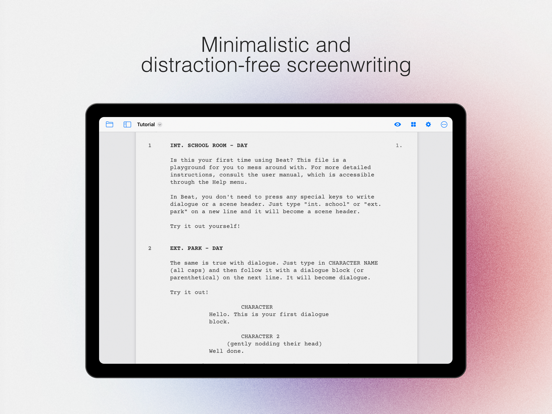
An elegant Fountain screenwriting app, created by a screenwriter for screenwriters. The perfect companion for full macOS version of Beat.
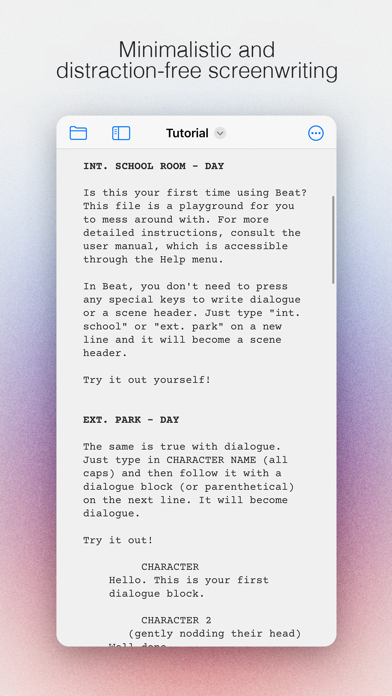
Beat lets you write in a flow: Just start typing and let Beat take care of the formatting. There are as little distractions as possible to let you concentrate on writing.
The app uses Fountain markup to store your documents, so everything you write is portable and future-proof. Your files are stored only on your own accounts and devices, and they are kept completely private.
• Distraction-free UI
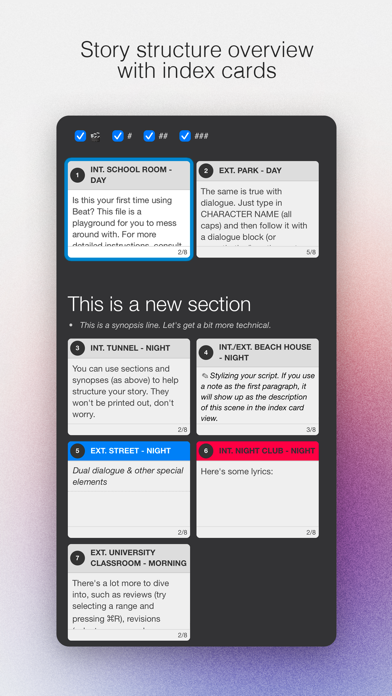
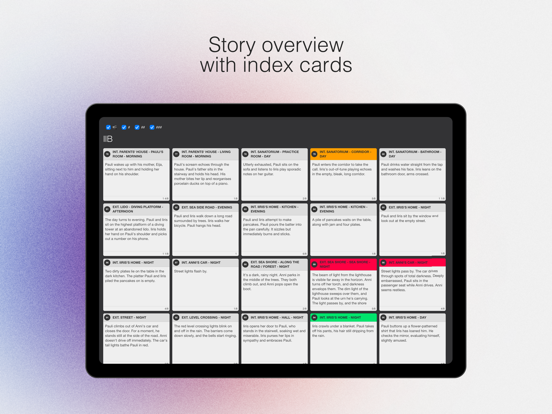
• Index cards
• Automatic scene numbering
• Auto complete for scene headings and character names
• PDF export
• Final Draft import and export
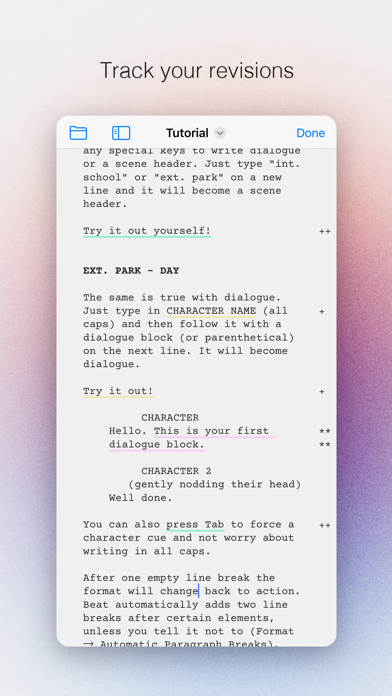
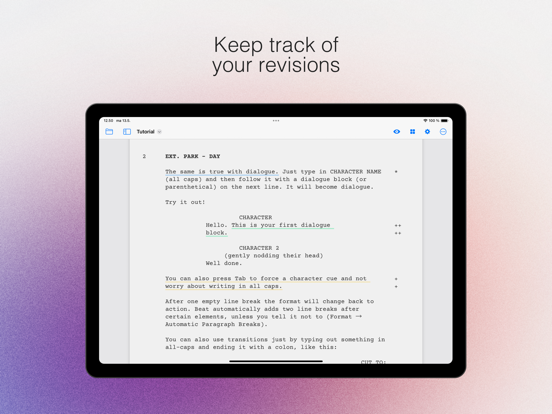
• Revision/edit tracking
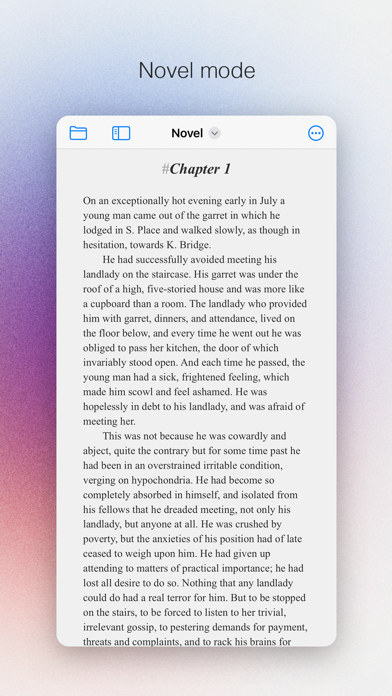
• Novel mode
• Collection of templates for a quick start
(beat) for iOS App Comments & Reviews
(beat) for iOS Positive Reviews
Apple doesn’t want you to see this oneDownloaded (beat) on my Mac and was floored. It does everything Highland Pro does but without the awful subscription pricing. When I got to my phone I opened the App Store and searched for it to no avail. Apple has it absolutely *buried* while they (predictably) put up tons of results for subscription apps. Anyway, glad it’s here and glad it’s so good. My need for a phone-based script app is frankly almost nil, but I wanted to pay something to support the developers since the macOS version is free..Version: 0.2.8
Loving this compared to Final DraftHonestly this is great, lightweight without feeling feature anemic. Feels much less clunky than Final Draft and is straightforward to use. I just need something that lets me do proper screenplay from my iPad Pro and this is it. Only found one bug so far… I can get “Advanced - Invisible Elements” to display # Sections in the Preview (from the eye icon), but when I toggle it on in “create PDF” and the parser doesn’t seem to want to incorporate section markers to .pdf print for some reason (nor does it display in the “Create PDF” preview, despite displaying in the eye icon ribbon preview function). If they can fix this, I’d say 5-stars presently. (Maybe add a recency sorting parameter to the auto complete for scene headings to make it actually useful and less actions / key presses).Version: 0.3.2
Great app but need some updatesOverall, I really like the Beat Script app. It has a lot of great features, and it’s genuinely useful for writing and organizing scripts. That said, there are a few features I wish it had that would make it even stronger. First, I wish it offered more granular note-taking options. Right now, notes apply to the entire script, but it would be incredibly helpful to have notes per paragraph or per section. That way, you could attach specific thoughts, reminders, or revisions directly to the exact part of the script they relate to, which would make organizing ideas and revising much easier. Second, I’d love to see a clearer and more visual organization system that shows hierarchy. It would be great to have a way to see how scripts connect to one another—especially for episodic or chapter-based writing. For example, a hierarchy diagram where scripts are visually linked, with arrows showing that one script is the next chapter or episode after another. Something like a left-to-right flow or branching structure would make it much easier to understand how everything fits together at a glance. Even a toggle that lets you switch between viewing episodes individually or as one connected project would be a big improvement. Another feature I’d really appreciate is more dedicated metadata sections. Just like there’s a notes section, there should also be a separate logline section and a separate synopsis section. This would allow you to keep your logline and synopsis clearly defined and distinct from general notes, while still having them connected to the script itself. That kind of separation would be especially helpful when pitching or revisiting projects later. Aside from these wishes, the app is solid and very enjoyable to use. With a few additions focused on organization, hierarchy, and project-level clarity, it could easily become a top-tier writing tool..Version: 0.3.9
The Best OptionEspecially with Final Draft’s new cloud-based nonsense, (beat) is far and away not only the best value, but the only easy cross-device option because I can just store my scripts in iCloud or wherever. The only thing I wish is that you could hide the markup in the iOS and iPadOS versions the way you can in the macOS version. Then it would be 12/10 instead of 11/10..Version: 0.4.4
This is the one you’re looking forInsane how long it’s taken for someone to make a GOOD screenwriting app for the iPad/iPhone but finally, at least, someone has! It’s simple, reliable, intuitive, and the developer is responsive and generous. Seriously, save yourself the money and the headache with the other subscription-based apps, and get this one!.Version: 0.2.11
Finally, a dependable iPad screenwriting app!As a professional writer, options have been limited for a decent iPad screenwriting app. The big green industry standard has long been buggy and unreliable. Enter Beat. This is lean, fast, and fountain-based, so it doesn't lock you in to a proprietary file format. Well done!.Version: 0.1.0
Wonderful!It’s simple and intuitive. I prefer it to all the other apps I’ve tried and the price is great. It’s free on Mac as well last I checked, so you can go back and forth as needed..Version: 0.4.5
Doesn’t work with Google DriveWorks with iCloud Drive but I’m collaborating with non-Apple people. Was hoping it would work with multiple storage services, since the website says it uses your own device storage and accounts (plural), but no, it’s just the one account. Still glad to support an app developer who is making the desktop version free..Version: 0.1.6
Wonderful FindNot sure why this app is challenging to find, (seems invisible from searching?). Really nice features, excellent free osx companion app, and flexible sync. Able to keep distracted by scripts on the go!.Version: 0.3.10
Perfect!For decades I have wanted screenwriting software as intuitive as this! Finally it’s here! All of the others are so unnecessarily over complicated! Beat is the one I like!.Version: 0.2.12
FinallySomeone who is doing it right. Bravo!.Version: 0.3.0
BEST IOS SCREENWRITING APPGreat app, my first time leaving a review for an app that’s how good it is. Recommending to everyone!.Version: 0.1.18
AmazingAmazing dev, great companion app to the classic MAC OS version!! lezzzgooooo.Version: 0.1.6
Cannot download my screen plays!I love this app. It’s absolutely beautiful. It’s easy to use. I’m able to burn out a screenplay no problem, but I’m also writing on my iPad. I’m running into a problem that I’m not sure if anyone else is running into for whatever reason when I try to save my scripts or download them to be able to print them out or send them to other collaborators. The script will not open for whatever reason it will not turn to a PDF and when I try to open up the script once it saved to be able to send it to someone it says Null. I’m just really stumped and I’m not too sure what to do so that being said I’m giving the app three stars when in reality it should be a full five..Version: 0.4.5
Free International Money Transfer 💸Enjoy high maximum transfers into more than 20 currencies while saving up to 90% over local banks! The cheap, fast way to send money abroad. Free transfer up to 500 USD!Version: 0.4.9