Metadata Pro Customer ServicePLATINUM CITY LLC

Metadata Pro Customer Service

  1. Metadata Pro Customer Service
  2. Metadata Pro App Comments & Reviews (2026)
  3. Metadata Pro iPhone Images
  4. Metadata Pro iPad Images

PHOTO AND VIDEO METADATA EDITOR
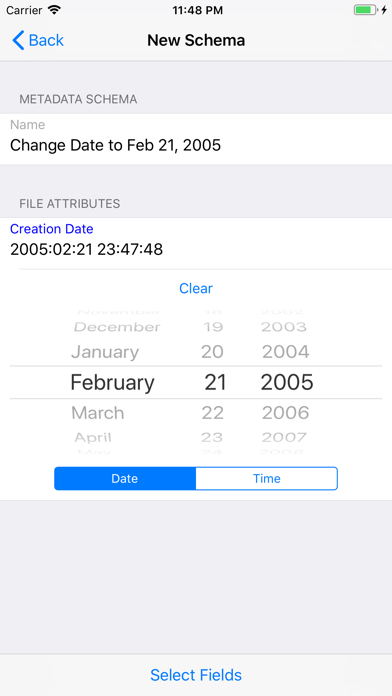
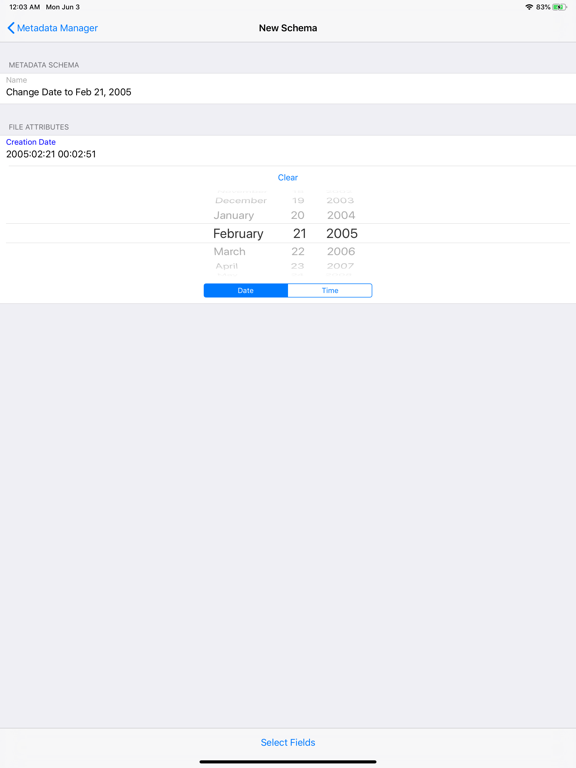
•Single or batch edit date
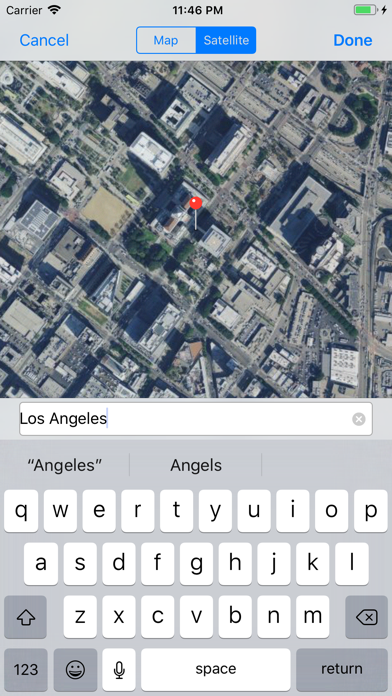
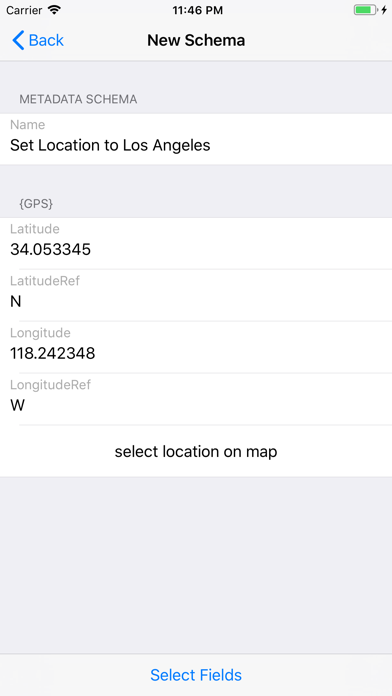
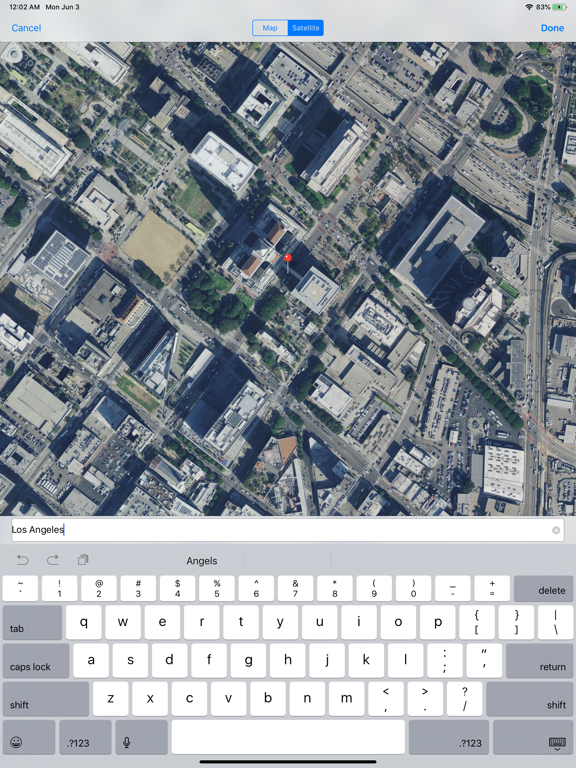
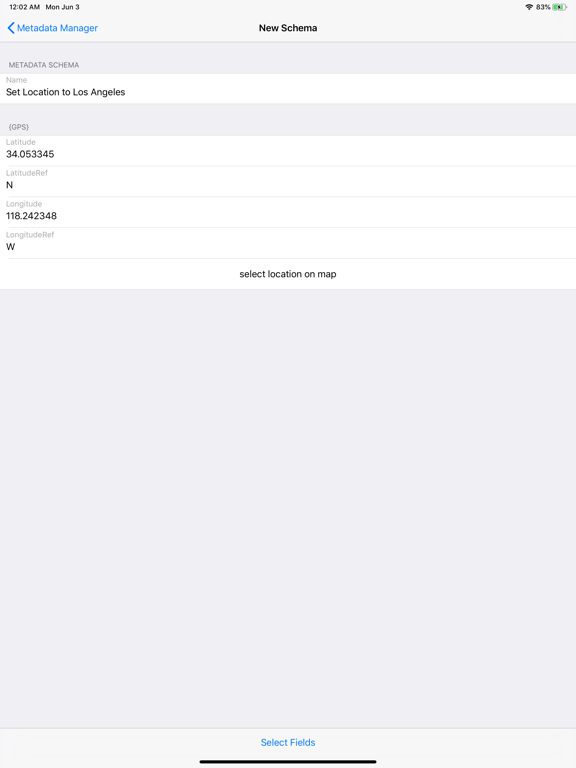
•Single or batch edit location/GPS
•Single or batch EXIF, PNG, and TIFF metadata
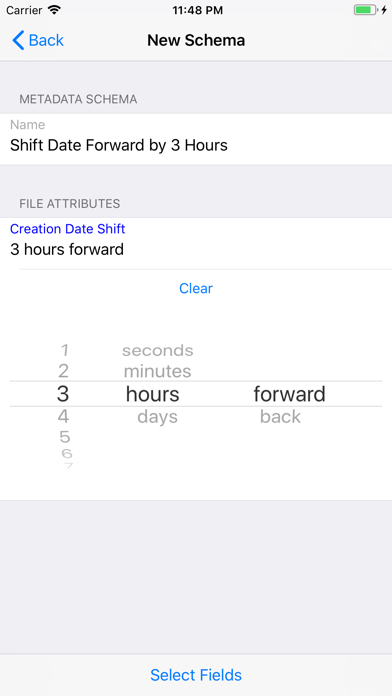
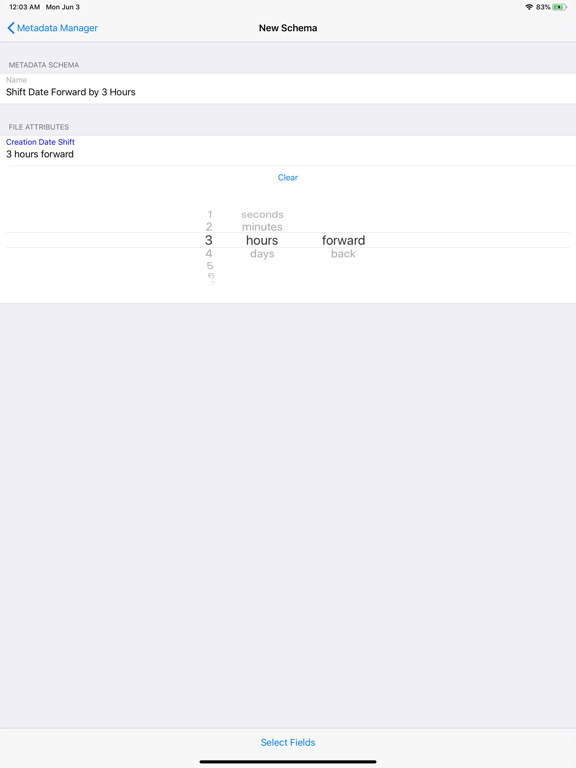
•Single or batch shift dates to correct timezone (i.e. shift photos by 5 hours)

Built in actions to quickly perform these functions to a single or batch of photos/videos:
•Remove GPS/Location metadata
•Remove All metadata
•Set to current date and time

Additional Features:
•View filename and size of photos and videos
•View duration and resolution of videos
•Export metadata from photos and videos to apply to other photos and videos
•Create metadata schemas to reuse on photo and videos
•Read metadata of RAW photo file types such as CR2, NEF, DNG, and more! (Note: export of RAW file types not supported at this time)

Metadata Pro supports adding, removing, and/or editing the following photo metadata:

GPS:
•Altitude
•AltitudeRef
•Latitude
•LatitudeRef
•Longitude
•LongitudeRef

TIFF:
•Artist
•Copyright
•DateTime
•ImageDescription
•Make
•Model
•Orientation
•Software

PNG:
•Author
•Copyright
•Description
•Software
•Title

IPTC:
•Keywords

Exif:
•ApertureValue
•BodySerialNumber
•BrightnessValue
•CameraOwnerName
•Contrast
•CustomRendered
•DateTimeDigitized
•DateTimeOriginal
•DigitalZoomRatio
•ExposureBiasValue
•ExposureIndex
•ExposureMode
•ExposureProgram
•ExposureTime
•Flash
•FlashEnergy
•FNumber
•FocalLength
•FocalLenIn35mmFilm
•FocalPlaneResolutionUnit
•FocalPlaneXResolution
•FocalPlaneYResolution
•GainControl
•Gamma
•ISOSpeed
•LensMake
•LensModel
•LensSerialNumber
•LightSource
•MeteringMode
•RecommendedExposureIndex
•Saturation
•SceneCaptureType
•SceneType
•SensingMethod
•SensitivityType
•Sharpness
•ShutterSpeedValue
•StandardOutputSensitivity
•SubsecTime
•SubsecTimeDigitized
•SubsecTimeOrginal
•UserComment
•WhiteBalance

Metadata Pro supports adding, removing, and/or editing the following video metadata:

•Copyright
•CreationDate
•Description
•Location
•Make
•Model
•Software

Note: Modifying of existing photos and videos is only possible with JPG/JPEG photos and MOV videos.

Metadata Pro App Comments & Reviews

Metadata Pro Positive Reviews

Good SoftwareThis is metadata editing at its best. Simple, straightforward. Thanks..Version: 7.0

Its wonderfulThe app does exactly what it promises all i wanted was an app that can mass delete dates on photos so i can arrange my photos on my iPhone in the order that i would like them instead of them being arranged by date and this app did exactly what i needed it to do..Version: 9.2

GPS Data and others still stuck on photoI was very surprised to find out that the app suddenly stopped working and that all of the meta-data was indeed intact no matter how many times I deleted it with this app. Very disappointed..Version: 7.0

WorksYou need to open the app then select the photo in order to edit. It edit is you use the extension in Photos..Version: 7.0

Allen’sThis is an awesome and very intuitive app. I’ve worked with meta-data and all kinds of mediums and this is the most thorough I’ve ever seen.Version: 9.2

Needs Instructions!Not at all intuitive and requires a lot of experimentation to get results. Not a single word of documentation is included with the app or on the developer website..Version: 7.5

HelpEverytime I try to change the creation date it doesn’t let me.Version: 9.0

It workedIt works but not pretty and kinda confusing..Version: 7.0

The most comprehensive iOS metadata editor I have foundJust got this and I am still playing around with it but I haven't seen any other apps that allow you to specifically choose and edit any of the the EXIF data fields that you want. In addition, it allows you to add fields of EXIF data that the original device does not populate..Version: 1.0

Freakin' AwesomeAfter spending a day trying to figure out if iPhone / iPad videos have geotagging and how to view it, struggling and resisting the enigmatic ExifTool by Phil, reading about geotagging in the film stream versus one geotag in the file, arghhh, I bought this app out of shear frustration, not even knowing if it would destroy my originals or what. And it is absolutely perfect. I took a video of a chair. Opened the app, found the gps data and removed it. The app makes a copy of my video without the geotagging, stores it as a new file and creates an album where I can find all of my gps-free photos and videos. It works perfectly. I still don't understand if iOS cameras embed gps in the streaming data, but I do know that data is not easy to find if it exists. The knowable geotagging is wiped by this app - without touching your original. Peace of mind for now..Version: 1.0

Good, not great yetOverall a little better than other metadata apps. Still not what I need. I want to be able rename files. Also frustrating to batch change metadata and have all the new versions along side all originals. I don't want the originals and copies on my phone (and the trashcan vanished) Using this app disables other editing options in the photos. Bought it this afternoon and deleted it tonight. I'll try again later. There is potential. I'm hopeful..Version: 2.0

Only one to edit video dataSuperb. When you stitch videos with iMovie, this can help you preserve date and geo info on the resulting video. Love it..Version: 2.0

Does what I need it to doThis app is one of those things most folks will never need, but when you do, it is great..Version: 4.4

Metadata ProWorks very well on photos as well as videos..Version: 4.4

Informative/Must HaveThis is an excellent app if you need to know the actual file size, and metadata information. A feature of great use to me is when viewing a pic I can send it to the camera app I use for trimming or alterations from the “Photos” app. There are many other features that are quite useful, and needed, all in all an Excellent Useful Tool that makes life easier. Most developers today run you through a convoluted exercise in hipsterdom, this developer does not, and Thank You for getting it. 😎😜😎.Version: 4.3

Free International Money Transfer 💸Enjoy high maximum transfers into more than 20 currencies while saving up to 90% over local banks! The cheap, fast way to send money abroad. Free transfer up to 500 USD!AdvertorialVersion: 10.0


What do you think Metadata Pro ios app? Can you share your thoughts and app experiences with other peoples?

Please wait! Facebook comments loading...

Metadata Pro iPhone Images
  • Metadata Pro iPhone image 1
  • Metadata Pro iPhone image 2
  • Metadata Pro iPhone image 3
  • Metadata Pro iPhone image 4
Metadata Pro iPad Images
  • Metadata Pro iPad image 1
  • Metadata Pro iPad image 2
  • Metadata Pro iPad image 3
  • Metadata Pro iPad image 4