Oval Software Oy
Calculator´ Customer Service

- Calculator´ Customer Service
- Calculator´ App Comments & Reviews (2026)
- Calculator´ iPhone Images
- Calculator´ iPad Images
Stop your math time-wasting today with this app! Designed to help you zip through your daily math in a swift of your own unique style ;-)
* LOVED by thousands for its smart UI with Live results & Natural feel
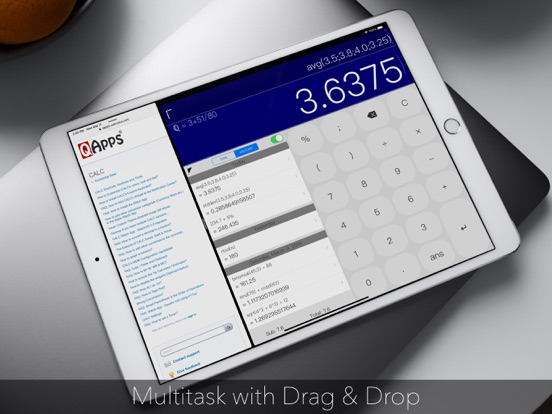
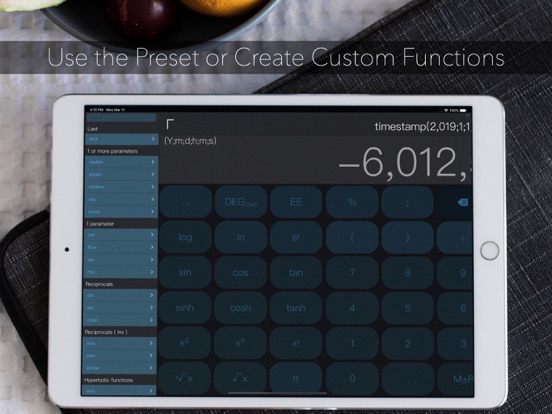
Now featuring user-definable advanced Functions that you can Share easily with other Calculator users and optimizations with iPad multitasking, 3D Touch shortcuts, Expandable Widget, Spotlight searching of History + watchOS native App with haptic.
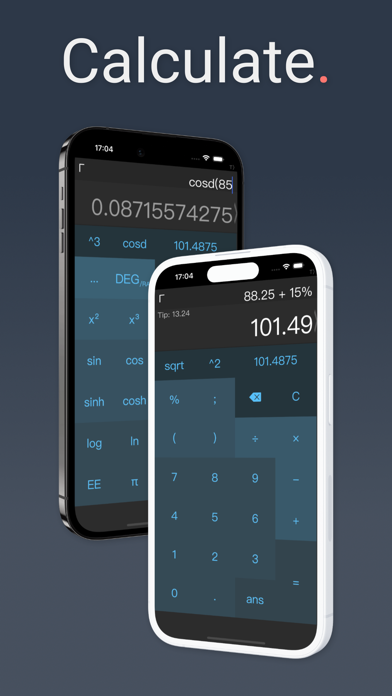
Calculator is super intelligent, multi-functional scientific calculator that makes doing math look like art. It has built-in on-screen timer, notif. center Widget, Custom Keyboard, many pre-set functions like Date-time and Base computations and limitless combination of colors, fonts, shapes and sizes.
It features standard basic & scientific calculator functions, history log, and an elegant user interface. The quick timer is designed to help your track remaining mins:secs whenever you are on schedule.
It is really clever.
It can do live math expressions: from the simplest like "1+2" to more advanced expressions like "3+(3x9(80+sin(90)))"
Advanced calculator.
By swiping left and right on the app, you can easily access over 50+ advanced math functions.
History log.
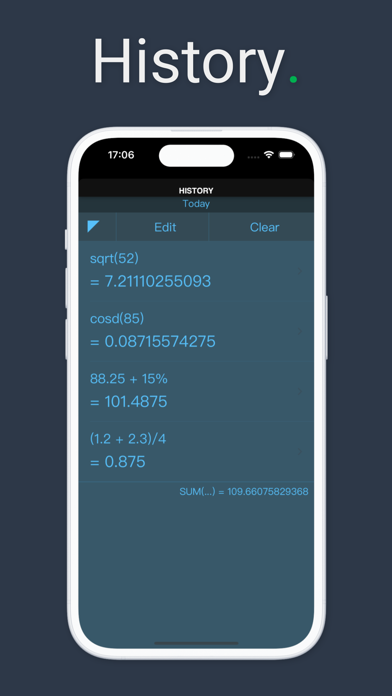
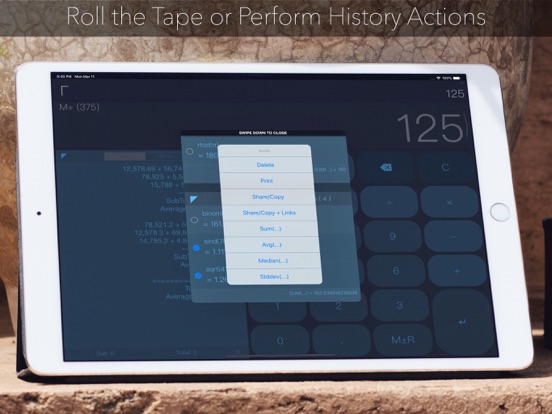
Calculator remembers what you have calculated. Swipe up, and you can see all your previous calculations.
Colorful Themes.
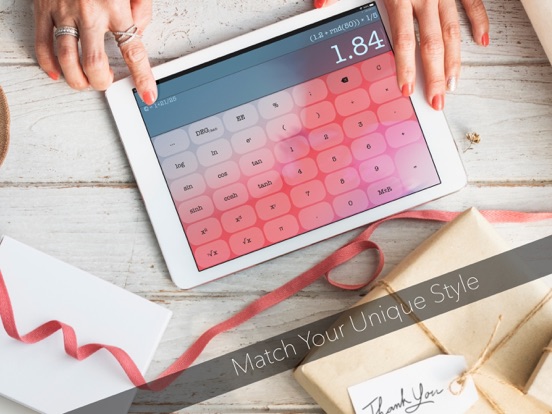
Limitless lovely themes for you to browse, including optional parallax background image of your choice!
Easy access.
Tap & Hold a math expression to edit it. Shake your device to undo
Tap & Hold a number key for smart parenthesis
Tap & Hold the decimal point for RANDOM decimal
Tap & Hold the “ans” key for answer history
Tap & Hold the “÷” key for 1/x
Tap & Hold the “-” key to negate
Text style Edit option for Expressions
Tapping sound options
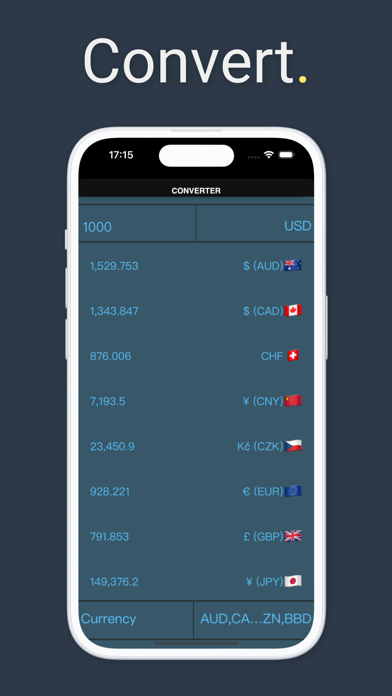
An In-App purchase is ready if you decide to add the Converter and Basic Graphing!
Terms of Service & Privacy Policy: https://oval.fi/privacy-calculator
Subscription Terms
The subscription auto-renews at the end of each term.
Payment will be charged to iTunes Account at confirmation of purchase.
The subscription automatically renews unless auto-renew is turned off at least 24-hours before the end of the current period.
Account will be charged for renewal within 24-hours prior to the end of the current period.
You may manage your subscription and turn off auto-renewal by going to your Account Settings after purchase.
Any unused portion of a free trial period will be forfeited if you purchase a subscription.
Instructions on how to cancel a subscription can be found at the following link: https://support.apple.com/en-us/HT202039.
Calculator´ App Comments & Reviews
Calculator´ Positive Reviews
It’s all that I needThis is the best basic calculator I have found. It functions well and it shows the progression of your work, almost like an old fashioned calculator with a paper readout would do. The buttons are a good size, so not too many “big finger” issues, and they’re sensitive enough to not miss numbers as I input them..Version: 3.5.31
BEST CALCULATOR EVERThis is what I've been looking for for months, expression editor with instant answer, simple UI, fast one, it also came with extra features like keyboard, widget, great settings, clipboard, and everything you need, I didn't even know how much this were important until I saw 'em here, BIG LOVE DEVELOPERS.Version: 3.5.12
Great calculatorA really well made Calculator app that replace the default calculator app on both my iPhone and iPad. Many convenient features, clean UI. Can’t recall any crash in the years I have been using it..Version: 3.6.3
My favorite calculatorI deleted the default calculator because this is better in everyway. It has a great GUI, it shows your calculation as you enter it and it has advance features..Version: 3.5.12
Bait and switch?I downloaded this app as it was featured on appsgonefree this morning. When I downloaded the app, it’s asking for money to add the very features advertised for free. I don’t have an issue with paying for a well made app like this, but something isn’t right with the pricing or someone got their wires crossed..Version: 3.5.26
Price issueThis app was in AppsGoneFree on June 2, 2019. The download was free, and the upgrade was supposed to be free, but I got charged for the upgrade. Not crying over the $2.15, but still not happy about being charged for something that was supposed to be free..Version: 3.5.23
WonderfulI finally found a calc that easily and efficiently replaces the one included on this phone. It works..Version: 3.5.23
Nice one you used to itIt took me a few times to get used to the functionality of the app but once you cross that barrier it becomes a nice tool I use often..Version: 3.5.26
Good go-to CALC.Easy to use, never needed another for everyday use. Thanks..Version: 3.5.23
The greatest calculatorThank you.Version: 3.5.15
Best calc everBest calc I ever used on iPad..Version: 3.5.25
Great appThanks.Version: 3.5.12
No RPN mode.Apart from that deficiency, this app is pretty sweet..Version: 3.5.19
MathGood.Version: 3.6.3
App Gets Better & Better!!I love the new icon, I love the no more crashing and I love all of the cool features that you guys put into this app with at the same time making the app size so small. The only thing that I would change would be to remove the swipe down converter feature on the calculator screen to not get that popup (I paid for this version for a reason), I don't mind it on the settings page but it does get a tad annoying when I accidentally swipe down instead of tapping the box. Other than that small thing, this is a perfect app!!.Version: 3.3.2
Good CalcHas many functions, very good!.Version: 3.5.11
Swipe motionsSwiping down to close the converter doesn't work. And since tapping on the screen anywhere will not return you to the main calculator screen, the app has to be closed and started again just to get away from the converter. This is on iPad mini 3..Version: 3.5.6
Good calculatorWish it had setting to only show simple keyboard..Version: 3.5.11
Needs tweetsIt's the best current calculator with all its features. I want it to have automatic parentheses. Unfortunately I still prefer the outdated Numerical app..Version: 3.5.6
Great appVery functional..Version: 3.4.14
Calc ratingThe best app I'm using.Version: 3.5.7
My favorite CALCMy go to calculator..Version: 3.5.11
Great!Solid app!.Version: 3.5.8
Great CalcThis is a good calculator..Version: 3.5.6
Jordanممتاز وجميل ولاكن عند الضغط ع = اكثر من مرة يضيف نتيجة ثانية.Version: 3.4.16
PerfectaExcelente diseño y funcionalidad..Version: 3.4.14
Works perfectlyFlawless.Version: 3.5.12
CALC SwiftThis program has depth and can be manoeuvred toward a Successful conclusion and result with ease!.Version: 3.5.12
Good practicalAttractive, practical..Version: 3.5.12
OkGood app.Version: 3.5.10
RetiredPositive and well organized.Version: 3.5.8
A good oneA practical calculator to be recommended..Version: 3.4.16
Free International Money Transfer 💸Enjoy high maximum transfers into more than 20 currencies while saving up to 90% over local banks! The cheap, fast way to send money abroad. Free transfer up to 500 USD!Version: 3.6.3