 Intemodino Group S.r.o.
Business Contact Book Customer Service

- Business Contact Book Customer Service
- Business Contact Book App Comments & Reviews (2026)
- Business Contact Book iPhone Images
Smart Home for Your Contacts
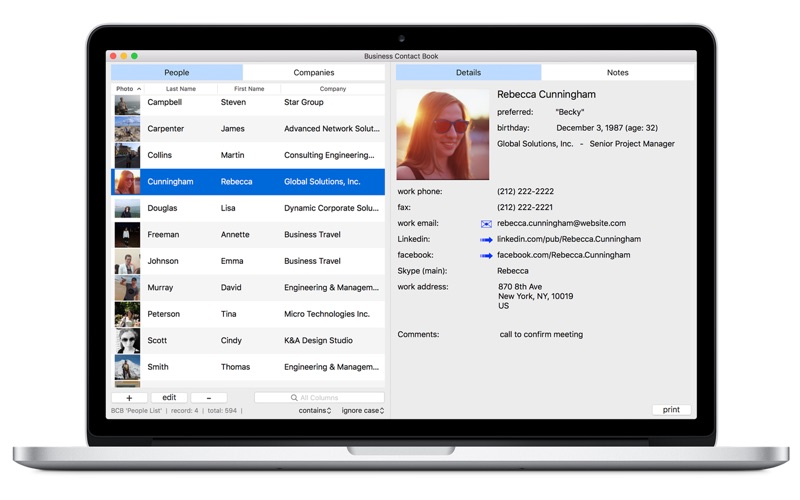
Business Contact Book is a well-organized and easy to navigate app with extended functionality to manage your personal and business contacts. Thanks to its intuitive interface and complete feature set, Business Contact Book is the best app to manage your existing contacts and make new ones.
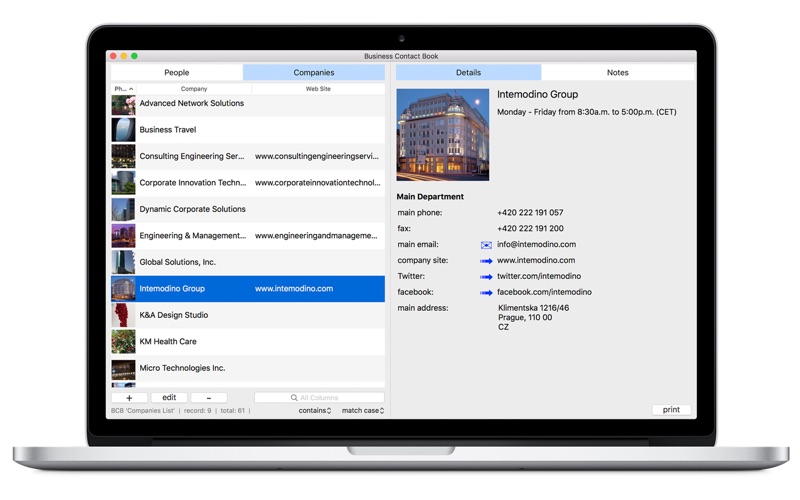
The core functionality of the app is the ability to add contacts in two linked lists "People" and "Companies" that makes it easy to add, manage, sort and find contact details.
FEATURES:
• Smart contacts organization.
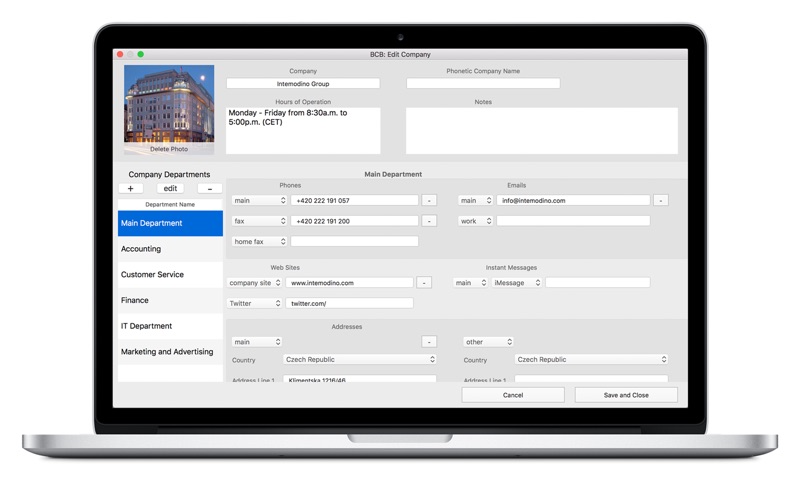
• Save company structure details by adding departments with the corresponding information.
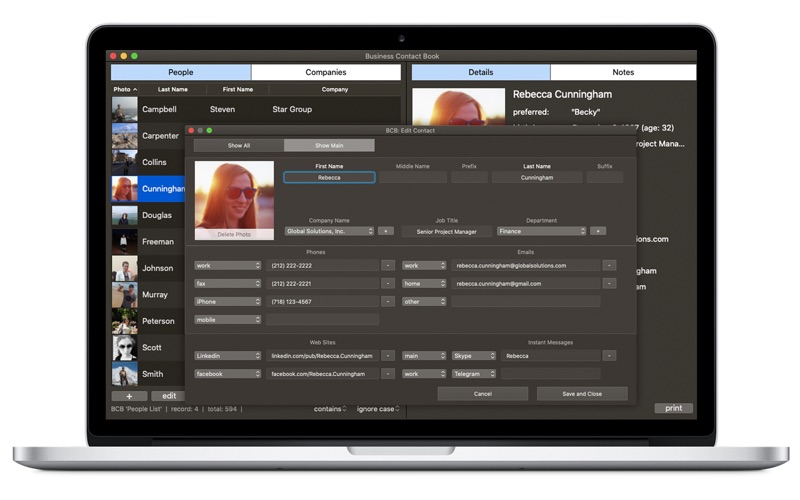
• Keep all sorts of information about people and companies, including names, email addresses, phone numbers, addresses, websites, social contacts, departments, and more.
• Quickly import contacts from Mac Contacts and resolve duplicates.
• Large database support.
• Trash option - protect your BCB contacts from accidental deletion. With the Trash option, deleted contacts are moved to the app's Trash so you can restore them with one click.
• Send emails to multiple contacts.
• Quick Search - instantly find whatever you need in the People and Companies lists.
• Advanced search - find exactly what you want with the intelligent multi-conditional search. Search your BCB contacts, including the Trash, by any field or any combination of fields using different criteria.
• Advanced sorting options.
• Print reports - print contact reports in a table view, as cards or save them as PDF. Customize and optimize the information you want to print using various printing settings.
• Print mailing and return address labels - print a single label or a list of identical or different labels, add images, customize font settings, select from multiple addresses, choose the appropriate Name format, handle company, department and country information, print name labels, save labels as PDF.
• NEW! Print customized envelopes with no efforts from BCB. Choose from more than 30 US and international envelope sizes, spice up your envelope with different fonts and font colors, add images or company logos and preview the results.
• Export your contacts to csv the way you need.
• Backup option - the ultimate backup solution for creating copies of all BCB contacts, including photos.
We understand how important is to prevent accidental data loss. To keep your data safe, Business Contact Book offers the Backup option that allows you to create both Auto backups and Manual backups.
Note: Minimum version requirements for importing information from Mac Contacts is OS X 10.11.
Learn more about BCB at https://businesscontactbook.com
For any questions or comments, please visit https://businesscontactbook.com/en/help/
Your feedback helps us make better apps. Our Support team is happy to answer your questions.
Privacy Policy: https://businesscontactbook.com/privacy.html
Business Contact Book App Comments & Reviews
What do you think Business Contact Book ios app? Can you share your thoughts and app experiences with other peoples?
Please wait! Facebook comments loading...
Business Contact Book on Social Media
Free International Money Transfer 💸Enjoy high maximum transfers into more than 20 currencies while saving up to 90% over local banks! The cheap, fast way to send money abroad. Free transfer up to 500 USD!Version: 4.1.0
Payoneer 💰Payoneer is an online payment platform that lets you transfer money from any corner of the world! A best and must have payment service for every blogger, traveler, freelancer, affiliate marketer, consultant, virtual assistant, business person, online sellers, and receivers. Earn $25 for free by joining Payoneer. Sign Up Now!Version: 4.1.0