YunaSoft Inc.
EverCal - Family Organizer Customer Service

- EverCal - Family Organizer Customer Service
- EverCal - Family Organizer App Comments & Reviews (2026)
- EverCal - Family Organizer iPhone Images
- EverCal - Family Organizer iPad Images
Thinking about a super-organized everyday life, there is no other option but EverCal. EverCal is an extremely handy calendar application for whole your family, which with a very easy user interface, helps you manage your daily life and keep your family life and business in the loop.
What you can do with EverCal:
3 IN ONE APPLICATION
- Manage your notes, journals and to-do lists all in one place. Add your journals and to-do lists to your calendar and categorize them all by color coding and custom fonts.
SHARE EVERYTHING WITH FAMILY
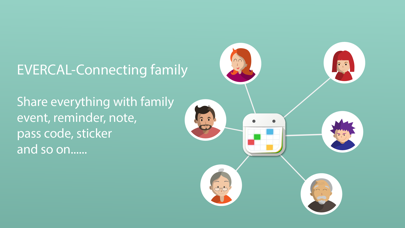
-Easily share your schedules. Do you have a large family with a confusing list of things to do and appointments to keep? EverCal is here for help with schedule sharing. This is a perfect solution which allows whole family members to share their schedules, notes and to-do lists. Simply create a family and join to it, and EverCal will do all the hard works automatically and intelligently. All materials are easily recognizable since EverCal uses different color codes for each family member.
Private option for you. You can also make a certain schedule private if you don’t want to share it with your family, or turn other member’s schedules off if you don’t want to be confused with them.
- One upgrade covers everyone in the family!
NATURAL LANGUAGE INPUT
-Create schedules with ease. Say goodbye to long, confusing and sometimes frustrating procedure of creating schedules. There is no need to set your schedule manually anymore, just write down “Meet Robert at Dome cafe tomorrow” and EverCal does the rest. EverCal understands the plain language and turns it into schedules in your calendar.
EASILY TRACK YOUR SCHEDULE
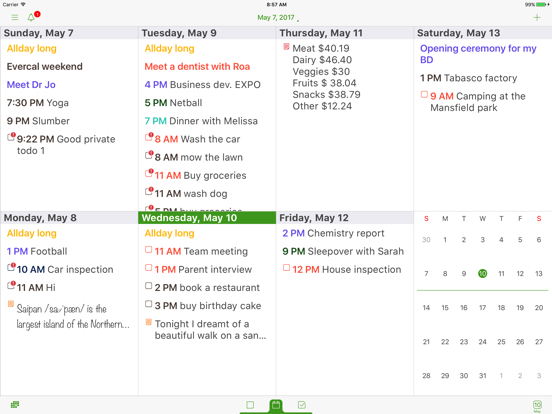
-Custom color-code your schedule according to activities like work, home, project or private.
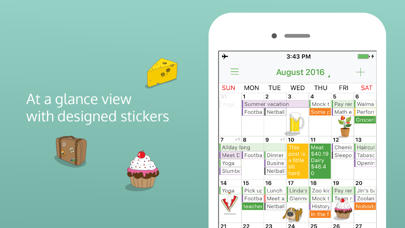
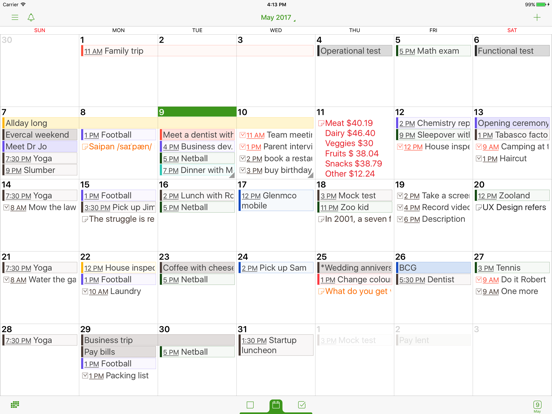
Conveniently view your schedules. View all your schedules and notes at a glance in weekly, monthly or list views not just as a dot view, but as readable contents without need to touch the schedules.
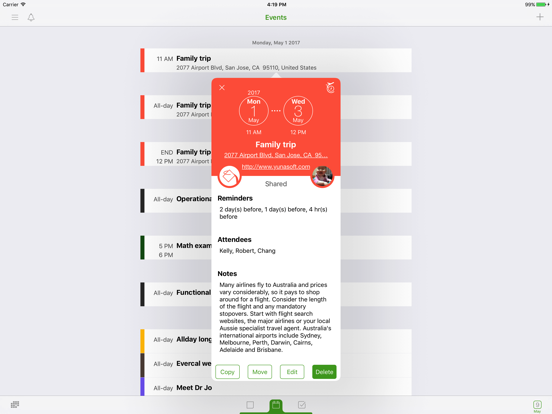
Attaching photos to your schedule is extremely convenient.
More details and options can also be added to your schedule, including setting time zone, alarm, attendees, repeating schedules.
All Features:
-Create a family calendar and share all family schedules, notes and to-do lists.
-Plain language input for creating schedules.
-Make a schedule private or public.
-Sync with iOS calendar.
-Display holidays.
-Event multiple copy/move.
-Search schedules, notes and to-do lists.
-Attach photos to schedules.
-Set alarm schedule reminder.
-View all schedules in monthly, weekly or list view.
-Create and manage to-do lists.
-Order to-do list items by priority.
-Multiple sub items for each to-do item.
-Birthday or anniversary settings.
-Customize and manage daily, weekly, monthly or yearly repeating schedules.
-Make simple notes on calendar view.
-Monday or Saturday week start.
-Various color themes.
-Customize fonts and font size.
-Color coding.
-Email or print output.
-Timezone support.
Some features listed above are available for premium subscription. EverCal Premium is $29.99 USD per year (price may vary by location). The subscription will automatically renew at the end of each term and will be charged through your iTunes account within 24 hours of the end of the term. We offer 3 month free trial for EverCal Premium. Whenever you don’t want to pay or stop using Premium, you can manage your subscription in iTunes.
Terms of use: http://wp.me/P1YDeW-qa
Private policy: http://wp.me/P1YDeW-q7
EverCal - Family Organizer App Comments & Reviews
EverCal - Family Organizer Positive Reviews
Ever calThis app was easy to use and the ability to link the calendar to other family members is definitely a huge plus for our family and business. The Color coding is also a very good options. Easy to add events and delete events. This calendar suits our business perfect!.Version: 3.3.1
Good...but not greatThere are a lot of things I love about this app. I love that you can colour code each item and link to lists. But...I already have several of your other apps and this app does not link to those apps. So...why pay for this app when I have already bought the others...when they can’t share with each other. This app doesn’t have a widget...which is very disappointing at this price point...as it is nice to see what’s on my calendar when I open my phone. You make a widget app...which I have already...but I can’t sync them together. I will continue to use this throughout the trail to learn some of the nuances...but without the widget option it is unlikely something that I will continue to use....Version: 3.3.1
EverCalGreat app! User friendly and fun to use. Keeps me organized!.Version: 2.0
Like the originalCan't wait to see how this one works..Version: 2.0
Easy to use :)I like how I can color code everyting which makes it really easy to see. I also love the to do list in the calendar which I use it for my grocery list..Version: 2.0
Thumbs up 👍🏻Great app.Version: 2.0
Free International Money Transfer 💸Enjoy high maximum transfers into more than 20 currencies while saving up to 90% over local banks! The cheap, fast way to send money abroad. Free transfer up to 500 USD!Version: 5.1.2