RaceChrono Oy
RaceChrono Pro Customer Service

- RaceChrono Pro Customer Service
- RaceChrono Pro App Comments & Reviews (2026)
- RaceChrono Pro iPhone Images
- RaceChrono Pro iPad Images
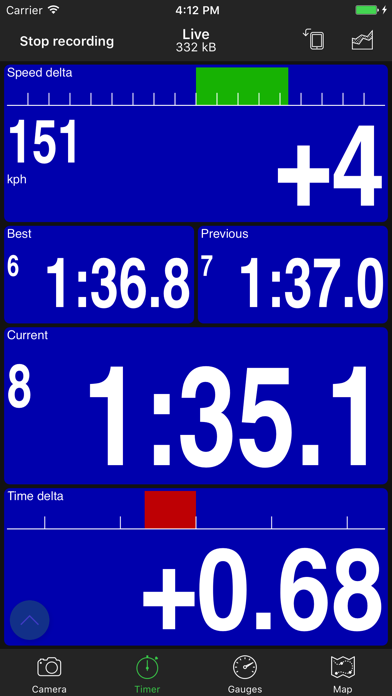
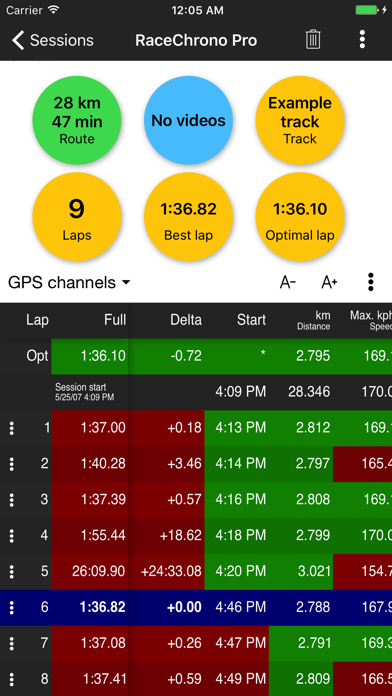
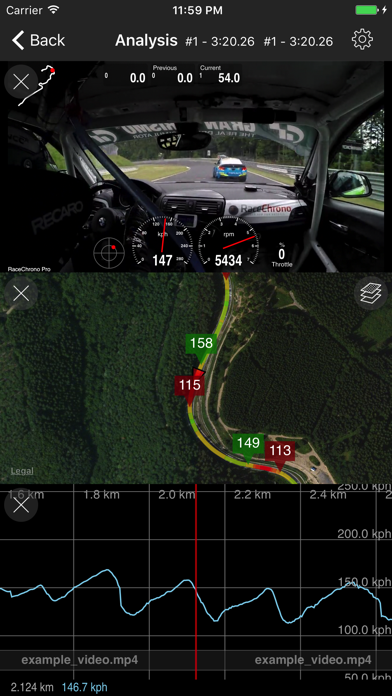
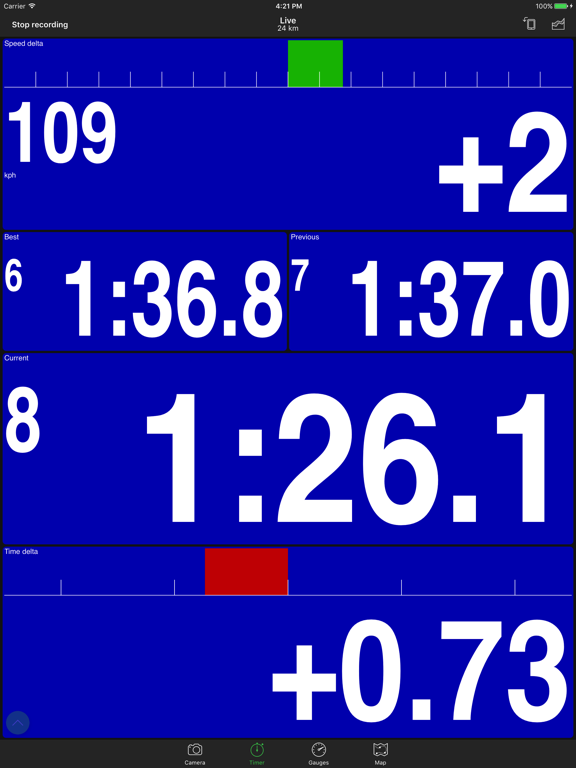
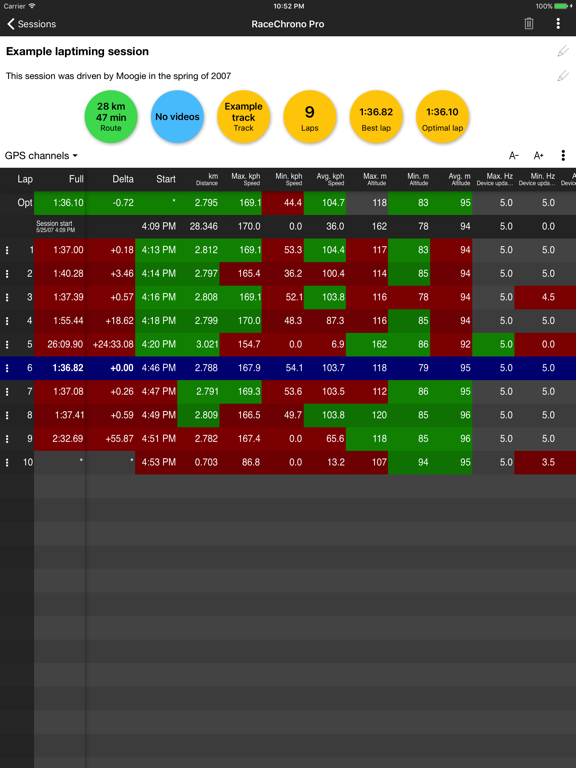
RaceChrono Pro is a versatile lap timer, data logging and data analysis app designed especially for use in motorsports, replacing your traditional lap timers and data loggers. The RaceChrono Pro app also enables you to record videos and overlay them with the logged data.
RaceChrono apps have a strong following, currently over 100000 active users. If you look around at pits during your race or track day, chances are that you’ll see someone using RaceChrono. Even many professionals, such as factory test drivers and race driving instructors, are known to use this app! No matter whether you ride motorbikes, drive go-karts or cars, on closed circuit or special stage tracks – this is the motorsports app for you.
RaceChrono Pro has following major features:
• Lap timing with sectors and optimal lap
• Track library of over 2600 pre-made race tracks
• Custom user defined circuit and point-to-point tracks
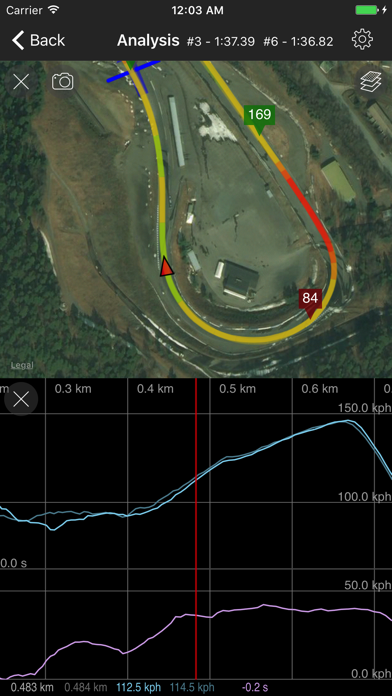
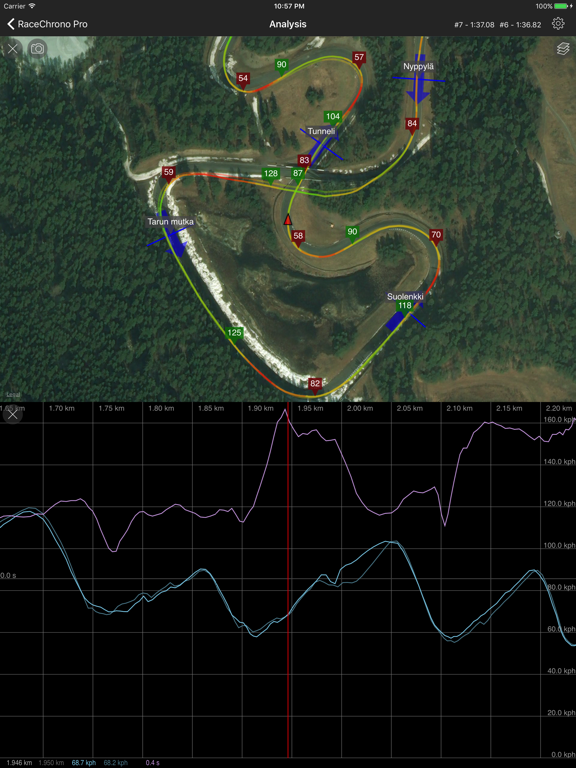
• Smoothly scrolling data analysis with synchronised graph, X/Y graph, map, video and comparison video
• Predictive lap timing and time delta graph
• Hardware accelerated video export with configurable data overlay
• Multiple camera recording and picture-in-picture video export
• Video recording using internal camera
• Linking and synchronising video files from almost all action cameras
• Support for external GPS receivers; Dragy Pro/DRG70/DRG70-C/Lite, RaceBox Mini/Mini S/Micro, Qstarz BL-818GT/BL-1000GT/LT-8000GT, Columbus P-9 Race, Dual XGPS 150/160, VBOX Sport, Garmin GLO
• Support for OBD-II readers; OBDLink MX+ Bluetooth, OBDLink CX Bluetooth, Dragy OBD, Vgate vLinker FS, Vgate vLinker/iCar BLE, PLX Kiwi 3/4, Carista OBD2 Bluetooth, Tonwon BLE 1/2/Pro, Veepeak OBDCheck BLE, UniCarScan UCSI-2000, OBDLink MX Wi-Fi, generic Wi-Fi OBD-II
• Support for Bluetooth LE heart rate monitors
• Unlimited session length, good for 24 hour races
• Session data export in .ODS (session summary for Excel), .NMEA, .VBO and .CSV formats
RaceChrono Pro App Comments & Reviews
RaceChrono Pro Positive Reviews
Great app for autocross!As an app developer myself, I understand how important is for independent developers to receive feedback on the app they poured their heart and soul to design, develop and maintain. So here’s a shout out for a job well done! I’ve been using your app for few years now for autocross only events. I average around 30 events per year, which probably puts me in the addicted category. I find the app an invaluable resource when I’m out at an event, as well as after the event. I use it to split the course in multiple sections, then analyze whether different approaches in a particular section work better than others. After the event with my friends and competitors we combine our data to see how each of us drove. One idea would be to come up with an online service that lets us share an event’s map, then have everyone signed up for that event upload their data there. This way we can look up in real time at other people’s data. I know this is a lot more work for you, but it could be a potential recurring revenue stream after you sold the app. One complaint I do have is that for the life of me I cannot figure out how to have the video camera start recording automatically when I’m at the start line, and turn off automatically few seconds (perhaps configurable in the settings) after I pass the finish line. The online FAQ is not very clear on how the video recording is supposed to work. At the moment I’m not using the video recording part of the app, which is really a shame since this would be extremely useful to have..Version: 7.2.6
Fantastic productThis is the only track data analysis tool I use and I don’t need any others. I use it with my Go Pro Hero 9 and it gives me just about everything I need. Video synced up with track map and speed graphs, sector and lap comparison with your best laps, top/min/avg speed, nice visual overlays My only gripes are that I wish it had the ability to control playback speed so I could watch comparisons closer, and video compression. Since this is only for iPhone/Tablet you’re more space limited and GoPro files are huge, so if I could in app compress them it would help a lot..Version: 8.0.8
Hands down winnerThis is my firs time reviewing an app, that’s how extremely satisfied I am with RC Pro. I’ve tried Harry’s Lap Timer and Track Addict. RC Pro has the best and most simplest and reliable functionality but my favorite feature is the analysis tools. Harry’s and Track Addict can’t hold a candle to RC Pro! There’s lots of data available, it’s simple to interpret and consume and an invaluable post race tool that has undoubtedly left me a better racer and faster driver..Version: 6.0.11
RaceChronon is my preferred datalogger on IOSMy viewpoint is coming from some who is a cone dodger, not a track person, but I think if anything the app will work better for track usage. My 3 suggestions to go from a 4 start to 5 star app would be: 1) let me install the iPad version on my Mac so that I can review data on my much larger external monitor. 2) allow me to play back the run in slow motion (1/2 speed, or 1/4 speed for example). Inputs in AutoX are so fast that I’m always trying to pan through the run in slow motion to digest the elements and what the car is doing. Can’t do it in real time. 3) this may not be an iPad problem but at least on my phone the map by default is too zoomed out. I know autoX courses are smaller than tracks but the map by default is too far zoomed out on my phone to even see where in the run I’m looking at. I always need to zoom all the way in before I can look at any data, otherwise I have no context for where in the run I am..Version: 10.0.0
Feature Required:video exporting bitrate settingExported video bitrate too low.Version: 9.0.2
Excellent features, poor UI5 stars for the features, 1 for UI. The app is supposed to be used in rough environment with bright sky background and touches in gloves, so why the main UI controls are so bleak and small? I’ve lost my data multiple times because of these UI issues. Plz hire a designer and make the app at least usable from UX perspective.Version: 9.1.3
Needs some improvementFor what it costs, I get other fun features with TrackAddict . Racechrono is missing more gauge design options. The landscape mode is bothersome since you have to press that button to allow the rotation for the camera. Also the app has issues exporting to the camera roll..Version: 8.0.9
Very goodI use racechrono pro with gopro 7, racebox mini, and veepeak obd2 for autocross and track. It works very well..Version: 7.6.3
Racebox mini is connecting nowGreat app! I had issues with racebox not connecting. But learned that you need to disconnect the other apps. Works great!!.Version: 10.2.2
Great appThis app is a really good alternative of expensive lap timers like AiM. Would be 5 star if it had a bit more overlay customizations and CarPlay support..Version: 8.0.9
Great…when the UX doesn’t get in your wayI’ve used this app for 2 separate track days now. While I’ve found the overall quality of data, export options and GPS tracking to be solid, the UX is a complete nightmare, especially given that this is a paid $20 app. I had multiple sessions not record the video feed because the UX is not very clear about when the camera is active vs when it’s not. Not to mention, the whole landscape vs portrait orientation lock just adds more confusion because it can end up with the camera orientation locked but the overlay changed. Also why are both the “STOP” and “START” buttons shown as red? I literally missed my best session because there is no easy visual cue for whether the video feed is being recorded or not. This could be as simple as giving an option in the settings to always turns on and record camera feed when recording a session. I was originally going to give it 4 stars instead of 3 because when it works, it is genuinely good. But someone else also brought up the UX issue and the dev response was “it’s a tool not eye candy”. As a dev myself, this is not a good sign. I understand that when your work is up for public comments, it is not easy to see it get criticized, oftentimes unfairly. But the bad UX is a serious issue for an app that’s used as a tool for track days, where we don’t have time to fiddle about as our session is about to start. There are far more important things like safety measures to worry about rather than try to figure out if the app is recording the video feed or not.Version: 10.2.4
TRACK MAKER MAP BUG REPORT!Excellent app. ISSUE: There is a bug that prevents from efficiently creating a circuit using the map. When I drag my finger on the map it freezes after 4-6 touches or after about 20 seconds, then I have to go back to my track list and select my track again. Device: iPhone SE 2020 Please fix this issue, thanks!.Version: 6.4.1
Free International Money Transfer 💸Enjoy high maximum transfers into more than 20 currencies while saving up to 90% over local banks! The cheap, fast way to send money abroad. Free transfer up to 500 USD!Version: 10.2.3