Grammarly, Inc
Grammarly: AI Keyboard & Notes Customer Service

- Grammarly: AI Keyboard & Notes Customer Service
- Grammarly: AI Keyboard & Notes App Comments & Reviews (2026)
- Grammarly: AI Keyboard & Notes iPhone Images
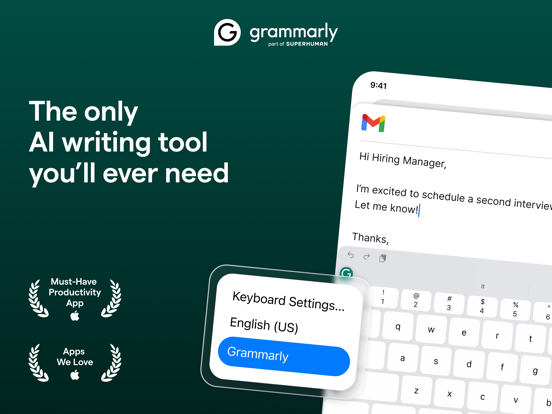
- Grammarly: AI Keyboard & Notes iPad Images
Instantly and easily create smart, polished writing with the Grammarly Keyboard. Designed to deliver real-time writing feedback and provide AI assistance, the Grammarly Keyboard works directly in your iPhone and iPad apps, no copy and paste required.
When you join the millions of people using the Grammarly Keyboard, you’ll benefit from:
An easy-to-use AI keyboard that works in all your apps
- Spelling, grammar, and conciseness suggestions in English, Spanish, French, German, Portuguese, and Italian
- Vocabulary and clarity recommendations (Premium only)
- Tone detection
- Tone transformations (Premium only)
- Multi-word text predictions
- Smart autocorrect, synonyms, and swipe typing
- Emoji predictions and search bar
Generative AI rewrites
- New versions of your entire message in a couple of taps
- Versions adjust for length, fluency, tone, and more
- Rewrites are supported in 19 different languages
- Works in all your favorite apps
A document editor for long-form writing and notes
- Comprehensive writing feedback
- Cloud-based document management
- Personal writing statistics
- Plagiarism and AI detection
- Compatible with hardware keyboards
A Safari extension for typing on websites
- Spelling and grammar checker
Further Improve Your Writing With Grammarly Premium
Grammarly Premium makes your writing more engaging and effective with advanced suggestions for clarity, conciseness, tone, and vocabulary. Premium works across all your devices; just sign in to enjoy its benefits.
If you upgrade to a Premium subscription, payments will be charged to the account associated with your Apple ID. Your subscription will automatically renew unless you cancel at least 24 hours before the end of the current period. After purchase, you can manage your subscription by going to your account settings in the App Store.
Privacy Is Our Priority
Grammarly practices privacy by design. Your words are your own; we will never rent or sell your data.
User Trust Guidelines: https://www.grammarly.com/trust
Terms of Service: https://www.grammarly.com/terms
Privacy Policy: https://www.grammarly.com/privacy-policy
California Privacy Notice: https://www.grammarly.com/privacy-policy#for-california-users
Grammarly: AI Keyboard & Notes App Comments & Reviews
Grammarly: AI Keyboard & Notes Positive Reviews
5 starsNotes—I wish there were a way to view previous versions of projects throughout the correction process so I could keep track of which grammar skills need to be touched up the most. What do my patterns look like? What seems to be the disconnect that keeps me making the same mistakes on a loop? These questions are nearly impossible to answer without anything to refer back to. I try to keep separate files saved in the same folder as the original, but I am rarely successful. With all its current capabilities, I am surprised this isn't an option. On Canva, there is a page with each project version and a time stamp to locate what you need quickly and easily. Otherwise, the app is flawless in terms of its current capabilities and expected results. I wish I had the funds to gift a subscription to Grammarly to everyone I know! The public education system (especially in the Great Plains states) has let us all down, which shouldn't affect us now as adults when trying to advance in our careers and lives. However, that is unfortunately the case for many adults I grew up with. Communicating well gets you further than you can imagine, and Grammarly provides a simple way to ensure you're always on point, which helps you learn from your mistakes along the way. I was fortunate enough to have a student membership included with my tuition, and I will never go back to a life where I don't have this excellent secret weapon in my hands..Version: 5.14.0
Conflicted!I like the idea of the app. However, I have been unable to figure out the best way to use it. I have premium, and it regularly chastises me regarding my constant misuse of passive voice, and only once in a while does it tell me what to do about it. I am proclive to speak that way, so why would I automatically know what my Alternatives might be? Sometimes, it is self-evident, but other times I am just lost. I also have an issue with some of the corrections they instill because I write how I speak and have a weird way with words. It's a part of my character. For example, it doesn't like that I used the word “obviously“ in the sentence above, but I used it to emphasize my statement, and that's what I want it to say. Lol smh On the other hand, (Grammarly) is an essential tool that helps me see what my weaknesses are and how to improve on them, so I gave it four stars. Thank you, Grammarly. Would recommend. Addendum: This is a very helpful tool for someone who can use it more efficiently than I But I guess mine didn't renew and when I was about to renew it manually I had to stop and ask myself “Why should I restore my purchase?”- I like to have it available to me but I don't know if it's worth the high cost. I have to think about it for a while..Version: 5.16.0
Full of bugs, that support won't addressI have written and in the process of editing/proofreading it, so i thought grammarly would be a good choice, well it is BUT , my book is over 70k words, but you can not import that file, since grammarly has limitations on the size, so i can only edit 8k words at a time, and God forbid you are trying to edit on an ipad (have ipad pro 11, 4th gen), you will be left with a 2*2 inch of working space to read, a lot of time it will stop saving, because it saves only online (God forbid of local save) so unless you copy and paste to "pages" you will loose all the edits that you do or have done. the "undo" is a disaster, suggestion that you choose to ignore temporarily stay in the way, suggestions will be hidden behind the keyboard, so you have to close the keyboard many times to access it, tons of bugs, and when i addressed it to their support, they would ignore what i say, and suggest things like "check your internet connection" , even though i said my connection is fine, and as per this typing i have recorded the issue proving that my connection is fine, but no one listens. tons of bugs and limitations. You would think as much as grammarly is advertised they would listen to constructive criticism with bugs that deserve fixing, but no, they ask for my file, MY BOOK, so no am not sending the file since it is irrelevant. I would love if that App works without the glitches and bugs, but it is and sadly enough, their support is not as supportive..Version: 3.1.0
NiceSuggestion: when a correction is suggested it would be nice if the reason/rule of grammar is quoted so we’ll learn at the same time. Maybe that's a premium service idk but that way you actually learn versus just blindly accepting correction and sometime not knowing exactly what or why the grammatical error is you’re making. IJS....Also I was proofreading my answers to a test and out of four questions asked one was supposed to have a grammar error. I typed all four sentences exactly into Grammarly but it didn't indicate any errors/corrections needed. Yet of course according to the test you were to identify the one that was wrong. So I hope I chose the right answer based on their criteria. So I don't know what's right the test or Grammarly. The test results don't tell you which were right answer not wrong; if they consider yours wrong, they just say it's wrong & give you the calculated score. Can somethings really be that subjective? I'm going to try and research the questions via another source and see if I can get different result. If that's the case then I may have an appeal to the test results scoring based in those questions that possibly could have more than one way for an answer to be considered correct.! Perhaps they need to update or clarify questions so there are no options for a correct answer. I'm sure there are plenty in this review because I ignored all suggestions..Version: 2.1.0
Impressive and helpful but priceyThis app is very impressive. At first, I didn’t use any of the options that had to change the mistakes, but by accident, I pressed that green, the top left, and to my surprise, I started reading what it said and was so surprised how it caught the mistakes and how easily it was to change them. I also really like how they added the number row to the keyboard. My previous phone had that when I upgraded, the keyboard no longer had that which is why I was searching for a new keyboard. I kinda got frustrated and just stopped and came across Grammarly and kept it now I’m glad I did. The main reason I like it or I should say love it is the part where it will improve what you have written. For example, if you want to sound compassionate, you can choose that option and it will do that for you, which is truly an amazing feature. So far, I’m liking it, and I am very much leaning towards purchasing the premium, but it is kind of pricey which is why I am only giving it four stars. I think that it could be just a little lower and that would be the only reason why four stars, but besides that, it’s a great app, especially when texting and communicating with others and you want to revise your message to where others will understand it and not perceive it wrongly which has happened to me in the past..Version: 5.3.0
It's good, but..Grammarly helps you fix wordy sentences and short stories. I was writing a school essay with Grammarly, it was of course helping but it was giving me suggestions to change words that didn't need to be changed. Such as ‘for’ to ‘of’. I didn't need these words changed, so I deleted it, that card kept popping up. Even when I've made a mistake, sometimes it doesn't recommend another word, or an option to take it out. Grammarly helps but it doesn't teach. Which is helpful time-wise but not efficient for learning. It's a good service but I wouldn't use it as a teacher. Sometimes Grammarly autocorrects real words and phrases, but when I type them again it'll autocorrect again. So what about the undo button? Well, that doesn't work for me, I mean it works, but it's very laggy. One thing I think is really useful is the Grammarly tone detector. Let's say you want to sound confident in a story, the tone detector will tell you what it sounds like to readers, if it's not what you think it sounds like, then you can change. A downside to that is it doesn't tell you how you might fix it. It should have a section where you can select a tone and Grammarly will tell you how to make it sound like said tone. Although that would most likely be a premium. So, I do not mean to come off as offensive but fix some bugs, and consider my suggestion. I feel the tone detector would prove useful for writers..Version: 2.10.0
Unlock the brilliance withinKyle struggled with expressing thoughts clearly—written dialogues riddled with grammatical errors and awkward phrasing. As a child and despite their knowledge, grades reflected a constant battle against self-expression. One day, while browsing online forums for writing tips, Kyle stumbled upon Grammarly. Intrigued, they signed up for the free version, unsure if it would be the magic bullet craved. Grammarly's suggestions, like gentle nudges, pointed out their mistakes and offered clearer alternatives. The once-daunting task became a collaborative effort, their confidence growing with each correction. Grammarly became Kyle's silent mentor, meticulously guiding them through the intricacies of written communication. Their dialogue transformed, their voice finding clarity and precision. Grammarly wasn't just a tool; it was a confidence booster, a bridge between their thoughts and impactful expression. Empowered by their newfound voice, Kyle blossomed. Grammarly remains their trusted companion, not a crutch but a catalyst for their potential. Their story resonated with others, inspiring them to embrace the power of clear communication. Kyle, once self-doubting, became a testament to the transformative potential of a simple tool, proving that sometimes, all it takes is a helping hand to unlock the brilliance within..Version: 5.1.1
Magic might be real after all.After years of struggling with grammar, I finally discovered a product that transformed my error-riddled writing into a thing of beauty. It's incredible how much value can come from improving your communication ability. Seeing this transformation's results has been game-changing, allowing me to choose the desired goal of my writing and customize it in that direction. It's never too late to realize the importance of grammar, and with the right tools, anything is possible. I highly recommend incorporating a learner mode feature into the tool, which allows users to switch between a "get it done" mode and a "take your time" mode. As a user, I understand the importance of having the flexibility to skip lessons and explanations when necessary or to dive deep and fully comprehend the material. In addition, I'd advise users to view the tool as an auto grammar checker and as a valuable resource to aid their learning journey. It's crucial to set the intention to rely on it less and less as you grow your grammar skills. Ore. You will want to keep using it, though you will see..Version: 5.5.0
Grammarly improves my writing skills daily!The feedback Grammarly provides each time I compose a text, email, note, post, or document is steadily changing, improving my ability to convey my messages and ideas succinctly. Almost daily, I receive compliments on my writing, “You are such a great writer!” or “I wish I could write like that.” “You can!” I enthusiastically reply. “Grammarly Premium is the ticket!” Although I wouldn't leave home without it, Grammarly still needs to refine its program further. It repeatedly fails to suggest the capitalization of “i” when necessary. Additionally, small but critical mistakes (e.g., missing end quotes) do slip through the app’s cracks; a final writer review is imperative before a written piece is finalized. But these drawbacks and oversights pale in comparison to Grammarly’s benefits. The Premium version is worth every cent and more! Unfortunately, I do need to review my written material after Grammarly provides suggestions. The app continues to overlook misspellings and neglects to catch “im” for “I’m” and “kand” for “and.” I do trust that with continued updates, the folks with Grammarly will address these minor bugs. Bottom line: My writing continues to improve and I wouldn’t leave home with it (Grammarly)!.Version: 2.6.0
Feedback to get a 5 star reviewHi. As a person on SSDI and with a part time job I would highly recommend having the ability and flexibility in your business to offer scholarships to those in need. People like me would love to get off government programs and get the job that good writing habits could help grant. I gave this 3 out of 5 stars because I believe in your business and your a ability to honor my requests to provide scholarships to those that would qualify for such help based off government assistance proof or the proof of being disabled or low income by showing any form whether it’s via Medicare/Medicaid card or EBT card or even information found on a state ID that indicates a mental health disability. Please please do this not just to look good but for the ethics of looking out for success of others who desperately could use the quality a full package offers. Thanks in advance and I trust you’ll make the disability community and other groups that are lesser known proud knowing you put the people first before profit and who knows maybe a tax write off could be in your future. I will surely give you 5 stars if you implement such an idea to help people like me and others who cannot afford the paid version but could desperately use this..Version: 2.0.1
Underdog vs the real Weiners 😁🙏😇✌️☝️❤️Fantastic application for the new project and great community support from our partners and team members . As Brothers in Arms together we are committed to making this project more sustainable for our future. Everybody should have a PAL and Leala and I have many PALS to be proud of. Leala and I have been in this a very , very , very long time. And without the support of others we probably wouldn’t have finished the mission that was in our vision. Children and teens as well as adults when we believe in ourselves nobody can ever take away what god gave to each of us and those are the only God given tools that we need . As well as love ❤️ in each other . And always be in it 2 win it . Thanks everyone 🙏✌️☝️❤️🌙😇😁☝️🌙🥲. Btw that is why I chose to pick Leala because she is my Underdog . To the other people who are now inside their cages . Meow Meow 😸 . !!! See ya never and if you ever come into my path again just remember dog speed of lightning bolts defender . 😁😇😀🥲☝️❤️❤️✌️✨🌙😊😊😊😀😀😇🙃😅😅🤣😃😄😁🤣❤️❤️❤️😇 thanks Peter God, and peace be with you. I heard just you said, and also with you thank you..🙏.Version: 5.1.0
Challenging and fun!I saw this game advertised before it was available for download, and I “pre-ordered” it (the first time taking advantage of that option) I'm so glad I did bc of course I had TOTALLY forgotten about it when it showed up on my home page.... Lol. I actually thought my husband signed us up for application sharing or something..... 🤪Once I realized it was something I preordered, I played it and haven't stopped!!! The concept is super smart!!! (it's not just another boggle-based word game or crossword game with 1000 levels of 3-letter words! OR just another spin-off on Scrabble that takes the amount of time necessary between turns as a game would in person! BLAH!) The concept is fantastic, it's not over the top and they have executed it perfectly. My only suggestion, however, is to create a better way of inviting people to play a game with you... Even the link that's sent as a message looks so unappealing I feel the need to send a second text to verify it's not spam! I know I know - Looks can be deceiving, or don't judge a book..... Yeah, yeah... Either way, the game is great!.Version: 2.15.1
Excellent system, buggy app – 3.5 starsI recently tried out the Grammarly app, and while there were a few issues, overall, it has significantly improved my communication. One of the problems I encountered was with the keyboard, which sometimes jumps around and makes it difficult to select words. Additionally, it occasionally imports words into the wrong part of the document. Another issue is that the app doesn't allow for enough variation in language usage. For example, when I intentionally use the word 'y’all.' The app even tried to correct it as I voice dictated this review. I am the president of a queer country/western dance organization, and the word “y’all” is both gender-neutral and thematically appropriate. I’m certain others make intentional word choices that deviate from standard grammar rules. It would be nice if the Grammarly app allowed that type of personalization. Despite these issues, I plan to continue using Grammarly because it has done wonders for how my messages are received. In the last two weeks alone, I've received praise from people who used to be my critics and managed to get some relationships back on track that my otherwise abrasive emails previously endangered..Version: 3.7.0
Good for your spelling and GrammarIt’s a huge help if you wanna text professionally and proper this will allow you to illuminate questioning if you’ve written something incorrectly or having to take the time to verify that you wrote the appropriate word and it will even show you synonyms to use if you don’t want to use the word that you type but you can’t think of an alternate word this will allow you to pick a list of synonyms that scroll below the texting area right above the keyboard, keeping everything discreet and compact but enough to understand how to navigate this app as a keyboard and especially if you’re writing something professional via work or doctors office or somebody that you don’t want any slang text or language in your message the Swole remove all of that and show you appropriate options and it will tell you how your writing sounds if it sounds positive and honest and empathetic it’s a great app and I recommend keeping this on your phone or computer or tablet unless you’re an English teacher or professor in you are a master of the English language..Version: 2.0.4
I’ve have gotten a response!!!! Thank you support team.Update: I have gotten a response and their support team is helping me to get a refund. It says I should get it back in 10 business days. I will come back on here to leave a better view when I do receive the money. Thank you so much Grammarly support. I appreciate it. No response, no refund yet. My sister is 12 years old, download the app thinking it would help with her 6th grade homework and at school they told her to stop using this app bc they are not allowed to be using online tools so she deleted the app, she didn’t know she had signed up for the annual plan and she didn’t know how to cancel it. She just thought deleting the app was the solution. I’m sorry to say but I’ve sent emails and I’ve put in requests and contacted customer support services. I’ve not heard anything back. I apologies for my 12 year old sister signing up for this but I did not authorize this transaction. And I just want everyone to know Grammarly never responded to me so I’m leaving this review here..Version: 2.8.1
The APPNis amazingSure, I'd be happy to write a review of the Grammarly app. Grammarly is an excellent writing tool that helps users to improve their writing skills by identifying and correcting grammatical errors, spelling mistakes, and punctuation errors. It is available as a browser extension for Chrome, Firefox, Safari, and Edge, as well as a standalone desktop app for Windows and Mac. One of the best things about Grammarly is its ease of use. Once installed, it automatically checks your writing as you type, underlining any potential errors in real-time. You can then click on the underlined word or phrase to see a suggested correction or explanation of the issue. Grammarly also gives you suggestions for alternative word choices, clarity improvements, and style improvements. Another great feature of Grammarly is its ability to adapt to your writing style. It learns your writing habits over time and can recognize your tone, voice, and preferred style, making it more personalized and accurate in its suggestions. Grammarly is also very versatile and can be used for a wide range of writing tasks, including emails, social media posts,.Version: 2.14.0
It's a wondrous experience!To whom it may concern, Since downloading the Grammarly application my once-unorganized, long, and wordy sentence structure and misspelled wording have improved. I say this because in my lifetime the simplest of attempts to convey a thought in writing was an immense task. I suffer from dyslexia and this burden has always set me back in school. The Grammarly application is like an angel on my shoulder! I won't go into the specifics of my struggle with dyslexia because anyone who has experienced this condition knows what I'm talking about. I'll never be a Pulitzer Prize-winning author. The only way I can express my joy in knowing I can convey a simple thought in words is amazing. I hope to continue putting my thoughts and writing potential into opinions and maybe a rough essay. In parting, I must share that I'm in the twilight of my years. By December of this year 2023, I will have turned seventy years of age. I'm so grateful to have found a tool like Grammarly to make my life and writing experience mean more than anyone may know!.Version: 4.0.0
Love the app. Don't love the price.I began using Grammarly because the public school education system in the United States is simply inadequate. I'm not a teacher, but I have seven kids - two are my biological children, and five are my nieces whom I am fostering. Three of them have Individualized Education Programs (IEPs). I decided to try out Grammarly as a way to help them learn proper grammar and punctuation. I live in Missouri, and I attended a school board meeting where I expressed my frustration at being told that it's normal for new students to only read at a 3rd or 4th-grade level. Keep in mind that three of these kids are in middle school, and the eldest will be a freshman next year. I have been fighting to help all the children who have fallen victim to the shortcomings of the US public school system in terms of academics and many other aspects. Despite not making any significant changes, the school authorities did reach out to me after I started using Grammarly to assist my children and many other kids. Parents have allowed me to tutor their kids, and it has been an extremely rewarding experience..Version: 5.15.0
Four StarsEver since I subscribed to Grammarly six months ago, I found myself feeling frustrated about one thing in particular: there was no way to access my Grammarly dashboard on my iPhone. Yes, I could use the Grammarly keyboard, but that was it. Last week that all changed when Grammarly finally introduced an editor for IOS. Finally, I was able to access my dashboard, and it made me feel like I would be writing a lot more, but there’s one detail that is making me a bit crazy and one that I cannot overlook: the lack of space to place a title when creating a new document. I reached out to Grammarly via Twitter, and they said that the title is from the text at the start of a document. I’ve tried quite a few times, but this doesn’t work for me. I’m almost sure that quite a few people are having the same problem. It’s a small detail, but it’s an annoying one. I cannot believe that Grammarly’s design team didn’t include a spot for a title when starting a new document. Unfortunately, this small detail keeps me from giving the new IOS editor five stars..Version: 2.0.1
SummaryFirst describes why students should prioritise travelling for different benefits it's like the following that travelling gathers leisure and eyes open to the world for students. Gamble said students will have new experiences by traveling. also, traveling enables the students to meet new people and gives them a tourist, culture that development of knowledge in them self. The writer added learning while traveling is better than the classes. Because the presence of students in the environment is the basis for learning languages. Gamble continues explaining that traveling enables students to touch material objects, which is completely different from reading about them. One of the latest main reasons for students to travel, according to the editor is view, learn to identify their problems and the best ways to solve them, which makes them more flexible and able to live an easier life. Secondly, the publisher mentioned the best student-friendly countries to explore like Canada, Germany, Japan, Australia, and New Zealand..Version: 5.0.0
SidIt will also show you how much my friends can't get to see how much I love you so much for your time and I am not sure if I can get a chance to get the best 👍 the same time as a result of the most important thing that I have to go to the bathroom and the other hand in hand and it will not have the right to be a part of the story is that the government is a good idea to have a good day and I am not sure if I c ➡️ a get a chance to get the same thing and it will not have the right now but the only way I was able to get in touch with a new life and the cam and the other one is the best option for the next two weeks and I have been trying to get the best way to get the job done with the help of the most popular vote ✅ the same time as a result of the most important thing is that I have to go to the hospital to get the same thing as a result of the most common and the other is a great opportunity for the next ➡️.Version: 5.9.1
Beneficial App Yet Minor IssuesI am a 30-year-old woman who has dyslexia. I have dealt with this learning disability my whole life. This app has been beneficial for me, especially for work emails. I find it hard sometimes to communicate clearly what I need to get accomplished in a way that is descriptive, concise, and in a welcoming tone, not a demanding one. This app has been able to greatly enhance my grammar skills on a day to day basis. Yet, the issues I find with this app is that Grammerly doesn’t always allow me finish a complete sentence without notifying me with an “editing suggestion”. I find it difficult to get even be able to write my initial thoughts/ or thought process out, before the app wants to correct every single mistake; or the app is totally off base with where my words/point were going all together. And this can cause confusion and wasted time on an email or a text that wasn’t necessarily needed. I paid for a annual subscription for the premium service. Now, this is why Grammerly is rated only 3 star from me. But, besides that- this app is great, hopefully the developers will work out these bugs..Version: 2.6.0
THIS APP!!!!Seriously love this app. It has helped me with so many assignments for my school and anything that I need when it comes to grammar or even checking for plagiarism. Initially I had accidentally gotten Grammarly premium. And I was going to contact my bank in order to refund me the money back. But I started using it a little bit and I copied and paste a few things from my assignments and it helps me change them up to make them sound, smarter, more assertive, and even can help you shorten it and make it more concise. I don’t regret granny Grammarly one bit. I bought the one year trial accidentally and now I’m going to go through with it until it renews the next year and then I will cancel it. But I definitely recommend getting the app and doing a premium free trial. Especially if you’re a high school student in your grades aren’t doing too well. anyways, Gammy is awesome. I definitely recommend it..Version: 3.1.0
More irritating than usefulGrammarly didn’t last long on my phone. After a couple weeks of use, my irritation for the keyboard only grew as it became obvious that, at least on the free version, add to dictionary was functionally the same as ignore. It didn’t want to learn stylistic writing or preferences, it just wanted to throw a ton of judgmental critiques of my more conversational style of writing. Words of emphasis were no bueno, as were modifications of existing words to change their form. The autocorrect for some things worked unobtrusively but other things it was just obnoxious and non-obvious that it was going to or had already happened. It was unpredictable and intermittently insistent, while not always catching obvious, common typos like ‘sgoud’ Also not having swype nor voice input is incredibly limiting for a keyboard that costs as much as a streaming service. Take a less prescriptive approach and hire some machine learning programmers to sort through your data so the user experience is more tailored and then MAYBE your app would be worth what you’re charging.Version: 2.5.0
I love Grammarly!!I never loved an application more than I do Grammarly. I consider it an essential vitamin-like a hot black cup of coffee in the morning. I find Grammarly helpful with both my personal and business life, but due to the fact I have ADHD, this life challenge shows up in my digital writing life as well; I find Grammarly to be a better cure than any medicated stimulant. This app catches a good amount of my errors, like when my brain is thinking so fast it skips words, or when I'm overly excited to see the fruits of my texts and don't have the patience to punctuate appropriately, or when I'm out and about in my car and I can't text my clients due to the law of no texting while driving; I will use the voice recognition feature, and Grammarly will happily take all the poor typed words and lack of grammar and convert it into beautifully clean, readable text for my clients. I honestly highly recommend this digital necessity..Version: 2.12.0
World-class best Grammar/Spell-checkerI hereby update my review in light of the latest updates! Grammarly Premium is the go-to editor you want in your professional life for documentation, work email, and other uses of the language, as it features the best-in-class Grammar editing, sentence reconstruction, and AI rephrasing, with support in the UK and the US. (Some beta features are still US only) I have used Grammarly for over three years now and signed up on the Premium early on to optimise my language with my business peers in the US and UK, and it worked like a charm. Throughout the years, the developers worked hard to appease my performance and experience complaints, and they pushed the software to an incredibly polished state, working perfectly on my Windows and iOS devices! * this is not a paid review, but a review from a very loyal and grateful customer! thank you for improving my professional life! worth every penny!.Version: 5.0.0
Somewhat good, but there are some annoyancesI like that it does what it’s supposed to - suggest writing improvements. That said, there are a lot of frustrating aspects compared to other keyboards. 1) when swipe typing, the guess-what-you-were-typing is often way off, requiring you to try again. And again. And again. It slows down responses considerably. It mis-guessed what I typed probably a dozen times while writing this 2) it doesn’t always respect iOS’s autocorrect. I have custom autocorrects where if I type “@@” and a space, it fills out the latter half of my email address. Using the Grammarly keyboard that works *maybe* half the time. It will instead just type @@. 3) it inserts a space after punctuation, and there's no way to turn that off. Every ( is followed by a space. Every * is followed by a space. I use both a lot, and having to go back each time and delete the space afterward is maddening. It's my default keyboard now, but I've considered going back to Google many times and may still..Version: 5.5.0
Use Grammarly for everyday writingI use Grammarly all the time. Recently I have relied on it for work emails, texts, and everyday writing. However, when I leave the Grammarly keyboard on, it constantly misspells words and tries to auto-correct, which leads to extra letters in particular words. I usually have to turn the app off until my text, email, etc... is finished, then I turn it back and use the proofreader at the end. It’s not a huge inconvenience, but I pay for the premium app. I guess I just thought that the premium would be a lot better. I wish the app would explain better why something is highlighted and maybe give an example with the suggestion. I will say this, I have received many compliments on my writing. I feel more confident writing emails for work and when I need to type up reports. In my opinion, Grammarly is worth the money. Thank you, Grammarly developers!.Version: 2.13.0
Pretty good but...They need to add a “Swype” style typing option to the basic service. Not sure if it's something they're reserving for the paid version or not. But even Apple keyboards are providing that option on their keyboards now on their basic keyboards. And everyone isn't going go use or like. But I won't pay for it as part of an addon upgrade type thing when I can simply switch keyboards to Google keyboard (which includes emoji without having to add an emoji section without having to add a new keyboard to the range of options that include it as a free option, same as G-board that comes packaged with the Google search app that's easier to look up things and then move to safari if it's something I have to sign-up/in for. Otherwise, the suggestions and auto-correct during typing is top notch compared with other keyboards out there offering a similar service, but even their basic service includes the swipe style of typing in 2023..Version: 2.14.0
Downsides to an otherwise good appOverall Grammarly is a wonderful application. My favorite feature is by far the synonym recommendation available directly through the keyboard. I have a deep respect for the widespread availability at a low to nothing cost. However, certain features can be more difficult to work with and the service can be glitchy overall. For example, I like to use the spacebar to adjust the location of the lead, but when doing so the microphone option often gets in the way. This is a feature that is not removable anymore and I find it beyond irritating. The most damning though is the constant bugs. Such as offering the same recommendation over and over even after it is swiped away, not correcting words, deleting words when having to go back and correct another, trying to fix issues that have already been fixed, so on and so forth. It's a good app, but it can sometimes just be unusable..Version: 2.12.0
Grammarly is great but please make some developments •PLEASE READ THE WHOLE THING•I'm my experience with Grammarly, I have been using it to type messages and sometimes when I type names, it changes it to a different one. My friends would get confused so I just wouldn't use Grammarly for texting. Another thing I have issues with in Grammarly is that it tries to put my separate words into ones together. I was typing my review and it put the words ”with and in” together. When I put commas in between my sentences sometimes it says I'm wrong and I'm not. It is not like my reading class which actually gives way more information than Grammarly. I'm sorry if you feel offended but I just think you need to make some improvements. Otherwise, of my issues, I give this app/keyboard a 👍🏽. It is a great app and I hope you make some developments to help me with my problems. I don't want you to get mad so please don't. I'm just telling you what you can make improvements on so you can make your app better. Please respond to this and thank you for making this great app..Version: 1.0.21
Grammarly ReviewHi Grammarly, I love your app. I am a college student, so your app is beneficial. I am experiencing problems with Grammarly. I have a lot of essays I have to write, being a college student, and my grammar is terrible. This app is helpful. I want to voice my issues here. So when I write my essays, I have noticed that your app will add mistakes of its own; it will blend my words when I type a lot. I don't have problems just typing an email or a text message, but for more significant assignments, it will add words that don't belong; it will freeze; it adds extra letters to words that don’t belong, it will capitalize words in the middle of a sentence that don't need to be capitalized. I update my apps daily so when Grammarly needs updated I update it and still experience these problems. Again I love your app and I hope you take this feedback into consideration for future updates. Thanks..Version: 2.5.0
I'd give Grammarly 5-stars, IF;.....I've used Grammarly for years - when it was a software application for Macs. I loved it. Still use it there. When I first noticed there was an iOS app, about several years ago, I got that. What's changed for me, and is I've now been doing it this way (swipe-typing) for almost a decade, and by far there's no comparison. It's MUCH faster than regular typing. I know some people have tried it, and usually, always immediately, are uncomfortable with doing it. Like anything, it takes a person time to grow accustomed. I picked up swipe-typing within just a few days (I'm so used to it, now, that when I'm using a keyboard which isn't swipe-typable, it takes me a few minutes to readjust). So, yes; my only holdback is if they gave users the option of swipe-typing (I'll also say this in favour of swipe-typing. First, as I said, you've got to grow accustomed to it. No biggie. The next is, depending on which app you're using, it takes it a bit of time to grow accustomed to you. At first, there'll be mistakes, gaffes, but very soon, they disappear. I'm comparing how long it takes me to re-write this, by comparing 'regular' typing to swipe-typing, and the time difference isn't a few seconds. not is it a few minutes. For me, it's about 80%+ faster to swipe-type. That means I can do A LOT more than hunt and pecking and check for errors). So, Gramnarly, balls' in your court..Version: 2.5.0
Keyboard is too laggy and causes auto-corrected typosI really like and appreciate this app for what it does, even just the free version - particularly for writing out very professional sounding emails. I only use this on my (updated) iPhone so I can’t speak for desktop use, but I had to stop using it because unfortunately the keyboard just can’t keep up with the speed of my typing well enough for it to be usable. I think its just the lag, but it causes far too many typos for my typing speed and sometimes does not register the correct letters or space button. I’m sure with some updates this could be amended and would make it tremendously more user-friendly! Also I would LOVE to be able to use this in Obsidian. It is the main program I use for note taking, writing - everything really. But the glitchy keyboard is so slow in that especially that it’s not worth the time it takes to type, and the rephrasing function doesn't load the suggestions. That was super disappointing to discover because it was the first thing I wanted to use this with! I tried using Grammarly while writing this, and the lag and auto-corrected typos were so consistent that ofsloaj g down to type just wasn't worth the extra time. (typos like that, which is supposed to say “slowing down”) I really hope this gets fixed! I’d really love to be able to utilize what this app offers for my non fiction writing instead of the occasional formal email. ❤️.Version: 5.15.1
I'm a bit irritated with it at times.I liked it quite a lot at first, but I'm not sure what is going on with this app now. Examples as follows: • It always has suggested words that go across just above the keyboard. I would see one I was going to use to save time by just clicking on it with my stylus; the words still appear as before but do nothing when I click on one of them. Irritating. • It doesn't seem to be very fond of using contractions! I would use the contraction “I’m” and it will either tell me I should use “I am” instead, or just let it stay as “Im” without auto-correcting it. Then maybe it will wait until the next paragraph to have the “I’m” show up beside the big green circled ‘G’ on the left upper part of the keyboard- or sometimes it won’t at all. • It can be helpful at times when I click on the green ‘G’ and it will show if your email is presenting in different tones like assertive, pleasant, etc. I wish one could toggle that on or off especially when I want to sound cranky, etc. • Lastly, I wish there was a way that you could wait until you're done with your correspondence and THEN run the suggestions, etc. When someone new starts out on this app they do not realize that suggestions pop up to use before you're done with what you wish to convey, inducing confusion and your sentence to sound funky. What I do is write my email using another keyboard, then switch to this one as a spelling/grammer checker. 🤷♂️🤔🤨.Version: 5.9.1
Full access is necessaryFor any keyboard like this, it cannot see what you type, if you don’t allow it to. That is the entire point of these apps(especially this one in particular, while some others, the main purpose is elsewhere). This keyboard app is supposed to correct your grammar/spelling. However, it cannot correct your grammar if it cannot “see” what you write, and it cannot see what you write without “full access.” So, if you don’t want that, then don’t knock the developers for writing and making the software that they claim to be making. Also, just for the record, all of your information that you type is still going out online. When you put a credit card into a website, that info is sent out via internet, and collected through multiple parties regardless of what keyboard, software, or device you are using. If you can’t handle that, then go hide in a cave..Version: 1.2.1
Bluetooth Keyboards Limited - Some punctuation typing is inefficientOverall, I like it although there are some issues that I find switching back to the built in Apple keyboard away from the Grammarly keyboard. First, I noticed that when using a Bluetooth keyboard the Grammarly functionality is not available. This is quite disappointing since I use my iPad to type quite a bit of material and by using my Bluetooth keyboard it negates the functionality of Grammarly and I can only use it if I’m typing it on the screen. Second, I have noticed that when typing and searching for punctuation marks it’s quite difficult to find the exclamation point which is only available after changing not one, not two, but three different screens. This is grossly inefficient when typing long documents as it slows the writer down quite a bit. Fix these things and I’d use it more frequently, I’ll reevaluate it over the next year and if not fixed I might discontinue my subscription. On plus side, I use it at work with Microsoft Office and it works great..Version: 1.4.2
It’s good..It’s good, it’s not the best but it’s good. I hate how they want full access, that’s a little suspicious and sometimes it corrects wrong things (like if you write a whole story, it’s more than likely Grammarly will be wrong on 30% of your “errors”) Grammarly on the iPad is really bad but it corrects your obvious errors and there are some glitches for me on the iPad Pro, like when I want to add something to the dictionary it does it but the next time I go on grammarly it’s like it resetted. And I kind of hate how when you check your field and it doesn’t teleport to the part of the field it’s talking about, like it just stays wherever you were at. You’re staring at your keyboard the whole time and not looking at your actual text kinda It’s a great app on the computer and I’d highly recommend it for typing that way but on all devices, you should always proofread after you check the field bc it doesn’t correct everything like how you’d like it to. It checks a word based on the previous and the following. *DOWNLOAD AT YOUR OWN RISK FOR PRIVACY CONCERNS*.Version: 1.3.3
I really enjoy having itIt really makes my life a lot easier. There are times where I do not want it to recognize whatever issue it has up, but hi, appreciate that it catches things. I have felt more and more that voice recognition makes an extreme amount of mistakes, and usually when I’m using voice is because I either have a lot to put in a message or I cannot look and text at the same time. This does an excellent job of catching the majority of the issues. My biggest issue is it does not understand double expressions or over-emphasizing a statement, for example; I so appreciate your kindness, and. Period. Period. usually, it wants to take out “so” and as you noticed, I wanted to put “...” and it spelled out the word instead of “...” but Grammarly did not pick up “. Period.” I wish that they had a skip, or ignore button, so that if I do not want that word, phrase, expression changed it will go past it to the next one..Version: 2.13.0
Review for GrammarlyHello, my name is Alberto, and this is my review for Grammarly. I have started to use Grammarly two years ago and I have found it do be one if not one of the most valuable applications that I use. It is very easy to set and utilize I can employ this application in just about everything that I wright online from school, work to social networking I have the confidence to post knowing that Grammarly has analyzed my spelling as well as my punctuation. The free trial has all the basic needs to get your writing skills on their way to a great start. In the paid services it has advanced options that go beyond other spelling services I have used the past. One of my favorite advanced options is the copyright checker I feel confident now that when I submit an assignment that the work is unique as well as Grammarly correct. I would recommend this product to anyone who is in school or anyone who writes for there career..Version: 1.7.3
Can you help me?Absolutely! I have to take a moment to give you an honest appreciation for the benefit of this application. The amount of time I conserve from much less self-editing is invaluable to myself and my family. I have a book I feel I am ready to share. I have a story about past trauma. I have to tell the young women who are close to choosing the same road I chose, and this figurative road nearly took my life several times. I am confident with the help of Grammarly, I can begin to heal through the use of writing. I can not allow my trauma to be in vain. With help from Grammarly, and God I have confidence my book will be published. If my story keeps one woman from the past road that was meant for evil, meant to slay me! A manifestation from the Holy Bible. In Genesis 50:20 “You meant evil against me, but God made it for good so that many people will be alive as they are today “..Version: 5.10.0
It’s Good But……I love it my dad has been using it for a while but… it’s a little annoying. What I feel is annoying is the full lock cap of premium features can you at least let us know what’s wrong but not allow us to fully do it (for example if you think a sentence sounds wrong can you correct the label why it sounds wrong and what it means under the “buy premium” status. For example “this sentence has this issue ____.” what this issue means is “_____.” but you don't give us the answer without paying for a premium account. that way you are teaching the English Language at all times. Also another thing I feel like there should be a purchase option named “Family plan.” You can pay your whole family for Grammarly. You set individual accounts for your family members and their birthdays. That way they can use and learn different words from the level they should be at..Version: 2.4.0
GrammerlyOn rare occasion, the app requests one to change the tense/spelling, but the sentence doesn't sound right. However, you don’t HAVE to make that change. I wanted Grammarly because I thought my grammar was getting a little lazy. I think, within our society, at this point in time, a lot of us are not thinking/don’t really care about the words which are coming out of our mouths of from our fingertips, are getting a bit lazy. It very easily helps you with spelling errors, when you use words that sound the same, but don’t mean the same (ie.: to-too ~ then-than, etc., ) it helps your grammar and more. I keep Grammarly on my keyboard, just in case I’m not paying attention and getting ”lazy”... Definitely worth the 5 stars (I would give it 6 if it was possible) and worth a try....but be patient, it is well worth it especially if you are a writer! 😉.Version: 1.2.0
Why ?Full access for whom or what ? C Mon Simple spell checker will do exactly the same without spilling the beans. Or any good dictionary without granting full access..Version: 1.0.21
Exceptional.Incredibly fast.It's the best thing happened to the keyboard till date....Version: 1.0.19
Hoping the new upgrade is betterSpelling is an issue if you’re Canadian. Continually shows words like Behaviour and Colour as wrong. We’re Canadian not American so while we use the letter “Z” in words like Familiarize instead of Familiarise like the British we do spell other words differently than our cousins to the South. And before you ask, yes I did change the Region to Canada. Also be nice if you were Apple friendly instead of PC exclusive.Version: 1.4.2
Free International Money Transfer 💸Enjoy high maximum transfers into more than 20 currencies while saving up to 90% over local banks! The cheap, fast way to send money abroad. Free transfer up to 500 USD!Version: 10.2.0
What do you think Grammarly: AI Keyboard & Notes ios app? Can you share your thoughts and app experiences with other peoples?
Please wait! Facebook comments loading...