Andrew Nicolle
Plant Album Customer Service

- Plant Album Customer Service
- Plant Album App Comments & Reviews (2026)
- Plant Album iPhone Images
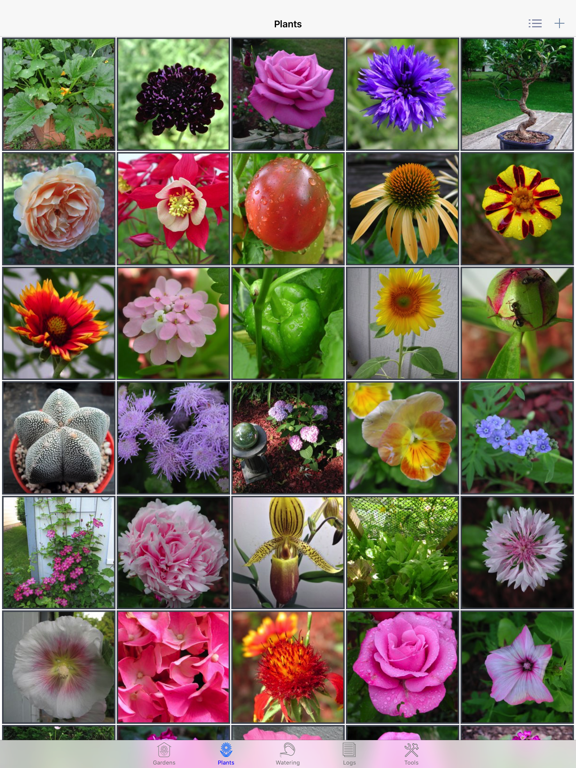
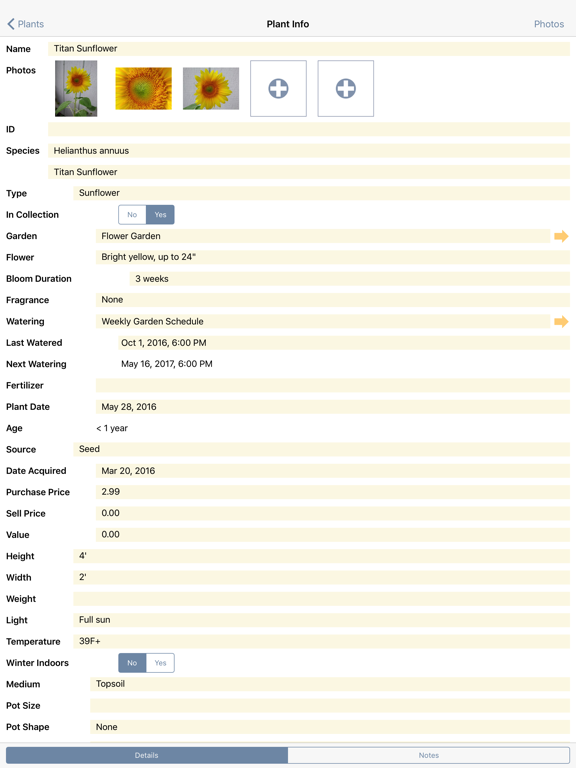
- Plant Album iPad Images
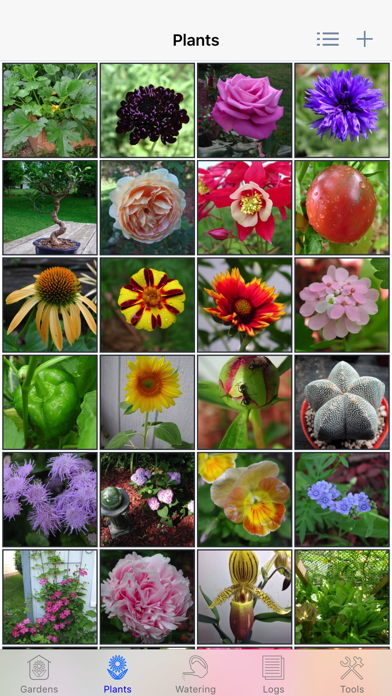
Plant Album makes keeping track of your plants easy. Track development of your plants throughout their lives, on your iPhone, iPad, or iPod touch!
Whether you just have a few houseplants, or you're an experienced gardener, Plant Album is the ideal tool for organizing your gardens, plants, watering schedules, and notes.
Please note that Plant Album does not come preloaded with any photos, nor does it include any plant care information and so forth. It only tracks information and displays photos you’ve added yourself.
Here's what you can do with Plant Album:
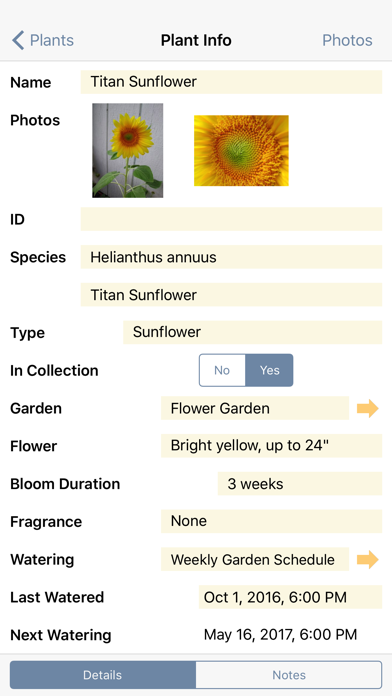
- Record details about your plants, including species, age, source, dimensions, and watering needs.
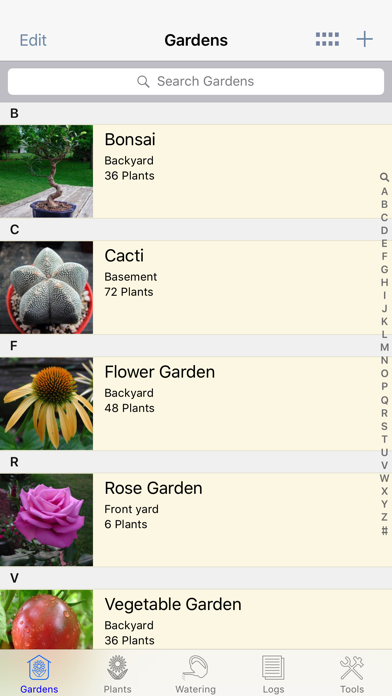
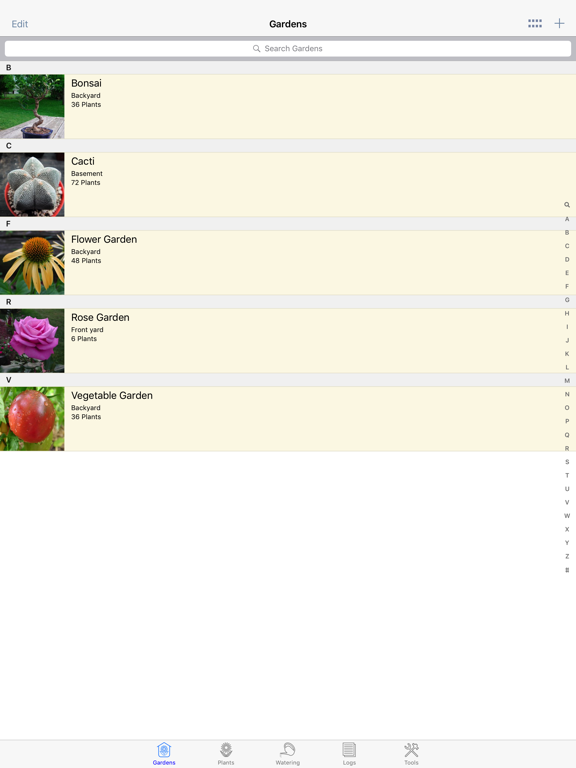
- Record details about your gardens, including location, size, and notes.
- Organize plants by garden, name, or species.
- Optionally hide plants from the main display if they're not in your collection.
- Track watering schedules for multiple plants, with local notifications.
- Track flowering, fertilizing, and other events for every plant or garden in dated log entries.
- Create and edit log entry reminders linked to your calendar.
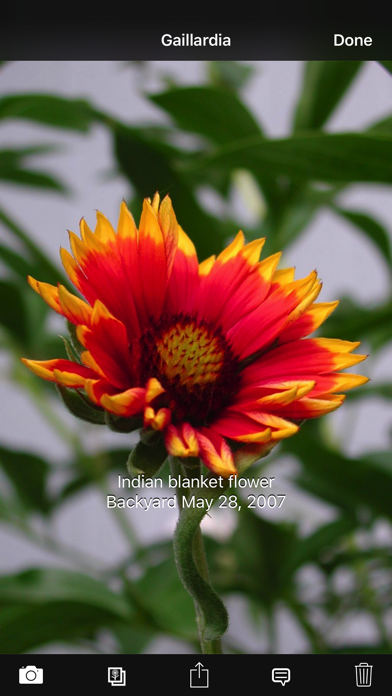
- Add and rearrange multiple photos per plant, garden, and log entry.
- Add text captions for each photo.
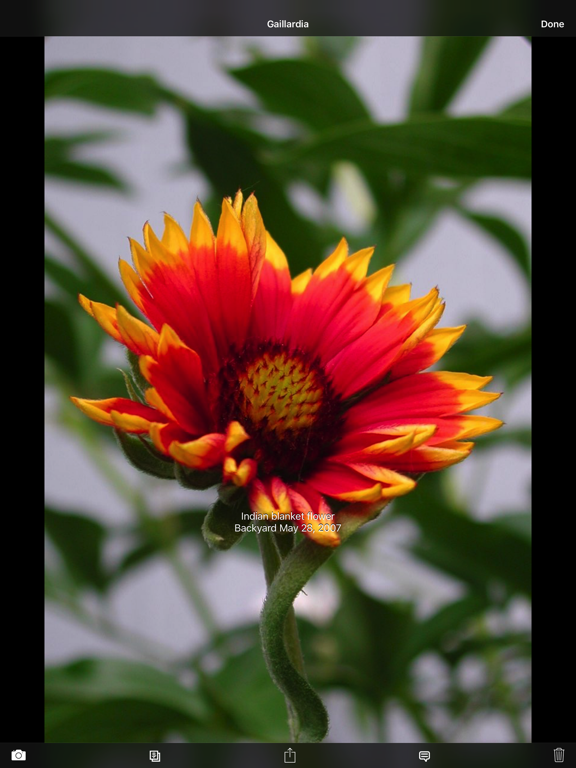
- Scroll through photos in a full-screen gallery view, or in thumbnail form.
- Log photos are automatically associated with the corresponding Garden and Plant.
- View your collection in table form, or by image.
- View the log history for each plant or garden, sorted by date.
- Review statistics for your collection.
- Protect your data with a passcode lock.
- Database backup, restore, import and export over WiFi to your computer's web browser.
- Transfer the complete database between devices (iPad / iPhone / iPod) over WiFi via Plant Album PDBI-format support and AirDrop.
- Supports iTunes file-sharing to transfer the database between device and computer.
- CSV format support to import / export your Plant Album database to and from desktop spreadsheet applications.
- Plant Report export feature. View your collection on your computer’s web browser. Great for keeping track of your collection for inventory or insurance purposes.
- iPad support at no extra charge!
Please visit http://PlantAlbum.com for more information about Plant Album, including contact details to ask questions, request features, or report any issues. Join the Facebook page to discuss Plant Album with other fans.
Plant Album App Comments & Reviews
Plant Album Positive Reviews
Just the ticket!!This is a wonderful database app for gardeners of all sorts. I've been looking for years for such a thing to catalogue my rose collection, include photographs, provenance and links to other rose information sources on the Internet like Helpmefind and Gardenweb. I can import from my photos or take one with my iPad to add. It sorts alphabetically or by species, and helps track feeding and watering. Serious record-keeping in a nice clean format. I haven't figured out how to make a hot link to outside sites; if that's a possible change, I'd suggest it. But, bravo, creators! If I'd found you and asked for a custom design I think this would be it! If your plant collection has grown just a little (or a lot) too big to keep in your head this is the best thing I've seen after a long hard search..Version: 1.3
Love this appJust starting to use this. I have a lot of Lily’s and was looking for a way to catalog the color,height,bloom times plus much more. There is so much you can put in here along with pictures of those plants and flowers. Plus you can take pictures of the whole garden and name it and indicate which garden the plant is in. Just figured out today can enter a log of things you want to do. For instance I figured out a couple of plants are in wrong place and need to be moved this fall. Took pictures of where it is now and where I want it to be and made notes. Plus can set up a calendar reminder. This app is just what I was looking for. Going to tell all my gardening friends about.Version: 1.3
Plant AlbumI really like this app. I downloaded it several months ago after trying several other apps. I wanted an app I could keep a record of my plants, photos, plant care, where they are planted, etc. This is not a plant ID app, and there is no subscription to keep your garden info active. Plant Album offers a lite version if you want to try it first, but for a small price it is yours with no limit to all the plants, photos, and info you want to add..Version: 1.4
Needs a couple of new fields addedI really like the app in a lot of ways. It is doing a great job of letting me add my flowers in all my different beds. A recommendation to bring my review up to 5 stars is to add some new fields - I would love to identify my native perennials and bloom time. I’ve repurposed the weight field for bloom time, but being able to choose from a drop down field would be a huge time saver. It would be great to be able to rename or add the field name, change the characteristic from numeric to text or a drop down menu. But overall, the best app I’ve tried for categorizing them..Version: 1.3
Tried them allI think I’ve tried all the garden apps and this is by far the winner. Super easy to use and had everything you could want besides a mapping feature. Links wonderfully between my phone and iPad so I generally always can update or change my garden info. You do need to import all of your own info but I found the apps that provide a database of plants don’t include most of what I need anyway. Two green thumbs up!.Version: 1.3
Life changing!I have several hundred tropical plants and it’s hard to keep track of what I have and where I put it. This lets me set up “gardens” all over my house and outside. I can add notes about individual plants that might need some special attention, and reminders to water according to schedules I can define. So many more things to love about it!.Version: 1.3
Great app for gardeningThis app is perfect for tracking garden plots and plants. It is well organized and user friendly. I’ve spent the Covid lockdown taking out our lawn and replacing it with native plants. As a relative beginner to this kind of gardening it has been extremely helpful to have a easy way to document my success (and failures) in the garden. Highly recommended..Version: 1.3
Over the moonTo find this app! I’ve used it for 15 minutes and can already see the potential for my needs. Was using Bento which no longer works on my phone and barely on the iPad. Hopefully I can figure out how to import my data and happy to see you have import/export feature. Please keep supporting this so it keeps working on future iOS updates. Will spread the word to fellow gardeners..Version: 1.3
Love ThisI have about thirty house plants I wanted to keep track of and this is the perfect app to do so. I love that I can add/delete my own plant photos. It’s easy to keep track of watering dates/times, pot upsizing and any pertinent info regarding each plant. No more having to hand write and keep track of all of that. Worth the money spent on this app..Version: 1.3
Great for my African Violet CollectionI raise African violets and this is the best and easiest app i have found to keep inventory of my collection of over 200. So easy to add pics too. Has all the necessary information plus a notes section where I can update any info i need to keep track of, like when i repotted and treatments.Version: 1.3
Does what it’s supposed to doI have a greenhouse with over 100 succulents and decided it was time to catalogue what I have. This app makes it easy to do and keeps track of everything that is important to me, well worth the small price. Highly recommended.Version: 1.3
OUTSTANDING JOB ON THIS APPThe one thing I would like to see is for my iPad Pro Gen 2 12.9” Plant Album data to sync with my iPhone 7 Plus. Or maybe I haven’t found how to do it yeti. Otherwise I am pleased with my purchase. Thank you developer for all the knowledge required for this app. It’s an amazing job. Many thanks..Version: 1.3
Could use a bit more, but still amazing!So far so good! However, would love to have an area within the profile of a plant to have the options for medicinal plant notes, not just notes. It would be amazing if we the consumer would be able to create drop down menus also!.Version: 1.3
Just what I was looking for!This app is amazing! I needed somewhere to catalog all my different gardens and this works perfect. I only wish they still were updating it. I can only imagine what they could make it!.Version: 1.3
Good plant databaseGood basic plant catalog app. Could have more features. I personally would like to have better ways to aggregate the plants based on the data entered like say “summer bloomers” or “frost tender”. Currently you can group by Garden which isn’t terribly helpful unless you are using it solely to track watering needs. Maybe it will get updated..Version: 1.3
Really a 3-star but...I get how hard it is to develop a plant app to please everybody. I also appreciate how much care and effort went into creating this app. And that Andrew is as helpful as he could possibly be, as long as it doesn't involve adding or changing features in the app. THE GOOD: I love being able to add multiple photos. I love that there is ample place to record entire common and scientific names. I like being able to create a spreadsheet version of my gardens. I'm satisfied with the entry spaces for plant height, width, watering schedule, fertilizer, source and acquisition date. I also love that the developer DID NOT include a database of plants that take up a lot of bandwidth, have sparsely populated plant entries and very odd plant names that are difficult to search for. Better to create one's own custom database, like this app does. THE SUPERFLUOUS: Purchase/Sell Price, Value, Medium, Pot size/shape and even pot material have little value and take up too much screen real estate when Ease of care, soil type, Sow date and depth, USDA Zones, Bloom season, and flower/plant colors are all much more important and are missing from the individual plant pages with no way to customize the entry listings or edit out the irrelevant ones. Yes, I know all that repetitive info can be added to notes over and over and over for each and every plant you own, but none of that info is on the main screen to be viewed "at a glance" when your hands are dirty and you just want an instant consult on the fly. I suppose if you are using this app for indoor house plants, bonsai and orchids, or you buy and sell plants, this is a great 5-star app. But if you plan to use it for outdoor gardening, this app will provide only a few of the basic features you need for regular, even daily use of a gardening app, but will require the slog entering important info over and over and over for each plant in the Notes section. And finally, NONE of the current apps fully get the job done. I have found that taking a screen capture of each plant page from my OLD, no longer supported garden app and pasting it into the photos section is the only available solution to making this app maintain its value. Also note, there are no longer any other suitable alternatives for the outdoor gardener. This is the best of the inadequate choices currently available..Version: 1.3
Love itI have over 300 plants and absolutely love this app!.Version: 1.3
Almost perfectThis is a great little app but, it lacks the ability to add plants to multiple gardens without duplicating plant logs. If it had that option this would be perfect..Version: 1.3
Love it but missing some save optionsWorking very fine ut I loose all my data when my phone broke. Is it possible to have a cloud version (to share with several phones) , that wi be the best or to allow to save and import from a local file (the option provided don’t really work fine).Version: 1.4
Luv it!I love this app and use it all the time especially like that I can take pictures a year or so after and see how much the plant is growing.Version: 1.3
Developer gone bye bye - upload & use at your own riskFrom what I can tell, the developer of this app hasn’t provided any updates to the app, his website, or the app Facebook page since 2017. Too bad for me, I didn’t investigate this until AFTER I’d paid for the thing and realized there’s apparently no longer any way to transfer the data from the free version to the paid version. I’ve followed instructions to the letter, and struggled with transferring data back and forth between free and paid versions on both my iPhone and my iPad for over an hour, and I’m giving up. Thankfully, the free version only accepts three plants, but I’m seriously unhappy about having to take a few more hours to physically transfer all of my data, log notes, and photos from the free version, into the paid app. Hopefully, once everything is input again, there won’t be any more glitches. Gardeners really could use a decent, inexpensive grow log app with growth tracking and database functionality, and this seems to be the only one left in the app store..Version: 1.3
Loving this App!!So far I am loving this app. I have successfully exported data on several occasions to spread sheet, an extremely important feature. I love that I can add photos to track growth and have logs for not only the plants but the gardens they are listed in as well. Keep up the good work. This app saved my life, and the lives of many plants!!.Version: 1.3
I love this App!This App gives me almost everything I need. There are some tweaks I would make so that it was perfect for me, like having the ability to rename some of the preset fields, but overall it’s the best App I found to record and manage my garden and plants..Version: 1.3
Free International Money Transfer 💸Enjoy high maximum transfers into more than 20 currencies while saving up to 90% over local banks! The cheap, fast way to send money abroad. Free transfer up to 500 USD!Version: 1.4