New Marketing Lab, Inc
Split Video: Long Story Maker Customer Service

- Split Video: Long Story Maker Customer Service
- Split Video: Long Story Maker App Comments & Reviews (2026)
- Split Video: Long Story Maker iPhone Images
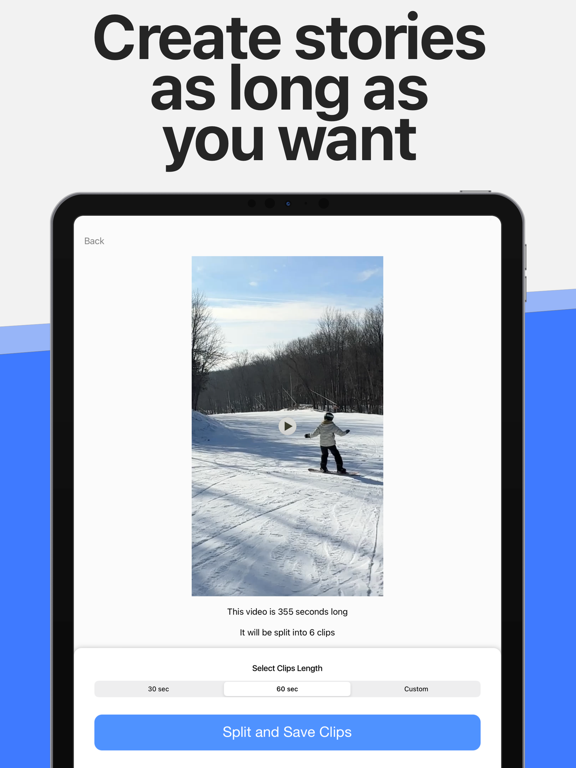
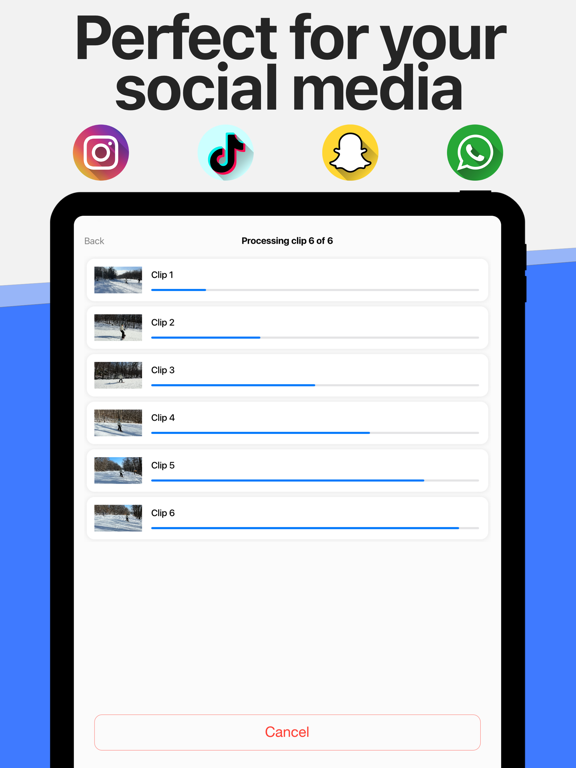
- Split Video: Long Story Maker iPad Images
Split Video allows you to cut longer videos into smaller segments so you can easily make Instagram video stories longer than 15 seconds, or use clips on TikTok, Snapchat, WhatsApp, and more.
7 REASONS TO USE SPLIT VIDEO
- Quickly and easily split long videos into smaller clips
- You can create long seamless video stories
- Super easy to use
- There is no watermark on your videos
- Works for Portrait and Landscape videos
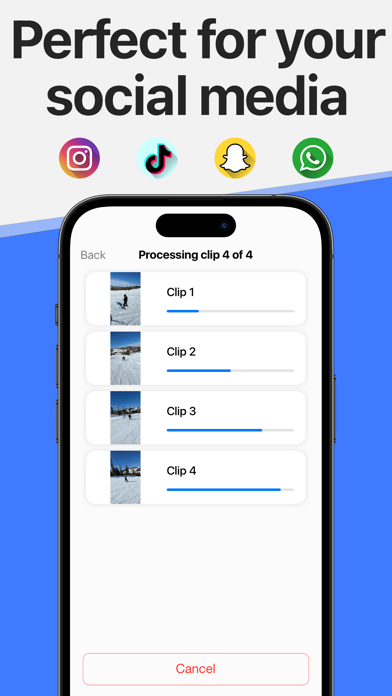
- Works for Instagram, TikTok, Snapchat, Facebook, etc...
- Highly rated with an average of 4.8 stars
REAL REVIEWS FROM REAL USERS
"This app is super easy to use to split your longer time lapse videos into 15 second clips. Such a time saver." - by Birgittegs
"I’ve actually tried a couple of these types of apps and this one was the quickest to get started… The easiest to navigate through and it was by far the quickest to split the video and make it ready for upload." - by @whatthefjall
"Simple to split your videos to post on IG stories. Takes seconds and quality stays the same." - by Rocky Ed
POST LONG VIDEOS TO YOUR STORY
Never stress about that 15-second video limit for your Instagram story ever again. Split Video will take videos of any length and split them into 15-second segments. Upload these smaller segments to Instagram and create a seamless story that runs for minutes (maybe even hours — we didn’t try).
NO WATERMARK
The app is simple, elegant, and doesn’t add any watermark to your videos.
UNLIMITED
There are no limitations to how many times you can use the app. It’s completely free to use, with an optional in-app purchase.
RECORD DIRECTLY FROM THE APP
Split Video has a built-in video recording feature that lets you easily create long videos to post to your story. Thanks to its intuitive interface, you can keep tab on the length of your story and adjust things accordingly in order to create the most seamless video possible.
EASY TO USE
Split Video is very easy to use. This is how it works:
1. Import or record a long video you want to turn into shorter clips.
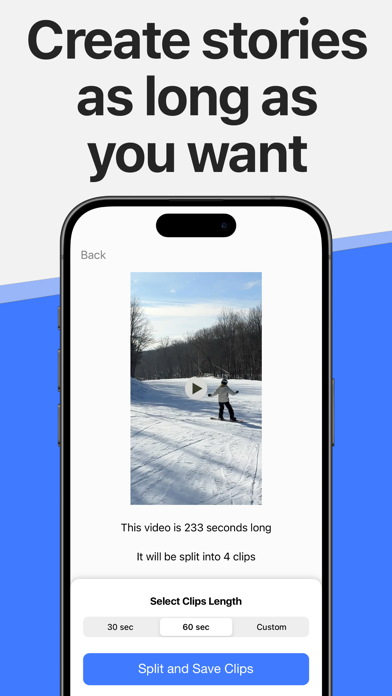
2. The app will slice that video and divide it into clips of whatever length you want. These clips will be automatically saved to your library.
3. Launch the Instagram app and create a new story using the smaller clips saved to your library, or use with any other social media app.
Because Split Video makes it look completely seamless, people watching your story will be under the impression that you posted one long video when you actually posted shorter clips stitched together.
WORKS FOR PORTRAIT AND LANDSCAPE VIDEOS
Split Video works for all your videos, whether they were shot in Portrait or Landscape mode.
USED BY THE BEST
Split Video is used by YouTubers, vloggers, celebrities, creators, marketers, teachers, and influencers all over the world.
IT WORKS FOR OTHER APPS TOO
Split Video also works for your other favorite apps. From Snapchat to TikTok, Facebook, and more, Split Video can split your videos into smaller clips.
GET EVEN MORE FROM SPLIT VIDEO
Remove ads and support the ongoing development of this app by subscribing to the Split Video Pro (annual) version, which is available as a one-year renewable subscription.
Payment will be charged to your iTunes account at confirmation of purchase and will auto-renew at the same price every year, unless canceled in your iTunes account settings at least 24 hours before the end of the current period. Subscriptions may be managed and auto-renewal may be turned off at any time by going to your account settings after purchase.
Terms of use: https://www.sixstarapps.com/terms/
Privacy policy: https://www.sixstarapps.com/privacy/
HAVE QUESTIONS OR NEED HELP?
If you have any question about the app, or need help about something, please do not hesitate to contact us. We’ll be happy to help!
WE LOVE FEEDBACK
If you like this app, please consider taking a minute to rate it in the App Store. If you don’t like the app, please contact us and let us know how we can make it better.
Split Video: Long Story Maker App Comments & Reviews
Split Video: Long Story Maker Positive Reviews
Perfect Execution, Simple, A+I never write reviews or rate apps, but I had to make an exception. This app does exactly what it says it does, and does it flawlessly. The interface is simple and easy to use. No watermarks. The free version allows you to trim videos up to 2 minutes in length, and it is ad supported, showing you ads between actions The paid version (there are two options, a one year subscription for 1.99, or a lifetime purchase for 5.99) removes the time limit, and also goes ad-free. Being able to trim long videos into 60 second bites for TikTok is its best feature. I was happy to pay 6.00 for this app. I use their EXIF app and it’s just as great..Version: 2.6
Please allow video cuts longer than 60 seconds.I was trying to split a video 2 minutes per clip and it did not have the option to split longer that 60 seconds. Also wanted to split a 15 minute video in 5 minute increments and it did not have that option either. Being a able to split a video from 1 to 20 minute increments would be awesome. I am hoping that you allow this option in the future. I payed for the premium option not knowing there was a limitation to the length of the clips, post cut. I do not care for a refund. I just hope you will upgrade this app the app in the future. It has a lot of potential. If you added a feature to split videos in 1/4 or 1/2 or even 1/8 increments that would be great too. Looking forward to an update..Version: 3.1
My go to video splitter!The most accurate with audio continuation when splitting videos and so easy to use. I work with a lot of media broadcasters and have tried several apps to use when traveling with some of my clients and this is the best for making quick and professional splits to post on social media, put in newsletters as well as on websites! This app is a major time saver for me as a Social Media Director/Brand Strategist!.Version: 2.7
Much better than the othersSo this app is awesome. It shows you ads but it’s short and u can close them right away. Unlike that other app that does ONE video for you and then makes you pay $2.99 a week! Ridiculous! So glad this one is better! Faster too! Makes posting easy!.Version: 2.7
Worthy of a reviewI don’t write reviews for apps but the new update is FIRE!!! I love that it tells you before you split the videos how many clips you get!! I would love to see where you can just put how many clips you want and it calculates the time for you too..Version: 3.0
Promising but didn’t work as intendedI’m sure this app works well for some ... for me, it did not. Compressing a 200+ second video gave me only two usable 15 second clips then the rest of them were just ... blank. It did not work as intended. I ended up splitting the clips from the command line using ffmpeg which defeated the purpose of purchasing this for $6. I’m sure it’s just a bug but still made me sad nonetheless..Version: 2.6
Doesn’t Save All FramesI like this app but why am confused by it. I actually had to reinstall a different splicer app. I don’t know if there is a time limit for this app or if there’s a limit on the number of segments but I noticed when I splice a video for Instagram stories it doesn’t save the last segment. I’m a teacher so the Stories I’m splicing are 10-12 segments but it never saves those last few segments..Version: 2.6
THANK YOUThis App does exactly what you need done to your clips! It does it seamlessly! No advertisements in your way or anything they’ll only pop up when you’re done. I wish I could rate this a 10 star!.Version: 2.6
Love this appWhen trying to post videos to my IG stories it would always cut off the end. Then I was told about this app which splits it up so can post sections at a time so full video shows up. Thanks for helping me do the posts I want and not get cut off!.Version: 2.2
Best free app I have ever usedI have tried downloading several different apps and they just don’t cut out for me (pun intended). This app is by far simple , quick and reliable. Thank you so much for this creation.⚡️.Version: 2.6
Amazing!!!I can’t tell you how amazing this app has been for me. I can finally upload the videos that I want to Snapchat without any limitation you guys keep up the good work.Version: 3.0
Absolutely unparallel!No custom-duration on-phone video splitter does it better than this app! What’s more, it’s free (and I hope it will be perennially.) You deserve a pat at the back, fellow developer(s)! Thank you more than words could express..Version: 2.2
Great 🫶🫶🫶Hello and thanks for your great update and support.🫶 I wish my income and life in my country Iran would not be destroyed due to the rule of criminal mullahs.😢 And I will be able to effectively use Trib and support you as before by purchasing premium versions of my favorite and useful programs. (Win-Win) Unfortunately, this possibility has been denied to me and the people of my country for two years.😓 God bless your business🙏💐 #womanlifefreedom.Version: 3.1
Does exactly what it says it doesFastest review I’ve ever left in my life! This app does exactly what it says it does (of course, with a few ads) and splits at source quality..Version: 3.3
Absolutely flawlessI love this app I highly recommend this to anyone in video editing or whatever the purpose may be. Simple, fast, accurate, clean..Version: 2.4
Awesome appI always wondered how IG people got so much in their stories. This app is so easy even my 62 year old self can do. “ I do it all by myself” 🍼👶👶.Version: 2.7
It’s almost awesome,App is cool, just wish it was compatible with AirPods. Soon as you try to edit AirPods automatically disconnect. So if your trying to cut your stories in a public place better have plug in headphones and or use the phones speaker: I use AirPods all the time, so it’s a bummer for me. But I like the app! Ps. This is for AirPod lovers..Version: 2.0
Cuts the ends offSome of the cuts will shorten the video by a second or so which could leave out valuable information. Regretting the purchase because of that alone. Great in theory though..Version: 4.0
Works perfectJust downloaded it and it works perfectly.Version: 3.2
PerfectWorks all the time. Every time. It’s simplest in execution and it works lightning fast. This app can be 100% counted on..Version: 4.0
Super easy for time lapseThis app is super easy to use to split your longer time lapse videos into 15 second clips. Such a time saver.Version: 2.1
Great way to create long video stories on InstagramThis app is perfect for making long stories on Insta. It’s is free and works flawlessly. 👍🏻👍🏻👍🏻.Version: 2.0
Quick video splitPerfect for splitting videos for your IG stories. Also works with Snapchat!.Version: 2.0
Do the job but not the same resolutionWell, the app does work and split your video into smaller sections. However, it does compress the original video’s resolution, so it’s not good 100% There are other apps that’s do the job.Version: 2.2
Does what it says.Worth the $7. It’s what I’ve been needing for so long.Version: 3.1
Easy to useBare bones not complicated at all. Really like it..Version: 2.7
The best!This app is just amazing thank you!.Version: 2.6
Not badIt just split short videos(2 minutes videos)☹️.Version: 2.6
I’m happySubject line says it all..Version: 4.0
So easy, no frills!Just download and use. No tricks. Love it!.Version: 4.0
Simple, Elegant...and Effective!A great product serving a real need... thank you!.Version: 2.2
Free International Money Transfer 💸Enjoy high maximum transfers into more than 20 currencies while saving up to 90% over local banks! The cheap, fast way to send money abroad. Free transfer up to 500 USD!Version: 4.0
What do you think Split Video: Long Story Maker ios app? Can you share your thoughts and app experiences with other peoples?
Please wait! Facebook comments loading...