Dating DNA, Inc.
Keyboard Macros PRO Customer Service

- Keyboard Macros PRO Customer Service
- Keyboard Macros PRO App Comments & Reviews (2026)
- Keyboard Macros PRO iPhone Images
- Keyboard Macros PRO iPad Images
Keyboard Macros PRO is an easy-to-use yet very powerful keyboard macro app that lets you, with one tap, retype text and phrases that you use often.
For example, when ordering items on the web, you can quickly enter your email address, name, address, etc., with just a single tap.
The app comes with dozens of example macros to get your mind working on the many creative ways you can use the app.
Here are just a few examples of who Keyboard Macros PRO is great for:
• SALESPEOPLE who repeatedly email or text message with the same replies.
• SINGLES using TINDER or other dating apps to quickly ask and reply to typical dating questions. No more typing the same thing over, and over, and over...
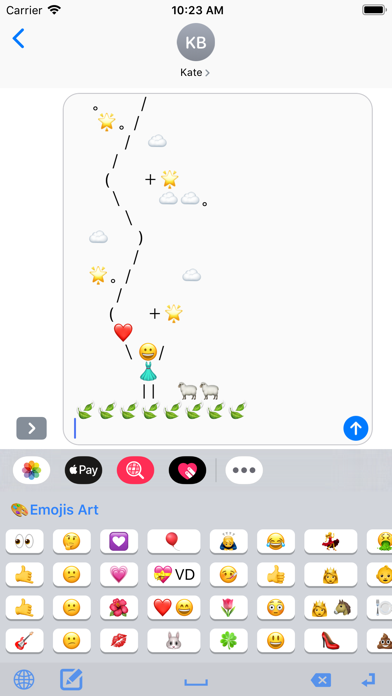
• JUST FOR FUN with text messaging your favorite EMOJIS, EMOJI ART, ASCII ART and even loads of JOKES and KNOCK KNOCK JOKES that come pre-installed.
• CUSTOMER SUPPORT reps to quickly respond with answers to common questions.
• UBER/LYFT DRIVERS to quickly text riders with usual replies.
• AIRBNB HOSTS to quickly email or text message guests with check-in instructions.
• EVERYONE! You'll be surprised all the creative ways you'll find to use it.
Check out these great features!
• KEYBOARD EXTENSION: Insert large amounts of text into any app with one tap from keyboard.
• ALL APPS: Works with iMessage, Email, Tinder, Kik, and virtually any app.
• iCLOUD: Saves your text shortcuts to iCloud so they can be shared between devices.
• CATEGORIES: Organize your shortcuts into unlimited Categories.
• DRAG N DROP: Reorder Shortcuts and Categories by simply dragging and dropping them.
• PRE-LOADED EXAMPLES: Comes pre-loaded with dozens of examples, including Emojis, Emoji Art, ASCII Art, Jokes, etc.
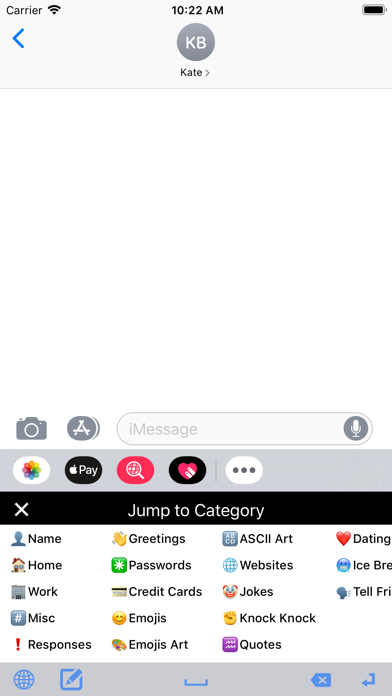
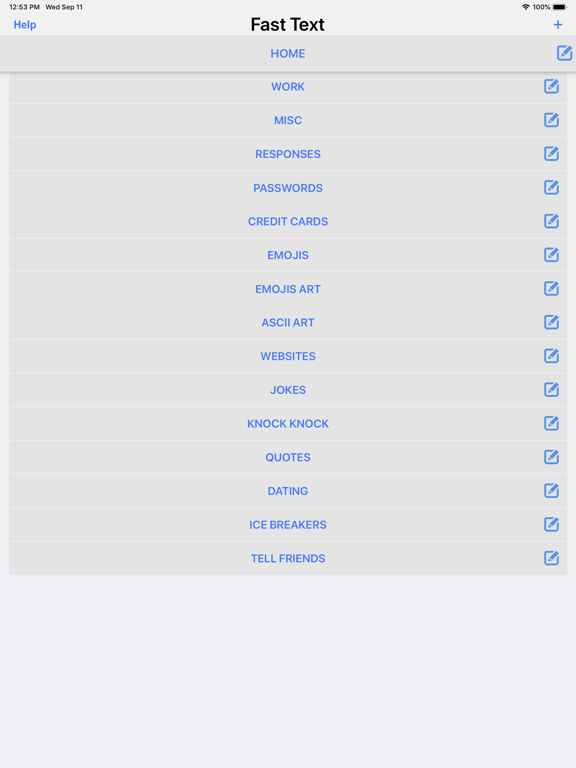
Here are the example categories that come pre-loaded with the app:
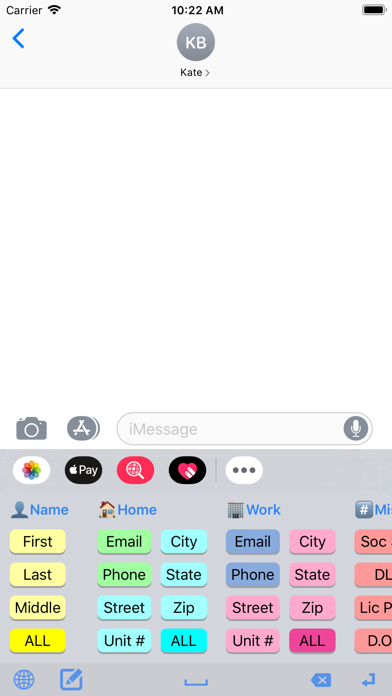
• Name (first, last, full, etc.)
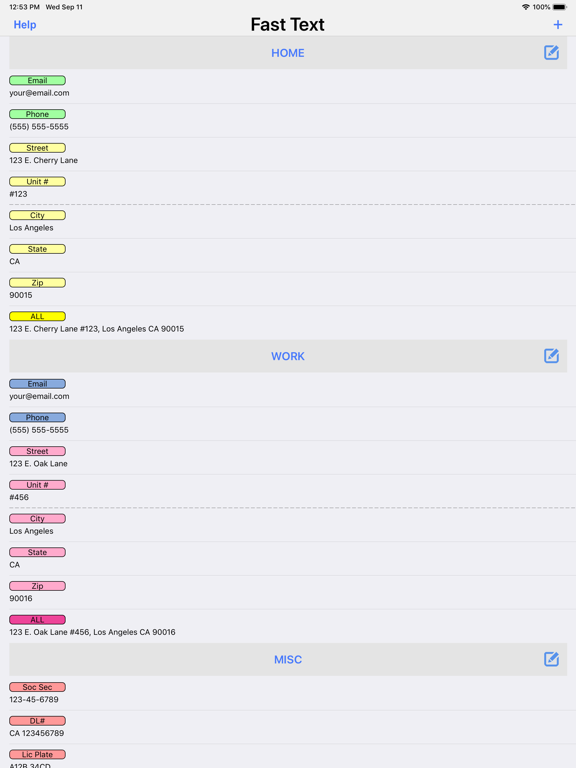
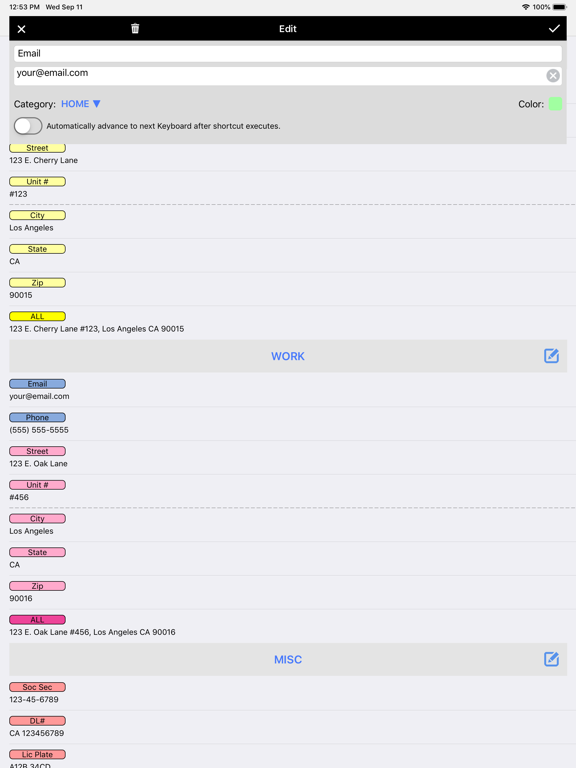
• Home (email, phone, address, etc.)
• Work (email, phone, address, etc.)
• Misc. (Soc. Security number, DL number, License Plate number, etc.)
• Responses (on phone, in meeting, etc.)
• Greetings (good morning, good night, etc.)
• Passwords
• Credit Cards
• Emojis
• Emoji Art
• ASCII Art
• Websites (Facebook, Twitter, LinkedIn, etc.)
• Jokes
• Knock, Knock Jokes
• Quotes
• Dating Responses
• Dating Ice Breakers
TO INSTALL THE KEYBOARD EXTENSION:
Run your device's Settings app, then go to General > Keyboard > Keyboards > Add a New Keyboard... > Macros PRO.
NEED HELP?
Run the app and tap the Help button for a tutorial video that shows you how to turn on the keyboard extension as well as adding and editing the macros.
Also, feel free to contact us anytime at [email protected]
Keyboard Macros PRO App Comments & Reviews
Keyboard Macros PRO Positive Reviews
Perfect!It does exactly what I want! And the phone doesn’t even need to be jailed! Thank you so much! I didn’t see a way to donate more money to them, so I went ahead and bought the whole Clipish bundle. Thanks guys!.Version: 1.04
Best tool for filling frequently used dataI have tried others, but this one works the best. I know the emoji art and other designs are a bonus, but I just need to fill fields in forms so I deleted most of them..Version: 1.04
Fantastic text replacement implementationI write lots of customized emails but certain elements that are multi-line are repeated from email to email. I stopped replying to emails on my iPad because it was just too slow and awkward. I have now created a few multi-line entries in this app. They show up as an alternative keyboard and are well organized and easy to use. This is a real time saver, inexpensive and supports family sharing. Very well executed overall..Version: 1.04
Free International Money Transfer 💸Enjoy high maximum transfers into more than 20 currencies while saving up to 90% over local banks! The cheap, fast way to send money abroad. Free transfer up to 500 USD!Version: 1.04