Carnets - Jupyter Customer Service
- Carnets - Jupyter Customer Service
- Carnets - Jupyter App Comments & Reviews (2026)
- Carnets - Jupyter iPhone Images
- Carnets - Jupyter iPad Images
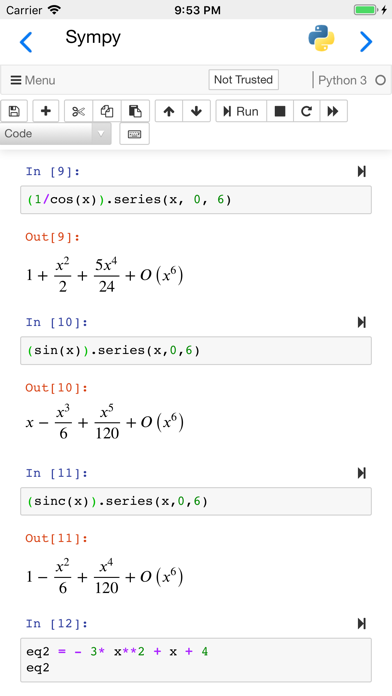
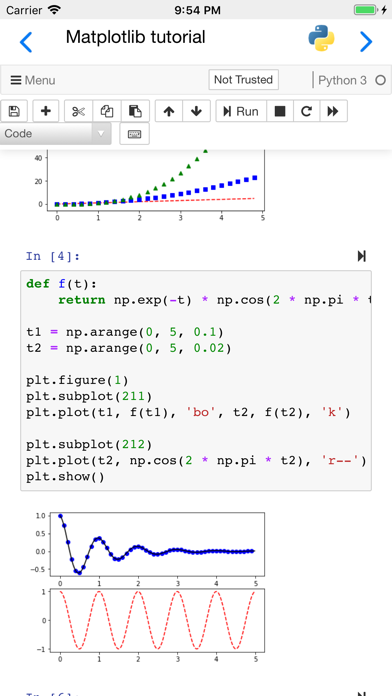
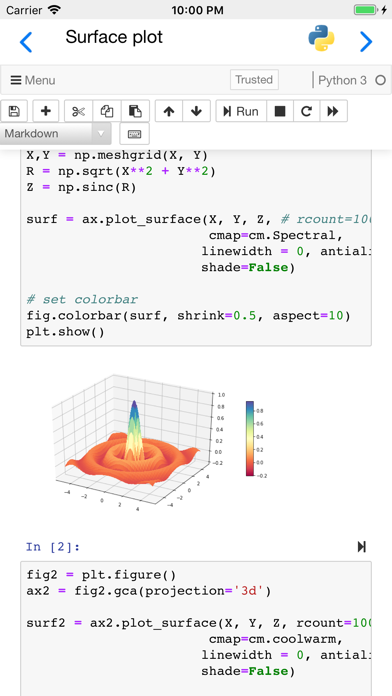
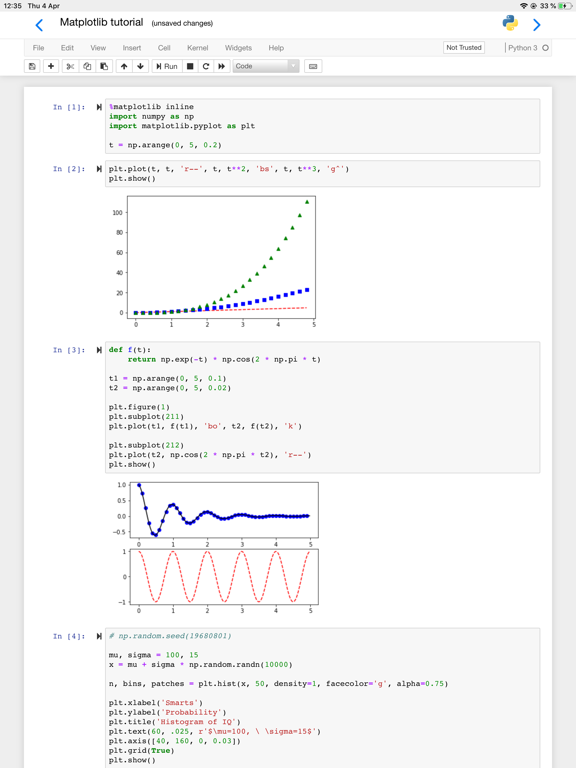
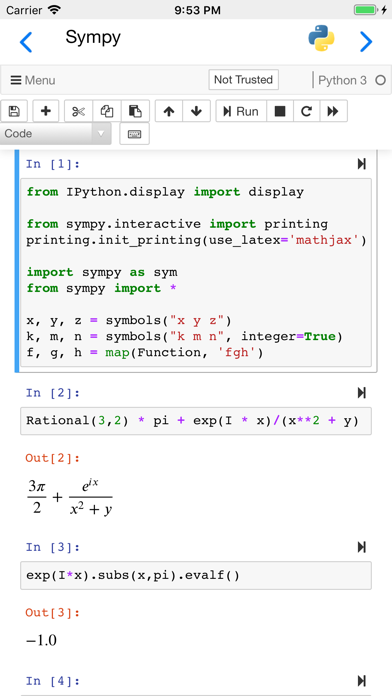
Jupyter notebooks are a powerful tool used in education and research. You can write small snippets of Python code and observe the result on screen, combine with paragraphs of text, using Markdown.
Carnets provides a complete, stand-alone, implementation of Jupyter notebooks. Everything runs on your device, using the embedded Python interpreter; you do not need an internet connection. You can chose between Jupyter notebooks and the more advance Jupyterlab using Settings.
Numpy, Sympy, Matplotlib, Pandas, lxml, bokeh, nbextensions (including ipywidgets) and many other packages are pre-installed. To see the full list of installed packages, type "%pip list" in a code window. You can add more packages using "%pip install packageName", but only if they are pure Python.
If you need scipy, seaborn or scikit-learn, please use our other App, "Carnets - Jupyter (with scipy)".
You can share your notebooks with other apps and also open notebooks or directories managed by other apps.
Partial list of installed packages: astropy, babel, bokeh, cryptography, cvxopt, Fiona, geopandas, geopy, lxml, matplotlib, numpy, openCV, pandas, pillow, pyFFTW, pyproj, rasterio, regex, shapely, sympy, wordcloud.
Carnets - Jupyter App Comments & Reviews
Carnets - Jupyter Positive Reviews
Love this app! You should charge good money for it!This is a fabulous Jupiter implementation and allows me to do development on the road when not connected to the server on my corporate network. My only complaint: Full file access only appears to work from the Carnets app folder. If I go to a Working Copy folder (ideal for git access) I can only open ipynb files, and modules, data files, etc. don’t load. If I copy a Working Copy folder into the Carnets folder, everything works perfectly. Would love to see this issue fixed, then I’d give you 6 stars (if Apple would allow it)..Version: 1.3.6
Absolutely awesomeI have been hoping for local Jupyter notebooks on the iPad for a long time, thank for creating this. I am going to disagree with other reviewers and say don’t worry about remote for now, Juno and Working Copy have that solved. Keep working on making offline local Notebooks better, that is the problem only you are solving. And please charge for the app, I really want you to keep making this better and will gladly pay..Version: 1.3.5
Awesome app! Problem with turtle package though . . .This app is fantastic!! I definitely recommend it. It is definitely helping with learning Python. Though every time I try to draw something with turtle package, it says it couldn’t find it. It always says there’s something wrong with import turtle. Will you please look into this?.Version: 1.7.1
Great App, except ONE issueI really wish there was an option to fill in the ipad screen. When using landscape mode, there is considerable space to left and right that aren't being used, this combined with text being small (without any option to resize), makes it feel cramped. Really wish there was a mode where it would be more zoomed in (so no wasted blank space on left/right side), possibly where some of the meny bar item up avove slide away, so more of the coding canvas fills the screen. Since ipads are smaller than laptops, this would make such a big difference. Also, add a donate button in the app if you can. Its free, so its great, but i would honesly donate 10 bucks if i could, many more probably would too..Version: 1.5.8
Great app needs some workI am not someone to write long reviews but here we are. By itself this app is great but certain data types never work and functions are considered syntax errors I checked over and over to see what I was doing wrong for an hour around but still nothing and other functions seemed to be non existent so please fix this because this a great app but needs some work also way to many adds..Version: 1.7.2
Local Jupyter Server, which works amazingEvery single thing that Nicolas has created has been nothing short of amazing, and it includes this!!! As a FOSS lover, supporter, and developer: the tools being Open Sourced, and bridging the gap in iOS for full development are nothing short of amazing..Version: 1.7.9
Error starting Kernel after iOS 26.1 iPad upgradeI love this app; unfortunately, after yesterday’s iPadOS 26.1 upgrade (from 26.0.1), now, when opening a Jupyter notebook (or even, creating a fresh new one), it gives the error “Error starting Kernel” followed by a “‘module’ object is not callable” window error. Nothing works after this; did not have any issues before it..Version: 1.9.0
Great so far, still learning featuresWorking great on my iPad Pro. Still need to work on connecting to non-local sources apart from file shares like Google Drive. But the notebooks work great for casual investigations while cooking in the kitchen, away from my desktop. Also works well splitting screen with safari..Version: 1.5.2
Amzaing appIt’s such an amazing app. Never imagined I could do some python practice on ipad so easily. Now I regret much less about buying an iPad Pro. 😆Just one minor suggestion about a small problem I encountered: scipy and seaborn packages cannot be installed successfully. Would it be possible to get it fixed?.Version: 1.3.10
Great App, could use split viewThe experience with this app has been great. Would love to see a split screen option to have 2 Carnets windows open. Thank you for creating this, it allows me to do bioinformatics on the go!.Version: 1.4.4
Torn...I'm torn because this is a great app, but it is useless for me without support for libraries with C dependencies (yes, scipy). It's not at all the dev's fault, but having to manually package dependencies like scipy with the app (which seems to take like a year or more) means I will never be able to just run my notebooks as-is on an iPad. :/.Version: 1.5.7
Enter key doesn’t start a new line?!?!?!?!The app is flawless but When I press enter to start writing on a new line nothing happens Is this problem from my end ?.Version: 1.5.8
IM SO THANKFUL FOR THISI don’t have access to a computer and I’m dirt poor ($0.77 poor 😭). THE FACT THAT THIS APPLICATION IS COMPLETELY FREE, AND YOU HAVE PRE-INSTALLED PACKAGES?!? I really really needed this for school, I’m literally so grateful for this thank you thank you thank you so much it’s incredible..Version: 1.8.4
AwesomeFinally , we have an app which let us use Jupyter notebook on iPad and directly connect with iCloud. Now I can continue doing the undone job during traveling without bring a heavy laptop ..Version: 1.4.3
Looks great but keeps restarting the kernels whenever I cmd + tabThis is a great app especially given that its free. Only issue it seems to restart the kernel when I switch to other apps.Version: 1.4.3
The best appThis is the best coding app for ipad. It works just the same as jupyter notebook on my laptop. however, it would be the very best if it supports pytorch. is there any future plan of supporting pytorch on this app?.Version: 1.6.2
How to install ‘glpk’ solverI am trying to solve a Pyomo model. I was able to install and run Pyomo successfully. However, when I go to solve my model I cannot install the glpk solver. Any recommendations on how to do this?.Version: 1.4.5
Absolutely —-ing love this app -engineering student at University of IllinoisIt’s a life saver! Saved me when I broke my laptop charger and I needed to work on my iPad! Never going back!.Version: 1.8.3
Paid v FreeI own a paid Jupyter notebook interface and also this free one (Carnets). I emailed the developer of the paid version with a question and have yet to receive a response. I emailed this developer (Nicolas) a few minutes ago and already received a reply. Not only was the service amazing, but I can now do things in Carnets that I can’t do in the paid version. I believe Carnets will be my “go to” Jupyter app..Version: 1.4.4
Okay but needs workSometimes it will not recognize imported modules. You can import ‘pandas’ but not ‘pandas’ as ‘pd’ and even then ‘pandas’ may or may not be recognized. It is a hit or miss but it is great when it works.Version: 1.5.7
Great functionality - could use ipados mouse supportRight now it is hit or miss if the trackpad will successfully scroll. Not a huge issue as I’m used to keyboard shortcuts in notebooks and using the screen works just fine..Version: 1.4.4
I am thrilledI can't believe this is a thing!!! Huge congrats to the developers. Finally, the iPad is starting to become functional for scientific calculations. I am incredibly amazed!.Version: 1.3.6
Great Freaking App...Please charge for it, and keep the improvements coming. First order of business: no more restart kernel after switching task :).Version: 1.5.0
Must-have learning tool.Delightfully easy to use. Looking forward to developer adding support for C-based libraries e.g networkx, scrappy, pandas, and scikit..Version: 1.4.4
Should Be More FlexibleIt would be better to provide a way to install .whl files by pip or conda. Otherwise, it’s really brilliant. Hope for better!.Version: 1.5.8
Great functionality, but processor intensive.This app causes my phone to be noticeable hot in a very short amount of time. It seems to be doing something cpu intensive in the background even when idle..Version: 1.7.2
Great app for Data Science/Machine LearningThis is a great app for data science/machine learning However, there is no support for PyTorch and you cannot use pip to install PyTorch. It will be nice if you can add support for PyTorch..Version: 1.7.2
AmazingIt’s amazing app, working like a desktop version. Thanks to the developers..Version: 1.6.6
Download NowThis app is legit Jupyter Notebook on IOS. How is this app free?!? Either way I’m glad it’s free and it works beautifully. Thank you so much..Version: 1.2
Awesome, but why not have remote host supportMaybe you could somehow collaborate with Juno and enable both local and remote execution? Built in port forwarding would be a killer feature..Version: 1.2
Overheating iphoneLove this app and layout. Jupyter feels sooooooo good on a handheld device. But my iphone overheats when using. Any fixes for this?.Version: 1.7.9
Fascinating but somewhat deficientThis is absolutely a gorgeous app. I hope that this can run TensorFlow environment inside my iPad and this gonna be phenomenal!!!.Version: 1.3.6
Amazing appThis (free) app does a better job than some of the paid IDEs. Keep up the good work..Version: 1.5.3
Very nice. Please add remote hosting!Thank you for building a real Jupyter Notebook client. Ability to upload/download from a GitHub repository would make this the definitive app of its kind..Version: 1.3.5
Not workin rightI’m using ChatGPT to help me but none of the coding is working. The AI said that the matplotlib isn’t working. Otherwise, I love it..Version: 1.8.4
Great appThanks for developing this and releasing it for free. Look forward to things like seaborn and scitkit-learn in future updates..Version: 1.3.5
Jupyter Notebook MobileExcellent implementation for busy Data Scientists that are too busy to analyse on a computer. Love it man😍.Version: 1.5.7
Thank you, thank youI’ve been waiting for this for a long time!.Version: 1.4.0
Need full keyboardHi, I’m not getting full keyboard support like tab button,shift,enter. How do I get this suppor??? Plz help me ASAP. Thank You..Version: 1.7.1
Great app thanx!I am a student and I am using it to do my project. But I have noticed it does not have the Seaborn library for visualizing correlation..Version: 1.3.6
Bug with latest Carnets updateLove the app but same issue as JorgeC on iOS 18.7.Version: 1.9.0
Love it! Hope there will be scipy!I love this app. It will be much better if scipy is added in it..Version: 1.4.6
Besi ide for ipadDont get windows laptop or macbook Get a ipad with Magic Keyboard n u r good to rock n roll.Version: 1.7.8
Great AppFinally figured out how to use it and the app is great..Version: 1.7.9
Great app, matplotlib doesn't work as expectedIt's a great app for when you are away from your pc. Google colab would probably be a better option though. In case you developers are still improving this app, matplotlib does not show the graphs when I write: plt.plot(x).Version: 1.5.8
Excellent toolI’m using Jupyter with sympy to solve relatively small physics problems. Carnets is great for doing this where I am, not at a computer. Remember to use nbimporter to access modules you’ve written in the same folder. It hasn’t crashed while in use, but it does reload when switching from other apps, probably due to memory constraints. One quirk is that when you paste into selected text, the new text stays selected, so you have to remember to put the cursor after the selection. Otherwise, I’m glad I found this..Version: 1.5.8
Great App!I writes jupyter notebook scripts regularly for demonstration, it is really convenient to have an (FREE!) app that allows me to work on them on the metro, the train, and so on. I however would suggest the developers to include PANDAS, and BOKEH libraries..Version: 1.3.6
Great appAnd very useful. My feature request would be to add scipy..Version: 1.3.6
Great ProductThis is great for experimenting on the go!.Version: 1.3.6
Free International Money Transfer 💸Enjoy high maximum transfers into more than 20 currencies while saving up to 90% over local banks! The cheap, fast way to send money abroad. Free transfer up to 500 USD!Version: 1.9.1
What do you think Carnets - Jupyter ios app? Can you share your thoughts and app experiences with other peoples?
Please wait! Facebook comments loading...