Angel Martinez
SLD | Electrical Diagrams Customer Service

- SLD | Electrical diagrams Customer Service
- SLD | Electrical diagrams App Comments & Reviews (2026)
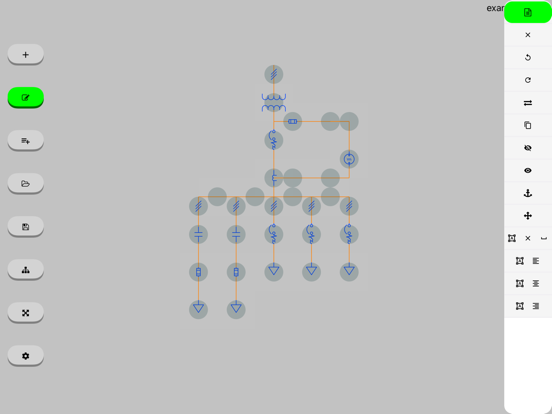
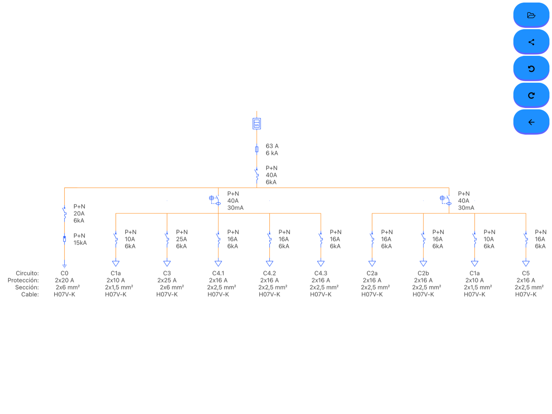
- SLD | Electrical diagrams iPhone Images
- SLD | Electrical diagrams iPad Images
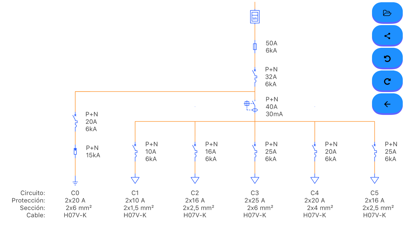
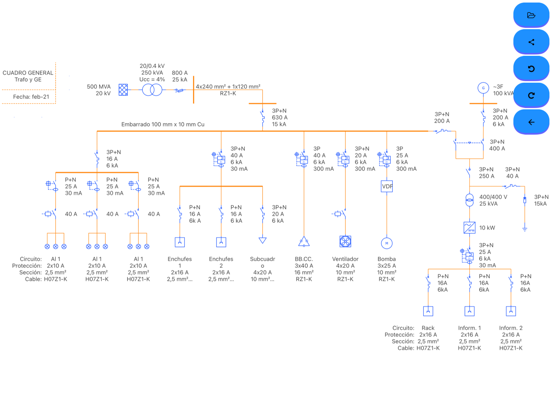
This tool will allow you to create your own one-line diagrams quickly and easily. Simply select the symbol you want to use and drag it to the desired position.
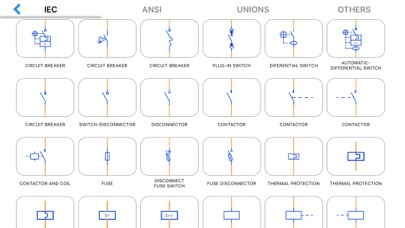
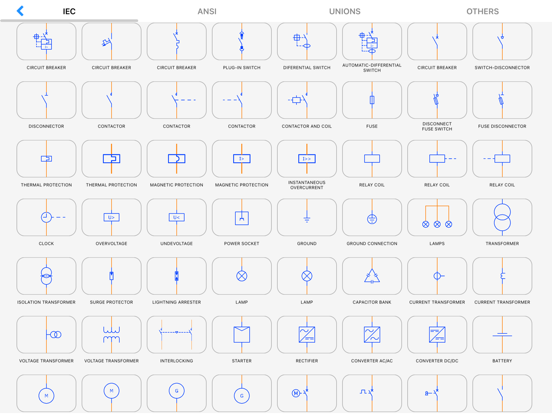
The most commonly used symbols are integrated (IEC, ANSI standards):
Symbols according to IEC and ANSI standards for electrical engineering:
Circuit breaker, plug-in, switch, disconnector, fuse, differential (RCD), contactor, motor, generator, socket, plug base, contact, normally open NO, closed NC, valve, level, temperature, delay and advance opening and closing, limit switch, handle, interlock, push button, mushroom, lamp, grounding, energy meter, active (kWh) wattmeter, reactive (kvar) varimeter, transformer, voltage, current, three windings, overvoltage, thermal relay, magnetic, coil, clock, minimum and maximum voltage, starter, rectifier, inverter, battery, converter, AC/DC, DC/DC, frequency meter, voltmeter, ammeter, ohmmeter, soft starter, variable resistance, reactance, diode, varistor, heater, fault, star-delta transformer, insulation, regulator, connectors, conductors, phase, neutral, ground, protection, fan, photovoltaic panel, control, load and enter text such as volt, ampere, watt, energy
# BASIC Version #
* You can create your single-line diagram with the same symbols as the Version PRO
* You can only work with a scheme although you can share it as an image, pdf or file
* Once you create a scheme you will no longer be able to open another (they are not saved)
* Contains ads
# PRO Version # (1 - In-App Purchases)
* You will be able to open, edit and save a scheme
* Open in the following examples (link)
* No ads
* Missing a symbol? Contact us through the app
* More examples: https://drive.google.com/drive/folders/15vTwFvjtu311lSEbYJLaqUfp_pyEwEDt?usp=sharing
SLD | Electrical diagrams App Comments & Reviews
SLD | Electrical diagrams Positive Reviews
So far so goodI like the app so far but it lacks universal symbols such as resistors and the ability to alter wire colors or shape colors. It will be nice to also have the ability to fill in background colors for distinction purposes. I work with the automotive industry and while this is helpful, it LKQ most of the symbols used in the auto industry.Version: 3.0.0
JesseAs an commercial hvac tech I often come across older units with unreadable or missing diagrams without searchable IOMs. It allows me to draw my own as I troubleshoot. I also use the app to design a circuit and to add to a circuit things like pump downs and lockouts. Always leaving a printed copy in the controls cabinet..Version: 2.9.0
ملاحظةاضافة مكونات وتسهيل عملية الكتابة على العناصر بحيث تكون كبيره وفي اي مكان حول العنصر.Version: 2.6.2
Great app.I have used this app a few times now and it works great for what I need thanks!.Version: 2.9.5
No instructionsThe “free” version has a lot of nice features, but you have to spend a lot of time figuring out how to use it..Version: 3.0.0
Symbol layout messyCouldn’t find half the things I wanted, they are in seemingly no order. A search function would be nice..Version: 2.8.0
LanguagePlease support language Vietnamess. Thanks you so much..Version: 2.4.2
ConductorsShould be an option to change conductor color.Version: 2.8.4
Needs some minor improvementsIf we could rotate and move text without having to move the componant it would be very great..Version: 2.4.6
Jerry MaximAbsolutely awesome for SL drawings. Could use a few more icons, but for the most part it’s workable..Version: 3.0.0
Easy to useThis is a light weight and easy to use schematic program. Exactly what I needed..Version: 2.3.2
Free International Money Transfer 💸Enjoy high maximum transfers into more than 20 currencies while saving up to 90% over local banks! The cheap, fast way to send money abroad. Free transfer up to 500 USD!Version: 3.3.4
What do you think SLD | Electrical diagrams ios app? Can you share your thoughts and app experiences with other peoples?
Please wait! Facebook comments loading...