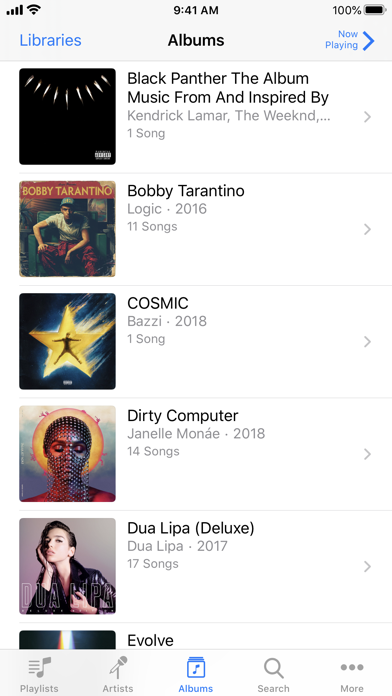
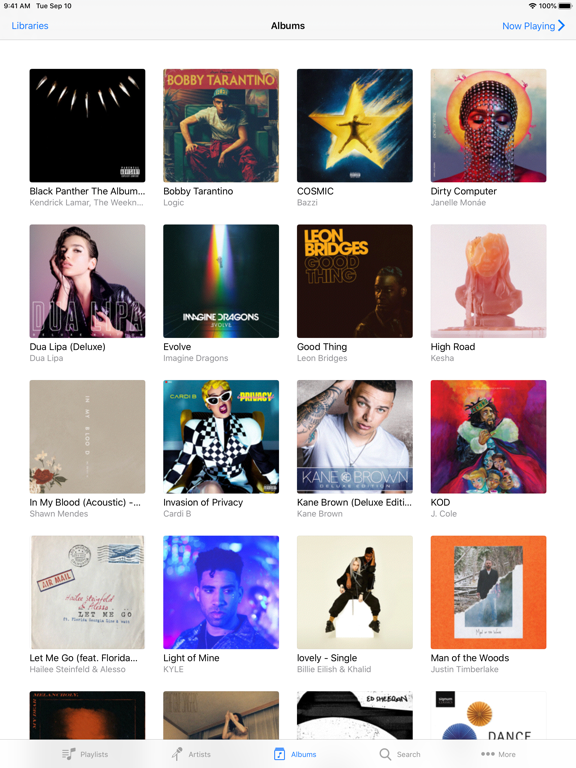
iTunes Remote is the best way to control Apple Music, iTunes, or the Apple TV app from anywhere in your home. Simply download the app to your iPhone or iPad, and connect directly to Apple Music, iTunes, or the Apple TV app on your Mac or PC.
With iTunes Remote you can:
• Access your Apple Music, Apple TV, or iTunes libraries
• Browse music by artist, albums, and songs
• Browse movies, TV shows, and podcasts
• Create and edit playlists
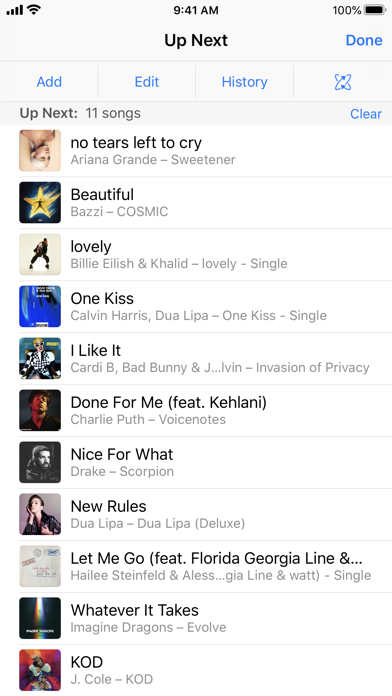
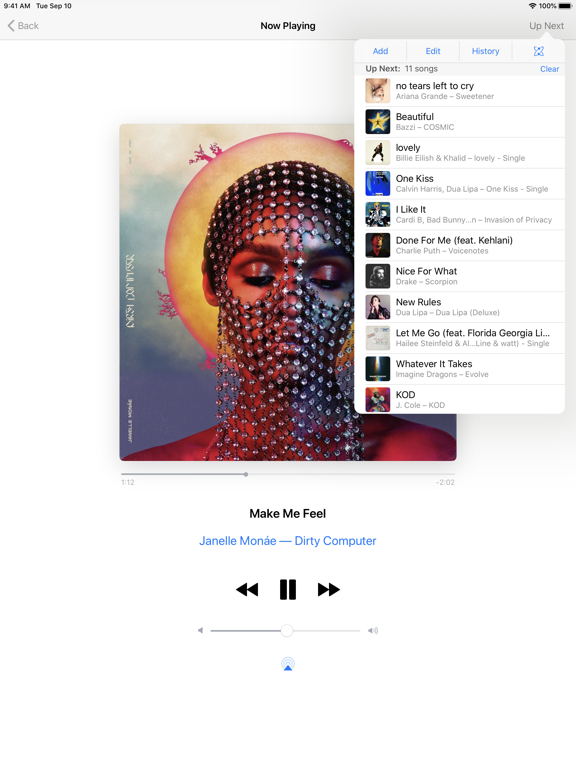
• See upcoming songs with Up Next
• Search your entire Apple Music, Apple TV, or iTunes libraries
• Explore shared Apple Music, Apple TV, or iTunes libraries
• Listen with AirPlay
• Send music to AirPlay speakers
• Group speakers together to play music in multiple rooms at the same time
• Set the volume on each speaker independently
Requirements:
• iPhone, iPad, or iPod touch with iOS 11.4 or later
• Wi-Fi connection to Apple TV, Apple Music, or iTunes on a Mac or PC
• macOS 10.15.2 or higher for Apple Music and the Apple TV app
• iTunes 12.8 or later is recommended for use with iTunes Remote
ITunes Remote Negative Reviews
Sad allBrowsing is tedious at best, can’t edit or create playlists, no landscape mode to actually see the title of the now playing , can’t be an airplay receiver to just stream to your phone, doesn’t use the iPhone lock screen “now playing” so you always have to open the app, no lock screen widget, does not work on older iOS like itouch4 so we can recycle those useless devices in remotes.TB-A03Version: 4.5
Not working well anymoreThis used to be a great app but recently it keeps glitching. When my phone screen goes dark and I have to wake my phone up again it just keeps flashing and doesn’t work at all. I have to swipe the app away in the background and open it up again. It does this every time now. It’s unfortunate because I like the app better than the remote that came with my old Apple TV..Leslieb01Version: 4.5.1
Constantly forgetting libraryHave to constantly reconnect the library and the UX procedure to do so is an appallingly bad process and always takes a few minutes to once again “re-learn” how to do it..JdingwellVersion: 4.5.1
Stopped workingStopped working on the latest Music update. Makes my Mac useless for music now..TentinestwentyVersion: 4.5.1
PourriProbablement la pire application de contrôle d’une boîte noire qu’il y a moyen d’imaginer au XXIème Siècle....Critique +Version: 4.5.1
Keyboard fiction on older models.Keyboard function stopped working on older models. Easier to use original remote.ShanE rrrrrVersion: 4.5.1
Poor gesturesThe gestures stopped working.Blah123@Version: 4.5.1
App not working as expectedI have used this app for years to control iTunes on a Mac mini. Worked really well. But now I can’t play an album, just one song. I can select shuffle, but can’t add to a playlist or the actively playing queue
Tried to get support but all methods except write a review seem to be disabled..ThinkingGreenVersion: 4.5.1
In need of updateThis app used to work well, but with latest MacBook updates it fails on the most basic functions. Sadly I know of no other app that can control the Apple Music library. Hopefully Apple will issue an update soon!.Splatter attackVersion: 4.5.1
OutdatedThis UI is heavily outdated and needs an upgrade. Either that or combine it with the main Music app. You can’t even queue Apple Music songs….Brian AtuhVersion: 4.5.1
Put this app back on Apple WatchAs a fitness professional you need to put this back on the Apple Watch so we can control the music from Apple Watch.JsjrbcVersion: 4.5.1
No longer works properlyThis app has lost 90% of its functionality. It no longer allows to choose an album and play it in its entirety. Up Next displays nothing. Known issue, Apple hasn’t addressed it. iOS 26.2 Tahoe 26.2.CiccomookVersion: 4.5.1
Please make it compatible with current OSThis app used to work great but now it loses features with each OS release! We can no longer see the song title and see the disc cover!.MotogeoVersion: 4.5.1
No Apple Music PC supportOn typical Apple fashion, the app does not support remote of Apple Music on PC, and is gated behind Apple's eco system.
Never change, Apple!.Aerk RelzerVersion: 4.5.1
Doesn’t work with purchased TV shows or MoviesThe subject says it all..ProductivityBuffVersion: 4.5.1
AméliorationSerait tellement plus utile et plus pratique si Apple Music pouvait être contrôlé par ITunes Remote à la place de seulement contrôler la bibliothèque.
Sinon très efficace!
Un peu limité et passé comme fonctionnalité.Sasha4949Version: 4.5.1
No longer works on Apple WatchNo longer works with Apple Watch.GilzumaVersion: 4.5.1
Good job NOTThis used to work. Now it’s completely useless. One button works. The arrows disappear on the first touch and there’s no movement on Apple TV. Yet it is the Apple TV remote..Hot mdVersion: 4.5.1
Why is this no longer a remote control for Apple TV?This used to be a digital remote control to use your phone for an Apple TV remote.
It no longer has that function.
Why?.GreyhoodVersion: 4.5.1
Please give us some Themes !!!Pretty please with sugar on it???
Please update!!! Needs button for favourite.Columbo3rVersion: 4.5.1
What’s the problem ?What is the problem suddenly? It refuses to work. Arrows disappear. Only select works. Useless..Givrone1Version: 4.5.1
Remote controlsMy swiping to make a selection DOES NOT work!.Dylthethrill88Version: 4.5.1
Useless?!I don't see the point of this app at all. I wanted it to control my apple tv device and apple music but am having no luck in accomplishing this..Pihkal2Version: 4.5.1
Sometimes worksWorks sometimes.SnooggieVersion: 4.5.1
So absurdly basic and finickyThis functionality should be built straight into Apple Music.MtlhideVersion: 4.5.1
Doesn’t workUsing win 11, everything is up to date and brand new. Simply won’t connect..Q1372Version: 4.5.1
Pas au niveau d’AppleL’app remote ne donne aucun accès à Apple musique en totalité. D’autres comme Spotify permettent de contrôler à distance avec un accès total. Remote est dépassé et est d’un vieux temps . Pas digne d’Apple..Seb1972Version: 4.5.1
Not working some days so veryfrusyingNot working done days :(
When it works love it.Missjuls24Version: 4.5.1
UselessCompletely useless, is refusing to let me connect via home sharing to my apple TV nor my PC. trash.LimistonyaVersion: 4.5.1
Doesn’t workEvery time my Apple TV asks for my password, even after repeating the same operation. Very irritating..#%%~\_Version: 4.5.1
Has become completely disgusting garbageIt used to work fine, now all of my phones and macs that I use together refuse to connect , updating and rebooting doesn’t help.
Just wasted another few hours trying to get our living room mac mini to connect to my iPhone. No way. What a sad joke..Decypher666Version: 4.5.1
Does not workDoes not work with iTunes on windows. The remote button does not appear on iTunes..678&&*Version: 4.5.1
Does not work with older Apple TVTyping function only works half the time in half the fields which defeats the purpose of using the app over the remote..DvhddchhVersion: 4.5.1
Payoneer 💰Payoneer is an online payment platform that lets you transfer money from any corner of the world! A best and must have payment service for every blogger, traveler, freelancer, affiliate marketer, consultant, virtual assistant, business person, online sellers, and receivers. Earn $25 for free by joining Payoneer. Sign Up Now!AdvertorialVersion: 4.5.1
 Apple
Apple