Waze Inc.
Waze Navigation & Live Traffic Customer Service

- Waze Navigation & Live Traffic Customer Service
- Waze Navigation & Live Traffic App Comments & Reviews (2026)
- Waze Navigation & Live Traffic iPhone Images
- Waze Navigation & Live Traffic iPad Images
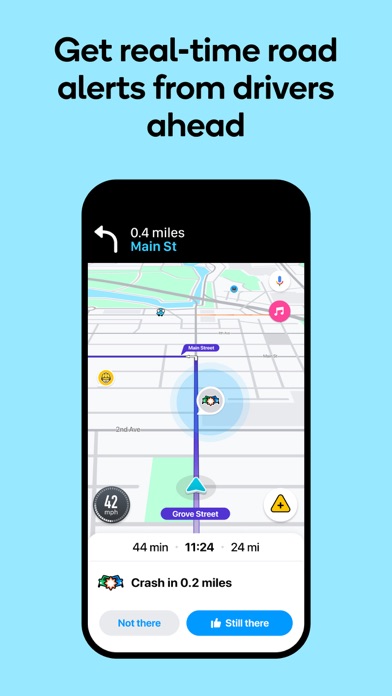
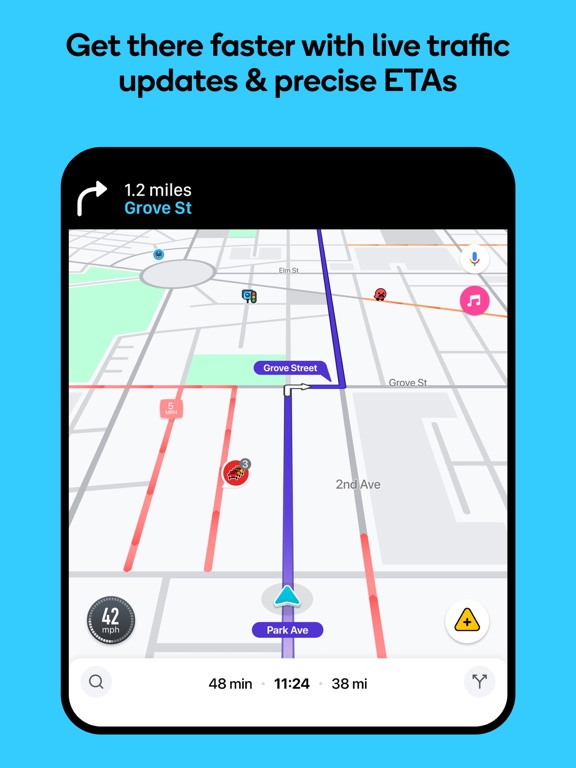
Know what's ahead on the road with the help from other drivers. Waze is a live map that harnesses the local knowledge of tens of millions of drivers around the world. Drivers safely and confidently reach their everyday destinations thanks to Waze map’s GPS navigation, live traffic updates, real-time safety alerts (including construction, accidents, crashes, police, potholes, and more), and accurate ETAs.
Make your next drive more predictable and stress-free:
• Get there faster with real-time directions, accurate ETAs, and automatic rerouting based on live traffic, incidents, and road closures
• Even if you know the way, avoid surprises on the road ahead with safety alerts for accidents, crashes, construction, objects on the road, potholes, speed bumps, sharp curves, bad weather, emergency vehicles, railroad crossings, and more
• Steer clear of tickets by knowing where police and red light & speed cameras are located
• Share what’s happening on the road with other drivers by reporting live incidents and hazards
• Stay informed of upcoming speed limit changes, and keep your speedometer in check
• Know which lane to be in with multi-lane guidance
• See toll pricing and choose to avoid tolls along your routes
• Add road passes and vignettes for HOV lanes and restricted traffic zones
• Find gas / fuel stations & prices and EV charging stations along your route
• Locate and compare parking lots and their prices near your destination
• Use voice-guided turn-by-turn navigation from a variety of languages, local accents, and your favorite celebrities
• Plan your next drive by checking ETAs by future departure or arrival times
• Use your favorite audio apps (for podcasts, music, news, audiobooks) directly within Waze
• Sync Waze to your car’s built-in display through Apple CarPlay
* Some features are not available in all countries
* Waze navigation is not intended for emergency or oversized vehicles
You can manage your in-app Waze Privacy Settings at any time. Learn more about the Waze privacy policy here, www.waze.com/legal/privacy.
Waze Navigation & Live Traffic App Comments & Reviews
Waze Navigation & Live Traffic Positive Reviews
Waze IS THE Ultimate Travel Companion!In this busy, crazy world, it is important to acknowledge good when you see it. I had to stop a moment, and leave a review on my favorite traveling app. I’ve been using Waze for years! As an avid traveler, I can't recommend Waze enough! This app has completely transformed the way I navigate during my trips. One of the standout features that I absolutely love is the ability to find food and gas stations directly along my route without needing to backtrack. When you're in a hurry or embarking on a long journey, having easy access to nearby amenities is invaluable. Waze shows you exactly how far these stops are from your path, ensuring that you can refuel both your vehicle and yourself with minimal detours. It's truly a game-changer! Also, the community aspect of Waze is phenomenal! The interactive network of fellow Wazers makes it a truly unique navigation experience. Users actively report speed traps, traffic conditions, and road hazards in real-time, keeping you informed and safe while on the road. I've found that Waze is often much more up-to-date than my other GPS maps, giving me confidence in the reliability of the information. That happens as a direct result of such an interactive community!! Waze not only has great efficiency and community spirit, but they truly make our long and short journeys smoother and more enjoyable. Whether you're running errands around town or embarking on a cross-country adventure, Waze is not only the best but also the perfect travel companion!.Version: 5.3.1
Not as good as it used to beI used to LOVE Waze and told all my friends whenever the subject came up of what apps we use for getting directions. I used to say that it was the best app for and practically insist they’d be happier if they used Waze. I liked the fact that it kept telling me several turns that I was approaching the next turn so it was easier to follow. I found it, in many ways, easier to follow compared to other apps. But recently they changed that. If you’re on the highway it now tells you in miles or feet how long you have till your next exit. But it no longer shows you the ACTUAL EXIT NUMBER like it used to. If and when it does (usually when you’re really close to that exit) it no longer shows prominently. It’s all the way on the right corner and pretty tiny. I sit there driving cluelessly not knowing what exit I should be getting off at. I need to know the actual exit number way ahead of time so I can change lanes ahead of time. I have to keep my eyes on the phone screen instead of the road to keep watching the miles instead of searching more easily for the exit number based on the signs on the freeway. And then the exit number shows up eventually as I get closer to the exit I need to take. But again, I have to take my eyes off the road to search for the TINY exit number. Who came up with that idea and why is beyond me..Version: 5.14.1.0
Could use some adjustmentsI love Waze, it’s definitely my favorite navigation app, but there are a few issues. For one, when hooked to Apple play in my car, I cannot also view the map on my phone. When I’m navigating while my husband is driving and we have a destination set that he is headed to, it would be nice to be able to see the map on my phone if we need to make a quick stop or find a grocery store near by, since he still needs to see what’s going on on the car screen. It recently has been having a hard time calculating how many minutes off my route a place is so seeing it on the map without having to mess with the car screen and potentially cause us to miss an exit would be awesome. My next issue is my least favorite and has caused me to turn to other navigation alternatives. Sometimes when hooked to the Apple CarPlay, the app will fall behind. As in, it will show on the screen that my exit is in several miles when I just passed it. This is a huge area of frustration for my husband and he honestly hates using Waze for this reason. We usually have to force-close the app and then it will (sometimes) work properly. I know it’s not an issue with my phone because the other navigation apps work just fine when Waze starts to act up. Another adjustment I think would be awesome would be a feature that shows all the lanes on the road you’re on and allows you to quickly tap which lane a potential hazard is in. When there is an object on the road or a pot hole, it would be neat to be able to let other drivers know which lane to avoid..Version: 4.105
Good but not great!Waze is a great navigation app with some flaws. The plan a drive is great and it does notify me when it’s time to leave. Downside is that you can only set the times in increments of 15 minutes. So; lets say your appointment is at 2:40pm. Within Waze you don’t have the option to select 2:40pm. You have to set it either at 2:30pm or 2:45pm. Yeah if your great at math this isn’t a big issue but it’s still a big inconvenience. Next issue is the map. You only have two map options. You either can see the map display as either default or map editor. It would be highly beneficial to set the map to Satellite View so you know exactly where your at and exactly where your going. There is nothing worse than inputting an address only to have it take you to the wrong place. You would have none this; ahead of time, if you could verify on the Satellite map that the address you inputted is the place you are trying to go. I guess some users will say “It’s a free gps app; cut them some slack.” The problem is; Waze isn’t the only free gps app on the app store. And to set themselves apart from others instead of having famous people voice act navigation, or offering zombie cars, give people that choose Waze over the competition actual updates that implement their requests. When I use a GPS app; it’s to get me from point A to point B in the most efficient way possible. Me personally; I don’t need to change my map icon into a zombie car or have Master Chief guide my navigation. Yes it’s fun but it’s also highly unpractical..Version: 4.95
Nice app, but can be unhelpful at timesI use Waze all the time, but I think I’ll be switching to a different GPS app for a while. I’ve used this app for years, it is great. But the last several weeks when I use it, the routes are incomplete. Lately addresses will be marked in the middle of the road, they aren’t specified what side they will be on or what roads to use to get there. Sometimes it’s pretty easy, in the sense that you can see your destination on the left of right side when you are looking around, and there is an obvious path to get there. But lately the app has been a lot less helpful. Sometimes the destinations don’t have bright neon lights or a clear direction on how to get there, sometimes the building is tucked away and I have no idea if it’s on the left or the right or where in the world it is bc the app just leaves the destination in the middle of the road. It’s not helpful at all, and it’s really annoying tbh. The three places I visited today in an unfamiliar environment, all three destinations had this issue. I don’t understand why this app won’t include the side roads and parking lots to help you get there (even tho they are clearly marked on the app and the app will help you navigate OUT of the parking lots). The app really needs to fix this, it’s frustrating that it gets you 95% of the way and then leaves you hanging in the end. Other than that tho, it’s a great app and like I said, I’ve used it for years and only just recently started running into this issue so frequently..Version: 4.81
Great app! Room for improvementI use Waze pretty much every day for work. I definitely like how there are real time updates from other ways users. There are a few things that I wish they would add to the app, And one complaint. I’ll go ahead and start with my complaint first, Waze does not always take you the most direct route. In fact, if the app thinks it can save you two minutes, it will take you down some streets. You probably shouldn’t be driving your nice car down in Las Vegas. I am all for route changes if they make sense but sometimes I find myself taking a side road for a few minutes just to get back on the main road that I would’ve taken anyway. And it doesn’t save any time! I also wish Waze did a better job at remembering my favorite route to locations saved instead of trying to take me down those sketchy roads that I know to avoid. Let’s talk about speed traps. The app does not have an indication for speed, traps ,it has one for Mobile cameras, and police. However, even Apple Maps is aware and lets me know of speed traps in the area. Another thing that Apple Maps does better than Waze is when you have multiple locations that you’re trying to map out. Waze only lets you map out two locations at a time, and you have to make sure that you select your last route first before selecting your first destination, very bizarre and dysfunctional. Apple Maps let’s select multiple locations and rearrange them all from just dragging them into the order that you wanted to go to them. if ways would change these minor things it would make it the best navigation app ever..Version: 5.17.5
Great app but has definite shortcomings.Waze is my #1 choice for GPS. Live traffic updates, being able to edit traffic conditions on the fly to give a more accurate commute, and sharing routes and eta’s are great features. I do hope they integrate voice commands with Siri so we can say things like “Hey Waze, drop a stopped vehicle pin.” While we are driving so interaction becomes handsfree and safer. I gave 3 stars because there have been repeated issues with the app and service saying “No GPS available.” I have tried rebooting, deleting & reinstalling, and clearing the app cache on my phone as well as making sure iOS and the app are updated constantly. But the occurrence does not appear to be linked to hardware failure unless it is something inherent to the 8s. Google and Apple maps do not have any issues when this occurs so I’m at a loss as to what causes the issues with Waze. This occurs for about a 8-12 hours once a day, once or twice a month. Not the end of the world but heavily inconvenient when you regularly use the service for your GPS navigation (and it’s a great service) and you are on the road daily for 4-6 hours at a time it is a problem. If they could fix this problem and integrate voice commands for pin drops, this would be a hands down 5 Star app. Hopefully I’ll get some feedback and can continue to use the service..Version: 4.38.1
Love it & Hate it all at the same time.I have been using Waze for about a month now I commute Just over 1000 miles a week. I really like that many people are out there using it and that you get vital information like a car’s coming up on the shoulder, objects in the road and where the police are camping at. The only problem I have with Waze I’d like to see some changes is that there are too many choices to make when reporting information, for example if I want to report a car on the side of the road I have to hit four different selections before my information is sent meanwhile I’m trying to look at the screen to find a small button and not paying attention to what is on the road. Reporting information needs to be simplified for the driver no more than two clicks to report a hazard something along the lines of the first click hazard second click “car on shoulder” or “car in lane” or “object in lane”. Decision making buttons need to be a little larger like when you’re confirming a hazard on the road is it still there yes or no the buttons are too small and I often miss them and not able to confirm the information information. May be a few seconds before you approach the hazard two large buttons could pop up and simply confirm yes or no is it there. I will say this I do enjoy using it and it is much better than Google maps or other navigation apps out there..Version: 4.67
It’s a love hate relationship…Found Waze and loved it at first, but the more I used it there are things that bug me. Like why doesn’t it interact with my Apple Watch like my Apple navigation app? Their app will vibrate in your wrist when you are getting close to your turn and I love that. Especially if I am on a call, I always use hands free and it is a hassle to swap back and forth because my phone doesn’t do it automatically and then I have to do it and it’s a whole ordeal, but if it interacted with my Apple Watch I would t have to, it would just be nice. Also, why doesn’t it tell you what side of the road a car is stopped on? If I am on a two lane road with almost no shoulder it is helpful to know which side of the road a car is supposedly stopped on so I could get over safely. You can chose that a cop is on the other side of the highway…I just don’t feel that, that is as important safety wise. Also pothole, man, there are some that could rip your tire off your car, it would be nice to have that option. Right now you could use the something in the road option but I feel that would be confusing for other drivers. There should be a way to mark in the app a speed limit error. There are two places I drive not frequently that the speed limits are not correct. I can never remember the roads until I drove them. So the problem is that I can’t use your current system to report the issue. You have it as 25 and it’s 50…. And it’s and unmarked country road in Ohio, The law states those are 50. It could cause an accident..Version: 4.87
Good but 1 frustrating thing for delivery drivers.It’s good, one of the better apps for gig delivery drivers as it does not take you to gated community gates that are exit/emergency gates only. However it does have issues. Like most other navigation apps if the address you want has a backyard on a main road it will try to take you to the back wall instead of the front of the house. A big issue for gig delivery drivers is when using this app with Door Dash(unlike the other two main navigation apps) when you hit get directions as soon as you go into the Waze app you have to hit “go now.” For normal drivers that’s fine as they are setting navigation before driving off. As a gig delivery driver I get offers while driving often and being able to be quick to get the navigation running so I know to get in what lane to get to the store for pickup is important especially in traffic. That short delay while Waze opens up and then I have to hit “go now” can make the difference of getting in the right lane or having to go 1/4 to 1/2 a mile before I can u turn to get to where I have to go for a pickup. Having an option to disable the go now for gig delivery drivers would be nice. Like I said google maps and Apple Maps don’t have that sort of delay. Even the DD in app navigation doesn’t do that. Sometimes the delay is enough to frustrate me and makes me consider going back to Apple Maps or even the horrible DD in app navigation..Version: 5.4
Die-hard Wazer!!!Update: Waze updates have been good and the reporting process is improved and there are less steps to get to the actual reporting - yay! When you fix the default address estimation from interstate (literally I get suggestions for MI addresses, and I live in Alexandria VA!). Previous: I've recommended this app to dozens of friends and helped many download it to their smartphones and set it up for them. I can't say however that I'm very happy about the latest version of Waze. The GUI is not what it should be, the # of improvements is about equivalent to the # of detriments. It's hard to cancel an instruction once entered, the screen going from side to side is not user friendly. And reporting hazards is STILL a 2-3 step process!!!! There should be the option for active wazers to have a "visible police" button, "car on shoulder" button "construction" button and/or various traffic buttons of our choosing on the map page that we can report as we go. Also, PLEASE STOP SEARCHING THE ENTIRE MAP OF THE USA WHEN I'M OBVIOUSLY SEARCHING FOR AN ADDRESS IN MY LOCAL VICINITY. That was an obvious upgrade improvement you guys should have included. I would give you 5 stars or 10 or 20 because I love your app - but these improvements really need to happen ASAP. Keep up he awesomeness Waze!! Plus your Customer svc and responsiveness is great too!.Version: iOS 4.30
It used to be a fun appI started using this after Covid. I used it a lot and then s sometime in May. Maybe a little before that. maybe. It literally will send on routes that are not even close to the best route. , like a lot of people say here., it will take you 5 miles to turn around and come back instead of getting off 2 exits that you pass! In one day, I bet you it cost me an hour and a half in a city that I didn’t know! Plus the navigation on the screen half the time you can’t tell which street to turn on until you pass it or get on it. It wasn’t like that before I’m still using it, but I double check another NAV because of it being so flaky on being right. it’s a shame it seems as no one has updated any of the maps or anything,like many people are saying. I love the police locations love it, but as I’ve noticed there, used to be a lot of wazers ahead and behind me on the screen. Which is the point,right. People how you can share what’s going on ahead of you . That was a big reason why I liked the app. I don’t see barley any wazers anymore ,so I can’t even say for any kind of certainty that there’s not police ahead or a wreck or anything because there’s no one to alert of anything out there there used to be a bunch! I don’t know what you’re doing, but you needs to change. Or you might as well hang it up now because I don’t see any feature people download this app and being happy with. Someone needs to be fired or somebody needs to be hired, but something needs to happen and needs to have it quick because my loyalty to this is fading quickly.Version: 5.8.0.5
Good but not great.I’ve used this app for years and hardly drive without it. It gives great directions and usually gets me where I’m going the fastest way possible. That being said it has some serious flaws. It definitely takes some time to account for traffic or an accident and bypass that route. It also doesn’t take all routes into consideration. I’ve had times where it will only give one route option when I know for a fact there are other routes I personally know. And it usually doesn’t give you routes that bypass the freeway that’s backed up unless you actually set the whole app to avoid the freeway, even if the side streets are the faster route. Also if you tell the app there is a road closure they send you messages asking about it and don’t acknowledge them on the route. But there is no way to answer the questions and if you don’t answer they consider the issue closed and don’t change the map. This has happened to me at least 8 times in the same place where there is long term construction that’s had a road closed for over a month. But the app keeps telling me to take that route even though I have documentated the road closure every time I go past it. They send a “chat” asking about it, but there is no place to respond to the message in the app. So they ignore my documentation of the road closure and keep telling people to go that way..Version: 4.86
Better than the old CB days.Waze is a user based traffic information app. It does rely upon users to report traffic conditions, construction, accidents and police. As a user passes by a reported problem, he can say Thank You, indicating the condition exists, or No longer There, indicating it has been cleared. There are two things I’d like to see changed: 1) allow the time to respond to the condition to last longer. Sometimes, the actual condition is at a slightly different place due to the time lag between where the incident is and when it was actually reported. and 2) when reporting police, it would be nice to know if the police is moving or stationary. If moving, the radius for notification should be extended and the time to clearing shortened, as a moving car will not remain in its position very long. If stationary, then notification can remain as it currently is. If police is moving, it would also be nice to know which direction and then adjust notifications accordingly. Note these are suggestions and not complaints. This is a great app and a must have for any driver. It also has a pretty good navigation system. But if you select another route than it gives you, it is slow to recalculate and sometimes requires stopping the navigation and then restarting it to get the alternate route..Version: 4.46.1
Most useful but some issuesIt is the most useful of the navigation apps because it uses the most sources for information and does a great job helping me navigate. Directions are given in a way to help locate the turn or offramp. Other apps often change suddenly into step-by-step directions or some form that I do not want to see. Waze stays consistent in the format of the split. Waze has a number of notifications about things in the road. These are good but also have weaknesses. It is hard to report that something was not accurate. At the point it is supposed to be there the option to indicate it was incorrect goes away. This option should remain for 2 to 400 feet after the symbol location. Most hazard reports are inaccurate. Most police reports are incorrect. This is frustrating because it such a good idea but the tool doesn’t really allow for good reporting. Stopped vehicle reports do not indicate in lane or side of road so they are usually pointless viewings of vehicles stopped somewhere having no affect on traffic. There is a great feature to go later on the time this feature cannot be used for some reason I will choose directions to the airport. Half the time I can choose go later and half the time for the same trip I cannot. I know the data is there. But for some reason the feature just vanishes. Make it easier to report..Version: 4.39
Don’t Leave Home Without ItThis app has saved me so many times. I absolutely love it. I use it constantly, mainly because it alerts me to traffic and cops, but also because it has shown me shorter ways to places I go to all the time (and thought I knew the best route there). I only have two complaints. The map change suggestion feature is totally useless. There’s a road near me that’s a private lane and ends at one curve of an s-curve. Waze always tells me to use this road for 100 feet, then get back on the main road. No, the private lane ENDS at the main road! I’ve tried changing this a dozen times, and it never gets changed (once it was actually, but a week later it was back). I’ve learned to ignore it, but I feel sorry for tourists because they get confused (I can tell they’re using Waze when I’m behind them because they’ll slow down and sometimes stop, which is really annoying). My other complaint is that I can’t tell it to remember certain routes. From my house, there are two ways to the county road. They’re both the same distance and about the same driving time. The difference is that the one Waze always tells me to use is single lane partway, very narrow the rest of the way, and has a lot of hidden entrances and blind hills and curves. I’d much rather take the safer way. If Waze finds a way to fix these two things, I’d give it 5 stars.Version: 4.45
Little betterSame complaints as before! Originally Waze USED to re-route you, using real time traffic details to help you avoid traffic, as well as used gl direct you to the most direct/shortest timed routes, but this NO LONGER HAPPENS. It now wants to only direct you to go where you pass the most businesses that either advertise with them or Google ever since Google purchased the app. Example: app tries to constantly send me a longer way to my destination, through a construction zone with 35 MPH speed limit but usually it is just a complete standstill and once through the construction the speed goes to 45 MPH with res lights about half a mile or less apart for 15 miles on that road alone, as that route is filled with gas stations, shops, strip malls and big box stores the whole way. The other option to get to the same location is 9 miles shorter, no construction, speed limit the whole way is 55 MPH and there are only 3 traffic lights on the whole route and they are several miles apart, but on the shorter, faster route there are only 3 gas stations and the big box stores are on one of the cross streets 2 miles off that route. Even with Waze showing standstill traffic on the first route, longer miles and longer time it still tries to force me to take that route past more businesses that advertise with them because each time I stop at a light an ad pops up for a nearby store. The SHORTER, faster, route with no traffic is not even given as a route option! I only know about it from Waze’s early days when it USED to direct me how to go that way! No redirect to miss actual traffic because it decides it wants you to pass advertisers not actually get you anywhere faster.Version: 4.38.1
Incredible resourceI am delighted by the services provided by the Waze app. On the first day I used it, it took me by previously unknown routes to a bakery to pick up a birthday treat for my dear daughter with 5 minutes to spare through rush hour traffic. The second time we used it we were at a huge airshow just outside of Portland OR and Waze saved the day by taking us back to Vancouver, WA on a very quiet and beautiful twisting country road through rolling farm land that ended up bringing us into Portland by way of the St. John's bridge. We were astonished to find that it took the same amount of time it would have taken us to go on the highway on a low traffic day. We were sold on it through these first initial encounters. BUT, my third use of it made me recognize how incredibly valuable and up to date it is it is when my destination was 2 blocks away from a bank robbery in progress and it diverted me from my normal route down narrow side streets where multitudes of cars were coming in the opposite direction but I seemed to be the only car going against the flow of traffic. Waze kept me safe and away from gunfire that was occurring just a block away from my final destination as bank robbers tried to make a getaway. Thanks Waze and thanks to all you Wazers that keep this app up to date so consistently. You rock!!!.Version: 4.41.2
Feedback to the DevelopersI pretty much love this app but sometimes it takes you ridiculous ways so if you are using it as a GPS it’s good to cross reference with Google maps for the best route. The app does have the ability to look at routes but in my opinion it doesn’t do a good enough job. It gives you vague distance and travel time only where I would prefer it to give me landmarks too. For example: if I am driving from CT to NJ I would like to look at the routes and have it say that the route was via the GWB or the Tappan Zee. Also, If you are rerouting me due to traffic or an accident then I need the app to tell me that. For example: I was recently traveling to a known destination but as I usually do I was using the navigation feature.. the app was telling me to go some ridiculous way. I even said to my wife, why does it want me to get off at this exit? So I ignored it because I know where I’m going and I know my way is faster. Well of course as soon as I past the exit I was being told to get off at , there was a major traffic jams due to an accident. If the app notified me that the most popular route had traffic rather then just blindly taking some random route then I would have gone with that recommendation. This will also happen mid route without telling me a reason..so I just don’t trust it because I’m not sure if it is navigating to avoid traffic or it is just taking me on a bogus alternate route. I do love the app and use it all the time. I am a promoter but these changes would increase my enjoyment and trust. Thank you..Version: 4.45
Doesn’t work well with iOS 12Update Oct 3, 2018- We’ve been using Waze for many years and have always loved it... until iOS 12. There has been so many issues with it freezing, crashing and interfering with the built in Bluetooth in our car. It will completely cut off the Bluetooth in the car making it completely useless. We deleted the app for a while because it just didn’t work at all and redone loaded it after some updates were released after iOS 12 was out for a while and that’s when the Bluetooth issues started, needless to say we deleted it again. I’m very disappointed, we used for every drive we took, even up to the grocery store 2 miles away. As you can see below from our first review we absolutely loved it... But sadly, not so much anymore. I really hope that you’re reading these reviews and doing something to fix these issues so we can start using it again! Since Google owns Waze I Would love to see some of Google Maps functions integrated into Waze. Other than that I have no complaints except the occasional outage, but we've been using it since it came out a few years ago and have loved it from the beginning!! Keep up the good work and get some of those google map features carried over to Waze!!.Version: 4.43.5.0
Useful but NOT safeI like Waze for navigation; it has some good aspects over other map apps-I like that based on the day and time that I open the app it predicts where I might be going, I like that it chooses the shortest route and is always right regarding my ETA, I like that I can send my ETA to any of my contacts so they know when to expect me, and I like that if I try to access the search function while in motion it says this is unsafe and asks if I am the passenger. I DON’T like that all other uses of the app while in motion are extremely unsafe. To document police, accident, stalled car, road closure, etc I have to take my eyes off the road to navigate through all the prompts which is exactly like texting and driving, I DON’T like that there are ads that pop up anytime I am going less than 5mph-my husband has them pop at highway speeds! We need a paid version of the app!! Also, the see other people on the road function does not work well. There are many times I see other icons when there isn’t even another car around or my husband is using the app in his car ahead of me but I don’t see his icon. Also, beeps are not useful. Not only is it unsafe to get in and access the beep function, it serves no purpose. Once you accept them there is no history and no way to tell who beeped you. Like I said, I like the app for overall navigation and real-time ETA, but otherwise it needs some serious updates..Version: 4.34.1
Usually really great and reliable for quick routesWe love Waze for travel, and generally trust it over any other mapping app. One comment and a feature request: first, Waze seems to default to interstate-centric routes, even when there are other routes on two lane divides highways which are much shorter and also faster. These routes do not appear in the route options. For example, traveling from a very small town in IL, let’s pick St. Augustine in Knox County, to Plano, TX, recently yielded two routes using Waze; both routes were via I-74 to I-55, which is ~100 miles longer than following Hwy 116 to 67 and on to the CKC expressway (110) through Hannibal. This is the route that should be chosen for this example trip, with the exception of major construction or an accident that would increase travel time by more than 2 hours. Secondly, the feature request: I use Waze on my CarPlay app while driving and always report road hazards and cars pulled over. It would be helpful (and safer for me as a driver) to be able to report a driver pulled over on the side of the road with a one click action, like is available when reporting police. As it stands, one needs to click through 3 screens to report a pulled over car. Please make this a one-click action so I can help other drivers AND concentrate on the road!.Version: 4.99.1
PlzCan we please get more than 3 options of the route, or maybe a shuffle button? In terms of navigation system for the phone Waze literally outshines all the competition. But the route selection for the longer commutes in the city are not really on point compared to google and even apple maps. Since I started working on the opposite side of the city, standstill traffic became part of the routine. During rush hour waze exclusively recommends me to drive through the crowded city streets instead of taking expressways. Both options are backed up with traffic, the only difference is jams on the expressways are a lot more predictable, and faster on average. Every time I decided to take a gamble and stick to waze navigation on my way back from work I ended up regretting it. ETA shows anywhere between 1:10-1:35 but in reality takes over 2 hours. It would be impossible to make it within predicted ETA even if you run every red light, and going 60 mph in the bus lane. At the same time, whenever I ignore the suggestions and stick to expressways it shows essentially the same eta after it rerouted itself 20 times. Please, for some reason the algorithm calculates city traffic waaay too optimistically compared to expressways in NYC. Since tweaking the algorithm is a tricky process just add one more button that will allow you to see additional route selections..Version: 4.99.1
Waze is a great app but one big problem!Ive used Waze for years now home and while living overseas. It is accurate, useful and I generally love it. However, in the last few months I’ve noticed something that has made me all together unable to use the app. Not sure if this is just my issue or a common occurrence but I’ve noticed every time I use Waze now my battery is drained within 2 hours of driving. I have a new iPhone 8 Plus which I always charge to 100% before trips and using Waze drains the battery completely every time. Even if not doing anything else like listening to music from the phone while driving which I don’t do anymore, the other day my battery was at 80% from 100% after having used it all day taking photos. After turning on the app to go home it went from 80% to 20% in one and a half hours of driving. I’ve tested it with google maps and Apple maps and it does not do the same thing. I’ve even tried all the tricks for optimizing battery and it still used up all my phones juice in about 2 hours. Once I only opened the app to check an alternate route that wasn’t showing up on google maps and just for checking that route for 1 minute drained the battery 5%. Not sure what’s going on but please fix this issue I d tried reinstalling the app and still the same happens and on my fiancé’s phone it does the same thing. It makes using Waze impossible because if I don’t happen to bring the car charger along I get left without a phone and without navigation which often times is extremely inconvenient. Other than this issue Waze is a great app but I really cannot use it anymore because of this. Please fix this!.Version: 4.35
Great app with big user baseThe app is great, very few times do I see a cop without him being marked on the map. However that all depends on how many users are active in the area. One feature I would like to see is the ability to drop the marker down manually if you want. Or to be able to move it if it’s in an inaccurate spot. Any time you see a car on the side of the road or a cop, you’re driving. So trying to navigate the UI while driving is dangerous, but if you don’t then the marker won’t be accurate. Being able to place a “personal” marker that only you can see with 1 button press. Then afterward the user can edit that personal marker to reflect what they saw, for example a cop. This would allow the user to change the personal marker when it’s safe to do so. While also increasing the accuracy of the placement because it’s 1 button press. At the moment you need to try to press 3 or more buttons and hit send right as you’re going past them. Understand some of these users are driving big trucks, so this feature could save a life. It may even increase user interaction as I’m sure there’s a lot of people who want to mark it but don’t want to look at the phone for too long..Version: 4.82
The coolest App to discover a stocker who is tapped into you by staying closeI love this app simply because of his style and I like way to look at our worsening traffic situation all across or length it's no longer our grandparents freeway gone are the days of leisurely drive and pleasant afternoon behind the wheel now driving Siri is business and not to be left that at all so Waze shows it other ways to use this app Multi platform use an informational stack to assist with around you at all times need to come to that oh my by that I mean the dreaded stocker the one who just won't leave you alone and must bother you in any which way they can interesting that avatars have now become avatars maybe that's a new word car the tatf. but for later next line recently I've had that displeasure of finding that I to warrant a sucker and I only found out because Waze showed me that my stocker was never far behind have a virgin ever prime ever trying to communicate the Daniel benign idiocy of their plate In stocking me it showed me how to stock them and soon as you might imagine the police were involved and well wouldn't you know it my stocker became a shocker who ended up in the slammer known as the locker and there you have it my happy story brought to you by the way thank you Stucker free.Version: 4.55.1
A very poor navigation appI feel this app is all about a gimmick, celebrity voices. I run it every day, even though I know my city very well. I live in a big city with a lot of red light cameras and speeding cameras, and speed limits that change with little notice. The only thing I use this app for is telling me about those cameras, which, unfortunately, this is the only navigation app that mentions both. Knowing the city, so well, I am completely surprised at the direction there’s app sometimes once the user to take. I think, “are you kidding me?” often times leading you to impossible left turns? Well-known traffic traps, and true neighborhoods that end up slowing you down with stop signs. The button in the settings to avoid difficult turns does not do anything. It’s difficult to search for destinations near someplace you are not near. For example, trying to search for grocery stores near home when I am at work is very difficult. The map does not zoom in and out easily, and is confusing. If you want Boy George to give you directions then go for it. I think you have to pay for the celebrity voices. Not sure. Don’t care. The moment my stock navigation app starts mentioning red light cameras, I’m dropping this app..Version: 5.17.5
Very useful app my favorite one!This app is by far my favorite I have used every other one you can think of! Where to start? Well it’s like Google maps with the way it looks so helps you in big cities except waze will not tell you to switch lanes at the last second! It also reports things such as car crash, stopped cars on side of the road traffic and all you can think of that’s stopping you from carrying on your way! I gave this app a 5 star because with all that being said it lets you know stuff ahead of time where you’re not stuck looking at your phone thinking it’s going to pass to quick to see very accurate on there accidents and stopped vehicles and only app I used that will let you play music and still see your maps and not interrupt/stop playing music this app is overall very helpful for those who want more then just a basic gps system it can also help guide you out of a closed road way ahead and switch it to the most similar way around that closing so you won’t get stuck I hope this app doesn’t change and if so all I see is more progress that will just get better and better keep doing an amazing job Waze very happy using your guys app keep it up!.Version: 4.93
Just install and use it. Always getting better. A few improvements requested.Great features: best routing around trouble I’ve ever seen around the most up to date traffic information possible. The audio app integration is a neat addition. I recently upgraded my phone and it uses the additional screen space effectively. Changing the voice for directions is great. Loving the validation Cookie Monster provides at my destination! Could be improved: Pandora integration makes it look like you can change stations or thumb up/down from within Waze but it doesn’t actually work. Needs to include Audible and Podcasts apps. If I take a shortcut through an alley or start out in a school parking lot, Waze seems to really lose track of where I am and is in recalculation mode for miles at best. Sometimes I have to kill it and start over to get it to tell me where to go at a critical junction. Nit pick: Routes could better predict drive times based on historical data. I drive from Illinois to Missouri in the St. Louis area every day. That means picking a bridge over the Mississippi right at the start. I-270 will always jam up in north St. Louis County after I leave my house and take 5-10 minutes longer than Waze says on a GOOD day. They aren’t all good days..Version: 4.51.3
The top dawg of gps appsI literally never leave reviews.. ever. It never seems like it matters to. But when this prompt came up to I sprinted here lol I will choose Waze over EVERY OTHER GPS APP OUT THERE. They’re all a joke compared to this app. And if more people used it, it would be even better!! You can place law enforcement or road work and road hazards on the map so others know, you can even update gas prices. Theres even a traffic chat where you can chat with other wazers! Edit to how congested an area is and so much more!! I haven’t had the time to figure out how to use my points yet but I’ve been a Waze user for quite a few years and the only complaint I have is that Waze just refuses to take me around a closed road to get to my house 😂 I know it’s closed! So take me to the other end of the dang rd! I love using Waze so much I have it on just to be able to beat the time lol *don’t do that y’all* it’s also relaxing to know I’m on the right path and when I’ll get there. keep it up Waze! Maybe add a real life perk for points???? Or live chat feeds for stand still traffic areas? Or maybe even a mental health area for road rage?? So many ideas! Thanks for reading if you got this far lol.Version: 5.15.5.0
Better Than GoogleThis app is more user friendly than Google and gives me more relevant and useful info than Google. Though Google is great! It can't touch Waze! It would be nice to have a commercial truck patch. You know: low bridges, railroad crossings that might bottom, out, and roads that are restricted to trucks (including degree of restriction), truck speed (various restrictions where they are different from cars), and truck lane restrictions).That sort of thing would increase trust in the app a great deal as other apps are highly data intensive but services are lacking in this area. What I mean is truckers (like myself) are using these apps; but, we’re always concerned that we’ll be routed down a road that for us comes to a restricted place (low overhead bridge, or a RRX where the crossing mound bottoms out our landing gear) with no place to turn around. I have backed up as far as 2 1/2 miles to get to a point where I could turn around the bridge itself was clearly marked but google didn’t know to route me around it I found out later that it was trying to save me 1/2 mile through their Dariclese Tesselation optimizer. Which would be great for a car. I’m just trying to impress on you how important this issue actually is; so that you can easily see that this would increase confidence by at least a hundred-fold!! I’m sure I didn’t spell “Dariclese” right but have you ever tried to spell check it? 🤪 Also I used the word patch it would have to be a pretty major project to find all those variations and overlay them on your great maps; but worth it!!! I’m thinking mode and a tab here. (ie [walking] [cars] [transit] [CDL]..Version: 4.37
Florence EvacuationWAZE IS AMAZING. Thank you sooo much whoever created this APP. I am home safe because of this APP. I can not praise you enough. Hi everyone. Right now I am so thankful to be home. We evacuated to Concord and was there from Wednesday the 12th to Tuesday the 18th. We knew our home was alright but you know you need to see it for yourself. We left Concord at 10:30 yesterday morning along with our two puppies. We used our GPS on hour cars for a good ways. We ended up in SC at South of the border. This was also with the help of a police officer and a local resident. But with all of this and trying to get past the water flooding was daunting. My sisters we watching out for the whole way. One of them told use to try the app “WAZE”. I downloaded it to my iPad. I am here to tell you we would not be home today if it wasn’t for this app. It would even tell us about a vehicle parked on the side of the road a half a mile away in the dark. It is amazing. She only made two mistakes but that was because road block had just happened. I highly recommend this app. Everyone stay safe and God bless all the lineman, police, EMS, firefighters and anyone else I have not mentioned that are working so hard to keep us safe and getting our lives back to normal..Version: 4.43
Vacation Travel SOSDue to a Cat 5 Hurricane Irma and Cat 4 Jose which caused destruction and total havoc in the Caribbean our well-planned trip to Grenada (a year in the making) was cancelled after 3 hrs. of wishful thinking and 2 wks. of monitoring NOAA and the weather channel several times a day. With our flight cancelled and at JFK hrs from home we decided to just turn in our tickets for an impromptu trip to San Francisco which was on our bucket list. We flew in without any preparation more than finding a last minute deal on a downtown hotel for 2 nites. We rented a car once we spent a couple of days in San Francisco. If not for my WAZ app we would not have been able to do half of what we did! It got us to our 2nd location a rental outside of San Francisco and on time! It took us to Big Sur via Rte 1, all around Napa Valley, and adventures that took us to views of the Golden Gate Bridge that only locals get to see. With the app we were able to find our way to impromptu routes that took us 2500 ft to an observation tower that blew our minds. The app regularly saved us from excruciating California traffic jams by re-routing us and is amazingly good at time estimations. We are most appreciative for this app. Thank you for helping us explore gorgeous Northern California..Version: iOS 4.29
Better than mostI’ve just begun to use the app. I like the fact that it alerts you when the police are near. It also notifies you if a car is on the shoulder of the road stopped. It has a background music feature which would be nicer if it included Apple Music or Pandora. The app warns about road work, traffic jams, it is nice. It is slow to sync with Bluetooth. I can sync my phone with my truck, yet the app does not speak through the Bluetooth connection. It is difficult to communicate while I’m giving and address for directions the first time. It is hard to hear because it will not use the iPhone speaker in the beginning either. I have to hold it up to my ear while giving the first address. Shortly after the first route begins it will use the Bluetooth connection. The graphics are much better than the iOS app and also Google Maps. The screen view is also better than other apps. Seems more intuitive than either of those GPS apps also. The app is slow to turn off the location services on my iPhone after I reached the destination. This concerns me that it might run down the iPhone battery prematurely. It does have a nice parking feature to locate your car later. Fix a couple of small things and it gets 5 stars from me. This is my new GPS app..Version: 4.45
Hate to delete this navigation appBut for a long time now, probably almost 2 years (I know, I’m faithful). I’ve realized this thing eats up SO much data. I run out of 2 gigs in less than a week on long drives. I love everything about it (especially hazardous objects on road and police), but it’s missing an important feature I’ve secretly been waiting for that google maps has and that’s the whole standby screen to save battery and phone from heating up. Many times Waze redirects me from traffic which was cool, but then I realized after a couple times, I actually lost time AND gas because of it due to stops and whatnot instead of just sitting in traffic. Not that it hasn’t helped at other times, but I’ve learned that most of the time the traffic it predicts has long dissipated (so much for “live”. Overall, it’s just been getting worse and I’ve thought to delete this app a long time ago if it weren’t for the social part, but then I realized all my friends haven’t touched it in forever and I only use it to share with my wife who doesn’t even realize I send her ETAs anyways till I’m already there and she calls me to ask me if I’ve arrived lol. It’s been Waze, but ultimately, my data is more important to me than the 80% ghost police notifications and my safe speed limit travels..Version: 4.34.1
Not maintaining media selection and location at start up in CarPlayI love Waze in its overall functionality, but it has gained a couple irritating issues over the last few updates. As CarPlay activates in my car, or any car for that matter, after I’ve used Waze as my last app, when Waze initializes it automatically starts playing from my phones media library. It doesn’t allow the current media selection to continue, including the radio. It’s the only app that has constantly done this for the last couple of months. All other non-music apps don’t interfere with what media is selected. I have to manually go and select that media source again and then come back to Waze. If I have another app going like Google maps, this doesn’t occur but when I select Waze it always does this. Also, Waze in CarPlay has trouble finding my location upon initiating. I have to go onto my phone and open the Waze app itself and then close it out in the task manager. Then, when I select it in CarPlay it works fine. Lastly, the speedometer now—just barely—partially shows at of the the top left corner of the display in CarPlay. Cannot not been seen usefully. I’ve got as far as uninstalling the app, then reinstalling it and signing back in and it still does all of these..Version: 4.70
VoicesHey, I really love this app, I’m not gonna lie. I love the voices, I love everything that comes with directions. I just wish that the voices were more expanded. Like, I don’t know any other artists like, sorry, don’t like Olivia Rodrigo, Lil Skies, add different kinds of artists, different kinds of more people. I would love to hear that, if anything, I would really love to hear Olivia Rodrigo, odd, weird, maybe different, but I would love to hear not just her, but different kinds of people. Like, this app is amazing, and also, I wish the directions were more specific. Like, "be on the third lane" or "be on the second lane" or like, "in 0.5, 0.2 miles, this is coming up right here, make a right at this light", not this light or the next light. I just wanted it to be more specific or clear, so that when I’m using this app, I love it, I really do. I just love that. If you guys would upgrade the app and have more AI that let you know what’s going on, and I would really hope that you guys add more voices. I really love what goes on with this app, but I just like if you guys would add more to even more than what it is right now, I love it, please upgrade and update. Please add more voices. I love them very much..Version: 4.101.2
Awesome, but latest rev draining battery!Love this app and use it all the time. Routing seems to favor getting to bigger roads rather than using local roads for short trips, but otherwise works decently to get around traffic. One thing to watch for is I think it treats a right turn the same as a left in traffic, when often a left is nearly impossible to cross 2+ lanes of traffic rather than just entering 1 lane. Rel 4.46.1 is having a crash issue — after 30-90 mins it’s crashing. Also seems like it’s failing to add some previous drives to the history. Had one drive that was done and I’d arrived but when i went to history to go there again, I had to re-enter the address because it was not in history. Also, it's damned annoying that I registered with my cell# years ago but replaced my phone a while back and had to rebuild the keychain and I didnt remember my password. Unlike 8million other apps that have a forgot password function, WAZE says it's impossible to recover my password without having already registered with my email. A) that's stupid! B) tell me that when I registered years ago not when it's too late! I lost wazer royalty status and havent even bothered to re-register out of bitterness! Serioisly, guys, you have my phone#! Text me with a password reset link! It's not like there are bank accounts at stake here!!!.Version: 4.46.1
I love Waze!!I really like this navigator! He is very handsome and cute! Convenient functionality with the calculation of the departure time, and other functions with the setting of the path. I also really like to see other users on the map, it gives the impression of a large and friendly community. I also want to separately note the funny voice-overs of the navigator. They are very cool! Add more of them and don't delete the old ones! Now to the remarks. 1. Make the interface more interactive. Add pictures to the speaker's voice menu, and redo the search for alres and establishments in general. If you don't live in the city for a long time, it's hard to determine from the full-screen list of addresses which place you need to choose. Make a small sheet with a view of the map. 2. Add more functionality for electric vehicles. Namely, give the opportunity to plot the most effective route according to the criterion of the maximum speed of the road. The avoid freeways feature does some of this work, but it doesn't do it quite effectively. 3. It would be great if Waze consumed less phone resources and would not heat it up so much. And so Waze is my only navigator that I use every day..Version: 4.84
Avoid traffic via alternate routesThis app is great for finding alternate routes. It uses up my battery though. Please give an option to have It search for my location only when I am using the app. When I close the app, it doesn't need to keep track of where I am anymore as I am likely not driving. I find that this app gets me places more quickly while avoiding traffic. It needs a little more fine tuning, as it put me in a no outlet street very close to the back end of my destination. I had to drive away from that point and the-input the address to get to the front end, but that worked. It was beneficial that I already had a sense of what the place should look like. I like that it recognizes "streets" in some major parking lots. That was a pleasant surprise. :) I wish there were a way for it to show how much time I save by going the alternate route versus the normal highways. UPDATE & REQUEST: Yay! My battery lasts a lot longer now. Thank you for addressing this issue. It would be great if there were a button to notify others when there is a train crossing (and recommend alternate route or option to wait for train) and the same with drawbridges up (I live in a city of bridges so this is quite valuable info and is not the same as slow traffic)..Version: 4.52.5
Stunned!!!Huge shoutout 2 Waze & ALL Waze users in Richmond VA (and all tri-cities) 4 how live this app truly is. TBH I had my doubts! But you have definitely made me a believer of the amazing accuracy! Each time I’ve used waze & there’s an alert of police, debris on road, & car on shoulder etc...it was at a💯! So I 👏🏼 U & All the Waze users! I ❤️@waze & will recommend 2 everyone! I will most definitely consider giving waze 5/5 stars ⭐️ if you guys would take all the users suggestions that I’ve come across & actually make it happen in a more timely manner. I also have a suggestion myself. CAN YOU PLEASE ADD more options on vehicles to choose from (or be able to change the color of the vehicle by being able to hold the vehicle down and choose a different color) on the navigation map? Also, make the vehicles you have available actually look like the description of that vehicle? For example: The SUV looks like a dump truck, the bus...well there should possibly be two types of buses (make them both longer & make one yellow), and as I’d stated before have different color & size options for the cars, & make one for an actual SUV with different colors. I really hope you’ll make these changes. Once you do, I’ll be more than happy to give you a 5/5..Version: 4.39
WazePerfect in city trafic, always take the best route, stop wondering....Version: iOS 4.29
Just wow and moreGreat Fantastic Intuitive Informative . What all apps should be. Delivers on all expectations while building a cooperative community among users. Cusps.Version: iOS 4.29
Best thing since sliced breadTitle says it all.Version: 4.41.2
Mr.Awesome! 👍🏻.Version: iOS 4.29
By far the best navigation app!Very useful, makes life easier and gets u there faster. Recomend it! One suggestion I can make it is having ability to more than one stop in between final destination ;).Version: 4.51.2
Very good map but battery killerIt’s use too much for the battery, should be fix that problem, map is amazing..Version: 4.51
Good but Battery killerThis app is significantly better than any other gps app, but it absolutely annihilates battery life..Version: 4.50
Not always the best routeI’ve noticed that Waze does not always choose the best route. Not sure what your algorithm is but if often happens that I ignore the route suggested by Waze and continue driving while it recalculates only to discover the new suggested route (that I am now on) actually has a faster arrival time to my destination. I don’t understand why Waze didn’t choose that route in the first place. Also, as a feature, it would be nice to be able to turn off the auto-centering so that I can use the arrows to scroll through the map and see potential problem areas along the route. Right now it’s a real hassle to do this because Waze constantly re-centers the map to where the car is when I try to go beyond a certain pount..Version: 4.57
Now works on CarPlay!!Finally downloaded the new update and works with my CarPlay! Works flawlessly. I know cars have speedometers but it would be nice if it shows the speed and if you are going too fast like it does if I weren’t using CarPlay..Version: 4.43.4
Need update for CarPlayPlease update the Waze maps for CarPlay. Thanks in advance..Version: 4.43
5*Best Gps app.Version: iOS 4.29
Best map app out there.By far the best map app out there on iPhones. The social information gathering is what really makes the real time information and route updates work..Version: iOS 4.29
Great appLove love love it!.Version: iOS 4.29
Just WOW !!!The best GPS app by a mile..Version: iOS 4.29
Great app, needs car play and pay to remove adsReally helps navigate in construction season!.Version: iOS 4.29
Need improvementNeed satellite map like google.Version: 5.8.1.0
Pour améliorationDevrait inclure les arrêt et les lumières aux intersections sur la map.Version: 5.11.0.0
N’est lus en françaisPourquoi le langage est en français mais pas les menus ?.Version: 5.7.0.3
Add widgets please!The navigation to me is better than google maps but please add widgets, because of its convenience of just clicking and putting you right in the app! Also, add business closing times as I always need an external search (impossible within the app) to know when a store for example is going to close..Version: 5.6.0.2
New version not as user friendly as previousI love the app but it’s difficult to navigate within the app now. Can’t find how to stop routes without swiping out for example.Version: 5.5.1.0
Free International Money Transfer 💸Enjoy high maximum transfers into more than 20 currencies while saving up to 90% over local banks! The cheap, fast way to send money abroad. Free transfer up to 500 USD!Version: 5.20.0.1