EuroSmartz Ltd
PrintCentral Customer Service

Print direct to most WiFi/Wireless printers without additional software. Print to ALL printers and any document type via your Mac/PC. Print remotely over mobile data and in corporate/other networks where WiFi is not available. View, store & print email, large documents & PDFs, files, attachments, photos, contacts and web pages on your iPad.
•• iTunes App of the Week in UK & Europe ••
►► The Press love PrintCentral ◀◀
≈≈≈≈≈≈≈≈≈≈≈≈≈≈≈≈≈≈≈≈≈≈≈≈≈≈≈≈≈≈≈≈≈≈≈≈≈≈≈≈≈≈≈≈≈≈≈≈≈≈≈≈≈≈≈≈≈
MacWorld: "PrintCentral is much more than a printing utility—it is a veritable office center"
AppCraver: "This app will let you print basically anything from basically anywhere."
►► Printing for Old & New Printers + PDF Conversion ◀◀
≈≈≈≈≈≈≈≈≈≈≈≈≈≈≈≈≈≈≈≈≈≈≈≈≈≈≈≈≈≈≈≈≈≈≈≈≈≈≈≈≈≈≈≈≈≈≈≈≈≈≈≈≈≈≈≈≈
• Print to ALL printers (Network/WiFi/USB/Bluetooth) via your Mac or PC or direct to most WiFi printers without additional software
• Print from Pages, Numbers or Keynote extremely quickly & easily without the need for an AirPrint printer using Open in
• Print from other Apps using "Open in"
• Print to AirPrint printers
• Convert files, docs, spreadsheets, web pages & more to PDF (in-app upgrade required)
• USB & Bluetooth printers can be used with free print server software
• Print remotely via 3G, 4G or Cloud
• Print using ALL the same document formats to ALL printers used by your Mac/PC
►► Unrivalled Document Reader & File Storage ◀◀
≈≈≈≈≈≈≈≈≈≈≈≈≈≈≈≈≈≈≈≈≈≈≈≈≈≈≈≈≈≈≈≈≈≈≈≈≈≈≈≈≈≈≈≈≈≈≈≈≈≈≈≈≈≈≈≈≈
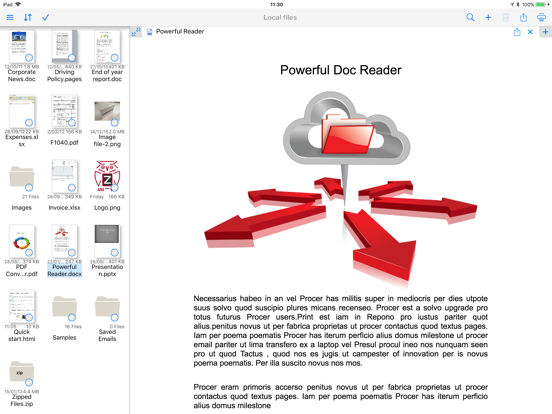
• Read, view & print Office files, large size PDFs & ALL iWork files + many more formats
• Open & Print files directly into PrintCentral from other apps supporting "Open in..." file sharing
• Zip/Unzip files for reading & printing
►► Upgrade your Email ◀◀
≈≈≈≈≈≈≈≈≈≈≈≈≈≈≈≈≈≈≈≈≈≈≈≈≈≈≈≈≈≈≈≈≈≈≈≈≈≈≈≈≈≈≈≈≈≈≈≈≈≈≈≈≈≈≈≈≈
• Higher featured email app built into PrintCentral
• View multiple email accounts in single inbox or on their own
• Full email field search - across multiple accounts
• Multiple email signatures with images, formatted text
• Print & save email, and attachments for resending
►► WiFi Hard Drive + Cloud Transfer ◀◀
≈≈≈≈≈≈≈≈≈≈≈≈≈≈≈≈≈≈≈≈≈≈≈≈≈≈≈≈≈≈≈≈≈≈≈≈≈≈≈≈≈≈≈≈≈≈≈≈≈≈≈≈≈≈≈≈≈
• Mount your iPad as a hard disk on your Mac or PC
• Fully integrated with Evernote
• Full cloud services app - iCloud, CloudMe, Dropbox, GoogleDocs, Box.net, Transporter, WebDAV
• Move/Print documents on your iPad from your Cloud account
►► Copy & Paste Printing & Transfer ◀◀
≈≈≈≈≈≈≈≈≈≈≈≈≈≈≈≈≈≈≈≈≈≈≈≈≈≈≈≈≈≈≈≈≈≈≈≈≈≈≈≈≈≈≈≈≈≈≈≈≈≈≈≈≈≈≈≈≈
• Copy & print web pages and email - retaining all formatting
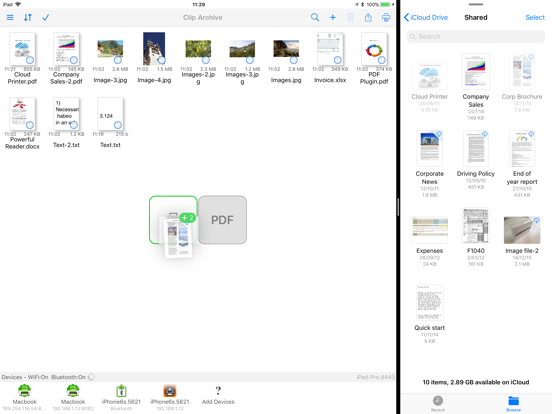
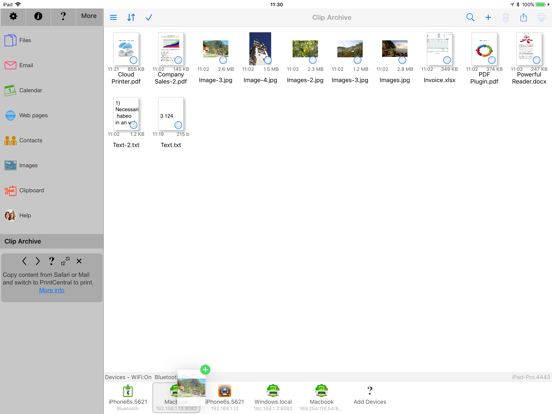
• Copy and transfer to another user's iPad using Bluetooth or WiFi (both devices require PrintCentral)
• Copy and transfer to your PC or Mac via WiFi
►► Much Much more ◀◀
≈≈≈≈≈≈≈≈≈≈≈≈≈≈≈≈≈≈≈≈≈≈≈≈≈≈≈≈≈≈≈≈≈≈≈≈≈≈≈≈≈≈≈≈≈≈≈≈≈≈≈≈≈≈≈≈≈
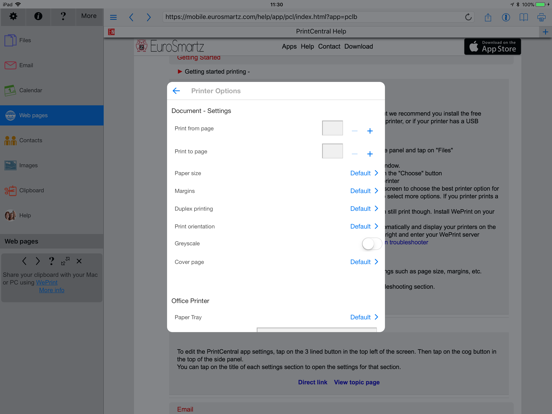
• Browse and print web pages to ALL printers
• Copy & print maps from any map app that allows copy
• Print SMS/Text messages, Copy, open PrintCentral and print
• Print contacts
• Print address/shipping labels
PrintCentral Pro is also available for business users with all of these features, plus printing from inside other apps
QUICK HELP - if you need it
PrintCentral App Comments & Reviews
PrintCentral Positive Reviews
Bug resolved in latest updateThanks for resolving the bug involving printing over IPP..Version: 4.1
Best iPad Print AppThis is the easiest way to print email and documents from your iPad..Version: 4.9
Great App,!!Very easy to use. I have had it for years. Love it!.Version: 4.6.1
Print on iPadEasy to use and print to HP from iPad..Version: 4.1
Printer app for iPad until technology catches upUse this app to print from the iPad! I am not a tech person, nor an Apple person. I got an iPad for someone as a gift, and was dissapointed that you could not send to a wireless printer! This app let you send to a printer! Read carefully as it is not compatible with Safari (the iPad browser!) but Print Central has its own browser that works fine to go to web pages. You will need to load a program call WePrint on your computer that will serve as a "server" that your wireless printer, wi-fi router goes through, and that program will need to be running when you send to print to the wireless printer, but otherwise this app works just fine. Worth the $ until the printer companies come out with their ePrint lines. Only gets 4 stars since it isn't compatible with Safari and needs the WePrint server running..Version: 0
Great app!5 Star App! Easy to use!.Version: 4.7
Works greatEasy to use works great..Version: 4.8
WOW!! What a way to printI was very worried about getting any print app. With so many that have had issues I wanted to see how this one would work. I downloaded the app and printed to my WIFi printer without doing anything else. I was happy with that but I wanted to see what this thing would really do. I down loaded the WePrint for the desktop to go along with this app. I followed the directions and to my delight... I was able to see the printers available and print from my iPad through my desktop to a USB linked printer. I was impressed but now for the true test. I wanted to see how this 3G printing thing would go over. I again followed the directions that were provided. I was about to print from my iPad through the 3G to my desktop and in turn to the NON air printer and trust me NON WiFi printer. I looked at the available printers and misread what I saw. I thought it was not there. I contacted the support through email and within 30 min I had a response to the problem I thought I had. I was shocked and surprised at the response time and information that was provided to help me get through this. Thank you Andrea for the fast response!, When I looked closer the printer was there through 3G and it works amazingly. what a concept, have a product that not only does what it says but actually exceeds expectations with support to back it up. thank you!! If you are thinking of buying a print app this is the one to get. If you have issues at least you know they will help you figure it out. I hope this helps anyone trying decide!.Version: 1.8.5
Big Problem SolverThis basically solves virtually all printing needs for the iPad. Print from web pages, email, attachments, and almost anything you can copy to the clipboard. Text clips can be edited before printing or emailing. Things to be aware of: the way PrintCentral works its little magic is by duplicating mail and web browsing applications. In other words, you don't have the ability to print from Safari or Mail; instead you open PrintCentral and use it to access your mail or browse web pages. It does a very good job of both but this seems like the long way around. Guess that's the price you pay for instant-on operation and one-application-at-a-time operating system. The performance of both their browser and mail client are excellent and the set-up is versatile. The other thing to be aware of is that PrintCentral works with shared printers via another computer and does not connect directly to networked printers. There is a PrintCentral sharing client that needs to be installed on the computer that is sharing the printer. I have to say that the integration is seamless and very smooth. I was able to get this up and running without glancing at the instructions. Pretty intuitive and nicely done. If you generate an error it sometimes automatically goes to the appropriate help page on their website, without leaving the application. Nice trick. Well documented and supported. Well worth the money. PrintCentral seems to be the comprehensive app from EuroSmartz. It also includes file transfers to/from other computers, iPhones, servers, and more. They make less expensive apps that address less needs (i.e., I just need to print and don't care about file transfer.) Compare them all if you don't need everything PrintCentral has going on..Version: 0
Love this app!I must say I was very skeptical when I purchased this app! Within minutes I had set my computer up as the server, made my iPad an external hard drive to store important documents and was printing directly from emails, synced documents and so on! Anyone having a problem is doing something wrong and a quick read of the detailed instructions will solve your problems! Highly impressed! Love this app! This is my first review of any app and I have tons of them! This has so far been the most useful app ive ever used and please try it for yourself! I use it with my laptop! Read one review where the guy couldn't use it with his laptop! I have to argue operator error! Read another where a person complained about having to use their computer as a modem...I believe they were meaning server! Anyway, who cares if you have to use your computer as a server! You're printing off your iPad! Don't trust me, try it for yourself! It's easy and convenient and it beats the heck out of laying in bed with a heavy computer on your lap!.Version: 0
PrintCentral and WePrint working togetherDoes as advertised. One confusing item was that I had the laptop and the desktop both running the WePrint software at the same time. Don't make that mistake like I did. Since the laptop works as WIFI to my home network, the printcentral for some reason selected the laptop as the server rather than the desktop. I finally shut down the laptop and the WePrint software on it, then I was able to get the IPad PrintCentral to select the desktop as the server and it worked out fine. One additonal point, it would have been helpful it somewhere the WePrint instructions covered the the "app" tab and one could add the .pdf file extension to facilitate printing a web page directly from Safari rather than the copy and paste method. It seems PrintCentral interprets Safari Ipad webpages when one selects the "print" function as a pdf file. Adding the pdf file extension in the WePrint App (tab) enables PrintCentral to print the webpage directly from Safari in the Ipad..Version: 1.8
I'm happy!I waited to purchase after buying many printer apps, that did not work with my non-air-print canon printer. I always check the ' most critical' reviews, but there were none, so I took a leap of faith and bought it. Within seconds it found my printer, seriously, it took my printer longer to start up. I Printed a test page, no complaints on quality. I spent a while exploring the app, which is fairly easy to grasp. It would be nice for Apple to have a simple way to print from any printer, but they don't. Print Central bridges the gap and get the job done. My only complaint is that I did not see Print Central Plus prior to this purchase.. And that's my fault. Customer service is outstanding they answered my question within a few minutes, in an extremely polite and courteous way. If I could give it 10 stars I would because the not being able to print from my iPad or phone without the purchase of a new printer, has been so aggravating simply inexcusable. At least now I have a lovely work around app..Version: 2.1.1
Best App for iPad, A Must Buy!This app is a must buy for people who want to print from their iPad. I bought another recommended printing app and was very disappointed with the convolutions I had to go through to make it work including having to manually click on the print button on my Mac. If I am in another room, I expect the app to feed the document directly to my printer, not have me run back to my laptop to click a print button. A waste of time and money. This app was easy to download and use and worked like a charm with my Canon MP640 wi-fi printer. It printed Word document email attachments with ease. This is the best value for printing emails, documents, etc., but if you want to mess with pdf's, calendars, etc. and need more complexity get the upgrade, PrintBureau, app by this company, Eurosmartz. The help section and email help are first rate. If you only buy one app, then this should be it until Apple comes out with Airprint for all printers..Version: 1.7.1
Great Tech Support! And Good Product!The instructions about where to download the WePrint were a little bit puzzling to me. After a couple of messages telling me it couldn't be downloaded to an iPad, it hit me that I was supposed to put it on my PC. But I didn't realize this until after I had already sent an e-mail to their tech support. They contacted me with impressive speed and you'd think that once I had responded and told her that I had already figured out what to do, she would have dropped me like a hot potato. But no, she responded with a lovely, kind e-mail and encouraged me to write a review and, of course, to immediately contact them if I needed any further assistance. Why can't all tech support be like this? Anyway, this app was exactly what I was wanting and needing to be able to print from my iPad. It works. How many times have you purchased an app that doesn't do what it says it will do? This one does. Enough said..Version: 2.2
Just FantasticI, like many other iPad users have tried to avoid buying a new printer to enable me to print items from my iPad, however right up till I bought this app I was almost convinced that spending $200 was the only way I could print! Anyway I am very glad to say this app saved me approximately $190!! It does all I can ask for and the added bonus is i don't need to have my computer on like many of the "hacks". The document reading and management in this app works way better than any other app I have used and not only that I can also convert to PDF with two taps...........try doing that on a PC! This app is highly recommended and is definitely worth the ten bucks and the download! The latest update I just downloaded is perfect, I flagged up the calendar printing error and they fixed it in just over a week - amazing service for an amazing app!.Version: 2.1.1
Does what it says. Could be betterIt found my wireless Canon MP640R with no problems and printed the test page. All printing is done from within their app, so don't think you will be able to print directly from the Safari app or the iPad email app. You have to set up their app to point to your email account and print from there and they have their own browser to print from. You can cut from the other web/email apps and paste into their app to print, also. Be aware that the instructions say that you have to switch your Yahoo account to classic, if it isn't already. I couldn't find a way to do this from the iPad, The option to switch back to classic seems to only show up on a PC, so don't waste your time trying to do this from your iPad. Overall, it's well worth $10 to be able to print now..Version: 0
Great appAfter being thoroughly disappointed to learn that you had to buy an "air printer" in order to use AirPrint, I kept researching and researching the apps available for printing from my iPad. I settled upon this app because it not only printed web pages, but printed e-mails, documents from iPages, and anything else I wanted to print. This was not the case of many of the less expensive apps advertised. After some initial confusion on my part, I was able to print ANYTHING I wanted to my Brother multi-function wi-fi printer. It was truly $9.99 well spent. I can't wait to go back to work and test it on my network! Being an IT supervisor, I LOVE any application that installs smoothly and works well with no complains for the users--even if that user is myself! Thank you EuroSmartz for a great app!.Version: 1.7.1
It works but you have to adjust to its interfaceAs implied by its name, printing is controlled inside the app. So emails, web pages, clipboard, etc have a tabbed-like directory inside this app. Generally, you find what you want to print and move it into this app. You even duplicate your email account into it. There is one option to allow you to print web pages where you edit the URL in safari and change it to "httpz:". It kinda works but your first problem on the iPad is getting to front of the URL to change it; then if the URL has database stuff jammed into it, the printout which appears to be a regeneration from the website will lose its brains. All the above being said, I'm happy with the purchase because I have a pretty good chance of printing from the iPad to an existing non-AirPrint hp printer, where as before I had none..Version: 2.3
Great App, Great Support Team!PrintCentral delivers as advertised, very pleased with this app. The wifi Brother printer I bought let me down when it came to working with iPad, but Print Central solved the problem. Had a bit of trouble getting it to work with my set up but the support team from EuroSmartz worked through the problem with me and took me step by step to get it all working. FYI if you are using the free WePrint sharing software, be sure that your iPad and your computer are accessing the same WiFi connection. My iPad kept jumping onto my neighbor's signal which caused an error message about not being in the same network. Once that was corrected, PrintCentral/WePrint communicated quickly and my printer was humming along within seconds. Bravo!.Version: 1.8
ExpensiveI thought this app was a little on the pricey side and after using it, I still feel that way. As far as functionality, the app has worked fine, even with my crappy $30 printer from Walgreens. I would like to see it integrated into Safari, that would be nice. Unless I've missed something, the best way to print from Safari is to copy the content and open the app (or copy the URL and use PrintCentral's built in browser. Considering my troubles with previous printing apps/software, I'm fairly satisfied. I would recommend this app if you just want something that you can be sure will work and is easy to set up. Given the price though, you might want to look around first..Version: 2.1
Does not support Apple Airport/Time Capsule USB printersI bought this app for the sole purpose of printing to my printer connected to my Time Capsule that any computer on my network can print to. I was very sad to find out that it is not compatible :( I contacted support via email which responded very quickly (within half an hour), but with a canned answer that didn't even address my problem. A quick reply back to them brought another response pretty much telling me it doesn't support my setup. I am not very happy that I am out $10 on an app that doesn't do the only thing I purchased it for. If you want to plug your printer into a computer on your network, and open it up to your iPad/iphone… go for it. They have a software that you have to install, and it should work fine. Just don't expect it to see your Airport USB printer :(.Version: 2.0.2
It does what it says it does!I rarely, rarely write ratings, but when I downloaded PrintCentral (and the free WePrint app for my MacBook Air), and had my first document printed wirelessly within about 4 minutes from the first time I opened Print Central, I figured I would let folks know that this app is pretty darned impressive. I have not gone any further with it (I just downloaded the darned thing) but my point is that PrintCentral is idiot simple to configure and it works, so if you (like I) tend to be leery of the brain damage of downloading and configuring apps, no need to worry here. You do not even need Groucho Marx's proverbial 5 year old: you will be able to do it yourself and pronto. Very impressed and looking forward to exploring it further..Version: 0
Thank you for making my IPad relevant!Without print capabilities my IPad was useless to me. This app works flawlessly. After buying the app and downloading the free software for my HP-PC I have been printing web pages, emails, spreadsheets, documents, and photos ever since. I am using a Brother Printer hooked up to my HP on a home network. Immediately after installation it found my printer. It was really that easy! I cannot say enough. I have already recommended this to several people. And, AND, their support was terrific. I emailed them late on a Friday night and I had an email response within minutes. When they say 24/7 support they mean 24/7 support! It is tough to be grumpy with an app and support like this..Version: 0
Would be 5 if I wasn't forced to rateI loved this App until recently. Now when I open it it puts up a popup window to rate the app, and I can find no way to actually use the app without rating it. It makes me really angry. It's my business which apps I rate, and above all, when I rate them. Completely blocking the app until I rate it certainly isn't going to raise the rating. I'm not going to give it one star for that, since this is in fact a very good program that manages to properly print files that print incorrectly in other apps. It also supports a lot of file types, and so doubles as an excellent viewer. It directly supports archives, too, although it fails on some of those, as do most Apps (for that, Unarchiver is king). But blocking app functionality until I rate is really unacceptable to me. An app that tries to tell me what to do when? No thanks..Version: 2.2
PrintCentral functions & support excellent!I have used this app for over a year now, and it is my fallback when other printing methods have failed, as you can print from any app that has an Open In... option, without needing the print option. I had difficulty recently with it not working through its WePrint client on my Mac, but customer support solved the problem quickly (within a couple of emails) - thanks, Andrea! You do have to keep track of the print queue on the supporting computer when you use WePrint. You can also print through Default OS (that's the native iOS AirPrint dialogue) or direct IPP printing, although I've had occasional problems with the IPP mode. The file manager functions PrintCentral are well designed and very useful, as is the extra cost Print to PDF mode. All of the additional apps within this app - email, web browser, etc. - work fine, but I'm not sure how much they are needed given the apps already on the iPad. They are nice to have around, though, and seem to be well written. It's a good app, and certainly worth the price!.Version: 2.0.2
Awesome Support TeamI have never written a review; but in this case I felt it is necessary. Let me be clear, I am not a computer wiz by any means, so I had reservations about getting this app to work for me. I read a comment before about how great the support team was to someone who had a problem, so I decided to give it a try. To my surprise, this team exceeded any expectations I had. They were very prompt in responding to my e-mails & were very knowledgeable on how to troubleshoot whatever questions came up. Again, this support team was very impressive. So, if you have any reservations about purchasing this app; no need to worry. You're in good hands with this group! Great job again...!.Version: 1.7.2
Not Exactly What I Was Looking ForVery highly reviewed but frankly I find the interface not all that intuitive and the print quality is poor. It seems to have a lot of capability but there is a learning curve, some set up required, and I guess it will do a lot of different things. What I wanted was a simple app that could access Dropbox and that I could do a direct print from iPad applications. The Dropbox setup is very straightforward, the app easily found my Canon MG8170 printer, and I can print from the iPad. However, for some apps the process seems a bit more convoluted than necessary. This is an initial review, maybe my rating will go up after I've used it a while and got it all figured out. The big negative however is the poor print quality unless there is a way around this that I've yet to discover..Version: 2.2
Great printing programI have had it for about a week now and have used it about 10 times so far. At first it was a little confusing but after a few trial and error print sessions i got it to print both documents and photo's. The quality of both is awesome, the only small negative was the documentation that is available was not that easy to understand but after viewing it a few times i was able to navigate it with some practice. In closing i think this is an awesome addition to the apps for Ipad if it were a little less expensive that would make it all that more a great buy. Thanks and keep the apps coming !!! Gary.Version: 1.7.2
Excellent for Printing, but file management and viewing needs work.I agree with everyone that if you need to print just about anything on your iPad, this is probably the App for you. However, if ALL you need to do is print then you might want to look at one of their less expensive (and less complex) applications, and stick with something like GoodReader or DropBox as your file reader. I had trouble figuring out which of their many similar apps to purchase, and so I just ended up with this one because I assumed more is better. The ability to print is fantastic and I love the way it opens the Word App on my Mac to print the Word document, and so one. . . . . However, it does a lot of other things only in an OK fashion, and I feel there are some design issues to resolve outside of the general printing concept. Beyond the fact that this is not an attractive application, the main issues I have are: 1. It seems like the App does not follow common practices for File management and organization, portrait and landscape display, or for text editing, and I find this makes it unduly complicated. Even the standard copy and paste magnifiers are missing when you edit an email, but are partially present in view mode. Take a look at an App such as Outliner by Carbonfin, Dropbox, Apple Mail and you will see how logical and simple the manipulations can be. 2. SFTP and several other protocols are are not supported and so I cannot access my university server. 3. The need to shake my iPad for full screen when viewing documents instead of the usual screen tap gestures is frustrating. This App has the potential to be the one stop place for all "office" like activities if the support apps were beefed up to the standard set by their printing App. To do that (at a minimum), the browser needs tabs and bookmark organization, the email needs flag, mail formatting, mail rules, and the file viewer could do with some markup tools..Version: 0
Amazing!Oh my goodness this app is absolutely amazing! I was up and running in a matter of minutes. I also like the fact that you can still while away from your computer by proxy! You can also do so much more with this app. I'm still testing all of the features. I haven't had any issues with it crashing. You also need to download the desktop application in order to print by proxy over 3G. I also noticed that you have to have the program running in the system tray on the desktop in order to print. I think that may be a bug. I hope this gets fixed..Version: 0
Amazing app and great customer supportI highly recommend PrintCentral! I use it to print from my ipad to my wireless Lexmark printer and it works flawlessly. It did take a few minutes to set up and you have to download a free program onto your pc/mac which has to be open for the app to send the doc to your printer but there's a link that takes you to it. No worries if you need assistance setting up or using the app because they offer world class and free support with answers to your questions within 1 hour of sending them an email. If you have an ipad or iphone you need PrintCentral..Version: 2.0.3
One of my Most Useful AppsWhatever Print Central costs, it's worth at least ten times as much. I use it everyday. Several times a day. It has created for me an entire filing system on my iPad. It creates PDF files from anything and everything, and organizes them, too. They can be web pages, emails, your calendar, whatever. And you can send all the files in one of your folders to somewhere else, like Dropbox, by just zipping them up and telling Print Central to send the zip file there. I tried several document-managing apps before this one, and it does more than all of them combined. And it's a STABLE and RELIABLE app! Bravo!.Version: 3.1.1
Love This App!This is one of those must have apps. I would be totally lost without it. There are so many benefits to Print Central. Listing them all would take quite a while! My favorite part is the clipboard. If I copy something from the Internet or an email, as soon as I open Print Central, it asks me if I want to print it, so there're no extra steps. Plus I can print lots of things from other apps the most important for me is being able to easily print anything from Pages. I got this app as soon as it was posted to the App Store. It has always been consistent and reliable for years! Highly recommend!.Version: 3.2
Great Tech SupportI have had Print Central for awhile now but was frustrated trying to print web pages out of Safari. After I did a copy and paste into Print Central, I was asked if I had any comments about the app. I said that it was hard to print web pages. In just a few minutes I received an e- mail from Andrea with abundant info on the subject. I can now print directly from Safari by simply putting a z in front of the http in the address bar. This is great. I immediately shared this info with a friend who said "awesome". This was a great tech support experience from someone who really cared about my experience with their app..Version: 2.2
Wow!Perhaps not the most intuitive of applications, but this little program solves the printing dilemma for iPad users. Most amazingly, I can vouch for the incredible customer service. I emailed a question about setting up access to my corporate email account. Had a response (on Sunday afternoon) with 5 minutes. Had a series of suggestions provided, none of which immediately worked. I emailed back, was asked for the error log which I supplied. In 5 minutes I had a customized solution....that works like a charm. Wow, customer service like that is rare indeed. Thanks Eurosmartz for delighting this customer!.Version: 0
Amazing!!I was a little apprehensive about paying that much for an app when another one I bought didn't work for me. My printer is an HP but it is about 2 maybe 3 years old so it doesn't have the air print. It still works perfect so there is no way I am buying a new one. This app recognized my printer immediately and within seconds I was printing the test page, then my email, then pages from the web, then pictures on my iPad. Some apps seem to require a little creativity to print from but if I email things to myself I can print easily. Happy I decided to take a chance on this one..Version: 1.8.5
Great App!This was my first "expensive" app and when I couldn't get it to connect to my macbook and printer, I felt sick. I emailed support and got an answer within an hour explaining steps to rectify the problem. 2 emails later (the problem was 3rd party software from the past), it was running flawlessly. Read the description above. It does exactly what it says it will do, and perfectly. As new apps utilize the "open with" feature, you will be able to print directly from a program to PrintCentral to your printer. My GoodReader docs can already "open with" and print. Great App! THANKS!.Version: 0
Easy to use and it worksWas very skeptical after reading reviews. What people have to understand is that everybody has unique set ups of computer configurations in their home. If you understand that, you will understand that this application works perfectly. I have an Ipad and an Hp 6500 wifi printer that was never used wirelessly until now. I bought this app, then turned on the wireless printer to connect to my router, and lastly the application found my printer. This took about 3 mins to configure. The application works flawlessly. It's a must have for the iPad..Version: 0
.I really like using PrintCentral to attach images and print from my iPad. It works well, no problems..Version: 3.3.1
Love This AppI've been using this app and find it very useful !! Recommend it to all.Version: 4.1
IPad printing solvedAll I want to do is print Pages and Numbers docs. I tried a lot of combinations. This one works. I suggested to the developer that they streamline the product. It does not need to do everything. Supporting printing from iWork is really good enough. The fact printing works (and how to do it) is lost in the mountains of features. They also have so many apps that appear to do the same thing that I ended up buying two before I got the right one. Get this, write in Pages, email to yourself, open the attachment in PrintCentral and print. It works. I also tried a new HP ePrinter that supposedly prints any attachment from an email. Terrible. I have one moderately formatted Pages doc and the HP print looks nothing at all like the original. It is going back right away. I also tried the DocsToGo app as recommended by these guys and it is dreadful. The prints come out at about 3/4 size and the there is such a lag while typing as to make it unusable. I have found my solution: Pages and PrintCentral and it works fine. If Apple would simply add "open in" to the iWorks suite there would be no printing issue at all. They can do it in email....Version: 0
Great app. Incredible support.Extremely useful. Got a problem with an In-app and got instant support. 4 e-mail on 15 minutes. Problem resolved..Version: 0
Print Central is GREAT!!I love this app - pleasantly surprised with how well it works..Version: 4.0
PrintCentralProEasy to learn then Use.Version: 4.0
Great AppThis is a great app. I don't have to buy an air printer now, just use my old P1102w. Good support too!.Version: 4.0
Print CentralLove this app. I use it all the time..Version: 4.0
Great!!I like this app and don't have any problems with it. It prints very well with wireless and I enjoy it very much. Well worth the price. I recommend this app..Version: 3.4.3
PrintCentralVery useful for folder management..Version: 2.5
Love itGreat app and it works perfectly with my wireless brother printer..Version: 3.3.1
Printcentral works greatRecently i updated my IPad. I contacted Eurosmartz for help as I had not used the app for many months. They replied back immediately and recommended an update which I installed and when I did all problems ceased to exist. The app is working flawlessly at present and I am extremely happy I have started to use it again to print from my new IPad mini..Version: 3.2
Great appDownloaded this app today. Had some problems making it work with my brother hl2270dw printer. I contacted support and got detailed instructions on what to try. Andrea gave me all the info I needed and then some. I'm now printing from my iPad and was so pleased I signed up my wife as well. The program works and the quality and responsiveness of support makes this an app worth every penny. Don't hesitate. If your printer is giving you grief with your iPad, this is the way to go..Version: 3.2
Works greatLove this app, makes printing ( which is still sometimes required) super easy.Version: 3.2
Great app for me.Love this app. Quick and versatile. Use it from my IPAd regularly..Version: 3.2
Good but...Good but the compatibility is not quite well, more the half of the time it's too small or it's not compatible, it not worth this price for sure..Version: 3.0
Fantastic appVery very useful app..Version: 3.0
Print CentralI find this app very beneficial. I use it to print material from my iPad..Version: 3.0
Great customer supportThe application was always very useful but when Apple made their most recent OS update, it really screwed up this app. Tech support was very prompt and they've updated the app so it's better than ever. One of my favorites for sure. This one App has allowed me to do so much more legitimate work on the iPad..Version: 3.0
Printer,works great.The only App that prints using my IPAD..Version: 3.0
Print Central ReviewPC is very reliable and has served me on my iPad for a long time without any issues. Highly recommended..Version: 2.6
ChrisWas looking for a mobile app that would allow across the board printing for Ipad. This one is great. WiFi/3/4G printing is super easy. The app itself is great, what really impressed me was the 24/7, Live Body tech support. Had a minor settings issue on install and within 5 min of sending a request, received an automated work ticket. An additional 10 Min later, Andrea contacted me and sorted me out.THE BEST tech support of any IT provider I have EVER dealt with. Don't usually provide reviews for anything, however these folks blew me away. The big boys have something to learn from this company. Tks again..Version: 2.5
Print central a usable optionThis is definitely a workable option to print wirelessly from iPad or iPhone..Version: 2.4
KAs advertised.Version: 2.4
Works well!Easy and working, nothing else that I can ask..Version: 2.4
Works really wellWork with any wifi printer and works every time !! No lost of time !,,.Version: 2.4
Fait bien le travailExcellent pour ceux qui n'ont encore d'imprimante WIFi..Version: 2.4
GreatAmazingly simple to use..Version: 2.2
Print CentralWorks like a charm.Version: 2.3
Great APPWorks every time, easy to use..Version: 2.3
Wireless Printing form IPad a breeze!While out of town, printed using a Lexmark printer. Once I came home, the App automatically found my Epson printer and flawlessly printed whatever I asked it to print. Cool! Just what I wanted short of buying an AirPlay printer.Version: 2.2
Works best with google cloudWorks best with google cloud print overall good app.Version: 2.2
Great app.This is a great way to print from your iPad if you don't have an AirPrint compatible printer. It takes just a few minutes to get the hang of it, and it works great..Version: 2.2
Can print wirelessly everywhere to a variety of printersBy entering the PS and IP address of our networked copier/fax I am able to print directly to all wireless printers on our work network from my iPad. The convenience is worth the $ spent on the app with out having to purchase new printers with air play capabilities. Great App! Thanks..Version: 2.2
PrintCentralThis provides all the printing capabilities I need, with email and file sharing built in, so there is a lot here for this modest price..Version: 2.2
Great supportOutstanding customer support and fast too. Jennifer the genius emailed me less than 15 minutes after I submitted my problem. My printer does not support direct printing (lame printer) but the IPad can print through their free desktop app. Not what I was hoping for but even Lexmark's own remote printing software can't find my S608..Version: 2.0
Easy to use and it works!Installed this app on my iPad and it works great..Version: 2.1.1
Free International Money Transfer 💸Enjoy high maximum transfers into more than 20 currencies while saving up to 90% over local banks! The cheap, fast way to send money abroad. Free transfer up to 500 USD!Version: 4.9.1