ArtRage Customer Service
- ArtRage Customer Service
- ArtRage App Comments & Reviews (2026)
- ArtRage iPhone Images
- ArtRage iPad Images
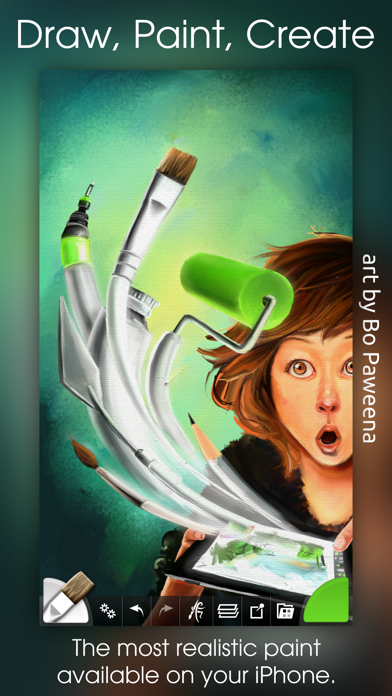
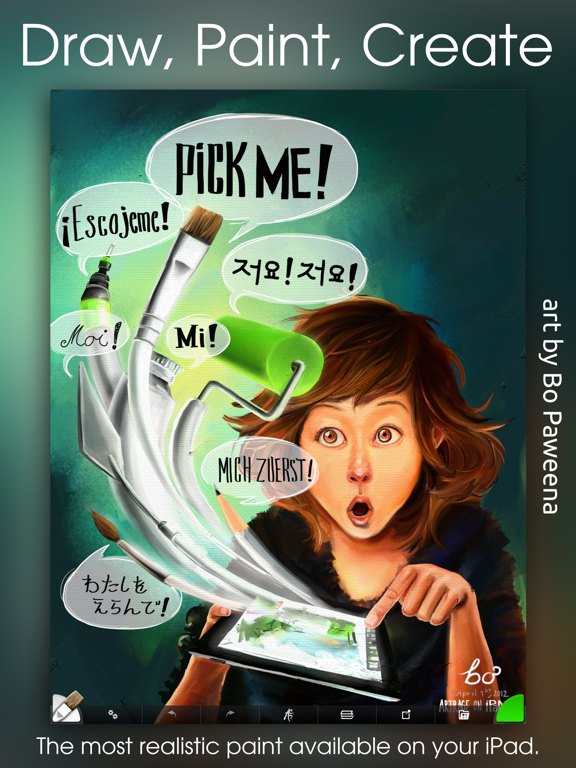
The most advanced simulation of real paint on iOS! Get creative on a digital canvas with smearing, blending oils, delicate watercolor, and much more! Ever wanted to try painting your masterpiece but were put off by the mess and expense? Now you can!
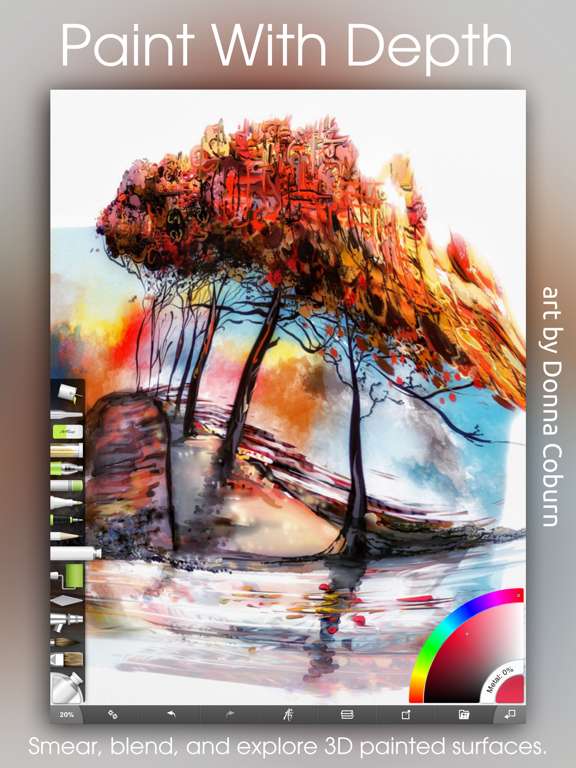
ArtRage isn't just about color: It knows how much paint you've used so you can smear it around to spread it over the canvas. It knows how wet your paint is so you can blend it with other paints. It even knows about the roughness of your paper so your pencils can be used for soft shading.
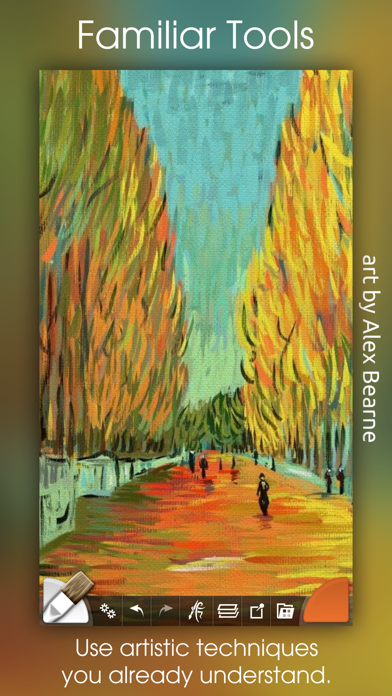
It's not just a special effect either - ArtRage is a live simulation of the properties of real artistic media that lets you can get creative with colors and textures using tools you already know how to use!
ArtRage takes full advantage of the features of your device like larger canvases on iPad Pro, Apple Pencil support for pressure & tilt, and 3D touch on your iPhone.
Join the ArtRage community:
Forums: forums.artrage.com
Facebook: www.facebook.com/artrage
Features:
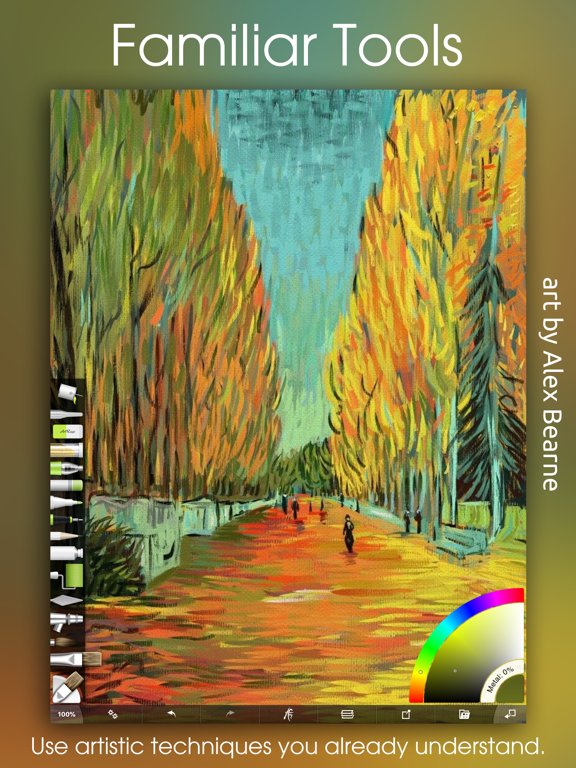
Real world painting tools: Oils, Watercolors, Paint Rollers, Pencils, Crayons and more. Each tool has a range of familiar properties such as how much thinner is applied to the paint, or how soft a pencil tip is. Tools apply texture as well as color, and blend under the brush.
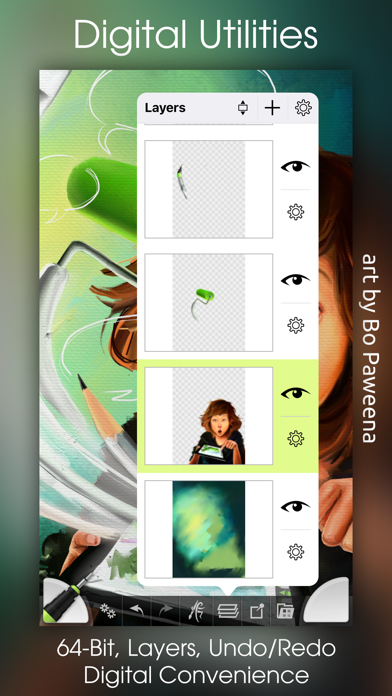
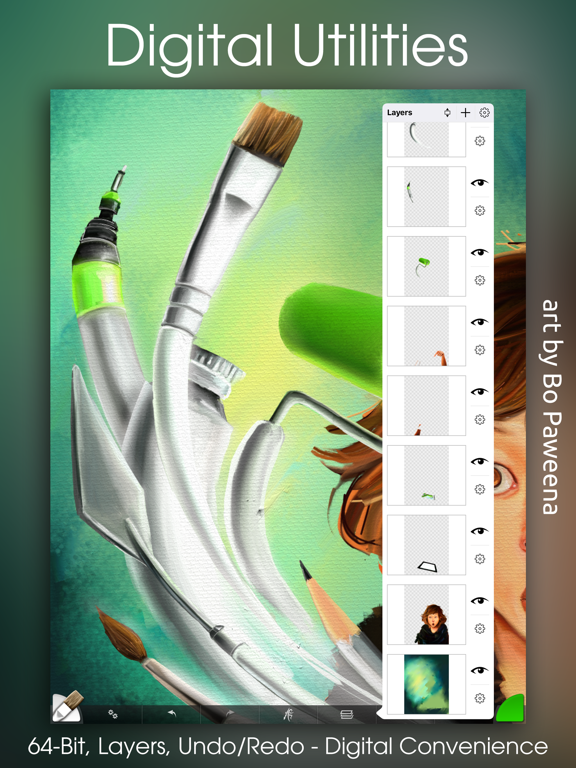
Add Layers to your painting and work on individual elements without damaging others. ArtRage supports a wide range of Layer Blend Modes, and layer contents can be scaled moved and rotated independently.
Import images, converting them to oil for smearing or as Reference Images pinned to the canvas as a visual guide. Load photos as Tracing Images which are overlaid on the canvas, and have ArtRage select colors automatically as you paint.
The interface has been designed to maximize your creative space without hiding away critical functions such as tool and color selection. As you paint, it gets out of the way so that you don’t have to stop and manually adjust panels.
Record your paintings! The ArtRage Script system lets you record strokes while you paint for playback in desktop versions of the product at higher resolution.
Import and Export using external services such as Dropbox, and iCloud Drive. Share your images on Facebook, Twitter, and any other sharing app on your device.
Tools:
• Oil Brush, Watercolor, Airbrush, Palette Knife, Paint Roller, Paint Tube, Inking Pen, Pencil, Marker Pen, Chalk, Crayon, Glitter Tube, Gloop Pen, Eraser, Flood Fill.
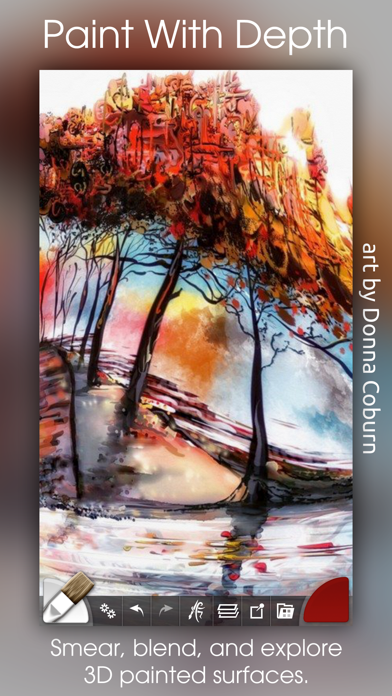
• Paint simulation monitors the physical properties of your paints to allow natural blending, smearing, and other real world behavior.
• Preset support to save your favorite settings for later use.
• Supports the Apple Pencil's Pressure and Tilt properties, and 3D Touch where available to add realism to the simulated paint strokes.
Layers:
• Unlimited layers with Photoshop standard blend modes, visibility and opacity controls. Scale, rotate, and position layer contents independently.
Utilities:
• Record your paintings as Scripts then play them back in a desktop version of ArtRage.
• Unlimited Undo / Redo. Load photos as References or Tracing images. Store color samples for later use.
Files:
• Create paintings up to 2048 x 2048 or 4096 x 4096 on iPad Pro.
• Control the texture and color of the canvas to create different effects. Canvas presets can be stored to save your favorite settings for later.
• Export PTG, JPG or PNG to services such as Email, iOS11 Files, Adobe Creative Cloud, Dropbox, and more. Share images on Facebook or Twitter. Import photos to a new file or a layer, with camera support.
Interface:
• Easy access pods provide functionality without getting in the way. Elements vanish as you paint so you can paint underneath. Multi-Touch shortcuts for canvas manipulation, Undo/Redo, and Brush Size.
• Adapts to suit iPhone layouts.
Stylus & Input Support:
• Apple Pencil Pressure & Tilt.
• Supports 3D Touch.
• Includes support for Wacom, Adonit, Adobe, and Pogo styluses.
ArtRage App Comments & Reviews
ArtRage Positive Reviews
So much to love, so much that makes you scratch your headArtRage has so much potential as an iOS app, and given that they charge a decent little fee for it, I can’t for the life of me figure out why they don’t develop it into a true art app. The tools are surprisingly responsive and versatile, and the pencil tool is one of the best I’ve used—and I’ve used ALL the art apps. I own several expensive ones, as well. The color picker is easy to use and intuitive, which is more than I can say for most. But the UI is clunky, and that’s being generous. The lack of grid functionality and tap assignment means you can’t “undo” with two fingers or even suggest it. The menus get in the way, and things pop up that you have no idea how to turn off. There are no guides or rulers that I can see, but then, there’s no helpful introduction to the features and hidden tool settings. I want to love this app, as it’s a delight to draw with. But in the name of all that is holy, bring it up to speed with the rest of the art apps out there. It’s good enough to be a top app..Version: 2.4.0
Love it, but there are a few bugs...I just love this app, I’ve been using it since 2012. But lately there have been a lot of things that have caused me a lot of trouble with it. One is that it keeps on resetting the thumbnails so I can’t see what anything is. I used to be able to see the drawing before I opened it, but now it’s just an artrage logo rather than a picture. This makes it very hard to find what I’m looking for as my titles tend to be vague and I have a lot of paintings. Occasionally, the app will crash for no reason and my work will be lost, which forces me to save constantly. I implore you to fix these, it’s severely hindering me in what I can do with ArtRage (I use it for school and a webcomic, and I hate losing progress and taking forever to find things..Version: 2.4.0
Zooming MUST Be Fixed!!I love this app. It helps me stay calm and at peace day to day. The only thing I have an issue with is the zooming. At times it is not responsive and when I want to zoom into my drawing, it will leave giant blotches of ink or paint on my art that I then have to remove. Every. Time. Please, fix this issue so the app can run smoothly across the board..Version: 2.3.4
Bigger Brushes Please!I like this app a lot. Better medium simulation than any other app on the iPad (with the exception of the water color in Tayasui Sketch). I find the interface intuitive and non-intrusive, could be a little deeper in places, but a pleasure to work with (unlike Paint Storm Studio which is total nightmare on a tablet ). Really love the brush engine, but the brushes are way too small at their largest size! The desktop version lets you scale the brushes to 500% which is useable though even that could be larger. On the iPad you can type in a larger % but it snaps back to 100% . Also the desktop version has close gap slider for the fill tool, why it’s not in the iPad version is a mystery. Another mystery is why exported multi-layer PSDs open with single layer in most apps (Art Studo Pro opens them layered and saves PSDs that other apps can open properly). The omission of layer masks and folders is unfortunate, but it’s the lack of large brushes that keep me from a 5 star rating..Version: 2.4.0
So much potential! Just started and enjoying it so far!By far the most traditional art app I’ve found . The controls are intuitive , but I would love to see color assignments “stick” to a tool (such as graphite grey for pencil, while brushes keep the color I was using on them). Another “easy” feature that’s missing is the ability to have a pallete sampler to easily pick some base colors and paint away. Another feature would be allowing to mix pallet colors to blend new shades to bring it even more in line with traditional painting).Version: 2.4.0
Very good, leaner than desktop versionIt would be very useful to have a few more things, like selections. In my opinion, the touch rejection could be significantly better. Despite having palm and touch rejection enabled, resting the palm on the screen frequently results in the drawing being zoomed, rotated and panned. This is a serious issue, but not serious enough not to get this excellent creative tool. Far more positives than negatives..Version: 2.4.0
4.7 easily but...This app is phenomenal. The only thing that should be added is a selection option to the pencil only. Repositioning a stroke of paint or two that you don’t necessarily want to erase or paint over would indeed compromise what this app embodies as a digital version of traditional painting. Although I’ve only been using it for just a few month, I feel that it is revolutionary in that of its predecessors and will always be used in my arsenal of mediums. Well done Ambient Design Ltd.!!!.Version: 2.4.0
The fun of real paint without the mess!Or the expense. Being able to just squirt paint onto the canvas and smoosh it around is great fun. My only complaint it that the rounds do not seem to behave exactly as a round should at the end of a stroke. There is not enough tapering off, especially for those who would shape their brushes especially for that purpose. I have fiddled with the settings and cannot seem to do fix this..Version: 2.3.3
FantasticUnfortunately, it seems the devs have abandoned this app, - no update in two years. The app Apple is pushing is better in some areas and still behind this old dog in other areas. I have been using this on my iPad for years. Having tried most of the competition this is still my favorite. Has features the app Apple is pushing still lacks..Version: 2.4.0
Love the effectsI love this app. The pallet knife really makes some interesting effects ,I like it with the oil paint and canvas texture also. I have done a few paintings that looked like traditional mediums with this app but haven’t been able to get them types of effects with any other programs or apps. For what I’m doing this works very well..Version: 2.4.0
Nice painting app, some UI quirksThe painting works nicely. 3D Touch allows varying width of lines. I like how I can doodle with a real pen, take a picture, and set it as a multiply layer and start coloring. I have an iPhone 8 with big text setting, and the color picker got cut off a bit on the left. The “ArtRage” menu fills the screen completely, and the cancel button is obscured by the “preference” button..Version: 2.3.1
Yellow and blue make gray?I love Procreate but it seems to be missing a realistic paint blending simulation. I heard Art Rage would be able to simulate real paint but unfortunately, like Procreate, the iOS version of Art Rage produces a dull gray purple-ish color when mixing blue and yellow. I blame myself for not doing the proper research before buying. Maybe an update will add this feature..Version: 2.4.0
Save the old one please?There is another, older version of this app, that holds many drawings of mine. It doesn’t work with iOS 14. Can it be refurbished for the new OS, at least enough for me to export my old doodles? It doesn’t need more functionality than an “export all” button..Version: 2.4.0
Crashing ProblemsI’ve been using this app for a little while now and it works pretty well but recently I’ve had crashing problems, and have lost some work because of it. I’d really like to continue using this app because I’m use to it but it’s not great that I keep loosing some of my work..Version: 2.4.0
Beyond awesomeIf anyone had every told me you could paint using an ipad (Pro) just like you could on a canvas I would not believe it. But, this app comes so close - unbelievable how well you can paint using this app. Great job guys!!!.Version: 2.4.0
Crashes!I’ve been using this app for years and have always loved it! Now I can’t draw a line without it crashing and reverting to the last save! Not enough time to save again before it crashes! So upset... please fix this so I can continue to use one of my favorite apps!.Version: 2.3.3
Underwhelming where it countsThere is no excuse, given the power of modern iPads, for this app to be missing real media, color-blending. In addition, I find the maximum size of brushes too small which results in time wasted..Version: 2.4.0
It’s great but..When I’m drawing something and I load an image and try to draw that sometimes I go out of auto trace/color and don’t know how to go back. If anyone knows if you can do it please tell me how. Other than that it works good.Version: 2.4.0
Great program!I love using it and have never had it crash actually, I draw my cartoony characters and love adding textures and blending. Easy to use and really just an amazing app!.Version: 2.4.0
Worth the moneyI found out about this app a few hours ago, and it’s so addicting! I love to draw, and this app is another great way to draw or paint! I suggest this app to any who love to draw!.Version: 2.4.0
Crash!I really enjoy the app... but the frequent crashes are maddening. Even though I save my work often.... some saved work still gets lost. Please fix... !.Version: 2.4.0
Best sketch art app!I am amazed how good is this app. It’s really worth the prize and the UI is simple and intuitive. Also works well with old iPads..Version: 2.4.0
Good. But....When i try to change the size on the brushes, the app crashes. Everything else is just as cool as the artrage program on my computer..Version: 2.2.2
Could be betterThis has potential, but I don’t like the UI, and it can only go to 4096 X 4096. I’m not sure what it is, but the art in general doesn’t look good made with ArtRage..Version: 2.4.0
Buy Procreate insteadThe tools here are awkward in comparison... feel I wasted my money..Version: 2.4.0
Still my favoriteAbsolutely amazing and still my favorite painting pp..Version: 2.4.0
Good painting appMy only complaint is the yellow and blue don’t make green and instead make a grayish-purplish color..Version: 2.4.0
WONT EXPORTAll important functions such as export and rotate are broken! Please fix!.Version: 2.3.4
Enormous untapped potentialArtRage on iOS (iPad Pro) is promising in many ways but often fails to deliver in the more nuanced areas. It is absolutely GREAT if you are using the OIL Brush (which is amazing), and don’t really interact with the other tools like the Watercolor Brush or Pastels. But even with the Oil Brush it is nearly impossible to control the degree of blending to other colors. For instance, if you have painted with a medium tone color and then want to add a strong highlight tone on top, you will be severely limited to the degree that it will lighten, unless you use the Insta-Dry, which lays down a flat non-blending color on top, and then you have to switch back to the Oil brush to blend it in somewhat at the edges. However, I don’t to give the impression that this app is bad because it’s not, it’s just VERY limited when compared to other apps (like Procreate). At the time of writing this (September 2020) this app has not been updated by the developer for TWO years. They seem to have spent more time enhancing the desktop version of the app ($75) rather than modestly improving the iOS version. What ArtRage does really well is layers and their degrees of transparency; merging layers, multiple undo’s, the Pencil as something unto itself, and using the roller to lay flat colors then awesomely blending them together with the Palette Knife. The pastel tool is lackluster with poor definition and the paint tube is just a gimmick. But I sincerely hope the developer will improve the blending of colors when using the oil brush, and combining those colors with the watercolors. This is an app with enormous untapped potential..Version: 2.4.0
Awesome ❤️❤️❤️Incredible paint app highly recommended!!!.Version: 2.2.2
The only real paint program on the iPad!!If you are not familiar with Artrage, it's been around for at least five years, and is available for windows and macosx as well, and even runs in linux under wine, the PC version sells for about 25 dollars. It's the only paint program I know that tries to simulate actual media, and in that it also limits you to the constraints of natural media so that you are forced to make natural looking works, so no rapid copy and pasting, and such, you can do that in some other program, bring it into art rage if you want to scrape your photos with a palette knife, color it with oils or chalk up with pastels, or spray on metalic gold paint with an air brush. Note that this paint program uses bump mapping so oil paints seem to have a real texture, and mixing paints results in brown as it would in a natural medium. Note: for those experiencing crashes, try turning your iPad off and back on again, some software on the iPad has memory leaks (they hold resources but fail to return thrm to the system), so as a result applications, like Art Rage, that use a lot of memory will eventually crash when unable to allocate memory resources from the system, restarting the device fixes that problem. Also for those who thought it wasn't tested before it was released, it went through a number of beta testers. If there is problems with the program, wait a couple of months..Version: 0
StencilsWhere are the stencils? Did you added those?.Version: 2.4.0
No more updates to buggy appI first bought ArtRage for the desktop many years ago. Fast forward to the app on the iPad. Not the same. Buggy - example, the Roller tool. The last three of the four presets respond the same when using the Apple Pencil. When using a finger, however, they behave as expected. And no stencils? Really? This combined with the fact that the developers have now brought out a new version of AR (instead of fixing the old one) means that this app is essentially dead and will never be updated. Sorry, but you’ll get no more money out of me..Version: 2.4.0
Need stencilsThe stencils are the best part.Version: 2.4.0
Good but...I like the app but I want to size the brushes way bigger then what it is, I personally used SketchClub and i wanted to try a different app which I came to this, I want to size the brushes way bigger.Version: 2.4.0
Palm rejection is a little shortyAs an artist this is the best app still, after trying everything out there. Buuuut the palm rejection need some work and this app needs lots of TLC in comparison to the desktop app which is incredible. Please update mobile version for larger canvases stencils and fix the palm rejection!!!!?? Please..Version: 2.4.0
This is the closest you can get to drawing on a real sheet or paper on the iPad!This is the closest you can get to drawing on a real sheet or paper on the iPad! At first sight, a lot of people tought it wasn't digital. I Love this app, it's different of Procreate and sketchbook but it's its own beast!.Version: 2.4.0
Easy to useI have tried many “paint “ and “photo” apps but this one is one of the best. The help is great, tutorials and clear instructions on how to use the app. Definitely recommend!.Version: 2.4.0
Great app, but.......This app is fun to experiment with. It makes you feel like a real pro! It actually looks like real, textured, wet paint. There are so many options for everything- colours, brushes, paper, tools!! Endless possibilities. But... If only you could! It seems to have a 'dead spot' near the bottom of the screen. I simply can't put paint there. It is like an invisible wall. This is quite frustrating because I was painting a picture this morning and it looked very incomplete with the no paint on the bottom of it. Also, when I am using some tools, especially the paint 'smudger' (I am not sure of the real name) it seems to lag quite badly, sometimes not even working at all. I find that I have to tap multiple times before it works. I would love it if there was an option that made it so there were no icons on your canvas at all. It really can get in your way. Also, once it crashed when I was in the middle of painting a sunset. If you could fix these things, I would rate it 5 stars! Like I said before- great app,lots of possibilities, so many things to do- if only it would work so you could do these things! Please, please please please PLEASE fix these in the updates. But, when it does work, very realistic, very fun, very satisfying. A little over priced maybe, especially with all the bugs, but a great buy. A must have for any person, young or old.Version: 1.0.4
Most realisticI tried a number of higher rated products, that have more features, but none came close. From my tests, and looking at samples created online, nothing else really looks as close to real watercolours and oils, and that is what I was looking for. You have to create your own palette, which is a pain - I just downloaded a picture of a palette from Winsor and Newton and with the"tap to hold sample color" feature enabled I created one. Even with some limitations, I had to rate this product as 5 stars..Version: 2.4.0
ArtRage is the best!I have tried almost all of the iOS painting apps and ArtRage is just the best! The Apple Pencil creates a huge advantage. There is no difference in the techniques that I would use with ‘real’ paints because ArtRage with the Apple Pencil feels very natural, and I don’t have any harsh solvents to breathe or brushes to clean! ArtRage is one of the few iOS painting apps that will allow a reference pic on-screen while I work. All in all, ArtRage really works well for me! Thanks!.Version: 2.4.0
I've been it's the best forever, glad they heard!No better painting program. Period. I have every last one. And i work for a web site that does App Reviews, so I mean EVERY one, and nothing comes close in design, features and implementation. If there was ever a 6 star app it's ArtRage. Also idiot proof. My mom the professional artist but SO not into anything related to computer at 65, and my 7 year old son had no trouble figuring out how to use most eatures without any instruction. My fave features: import a photo. If you paint directly on it instead of starting a new layer the canvas becomes wet paint! Or turn a photo into a sketch, import that, and airbrush, watercolor or mix media on the sketch. Save, reimport, now that's wet paint to be blended too! So many ways to use it, for pros and amateurs alike..Version: 1.0.4
Not for everyoneIts a well done app really good lookin interface some of the tools are workin really well on immitating real painting effects The app is sometimes a little slow compared to others apps Probably due to the great effects that the different tools offers For people who are used to painting ; great app For people who are more into drawing and graphics, like me Sorry to say i think there is better for you out here...Version: 0
Mindblowing!!!Well, the problem is being effusive enough to do this app justice without sounding hyperbolic or unreliable. This app simulates real paint on canvas with superb oil/acrylic paint and watercolor paint simulation in addition to pencil and ink among other tools. ArtRage makes work from photos easy with it's sophisticated layer functions, it has a very well conceived and easy to use interface, the developer has an active and helpful customer support forum website, and the app has not once crashed or hung-up on my old hand-me-down entry level iPad. This app is is so far beyond other painting apps for iPad as to defy any comparison. ArtRage is like a full desktop application, I find it superior in natural media simulation to the desktop version of Corel Painter. ArtRage simulates wet-in-wet paint realistically and paint builds up on the selected canvas texture naturally and can simulate impasto as desired. I wish only that I could export images from the workspace as well as the gallery area of the app. If you want try the ArtRage natural media simulation the developer website has a free Starter Edition desktop version you can try but I think this app is an absolute steal and you should just go ahead and buy it. I have tried nearly all the paint and draw apps available for iPad and I can not recommend forcefully enough that if you want a true natural media simulation paint app this is truly your only choice..Version: 1.0.4
L'application se fermeCette application est très bonne sauf qu'elle se ferme à multiples, ce qui fait que je perds tout mon travail. Ce bug n'était pas présent avant la dernière mise à jour..Version: 2.0.2
For a $1 more, Inspire Pro is 10x betterI honestly can't believe how slow ArtRage runs on my iPad 2 compared to other apps. Sure the paint looks amazing and all (good job), but those paintings in the screenshots must have taken weeks to complete at this rate! The speed is annoying and frustrating, and so are the random crashes that make you lose all your work. Although having less tools, Inspire Pro is a lot better for painting..Version: 1.3.1
CrosshairsThe app is almost perfect. The only thing I would strongly recommend is to include the option to have a crosshair that way I can better avoid going over the same lines. Other than that, a must buy for all artists..Version: 1.0.5
Amazing!So realistic its uncanny, the texture of the canvas, realism of the paint stokes, great for emulating multimedia art (pencil and pen tools are useless though). One bad thing would be a lack of a shade slider, which would be better then constantly swiping my hand back and forth on the color wheel..Version: 1.0.5
Terrific appIt's just like "Painter" for the iPad!!! And that pretty much says it all. Much, much more than just a drawing program. This thing is a painting program! Absolutely wonderful. Can't wait to see where they take but for now it's just plan terrific..Version: 0
Great painting overall with some improvements neededThis app is very unique in terms of real painting simulation. The colour mixing and brushes really works, and that's all I expect from an digital painting software. I think the most important feature missing is saving in the background. I can't remember how many times I've lost my progress by switching app or putting my device to sleep, and I'm using the iPad Pro. It's getting very annoying. Another improvement would be movable panels, for example moving the colour picker to top corner of the screen..Version: 2.1.5
Fun appHave been using app only a few days, but I'm sure I will enjoy this immensely. Seems to give a good selection of and emulates the process of working with actual oil paints. I'm a total novice at this, but I will enjoy developing my hand and eye in this medium, being easily able to play with 'paints', yet quickly undo my mistakes, without creating a real-world mess! Previous reviews have complained about slowness. I am using and iPad Pro + Pencil (and/or finger), and it is working very well for me..Version: 2.1.3
I love itI love this app a lot and it's worth it but it needs one thing that I use for my art all the time is shapes if you can add that then I will be really happy..Version: 2.1.1
Thank you artrageAmazing!!!.Version: 2.1.1
Love thisI bought this about two hours ago, and I love it, I have completed an amazing painting with absolutely no art skills at all.. Get this.Version: 2.1.1
Useful painting app with a major limitationI like this app. Its user interface is elegant and easy to learn. I love the oil paintbrush and canvas texture. However, it has a major limitation: Canvas size (resolution) on my new iPad Mini with retina display is only 1024x768. At this resolution level, your print quality is poor if you want to print any sizes beyond 5x7 inch. Canvas size should be increased to 2048×1536 retina resolution..Version: 1.6.9
It's okayThis app was a bit disappointing. I personally think they should have a file manager for each different painting and such. The other frustrating thing was that it does not have a clear all button in the main navigation. For $3 it kinda made me regret buying it. More features would be really nice. Waiting for improvement! - @Digitwall.Version: 1.4.5
Phenomenal!This isn't a regular computer painting program. This simulates real painting with various materials including oil and watercolor paint. It is as hard to do as using the real materials. So you might not want to buy it since it costs a fair bit. And you definitely don't want to start with this one if you've never painted on the tablet before. Get a free one first. Regular computer painting programs have all kinds of characteristics that make it way easier to paint with them then with real paint. If you already know how to paint with oils this will blow your mind. It even has tube paint that you can then squish down with the palette knife. Seriously..Version: 1.6.6
Sept. 2013 updateI love ArtRage, as an artist, it was my first digital play with creating art. I enjoyed it except for the occasional crash causing loss of unsaved work (remedied by saving more often). This latest update however is an annoyance and I can't for the life of me think of why you guys changed the color sampler. I'm giving you four stars ... the sampler definitely costs you a star ;) All in all a great App..Version: 1.6.0
3 1/2 stars...It was a really AMAZING app until the last update! It now crashes and I can even choose anything with out it freezing! 😡😪 Please fix.Version: 1.6.0
Totally ThrilledNot only is this the most versatile art app I have tried, the service when I emailed was first rate. This is the only app I have found that create texture just like a real acrylic paint. The colours and brushes are wonderful. Try this app I highly recommend it..Version: 1.4.7
If you are an artist - this app is for you!I've been using this program for almost a year an have completed number of painting projects. I must tell - it's simply amazing. It includes all tools painter may need, various canvas and paper. In iPad 3 version max resolution have been increased to 2048x2048. I Like all the available app features. ArtRage has great website with galleries and various forums. You can show your work an get an opinion. There is no other app which will give you that much for this price..Version: 1.4.7
Very coolThe tools are amazing I only wish it would let me zoom in more.Version: 1.4.7
DecentNice app, quite comprehensive, but missing an important tool for people who like to sketch with chalk - a finger blending tool - a palette knife does not do the job. Also would be really great to have straight line tool. And finally, the ability to sort the gallery in a different order..Version: 1.4.5
JUST OKThe big selection of tools is nice but they don't mean much if they can't work at the same speed as the input, too much lag time. Procreate is a much better program, it has customizable brushes and zero lag time (on my iPad 2) for a great price too.Version: 1.4.3
*****Love this app! I am much into drawing on my iPad and this app is definitely one of the best! Worth the money!.Version: 1.4.4
Free International Money Transfer 💸Enjoy high maximum transfers into more than 20 currencies while saving up to 90% over local banks! The cheap, fast way to send money abroad. Free transfer up to 500 USD!Version: 2.4.0
What do you think ArtRage ios app? Can you share your thoughts and app experiences with other peoples?
Please wait! Facebook comments loading...