Qrayon, LLC
Inkflow Visual Notebook Customer Service

- Inkflow Visual Notebook Customer Service
- Inkflow Visual Notebook App Comments & Reviews (2026)
- Inkflow Visual Notebook iPhone Images
- Inkflow Visual Notebook iPad Images
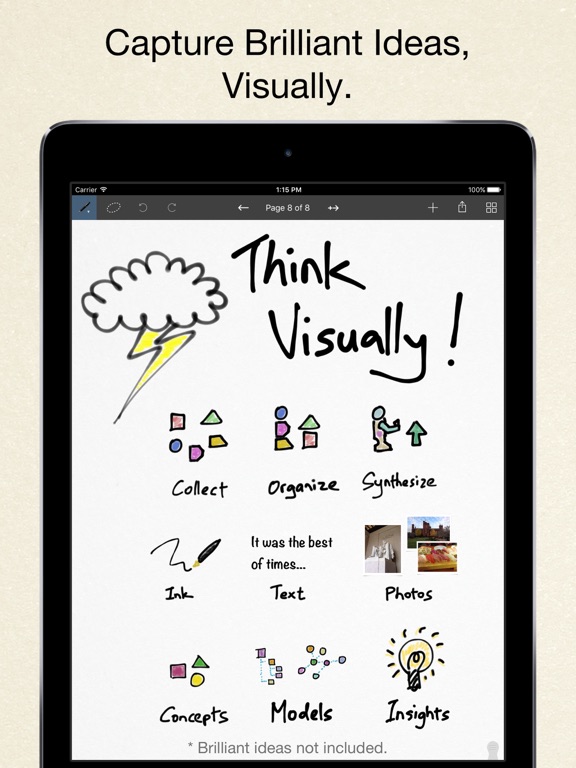
Inkflow is a note-taking and brainstorming experience unlike any other! Capture your ideas as easily as with pen and paper, then resize and reorganize them with your fingers.
DIGITAL WRITING DONE RIGHT
Inkflow's ink feels like a really smooth fountain pen. Great for expressive writing or sketching. Effortlessly scale or move anything you select. This will change the way you think about ink: Jot down a list of concepts then rearrange them to fit into the bigger picture. literally move your thoughts around the page, and assemble big ideas with your fingers. This works great for brainstorming and planning. It's also perfect for prototyping layouts, sketching, and drawing.
FULL RESOLUTION ZOOM
Zoom and pan with two fingers. Inkflow's ink stays sharp no matter how much you zoom in, so you can add fine details at full quality. It's also lightning fast and lag free. This allows writing and drawing with incredible precision, with or without a stylus.
TEXT, PHOTOS, and PAPER BACKGROUNDS TOO
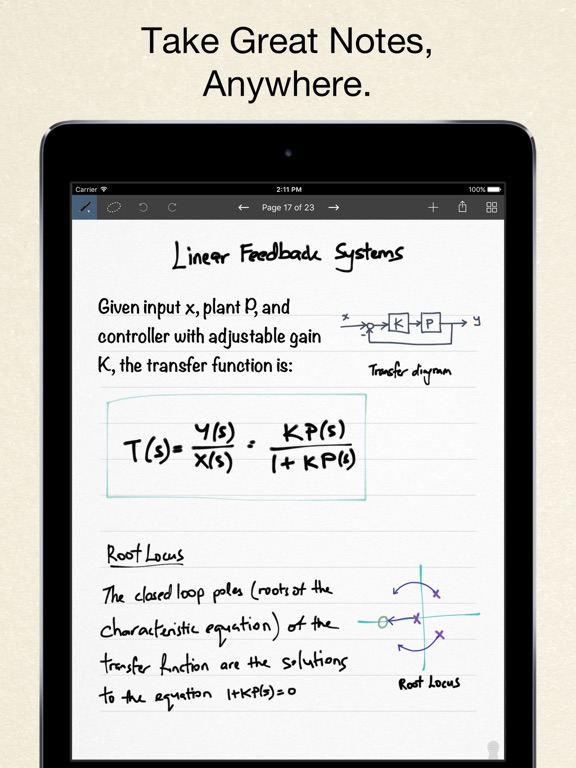
Insert text boxes and photos anywhere on the page and resize them seamlessly with the ink. You can also choose from a selection of different paper backgrounds.
EASILY CREATE and SHARE
Inkflow let's you export your books to PDF, high-resolution JPEG, and share them via Twitter, Email, or with other Apps.
TRY INKFLOW FOR FREE
Rather than just read about Inkflow, go ahead and try it out: We've decided to make the Basic Edition of Inkflow completely FREE. The Basic Edition is a full featured note-taking and sketching app. It comes with the Fountain Pen with black ink, photos, and a standard set of 5 popular fonts for text. Books max out at 20 pages each, but you can create as many as you like.
*** NOTE: To delete ink, tap on the selection then tap delete. Tap on the book name to delete a book.
If you're looking for more, there is...
INKFLOW PLUS
Upgrade instantly at any time to the Plus Edition to get:
- Inkport
- A customizable, full color palette,
- Pencil, Eraser, and Paint Brush tools,
- The Write-Behind Hilighter tool,
- Rotate, Cut, Copy, Paste Ink, and Page Management,
- Export as PNG with transparent backgrounds,
- Notebooks with unlimited pages,
- Custom paper backgrounds,
- An additional 50+ fonts,
- And more!
The Plus Edition lets you do even more things such as: Painting, cartooning, page layouts, and brainstorming in full color. Learn more in the in-App Quickstart Guide.
INKPORT: COPY AND PASTE FROM THE REAL WORLD
Only Inkflow Plus includes the revolutionary Inkport tool. Inkport uses your iPad's camera to instantly convert your written notes and sketches into Inkflow's native vector ink. Easily pull in materials from multiple sources and go from paper to iPad without missing a beat. Inkport is going to change the way you use paper in your workflow.
Universal App for iPad, iPhone and iPod Touch: Upgrade once and get Inkflow Plus on all your compatible devices connected to your iTunes account!
EDUCATORS: Inkflow Plus is also available as a standalone App, and qualifies for Apple's Volume Purchase Program.
A PLATFORM FOR CREATIVITY
We strongly believe that the iPad is not just a consumption device. It's a creativity device. Check out our whole range of creativity Apps on our website.
Keep on creating!
Inkflow Visual Notebook App Comments & Reviews
Inkflow Visual Notebook Positive Reviews
Absolutely AmazingI have been searching for a very long time for a journaling app that has all of the features I want and this has them all! Inkflow lets you type, draw, write (like you would with a regular pencil), insert photos and more. It is very easy to use and lets you place the text, drawing/writing, and photos where ever you want and resize them. The free features are great for being free, but as a writer who uses this everyday, I didn’t mind doing a one time payment of 9.99. I’m glad this app doesn’t make you do a subscription because I personally hate those. I HIGHLY recommend this app. It’s perfect!!!.Version: 6.4
Will Do in a pinchThere are things I need to do in a hurry but this will not work with me to get the job done. It has symbols that doesn’t seem to function according the style of writing. It will do in a rush but some times I’m not in a hurry. For example, I have written done a five letter word, but one of the letters is out of order. Instead of being able to go right to that letter, erase it and place the right letter there, I have to erase all the letters after that to now enter the right one. That can be most unsettling because it breaks the train of thought. Done..Version: 6.5
Amazing and so easy to useThe design and instruction pages look very poorly designed and might turn you off, but try this app by all means. It is absolutely fantastic for color boards, spreadsheets, projects, and collages. No other apps compare. I’ve tried them all for design projects and this one wins in every category..Version: 6.7
Good, not great...Here’s why... I tried the free version, and within minutes decided to download the plus version. I feel like the tools handle better than on other apps and I like the simplicity of it all. I really think this is a good app with potential for being great. Really, ONE thing would make this better: make data sync over the cloud so it’s available across devices. I’m using this app for lots of things (including grad school) and it would be great to add a note or quick appointment to my established books on my phone rather than having to lug out my ipad or remember to write it down later. Please?.Version: 6.2
It’s great, but needs improvementThis app is so amazing, I love that is has everything that you need to journal, brainstorm, scrapbook etc. My only headache and frustration is that sometimes it freezes on me, and when that happens it doesn’t save my work! This is so frustrating, I don’t know how to prevent this because it randomly freezes. Hopefully this can be fixed. I also wish you could create an account to store everything and be able to access it from any of your other devices. With the correct improvements this app can be amazing!.Version: 6.6
Great app!!!I’ve been looking for a writing app that lets me handwrite my notes. Presenting, Inkflow! You can write with a fountain pen, a regular pen or a highlighter. The highlighter actually paints behind the other ink. You have infinite colors and opacity. The only thing it needed was PDF import, but they just came up with a new app (Noteflow+) that has that feature. I got that app and loved it even more (*****). And, by the way, their support was prompt and when I contacted them, they answered all my questions..Version: 5.7
Great all around drawing toolI was hoping to see capability to insert text and pictures be added and was very happy to see those features with the new rev. It is a very stable app. I love that in contrast to most other drawing apps you can flip the selected portion easily..Version: 7.3
Stuck and not savedI like the simplicity of the app and tools for my doodles and notes, illustrations. But so many times, I lost the data. When I close the app, little “wait” star turns and turns for a long time and eventually, like five minutes later, I have to force close the app. Then the last added data is not usually saved. I wish I can resize the eraser! The feature to erase a certain color is cool..Version: 6.4
How do you cut and paste???I mostly like this app, however for 9.99, I’m finding the features somewhat limiting. There aren’t a lot of brushes. And I cannot for the life of me figure out how to copy and paste… I want to duplicate an item and I can’t. The instructions say something about the context menu, but, there’s no explanation about what the context menu is or looks like..Version: 6.6
Simple & AmazingThis app is what I needed to jot down quick notes, ideas, and journal with the ability to also insert images; simple and quick, like a real notebook! There’s a few things I’d like to see considered in future updates; ability to password lock journals, adjust eraser size, and different line & grid sizes for the stationary would be awesome~! Thank you for creating this app!.Version: 6.4
Editing & cropping photos in app for next updateLove the app for coloring, note taking or doodling. However it’s not the best for bullet journaling unless you like it very minimal. Stickers don't work well and the photos you import need to be the perfect size because they cannot be edited in the app. That is the main thing that makes me hesitant about recommending it to friends. Haven’t found a way to efficiently include PDFs either..Version: 6.4
Best note app!I have very few apps and this one I use the most! Best for quick notes, drawing ideas, and drawing on top of photos! You can save several notes on separate notepads. Easy to use! I have never had an issue and would highly recommend this app!.Version: 5.7
Love itI love using this app. The Plus version is incredibly useful and I love the color options, the stationary options, and how easy it is to use the app. I only wish they had a feature where you could create folders with all your different files!.Version: 6.2
Absolutely incredible appI have been using the free version for a while. It works so well and is very simple. I love the features of it and am now deciding to buy the full version after 3 years of great experiences..Version: 6.7
Great AppI'm pretty happy with this app. I just wish it included an eraser in the basic version since that's a pretty basic thing. I'll likely upgrade so I can try different interior design sketches and color palettes over pictures of my rooms..Version: 5.7
I am the biggest limitation for this appWorking with Inkflow can be so much like painting, which, because of trying things in the app, led me to my first, acrylic-on-canvas painting. I honestly forget to use inkflow, but I’m resolved to make it a daily h@bit in the present new year..Version: 6.2
Useful appI depend on this app is very useful when you want to jot down quick notes when you don’t have a piece of paper or a pen within your reach.Version: 6.8
Like this developerProducts from this developer are very good. Exited to use with my new iPad Pro and pencil. I enjoy these apps. I've been using them for a long time and always update and upgrade..Version: 5.7
Easiest and most naturalOf several apps that I have used over time, this is the one I turn to most. It is easy to select or modify ink color, pen, and width. I like the color / all eraser feature, selection tool, and text features. I wish it had layers support..Version: 6.4
Quick and easy funThe app to me, is very easy to use. The only thing I would add is different color backgrounds, not just white..Version: 6.7
Sunday School classMy wife and I use this in the the class we team teach. That way we can have things already re-written or write thoughtsed expressed in the class..Version: 6.2
This app is great!This app is great! I've used it for a year and a half for note taking and line heart in my digital art! I have no regrets for investing in the premium version, it's always bugles and hasn't failed me yet! 💕.Version: 6.4
The bestI use this for all my hobbies and creative work. Learning guitar, electronics diagrams, project notes of all kinds. It’s intuitive and don’t know what I’d replace it with if it didn’t exist..Version: 6.9
Loads of options!There are so many options in this app; I’ve spent many pleasant hours exploring the possibilities it offers. It’s is so rewarding!.Version: 6.8
Cool appI use it to scrapbook pictures together and I wish we can delete empty pages but overall I really like the app..Version: 6.0
Nice app with one serious caveatThe app is nice and functions very well. But upon purchasing the paid upgrade there are still ads. Never acceptable. Update: the ad issue seems to be resolved with the newest update. Thank you.Version: 7.3
Great appI love that I can write down notes quickly and I don’t have to run and get a pen and paper because by the time I do that I forget what to write down. I’m a cake decorator a write my ideas for cakes down all the time in this app I love it.Version: 6.2
Great appI've had this app for a while and love it! What could be better is having a lined note pad as an option for those who are not good writing straight on blank paper..Version: 6.4
The Almost Perfect Journal AppSincerely so intuitive and easy to use (especially with the AP). Wish you could pick you own colors for pens and highlights… That’s it. My only criticism..Version: 6.7
❤️❤️❤️❤️ this App!!Easy to use...Does exactly what its suppoed to do, no more/no less. Has thorogh, easy to understand guide book that explains all functions of the app. Love It!.Version: 5.7
Love appI love the app. I use it for everything, but I really wish there would be a calendar stationary that would have all the boxes made then you can do your own free fill!.Version: 6.4
Great and amazing application thanks!I like this application verry Mutch it’s easy to use from 3 years I used no mistake.Version: 6.4
I enjoy InkflowMaybe I’m not aware but I would like to be able to use the keyboard instead of trying to write because my writing is not that legible. This is a useful app for me..Version: 6.4
App ProblemsThe app is great but it is now crashing every time I go to change the pen color. Besides that it’s a great app.... but if I can get some app support to help fix this that’d be great!! Thanks!.Version: 6.4
HiHi developer/s sorry about that review it was a bit mean 😢 srry but I did not see noteflow it is way better *no offense* so ya that’s all I put five stars to be nice bye!!!.Version: 6.4
AmazingI made a small comic about Natsuki’s Cupcakes from doki doki literature club to try it and it’s amazing I love how you can add pictures to your notes!.Version: 6.0
I love this app!I love this app. I always have been and paper when I need it. It works great..Version: 6.4
I seriously like this appEasy to use. I made a bullet journal using a dotted paper jpg as stationary. Seriously easy and helpful app..Version: 6.2
Pretty Good OverallThis is a great app. I would like more control over the notebooks, and the ability to have covers. The pen in this app, is one of the best to write with!.Version: 5.7
Survived on this app until…This was my go to app until I found GoodNotes. Inkflow just didn’t keep up with the features..Version: 6.9
Completely Replaces All Pads of PaperIn order to unlock the potential of this app, you need to pay for the upgrade to access the various writing tools and most importantly, the eraser. Since I have the Apple Pencil, I use this app for random notes I need to scribble down, my ever changing list of work to-dos, etc. I love it and I’m so happy..Version: 6.4
Really good, and...It needs to clearer icons in the pencil icon palette. And the name of what you have selected Eg draw behind pen should be displayed until you learn what the very hard to distinguish tiny icons mean. also please let me inkport from the photo library too not just a live picture. And let me lasso out part of a photo too if possible. And convert to ink port from existing page photo would be cool too..Version: 6.2
Sauver en jpg et copie des photosLorsque je veux faire un download de tous mes dessins ou notes sur Inklow je découvre que le logiciel employé est incompatible pour pouvoir l’ouvrir sur mon ordinateur Macintosh J’aurais voulu pouvoir sauver toutes les photos en JPG en bloc ou individuellement Vous m’obligez chaque fois à faire une copie d’écran ce qui est fastidieux et me l’envoyer une par une par e-mail ce qui est long et stupide J’aurais voulu pouvoir envoyer toutes mes esquisses et mes dessins par e-mail à ma propre adresse avec un logiciel compatible avec Macintosh car le logiciels propre à Inkflow ne permet pas de transfert sur un ordinateur ….Version: 6.6
Love it!!!I absolutely love this app! I recommended to all my friends! I use it for flyers, business cards, letters, PDFs to clients, and anything else I can think of. I also love creating artwork on it because of all the amazing colours!.Version: 6.4
Best notebook appEasily of the top 3 best note-taking, drawing, notebook apps on this platform. I will continue to pay for upgrades because everything you do is helpful. Thanks for am awesome app!.Version: 5.7
So goodThis app is so good. But it needs an earase button..Version: 6.2
Easy sketching and planningGreat.Version: 5.4
Found it😀I had been looking for an app in which to keep a journal. It had to be able to add pictures and more importantly a way to print. Ink flow has provided that platform..Version: 5.7
Amazing drawing engineFirst impression was : how come general purpose/note taking apps such as this one have all the best drawing engine? Compare responsiveness and flow to something supposedly pro like Autodesk Sketchbook ink, and this app is clearly the winner and more fun to draw with. With amazing resolution to boot. I would love to see this app evolve towards a pro sketching app with such app's goodies as : layers, vector fill tool,rotating canvas. If it is not already there, hi res or vector output... Great little thing. But the full package is 5$. For that price, I would tend to expect more features towards a full fledge drawing app..Version: 1.0
AwesomeI love that you can resize and reorganize your ideas so fast...very fluid and extremely intuitive. Love the smoothness of the writing, I don't even feel like I need to invest in a better stylus now! Things to add for 5 stars: erase tool (the selection tool can get annoying for small marks), able to delete or clear entire pages/notebooks? I also wouldn't mind one additional color in the freebie pack...red for to highlight? Haha.Version: 1.0
Password protectionGreat, just missing password protection....Version: 5.6
Excellent appThis app has been amazing for me while I've been saving up for a pen for my iPad :) love this app. Can't wait to use it with a pen!.Version: 5.4
Simple and straightforward...I use the free version so far. No need for the premium yet but considering it since it's not expensive. I like the simple yet stable tools provided. It's easy to learn so I recommend it for kids and adults alike. Enjoy! Greg.Version: 5.4
Love it!Was looking for an app to do brainstorming on - but this does so much more! I haven't stopped using it since I bought it. I use it for work, sketching, journaling - everything. I love it!.Version: 5.4
Great app!Great app!.Version: 5.3
Great for rough ideasAll the different pens and colours make it great to plan things out, plus the ink flow function is great for bring in drawings from elsewhere to think on plus any notes. It's a great app!.Version: 4.4
Great for journalingHaving looked at many apps for journaling I finally settled on this one as a daily notation and sketching app. I like the built-in vectorizing function, although the ability to re-select specific vectors independent of surrounding overlays would be handy for manipulating collage work. In any case this seems to have fit the bill..Version: 4.4
I use these every dayBoth this and the paid for version of this app work great, use them both pretty much every day. Simple to understand, clean appearance, reliable..Version: 4.2
Absolutely Phenominal!!I love using inflow because it's easy to use, but also incredibly effective! I use ink flow to create lists and scrapbooks and much much more! I love the diversity of things that inflow can support in terms of creativity! Again, Inkflow is absolutely brilliant! Keep up the good work :).Version: 4.1
Purchased versionPurchased the full version for $8.99USD, last month. To date, I am not able to download and use. I am still asked to pay $8.99USD. My credit card shows the deduction. Please help. The free version is simple, user friendly and I highly recommend..Version: 4.3
Very niceGreat app, works well and I do recommend it but wish I could put the notes in folders so I could organize them by class.Version: 4.3
Great highschool appThis is great for figuring and illustrations for doing my math and science..Version: 4.1
Built my businessI am not going to discuss why this app is great, it just is. I will rather say what I had accomplished with it, I had just presented and secured my first investor and incubator with nothing besides this app! Presented the Prototypes and they loved it!.Version: 4.1
WowVraiment cool ...je m'en serre comme journal intime.Version: 4.1
Great app...❤️There are many drawing apps available but each one has its own characters and Inkflow is an indispensable one...keep up with the good updates..Version: 4.1
Brilliant!Every once in a long while I meet an app and have an instant "where have you been all my life?" connection. This was one of those times. Absolutely love this app. So simple, yet so brilliant. This is how a free-flow notepad should work. If I had one feature request, it would be to allow for layering (send forward, send backward). Without it, I need to plan ahead and who likes doing THAT? :).Version: 4.1
WowTIS so sick.Version: 4.0
Top of my list!This app remains at the top of my recommended drawing apps. I'm a huge fan of fonts, too! Thanks for the new fonts, I can't wait to play with them!.Version: 4.0
Amazing!!I really like the free version. I'm sure the pro ver will be 1000x better. Can't wait..Version: 3.8
Great app, needs some UI loveLove this app. It has quickly become part of my workflow. Some of the access to tools etc is a bit confusing, so some extra attention to the user interface would be appreciated. Well worth buying Pro though!!!.Version: 4.0
Brilliant app that makes the iPad shine as a work & play toolThe most flexible, usable and fun note taking app that I've seen in years of iPad use. The ability to import photographs into the in-app engine, resize content and easily manipulate it makes this app a constant in my quick-launch bar. If you use an iPad and want to replace a paper notebook, this is exactly what you have been waiting for..Version: 3.8
So funMy go to app for entertainment. I always recommend this app when I get a chance!.Version: 3.7
Great app.This app fulfills all it's purpose! I use it to market merchandise on social media..Version: 3.7
Great app!I use it all the time for doodling. Also, the makers of the app seem to genuinely care about the users, so that's a plus!.Version: 3.7
Great resourceSoooooo many things you can do with this app. Not the simplest to figure out unless you actually use the users guide - then all is fine. 2 finger swipe sideways to go to next page would be really nice..Version: 3.6
SoohawkJust as good as it gets :).Version: 3.4
ColoursI just downloaded this, and then upgraded to get more ink colours. Sadly, i realized they are all pastel colours :(. Please add some bold/bright colours that will stand out; red, bright green, royal blue, etc. app is good, but would be great with this improvement. thanks so much!.Version: 3.4
Great app! Must try!I've only been using this app for about a week now, and has turned out to be my favorite drawing app. It's so easy to use, the simplicity is great :) and you can do so much more! It's perfect for scrap booking and organizing your ideas. I haven't upgraded to the full version yet, but I will be doing so in the short future. There are a few things I wish they would add to this app. #1 a button to lock the screen so you can view your work without accidentally moving something around or marking it up. And #2. Would to be able to swipe through the pages like a book, under the same lock button would be ideal. And #3, to be able to drag and drop pages around within the book and an option to export a page to another book. If they could incorporate this into their app, it would make it by far the best app I've come across..Version: 3.4
(Y)Perfect for casual doodling. I just wish I didn't have to pay for the full version :/.Version: 3.4
Great basic app... But too expensive full versionI like the basic app for what it is but imo $8 is too expensive for the full version (with eraser); I'd go up to $4... $8 stands more in the "pro" price range than "usual-serious consumer"....Version: 3.4
Ink flowVery easy to use and I really like how I can write, type and use photos in my documents. Highlighting and moving text and images around helps my students and I use visuals and learning tools in the classroom..Version: 3.4
Great conceptThe app is surely a great concept, but I think that it's not userfriendly, we have to pay in order to have something user friendly. I still like the app, but not sure to use it often..Version: 3.4
Ink flowSo far so good.Version: 3.3
Free International Money Transfer 💸Enjoy high maximum transfers into more than 20 currencies while saving up to 90% over local banks! The cheap, fast way to send money abroad. Free transfer up to 500 USD!Version: 7.3