Mozusystems, LLC
StitchSketch Customer Service

- StitchSketch Customer Service
- StitchSketch App Comments & Reviews (2026)
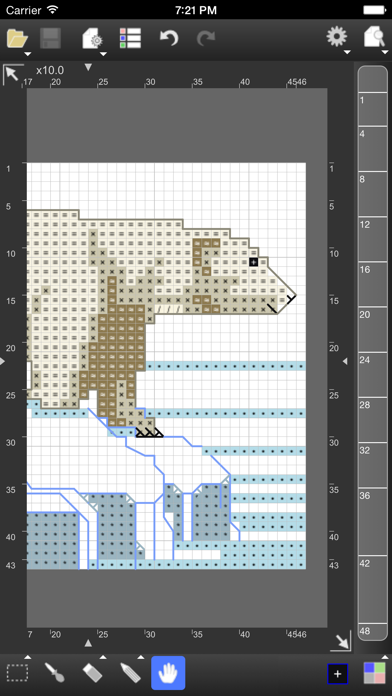
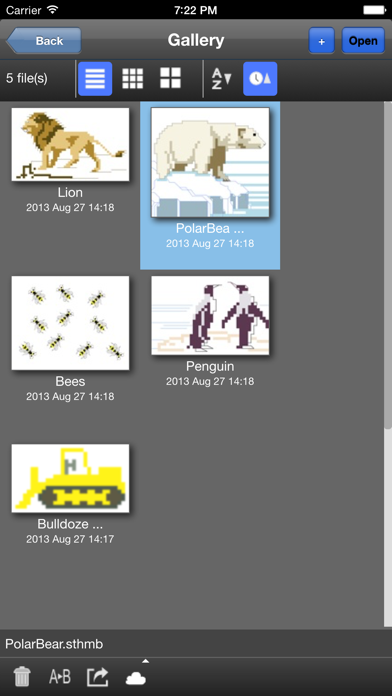
- StitchSketch iPhone Images
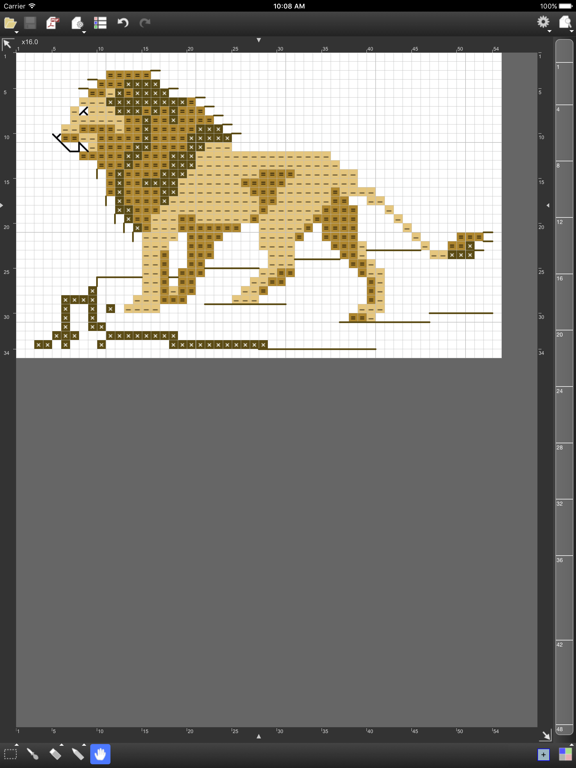
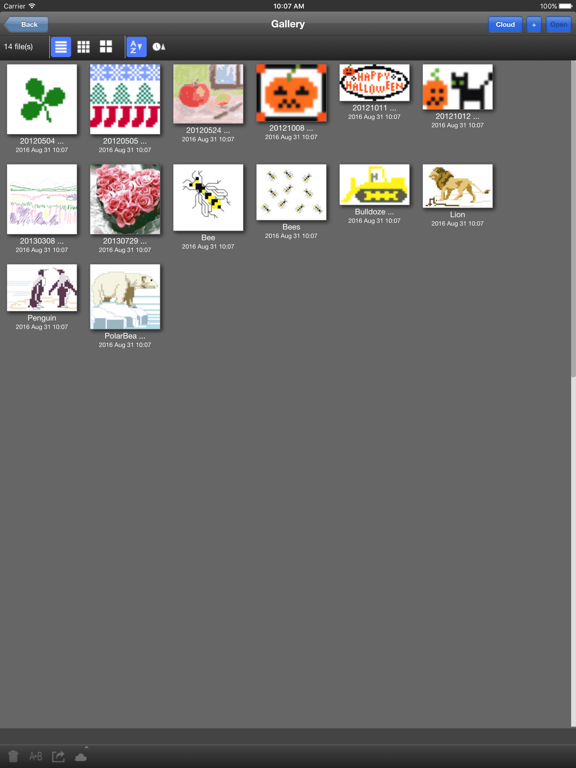
- StitchSketch iPad Images
Design your own chart for your craft project!
StitchSketch was developed by a creator of the popular software program "KG-Chart for Cross Stitch".
This mobile version utilizes intuitive "touch" user interface of mobile devices.
Features includes:
- Design your own chart for craft works such as:
Cross Stitch (Crossstitch), Bead Weaving, Iron Beads (Perler(R) Beads), Knitting pattern, Color Knitting, Pixel Art, and more!
- This is also suited for drawing "dotted" pictures (Pixel Art), such as icons in low resolution
- Convert your photo into a chart
- Draw chart with a symbol in a cell
- Maximum chart size is 250 x 250
- Pixel & Vector Drawing (Backstitch, Fractional Stitch, Hardanger)
- Pinch to zoom
- Generic color palette and Color Charts (palette) for: DMC(R), DFT, COSMO, Delica, Toho Best, Perler(R) Beads
- Knitting Symbols (Amizu Kigou (JIS)) for designing knitting pattern
- Rectangular cell size
- Real view to simulate finished image
- Undo / Redo
- Drawing tools: Pencil, Rectangle, Ellipse, Flood Fill, Text
- Selecting Tool: Selection and Cut/Copy/Paste/Rotate/Flip/Stamp
- Edit colors and symbols
- Save or Email a chart as native format or PNG image
- Generate a chart in PDF for emailing or printing.
- Organize charts with thumbnails
- Support Dropbox
- Notes: The chart file is not compatible with KG-Chart (win) right now.
*** User's Manual / Tutorials are here:
http://www.iktsoft.net/kgchart-en/StitchSketch/manual
StitchSketch App Comments & Reviews
StitchSketch Positive Reviews
It’s handy but a couple issuesI use this very regularly and I love a lot of the feature, especially creating a PDF version of my patterns. But it’s kinda glitchy at times, like trying to select a color that is already being used in my pattern from the right hand side and it won’t let me click on it. Also, when I try to reverse a pattern that has lines or corner line stitch marks, it doesn’t flip them with the pattern and so I have to erase them and put them back in. Also, if I paste a design from another pattern page, I can’t make Ganges to it unless I save it, completely close the program and open it back up, and even then it doesn’t always work. I may have to delete and reapply colors and lines. So, I’m giving 4 stars because it IS very handy as a tool but the glitches *I hope* will be addressed and fixed and then I’d give 5 ⭐️.Version: 2.22
SetabUpdate May 4, 2019 If it would help I would be willing to purchase in app enhancements. Update. My only complaint is, if you add colours after merging and eliminating unused colours then the app no longer allows you to access the last color on the chart design palette from the palette. After completing this action you have to go back to the DMC color list every time you want to select the last color. In addition one color that you didn’t use always remains on the chart design palette and prints on the threads list. Some additions I would like to see are: 1) quarter stitch to the speciality stitch section and 2) MillsHills beads and treasures added to the beading section. Great for charting straight cross stitch designs. However if you want to add backstitching or a speciality stitch it is difficult to do so. (This function has been greatly improved and I use it all the time now. However, if you add back stitching or speciality stitches they aren’t linked to the XStitch design so if you copy the parts of a chart they are in they are lost and have to be done over.) I love the fact that I can work on my designs in my iPhone and iPad and save them to iCloud. I know this is an expensive app but the convenience is well worth it over time. I know enhancements and bug fixes aren’t cheap and to stay up to date with iOS must cost both time and money. I’m am extremely grateful that you have done so..Version: 2.32
*AMAZING!*UPDATE II - that was fast. The apps in iPad said it was *Updated*, after posting 👇 there was another update. Timing, I’m guessing. The little hopeful part of myself would like to think that the makers responded that quickly. 😸 Thank You! UPDATE!! Whatever this *NEW UPDATE* you guys did is TERRIBLE! The charts are completely off, have to draw on the line beneath the one you want to mark in order to get results. There was NO *glitches* prior, for the amount of money that is charged for this, this is now a BUMMER. PLEASE FIX THIS! Use this daily, this is a Major P.I.T.A. 🤬once fixed you’ll get your 🌟🌟🌟 back and title changed back to AMAZING! ok, wanted to give it 5 stars but have never paid this much for an app, ever. Once you get inside though it is so worth it. The only thing if the graph could be larger than 250, but it does what needs to be done. Still trying to figure out the other things that am unfamiliar with, always like to learn. If you are wanting to make your own patterns this is a good starting point. If you are unsure of the price, think about it, you pay this much for the materials that you work with. Here you are paying one time and have endless possibilities with your creativity from your imagination!.Version: 2.26
Great, but a couple suggestionsI’m loving this app so far for my cross stitch projects, but I have a couple suggestions. I would like to be able to make the grid lines darker, especially the ones where it marks the every ten squares. They are very hard to tell apart from the rest of the lines, especially if I’m using a dark color. Another thing I would like made easier is adding colors. Right now, I have to click at the bottom, search for the color I want, apply it, then do it all over again. I’d like to be able to just create a list of colors I’m going to be using. Also, it would be great if we could sort the colors in numerical order. Other than that, I’m greatly enjoying the app!.Version: 2.56
I love this app but I wish it was betterFirst of all I use this app everyday. When it comes to designing a name tag or a birthday pattern I use this app first. However. I think there would be some features that would make it so much better. For example. Make it easier to use the line tools. Once the line is down. It is hard to erase it. I think either by adding a line eraser or even making erase Ong a line more accurate would make adding outlines so much easier. With that said. I think another addition that would be great is layers. Like other painting apps. You add layers to edit the picture without ruining a drawn on layer. By adding layers it will make tweaking and experiment with designs much easier..Version: 2.32
I love it!!This app is easy to use and makes creating a cross stitch pattern from your own pixies super simple!! The one thing I'd like to see is the option to merge colors. I create my patterns with beginners in mind and like to use all full stitches and minimal colors. When there are two of a very similar color, I have to go into the pattern and manually change all of one of the colors. A bit time consuming, but I still love that I have the option to change, add, or delete stitches with the colors that generate. There is one more thing....maybe far fetched...but it's love to be able to see what my pattern would look like as a finished piece. 😊 Otherwise, this app is great!! ☺️.Version: 2.32
Best app for creating cross stitch patternsI downloaded this app a while ago but never got around to using it until recently when I started getting back into cross stitching. I found a design online that I wanted to cross stitch and began drawing out the pattern on graph paper using colored pencils, completely forgetting that I had this app. It wasn’t until my brother saw me struggling that he suggested using this app. Well, not only did I draw out my entire pattern on here, but I just finished completing my cross stitch, as well. Very easy to use and I love that you have DMC color codes. My only suggestion is if you could add more DMC colors...I noticed some of them are missing. But, still...A+!!!!!.Version: 2.32
Great for cross stitchThere are some quirks but overall this is a wonderful tool for making cross stitch patterns. Import images and with just a bit of ‘cleaning up’ you have a great beginning to a beautiful cross stitch piece. I’ve made over a dozen patterns so far and my only wish is that you could do a “replace all” to change a lot of cells from one color/symbol to another. If it exists I don’t know how to use it. The backstitch option is a wonderful tool but it’s very sensitive and difficult to control. I’d rather print the pattern and get a sharpie to add the backstitching 😳😬. Overall this is still a great app. Can’t wait to see what adjustments/updates may come later.Version: 2.32
Better than the alternatives, but still needs lots of workDecent enough app and certainly gets the job done better than other options, but the user interface is confusing and the documentation is woefully inadequate and out of date (written in 2012!). The interface doesn’t use Apple native widgets, which might help with usability issues. There isn’t even Apple Pencil support, which I thought that would be a given for a paid app in 2019. My biggest complaint is the missing colors - DMC satin floss (S numbers) and mouline etoile (C numbers). A few other necessary updates, such as better color management (adding colors and reorganizing color order) and iCloud support (for saving patterns) would go a long way to towards improving usability and earning five stars from me..Version: 2.32
Pretty goodI have PCStitch on my laptop, but wanted something for my iPad. This one seemed the better of the options, and while I like it, there are still some room for improvements. There hasn’t been and update in almost a year, so the DMC Coloris and Etoile lines are not included, there is a maximum size for the designs and it isn’t big enough for some of my ideas. Also, the “fonts” are really lacking. Basically, they are common document fonts pixelated. Pretty much useless. This, and the canvas size are big reasons why I will use PCStitch for big and wordy designs. Based on another review, I backup the final design as a pdf to my Acrobat cloud..Version: 2.32
Love this applicationI love using this app for my cross stitch charts. I wanted something I could use on my iPad that was more of a drawing feel because it’s far easier to write backstitching like that than on a computer. My only complaint is that I can’t seem to get the color palette on my pdf’s anymore, which is a bummer. It’s not the end of the world but it is a bit annoying and I can’t find any links to reach out to the developer about this issue. Other than that, though, I love this app so much!.Version: 2.56
Kind of confusing to use, help!I love the idea of an app I can use to create patterns on my iPad or iPhone so i don’t have to be glued to my computer on the go! My only issue is that it’s a little hard to use... the manual wasn’t very informative for the issue that I’m having. I also think it would be better if you could start a pattern based off the count of fabric you’re using. (Like 14ct Aida or 28ct linen or evenweave.) I created a pattern and I’m not sure how to adjust the settings, but it says that my finished project will be 64 inches big! That’s a problem I can’t figure out how to fix and neither can anyone else. Maybe an updated manual or an in-line how to?.Version: 2.32
Crafting game changerI was hesitant about spending $8 on an app, but this thing is amazing. It really makes my cross stitch patterns look better and easier to read then pen and paper. I love the idea of being able to trace over images instead of just converting because I have been wanting to create a cross stitch of my dog’s face but not all the background in the photo and I should be able to make that work with this app. I used this to also create a visual for a basic quilt pattern. Completely worth the money..Version: 2.32
Overall good appI like having a design app for my ipad; it’s handy if I don’t feel like going to my pc to create something quickly. However, the developers left this app untouched and not updated for years and instead created a new app. I’m not buying a new version of the app after I’ve already paid for the original. They finally had a few minor updates about a year ago. The app isn’t always intuitive and the user’s guide isn’t always helpful but I will keep using it..Version: 2.60.4
Love it, but needs workI design my own cross stitch patterns and there are a lot of features that I really love about this program. My major complaint is that there is no way to make half stitches. A lot of the patterns I design have to be altered because there's no way to split a stitch to have two colors. My other frustration is that there is no way to alter the key when printing; sometimes I use a color just for back stitching and I would rather be able to show a line in that color in the key instead of a boxed stitch symbol..Version: 2.22
Great app, request for one featureThis app is terrific. Very intuitive and simple to use , with great features. Well worth the money, especially compared to other apps on market. *Feature request: The only thing I find that I would prefer is: putting in inch measurements of what size I want my pattern to be and having the system calculate how many stitches high or wide for me. The app, at the moment will tell you what size your finished piece will be based on stitches and count/gauge. It would be more useful to me personally if I could tell the app “ I want my design to be 8x9” and have it calculate the number of stitches up and across. Other than that, this app is wonderful. I’m also someone who prefers using pen and paper or computer mouse for quite a number of things but have been able to use this with ease on my iPad..Version: 2.56
Great, but the UI could use some loveThis is my go-to app for creating new cross stitch patterns and it’s wonderful. I’ve used it for years and it does exactly what I need it to do—I love the tracing paper feature and exporting patterns to PDF is a breeze. My only hang up is the UI. It’s not exactly intuitive and it could use a facelift. We’re talking stuck in 2013/still looks like it belongs on iOS 6 vibes. I’d love to see a refresh but the lack of attention to updates for two years makes me worried that the software will be obsolete before long..Version: 2.32
Great assistance program!I call this a ‘Great Assistance Program’ because it allows you to create an image, wether by using the conversion option or the ‘tracing’ option. Either way, adore it so... But.... Always with the but.... The cropping feature is nonsense when it comes to the loading of the tracing paper options... sooooo absurd. You can not edit it, and if you can I have not figured it out! It says you can change the canvas size, but mine doesn’t, it’ll get bigger, but the tracing paper stays the same in context to to scale..Version: 2.32
Please update the app!Like others say, it gets the basic job done. But, it could be SO much better! And I expect for $7.99 to get basic cross stitch needs. Like: 1. Being able to put in half stitches. I rarely make anything that doesn’t have a half stitch in it somewhere. 2. Outlining or tracing does not work well for me. Maybe that is user error, but it is easy. 3. Does not work well with the Apple Pencil. Seems like a no brainer! 4. I want to be able to select what size fabric I am working on like Adia 14. Then it will automatically graph it 14 squares per inch. Then I can see what the finished product will look like. 5. I also wish the font stitching worked better. Whenever I try to place text it looks terrible. I can get the basic design down then write on top of it once I print it. So what they offer is better than drawing it on paper. For the price, they should do more updates to the app. Please update the app!.Version: 2.32
Almost perfectI love this app for creating cross stitch and blackwork patterns. It would be completely perfect if it was easier to draw a straight line. Perhaps having the option of the new line starting only at holes, not half/quarter stitches. That would save me quite a bit of time restarting or adjusting lines. I do love another reviewers idea of a zoom-in window appearing when you are drawing, it is sometimes hard to be exact under a finger. All in all, this is fantastic!.Version: 2.22
Good but needs improvementI love this app but it feels a little neglected. The drawing of a straight line or back-stitch is really painful. Maybe another method would be better of connecting the dots and way you could hold down your finger until you see where the first node of the line is going to be then you select the next node on the line and so on. Auto save? I've been burned by opening up another app then when I change back it closed out of my working document. It was so frustrating..Version: 2.22
Solid app!This is a pretty great app for pattern designing! A bit glitchy on occasion but nothing that can’t be worked around. Honestly this is the best pattern app for the iPad that I’ve found A few recommendations: larger than 250x250 for patterns (pro iPads should be able to handle it fine) Partial stitches that aren’t weird lines, it makes it difficult to follow the pattern when half/quarter stitches are designated by backstitch colors rather than normal color + icon.Version: 2.56
Works with Apple PencilThis program does exactly what I was looking for AND works with my Apple Pencil. Not everything works with it (like color selection) but I can use it to draw my pattern and that’s all I wanted. A little glitchy at times and doesn’t auto save so be sure to save regularly because it does crash occasionally. Worth the price even with it’s problems. Much better than having a subscription like other programs and apps..Version: 2.32
Nothing else like it, very nearly a 5 starThis app does everything I wanted and more. The user interface is not intuitive, and the documentation is not well organized or thorough, but if you stick with it, you and figure it out and you’ll be glad you did. I’m able to enter exact stitch gauge (though the interface uses weird terminology) and design perfect embroidery, intarsia or fair isle patterns for my knitting..Version: 2.32
Big learning curve, no auto save?There is a big learning curve to this app. I consider myself good at picking up technology quickly, but this app has been difficult to get used to. I’ve also run into some glitches where the app stops working and I’ve had to close out, the issue with that is I loose all my work since there doesn’t seem to be auto save...seems like auto save would be a default (My app and device are up to date).Version: 2.56
Colors won’t select...The program itself is pretty easy to use. However, once I made a pattern, deleted a few colors I decided not to use, and went back to the main screen, it will not allow me to select any colors than the first four. I have tried saving, tapping all over the color icons...nothing. For a program that’s $8, I would expect to not have little bugs like this. If this gets fixed, I’ll give it 5 stars for sure!.Version: 2.32
Some issues are my ownJust finished my first chart tracing two photos, so I probably shouldn’t complain. But like others, I didn’t find everything intuitive, and that resulted in some frustration. When does the fine point of my ApplePencil work, and when do I have to use my finger, for one thing. Over all, though, this makes my stitching life SO much easier!.Version: 2.32
Pretty goodWorks pretty well. A couple features I’d love to see: ability to change it to a 10 square grid instead of 5. Being able to organize gallery into folders. I have over 200 files and I haven’t even been using it a year. It will be a mess to sort through in another year..Version: 2.32
HELPI really REALLY need someone to help me with this app. I want to use it so badly, but I am completely unable to figure out how to make my stitch patterns into a 5 square grid, rather than 10 squares. PLEASE I have read over basically all the material on the website and it just WONT WORK. I need my chart to be sized down to 5 square boxes, it SHOULD be easy, i have no idea why it has taken months to get this worked out. This is like my third time leaving a review PLEASE do not re direct me to the website for information. I JUST NEED TO KNOW HOW TO MAKE IT GO FROM 10 SQUARE BOXES TO 5 SQUARE BOXES. My friend who also bought this app says that hers automatically came on a 5 square grid. We can enter in the exact same data when starting a new cross stitch pattern, hers comes out 5 square grid, mine comes out as 10..Version: 2.32
No up-to-date user manualI am having hard time figuring some stuff and the link for user manual takes me to release notes… have a user manual where you put everything together so people wouldn’t have to go through all release notes. Also I think there needs to be an option to hide/unhide symbols. I can’t tell how my design actually looks like because of all the symbols.Version: 2.56
IndispensableLove this app for my tatreez work and I even use it for making fun pixel posters. It works great with my iPad pencil. Docking a star because it does not automatically save your work and I have lost many valuable design hours that way. Makes me feel like I am in high school again and have to constantly remind myself to save my work..Version: 2.60.4
Wish it had better grid linesLove this app! Its close to perfect except those pesky grid lines. Please add an option to thicken lines every 10 squares and export with darker lines every 10 squares. We really need this when counting during stitching. Ive tried a bunch of cross stitch apps and so far this one has the most features..Version: 2.56
Needs inventoryI love this app for converting my photos to cross stitch or diamond painting designs. It does a great job but it would really be helpful if it had some type of interactive inventory list for DMC, delicas, etc. so you could tell if the colors chosen in the conversion are ones you have on hand without physically searching through your stash..Version: 2.32
Needs an update for iPad Pro Split ScreenI want to use split screen so I can view an image and plot it out. The iPad Pro is great for this, the app not at all. It works but the taps aren't accurate, as in if you want to color a square you have to tap several squares over and above the row, so it's a lot of undo and guesswork. Very frustrating. If you want to sketch full screen I like it but for what I want to do it leaves something very basic to be desired..Version: 2.22
Great design tool!Once I figured out the different tools, I've been able too create my own cross stitch patterns with ease, that includes all the details I need, like backstitch, half stitches, etc... I would love to be able to search for a color by its number rather than just scan the colors. Overall it's a great tool!.Version: 2.22
Color numbersSome of my delica colors / numbers are not listed. Also I went to read the user Manual and I am not sure of which one to use. For the most part I like it but I guess I need practice. It would also be nice if we could design peyote stitch on this tool, it would be so helpful. I would even pay a small upgrade fee for it. So I guess I should bump up the stars to 4 not 3..Version: 2.56
KarenGET!!! I've been looking for something just like this. You can create any type of pattern. My favorite thing to do is copy vintage fabric patterns and turn them into stranded knitting patterns. It is easy to use and generates your new creation into a PDF which can be printed off. It is so much fun. Especially works well with iPad and the new iPencil..Version: 2.22
DrawingThe app is great but it would be 5 stars if the app lets you draw lines with a stylus on it like when you are sketching out stitchpeople and you want to do natural hair instead of cross stitched hair. The line tool helps but it’s not the easiest to use. It does save time though to sketch on the app and it saves on the cloud which is great!.Version: 2.32
Fun app, big learning curveI’m still learning by trial. Then discovered the manual. Hope I can remember all the fun stuff I discover. I did have the black screen of death at one point. After a search of the blog it suggested closing the app with the home button and reopen. Worked!.Version: 2.32
Good app, Perler Bead colors are NOT correctI'm a serious Perler Bead designer, so I purchased this to use ONLY for Perler Bead patterns. The color chart for Perler Beads is NOT actual PB colors. Most the colors are off slightly, and some don't exist at all in any of the color palettes (like butterscotch, for example). Would be perfect if custom color creation and saving of pallets was added. The app itself is by far one of the best I've come across for PB pattern creation via iPad, and has been my main app for over a year. It's easy to use after a bit of a learning curve. But if I can ever find a solid app with all the features of this one, but with a true Perler Bead color palette, I'd switch in a heartbeat..Version: 2.22
More symbols pleaseI have to improvise on symbols a lot. I use app to take my patterns from paper to pattern keeper. Works well. Giving it 4 stars because of lack of symbols. At times color is hard to add with symbol. Would also like mill hill bead option. Thank you..Version: 2.56
Good, but could be betterThis is a nice app for a quick chart and it does a good job converting images into charts (which is what I want it for). The one thing that would improve this app a lot is having a larger chart size option. I would be willing to pay even more for this if I could have more than just 250x250..Version: 2.32
Great app!So far I’m really happy with my purchase. I just wish the developers of this app would create a how to video to show all of us new users how to use the app. Not terribly hard to figure out but a tutorial would be helpful..Version: 2.32
So far so goodJust downloaded this app yesterday and I've already made two charts! Every other app I saw only allowed for a picture to be converted, but with this app I can create my own charts as the inspiration comes to me and edit the chart size if I realize I miscalculated my original parameters while creating. Can’t wait to make more patterns on my iPad with this guy ☺️ super user friendly and was able to pick it up super quickly.Version: 2.32
Good enoughIt definitely took a little while to somewhat understand the different functions of the tools within this app. I have experienced many different bugs. The most recent bug was that it just deleted an entire chunk of pattern for no reason. It also won’t delete certain back stitch lines without erasing large chunks of the pattern design even if they are not touching. I am not sure if they do updates of this program, but I hope they can fix the bugs..Version: 2.56
Pretty goodWorks pretty well. I appreciate the ability to export as a PDF. Wish it had better Apple Pencil support (I find it easier to fill in the stitches with the pencil, but occasionally it picks up my hand when I rest it on the screen), and if there’s a Pencil shortcut to delete a stitch I haven’t found it yet. Also sort of wish you could import a background image to trace over, without the program trying to make a pattern from it, but honestly I’ve yet to find a stitching program that will let me do that..Version: 2.32
Love!!I cross stitch and use this app to create patterns! It’s got some downfalls but overall very happy! BUT PLEASE UPDATE IT WITH THE NEW DMC COLOURS!!.Version: 2.32
Great app, not so intuitive to newcomersThis app is awesome, it just seems a little hard to find what I’m looking for at times. I love that I can draw my own designs and import them into the app itself, then it’s just a matter of editing the design so it’s cleaner, but I wish there was an option to bring in my drawings, ad a new layer with lowered opacity, and then I can draw my cross stitch pattern on top so things come out cleaner right away. An easier way of telling what canvas sizes I’m using would be amazing, too.Version: 2.32
Great app!This app has been a major game changer for my cross stitching! It is super easy to use and is always reliable. The only problem I've been having is after I save a pattern and go back a few days later to edit, it will only let me choose the top three colours in my list to edit. If there are more than 3 colours in a pattern, I have to go in and find the proper colour all over again. If they can fix this, the app would be perfect!.Version: 2.22
Awesome!!Works perfectly!.Version: 2.22
Great for knitted mitten patternsSuper little app for building charts for colourwork and stranded knitting patterns, especially mittens and hats. Quite easy to use and fairly intuitive..Version: 2.22
It worksIt works well enough. I'd prefer better single stitch options. But all in all, it's a good program..Version: 2.09
PerfectThis app is awesome.Version: 2.22
EJMLove the app. It does exactly what I want!.Version: 2.22
Wonderful for needle crafters:)I love this app. There was never an app that I could make my crochet patterns with. I still can't figure out how to take a simple picture and put it on the graph size I want. For example, a black outline of a heart, I want on a 25x25 graph. It never goes the size I want or it just shows me half. Lol. Anyway I thank you so much for this app. You must have dedicated a lot of time into this, and you did not have to share it with us, and you did. So god bless, and thanks. :).Version: 2.09
Perfect app for creating cross-stitch patternsDoesn't crash, has a lot of features to make it easy to draw new cross-stitch patterns or trace over other images. Easy to modify canvas size, colours and to cut-and-paste drawn elements. I'd recommend skimming the manual to get a feel for the tools, as there are many to use..Version: 2.09
I love it!I've just gotten a glimpse of the potential of my new hobby, crochet and using this app, I am so excited and inspired I want to go buy all the yarn in the world. I was working on a design and literally saw it come together in my minds eye worked to completion. Minuets later I saw another project come together. I was so inspired I had to get a note book out and start quick sketching the projects, just in case, so I wouldn't miss any details. This app just needs a little more work. Some of the direction and menu options were a little difficult to figure out. Once figured out everything worked fine, but it was a bit of a learning curve not supported by the user manual. I also found the user manual hard to follow. Other than that, if you are willing to commit a few hours to learning how to use this app it is worth the $5. I give it a buy and can't wait to see what comes with updates..Version: 2.09
Great help to any crossstitch crafterI have tried quite a few of e cross stitch design apps and this one by far is the most user friendly. I really enjoy creating patterns on it and would highly recommend for those wanting to creat on their iPad..Version: 2.09
C'est super!Beaucoup de fonctions pour dessiner, etc!!.Version: 2.09
Great app but crashesMultiple crashes when loading text tool or colour changes. Would be a 5 star but the crashes are way to frequent..Version: 2.09
Super!J'ai aimé la version gratuite et n'ai pas hésité à acheter la version complète. Je crée mes propres patrons à partir d'une photo. Il est facile d'ajuster et d'importer le fichier..Version: 2.06
Love it!I rarely purchase apps, but this one was worth it. Great features such as the tracing paper to overlay an imagine on the graph to make designing easier, adjustable gauge, and PDF output of the final product. There are additional features I would like to see, such as being able to flip/mirror the final pattern and ability to straw straight lines or other shapes as built in items..Version: 2.06
Knitters and Off Loom Beader's Look ElsewhereGenerally a good app, especially for cross stitching but for beading it needs to support more than just the bead loom with stitches such as peyote (1 and 2 drop), brick stitch, right angle etc... Especially peyote. The color selections for top Japanese beads are there but this common stitch cannot be done in this app. For loom work, no complaints. For knitters some symbols are missing and it's difficult to get charts to show exactly how you need them to. Color and symbols are separate and cannot be combined (like in shadow illusion knitting). Other apps are starting to pop up that do a better job. These were the two purposes I needed most and purchased this app for. I haven't come across an app that does it all like this one but these features must be addressed..Version: 2.06
AT LAST!I love this app! I use it to render cross stitch charts from picture I take with my phone. It's the perfect xstitcher app I was waiting for! <3.Version: 2.06
It's good but...I'm having issues adjusting the text box size. Aside from that it's awesome to import my pictures and to finally be able to make patterns!.Version: 1.08
AwesomeThe best cross stitch app out there. Very easy to use and you can use it anywhere. I have used this app for all my cross stitch/designs. Highly recommend it..Version: 2.02
SketchesIt is amazing!!!!!!!.Version: 2.02
Worth it!My favorite part of this app is the ability to make my own patterns from photos on my camera roll. It lets you choose however many colors you want and displays the pattern in a variety of ways for all preferences..Version: 1.02
Free International Money Transfer 💸Enjoy high maximum transfers into more than 20 currencies while saving up to 90% over local banks! The cheap, fast way to send money abroad. Free transfer up to 500 USD!Version: 2.60.4
What do you think StitchSketch ios app? Can you share your thoughts and app experiences with other peoples?
Please wait! Facebook comments loading...