波 余
波 余Cute CUT Customer Service

- Cute CUT Customer Service
- Cute CUT App Comments & Reviews (2026)
- Cute CUT iPhone Images
- Cute CUT iPad Images
Now, you can DRAW movies, AND you can draw ON movies! Cute CUT’s powerful, easy-to-use editing features put YOU in control, allowing you to make the highest quality movies, DIFFERENT from anything you’ve seen!
Do you want to create your own unique movie? Cute CUT’s robust and intuitive feature set will have you doing so in no time, drawing gorgeous, one-of-a-kind movies and so much more!
Besides providing the utilities of a common video editor, Cute CUT brings to the table exceptionally advanced, Hollywood-style editing functionality!
We’re continually working to enrich and strengthen Cute CUT’s top-tier functionality, and its refreshingly simple, unique presence in today’s digital market. Are you with us? Join more than one million others who’ve dared to discover the delightful difference that’s Cute CUT!
===================================================================
Key Features:
- User-Friendly UI.
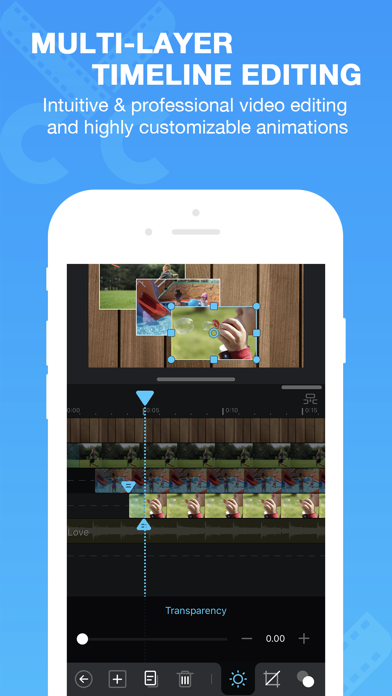
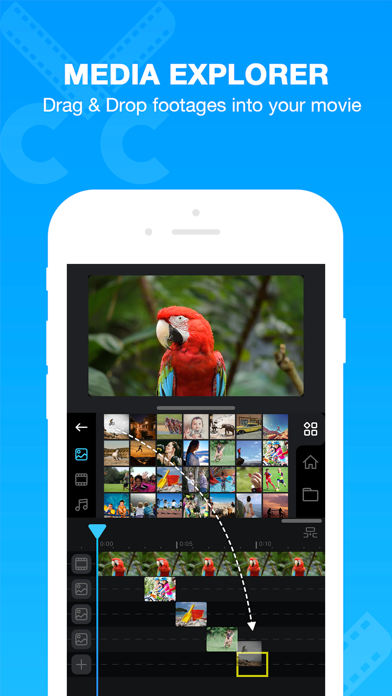
Just drag and drop; you can arrange your media segments easily.
Sleek, bookshelf-style organizer showcases your movies.
UI supports both portrait and landscape modes.
- Make DIFFERENT movies, make movies DIFFERENT!
Supports SIMULTANEOUS Adding of UP TO SIX different types of media into movie projects: Video, Photo (both from Album or Camera), as well as SELF-DRAW, Text, Music, and Voice.
- Supports various Resolutions and Aspect Ratios, including HD (16:9, 19.5:9 and 21:9), SD (4:3 and 5:4), SQUARE (1:1) and even Portrait Mode!
Creating a PIP (Picture-In-Picture) movie is EASY: Merely place one movie atop another; Cute CUT even supports independent Resizing of each and every video segment!
- Draw directly on movie.
30+ drawing tools.
- 3 Advanced Brushes for pro effects: Texture, Linear Gradient, Radial Gradient, gradients editable.
- Highly customizable transitions.
- 20+ Pre-Defined Transitions.
- Transparency, Border, Corner, Shadow, Transform, and Sound Volume ... ALL Customizable!
- Share Your Movie.
Export to Camera Roll.
Send to YouTube/Facebook.
Send via e-mail.
- Multiple Tutorials, and even Full Video Walkthroughs available, easily accessible.
===================================================================
You can upgrade to Pro to obtain the following features.
1. Watermark-free movies.
2. Unlimited movie length.
3. No Ad.
4. 4K ultra HD movie exporting.
5. More music tracks.
6. More stickers.
Cute CUT is available BOTH on iPhone and iPad.
Homepage: https://cutecut2.mobivio.com
Feedback and Support: [email protected]
Cute CUT App Comments & Reviews
Cute CUT Positive Reviews
Amazing! Though some suggestionsI’ve been using CCP for years now and it’s an amazing app! However I do have a few things I’d like to ask in an update to be fixed. First off, the more layers that get added to a video, the lower in quality it becomes. Pictures get more pixilated and the video is no longer in high definition at on;y about four to five layers, causing me to get rid of layers and try and integrate them into the same one. On that same note, videos that are imported are in low quality too. As an artist who uses this app to create speedpaints, it’s disheartening to see that no matter the canvas or video size I use, the video will always turn out grainy and hard to see. My third request is to allow transitioned photos to be reflected or turned. Photos can be reflected once added in and not edited with a transition. However, whenever I have a photo that already has a transition on it, and I want to mirror the same one with the same transition, I have to completely go back and restart everything. This of course creates a very tedious process if I need many photos to do this same action. So if it’s possible, I’d love for reflecting and rotating to be implemented into already edited photos. The app is very fun and very simple to use though and I look forward to using it for many other projects!.Version: 1.8.10
Just a few things to discuss :)Hey!! I honestly love CCP a lot and I get rlly creative with this app, thank u for this!! But I have just 3 things to discuss. First, CCP crashes A LOT and when that happens I lose the progress I have. It doesn’t always remove most of the movie, but this time it took EVERYTHING and only saved one bit. It annoyed me so much because I was halfway through what I was working on,, and what I was doing was rlly complicated and I had to constantly save and undo parts of the project. Thank god I had each part of my project saved on my camera roll but if I didn’t I would have to do everything over again unfortunately. I rlly want u guys to fix this bcuz this is a major problem that not only I’m dealing with. Another thing I wanted to discuss was about the undo button. When I save the movie and then I go back soon after, I can’t undo what I did before. I know that it isn’t your fault it happens cuz it saves, but I want the opportunity to undo after saving too, so I hope u change that as well. Last, this is an extra thing by the way, I noticed that CCP on the computer has FX like blur, and other stuff like that (I was previewing it from someone else’s lap top) and I was hoping you guys add that to CCP mobile. Well that’s pretty much it and other than the problems I’m having this is a great app and I definitely recommend it. Great job and keep up what your doing cuz it’ll rlly gonna pay off on the both of us :).Version: 1.8.9
Amazing ! but could use some helpOkay so i’ve been editing on this app for years i’ve gotten pretty good at it and i love it BUT i just wish they would add graphs and/or effects because that would be so cool so please i beg you PLEASE cute cut add graphs and effects!!!!! the last time is app was updated was ONE YEAR AGO!!! please update it and add graphs and effects!! i promise you, you would get so much more buys !! also PLEASE don’t make me pay $5 for 30+ seconds and no logo like just make it free nobody even buys it bc they just get the tweet door one!! SO JUST MAKE IT FREE!!! PLEASE i beg you cute cut!! ADD GRAPHS, EFFECTS, NO LOGO, and 30+ seconds FOR FREEEEE!!! please don’t make me change to video star !!! i love this app but the things i’m asking could be AMAZING you’d get so much more money because as i said before NOBODY buys cute cut pro they just get the tweekdoor one!!! PLEASE I BEG YOU!!!! also PLEASE!!!! make it so i can use more than 2 layers for videos!! and so we can do velocity!! and one last thing PLEASE make it so we can mirror our pictures and videos!! okay that’s all the most important stuff i’d like y’all to change is to add effects and graphs/custom graphs pls don’t let me down :( thank you for reading:).Version: 1.8.10
A request that I have for this appThis is a very good app but for editing, but some changes and additions would make it even better! So I’ve used these before and know that the videos can be as long as you need my my knowledge. But a big problem that I have is in the corner is the name. Now this bothers me because I want to be able to see my pictures or the text I right, not Cute Cut for iPhone. So if you’d please, please, please get rid of that, that would be amazing! Also, the music. Now there are quite a few sound effects but there is barely any music. Now not sure if I didn’t do something to find out about more music but from what I understand theres only a few. This is a problem because I like varieties of music, I don’t want to use the same ones over and over, so if more were to be added that’d be nice! Now, with the picture and adding them, I don’t enjoy how I have to pick one picture press the button to put a picture again and get the next picture I want over and over. Now from my knowledge that’s what you have to do. I think you should have it, they pick ten pictures then have to press the button and do it again, that how I think it should be done. I hope these are fixed and/or added the app! But other than this I like using it for editing and think other people should use it for editing as well!.Version: 1.8.10
It works very well, but a few cons!CCP is a well-functioning app, and it is fairly easy to use once you get the hang of it, but there are a couple of cons, as there are to everything. One, for starters, is that when I go to add my own transition to the edit, the picture i add in to the program doesnt show up and i must re-upload the image! It is a pain, and I know it might just be my ipad, but please try to fix this! It takes me a while to add everything twice! Second, you could label the tools so that beginners can see what the tool does before they click on it so they arent wasting their time clicking and un-doing everything! Now, I know the watermark can be removed for a low price, and it also unlocks some other features as well, but it doesnt seem to bother me that much. Many other programs have ABSURD watermarks, and they can be very expensive to remove... *cough kinemaster cough* CCP's watermark isn't that bad to be honest! Third, I think it could be convenient to have an option where you could add many images at once to your project so you dont have billions of layers that could possibly get confusing to beginners. Thank you for reading this, if you did :).Version: 1.8.10
A Neat Little App that needs a few tweaksI’ve been using CuteCUT/CuteCUT Pro for a while now, and it’s one of the great video editing apps that a lot of people use, the point where there are even tutorials for little tips & tricks. You can pull wonders out of this app, but of course, there are some pretty irking things that imo, needs a little attention: a redo button. Sometimes, I touch undo on accident, and most of the time I don’t remember what I recently did, or don’t feel like going through my work, trying to figure out what I accidentally undone. So, I feel like a redo interface would really be great. Every time I import some audio to the app, and I go do some editing to the audio, there are some times where the audio would randomly glitch by repeating a sound, or have this “spiked up” sound go off. It’s really annoying, especially when I did some heavy editing, and it’s “permanent,” where I would have to start all over with the editing or just endure the pain. I really don’t feel like doing the former, but I DEFINITELY don’t feel like doing the latter. Idk if this could be fixed, but please look into it. Thanks!.Version: 1.8.10
Great App!This app is amazing! There are a few bugs and things that should be done here and there but unlike other apps this app let’s you use almost any feature right off the bat! Also there isn’t some subscription or weekly pay to use the app, it’s just a $5 one time purchase! I’ve been using it for a while and it’s pretty easy.i would only recommend adding a feature where instead of adding one photo at a time you should be able to add something like up to 25 at one time and be able to do that so it doesn’t take so much time finding and adding only 10 pictures. I also love the fact you don’t have to purchase the ability to export long, high quality/resolution, or videos with many animations for free! Though there is one thing that would be useful which is the ability to make it so this spot must always touch this spot on another image even when adding an animation or transition so you don’t have to add animation to the hand to go up then add animation for the rest of the arm to go up and so there aren’t as many animation errors. Thank you for taking your time to read this!.Version: 1.8.10
It has some flawsI’ve used this app for a month now and it’s very easy to use! Other then most editing apps I see, this one is great because it 1., Has amazing graphics and movement (I mean seriously, the movements are amazing) And 2. All of the controls are easy to use and aren’t hard to figure out! But the thing I have a problem with is the length. If I want to make a long video, I have to constantly make new movies that take up a ton of space. A solution to this I think could extend the length of each video to at least 2 minutes so that you wouldn’t have to buy the pro just to get longer length. And my other problem is the watermark. I don’t mind it most of the time, but it’s frustrating if I need to combine two programs with watermarks. My other app I use has a rather small watermark but on this app, it’s pretty big. I’m not saying to get rid of the watermark, I’m just asking for it to be at least smaller. I know this may be a waste of time but I just wanted to point out these things. Overall this is a great app and is perfect for people who like animating!.Version: 1.8.10
It's amazing but...The app is amazing ! Me and my Friends love going on to Instagram and looking at Annie Leblanc edits. In fact we loved it so much, we decided to make our own ! Unfortunately it was very hard to come across a good editing app with reasonable transitions, but when we found cute cut...we realized that the app didn't have adds popping up all the time...which was great ! It also allowed you to put your own sound if you weren't satisfied with the ones they had. Although the edits come out very breathtaking indeed, they could add some different transitions, so the pictures would be able to shake and turn at the same time. I think it needs to be updated as well bc of this, and the fact that it can only be about 30 seconds long. On top of that it has a limit on how many pictures and videos you are allowed to put. Not to mention that you can't make the transitions go to the next picture as fast as the beat on the song you chose. Although it has a few things that need to be fixed, it's an amazing app ! The edits come out pretty good ! Lots of my friends have it bc of the wonderful quality it has. I suggest getting the app..Version: 1.8.9
It’s not hard to use????I don’t understand why people say it’s hard to use, you want to tween? Just gotta press a few buttons and move things around for simple movement. Transitions can be a bit more difficult depending on you, but I learned a simple one under like a hour, they also have ones that are already done for you like fade out, fade in, etc.. I did some basic typography 11 months ago (When I did gacha, I don’t anymore). And I just searched up what it was and some examples and boom I know the basics of typography. And I think this app is good if you don’t have a computer or something. The transitions are smooth, easy to work with, nice fonts, filters, and more! Overall good app, I recommend if you want a easy to work with editing app. Yes there is a water mark but there’s a really cheap pro option. It gives you no water mark, 30+ seconds more, you pay it all at once no monthly payment, that’s all I can think of at the moment. -a friendly leaf-.Version: 1.8.10
Great...butThis app is great! It’s the best app I’ve come across while looking for editing apps! There are a few minor errors that I would encourage you to fix. First off, I know you’ve heard this and it might not be your fault, but there are many glitches. Another suggestion I have is adding more fun translations! The ones that you have now are alright...but I would prefer more fun and exiting ones! And about the music...I don’t have any music on iTunes because you have to pay, and the music you already have had no words and is not what majority people are into. I also tried music and putting it into file sharing but it either hasn’t been working or (the majority of the time) there is no option to put it in cute cut. So I would EXTREMELY appreciate if you added a search bar were we could search the music that we are interested in. Over all a good app, but please take all of these to carful considerations (especially the music) Thank you!.Version: 1.8.10
BadSo I use cute cut for my gacha videos, and it’s great don’t get me wrong, but I’ve been using it for a month now, and it crashes, and when I’m saving my movie (video) it completely gets rid of it, then when I try to remake it says: “you already have a video with this title, would you like to replace it” and I can’t find it again, plus when I’m making my text in a video it can only be a certain size before it disappears, it needs a lot more work to fix this app don’t waist your money on this, oh and the longest you can make your videos is 2:53 seconds, which is really annoying when I try to make my gacha movies, do not get this app it is terrible, I’m not picky with apps at all like when I see an app that has a good cover I’ll get it, and I see a lot of gachatubers use this app, so I decided to get it, and I don’t like this app, but I’m not sure if this only, because I’m not using the pro version, but if you’re just using the regular one, and not the pro it’s pretty bad, DON’T GET!!.Version: 1.8.10
3 ⭐️sHonestly this app is amazing but it’s a bit of a trouble for me. I like making Gacha Life videos but each picture is just to long. If it could be 10-15 seconds i think I’d be okay with that because some people just hate the long videos like that! Like me. I also have a trouble when it comes to music on the app, it says I have no music but when I finally get the music to load from my phone, it says this music is not available for DMP or it loads and skips to the 13th second and it doesn’t even add the music! And if J have to be on IPod or have to have Cute Cut Pro then I’ll just be looking for another app maybe KineMaster but from some of the reviews I’ve read it takes up to 5-6 minutes to load but I can always find other apps if there is no way to fix it. I really need this to be fixed. I’m not trying to be mean but I also got a tutorial for IPhone 13 and how to add music but it doesn’t work still and I’ve had this app for over 1 year and the music has never worked..Version: 1.8.10
Amazing :DWhen I first got CuteCut it was very understanding to use (without having to look at tutorials). CuteCut is a great app if you can’t afford/get an Apple Device or simply pay for VideoStar. It still lets you do basic transitions and more if you get creative. I’ve seen so many CuteCut edits that look JUST like AE (Adobe After Effects) and this is from one of the “lowest” editing apps there is, but you see CuteCut isn’t a low app because it is great and easy to use. I use it to make audios and it’s super easy because you can add audios in the background no problem...but other apps don’t do that and if they do they’re very confused and not easy to use. For animation, I know some CuteCut users who do so professional animation and it’s great and amazing!! So I seriously hope if this app is getting taken down (I saw it in an Instagram story so I hope this isn’t real) I hope this review is well enough to say how much I think CuteCut is a great app..Version: 1.8.10
To all you who are having troubleSo, to all of you have troubles with this app I can suggest 1 or 2 things first of all, I suggest you try deleting the app after that process, you can Try restarting your iPad and/or phone, then once you do that download the app once again, if that doesn’t work then try using 2 apps to edit your videos, I suggest KineMaster and Cute CUT, makes a good combination, KineMaster allows you to export the whole video, doesn’t matter how long, or how short, and if that doesn’t work, I suggest this; first make 30 seconds of the video on Cute CUT then export it, then make a new video, and make the next half then use KineMaster or any other app that exports the whole video in the new video you made on the platform your using add the 2 or more videos of the video your making then export it, there you go, if there’s any more troubles o only know those 2 suggestions, so go to the developer(s) instead! Ok I hope you have a nice day! <3.Version: 1.8.10
This keeps happening and it’s getting annoying.I’m going to be frank here. I love this app. It’s really brought out my passion for editing. But THE ONLY reason that keeps me from hitting that 5 star review mark is this; recently after I worked countless hours on perfecting edits to peak perfection, call it what you will but a ‘bug’ keeps on happening where when I’ve opened an edit, many parts of it are highlighted in yellow and I get a popup saying “Some missing videos in your project cannot be found because they were removed. If the missing videos are on your computer please sync the videos to your device and reopen the project” the problem with that is that I use Cute Cut on iPhone. Not computer. This is really disappointing because like I said it’s the only thing in the way from this app being perfect. I suggest the developers get onto this and fix it or I’ll have to switch to another editing app. Whether I’d like to or not..Version: 1.8.10
It’s great! But one promiseI love using Cute Cut for edits but, I hate how you can only upload or save videos if their 30 seconds long. Also I’ve found a bug, whenever I try (not all the time) to make an edit, the videos will show up blank. Like just black. I decided to add a another video underneath the first one, (and it sorta worked). It showed up but if I delete the video underneath it, it’ll go back to being black. So I decided to leave the video in and just like move it out of frame. But I also tired to cut the video as short as the first one (so it wouldn’t continue) but if I cut it the same length as the first one, it goes back to being black. I have to leave at least 10 seconds longer then the beginning or it’ll just be blank. This is frustrating because I do not want 10 seconds of nothing. Please try to fix this or if this is something that I am doing wrong, please tell me how to fix it..Version: 1.8.6
I Recommend For Shorter Video/editsWhen I use this app to make edits for the shows and An8me’s Im watching, it usually works. Sometimes after I get about a minute through the edit it crashes. When I go back on it says “Low Memory Warning” It says That Cute Cut is going to reduce the quality of my edit, And I hit Ok. After this It crashes again, most of the time I haven't saved My edit yet. Because I haven't saved it Yet, and I doesn't turn back on, I have lost My edit. I tried Searching my problem, and it says to try restarting my iPad, so I did and It still had the same problem. I tried messaging Cute cut help, and they told me to send them the edit, But I couldn't because It didn't let me onto it. This problem might be from my iPad, but Im not sure. If you are working on something shorter, I do recommend this app, It is very easy to use, and not that complicated. Sorry for the random Capitalized letter in this review, its just something I do When I type, I dont Know why?.Version: 1.8.10
Yes... but no plzThe app is great! I can create short Gacha life memes and stuff like that... ~~~~~~~~~~~~~~~~~~~~~~~~~~ • • • • • • • • • • • • • • • • • • • • • • • ~~~~~~~~~~~~~~~~~~~~~~~~~~ But there are multiple problems... 1. Time -the timing should be longer than 30 sec. most videos people do are longer than 30 sec. Soloution: Maybe make it... a 5 minute video. It could help making dare videos, longer Gacha memes, and more usage of the app itself. 2. Movies -why are they organized like when they made the project than when they last got on it. Also, HOW DO YOU DELETE MOVIES YOU DONT NEED!? Solution: maybe put them side by side, then the last movie we went on, on top. Also, make the delete button more visible. 3. Cute cut pro When people can just buy membership on this one app, BUT no. We have to buy a COMPLETELY DIFFERENT app! Maybe you could just put all the add-ons on this app. Solution: put the Membership button at the top of the screen so that people can see all the membership benefits in this game. ~~~~~~~~~~~~~~~~~~~~~~~~~~ • • • • • • • • • • • • • • • • • • • • • • • ~~~~~~~~~~~~~~~~~~~~~~~~~~ In conclusion, the app is great, it can help making short Gacha memes, intros, and outros. The flaws shown above can be fixed if you, as a creator, want to. I’m not trying to force you, because I’m just a midget idiot. So please, if you want to, fix these flaws..Version: 1.8.10
Cheating the 30 second ruleFor those of you that are reading my review, I would like to pass on a tip to you. When using Cute Cut on an IPhone you can get around the 30 second rule, all you have to do is screen record your animation. Then you can edit the video’s length until you have the time correct, after you do that there’s the problem of your entire screen being in the video. In order to fix this you can download a video cropping app, I use Video Crop. It takes a moment or so to save to your gallery, but downloads the end result in high resolution for free, which in my opinion makes this app and Video Crop worth having. I wanted to share this with all of the apps IPhone users, I hope this helps to better your experience and that you’ll be able to properly animate your videos without a time constriction..Version: 1.8.10
Love this app but needs to be more smoothHey! So, I was trying to edit for free and on Videostar, and it was really bad. I could prove it by posting a TIKTOK about it (@dizzyxzoe). It was smooth, but it didn’t do me any good. I decided to try Cute CUT, but at first I had no idea how to use it. When I found how to edit on it I made some really rough edits with the free version. (Meaning they were not smooth). It was important that I learned quick because there’s a rumor. (I won’t say anything about it). But, I think it’s really important to have smooth edits and not have to pay for them, because if you spend $7.00 on an in app purchase that is probably less smooth than the free one, it’s wasting your money. I think it’s extremely difficult to edit when you’re edits are smooth at all. But on Videostar multi-layer, (same price) you got a nice, smooth edit. Please fix this problem on the free version of Cute CUT. Thank you..Version: 1.8.10
Crashes... what should I do?Oki, I’ve used cute cut since 3 months ago and I’m getting the hang of it! I made a “her meme” and then I found out how to tween gacha club without it looking like a mess (XD) but...I made a new project to make a tweening test and it said that it would crash with a lot of storage. So I deleted off some apps I never use anymore. Didn't work. I tried deleting photos. Didn’t work. I tried deleting projects off the app itself. Guess what? Didn’t work! What should I do? I’m not saying it’s a bad app but I’d like advice to fix the crash and if I can’t do anything then please try to fix that on the app. It only works on something I didn’t just make. I made a new project before the crashing happened and it worked fine until I made my tweening test. So pls tell me how to fix it or y’all fix it. -galaxyyy (P.S I’ll change it to 5 if this gets at least a little bit better).Version: 1.8.10
Discussion about Cute CUTI find Cute CUT as a very useful app when making edits. It’s really simple to make edits while using Cute CUT and does not require a lot of time. Although, there are some cons with the app itself. One major issue I’m facing, when making edits is the Cute Cut logo in the bottom right of the screen. I really enjoy using Cute CUT, but removing the Cute CUT logo would make the experience better for your audience, followers, and fans! Secondly, if you were able to make an edit, but based off of the vibe or emotions of the edits, maybe Cute CUT could suggest some songs for the user. I believe that could enhance Cute Cut and make it an app where everybody enjoys making quick and fun edits. Besides some of the cons, I do really enjoy Cute CUT and love the experience of making edits and they do not require a lot of time, based off of the amount of time you spend on the music for your edit..Version: 1.8.10
Great app, But started crashingI have been using this app for a year! I have grown so much as an editor.I love the app . But there are problems. cute cut hasn’t really changed at all, I haven’t seen any bug fixes that were noticeable to me. I have cute cut pro now, and it does the same thing. it’s impossible to finish a edit without ccp crashing at least ten times, I only make 15-20 second long videos max. I think cute cut pro is almost as good as ae, but different easing types would make this app so much better. shakes are difficult on this app, because there really is no way to get a motion tile effect. honestly if cute cut pro could fix these things and even better add extra things such as new easing types, motion tile, and 3D transitions I think ccp would be so much better! I love this app but if it continues to keep crashing then I can’t use this app!.Version: 1.8.9
Love the app! I have suggestions thoughI already love the app and I downloaded just a few days ago! Few suggestions though. 1, when I’m trying to move a layer, I’m not ab”e to see how much I’m moving it and when I let go of the thing, I mess I quite often because 8 have no idea where I’m moving it. Please fix this! 2, I know you guys are trying to make money, but can you please consider at least letting people who haven’t paid let them be able to download 45sec - 1min? 3, the more layers I add, the lower the quality gets, so please fix this too. Last but not least, 4, could you change it so to insert music i can insert music from my photos/videos and not just files or the library? Thanks! Also plz consider subscribing to AngelaDoesGacha.Version: 1.8.10
BEST EDITING APPI have been using this app for over 2 years and I’ve made many edits. It is super reliable, however, if you are not willing to learn, you will go nowhere. I am mad at the people reviewing this app at 1 star and complaining about not making a good edit on the first day. It takes time and I was able to receive hundreds of likes on my Instagram just by using this app. This app is even better than premiere pro which is an editing app by Adobe which costs 20 dollars a MONTH! It’s so laggy too. On the other hand, this app is easier to navigate, apply affects, and make edits fast! YES THIS MOBLIE EDITING APP IS BETTER THAN A COMPUTER SOFTWARE. Go to my Instagram/YouTube to see the amazing ability of this app: prophecy_films. Overall, this editing app is worth the 5 dollars!.Version: 1.8.10
Transition savings for later useThis isn’t a bad app, it could be more easier if when you ‘created’ or did a custom transition you could also save it. Like for example, you make your transition flip and have a little bounce to it, you could save it to then later on use again. Because I feel like many people are leaving this app, for other video making apps like, videostar. A new update could also be filters, and like overlays. I’ve seen many people use like that filter called ‘sound’ , ‘rain’ ‘sparkles’ that on top of the video it has like rain. People would really appreciate if we could save our transitions, because some are hard to be recreating every time. I feel like there should be a section labeled ‘saved transitions or ‘recently used transitions’ were you could just tap on that butting and click on one of them and the transition will play. It’ll make it easier for everyone..Version: 1.8.10
Overall, pretty good!So, I switched from kinemaster a couple days ago, and from what I’ve been seeing, it’s way better. When I used kinemaster, it would glitch all of the time, every movement I tried to make on it, would make it jitter, it just wasn’t smooth at all, also, even when I did nothing wrong, the item I was trying to move would spin in circles, and I couldn’t fix it. Now with cutecut, all of these problems and more are fixed, and though it sometimes crashes, (only once in the 2 days I’ve had it) it hasn’t ever gotten rid of my stuff, which is really great, because kinemaster did that all of the time. Overall, it’s better than kinemaster by a long shot, but I can’t give it full stars because of the occasional crash that stops my work flow. Thank you for your time, and I hope you have a great time using cutecut!.Version: 1.8.10
Good app but one major problemI make AMVs just for fun and they’re like a minute long I cut the 30 seconds and save one video then I delete the first half and save the second. There’s one major problem though, it feels like even though it’s only one minute of video (I cut the music to exactly one minute and go from there) and I have like 8 different scenes and let’s say I finish half of it in like an hour and I want to finish it later because you know I have a life 🙂 but when I come back to it it always says there’s too much space and they have to lower the quality. Well I was fine with lowering the quality until it kept crashing and crashing every time I reopen it. I would pay $5.99 for the pro one but I have a feeling it’s just gonna do the same thing 😐 SO PLEASE FIX THIS PROBLEM I don’t want a masterpiece that took me hours to make for all of it to not be opened ever again and start ALL over..Version: 1.8.6
It’s a great app but there are a few things that are not so greatI just started the app and already want to point out something’s that bug me. When I was making a pretty “SHORT” video edit it tells me the this free “VERSION” won’t let me export more the 30 seconds and my video is only 35 seconds! I’ve been working on this for at least 4 days counting today, I was ready to export but this is not very nice. The watermark doesn’t bug me at all so why do we have to pay to make a videos longer? What if someone’s using your app for a office presentation and they need a 50 second video. They would have to look for another app and do the whole thing over so they don’t have to pay for no watermark and to make it a longer video. It’s pretty inconvenient... But overall I love the app and hope that I won’t have to start over my project..Version: 1.8.10
Great but laggyI love cute cut, but the thing is, it’s kinda boring to use, I use it for voiceovers and to make some sounds for things like videos that don’t have sounds, but I’ve realized something unusual, I just went on the app to make a video or at least try, I saw this thing at the bottom that looked like a “loading” sign, it blended in with the background so I couldn’t see it clearly, but I know what I saw was a loading sign. The next thing is that it often crashes, it crashed the same day I saw the loading sign, and all of my projects were GONE?!, I spent hours and days making them, BUT THEY ARE NOW COMPLETELY MISSING!, I restarted my IPhone 10 and it still wasn’t working, I have proof like a picture that I use a IPhone, and proof that my stuff is missing, If your looking for a editing app, then I suggest KineMaster, no hate btw..Version: 1.8.10
Could be. 5 star if....So I’ve had cute cut for a while now bu to HAVENT been able to figure out how to use it. I just now started to use it and I like how when your done with the slide the screen doesn’t move around like kine master or power director or even iMovie. All of these 3 options make YOU have to do the work. Another good thing I would say is that you can add songs but in must of the other options I said can as well but you can also add voiced records. The only thing I DONT like is that it’s hard to edit it some times but if you do get this app I recommend that you should watch a few tatoals I wanna thank you if you did read this hole thing and I’m sorry for spelling errors, see I got this app because the other 3 I did list weren’t working because I own a Gacha channel and this app makes my life, much, much easier.Version: 1.8.10
Read this pleaseOkay so I give this four stars for a good reason, I’m not gonna give a stupid reason So you won’t have to worry about a crappy review. Okay to start off, I’m gonna review some of the good things 😊 and then some of the bad things😒 GOOD THINGS: 1)Pretty good quality for a non-pro editing app(also I have no pro editing apps) 2)You can use your own audio that you can screen record, which Is really cool 😎 3) It helps a lot with Gacha Life animations!!! Now for the Bad things ;-; BAD THINGS: 1)The length is only 30 seconds(please change that to at least 3 minutes!) 2)it’s kinda hard to move the picture to get longer for your video. 3)The sound effects are LAME 😒 This was my review, it’s pretty short but I mean it’s okie. If the developers end up seeing this please Try to update Cute cut. Because I really really think those need to change. Maybe like for the sound effects do cartoon sound effects but also do realistic sounds, like a good scream not a dumb scream. That would be great for little horror movies! And could you change the length please? 😬 Cause it’s annoying that I have to screen record my video I made just because it won’t go for more than 30 seconds. Have a nice rest of your day! And bye 😽 👋.Version: 1.8.10
My personal opinionThis is a pretty great editing app. it’s is kind of hard to learn at first, but just a few simple tutorial videos will help. the app’s quality in general is pretty good too! it saves all my progress successfully and once your done with a project, exporting only takes a minute at most. i also think the voice tool comes in handy too, if you want to make your voice sound more realistic than it does on regular videos, you will definitely find the voice tool to come in handy. it can be hard to import sounds, but there are simple solutions that are easy to find. my only problem with this app is that there aren’t as many effects as i thought. first off, they don’t give you many transition effects that lots of people like to use, but you can make transitions yourself, if desired, which can be helpful if you want to create a transition of your own. the negative side effect is that it’s hard to tell what it’s going to do or where it’s going. and i will admit sometimes i’m in a rush to get my edits done, and i really don’t feel like making a custom transition, so i just try my best to see what i can do to make the edit successful for my level of editing. but overall, i totally recommend this..Version: 1.8.10
The app won’t let me exportI paid for the in app purchase almost five years ago, and have had this app on different devices through the years. While I was working on a video the app was not letting me add more video layers to my project so I tried to work around it. While I was trying to export my video it said there was an error. I deleted some stuff to clear up some space in the app, but nothing seemed to work. It took me a few days to do the pose on this project. I don’t know what’s causing it to glitch even though other projects are saving just fine. Maybe it’s a corrupted file? Other then glitches in the app that won’t save in the project if they are deleted from your camera roll, and corrupted files it is a great app..Version: 2.3
I have a few complaintsIve been editing for almost 2 years now and I’ve been using cute cut and really advanced on it. It’s not hard to learn cute cut but I think there can be a few changes that the developer can do to make editing easier. First of all mirroring yes u can use other apps for it but it would be more practical if it was within the app. Second, motion blurr and also more transitions and effects and smoother proposition. Also I don’t think it’s worth paying 6 dollars to remove a watermark and get unlimited editing time on it. I feel like people shouldn’t be paying for that. Instead if you add more special and advanced effects like for example vs where you have to purchase editing packs it would be more logical to put a price on a PRO version. Other than that I have no complaints. It’s a great editing app and I’ve learned editing through it..Version: 1.8.10
APP NEEDS:::: :(This app is good and all..... but I wanna do more translations for my subs and I need to know how to learn how to do different fonts like all of the other instagram, Facebook, tiktok, and YouTubers do all of their (Gacha Life) vids. It can get a little..... scary when I don’t know how to do much.... but I’m still trying. And pls... can we try to fit it to full screen mode? People! This should be easy! Plus... I can’t really do much with the fact that YOU CANT ADD ANY MUSIC TO THE VIDEO THAT YOUR MAKING!!! I’m a teen.. and this should be easy for high school students like me! Bruh... I’m not hating..... but pls..... fix the app for me eh? Not saying the app is bad and all though! The app is ok...decent.... but it doesn’t fit most of our(my) needs. Pls take this to notice... and don’t ignore this pls!!!!!.Version: 1.8.10
Just read itOk so this is a really good app I only have it to edit and so it can look like a video star edit but it’s never gonna happen. CCP should have a huge update where they add effects and everything to make it look like a videostar edit or app. Second of all the glitches have to go away every time I try to make a transition it crashes for no reason and every time I add a layer the video gets pixelated and it’s very annoying because I have to start all over and the water mark should be removed. Like yeah I know you have to pay to get the water mark out but I think it’s stupid like why do you even wanna do a water mark it won’t look good because of the water mark. So please have a huge update where there is effects and I fixes all the crashes and everything else. This is all coming from a 12 year old so I hope u read this. K thxs.Version: 1.8.10
Easy, but a few thingsThis app is easy to use once you explore the app!I watched a few tutorials related to how I edit and it’s fine. But I would like to add a few things that I would like. ~You should let us have an unlimited amount of time for videos but keep the watermark: It is really hard for editors when they can only make 30 seconds of a video. ~When you make so many layers and you want to crop a part: the exact part will be moved due to trying to move down. There should have a holder to hold you time so you don’t have to guess where you stopped. ~More option for music: most people want to add music, but some of the music not might be what they need. Maybe you could add a music/audio search bar that allows you to take music from there. [Most people don’t have time for Apple Music, (its too much to buy a song for one use.)or other reasons.] Review (if you want the app) •I would not recommend this IF you want to make long videos unless you have to pro version. •This would be for short edits and little transitions. •the pro version would be better for SOME animators (not all) •if you don’t understand the transitions, watch some tutorials! It really helps..Version: 1.8.10
I love the app but...Cute cut has almost everything I need to edit my videos. It’s a great app, but there is ONE really annoying problem that happens over and over almost every time I use the feature. The feature called “custom transition.” About every time I use it, the app crashes. So then I log back in, and the photo I was using for the custom transition disappears. I tap on “transition” to try and move it again but then it crashes again. That’s not all though, every time it crashes the video quality goes down so by the time I’ve given up the video is blurred and pixelated. Maybe it’s just my new iPads pros fault, but I doubt that. Well other than that, the other features work well. Oh and it would be cool if you could add a feature for removing green screens..Version: 1.8.10
Cute cut is not easy but it’s amazing.Cute cut is not easy, I use this app for Insta Edits and it works amazing it’s great. But with your first trys you will end up with something u wouldn’t like but you tried hard but I got used to this app it is very easy great and everything. Good for insta edits. Good for watermarks. Good for family vacation videos as from the other rating. But this app is amazing I also use Video Star which I really like but it takes longer on VideoStar sometimes. You have to get the clip packs, audio and also the coloring sometimes. There are a lot of packs in VideoStar that include money but it’s good. But I still use cute cut it is easier but it takes longer. But I reckon you use cute cut you don’t need money but honestly cute cut is.. GREAT!!!.Version: 1.8.10
I LOVE THIS APP! Just one small thing!So I love to watch certain types of videos—Gacha Life Videos! In a lot of the videos it says it’s made by Cute Cut. So I decided to download the app last week. I fell in love with the app right away! When you edit video scenes you can go forwards and backwards. It’s SO SATISFYING! This is a really great app for Gacha Life skits/music videos/mini movies! I like how you can name it so it’s WAY more organized! Just one small thing! I think that it would be cool if you could edit the timing! What I mean is when you add a scene there’s time until the next scene. It would be cool if you could control the timing until the next scene! I say this because it goes a little to fast! That’s all the cons, just one! Hope you read this review. Thank you for your time! From, A Future Gacha Life Youtuber~ :3.Version: 1.8.10
Where do I begin?! So amazing!Hello! I’ve been using cute cut since I was 6, and I absolutely fell in love with it! I still use it till this day as well! I have a few recommendations that I may share with you. First, when you make a new movie, can you put: movie or editing? It would help a lot because when I edit, there a bunch of things that you don’t really need for editing! It will just show the stuff that you need. :) Next, when there is bugs, can add a button or whatever that says: report bugs? (I know this is what a review is for, but it’s a pain opening one app to another :P). Anyway, this is an amazing app and I hope more people download it! 👏🏻👏🏻😊.Version: 1.8.10
Fave Edit App on PhonesI really do love it. I just wish there were more traditions and edits like glitches and some cool backgrounds. But main concern , could you would delete your name in the corner when I do a video?.Version: 1.8.6
Motion blur!Please please add motion blur! Then the app would be 5 stars! 💖.Version: 1.8.10
Money wiseI wish you didn’t have to buy anything because I’m new to editing and I would never be aloud to waste money for an app that’s what my parents said so make more things free it would really help and make the app easier and show tutorials on how to make gacha edits maybe like think about the little things because they annoying some people and it’s Inconvenient so that’s why i give it 4 stars.Version: 1.8.10
I Kinda like itI kinda like it Because i make TikTok videos.Version: 1.8.10
Very Helpful Fir Gacha LifeAt first I didn’t know how to use this at all but when I started making my intro on it it was just so darn easy! I recommend you to use this It’s VERY Helpful!.Version: 1.8.10
.Amazing <3.Version: 1.8.10
IdkWhen i add a video it has a weird purple border can i get rid of that or?.Version: 1.8.10
I love it so much I can edit you’re art and suffLove it ♡.Version: 1.8.10
KateI REALLY LOVE THIS PROGRAM!!!💙💙💙💙💙💙💙.Version: 1.8.10
Great app!I love the app and it makes editing a whole lot easier. The only problem is that it’s really hard to tell where an image is going to be moved to. What I mean is, when I go to move something, I have to move it two or three times just to be able to get it remotely close to where I want it to be. It might just be me, but really that’s the only problem I have with the app..Version: 1.8.10
Ash_xx_emoI LOVE this YouTuber named Ash_xx_emo she doesAmazing edit and Memes OMG I thought this app would be so weird but after a while I loved it lol please update a little more.Version: 1.8.10
MohamedI make Roblox movies 2009 2010.Version: 2.3
AWESOMEIt’s a really good app but I just wish there were a bit more transitions.Version: 1.8.10
OMGThis. Is. AMAZING!.Version: 1.8.10
Cute cut proJ’aime vraiment cette application je l’utilise pour mes montages vidéo etc.. j’adore cette application.Version: 1.8.10
GreatIt’s a fantastic app! but i would like for it to have glitches and some motion blur but otherwise the app is totally great!!.Version: 1.8.10
Longtime user disappointed by latest updateI’ve been using this app as my primary editor for over 7 years and had no complaints until now. What happened? The latest update feels like a complete downgrade in every way. The app now runs like it was built in 2005. Please consider reverting to the previous version..Version: 2.3.10
Pretty good!It works and is pretty intuitive..Version: 2.3
Good but not the same:(When I was younger (like around 7, 8 or 9) because I’m twelve now I used to use this app a lot to make YouTube videos and when I got a new phone a year ago cute cut isn’t and never gonna be the same again (maybe).Version: 2.3
Small view areaI'm using free version on ip xr.. app needs larger main screen view.. stresssing on eyes.. enlarge the view screen to fill the area side to side (free / pro version).. if video screen size was larger i'd purchase the pro version in a split sec.Version: 2.3
No audio only video import on iPadI wanted to use iPad for more efficiency, but the audio import that is on mobile isn’t any where to be found. Please fix this, as it it is a feature I use often..Version: 2.3
Save custom transitions?I have been using Cute Cut Pro for years and I am so happy to see it finally updated! One thing I would love is to be able to save transitions you have made yourself and use them in other clips and edits. It can be a struggle to re-do them from scratch every time..Version: 2.2.5
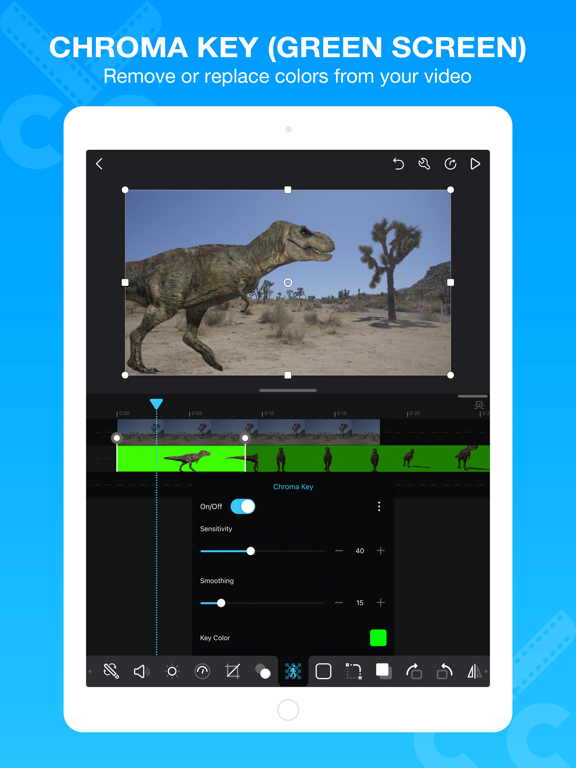
AMAZING.Brilliant. Life changing. I’ve been using this app for years and I love the new update! The chroma key is very convenient. Honestly I have no reason to use another editing app ever again..Version: 2.3
:))I love this app sm.Version: 1.8.10
So goodIt’s really good for animations it’s super easy to learn!.Version: 2.3
It’s OKAll I have to say is don’t download this it is crap.Version: 1.8.10
FINALLY AN UPDATE?!?IS THIS WHAT WEVE ALL BEEN WAITING FOR? 4 YEARS without any updates or notices, and now this huge update pops out of nowhere?? AND there’s greenscreen chromakey now? WHAT?! Loving this already. I’m glad that cute cut isn’t abandoned after all.Version: 2.2
My fave appThis app is great obvs screw everyone who says it’s bad.Version: 1.8.10
It’s goodOk…..Version: 1.8.10
Best for phone but has flawsYou can’t do a lot of things in here I wish they added motion blur. Also if you fail an export the app takes up more storage to get no results. I recommend just using a computer but this is the best you’ll get on phones..Version: 1.8.10
GachaI only came for gacha and its amazing <3.Version: 1.8.10
I’m pro soo…For the people saying it is hard all you really need to do is watch tutorials I recommend the Gacha kids they give really good ones. The app is good for Gacha tweening.Version: 1.8.10
Free International Money Transfer 💸Enjoy high maximum transfers into more than 20 currencies while saving up to 90% over local banks! The cheap, fast way to send money abroad. Free transfer up to 500 USD!Version: 2.10
What do you think Cute CUT ios app? Can you share your thoughts and app experiences with other peoples?
Please wait! Facebook comments loading...