Office Word: Edit Word Documents is a powerful and user-friendly app that lets you create, edit, view, share, and manage your documents and files on the go. Whether you're one busy professional crafting reports and proposals, a student juggling assignments, or simply need to jot down quick notes, this app equips you with everything you need to conquer your docs needs.
1. Interface and Formatting Tools
Sleek and intuitive interface for effortless document and file navigation and editing.
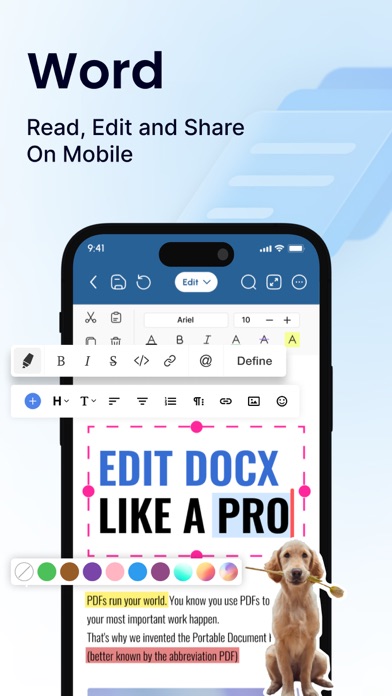
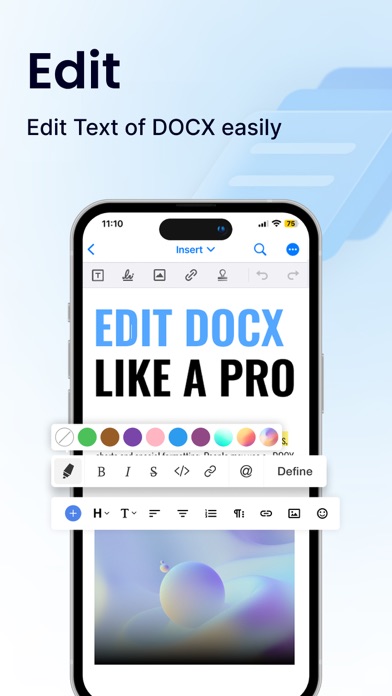
Variety of formatting tools to customize and edit your Word docs (fonts, text sizes, bold, italic, underline, highlight).
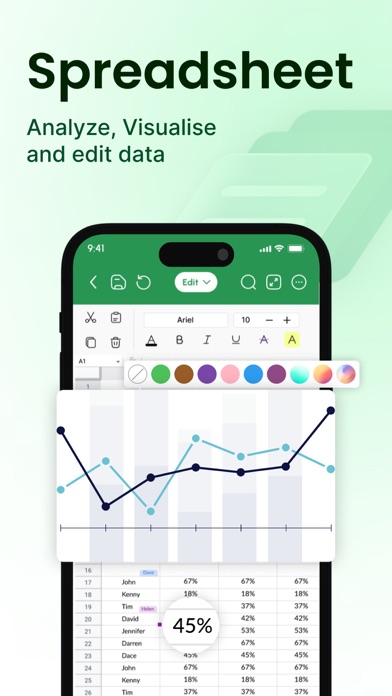
Ability to seamlessly insert tables, images, and charts into your Word files.
2. Collaboration Features
Real-time collaboration capabilities to create, edit, or annotate documents simultaneously with team members.
Commenting directly on specific parts of the document or file to facilitate clear communication and feedback.
3. Security Options
Password protection for your Word files to ensure security.
Two-factor authentication for authorized access to your documents.
Robust security features to keep your documents safe.
4. Personal and Professional Use
Suitable for both personal and professional document and file creation and editing.
Ideal for students, freelancers, and business owners to edit, create, or manage their documents.
Seamless integration with popular cloud services like Google Drive and Dropbox for easy document and file sharing.
5. Free trials and subscriptions
Try out all paid features for free for 3 days to experience the power of editing your documents and files.
Select a plan that best suits your needs to edit or create Word docs.
Cancel anytime without any obligations. Subscription will be charged to your credit card through your App Store account. Your subscription will automatically renew unless canceled at least 24 hours before the end of the current period. Manage your subscription in the Account Settings on the App Store after purchase.
Here's what makes Office Word: Edit Word Documents stand out:
Effortlessly create, edit, view, share, and manage Word docs.
Collaborate in real-time with colleagues on documents and files.
Ensure security with password protection and two-factor authentication for your Word docs.
Manage documents and files for personal or professional use.
Enjoy a free trial and flexible subscription options.
Read and manage all file formats such as Word, docx, pdf, xls, pptx, etc.
Create professional resumes and cover letters with existing templates.
Empowering Users in Every Role:
Students: Streamline your workflow and excel in your studies with this powerful mobile app. Effortlessly create, edit, view, and share all your school documents. Manage or edit assignments, take clear and organized notes, and create polished reports and presentations that will impress your professors.
Freelancers: Enhance your workflow and productivity with Office Word: Edit Word Documents. Create, edit professional Word documents, proposals, and invoices, leaving a lasting impression on clients. Work efficiently with clients, deliver high-quality projects on time, and manage your freelance business effectively with seamless file sharing and collaboration features. Create, edit, view, and share all your freelance docs and files on the go, keeping you organized and on top of your projects
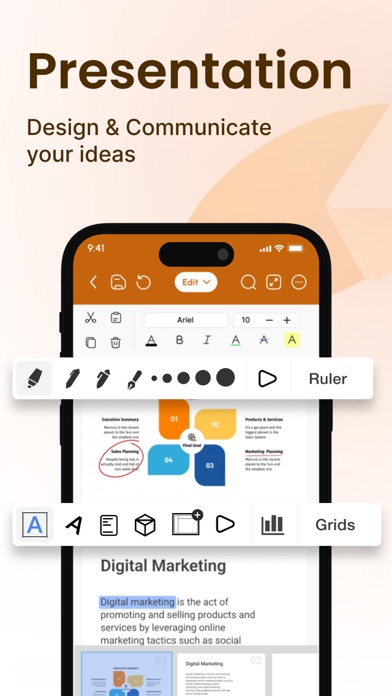
Business Owners: Manage essential word files, collaborate with teams across locations, and create impactful presentations to showcase your business with Office Word: Edit Word Documents
Additional Information
• Link to the app's Terms of Use - https://blog.a1apps.co/terms-of-use-office-wordedit-word-document/
Link to the app's Privacy Policy - https://blog.a1apps.co/privacy-policy-office-wordedit-word-document/
Download Office Word: Edit Word Documents today and experience the future of mobile document and file management!
Office Word:Edit Word Document Positive Reviews
Philip nWord takes the guesswork out of the equation when it comes to writing files jpeg and other data types and making it easy to convert them into files that can be easily accessed copied and even downloaded from wherever you are to use at a moment notice for your convenience without having to worry about if the information is going to be there and when you are done you can store your files in no time at all thanks for sharing your knowledge and product with me would recommend you to all my friends without having any doubts.Upinu1Version: 1.0.19
ReviewsssssI like how easy it is to put all my important documents together and do everything easy all together in one, instead of doing it somewhere else and that won’t be convenient for me at all..NOBODY.knowsMeVersion: 1.0.7
This app is so helpfulThis app!!!! Makes everything easier… this is even easier than using word for me..Lease214Version: 1.0.10
Great, but not reallyAfter I typed my whole doc now I can’t export it unless I pay or trial. My card isn’t working on my phone, thanks guys deleting this app as soon as I figure out a way to get the text out
Other than that it works. I’m just really upset at this right now.TrustedReviews!Version: 1.0.21
I ❤️ this app so MUCHTHIS APP IS ONE OF A KIND it’s perfect for docs, lore for characters, it shows images it’s amazing it’s worth getting this app!!.Leahizcool458Version: 1.0.25
Good app but missing a lot of tools I needI couldn’t change letter size or bold or any of the tools you can use in micro word. If they exist it means the usability is lacking..Devin de SpenceVersion: 1.0.10
Very easy and convenient to use!Very easy to navigate!!.ZzisthebestVersion: 1.0.23
Works greatQuick and easy to use.UnvseeeeVersion: 1.0.8
Great convenientLove it fast and easy to work..BlondiebandzVersion: 1.0.25
StopI already rated you.Boll7907Version: 1.0.10
My experienceGoing ok so far.Taylor flemingVersion: 1.0.23
Great accessThank for continuing support and resources..Cbh3591Version: 1.0.25
Works greatI love this app.Vdavis783Version: 1.0.18
OpinionExcellent.Afsin HosenVersion: 1.0.21
NiceBest way to start.With-wishVersion: 1.0.12
My note after a few days that i can't use it cleanedThat is very bad i can not find my previouse notes i wrote a lot of notice..Asalamiri2020Version: 1.0.18
Free International Money Transfer 💸Enjoy high maximum transfers into more than 20 currencies while saving up to 90% over local banks! The cheap, fast way to send money abroad. Free transfer up to 500 USD!AdvertorialVersion: 1.0.25
Office Word:Edit Word Document Negative Reviews
Disappointing ExperienceRegrettably, my experience with this app fell far below expectations. Despite initially being attracted by promising reviews and the assurance of a 3-day free trial with the option to cancel without charge, the reality proved starkly different. Upon accessing the app, I found its functionalities lacking compared to advertised features, prompting an immediate attempt to cancel the subscription. However, this endeavor was met with frustration as the cancellation process proved elusive, persisting even after repeated attempts. Seeking resolution, I reached out to the support team on February 16, 2024, providing comprehensive documentation of my efforts to cancel. Regrettably, my communication went unanswered, culminating in an unauthorized charge of $30 to my account. Despite acknowledging receipt of my correspondence, the lack of response from their end is disconcerting. This experience underscores a notable gap between advertised services and actual functionality, coupled with inadequate customer support. Do not recommend using this app. You might not get your “free trial” or your money back..Annette09.Version: 1.0.13
Wouldn’t recommend.Currently, I’m looking for a replacement for Microsoft Word as the app has been bugging out lately, and this app as made me extremely annoyed. The only issue I have is the ads. I’ve only had the app for ~1-3 minute(s) and already had three ads pop up from me opening the app, opening a document, then closing said document (didn’t even write anything in it, I was seeing the layout). Now personally, ads aren’t my biggest enemy; I can suffer through them if the content I’m trying to reach justifies them, but that many ads in that little amount of time for an app about documents? I’d rather not deal with it..BurntOutNglVersion: 1.0.23
If these unauthorize charges continue, I’ll need to sue!Not that this app was ever helpful at all (thought this would have helped since I needed something write and print as an emergency), despite me removing my card before its due date charge, you still charged me and even though I requested my refund on Marc 14, I get a double charge today?!?! Heck no! I already called my credit card company but I don’t want a new credit card just because you’re being a thief even though I long already removed this card and never got my refund too! I see people making the same complaints as well about recurring charged despite cancellation. I need an answer by e-mail ASAP or I’m taking this to court!.VandVandMaybeVersion: 1.0.13
Don’t waste your time 🤬I decided to finally get something I could use for graded assessments for school on my iPad. I must’ve spent an hour of hard work on it. I saved it. I had it on my files. I had it on the app itself. They didn’t give me any options on how to save it. I opened the document on my files only to have absolutely NOTHING show up. A completely blank page. Their premade document of theirs that came with the app opened up totally fine, from my files and the app, but my would’ve been graded assessment would not open, neither from my files nor the app. I’m SO mad!!! I would rate ZERO stars if I could!.A YesterdayVersion: 1.0.12
Erased everything I hadI was on my fourth page of my essay when it had just out of nowhere reloaded itself, it was reloading the entire time too that’s why i had saved my progress half way and then this last reload it kicked me to the main page. When I went back to see if my progress was still there it was gone!! I had checked in my saved recent folder which was at 2nd page and nothing! It didn’t even save the 1st time I had saved it… 🙄 don’t recommend this app if you’re actually trying to get stuff done! I had even done the trial thing , waste of time ..Irritated customer 😡Version: 1.0.10
Pay to Write a Document!?!This app is actually ridiculous. I downloaded it to be able to write documents from my ipad/iphone and i couldn’t stand the outrageous amount of ads that popped up before even creating a NEW document. Not to mention the reminder every 60 seconds about paying/subscribing to the app. After closing out the ads my new document never even opened so I deleted the app! I’ll be better off using Google Docs or anything other than this app..Peanut butter cup023Version: 1.0.25
Not interested in being forced into portrait modeI have a tablet cover that makes it difficult to use apps in anything but landscape mode, and it's aggravating when apps force me into portrait mode. This is especially irritating for a word processing program which traditionally would use a monitor that would be in the same mode. Uninstalled right after opening for the first time..WilderChairsVersion: 1.0.25
DO NOT USE. No way to cancel free trialLike others, I found that there was no way to use the features in this app without signing up for a 3-day free trial. I decided to give it a go, but after signing up, I found there was no way to end the trial without being charged. The support line is not open on weekends, and I’m doubtful that they will reply fast enough for me to avoid getting charged. This feels like a scam..Sheila7766Version: 1.0.25
No me gusta!Hello! I don't want to pay for this app because I don't like it, I don't think it's useful enough for me. Please, I want the money I paid back and I don't want to have any more access to this. I wanted to make use of the free trial and it was inevitable that the money would be charged to my credit card. I don't want to have to pay for something I don't want to use...KatalamoVersion: 1.0.18
Be prepared to payThe app is good up until a certain point. You can edit as much as you want to but you cannot save, share, export, or even print unless you buy a monthly or yearly subscription..Lyrikal_miracleVersion: 1.0.12
I can’t save my typed work unless I payThe app did not help me achieve what i wanted. Too many restrictions when using it for free, I can’t even save a work that I have typed just because it is free and I have to pay before i can save my work. I suggest you add the save option for free users..Goddey02Version: 1.0.13
Very UnhappyCan’t edit fonts after paying.
Now I can’t even find my saved document at all after depending over an hour creating it..Dani brown 1984Version: 1.0.21
I hate this appI’ve been sitting here for hours just trying to type a form letter. Pages or Google docs is much better and easier. This just makes it difficult. I need to get a newer iPhone.DoneteyjngVersion: 1.0.25
ProblemI have problem with change the title and share the file.123456katkatVersion: 1.0.19
Charged after cancelingI tried the trail it didn’t meet my needs . I canceled it after trying to change a document and they still charged me days later..Bcash96Version: 1.0.22
Not rightYou were to give a three days trial of the app before purchasing it . I just downloaded an app and you are asking me to pay.Yaa peachVersion: 1.0.23
Needs workIts usable but ux is really annoying, everytime I try to replace text with new text the formatting is messed up..Jh1276Version: 1.0.10
Do not downloadWill not let you save you edits until you pay, functionality far from standard free Microsoft app, who in the world need this garbage?.TernepkaVersion: 1.0.19
DisappointedYou should mention that all edits that been done cannot be saved or printed without subscription..Nicks SlotterVersion: 1.0.19
Worst app ever😡🤬😤😒😫This app is very annoying because it is constantly asking you to get a trail right after it erases all of your very hard work.Andyplayz2.0Version: 1.0.11
Worst app everRequire to pay & even when you cancel, keeps trying to get money off card. Also does NOT respond to emails..CyneaVersion: 1.0.10
Worthless appMust pay to do anything, and the adds were ridiculous..Is This nickname is takenVersion: 1.0.24
Why this app has 5 stars?This app is so bad and is the first one that shows you when you search for any word editor but goosh I almost puke!.Xtara123Version: 1.0.13
Ridiculous Trial Terms3 day free trial was really 2; couldn't cancel payment with either apple or paypal. Based on reviews I've seen I'm not the only one who experienced this..BErtNotBurtVersion: 1.0.11
Trash!The app is trash, you have to buy a plan before using the app! How am I supposed to pay for what I couldn’t even use.Olayinka’s POVVersion: 1.0.18
Trying to get refundCanceled account as soon as payment went thru can’t find email to contact.SurtrwayVersion: 1.0.7
The worst editing app ever!I wouldn’t ever think that there will such a bad app from such a huge corporation. Please find new employees… it’s getting too bad….ChurbandVersion: 1.0.19
Not even close to WordIt’s just regular Notes. Plus, I canceled my subscription and they charged me a week after. Scam !!.Ana-AngelVersion: 1.0.18
TrashYou have to pay once you edit them to send
What’s the point.IfPaulVersion: 1.0.23
Don’t DownloadWrost app too much ads and you have to pay for simple things don’t download.FaitntVersion: 1.0.25
Deceptive MarketingAdvertised as free, and implies document creation as a feature, but requires a subscription to do anything and can only edit..GriffonmenderVersion: 1.0.11
Cant unsubscribePaid the 0.99 for the pro weekly plan, now it wont let me unsubscribe so i wont be charged more. Terrible.Thisapisannoy1ngVersion: 1.0.23
UnsatisfiedI was unable to export the edited document on top of that it is a long process to cancel the subscription with this app.Me.NaeNaeVersion: 1.0.12
Fake free!!!!This app is trash unless you’re ready to pay!You can’t print, share, ot save to review unless you buy!.KingletitbknownVersion: 1.0.11
I got the pro pack and the app wouldn’t restoreThe word app wouldn’t even work with the pack.Disabled12tryVersion: 1.0.25
Slow and lagTo much slow.PritbeastVersion: 1.0.20
TrashTrash, because my resume isn’t enough gbs it won’t let me edit it 🤷🏼♀️.02trash04Version: 1.0.19
Payoneer 💰Payoneer is an online payment platform that lets you transfer money from any corner of the world! A best and must have payment service for every blogger, traveler, freelancer, affiliate marketer, consultant, virtual assistant, business person, online sellers, and receivers. Earn $25 for free by joining Payoneer. Sign Up Now!AdvertorialVersion: 1.0.25
 Rhophi Analytics LLP