MSYapps
Toggle Split Customer Service

- Toggle Split Customer Service
- Toggle Split App Comments & Reviews (2026)
- Toggle Split iPhone Images
- Toggle Split iPad Images
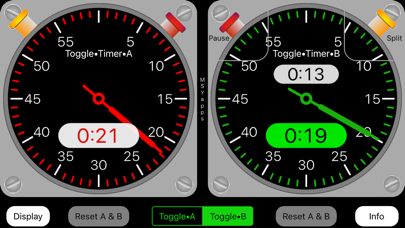
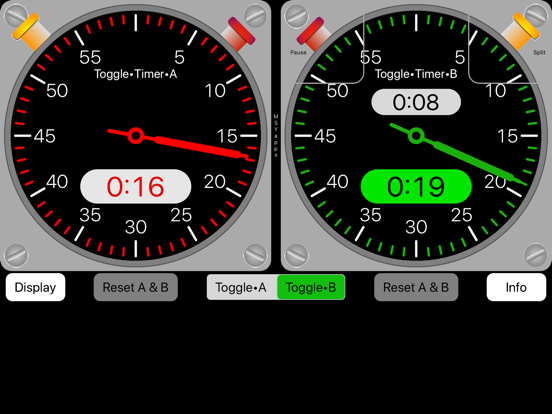
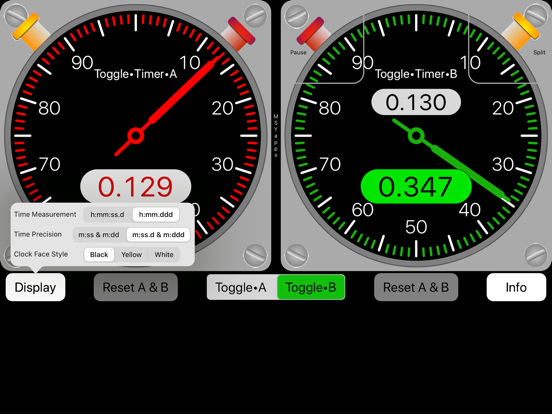
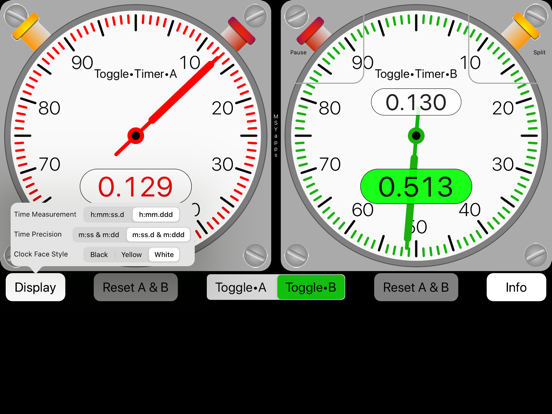
The Toggle Split timers consist of two stopwatches each with a split timer. You can alternate between Toggle•Split•A and Toggle•Split•B by touching the segmented button beneath the stopwatches.
Each stopwatch has two buttons: one starts the stopwatch and resumes after a split and the other records each split time shown in red numbers on a white background.
When either stopwatch is paused, you may reset it to zero time by touching the corresponding reset button beneath the stopwatch face.
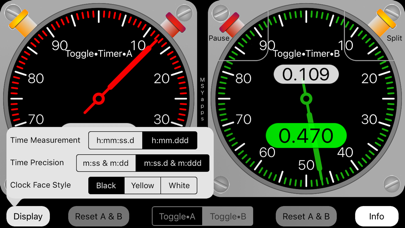
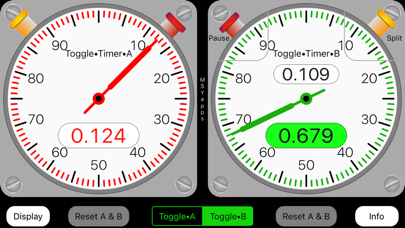
On the stopwatch displays, time can be measured in either seconds or decimal minutes. Additionally, there are two levels of time precision. One displays two digits for seconds or two digits for hundredths of a minute. For more precision, the other measures and displays seconds as two digits plus tenths of a second or three digits for thousandths of a minute.
Lastly, there are three clockface color options to improve readability day or night.
Toggle Split App Comments & Reviews
What do you think Toggle Split ios app? Can you share your thoughts and app experiences with other peoples?
Please wait! Facebook comments loading...
Toggle Split on Social Media
Free International Money Transfer 💸Enjoy high maximum transfers into more than 20 currencies while saving up to 90% over local banks! The cheap, fast way to send money abroad. Free transfer up to 500 USD!Version: 3.3
Payoneer 💰Payoneer is an online payment platform that lets you transfer money from any corner of the world! A best and must have payment service for every blogger, traveler, freelancer, affiliate marketer, consultant, virtual assistant, business person, online sellers, and receivers. Earn $25 for free by joining Payoneer. Sign Up Now!Version: 3.3