Valve
ValveSteam Link Customer Service

- Steam Link Customer Service
- Steam Link App Comments & Reviews (2026)
- Steam Link iPhone Images
- Steam Link iPad Images
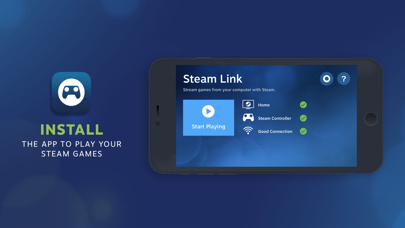
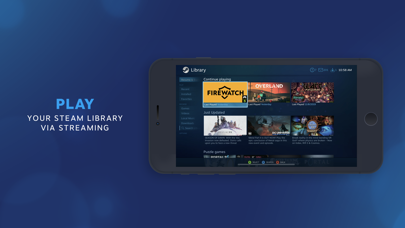
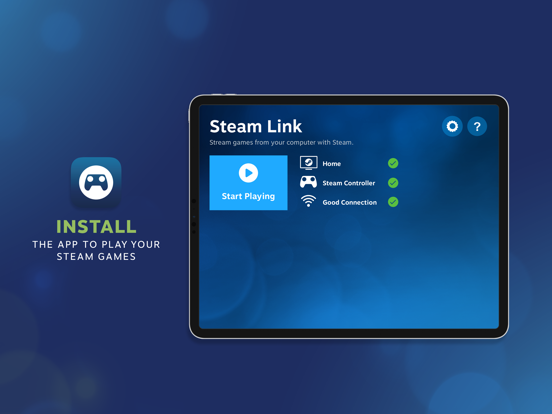
The Steam Link app brings desktop gaming to your iPhone or iPad. Just pair an MFI or Steam controller to your device, connect to a computer running Steam on the same local network, and start playing your existing Steam games.
Requirements:
* iPhone or iPad using iOS 11.0 or higher
* Computer running Steam - Windows, Mac, or Linux
* iOS device must be on the same local network as the computer running Steam
For best performance:
* Connect your computer using Ethernet to your 5Ghz WiFi router
* Connect your iOS device to the 5GHz band of your WiFi network
* Keep your iOS device within a reasonable range of your router
Steam Link App Comments & Reviews
Steam Link Positive Reviews
It works decent enough…When it does work. It keeps defaulting to a drag and click method, which isn’t terrible, but also isn’t really that intuitive with a touch interface. You can change this in the settings (the icon with the touchpad/mouse buttons; there’s a couple different options in there) The real problems come when you try to play games with this. I’ve run into WAY to many where their virtual controller has the wrong key mapping for the game, yet there’s no options in their settings (and none for the game being played) to change it to the correct setup. Now, the controls CAN be moved around the screen, which helps slightly, but doesn’t change the fact that the key mapping is messed up. Your internet pretty much has to be really great for it to work (or you have to be like me and play pretty much only JRPGs or vns) because it lags CONSTANTLY. I have pretty decent internet and it still hits lag spots every time, even when I’m only doing basic stuff (not even playing video games, either. Just sitting on my computer’s desktop can cause lag somehow when there’s nothing else open or going on).Version: 1.1.84
Good thing this isn’t perfectSo in the last year I have found myself hopelessly addicted to a little pc game called Kenshi, it quickly surpassed all other titles in total play hours. I came across the steam link app and thought “why not let this game run my life completely, even when I can’t be around my laptop? I surely have nothing better to do.” So I set out to get this working. For those who don’t know Kenshi is a game you can essentially play on pause so perfectly suited to this very high latency format. It was about two days of being impressed by how nicely their editor lets you set up a control scheme, triple checking that I had saved it in every way I could think, and finding my setup gone on returning to the app before… Some glorious serendipity of overlapping bugs allowed me to recall my settings! I was off! Also thrilled to find that it is workable even streaming across town over cell. In fact performance seems inconsistent no mater what network setup I've tried, even with a cable in the computer sitting next to the router. However, it has always worked well enough to get my fix in various levels of blurriness. Unfortunately the app also crashes when taken out of focus and sometimes randomly. But still, pretty wild the ways we can waste our time these days, this must be meta. .? Keep trying valve, you are somewhat appreciated. Ken heads check my layout, I think it’s the only one.Version: 1.1.84
Great But Please Fix IssuesSteamlink is by far my number 1 go to for remote streaming of my pc. Its better then Alot of competition and is by far the MOST easiest to set up again compared to others such as Moonlight. The only issues I had are the green screen which I fixed which I believe was due to resolution and video settings but most recently I had lost all audio in app it can pick up my mic but no sound can be heard BELIEVE ME yes I tried everything in steam, on pc, sound settings, audio inputs etc etc hours spent and I cant for the love of me fix this issue its not my pc because it works using other applications only steam-link I come to believe this is a actual bug which im not surprised too because yall do have issues when it comes to the microphone making audio sound distorted but this is a whole new issue please address yall issues and I hope to see Steamlink improve in the future for now I have a work around by opening up remote desktop to get audio while letting Steamlink capture my mic but please I hope to see this issue fixed in the future thank you so much for offering Steamlink again it is a life changer!.Version: 1.3.6
Great for everything except “playing” a gameI use this app almost everyday. If I gotta hit the head while I’m in queue for a dota match, grab phone pop on steam link, never miss a queue. If I leave my satisfactory world running while I’m away from my pc and I wanted to see if everything was running smoothly, use the link to check in. If I want to remote download a game/purchase a game in desktop mode by the time I get home it’ll be waiting for me. The app does a lot of things really well including letting you shutdown and access basically your entire pc remotely in a lightweight response low latency package, however the one thing it doesn’t do well is gaming. That’s not the fault of the app but the device which it is on. The only thing I would add is better dynamic resolution support for multiple displays of different sizes or at least allow us to select a monitor as primary to avoid issues on the app. Been using this non stop for 4-5 years now and even had the actual physical link back in the day. Great product. Keep it free and keep it up.Version: 1.3.6
Lacks Native Support/ Touch ScreenFor me the only controllers I own are some Xbox controllers. The problem is the lack of support for touch screen. I used to play a lot of touch screen games when I was younger. Now that I’m older; I’m fine playing them casually in another room. However, when trying to play games I found myself having no easy native controls. With me having to mingle with each game. This app works perfectly. If you have good internet and a good computer. The result is very visually appeasing with close to no lag. To me steam should have built some more features. Like remote using of the PC. Like being able to use mouse and keyboard mode on the computer with steam minimized. You are able to do this as I clicked out of the game and had remote access of the PC. Additionally PC remote controls like turn on from sleep or turn off. I’m aware that other programs have these capabilities; Integration of these services with steam link would be a very impressive way to get people using the app. Overall very satisfied. Would recommend to a friend. -Zack Felcyn.Version: 1.0
Amazing but just needs 2 thingsSteam link is just absolutely great and i love it so much!! im able to play The Forest and Friday The 13th and its just so amazing but theres just one problem. i am unable to shift/Run when i play with my buttons on screen so it would be great if there was a button or maybe having to double tap and hold the joystick and is it possible for us to be able to play with our laptop offline and maybe being really really really far apart from our laptop because something like that would be really helpful when trying to play from another location on your phone instead of having to play while your at home 🏡 and okay now this will be the last thing i promise haha but um is there any possible way that the buttons on the controller can be customized in their size because if i have a small phone i wanna make sure i can see a lot of the screen and sometimes some buttons just cover most of the screen so if you guys could cover these things it would be amazing. Thank you so much for your time and you guys are doing amazing so keep at it.Version: 1.0
Negative reviews are missing the pointThe majority of the negative reviews are from people who expected the app to do something it wasn't meant to. This app is for when you have a gaming PC at home, on the same network as your Mac, and you want to stream Steam games from the gaming PC to the Mac. It does a great job of this. I've been (re)playing Skyrim on my Mac from the convenience of my bed, with the Mac keyboard and a wired mouse. There's a very slight lag, but it isn't noticeable when using the mouse to aim and look around... it's only noticeable when using the mouse as a cursor, e.g., when navigating menus. There is also the occasional stutter, but it's not annoying. Overall it's not an absolutely perfect experience, but it's better than being tethered to my gaming PC. When you stop and think about how crazy it is that you're streaming a whole game from one computer to another with very low latency, this is a solid 5-star app..Version: 1.1.90
Decent enough option for remote play (when it works at least)Steam Link would be great if valve actually put more work into polishing it. Upon connecting to your computer, they put steam into big picture mode on shows you your game library, which is done pretty well. However, it’s not always reliable if say, you have a game already open and you want to connect to your computer and keep playing remotely from your phone. At times it’ll just show you an infinite loading screen and when you can get the game on the screen, the controls will be unresponsive. When they work, Controls can be mediocre but at least you can fully customize them, although I think I have ran into issues with the control layout saving. However, if you have any type of wireless controller, you can connect it to your computer and just use the phone as a screen and audio. Speaking of audio sometimes, The sound doesn’t always switch the app, and stop on the computer Speakers which can be mildly annoying. Another thing that is mildly annoying is the STUPID “bootink!” Or “poo tink !” boop Sound effect for EVERY TIME hit a button in options menus. I mean seriously why do I need a sound? I already know what I’m pressing. Please give an option to MUTE this sound effect because I HATE annoying UI sound effects. If these kinks can be ironed out, this app would be pretty much PERFECT. Wishing the best. Cheers.Version: 1.2.0
Remote connection?!So i had never used this app before but have had steam for a few months, installed it and set it up to work on my network, no issues, but didnt feel like playing at the time. a week or so later, i open it on my break at work (i work and live on the same street, but theyre not on the same network or even close enough to connect to either at the same time) and it just worked. rather flawlessly too. i was able to pull up 3DMark and did a benchmark on my system from my iphone while i was at work. interested to see the hit it was taking while streaming to a different location, and believe it or not my timespy score was higher than my last benchmark. we live in a strange world. steam link doesnt care. it just works, and if it doesnt work for you while youre two rooms away, then youre doing something wrong.Version: 1.1.96
Insanely laggy from my experienceSo I downloaded this because I wanted to play Stardew Valley off of my phone, I wasn’t expecting me having to live stream from my computer just to play, I was certainly disappointed about that but I’m also not sure if they even said that you could do that in the the first place, so I’m not sure if I just was making up stuff or like they said it or not. Once I started the live stream, And it was extremely laggy on my phone there was like 2 frames per second. it asked me about the setting on how to move and all the buttons and what they do, once I customized my controls, the controls didn’t even work- I have to move around on my computer and the controls on my phone don’t even work. Those were my only complaints, I definitely think that this app is safe to put you’re email in and you’re account information. That’s all!.Version: 1.1.93
IPad External Monitor Support with mouse malfunctioningWhen using an iPad that connects to an external monitor, the steam link app launches a black screen on the iPad and outputs the stream on the external monitor. However when using a mouse, it is unusable on the external monitor as it is trapped within an invisible barrier of the iPad screen and not the entirety of the external monitor. Changing the resolution of the stream to match the iPad doesn’t solve the issue. In addition whether using stage manager or duplicating the iPad display, the result is always the same. There seems to be no way to get the mouse to properly use the external monitor without being locked in the iPad screen. I believe it’s an issue of scaling or a bug, if the mouse scales with the external display it should be fine. Please look into this valve. Otherwise app functions fine if it is in the iPad screen only. Has trouble lowering resolution on the fly if the network is bad..Version: 1.3.6
Usually works well, needs some additional featuresI have been using this to play a number of PC games on my iPhone. In general it works very well, occasionally requiring a reset that usually fixes things. My biggest issue with it is that there are a few commands hard coded into the app that sometimes conflict with certain games. Most notably, holding down the Y button on the controller brings up the session manager overlay. However some games require you to hold down Y for various things, and the app makes that input Impossible. Sea of thieves is a good example, where you have to hold down Y to interact with lots of things, but doing so is impossible while playing through this app. This function should be remappable, or at least moved to hold down start or something less commonly used in games..Version: 1.1.81
ITS A GREAT START IN A GREAT DIRECTIONI gave it five stars because of what it makes possible never in my wildest dreams did I ever think I could play my pc games on a mobile device now I can do so on my phone that blows my mind it’s laggy sometimes when it works but it does work so I'm staying positive in hopes that the developers can fix the issues and they will I’m sure of it I’m playing with the backbone one gaming controller so I can’t and won’t put the blame solely on the developer of steam link but like I said I love the app and I love the direction it is taking us I’ve been a gamer for 35 years and I’ve seen gaming start and I’ve been lucky enough to see it get to where it is today I have faith in the gaming industry and the developers that make it happen keep up the great job with this app.Version: 1.3.6
Surprisingly GoodAll things considered the fact that this allows you to remotely control and play your Steam games from your phone is pretty good. What surprised me the most was how actually decent the latency was. It’s still not something I’d recommend for all games, but the fact that I play actually fine in a fighting game (on single-player modes at least) is pretty remarkable. The only real problem I see with it is that there’s no touch controls. Touching your screen can only control your mouse. If you have a modern wireless controller then chances are it can be connected to your phone through Bluetooth. It’s a neat feature that wasn’t necessary for them to add, but it’s available anyway and actually works pretty well..Version: 1.1.84
This is Awesome!I’ve played Black Ops 6 on through this app and it runs fine. I connected a 10th gen IPad to my desktop and connected my Xbox controller wirelessly to the iPad. Virtually 0 latency. I’d say 95% of the time it ran perfectly smooth. Sometimes my WiFi connection would weaken but literally it felt less than a second of a pause and then working perfectly fine once again. I had zero faith in the app because of the poor reviews but my experience is near perfect. I don’t know why people would want touch controllers on any steam game. Steam is not a mobile App Store. But I did try the touch controls on BO6 and it was just as fast as my controller in response time. I can hold of on a Steam deck for now because this is amazing enough..Version: 1.3.13
Works great; input problemsThis application is an amazing piece of work that turns your mobile devices into thin-clients for your gaming PC. It includes network diagnostics tools, and lots of customization and settings to help you get the optimal experience. The one major frustration that prevents me from giving this a 5/5 is that there are still major issues with games that require mouse input. I have two major gripes: To start with, in quite a few games, scrolling up and down on a magic mouse does nothing. I haven't tried it with a normal PC mouse that has a scroll wheel, but this should just work out of the box for an application on the App Store. Secondly In the Windows version of Unity games running through Proton, right-clicking anywhere on the screen to change the camera angle results in rapid spinning. The right-click seems to send mouse positions all over the game display, and it makes the games unplayable. I know emulation is tricky, but Valve's engineers work on both Steam Link and Proton, so this should have been caught by QA. Still, for the games where these aren't limitations, Steam Link is awesome. That's why I'm giving this 3 stars..Version: 1.2.0
AmazingThe idea of being able to play my games on my phone or other devices is in itself amazing. I’m absolutely blown away at this. Not only does this allow me some freedom in regards to proximity and the like, it gives new life to games I’ve shelved. For example, Stardew Valley: great game, I love it, but I’ve always felt it would be better as a mobile game and when I saw it on my phone’s App Store, I knew it would be fun but I wasn’t willing to buy it twice. This allows me to not only play Stardew Valley on my mobile but also treat it like I have felt it should be, something I check in on and play in 20 minute or so increments rather than dedicate hours to at a time. Brilliant idea, and the fact that it’s possible.... I can’t sing your praises enough..Version: 1.1.43
Great App, useless without an MFII am so happy this app exists, I love being able to take my entire Steam library wherever I go. The versatility is so great, and it’s so much fun being able to play wherever I want with my friends. My only complaints are that the connection can get kind of shifty, but that’s to be expected with a cloud streaming app, so i don’t really give much fault to that. The other, and more major, one is that unless you have an MFI or some kind of controller, this app is pretty much useless. The touch control registry for most of the games is nonexistent, and they only truly work with some sort of external controller. I have one and it works great for me, so I live using this app all the time, but unless you have some sort of controller or MFI, this app is useless..Version: 1.0
An OK startStreaming your games is definitely improving and becoming more of a viable option over time. After comparing various streaming services, from GeForce Now to AMD’s Link on the same network, I cant help but feel the impact of the quality of the steam link service. Granted, both aforementioned services rely on optimizations designed for their particular GPU’s as opposed to steam’s out of the box one size fits all approach. With that in mind I don’t feel like the experience is truly on par with the previously mentioned services from Nvidia or AMD. It’s not terrible, and it’s relatively smooth a lot of the time, but the hiccups and the recovery period of the stream during latency is kind of painful as opposed to being noticeably brief. That coupled with the poor touch controls and obvious biased towards non steam hardware like the controller, also contribute to my average review. Don’t get me wrong, I’d buy a steam controller in a heart beat if this service met the following standards: 1) improved streaming quality 2) remote access outside of your home network like the GeForce shield’s streaming setup I have. Otherwise, it’s a good start. I hope they continue to update it and improve it over time..Version: 1.0
Unfinished imoGreat idea but if you gotta be on the same wifi, whats the point? to keep playing when you gotta use the bathroom maybe? overall id vote the point of using your phone for steam is to be away from home. essentially to use your phone as a steamdeck (granted you have a phone controller to use). and im also aware this would imply loading huge games on the minimal memory phones have but thats what SD cards are for. if this app could run games on steam separately id unquestionably give it 5 stars and go as far as promoting/encouraging the download of it, but considering it has as much use as the controller youd likely use for it, its no more than a wireless connector for pc controllers. saves money i guess but nothing to be hype about.Version: 1.2.0
Look this is great software hampered by it's lack of following apple UI standardsJust basic things like taking focus without being "fullscreen" are against apple guidelines, the app doesn't play nice with MacOS in really any way. I get that this isn't the super high priority product since mac gaming is niche and game streaming on a mac is even more niche, but I truly believe that y'all in Bellvue can make a top tier Apple API based app. If Steam and Steam Link felt like real top tier MacOS apps, and not also rans, you would enable so many more people access to your storefront. But like the steam client still uses window chrome elements from before retina macbooks launched 10 years ago, so IDK if you will ever take this huge and growing platform seriously.Version: 1.1.84
Great when it works, but there are stability issuesI use this on my LAN (ethernet connection) with a headless gaming PC. When it works it is awesome and has no discernible lag and I’m playing at 4K. However, it has also crashed my PC many times. Usually I have to restart both machines and then it will work very well. If either machine has been on for a while, sleep, play, sleep, play etc. then there is a decent chance it will be too laggy to play or will crash my PC. I hope you continue to improve this app as it is a great idea and a real game changer for not needing multiple displays or having to connect displays when switching computers..Version: 1.3.15
Amazing! But not for all gamesPersonally I think this is best for single player games that don’t require fast reaction times. Maybe turn based games, visual novels, extremely story rich games that have no combat, etc. The link is a little nuanced, and I mainly use it to connect to my computer from home in desktop mode so I can stream anime from it to my phone while at work. I personally believe this app is best for simply being able to fully access your computer from your phone. Playing any game that has combat will not be fun because there is quite a bit of input lag, and it’ll be a little frustrating to play..Version: 1.1.93
Works most of the timeOn average, this is an incredible app that lets you play on the go with your phone or mobile device. However, in a few cases it will just … not work. Considerable cases being weird green screen with only a mouse visible. You can still hear what’s going on, but nothing is visible. Other cases include crashing upon startup, and not recognizing computers running stream every so often. It could use a couple bug fixes here and there, but it’s not a problem as steam doesn’t charge anything for remote play like Microsoft does, which I see as a huge win..Version: 1.3.6
Nearly flawlessI tried this app a few months back and felt it just didn’t look or feel good enough to actually play games for an extended period of time on but today I tried again and was amazed what an incredible experience my wireless (no Ethernet) Apple TV was able to pull off. Was able to play the last 4 hours of resident evil 2 remake with no issues whatsoever today. No discernible input delay or major artifacting. Super clear font and all. I was seriously impressed. Not sure if they did something under the hood recently to make this much better or what but I plan on using this all the time now..Version: 1.1.55
Just what i’m looking for :3The main reason I downloaded this was because I wanted to play this specific story game from the comfort of my bed since they unfortunately don’t offer a mobile version. It’s just so much more relaxing , and a better experience. It works decently for a story game I would say, since it doesn’t really require much movement, than a scroll and click. Of course it’s kinda iffy, not the best, but it pleases me enough.. I don’t really have plans on playing other games from my pc on mobile, honestly just the more cozy games since it makes sense :33 🤍🤍.Version: 1.3.16
Best used as wireless audio.I find the best use case for Steam link, is to use your phone and headphones of choice with steam link. It creates a makes for a great work around when you have no bluetooth port/ Headphones. Turn off Video and controls and it streams great depending on the internet/data each device is using, you could even use Googles Desktop sharing tool for a lighter weight version of this workaround. Otherwise used, Steam Link its a half decent showcase of Valve's streaming tech, is one downfall really is how bloated it is. That plus your bandwidth/data bottlenecking just slows everything down further....Version: 1.2.0
Please make an app for Cloud Gaming but keep thisBasically, I want to play steam games on my phone. But I can't when my computer is turned off, i'm still looking for a way to play my dreamcast games (SADX, SA2, and SA2B) that i've bought without my pc. I've found one way but got stuck because Geforce NOW doesn't let me use ANY of its subscriptions. Sorry i'm getting a little sidetracked, but the people that made Steam, please make a cloud gaming option so gamers that are suffering from this like me, can finally play any of their steam games on the go. P.S keep the stuff for the steam link, besides for the pc option.Version: 1.3.16
Great!Works best with a controller as sometimes with simulated mouse you can click off a game that you run windowed and get out of steam, because you can’t tab back in it makes things awkward, also you need to be on the same WiFi which is limiting but given that it’s effectively remote access it makes sense, would love to see a way to lock it to steam only access and allow cellular, overall it’s a great app that does exactly as promised. A little more freedom with what controls you can place at any given time would be nice but again that problem is null with a controller. 9/10.Version: 1.1.54
Steam Link Makes PC Gaming Couch Worthy!Im an owner of the actual Steam Link hardware device and Steam Controller - but this app had just changed everything for my PC gaming habits. When I come from work (being in front a computer all day), the last thing I want to do is play in front of one. So enter this app. I’m now crushing through my library of unplanted games on my ipad like no ones business. Paired with the MiFi enable Steam Controller - it’s an absolute dream. It’s actually now made me pick up my Nintendo Switch less...but hey I’m all about playing those games at the resolution they were supposed to be played at!.Version: 1.1.36
Better than expectedIt's not without its bugs but it can work very well. For the best experience, I recommend getting a backbone controller for your phone. It works without any configuration for some big titles like Cyberpunk 2077 and Final Fantasy VII Remake. My PC is well equipped with an RTX 3080 TI and gig fiber internet so lag is never an issue. Not sure why this is getting such harsh reviews. It's pretty insane to be able to play real games on the go, even if it's not perfect every time. Really looking forward to this apps further development!.Version: 1.1.93
Finally-works very wellJust played 2 hours of Batman Arkham Knight in beautiful smooth hi-res on my iPad Pro. Used a MadCatz controller I dug out of a box; threw two triple A batteries in synced it to Bluetooth and steam auto installed a very small audio driver to my pc. No problems. I bet with a newer controller or maybe a Steam controller it would be even better. As it is, it’s beyond my highest expectations-I purposely chose that title because it’s a hog with lots of different controls and I had no issues. I’ll try some more games and come back and edit if I have any big issues but otherwise it’s great. Good job.Version: 1.0
Blew my expectationsWhen I got this I expected it to be laggy and only support certain games that had the remote play tag. Boy was I wrong, you can run anything! Not only does it work while home away from the desktop, but I was able to play my ultra-modded skyrim during my break at work! It worked surprisiny well with no lag, but some big resolution dips over a bad internet connection in the break room. I use my Razer Kishi with this and strongly recommend it as the go-to controller for this!.Version: 1.1.84
Great. Works on Apple TV!!Been wanting to play Elden ring on my couch for a while now and recently thought of searching the App Store on my Apple TV for the steam link app and truth behold, there it was. Connected my controller directly to my Apple tv and away I went. Runs perfectly. Feels like I’m playing on my pc but with the luxury of my own couch. I’ve never had a problem using the steam link to play games. Just gotta have the wifi for it tbh. Im running on 500 MBs and streaming games works fantastically.Version: 1.3.13
Works well for what it's made forIf you're looking for a way to play your Steam games without sitting at your desktop, and you don't have a Steam deck, then this is probably one of the best options. It's free, it works well, and it's very easy to set up. I don't need anything fancy and I can deal with a bit of latency in movement since I mainly plays RPG games. With Steam Link, I can comfortably play my games in my bed by linking to either my phone or my laptop. Highly recommends that you check this out..Version: 1.3.6
A Stellar App for GamersFlawless Functionality: This app works seamlessly for its intended purpose, and I couldn't be happier with how well it performs. It's a testament to the developers' dedication and expertise. Free and Accessible: It's worth noting that this app is not only functional but also free to use. The generosity of the developers in providing such a valuable tool for free is commendable. Cons: None. Seriously, there's nothing to complain about here. Final Thoughts: I find it perplexing when I come across negative reviews from users who might not have fully grasped the capabilities and purpose of the Steam app. To the developers: Your work is exceptional, and your contribution to the gaming community is invaluable. Thank you for making this tool available to us. Don't be discouraged by the naysayers – your dedicated users appreciate your hard work. Keep it up!.Version: 1.3.6
Streaming works, controllers won’tI tried using the virtual controller, and pairing a PS5 dual shock to my iPad Pro running iOS 15.4.1 and neither of those worked. No button presses were passed to the underlying game for the Dual Shock, and nothing showed up on screen for the virtual controller. What I do instead is that I will connect my controller to the PC through bluetooth, and just stream the video over. That worked well enough in my experience. Great job! There are definitely things to improve here, but the fact that this works at all is super sick..Version: 1.1.93
Apple Pencil works!They " updated" the input method by completely bricking apple pen input, Edit: they updated the app but using the apple pen is still very broken, often time still not responsive, and even when it is, the “hover” function where you can move the mouse without clicking using the pen still doesn’t works so right now it’s still missing all the function that makes the apple pen special Edit 2: they fixed the issue, now Apple Pencil works th way it did before! Thanks for fixing!.Version: 1.3.17
Amazing but More Instruction NeededThis app is more amazing than advertized. Mouse & keyboard support. It works outside the local network. Lag is hardly noticable aside from intermittent slowdowns. Obviously worse than ethernet but fine for casual gaming when travelling, even first-person-shooters. Mic input is disabled by default, and it took me awhile to realize I could enable it in the escape menu. I had an issue where the mouse cursor wouldn't appear in-game that I fixed by enabling num key control in Windows to spoof a mouse..Version: 1.1.84
Great product but some issuesWhen using a controller the software works great. It does have some strange issues going from full screen to creating a second desktop but that's here nor there. The thing does it's job. If you're a KB mouse user it's where the issue begins. When you hold a letter key, let's say E, you will able to call diacritic marks among other things. Well Steam Link pick up on this and it is very annoying holding the WASD and seeing that in the screen. Only reason I don't score it 5..Version: 1.3.6
Major mouse issuesI am consistently delighted and disappointed by Valve. Something like Steam Link comes along and its 1000% what I need for my setup. The steam link performance and setup are simple and it works great! Except a VERY obvious issue which basically makes the entire effort a complete waste. The area your mouse can move is like 50% of the screen. On the host you'll see the mouse moving and it can't get to the bottom, left or right of the screen to select menu items. Also the top of my remote client display is cut off (black). So on the host you see your mouse moving in 50% of the available display, and on the client its the same but also maybe 10% of the top of the display is black. So what's the point? I'm using a 2020 16" MBP with retina scaling on. It's a feature I'm not turning off for you Valve so fix your app please! It has so much promise..Version: 1.1.80
6 months later and still persistent issuesWhen accessing Windows 10 Steam from my MBP, if I have to drop to the desktop the mouse and keyboard work fine until I have to deal with some kind of dialog box that disables the remote controls. It doesn't freeze anything, I just can't control the mouse or keyboard. This happens when trying to select a sys tray icon to close, or install/uninstalling software where a installer/uninstaller dialog pops up. I have to walk over to the PC and control it. Once I get away from the offending dialog, I can control things again. REALLY annoying..Version: 1.1.84
Great for streaming games to your phoneAll the people asking to make the app work with your pc off don’t know how technology works, the point is not to run games off of your phone, but to provide a link that turns the phone into a computer monitor, along with controls. And this app does that perfectly, 5 stars from me. It’s entirely illogical to take off stars just because there is no impossible wake button, remember steam makes the game, they don’t make your computer, so to ask for a "wake button” is simply saying you are willing to personally modify your computer in order to turn it on with your phone; THE STEAM CLIENT DOESN’T HAVE THAT POWER OVER YOUR PC, and like all applications, it forcefully quits when you turn off your pc. And there, I’ve debunked the only reason this gets bad reviews for everyone. Good day..Version: 1.1.90
Needs to have support when computer is off.Hi Valve, Steam Link is a damn good app! The only problem I have is, you can’t play games while the PC is off, at least PS4 Remote Play let’s you do it! In Fact! You don’t even have to auto activate the PC! YOU COULD JUST PUT A BUTTON THAT SAYS WAKE! 4 stars only and will be 4 stars until this gets added.Version: 1.1.64
The other reviews are idiotIt’s impossible to code it so your computer opens from the app since it’s closed and wouldn’t be able to run any programs.Version: 1.2.0
People!The pc must be on because it needs the hardware to render and stream the game. Your steam games are not installed on a cloud that you can access when your pc is off. This is a great app. Don’t hold your breath for the ability to play with your pc off though. SMH 🤦🏻♂️.Version: 1.1.80
Valve: Making The Impossible PossibleI cannot believe it. I cannot believe that Valve made it possible...but they ACTUALLY DID IT. You can play Steam games ON YOUR PHONE, and it PLAYS LIKE A DREAM. Even better: I don't have a Steam controller, but I DO have a PS4 controller (the DualShock 4) AND IT'S 100% COMPATIBLE WITH THIS. Valve, take all 5 of those stars. You've earned 'em..Version: 1.1.43
Needs more compatibilitySteam link is a great app don't get me wrong, but not forcing full screen resolution is kind of annoying. and also not having a touch input option for some games that support it..Version: 1.3.6
Play without computer onAmazing app. Please make the app usable even when the computer is off..Version: 1.1.70
Awesome but...This app is really great but it only got the issue that the controler is impossible.. it keep changing and i cant change it back unless I press button to change it and make the game crash then relunch it.. it is really annoying...Version: 1.1.64
Amazing!After figuring out I needed to match my IP address on my phone to the one my computer was using, this app works flawlessly. Highly recommend you use the steam controller or a Bluetooth mouse and keyboard. Best app ever, who would have thought I could play fallout 4 on my iPhone. Bravo steam..Version: 1.0
Great!It works well, however it doesnt turn on your pc which is annoying. Add that and its 5 stars.Version: 1.1.65
Damn really good appI was able to complete many games using the steam app when I was in a pinch, mostly narrative games but still pretty great for what it is! I would absolutely love to see the app available on many smart tvs such as samsung or lg available to download, or maybe an app on the Firestick from amazon. Would make casting your pc games on a tv alot easier.Version: 1.3.13
Steam games on mobileI have never had such a smooth time streaming games from my computer, this app does it better than my steam deck. Nothing better than playing Yakuza while cooking.Version: 1.3.13
Best gamesValve is the best game company. Only people that could compare are RWS.Version: 1.3.6
I love this appI would highly recommend this app. I love it thanks to the developer that made this app..Version: 1.3.6
OkIt’s Alright, just a bit laggy, but that’s because it’s based on a connection of a phone and computer using Bluetooth.Version: 1.3.6
PhenomenalSo long as your home has the network to handle this; it’s nothing short of incredible. On a stable connection; 4k is near seamless with so few hiccups you’d think it was running native. I have a newborn at home and I’d hardly be able to play any PC games without this running on my iPad. (hardline Ethernet required; wifi 6(e) strongly encouraged).Version: 1.3.6
17+Please make this app 12+ so it can be used if a 13 year old uses steam and wants to play on phone or tablet so please the owners of Steam please make it 12+ I'm begging you so please.Version: 1.3.6
Keyboard doesn’t work for iphoneI downloaded this app to play computer game via phone it works great with little to no lag, but and i mean but keyboard doesnt work well playing the game so you cant login or talk to friends online.... super sad also macros are a nice feature, hopefully they update keyboard issue for iphones.Version: 1.2.0
What a world we live inMan I just played call of duty sitting in my car waiting for my shift to start at work. Although theres a pretty hefty input delay 10/10 would recommend. (Console or pc must be on for steamlink to work as it uses the hardware of that console/pc to run the game).Version: 1.3.6
Doesn't recognize Linux system.Doesn't recognize Linux system..Version: 1.2.0
I’m all honestyYou deserve a medal, doc!.Version: 1.2.0
New problemApp crashed when ds4 connected.Version: 1.1.90
Latest update crashesThe new update to the Steam client seems to no longer allow the link app to connect to it. It also makes the new big screen mode laggy and ultimately crashes, so that’s not great either. Other than that this app works great. I’ll be keeping an eye for that fix!.Version: 1.2.0
Play PC games from the couchI am absolutely thrilled with Steam Link! This software has completely revolutionized my gaming experience. No longer am I limited to playing on my desktop computer - with Steam Link, I can easily stream my games to any device of my choice. The application is incredibly easy to use, and it works flawlessly almost every single time. Some tweaking required. It's simply the most reliable and convenient way to enjoy my PC games on the go. Excellent replacement for NVIDIA GameStream. But what really sets SteamLink apart is its versatility. I can stream my games to my phone, tablet, or even my smart TV. This has opened up so many new possibilities for me. I can play my favorite games while lounging on the couch, or even take them with me on the road. Overall, I am extremely satisfied with Steam Link and would highly recommend it to any gamer looking to expand their play options. It's my go-to solution for all my streaming needs, and I can't imagine going back to a world without it..Version: 1.2.0
Performance issuesHi this app is amazing but when I play it it’s always kinnda laggy and the audio is glitchy on my iPhone 10 but overall best app ever.Version: 1.1.93
Seems solidI think it seems like a good app, and the reviews are pretty good, but it makes my computer upset and confused. I don’t like that in an app..Version: 1.1.84
Excellent Entertainment ToolThis is an awesome app if you’re entertaining guests and your desktop isn’t viewable on your main television or something like that. I see someone else commented that it’s not like PS app where you can stream while the system is offline. And obviously you can’t because it’s not a cloud server it’s literally your PC and your Mobile device LOCALLY not a remote device. With this and AMD Link together you’ve got the best of both worlds..Version: 1.1.90
WowBlows my mind, I cannot comprehend the steam deck and be able to play steam games on your phone it’s actually mind blowing. Insane job steam..Version: 1.1.90
I feel bad for some people but maybe next time don’t try to run it on an iMac.From one that plays this just remember not all iPads phones laptops are designed for Steam mobile or whatever the hell it’s called I just want you to know that that’s why some people don’t like it that’s why some people like it because those people like it they have good hardware variable handle it but if you think it’s sucky your computer is a problem..Version: 1.1.89
Removes audio from you’re pcWhen I closed it I couldn’t hear anything I had to reset my pc and it doesn’t have Rt and alt 3 stars also laggy and audio isn’t good.Version: 1.1.81
Is it compatible with Xbox series s?I don’t know if it is compatible with the series s and I want to know.Version: 1.1.84
Runs Smooth. Plays GREATRuns smooth. Runs better than Stadia too.Version: 1.1.84
I play my games on here using the apple ipad!Everything now works fine! Bugs and patches fixed.Version: 1.1.84
GreatWorks super well but it doesn’t activate my toaster or tuck me in at night 5/10 stars try harder next time valve.Version: 1.1.81
Free International Money Transfer 💸Enjoy high maximum transfers into more than 20 currencies while saving up to 90% over local banks! The cheap, fast way to send money abroad. Free transfer up to 500 USD!Version: 1.3.31
What do you think Steam Link ios app? Can you share your thoughts and app experiences with other peoples?
Please wait! Facebook comments loading...