 Bose Corporation
Bose Customer Service

- CompanyBose Corporation
- CategoryMusic
- Published2018-09-22
- Current Version13.0.6
- PriceFree
- Content Rating4+
- CompatibilityMin. IOS 17.0
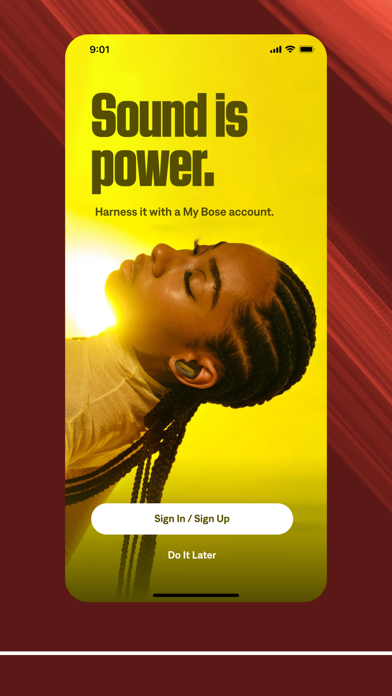
The Bose app lets you easily control all your Bose products in one place. Bose app (formerly Bose Music app) compatible speakers, soundbars, amplifiers, headphones, earbuds, OpenAudio products, and portable PA systems are designed to work together seamlessly to enhance your listening experience.
GET THE MOST OUT OF YOUR HEADPHONES AND EARBUDS
Personalize your environment with controllable noise cancellation on our QuietComfort products. With Modes on QuietComfort products, you decide how much of the world to let in. Choose Quiet Mode for full noise cancelling, or Aware Mode to hear your surroundings and your music at the same time. Select products offer Aware Mode with ActiveSense technology, which brings the sounds around you down to a more comfortable level. The result is hearing everything you need to, but at a much more pleasant and balanced volume.
All the QuietComfort and OpenAudio features, like Immersive Audio from the Ultra line, are made readily available for you. Fully customize your experience by balancing the EQ settings, picking your on-product shortcuts, and more all within the app.
EASY SETUP AND TOTAL CONTROL
Easily set up your products and get right to listening. Play the same content throughout your home or listen to different content in different areas—it’s up to you. The Bose app lets you control all your Bose products from any room.
ONE-TOUCH ACCESS
One touch and your home is filled with the music you love most. The Bose app makes it easy to set your favorite playlists or stations as presets. Then you can access them effortlessly on your app, the buttons on your speaker, or soundbar remote.
SPEED TO MUSIC
It’s faster than ever to browse and play the music you love from Spotify®, Pandora®, Amazon Music, SiriusXM, iHeartRadio™, TuneIn and more, all within the Bose app. All your favorite music in one place.
ActiveSense, Bose, the B logo, and QuietComfort are trademarks of Bose Corporation.
Spotify is a registered trademark of Spotify AB.
TuneIn is a registered trademark of TuneIn, Inc.
Google is a trademark of Google LLC.
Amazon, Amazon Music, Alexa and all related logos are trademarks of Amazon, Inc. or its affiliates.
Wi-Fi® is a registered trademark of Wi-Fi Alliance®.
Pandora, the Pandora logo and the Pandora trade dress are trademarks or registered trademarks of Pandora Media, Inc. used with permission.
iHeartRadio is a registered trademark of iHeartMedia, Inc.
SiriusXM and all related marks and logos are trademarks of Sirius XM Radio Inc. and its subsidiaries. All rights reserved.
Privacy Policy
https://worldwide.bose.com/privacypolicy
California Privacy Notice of Collection
https://www.bose.com/californiaprivacynoticeofcollection
Bose App Comments & Reviews
- POSITIVE REVIEWS
- NEGATIVE REVIEWS
Bose Positive Reviews
Free International Money Transfer 💸Enjoy high maximum transfers into more than 20 currencies while saving up to 90% over local banks! The cheap, fast way to send money abroad. Free transfer up to 500 USD!AdvertorialVersion: 13.0.6
Bose Negative Reviews
Hard to believe Bose at this pointIm not one for scathing reviews however this app is a cause for concern. I own a multitude of products from Bose and the idea that I need 3 apps to control them all is outrageous. Bose connect; soundtouch; and now the Bose music app. The question is why? AR? Doesnt make sense to me as a user. This approach makes me question the hearphone app and the sleepbuds as well. My way to the Bose Music app is with the Bose NC 700 headphones. Because of the inter-dependability of the hardware to this app, the shortcomings of the hardware is also this apps problem. Apple music? Im just lost how that could be offered on the Bose connect app but not this app as a service. Having to log in to use the advance features of the headphones, again why? The headphones are a bluetooth device, what does Wifi have to do with it? Oh, the soundbars and home products? Sure that makes total sense when im home and messing with my TV. Thats why I was willing to except the soundtouch and connect app, you kept those product lines separate. Its clear that you rebuilt the soundtouch app which is why the headphones on this app lost features and you think anyone using them will always be home, that doesn't make any sense. I truly feel if the hardware could stand alone with control of its features like every other previous bose headphone product no one would be so upset about this app. This is first time I'm associating the app and hardware as a single item. It is the sole reason the headphones are being returned..Hero473Version: 2.3.2
Absolutely terrible reliabilityI have a multitude of Bose products from the old waves to the latest and greatest 900 sound bars, the portables etc. as stand alone devices these are great. When you try to connect multiple units to the same network (Home Wi-Fi) they fall TERRIBLY short. There’s always some sort of connection error, network error, loss of control, on and on. I literally packed up everything we owned by Bose and brought to our offices where we have fiber for internet and some sort of outrageous speed capability.I had thought that I had a network/Wi-Fi issue at the house. NOPE, exact same issue; failure to connect, failure to communicate, failure to group, failure after failure. When I finally was able to get them to all see the network, the lag is astounding, I will pause a song and five minutes after it’s done playing and onto the next song it will pause. Forget about trying to group things as well-absolute joke. As a final insult, the LP player my wife has will play on EVERY cheap Bluetooth device we have, but the Bose just won’t see it. VERY, VERY disappointed in Bose. Love the sound, hate the app and all it’s uselessness. So much so I have deleted all three of these from all of our devices and just use these as stand alone units. Seems to be the only way it will work..THE COMANCHEROVersion: 6.3.3
Huge fatal bugGot a new phone. Installed this app. Accidentally missed (during the blizzard of pop-ups) the “grant local network access” prompt. App now thinks it can’t see my existing speaker network because it isn’t on wifi. Manually toggled the setting, no change. Deleted the app & reinstalled & made sure I clicked it this time, no change. Deleted it, rebooted my phone, reinstalled, no change. I know the problem is my phone because when we installed the app on my wife’s new phone it works just fine. Everything is fine except my phone will now forever think this app isn’t allowed network access for some reason. Contacted online support, they want me to either (a) remove the products from my old phone (which is impossible because I traded it in) or (b) send them back all the speakers for a software update (which would accomplish nothing) or (c) re-add all the products to the app, but I can’t because the first thing it says is “grant wifi access” or (d) have Apple repair my phone ?!?!?! Hundreds of dollars worth of equipment & dozens of hours of set-up & configuration time are now down the toilet because someone missed a unit test when building the app..JimJohnMarksVersion: 6.2.5
NOT my first Negative ReviewI've spent hours unable to connect my headphones. I use 3 pairs of Bose on a daily basis, this isn't a case of "doesn't understand tech or instructions.". I've experienced some of the most maddening times with these headphones refusing to connect to a known device (but somehow actively searching for connections I've either NEVER personally used (this pair was a gift and maybe longs for it's last owner when it tries to connect to their pc and phone.). If not for their price and overall use-potential I would have gotten rid of them long ago. if you buy a Bose product you're marrying yourself to the app they now require you download to use your device. Two of my headphones use Bose Connect (with the white square and a "+" ) and this lone embattled pair uses the app with a black background and a "B". I have had periods of simple operation, and periods of nearly schizophrenic operation where they refuse to connect (despite following all instructions.) I have lost tiresome HOURS of my life troubleshooting headphones "ready to connect"on my head and target connection in my hand. Can I just get the other app with these??.ImahSillyGirlVersion: 11.1.13
Quietcomfort 45 not workingI bought a pair of quietcomfort 45s in 2022 and they are the best headphones ive ever owned. however, im not sure if its the app or what but every so often i get that little voice that says "ready to connect to another device" shortly before disconnecting from my phone completely. not sure why it says that but once it happens, they wont work for weeks, just the same saying over and over again "ready to connect to another device" almost immediately after turning them on, i can barely use them for 5 minutes if that!!! ive never connected these headphones to any other device except my phone so it's incredibly frustrating not being able to fix this. ive tried deleting the app and redownloading it. turning my phone off and on. tried everything, nothing works. just have to let the issue resolve on its own like the first time which is NOT a good look for bose. $100+ on headphones that pick and choose when they wanna work... might switch to apple headphones soon if i keep having these issues.Omg_haleyVersion: 10.3.12
Great product, Next to worthless appLove my Bose sport earbuds, great sound quality, love it. The only issue is that they refuse to automatically connect to my phone when I put them on. My AirPods could do it, my bose earbuds can do it 5% of the time. Either I go through the hassle of putting them in my ear, then open the app, earbuds back in the case, then restart the app with my case open. Maybe that works, sometimes. So often it’ll search endlessly asking me to make sure my product is on, near, and Bluetooth lights flashing. Ironically the only way I’ve found to get them to connect is just via the traditional Bluetooth menu in my settings app. Still I have to reconnect my everytime i want to use my earbuds. Awfully inconvenient for such an expensive product. To top it all off, if one looks for help on the app, it sends the user to the product purchase page just to remind me how much money I’ve spent on a product that sometimes works. I love my Bose earbuds, I want to love using them, but this connection process suuuucks.AndthenandthenandthenVersion: 6.3.3
Bose Connect app constant failsThe Bose Connect app is one of two Bose apps I use. This Connect app is for newer hardware, so I compare the performance of this to the performance of the older app with older hardware. This app is so failure prone that it gets 1 star. First complaint: after how many years of Dark Mode on iOS and this app does not support it. Turn it on at night and you get a full white screen at full brightness. But the biggest failure is the constant disconnects and failures to reconnect. The failure to reconnect happens about 80% of attempts. Then, once it finally connects it will run for a little while, from :10 minutes to 2 hours and spontaneously disconnect. Then you have to go through the long failure-prone reconnect process over and over. Sometimes it will simply not reconnect so you wait a day or two and try again. And then repeat the whole process. I fell back to using the older hardware which works with the older app and that system works correctly 100% of the time, so it seems the company can make successful hardware-software system, just not with this app..Dano3006Version: 10.5.7
Getting WorseEverything started out fine about a year ago, my Bose 700 headphones were working fine with no issues. But then came the November 2020 update. It promised better battery, my battery is lucky to charge at all and/or go above 1 hour. It promised a resolve for the red/white internal fault light, every morning when I wake up, I go to my headphones and that’s what I see. I’ve attempted a reset multiple times but of course that did nothing. I check the firmware, it’s up to date. I check the app, it’s up to date. I check my phone, it’s up to date. So what’s the problem. I understand if anything else breaks in the headphones but come on, charging is something so simple that you had to over complicate. So I contact Bose support and tell them what’s happening and told them that I attempted a reset multiple times, but for some reason that’s the first thing they told me to do. Bose, I bought these headphones when they were $400. For that much money, I would at least expect good service. Do better because without customers, companies don’t exist and/or die..Mae913Version: 4.2.4
Accessibility!I have purchased the Bose 700 surround sound bar and the rest of the components that go with it! I even bought other Bose smart speakers. Oh LOL I spent about $3500. Which I regret 100%! As I am blind there are no accessibility features in the Bose apps for those who are blind or visually impaired! We do not have 100% control all over its features only thing that I can do in the my Bose app. Just press play/pause. Other than that I think those that we can’t comprehend to use all the features that the side of people do!! Both have other apps with no accessibility Milton to want to work with voiceover on the Apple Pay products! A app that is poorly designed is a bad app! Bose should take those who have disabilities in mind as well as the sided! I do not recommend this for anyone who is blind or visually impaired or is hardware as well. As you need the apps do you realize all the features! It was difficult setting it up with the app. And did not get a choice if I want to set up Google or Alexa! And please forgive me if there are any incorrect misspelled words or sentences. The iPhones AutoCorrect thinks it knows best..Daredevil0551Version: 3.4.1
Dear DevelopersYour nearly identical gen 1 and gen 2 Soundlink Flex 2 speakers couldn't be paired as falsely advertised. Okay, that's low integrity, but they look and sound great so I had to buy a third speak. When they work they're a pleasure, but for everything else they're a disappointment. Constant pairing issuing and auto disconnection, sometimes taking ten minutes a day to get working. Loud voice commands and thump sounds that can't be turned down or off. They often freeze play on one of my devices if the other is connected. Permanent "on" light when it's plugged in?? Is it off or on? Nobody knows. You saved a few cents on manufacturing though. If I leave the speakers on but I put my phone in airplane mode when going to bed, sometime in the night I'll get to hear the yell from my living room, "BOSE SPEAKERS UNLINKED." Because of course they unlink themselves for no reason. Please fix all this if you're able to via the app. You have reputable brand and otherwise quality Bluetooth speaker..Chale.22Version: 10.6.6
The app works fine butI got the Bose quietcomfort earbuds as a gift and I’ve been using them for a couple weeks now. They work fine and the noise cancellation works really well, but there is no way to disable the touch buttons and voice control in the app, and even though I have Siri turned off on my phone the voice command still activates. This has become very frustrating as I have been accidentally activating the touch buttons so much anytime I go to adjust an earbud or move my hair. If I’m not sitting in one spot totally still I will need to readjust them fairly often, and it’s difficult to do that without hitting the buttons. I just wish that the buttons were toggle-able. Other than that the app works great, probably wouldn’t actually rate the app a one star, since my frustration comes from a mix of the app and the product, the app alone is probably more deserving of like a 3. I’m just really frustrated and want the company to see this and I couldn’t leave the review on the website since I wasn’t the one who purchased it..This Girrrrlllll!Version: 5.1.5
Just a tad bit disappointing. 😕My family has been been using Bose products since the 80’s, so it was only natural of me to upgrade to the NC 700 at some point... which I did. I was super excited to get these and download the music app to really experience what these thing are all about. It worked well for 12 days until one day out of nowhere my headphones where logged out for no reason at all, and I can’t to connect them back with the app again. Whenever I try to connect it the tells me “product authentication failed”. I’ve gone to the Bose website to see if I can find any way to fix this issue. I’ve tried many of the different things that were suggested to troubleshoot the issue and they have ALL failed. I’m not sure what has happened, but I am slightly disappointed. I see that others are experiencing this too. People spend a decent amount for Bose products to say the least, and for them to experience this...whatever it is... is kind of sad. It is an issue, but it’s nothing that can’t be fixed..Some dude that has an iPodVersion: 3.4.1
Dumbed down appAt first, the app was terrific! It would tell you who was connected to the speaker and the battery level when you trined it on. After the latest app update it makes a random noise that apparently means it’s connected, but to whose device is a question. The first time this happened I thought the speaker was broken or something. I even tried to reset it without realizing it was just that they dumbed down the app. And your battery level? You must also go to the app now to figure that out after opening your phone, finding the app, opening it, then you can find out your battery level. The other thing is that if you turn the volume down or if you’re trying to connect, just anybody in the house will end up connected randomly instead of who’s actually trying to connect. I spent a lot of money on this speaker because it was Bose and then you dumb down the app. My daughter’s $25 headphones app give more information than you’re $400 speaker app now. It’s ridiculous. I’m so disappointed..JoriAngelVersion: 12.1.7
Problems with expensive unitsFirst off I want to say I love Bose. But for a 200$ earbuds it is failing. How does an electronic not have a factory reset so I can update or retry if something failed like on my noose cancellation earbuds. My buds were working perfectly and then I updated and sync with new updates now my ear detection doesn’t seem to be working. They said would do a replacement but I’m not living outside usa and my friend just brought me this unit. For $200 all the units should automatically be updated and re checked to make sure everything works. Very sad so I give 1 star because ever electronic should have a FACTORY RESET. NOT just a simple reset. Hopefully Brazil will help me replace it but I really doubt it. And the USA headquarters said I have to do it in my own instead of them really helping me. Very sour customer service. My association status is incomplete and service has no idea how to fix it. I uploaded a Different app as suggested and it keeps bribing me right back to the first application I setup. Poor poor service especially for an expensive product..App hellllpVersion: 6.1.1
FRUSTRATING!When they work it is BLISS!!!!! I bought the Bose QC ii in April 2023. Installed the Bose app and they worked great. Within 24 hours I was on a 2 hours flight and at the beginning of the flight the blue tooth connection stopped. After uninstalling the app and re-installing, the earbuds worked for 8 months (with minimal usage) then this last month (the 9th) started to use them regularly and everytime I use them the Bluetooth connection drops after 30 seconds of connection. I have uninstalled and reinstalled the app a dozen times (following internet trouble shooting tips) and still the earbuds lose the Bluetooth connection. My belief in these are completely gone. As a consumer, I’ve always held to the belief that if I would buy again given the opportunity, that is the most impactful statement I can make. Bose does not have this endorsement, I will NOT be buying Bose ever again. I will accept the the local convenience store earbuds rather than being a Bose consumer. Not a great, nor good, not even a mediocre experience..BtyckVersion: 9.0.4
Bose App Causing DisconnectionPurchased Bose Quietcomfort II Earbuds and they were working fine for months. As of two weeks ago, they were constantly disconnecting from my phone right after saying they were connected. Whenever "forgetting a product" on the app and "forgetting a device" in bluetooth settings, and then attempting to reconnect the earbuds via the app, the device would then have "LE" in front of it and whenever I tried to pair it wouldn't stay connected to my phone for more than three seconds at a time. I finally found a fix, which is doing the same steps as above with the exception of only connecting the earbuds to the phone via the phone's bluetooth settings and not the app. The app does not allow me to maintain connection with the earbuds but normal pairing via settings does, which leads me to this conclusion: the app no longer works with my earbuds making it useless and it needs a software update to address this issue..Xctual IVersion: 8.1.3
Great Product if You Hate YourselfI have bought several Bose products over the years, and any time there is any issue it is never resolved. They hide product manuals so that they are impossible to find, and instead send you to “FAQ” pages that at best provide irrelevant, incorrect, and outdated information, but in reality the pages often broken links. Good luck talking to support; if you are able to connect with a human, they are rude and just tell you go to the broken FAQ pages. It is my own fault for purchasing multiple products, I assumed that a multibillion dollar company would have fixed this sometime over the last decade but I was wrong. I recommend buying from Bose if you want a product that works great until 1 month after warranty ends and have many hours of free time that you want to spend reading useless FAQ’s and the most difficult to reach and rudest support team. Also a great gift for someone you hate. By far the worst experience I have had with any company..App lover 53951Version: 12.1.7
Restore Voice PromptsThis app is awful and will always remain that way unless they trash it and start from scratch. The newer firmwares on the Bose Soundlink Flex Gen 2 Speakers and Bose QuietComfort Ultra Gen 2 Headphones removed key features instead of adding more features. For example, they removed the ability to switch devices directly from the headphones (defeats the purpose of multipoint connection) and forces you to use the awful app. Also, they removed the voice prompts saying battery percent when devices are turned on, which again forces you to use their god awful app. It’s almost always a bad idea to remove features. Make them optional and provide users the ability to turn them on or off instead of removing them. Shame on Bose for letting out of touch morons make such decisions. I bet it’s some narcissist executive or lead who thinks they’re smarter than they are and is too stupid to back off from their dumb decisions. I bet they’re doubling down on it. I see you and you’re pathetic.Shankman1970Version: 12.1.7
Still so many issuesI don’t get it, there are so many clear issues to fix. My expectation is that when the headphones are connected, they play all audio sent over paired sources. But when I’m watching a movie I can’t play anything from my phone unless I go to the app and explicitly disable the TV source. Why would I need to do this? Just now, when I was playing a movie and locked my phone, the movie continued but the audio cut out and I had to go to the app and toggle the TV source off and back on to stop this behavior, how would anyone know to do this, why does this happen at all and why does it happen only sometimes? There are several of these bugs and there’s been so much time to fix them by now. Older models didn’t even need an app and were more intuitive to use. Plus apart from setting things one time I never need to go in really and change anything at all, so why is an app required?.Shiggity SVersion: 12.0.12
Connectivity issues when app is installedI’ve had the Bose Open Earbuds for over 6 months and overall I am incredibly happy with them. The sound quality for an open earbud is fantastic, comfort is top notch, and battery life is better than my Galaxy Pro earbuds and Shokz open ear buds. The mic quality isn’t great, but I have other earbuds for calls so it’s not a huge deal. HOWEVER, I am giving the Bose app 2 out of 5 stars because I keep having persistent connectivity issues when the app is installed. I had one pair of earbuds replaced under warranty by Bose because of this, but the new set keeps having the same issue where the connection gets dropped right after connecting. I finally tried uninstalling the app and just connecting over the phone’s Bluetooth and have had zero connectivity issues since. If Bose can fix this issue I would say overall the app and earbuds together are 5 stars..CharlieVaderVersion: 11.1.13
Don’t like the newest updateI can’t live without my noise cancelling earbuds. I’ve got autism and adhd, and use these in class to focus. I don’t know how I survived the entirety of high school dealing with people tapping their pencils and chewing gum in my ear. These have been a godsend. However, I don’t like this update that I got without warning. Before the update, when I double tapped on the left earbud, there was just a simple beep and it would cycle to the next noise cancelling preset seamlessly. With this new update, it mutes my music and says “quiet” or “aware” then plays the music again. I really don’t see the point of this change. I mean, there’s only 3 possible settings (now 4, but that’s still small). It’s not hard to keep track of which one you’re on, I don’t need my earbuds to remind me every time I turn down the cancelling for a second because my teacher started talking more quietly. It’s doubly annoying that changing the noise cancelling level now interrupts my music. When the advertising for these earbuds centers around their quality for listening to music, it seems counterintuitive to update them to interrupt your music when they previously didn’t. I’m not normally the one to complain whenever an update changes what I’m used to, but come on. This change is a net negative. The only good thing is the one additional preset, but I don’t even really need it. All I need is min/medium/max for noise cancelling..Popem111Version: 5.0.2
Cant ever connect to wifi. No matter what!!Im sorry, I've spent sooo much time and money waisted trying to connect to this basic app to setup this soundbar 700. It’s 2023, Bose makes it really difficult to setup a soundbar. I’ve honestly given up and will now return this basic soundbar. I upgraded from an LG soundbar, which was working fine but i decided to upgrade to this thinking i was getting better “quality”. The app launches fine. I logged in without a problem on wifi, but when it comes to setup or any kind of trouble shooting, the app suddenly catch amnesia and now its a problem. These developers make it VERY difficult to not only be contacted for help, but with unclear instructions on what needs to be done for a “fix”. Every single unit uses the same trouble shooting as if it were copied and pasted. If nothing goes well with “their” instructions, oh well, give up and keep that product and let it collect dust. Please be cautious on your purchase because this is stressful. Yes, I’ve given my app permission to access my network, yes, bluetooth connects fine, yes, plugged it through ethernet too. No, i cant even get the amber light for manual wifi setup. The stupid remote wont even let it go through setup mode after numerous factory resets, reset routers, cable modems, restarts, unplug this and that, delete the app, phone restarts. My phone is actually brand new which i received a few days ago and this my first time using the app and no. Nothing works. There are a lot of users who’s had this issue going back to December based from support on the websites and reddit. All i ask is for someone to please follow up with me or update the app so that i may finally enjoy this expensive soundbar however, I bet you not one single developer will get back to me about this or my review. Ill give them 3 days to contact me for any type of help. Im seriously done with this company as its not the first time I’ve had issues connecting to the internet with a Bose product..Luckyhandz3181Version: 6.3.3
Expected moreThere are so many adjustments I wish I could program for my headphones through the app. Wish I didn’t even know there was an app ) : Here are things I suggest 1) I want voice commands to be mostly on except for the warning of low device battery. Why is it only on and off? This causes battery percentage, mode, device connected, etc to not be verbally acknowledged when changed or turned on. Even being able to restrict the amount of times the low device battery warning is repeated would be nice. 2) The modes feel useless as well as the recommended name for “customizable” modes. If I can’t customize my desired modes to also be synched with a specific self adjusted EQ what is the point? To signify noise canceling, wind block, and awareness are on and off? Am I able to customize or is it just the limitation of the product? 3) To take it a step farther, I would suggest the addition if left/right isolation for my version of customizable modes that include mode synched customizable EQ. This means that I should be able to choose which side of the headphone is aware, noise canceling, wind block (right/left) and at what level. When I’m at my desk all interaction comes from my right side while on my left the loud ac blows. Overall the physical product stands great by itself. The app placates the expected average consumer wants but does not create a truly satisfying user experience..Xeffy202Version: 12.2.10
If it can do something don’t restrict the userI just bought some new very expensive QC Ultras. I previously had 700s. The 700s were good but I used them every day and they bit the dust. The app allowed me to change noice cancellation or even turn it off at will. I liked that. I assumed the QC ultras would be similar. They were not similar. First of all, modes? Cute. Good idea. Why can’t I name them whatever I want? I don’t need a mode for my commute. I need one for when fly and one for when I’m coding and one for when I need to be ready to respond to someone. Why can’t I turn off noise cancellation? I don’t want it on all the time or passthrough if not. I bike a lot. Wind reduction is okay, but I bike very fast down hills. Why can’t I turn it off completely? It’s annoying. It can do it. Why can’t I, the user, configure my headphones to do the things I know they can do? The sound quality? 10. The connectivity? Consistent. The wear? Comfortable. The app? The user experience? Disappointing. Please fix..AlternateiOSDeveloperVersion: 10.3.13
Works but frustratingI have the Bose NC 700 headphones. This app is ok but there are some bugs that are consistently annoying that make this app frustrating to use. - Recently app has been noticing that my headphones are connected even less frequently. - Settings are not persistent. I want to set wake word for Alexa to default to false, and have the shortcut (long press on tap pad) report battery life to me. On a reboot these settings are lost, wakeword turns on, the shortcut defaults to toggle it. Other suggested improvements (this may be specific to NC700s not the app): - Allow a shortcut to force swap the “streaming device” so I don’t have to interact with the app or try to do weird things with my media players to get my headphones to switch from playing on my phone to my laptop - Allow a shortcut to disconnect the secondary device. This would help so if my headphones are hooked up to my tv and I want them to connect to my laptop I can hit connect on laptop rather than touching app. Complaints before most recent update, mostly fixed after update: - App frequently can’t find headphones when they’re connected over BT. Solution is to close app from multitask pane and re-open. This takes about 10 seconds and I have to do it frequently. - BT connections take a long time to load adding to this wait time. When I want to switch connected BT devices or simply switch which one is streaming I don’t want to have to wait 30 seconds every time..PherbphoebesonVersion: 4.1.1
Loved before the updateI can’t really figure out why we no longer have the option to control the level of noice cancelling ourselves. That used to really come in handy, for example, when I got on a flight and put my headphones right in, but then they started talking on the speaker and I could quickly adjust the setting. Now it feels like I’m not getting to use the headphones how i want to because they’re limited to the settings on the app. Sometimes I like to walk and have the noise cancelling higher or lower, depending on how much of my surroundings I want to hear. When walking in downtown Chicago I feel safer with lower noise cancelling so I can be aware of my surroundings while crossing the streets, but the new update only gives the option of turning the noise cancelling on or off. I hope they fix this. These headphones aren’t cheap and it’s nice to have the ability to customize them as wanted / needed.BrludiVersion: 5.3.10
Great Headphones, Horrible SoftwareSome of the worst software in terms of basic functionality and quality of life. A roundabout process to re-connect your devices which are already connected to your phone anyways. I’ve used a variety of Bose headphones and earbuds for years because I find them to be more comfortable and have better sound quality than most competitors. That said, I’ve had recurring issues for years that no software update has fixed. All products will disconnect during use, say that they are connected but in actuality are not, or only one bud will work. Every other day at this point I am going into settings to forget and reconnecting my devices. It’s incredibly frustrating for what should be a seamless process. App features are otherwise can be a little handy, but that requires the impossible task of getting your phone and the Bose app to correctly read and understand what’s right in front of them. Impossible..The Ad GoblinVersion: 10.6.6
Awful firmware updatesI purchased the Bose QuietComfort Ultra (1st generation) at launch for $400, expecting long-term premium support to match the premium price. For the first year after release in 2023, the headphones worked without issue. Since launch, however, Bose has released exactly one firmware update, on March 5, 2024. That is the only software support these headphones have received. After roughly a year of use, the headphones began experiencing multiple software-related problems: the power button works intermittently, the unit shuts off without warning, and other stability issues appear randomly. These are not hardware failures. They are the type of problems that are routinely addressed through firmware maintenance and incremental updates. Bose has chosen not to do that. As a result, I am left with a $400 product that is unreliable and frustrating to use. In practical terms, it has become a premium-priced paperweight. For comparison, I previously owned premium Sony headphones. While Sony’s build quality did not match Bose’s, Sony consistently released firmware updates that fixed bugs, improved stability, and kept the product functional over time. That ongoing support made a real difference. Bose, by contrast, appears to have shifted focus entirely to the second-generation QuietComfort lineup while neglecting first-generation customers who paid full price. This is disappointing and unacceptable for a brand that markets itself as premium. High-end hardware without ongoing software support is not a premium product. It is planned neglect..NeolinkVersion: 12.1.6
Worse app everSeriously, this app is completely useless! It is absolutely not user friendly at all. Unfortunately, you spend good money on the soundbar and speakers only to get a worthless app that you have no choice but to use. If there was another way to use the soundbar and speakers, I assure you that I would! Their customer service is even worse than this app! I’ve been a Bose consumer for more than 25 years, but after my experience with this pathetic app and their dismal customer service, I’ll spen my money elsewhere and I highly suggest you do as well. If you haven’t opened your new speaker system and you’re reading this review, save yourself a LOT of problems and headaches and just return it back to the store. Bose will NOT help you with any issues you have and you’ll NEVER find anything referenced online in this app to fix ANY issues. Run away from this app and Bose in general. That’s saying a lot coming from a die hard Bose consumer of more than 25 years. I’m returning my soundbar and speakers as soon as I can!.CCR RanchVersion: 4.2.4
Rename it as Bose Faulty AppSo many issues with this app, makes you think where to start from: 1. Keeps saying installing updates does nothing 2. Says cloud sync error everytime you open the app after force closure 3. No support whatsoever is available until you wait for 1 hour on the phone technical support 4. Bose Music renamed as Bose but all soundbar and home theater docs still show Bose Music as the app and makes everyone wonder where the fish to find this on AppStore! All in all, Bose faulty app!!!.JairamkamathVersion: 10.2.6
Horrible appNeed the app to control the sound bass treble etc always crashes get to adjust stuff once in a while. Tried the delete the app and reset sound bar and now it won’t even find the sound bar wish I bought a Sonos.Avg -JoeVersion: 10.2.6
Will not connect to sound bar mo matter what i do, I’m returning the soundbarI have messed around with this app and the sound bar for two freaking days and I am sick of this. Why the hell do we have to always connect everything to a stupid application just to get the sound to work properly. I’m going to another sound bar..GhcgvghVersion: 9.0.4
Screen rotationScreen rotation is a must have for the iPad when you are using this app to control the L1Pro. Please update asap….MrjonsongVersion: 7.2.6
Horrible appHad major problems connecting to my iPhone Xr. Jumps in and out of connecting. Then I lost access to Amazon music when I switched wifis. Reinstalled app same problem. This is not intuitive at all. Reinstalled app on my iPhone 14 and now it has been updating for 2 hours (and says few minutes left for last 1.5 hours). I guess reinstall app one last time and see if it works. Not sure why so buggy..DiscomagicVersion: 7.1.5
DécevantPous le prix que le produit coûte,il ne sont pas capable de faire une application qui fonctionne Toujours en train de reprogrammer Incapable de les grouper il ne sont jamais syncro et la j'en passe. J’aurais du opté pour sonos plus de choix d’appareils et mieux.256F45?6Version: 7.2.6
TerribleApp updated and now won’t connect to Bose speakers..Shawn2kVersion: 12.0.50
UpdateThey just did an update requesting you to sign in. All fine and dandy, but now the APP won’t recognize my device any more. No longer have access to my saved playlists and control of the volume, treble, bass etc! Very disappointed!.Backwoods BuddhaVersion: 12.0.30
Spend 15 minutes at the gym every day trying to connect earbuds before your workoutSometimes it just never works and I work out with no music or podcasts..KibbleeeeeVersion: 10.3.13
Terms and conditions make you agree to absurd levels of privacy invasionThe terms and conditions for this app allow Bose to collect data on everything you listen to while using them, as well as all noise it hears around you thats used for the noise cancellation. Considering that I find this unacceptable and won’t agree to it, it means that it’s impossible to control my 500$ headphones, since this app is the only one compatible with them. I find this unacceptable and an questioning my headphone purchase at this point. They don’t work properly without the app and often cut out or disconnect unexpectedly. Very disappointed in Bose for this one..ChakjdsllakdbVersion: 10.3.13
Latest version can’t connect to speaker anymoreApp has become useless as it can’t find my sound bar 300 anymore. I even tried to download it on a separate device and it failed again. Strangely it didn’t even ask the local network permission..WeAreIAmVersion: 10.3.13
Listen to +++ customers, major bug with last app updateRecurring loss of Bluetooth pairing with iPhone. QC buds are now functionally useless. Only since last app update, buds work fine with my laptop and my phone still pairs fine with other devices... Tech support had the gall to tell me it’s the buds that are faulty and to buy new ones, of course just a few weeks post warranty lol… I gave up, what useless customer service. Please debug your app before you bleed customers, better yet get rid of the app-based pairing altogether.Nickname999996Version: 10.3.12
New updates keeps erasing Login infoNew updates keeps erasing Login info and will not show devices until I log back in. Just need the headphones to work without an app to keep messing it up. Also not available on Apple Watch making it useless on an entire platform..H_Y_453Version: 10.2.6
Frustrated!Clunky app, which consistently hangs and randomly stops playing. Speakers regularly go offline and need rebooting. Have to group speakers upon each use. Can’t set that as a permanent option. No logic to settings and features flow in the app. Help documentation useless for where I live: Canada, some are not available here. Just reinstalled the app because it wasn’t working, and now it hangs on the intro screen. Quick to tell me where I can get info on new products and deals though!.LisaLmfVersion: 10.2.6
Bose 700 Auto Off Setting Not WorkingI can’t change the Auto Off and there’s no way to reset these things and no firmware update in site. Headphones shut off after 1 hour of no activity, so instead of noise cancelling for work I get 1 hour of noise cancelling than the obnoxious CELLO SOUND or whatever it is blaring in my ears. I mean, life’s good, but when you pay for expensive headphones to cancel the noise so you can work or sleep and they stop working after an hour and power down in a totally counterproductive way, it’s bad within its scope of the world. Bose spends more on branding than software. In 2024. When companies are spending like crazy on AI and Bose is like “but is there a more expensive agency that can do minimalist marketing design? Let’s make sure the new version has a Mad Hatter inspired Purple and Green option that everyone knows will be steeply discounted in 8 months for people with high self-esteem/who use them exclusively in private” At least go the Apple route and sacrifice all app UI for reliable functionality, it’s a better tradeoff. Beautiful icons though, great rebrand guys!.BallsuponyaVersion: 10.2.6
Fix your app pleaseThe only way I can use my quiet comfort headphones is by deleting your app…. Suppose to be one of the best audio companies in the world read your reviews and fix this #<>%*!< app please.Kirnel1234Version: 10.2.6
Rarely Works AnymoreUsed to work, now logging in is a crapshoot at best. Bose needs to do away with needing an app to control a device. The amp is useless now..MchekalukVersion: 10.2.6
Impossible de connecter mon casqueJ’ai tout essayé dans les derniers semaines, je suis les instructions à la lettre, mais impossible de connecter mon casque Bose QuietComfort 35 II. Je ne peux pas recommander les produits Bose à mon entourage si je ne peux même pas accéder à l’application..MaekoJapanVersion: 10.1.6
Worst app for the most expensive earphonesWhenever the app is running i either lose connections to the earphones or get dropped music. Everytime i need to setup the system, i need to download the app, set it up and remove the app. Running on an iphone 15 max and latest ios..LitoBVersion: 10.1.6
Forced update?It seems the app went through a forced update after which I could not get Bluetooth working. I’m sure if I work with it I’ll get things up and running but adding a ton of friction which is frustrating (Bluetooth is already an imperfect and frustrating piece of tech at times)..Cory Olsen twinsVersion: 9.1.8
Bad updateSo you updated your app. Which signed me out and now the sign in screen just freezes and the app won’t work. Well done..DjmhVersion: 9.1.8
Bose QC 45 stopped working out of nowhereBattery seems to work as the white like blinks on and off but no voice telling me power is on or connecting. Rebooting it does not help. I expect the last update has caused a glitch. Please fix.AinjillVersion: 9.0.4
Expensive Ear Buds Poorly made appApp keeps forgetting the device. Guys, 430 Canadian but the app looks like a ripoff of Bose. Getting the basics right is essential before creating extra ordinary ones.AgfsgfsgngVersion: 9.0.4
Terrible ConnectionHeadphones are theoretically great but they are constantly disconnecting from the phone so basically useless..Dharma sharkVersion: 9.0.4
Constant Pairing IssuesI often have difficulties pairing my bluetooth headphones to my iphone. There’s no rhyme or reason as to when it happens, but it happens regularly. Sometimes the connection is randomly lost. It may take 5-10 minutes to fix, after several reboots. The constant waste of time has left me with no desire to continue using my headphones (which sadly I quite enjoy when they do work)..YoyoivoyoVersion: 9.0.4
Probably the most unreactive appStep it up bose.. cant connect whenever theres wifi changes or it stutters between different channels.. youtube-netflix-laptop.FiwodmrqpzkifpwVersion: 9.0.4
Soundbar worksApp is garbage. Won’t recognize the soundbar or set up. For $1200 cdn go buy another brand like Sonos.Bull2routVersion: 9.0.4
Renders Quietcomfort II Earbuds UnuseableThis is a terrible app. Bose should be embarrassed. I own the $300 Quietcomfort II earbuds which work great UNLESS you install Bose’s app. If you do, they will disconnect repeatedly, fail to connect at all and just not work right. I had it installed and I thought something was wrong with my earbuds. I did some research and discovered it was the app not the earbuds. They work great now. I will never again use this Bose app. Bose: do better..CDNPatriot250Version: 8.1.3
Thanks Bose. Not.App update went south. Timer kicks in after 20 minutes and turns TV off. I can fix that. What I can’t fix is the Soundbar 300 becomes unresponsive after that occurs the first time and I have to do a factory reset (soft reset does not work). Just another garbage app!.KdjeVersion: 8.0.6
So much connection issues with earbuds 2Like title says, so much issues with earbuds 2. Had to go to Reddit to figure out to uninstall this app and use Boson test flight app. Such a shame as the earbuds 2 are perfect… finally now that I use boson..Joey AndresVersion: 8.0.6
Samsung TVSince the update I can no longer connect to my Samsung TV. What's up with that?.Pleasefix6Version: 6.2.5
Ipad userMake a landscape version can't be that difficult.Morgan.YeatmanVersion: 6.1.2
UselessDoesn’t work at all..Jackie26280Version: 3.3.4
A jokeThis requires an account to be able to change input devices on your headphones or update the firmware. Absolutely unnecessary. Additionally, it dosent even work. The Bose connect app worked perfectly with my QC35s, but this app has to constantly be reinstalled to work with my NC 700s. What a joke for a pair of $600 headphones..AlexanderR1Version: 3.2.2
Worst App EverThe app is so damn faulty, never works! The base module is also accessible only through the making it terrible. Stay away from Bose..Venky UchihaVersion: 13.0.7
Fix the aspect ratio of the operating interfaceI have Bose S1 PRO+ and is using a iPad Pro (11-inch) (3rd generation) the app aspect ratio on the APP interface is out of proportion on Apple products please Fix, thank you..Stevia99Version: 13.0.7
Latest firmware update for Ultra 2 headphones is bad…One of the main reasons I go for Bose is, the sound. But that’s not the only one. The new update released in February is catastrophic. Everything had been replaced by sounds instead of voice prompts making it much more complicated. Bose says that this update makes your music readily available much faster. That’s a load of bull….. you can’t toggle between different devices anymore right from the headphones. You need to go through the app which one time out of two doesn’t pair correctly with the headphones. So if you want to switch the pairing, instead of just pressing a button on your headphones, you now have to pair your headphones with your phone to then be able to pair it with another device. Totally useless, unreliable and time consuming. I’m selling my headphones and going back to my Qc II 35 that haven’t had that update yet. If they think about updating that too, going to Sony. Skip Bose for now, they are imposing updates against the users choice and preferences which made them the best…in the past..Marc&virginie_mtlVersion: 13.0.6
Pire applicationImpossible de se connecter à l’application.Saphir644Version: 12.2.10
Disallow Bluetooth AccessIf you have any problems with connection of your Bose products. Immediately disallow Bluetooth to this app and suddenly everything is fixed. The EQ is limited and the app makes your earbuds connectivity WAY worse. First review I ever wrote because this app is so bad..Michael PalmieriVersion: 12.1.7
Ne fonctionne plus depuis des mois. Incapable de connecterL’application tourne en boucle dès le départ lors de ma réinscription sur mon iPhone 12 Pro Max et mon iPad Pro. Cela dure depuis des mois. Il y a eu une mise à jour qui a détruit l’application..Le Loup Blanc Qui Voit LoinVersion: 12.1.7
Payoneer 💰Payoneer is an online payment platform that lets you transfer money from any corner of the world! A best and must have payment service for every blogger, traveler, freelancer, affiliate marketer, consultant, virtual assistant, business person, online sellers, and receivers. Earn $25 for free by joining Payoneer. Sign Up Now!AdvertorialVersion: 13.0.6