DIRE Studio
ShutterCount Pro Mobile Customer Service

- ShutterCount Pro Mobile Customer Service
- ShutterCount Pro Mobile App Comments & Reviews (2026)
- ShutterCount Pro Mobile iPhone Images
- ShutterCount Pro Mobile iPad Images
*** The original, most feature-rich and only iOS shutter count reader that works with all new Canons ***
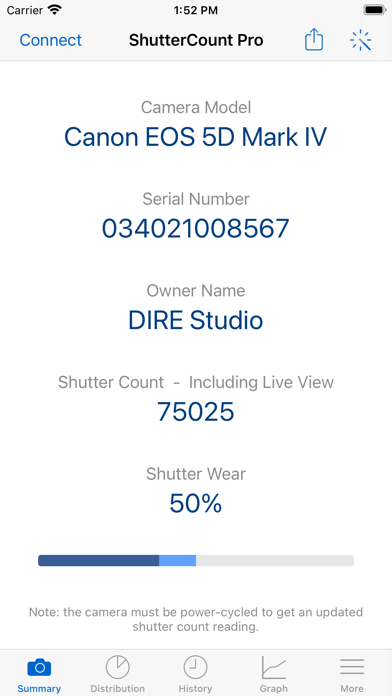
ShutterCount displays the number of shutter actuations (the shutter count) of your Canon EOS, Nikon or Pentax digital camera - see the complete list of certified models below. The shutter count is read directly from USB or Wi-Fi connected Canons, and from image files for Nikon and Pentax cameras. With ShutterCount you can easily check whether a newly purchased camera is really new, or how heavily used a pre-owned item is. And you can save a trip to a service center by doing the reading for yourself.
BASE FEATURES
• Unlimited readings
• Counter for still photos
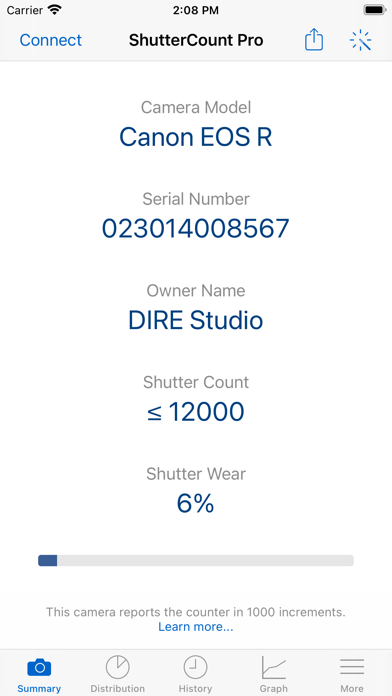
• Wear indicator with numeric and graphical rated shutter life percentage display
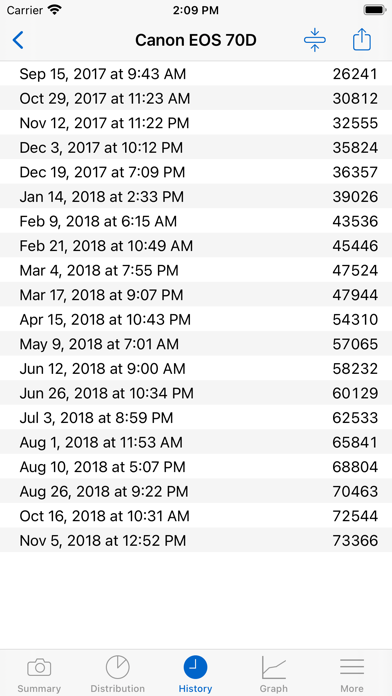
• History logging to track camera usage; logs are stored in CSV format that can be imported into Numbers or Excel for further processing
• Reports in plain text format
• Wizard to guide you through the reading process
LIVE VIEW PACK (included, supports select Canon models)
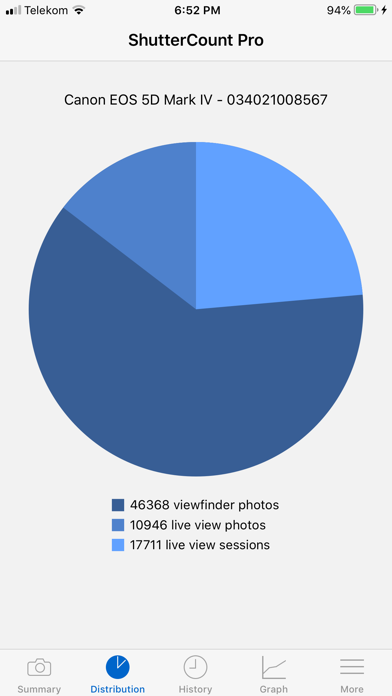
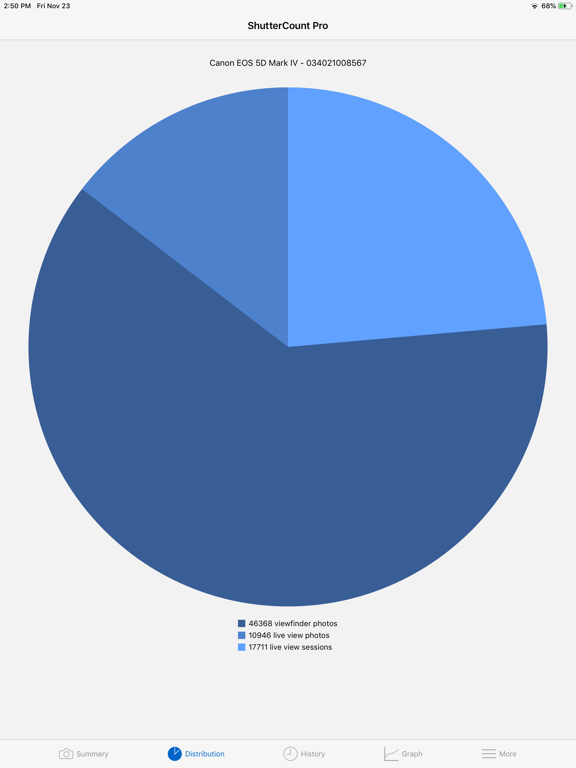
• Counters for live view/videos and electronic shutter
• Distribution chart
PLUS PACK (included)
• Graphing
• Shutter life forecasting (not available for some Nikon and Pentax models)
• History deduplication
• Canon EOS camera management (date/time sync, owner name editing, copyright information setting, outdated firmware warning, IPTC export/import)
• Raw copyright information display and secure personal data wiping for Canons
CERTIFIED CAMERAS
USB connection (requires a Lightning to USB Camera Adapter or a USB-C equipped iPad; Wi-Fi on the camera must be disabled):
• Canon 1D4/1DC/1DX/1DX2/1DX3/5D2/5D3/5D4/5DS/5DSR/6D/6D2/7D/7D2/40D/50D/60D/60Da/70D/77D/80D/90D/100D/200D/200D2/250D/450D/500D/550D/600D/650D/700D/750D/760D/800D/850D/1000D/1100D/1200D/1300D/1500D/2000D/3000D/4000D/8000D/9000D/M6II/M50/M50II/R/R1/R3/R5/R5C/R5II/R6/R6II/R7/R8/R10/R50/R100/Ra/RP; Kiss F/M/M2/X2/X3/X4/X5/X6i/X7/X7i/X8i/X9/X9i/X10/X10i/X50/X70/X80/X90; Rebel SL1/SL2/SL3/T1i/T2i/T3/T3i/T4i/T5/T5i/T6/T6i/T6s/T7/T7i/T8i/T100/XS/XSi
Wi-Fi/Ethernet connection is supported using built-in networking or Canon transmitters on the above cameras having the "EOS Utility" function. The camera must be paired directly with ShutterCount using this function.
Image files:
• Nikon D2H/D2X/D2Xs/D3/D3S/D3X/D4/D4S/D5/D6/D40/D40X/D50/D60/D70/D70s/D80/D90/D200/D300/D300S/D500/D600/D610/D700/D750/D780/D800/D800E/D810/D850/D3000/D3100/D3200/D3300/D3400/D3500/D5000/D5100/D5200/D5300/D5500/D5600/D7000/D7100/D7200/D7500/Df/Z5/Z6/Z6II/Z6III/Z7/Z7II/Z8/Z9/Z30/Z50/Zf/Zfc; 1 AW1/J1/J3/J4/J5/V1/V2/V3; Coolpix A
• Pentax *istDL/*istDL2/645D/645Z/K1/K1II/K3/K3II/K3III/K3IIIMono/K5/K5II/K5IIs/K7/K10D/K20D/K30/K50/K70/K100D/K100D Super/K200D/K500/K2000/Km/KP/Kr/KS1/KS2/Kx
Cameras not listed here are not supported.
FOR DETAILED COMPATIBILITY INFORMATION PLEASE VISIT: https://www.direstudio.com/shuttercount/tech-specs
Questions? Problems? Check out the Getting Started Guide (https://www.direstudio.com/shuttercount/getting-started), the FAQ (https://www.direstudio.com/shuttercount/faq), or contact our support by tapping Report a Problem on the More tab!
DISCLAIMER: The app displays the camera's internal counter. DIRE Studio is not responsible for how well and accurately the camera maintains that counter. The forecast is calculated based on your previous usage, and will change if you use the camera differently in the future.
ShutterCount Pro Mobile App Comments & Reviews
ShutterCount Pro Mobile Positive Reviews
UodateHad issues when I attempted to do a shutter count on a Canon R6. Communicated with Shutter Count support. They promptly replied. Found I was using the wrong type of cable. Changed cable to the type recommended by Shutter Count Support and got the shutter count of the R6 without any issue. Very satisfied with the Shutter Count Pro Mobile. Sold an older camera recently. Based on a relatively low shutter count, I got a very good price when selling..Version: 6.5.1
Canon EOS 6D Mark IIConnected via WiFi. No issues. Just use the wizard and follow the instructions. Great app !.Version: 6.7
Free International Money Transfer 💸Enjoy high maximum transfers into more than 20 currencies while saving up to 90% over local banks! The cheap, fast way to send money abroad. Free transfer up to 500 USD!Version: 7.0