The Basketball Temple LLC
BT Basketball Assistant Customer Service

- BT Basketball Assistant Customer Service
- BT Basketball Assistant App Comments & Reviews (2026)
- BT Basketball Assistant iPhone Images
- BT Basketball Assistant iPad Images
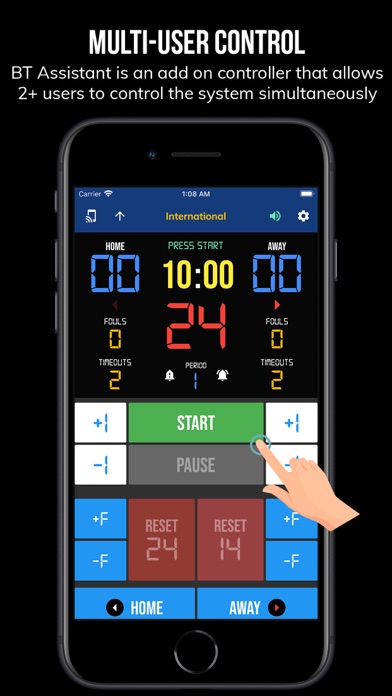
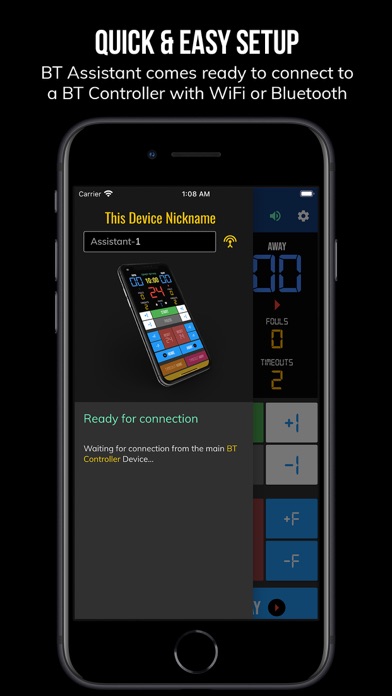
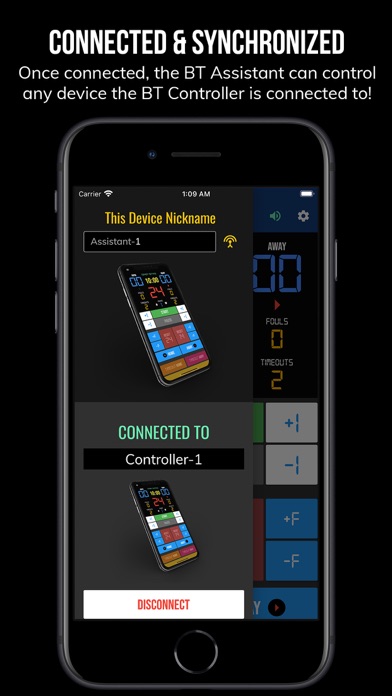
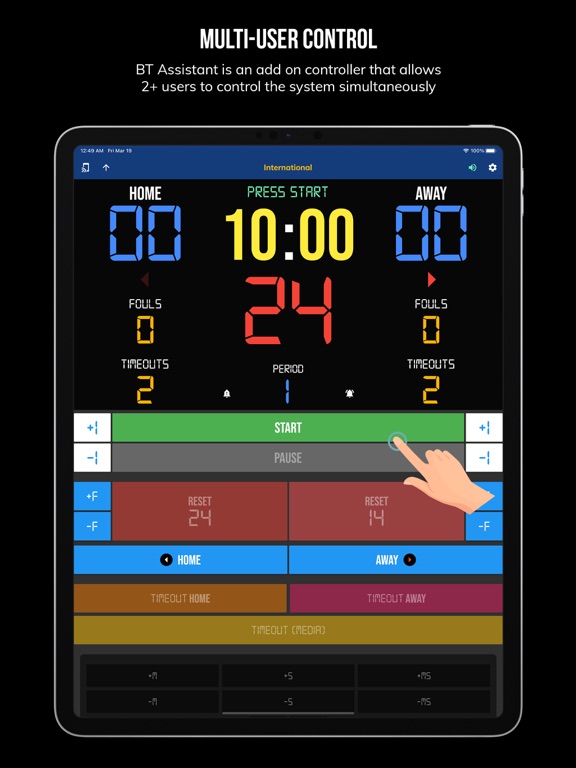
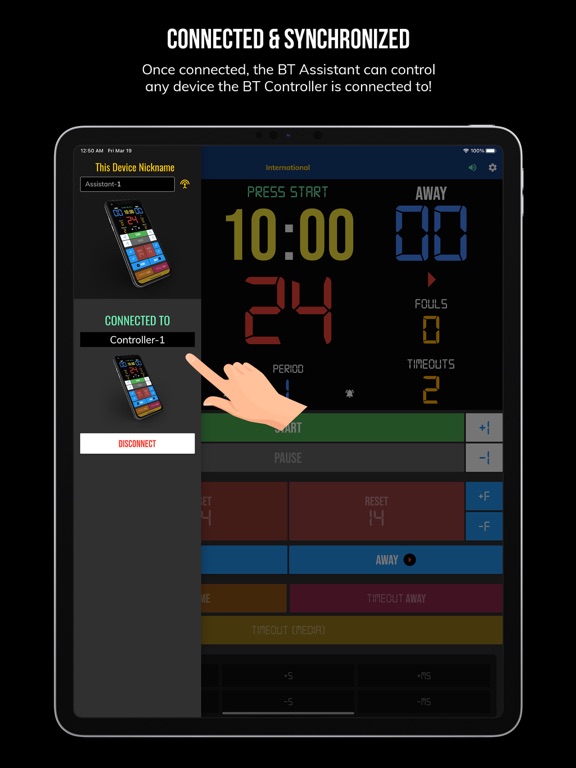
BT Assistants are add-on controllers that synchronize with the main BT Controller. Assistants can help control scoreboard and clock devices in addition to the main user using the BT Controller. To use, connect to the BT Assistant using the BT Controller app, then you're ready to go! The BT Controller may connect to as many BT Assistants as needed, allowing a full team of users to help control the Scoreboard and Shotclocks simultaneously during a basketball game or practice.
Preview: https://youtu.be/aCbgc-BhjUc
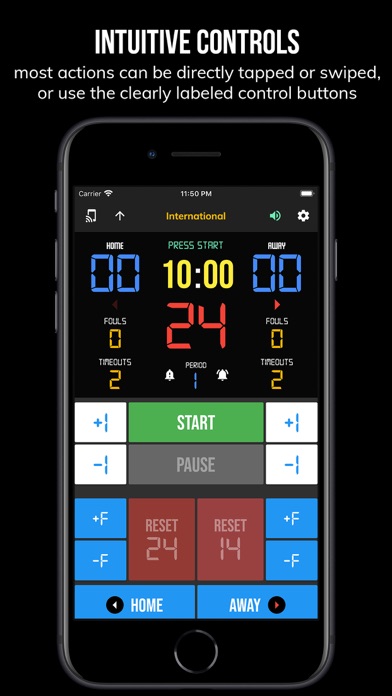
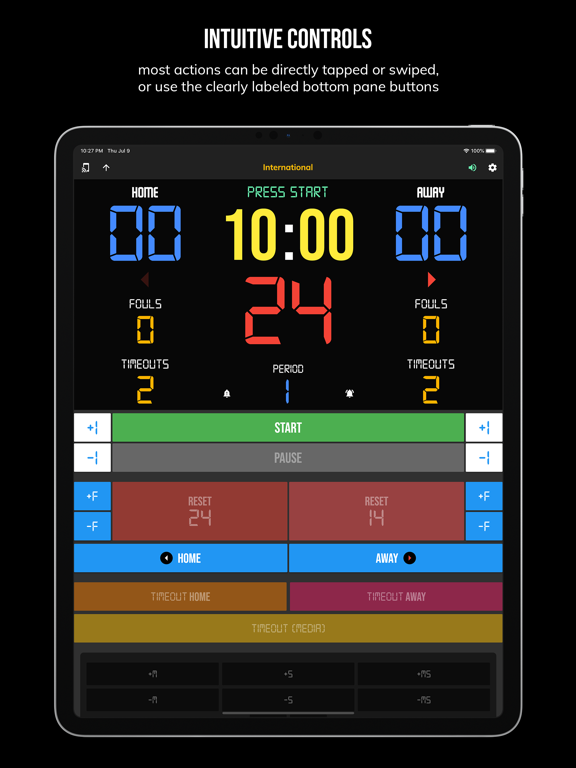
The interface is exactly the same as the main BT Controller. The interface is extremely clean and intuitive, everything is directly touch or swipe based. Clearly labeled controller buttons are also added for those that prefer a button interface. Thoroughly tested in our basketball leagues, the BT Assistant app is easy to learn and new assistants can be helping to run the time and score for a basketball game in no time.
BT Controller: https://www.basketballtemple.com/technologies/bt-controller-app
BT Scoreboard: https://www.basketballtemple.com/technologies/bt-scoreboard-app
BT Shotclock: https://www.basketballtemple.com/technologies/bt-shotclock-app
TBT-Clock-01: https://www.basketballtemple.com/technologies/tbt-clock-01BT Assistant App Features:
- Clean design, no ads
- Intuitive direct tap and swipe controls
- Remotely control scoreboards, shotclocks, and other devices with WiFi or Bluetooth
- Convenient Presets (International, 3x3, US Pro, College, High School, and more...)
- Convenient timers: pregame timer, period timer, rest timer, timeout timer, overtime, etc.
- Fully customizable game in the settings
- Practice modes configured in settings is great for running practices
- Audio buzzers for shotclock violation, end of period, substitutions, etc.
- Warning beep near end of pregame, timeout, or rest times (customizable)
- Quick Start Documentation below
The BT Assistant app was created by The Basketball Temple Company. The Basketball Temple Company focuses on high quality basketball academies, basketball leagues, and technologies that are used to support those academies and leagues. We open our technology to the public so everyone in the basketball community can experience the same technologies that we use within our institutions.
YouTube Tutorial Video: https://youtu.be/-iGhI3WxTkE
# Quick Start Documentation:
All the actions below have corresponding controller buttons that may be used instead.
Score Controls:
- Tap directly on the score to increase quickly
- Swipe up/down score to increase/decrease
- Hold down on team names to adjust name and color of teams
Time Controls:
- Tap period timer to start/pause
- Tap pregame, timeout, rest timers to early transition to next stage
Shotclock Controls:
- Tap shotclock to reset/go
- Swipe shotclock up/down to reset/go to short shotclock
Timeout Controls:
- Tap timeout number to call timeout
- Swipe up/down timeouts to adjust numbers
- Red indicates violation when calling timeout with no timeouts left
Fouls Controls
- Swipe up/down fouls to adjust numbers
- Red indicates bonus situation (customizable in settings)
- Purple indicates double bonus situation (customizable in settings)
Connect and Remote Control Settings:
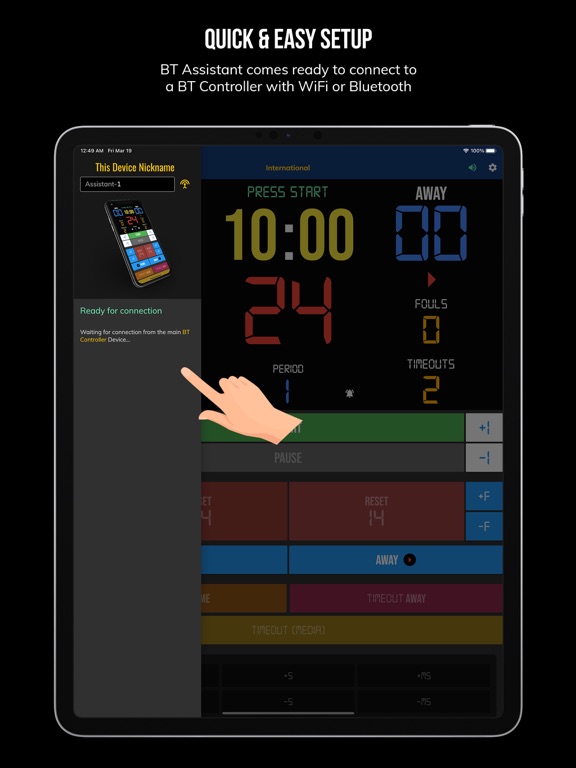
- Tap on top-left icon (or swipe left-to-right on the left edge) to open connect menu
- Hit "Refresh" to find devices
- Tap on WiFi or Bluetooth icon to connect, green icon indicates connected
- If unable to connect or having connection errors try one of the following:
1) please ensure all devices are on the same WiFi network
2) please ensure bluetooth is turned ON on all devices
3) lastly, try to restart the app on all devices
Time and Game Settings:
- Tap on top-right icon (or swipe right-to-left on the right edge) to open settings menu
- Edit and save the many settings available
Audio Buzzer:
- There are two faint colored bell icons next to the period number
- Tap to play buzzer or energy horn
BT Basketball Assistant App Comments & Reviews
What do you think BT Basketball Assistant ios app? Can you share your thoughts and app experiences with other peoples?
Please wait! Facebook comments loading...
BT Basketball Assistant on Social Media
Free International Money Transfer 💸Enjoy high maximum transfers into more than 20 currencies while saving up to 90% over local banks! The cheap, fast way to send money abroad. Free transfer up to 500 USD!Version: 1187
Payoneer 💰Payoneer is an online payment platform that lets you transfer money from any corner of the world! A best and must have payment service for every blogger, traveler, freelancer, affiliate marketer, consultant, virtual assistant, business person, online sellers, and receivers. Earn $25 for free by joining Payoneer. Sign Up Now!Version: 1187